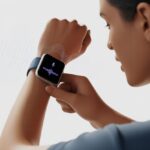
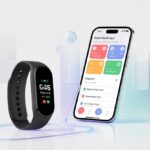
Ever fumbled for your keys or swiped your card the wrong way? Yeah, me too. We’ve all wished we could just wave our wrists and stroll right in, no hassle. With a smartwatch and contactless access control, we can open doors or check in to secure spots with a tap or a wave—no keys, no cards, just a bit of future magic.
When you set up the right app or digital pass, your smartwatch basically becomes a tiny security wizard strapped to your arm. I’ll show you how to set it up, use it, and maybe even enjoy flexing your new tech powers—especially when someone else is stuck digging through their bag for a card. If you’re ready to make life a bit smoother (and let’s be honest, look a little cooler), stick around.
What Is Contactless Access Control With Smartwatches?
Now, with a smartwatch on your wrist, you can open doors without hunting for keys or badges. It uses the same kind of tech as contactless payments, but instead of buying coffee, you’re just walking right through the door—kind of like James Bond, but you can skip the tux.
How Smartwatches Enable Access
Smartwatches aren’t just mini phones; they pack sensors and wireless chips inside. Most have NFC (Near Field Communication), which is the real MVP in access control. NFC lets you hold your watch near a reader, and if everything checks out, the door unlocks.
The whole thing is hands-free—unless you’re flailing and miss the reader entirely. Unlike cards, you don’t need to dig through your bag or pockets.
These systems work a lot like tap-to-pay at the coffee shop. The watch sends a coded signal, the reader recognizes you, and boom—the door opens. As long as you’re wearing your watch, you’re good. If you want to geek out on the tech, check out how tap to pay with your smartwatch works.
Comparing to Traditional Key Systems
Let’s see how old-school keys and keycards stack up against smartwatches.
Feature
Traditional Keys
Smartwatches
Lost Easily?
Yes
Not likely
Easy to Share?
Sometimes
You’d have to share your wrist
Tracks Entries?
No
Usually yes
Germ-free?
Nope
Pretty clean
Fun Factor
Low
High
Keys and cards have been around forever, but honestly, we lose them, drop them, or lend them out and never see them again. Smartwatches stay on our wrists. Plus, lots of systems keep a digital log, so you can see who came in and when—no more secret snack raids at midnight.
Key Terms Explained
NFC (Near Field Communication): The wireless tech that lets your smartwatch talk to a door reader.
Credential: A digital key on your watch. Basically, it tells the lock, “Hey, I belong here!”
Authentication: Proving you’re really you. Sometimes it’s just the watch; sometimes you need a code or fingerprint too.
Contactless Payments: Similar tech, but instead of opening doors, you’re paying for stuff. Want to know more? Here’s how contactless payments work.
Wearable Technology: Fancy way of saying gadgets you wear, like smartwatches.
So that’s the cast of characters in the world of doors, gadgets, and digital magic. No secret codes or decoder rings necessary.
Getting Started: Setting Up Your Smartwatch
Ready to ditch the keys and start flicking your wrist? Here’s how to turn your smartwatch into a digital pass. Figuring out which devices work, how they connect, and what syncing actually means will save you a lot of hassle.
Compatible Smartwatch Brands And Models
Not every smartwatch is up for the job. Some just want to count your steps and nag you to move. If you want to unlock doors, you’ll need a more modern model.
Usually, your best bet is an Apple Watch, a Samsung Galaxy Watch, or a recent Fitbit. Cheap fitness bands usually don’t have access control. If your watch is ancient, don’t trust it with your door—it might barely tell the right time.
Pairing With Your Smartphone
First, you need to pair your smartwatch with your phone. It’s never as thrilling as it sounds. Download the official app (like Galaxy Wearable, Fitbit, or Apple Watch app), turn on Bluetooth, and let your phone and watch get cozy.
The setup walks you through a bunch of “Allow” taps and probably a pairing code. If it asks for a blood sample, back away slowly. Pairing gets you texts, alerts, and, more importantly, lets your watch know who you are—so random people can’t just stroll in.
Once you’ve paired up, you want your watch to actually open stuff. Most modern buildings use NFC, so your smartwatch needs to have it. You’ll probably need to add a digital access credential, which may mean tapping your phone on a badge reader while following some app prompts.
A lot of places use their own secure app or access platform. Some smartwatches work right out of the box, but others need updates or special permissions. With Apple Watch, you might add a pass to Apple Wallet. With Samsung, you might use Samsung Pay to store access cards.
Not every access system works with every smartwatch. It’s a good idea to check with building management first—otherwise, you might end up waving your wrist in front of the door and looking a bit silly.
Enabling Contactless Access Features
Getting your smartwatch ready for contactless access isn’t magic (wish it was), but the steps are pretty straightforward. With a few tweaks, your watch becomes your ultimate key—no noisy keychains needed.
Activating NFC Technology
Honestly, without NFC, your smartwatch is just a pricey bracelet. Most modern models have NFC built in, but sometimes you have to go turn it on.
Go into your watch’s settings menu. It’s usually under “Connections” or “Network & Connections.”
Ignore battery warnings unless your watch is already dying.
With NFC on, your watch can talk to nearby readers. Think of it as a secret handshake for your wrist.
Registering Your Credentials
Now, you need to get your digital ID onto your watch. Most access control systems want you to register your smartwatch like you would a contactless card.
Usually, you’ll:
Download the required app from your building, gym, or office.
Sign in and find the “Register Device” section.
Pick your smartwatch from the list of supported devices.
Sometimes you’ll have to tap your watch to a reader during setup. Other times, you get a code to punch in on both your watch and the access system. It might take a few tries—don’t stress, it’s normal.
Adding Access Passes
Once you’ve registered, it’s time to add your digital access pass.
Depending on your watch brand, you might use Google Wallet, Samsung Wallet, or the device’s own app.
Open the app (like Google Wallet).
Tap “Add Pass” or “Add Access Card.”
Follow the prompts to scan or enter details.
Look for a green check or a buzz—your watch’s way of saying “all set.”
Some passes show up instantly, others need building admin approval. If you have more than one pass, you can usually swipe or tap to pick the right one.
Managing Permissions
Access permissions can change—maybe you get promoted, maybe you lose access to the executive bathroom. Managing permissions is usually as easy as checking your steps.
The app you used to add your pass will show your active passes and their status.
To change or remove a pass:
Pick the pass you want to update.
Tap “Edit” or “Remove.”
For new permissions, just follow the same steps as before.
It’s smart to double-check which passes are active, especially before work on Monday. Most systems notify you if something changes, but you can always check yourself. Worst case, you take the stairs and get a few extra steps in.
Using Your Smartwatch For Entry
Let’s be real, we all want to feel like a secret agent now and then. Using your smartwatch for contactless access is about as close as most of us will get—no tuxedo required. With a few swipes and taps, you’re opening doors, keeping things secure, and looking pretty slick.
Step-By-Step Walkthrough
First, make sure your smartwatch supports NFC or Bluetooth for access. If not, your entry dreams end right there. For those with compatible watches, here’s what to do:
Open the wallet or access app on your smartwatch. It might be Google Wallet, Apple Wallet, or something else.
Hold your watch close to the access reader. Get within a few centimeters—waving from across the hall won’t cut it.
Wait for a ding, buzz, or a little vibration. That’s your universal “door unlocked” song. If nothing happens, the door stays shut and, well, that’s awkward.
Push or pull the door open after you hear the sound.
If things go sideways, check your app settings or make sure your watch is turned on. For more help, the Google Wallet help page is a great resource.
Troubleshooting Common Entry Issues
Sometimes, our smartwatch just refuses to cooperate. If we end up talking to a locked door, let’s try a few things:
Check battery life. If the watch is dead, nothing’s getting opened. It’s a simple but easy thing to forget.
Make sure NFC or Bluetooth is enabled. These settings love to hide in menus we barely remember.
Clean the screen. A smudgy watch face can confuse the reader, and nobody wants that.
Try restarting the device. Turning it off and on again still works wonders.
Update the access app. Sometimes, it’s just a stubborn bug keeping us out.
If we’re still stranded, maybe it’s time to call for help or skim through some smartwatch access control tips. No shame—sometimes tech just wins.
Recognizing Secure Transactions
Security matters. Our smartwatch sends encrypted signals to make sure only we get through.
When we tap our watch, we start a secure handshake—no secret code word, just tech doing its thing.
Look for:
A unique vibration or sound that tells us it’s working.
On-screen messages like “Access Granted” that make us feel like VIPs.
Prompts for a PIN or biometric check before the door or payment terminal lets us in.
Usually, each transaction is as secure as using a card or fob. If something seems weird—like missing beeps or strange errors—we should double-check our settings or call for backup. Even secret agents get locked out sometimes, right?
Top Smartwatch Platforms For Access Control
Some smartwatches do more than count our steps. They let us ditch our keys and wallets, too.
Different platforms have their own way of handling contactless entry and payments, making getting through doors a lot smoother.
Apple Watch And Apple Pay
Apple keeps things simple, and the Apple Watch with Apple Pay makes “tap and go” feel futuristic. It works with most modern door systems that use NFC (Near Field Communication), so we can open doors at offices, gyms, and even some apartments with just a flick of the wrist.
Apple’s security is solid. Every time we try to pay or unlock something, the watch asks for Face ID or a passcode. Plus, it never shares our real card or key data—just an encrypted version.
Key Features:
Works on most NFC readers
Locks itself if we take it off
No need for cards or keys
Apple Pay handles both payments and many access systems
We can even use it for transit in many cities. That means no more digging for a train card while juggling coffee.
Samsung Pay
Samsung Pay gives us a shot at tossing those plastic cards and jangly keys. If we’ve got a Samsung Galaxy Watch, most newer models support NFC, and some older ones even work with older magnetic systems.
Samsung Pay isn’t just for buying coffee. It works with several access control partners, letting us unlock doors, use secure elevators, and even give guests access (if our building supports their apps). Setup is quick: just add access cards to the Samsung Pay app and link them to our watch.
Benefits:
Works with NFC and some older magnetic locks
Built-in Samsung Knox security
Handles payments and access
Supports some third-party digital passes
Honestly, it might be time to retire that heavy keyring.
Fitbit Pay And Fitbit Smartwatches
Fitbit Pay doesn’t always get the spotlight, but it’s a solid choice for access control. Newer Fitbit smartwatches like the Versa and Sense lines have NFC for contactless entry and payments.
With Fitbit Pay, we can add access cards from participating property managers. The Versa 3, Sense, and Charge 5 offer these features. Each tap needs a PIN, so if we lose the watch after a workout, nobody else gets into our locker room.
Highlights:
Easy access for supported systems and payments
Popular models: Versa 3, Sense, Charge 5
PIN protection
Separate wallet for work and home passes
We can finally go for a run with just our watch—no phone or keys bouncing around.
Garmin Pay
Garmin is a favorite among outdoor enthusiasts, but it’s also sneaking into offices and smart buildings. Garmin Pay uses NFC, and more buildings are starting to offer digital passes for Garmin watches.
Garmin focuses on privacy. The watch only sends encrypted credentials, and we can manage passes from the Garmin Connect app. Models like Forerunner, vivoactive, and Fenix series all support this.
Advantages:
Privacy-first—Garmin doesn’t collect access data
Many compatible models
Contactless for doors, payments, and transit
Manual sync for offline use (great for remote spots)
Garmin Pay even works off the grid, so if we’re heading to a mountain cabin with NFC locks, we’re set. If only it could help us leave our worries behind, too.
Mobile Payments Vs. Access Control: Knowing The Difference
We use our smartwatches to pay for coffee and to get through secure doors, but these work in pretty different ways.
Understanding how contactless payment and access control differ helps us stay safe—and enjoy all the cool features.
Contactless Payment On Wearables
Contactless payment with a smartwatch means we just wave our wrist and pay. It’s pure 21st-century magic (or at least it feels that way). Our smartwatches use NFC to “talk” to payment terminals.
Here’s what happens: we add our card info to a mobile wallet app like Apple Pay or Google Pay. When we’re ready to pay, we unlock the watch and hold it near the reader. The watch sends a one-time payment code, so the cashier never sees our real card number. No fumbling, no PINs—just a quick tap and maybe a smile.
Mobile payments usually mean using our phone or watch to pay with stored debit or credit cards. It kind of turns us into a walking payment terminal, which is both convenient and a little bit wild.
Systems like Apple Pay and Google Pay ask us to load a card into their app. At checkout, we unlock the device and tap, making our payment cards digital. These digital payments are still backed by banks, just like regular cards. With mobile payments, our wallets get lighter and our pockets less crowded.
Access control is about getting into secure buildings, while mobile payments are just for buying stuff. If you want to dig deeper into these mobile payment technologies, there’s a handy guide that breaks it all down.
Benefits Of Using A Smartwatch For Access Control
Using a smartwatch for access control saves time, boosts security, and helps us stick to our fitness goals. Plus, waving our wrist to open things just feels cool—like living in the future, minus the jetpacks.
Convenience And Time Savings
Let’s be real—we’ve all fumbled with keys or dug through every pocket for a card. With a smartwatch, one flick of the wrist and we’re in. No more digging through bags or pulling out phones.
No more awkward door moments, especially when our hands are full of groceries or a much-needed coffee. If we’re running late, contactless entry with our watch saves precious seconds.
Many smartwatches combine payments and transit passes, so we can breeze through the day with less to remember (and lose).
Scenario
Old Way
Smartwatch Way
Unlocking the office
Key or card shuffle
One quick wrist tap
Getting into the gym
Frantic bag search
Instant access
Building entrance
Check pockets
Swipe and strut inside
Improved Security
Regular keycards are easy to lose and anyone can use them. Our smartwatch, on the other hand, usually needs a PIN, fingerprint, or even our face to unlock.
Smartwatches use tokenization—a fancy way of saying they create a “fake” card number just for the device. This makes it tough for anyone to steal our info. Some watches even log our entries, so we know exactly where and when we’ve let ourselves in (handy if someone blames us for raiding the snack stash).
We don’t have to worry about cloning or copying cards. With a smartwatch, access details are much tougher to steal or duplicate. Smartwatch payment security uses similar tech, so we get peace of mind.
Integration With Fitness Goals
Why not mix getting through doors with staying active? Some smartwatches track steps, heart rate, or calories burned each time we walk through an access point.
We can set reminders to visit places, track activity at different locations, and use built-in tools to nudge us to move more—even if it’s just between our desk and the snack table.
A smartwatch keeps everything in one place: access control, fitness tracking, and reminders to stand up when we’ve been hunched over too long. It’s almost like having a personal assistant on our wrist—minus the coffee runs.
Staying Secure And Insured
Unlocking doors with a flick of the wrist feels pretty slick, but we still have to stay sharp about security. If our gadget wanders off or starts acting up, we need to be prepared.
Best Security Practices
First, we need a strong passcode. “1234” isn’t going to cut it. Let’s pick something complex—and actually remember it.
Next, let’s turn on two-factor authentication whenever we can. If someone grabs our watch, they’ll still need another code. It’s like giving hackers a puzzle with missing pieces.
We should use privacy settings to block unauthorized pairing and keep an eye on Bluetooth connections. Turning off Bluetooth when we’re not using it is a smart move, so our watch doesn’t broadcast itself to everyone nearby.
Encrypting sensitive data, like user IDs and passwords, makes things tougher for nosy hackers. For more tips, check out these smartwatch security basics.
What To Do If You Lose Your Smartwatch
First, try not to freak out. (Okay, maybe a tiny bit of panic is normal.) Grab your phone and open the “Find My Device” app, or use Google’s device manager to ping your missing watch.
If the watch is still nearby, you can make it ring—even if it’s hiding somewhere annoying, like deep in the couch cushions.
If you realize it’s really gone, remotely lock it. This stops anyone from breaking in. Most apps let you erase all your personal data, so nobody else strolls into your office, home, or bank app by accident.
Let your access control provider and your bank know if you ever used the watch for secure transactions. Otherwise, someone could have a little too much fun on your dime.
Insurance And Data Protection
If you’re the forgetful type (no judgment), check if your smartwatch and its data are covered. Many home or renters insurance plans include lost electronics, but you should double-check if wearables count.
You might also want to look into insurance just for gadgets.
Encrypting your data is a must. Insurance might buy you a new watch, but it won’t bring back your photos, notes, or emails. Back up everything important before disaster strikes—cloud storage is honestly a lifesaver.
If you work at a place with strict rules, you might need to report lost access devices. Following these rules can save you from bigger headaches later.
And if your insurance is up to date, you can get back to wearing a watch almost as quickly as you lost it.
Future Trends In Wearable Access Control
Smartwatches and other wearables aren’t just for checking texts or counting steps anymore. They’re changing how we unlock doors, get into offices, and pay for coffee—all with a flick of the wrist.
Emerging Technology
Every year, wearable technology just gets a little more clever. Now, our wrists can carry NFC chips, biometric sensors, and digital ID cards in one tiny gadget.
The big thing? Contactless access control goes way beyond just swiping in. New devices sync up with security systems, smartphones, and even payment terminals.
Here’s what’s new and catching on:
NFC wristbands tap in faster than you can say “Where are my keys?”
Rings that double as ID badges (because who wants to dig for keys anymore?)
Biometric features like fingerprint and heart rate sensors keep imposters out
Cloud-based control panels let you update or revoke access in seconds
Wearable payment devices—smartwatches, wristbands, rings—are showing up everywhere, making life less about keys and more about convenience.
Want to see where things are headed? Take a look at The Rise of Contactless wearable payment devices.
The Next Generation Of Smartwatches
Smartwatches aren’t just mini phones on our wrists anymore. The new wave is aiming for better security, smarter features, and, honestly, more style—because who doesn’t want to look good while unlocking a door?
Here’s what’s coming up:
Multi-factor authentication: We’ll enter buildings with our watch and a quick finger swipe.
Health monitoring meets security: Our heartbeats and steps won’t just measure fitness—they’ll prove who we are.
Seamless syncing: Watches will chat with access points, phones, and cloud systems all at once. Finally, devices that actually get along.
Researchers say we’ll soon use watches to manage sleep, pay for stuff, and unlock doors, sometimes all at once. Before long, will we even remember the last time we touched a plastic keycard? You can check out more about the future of NFC-enabled wearables if you’re curious where things are headed.
Hi, my name is Garrett Jones, and I am a tech enthusiast. I enjoy researching the new tech that has been released, and have a vast knowledge of the best tech to purchase.
From a young age, I have always had a big interest in technology, and this blog is an extension of that interest. Through this blog, I hope to provide others with all of the information they need regarding tech options to consider, and things such as compatibility. Some of the different items I will be discussing include headphones, smartwatches, and how to fix common issues.