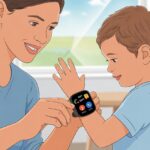
If you’ve ever spent twenty minutes looking for a missing sneaker and another ten calling out for your child, you know a little extra help wouldn’t hurt.
We can use a fitness tracker to keep an eye on our kids’ safety, making sure we know where they are and giving us a little peace of mind. Turns out, these handy wrist gadgets do more than just count steps—they help us keep our kids from vanishing like socks in the laundry.
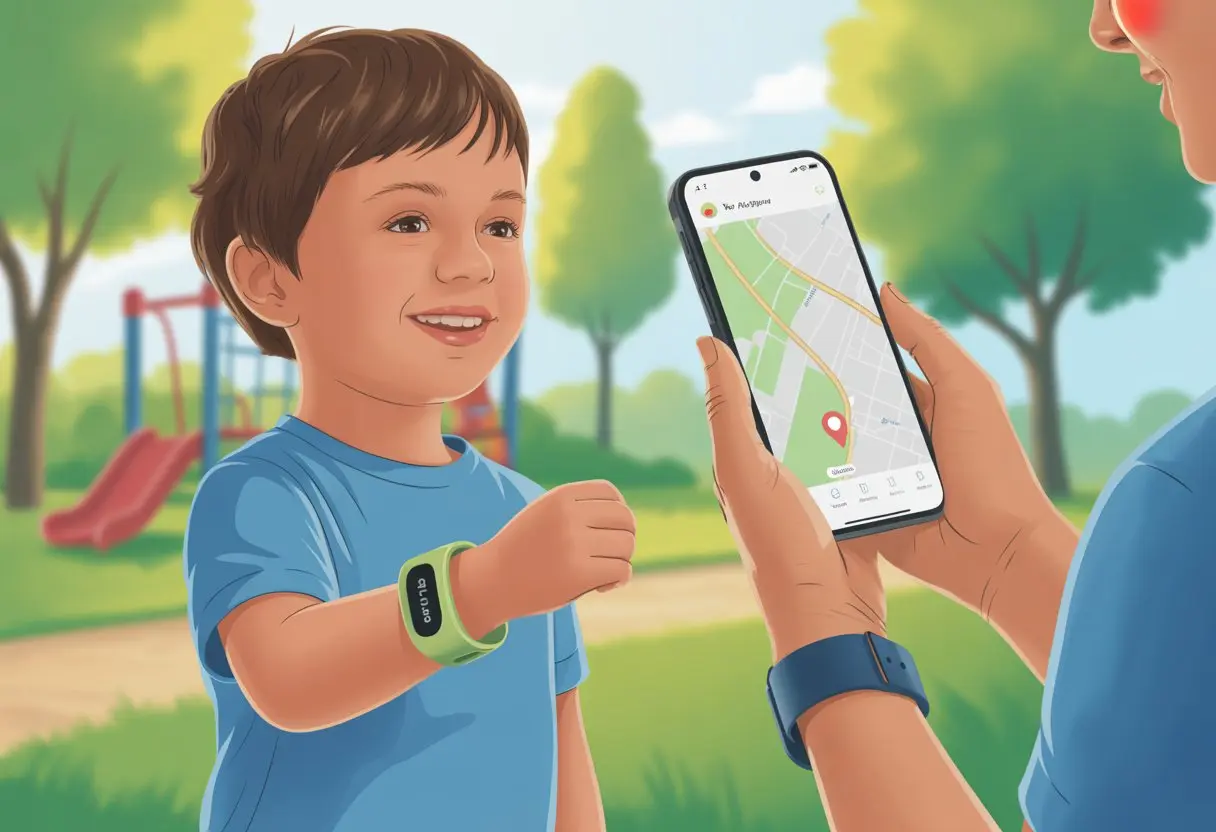
We can monitor their location, check activity levels, and set up alerts if our little ones wander too far. Features like GPS tracking and easy-to-use apps let us stay ahead of the game.
Honestly, it’s another tool in our “parental wizardry” kit that’s a bit more sophisticated than just yelling from across the playground.
Setting up a fitness tracker for child safety takes a few steps. We need to pick the right device, make sure it’s secure and comfy, and double-check privacy settings.
If it means fewer “lost child” moments and more “found them by the swings,” that’s a win in my book.
Choosing the Best Fitness Tracker for Child Safety
Picking a fitness tracker for kids isn’t just about flashy colors. We want something tough enough for adventures, keeps kids safe, and doesn’t drain the family budget.
Important Features To Look For
Let’s be real—kids aren’t gentle with their stuff. We need water resistance (for those “accidental” pool dives), tough straps, and simple controls.
Look for location tracking, emergency alert options, and a battery that doesn’t give up after a single day.
Privacy features matter a lot. We should look for trackers that protect our kids’ data and let us control what’s shared.
Parental controls and app management let us keep an eye on things without feeling like undercover agents.
Bright displays, step counters, and even fun rewards can motivate kids. Some trackers include GPS and emergency functions, which feels reassuring when they wander farther than the backyard.
Comparing Popular Products: From Fitbit Ace to vivofit jr
The Fitbit Ace keeps things simple with step counting, active minutes, and a user-friendly app. It’s great for tracking movement and joining family challenges.
But it doesn’t have GPS, so if your child takes off after the ice cream truck, you’re out of luck.
The vivofit jr from Garmin is a beast. It’s waterproof, tracks sleep, gives chore reminders (finally, a gadget that nags for us), and the battery lasts about a year—yes, a whole year.
Again, no GPS here either.
Want GPS tracking? You’ll need to look at devices made for child safety and location tracking. They might be bulkier or pricier, but for some of us, that peace of mind is worth it.
Cost and Durability Considerations
Cost matters, no question. You can spend under $50 for basic models or closer to $100 for fancier features like colored screens and more games.
Deals pop up if you don’t mind last season’s colors—just call them “vintage” if your kids ask.
Durability is a must. Check reviews to dodge trackers that break after one tumble off the monkey bars.
Most basic kids’ trackers are water-resistant, but higher-end products can handle full dunks.
Basic Table:
| Product | Typical Price | GPS | Water Resistance | Battery Life |
|---|---|---|---|---|
| Fitbit Ace | ~$60-$80 | No | Yes | 5-8 Days |
| vivofit jr | ~$50-$80 | No | Yes | 1 Year |
| AngelSense (GPS) | $100+ | Yes | Yes | 1-2 Days |
When in doubt, go sturdy and affordable. If it’s not so stylish that your kid “forgets” to wear it, even better.
Setting Up Your Child’s Fitness Tracker
Getting a fitness tracker ready for our kids isn’t rocket science, but there are a few steps to follow. From pairing with phones to picking out tracking options, it’s not too bad once you get started.
Let’s roll up our sleeves (and maybe roll our eyes at the instructions) as we go through it, step by step.
Pairing With Android or Apple Devices
First up—we need to connect their tracker to a phone or tablet. Most fitness trackers work with both Android and Apple devices.
If the tracker came home buried under toy cars in the shopping cart, check its instructions to know what you need.
We start by installing the required app on our chosen device. Turning on Bluetooth is a must (unless you want to guess how many steps they took).
Next, follow the app’s prompts to pair the tracker. Usually, you’ll hold down a button or tap “Connect,” then wait and possibly mutter under your breath while it links up.
If a pairing code pops up, make sure your child doesn’t get distracted by a cat video mid-process.
For more tips, check the Fitbit fitness tracker safety guide.
Setting Up Apps and Accounts
Once paired, we set up the account in the app. Apps on both Android and Apple usually walk us through the basics: name, age, and sometimes height and weight (cue the classic “and-a-half” debate).
Some fitness trackers for kids let us create child profiles with extra parental controls. We can use our email and add our child’s details.
Most apps let us manage privacy settings—it’s a good time to pick what’s visible and limit what our kid can change.
Check if you need to enable notifications or set screen time limits in the app. For extra help, see the guide on setting up a smartwatch for kids.
Customizing Activity Tracking
Now comes the fun part—deciding what to track! Maybe you want step counting, sleep monitoring, or reminders to move (especially when your child is “building” a pillow fort for two hours).
Each app is a little different, but most have a settings or activity menu. You can usually turn off features you don’t need or adjust goals, like daily step counts or sleep targets.
Just click around until you see something like “Customize tracking.” Some trackers let us set friendly reminders—nothing like a gentle buzz to remind kids the couch isn’t a jungle gym.
If your child is curious about tech, walk through these settings together. It’s a good way to show them technology is more than just scrolling through the shopping cart.
For smart tips, see what to consider before your child wears a fitness tracker.
Ensuring Safety With Location Tracking Features
When we want to keep tabs on our kids, we need solutions that are fast and easy. Fitness trackers with smart safety features give us an extra pair of eyes.
GPS Tracking and Live Location Updates
Imagine having a superpower that tells us exactly where our kids are—not in a creepy way, just practical, parent-saving stuff. GPS tracking does exactly that.
These smartwatches or trackers let us follow our child’s location in real time, using our phones or a website. If our kids are late walking home from school or take a surprise detour to the park, we can check their live location and breathe easier.
Many trackers also have geofencing alerts. We can draw an invisible fence on a map—maybe around school or home.
If our child crosses that line, we get a notification right away. We get peace of mind, and our kids get a bit more freedom without us constantly texting “Where are you?”
For more details about these features, check out this guide on how GPS trackers help keep kids safe.
Proper Use of SOS Button
Let’s talk about the SOS button. It’s basically a superhero signal for help, but way less dramatic (and no need for a spotlight).
This button lets our kids alert us—or sometimes even emergency contacts—if they ever feel unsafe or need help right away. When pressed, the tracker sends out an alert along with their location to our phone.
Teaching our kids when and how to use this feature is key. Practice with pretend “missions” so they know what to do in real situations.
A tracker with a clear and easy-to-reach button makes it simple for small hands, even if there’s a little panic.
For a breakdown of what this emergency feature can do, check out real-time tracking and SOS buttons.
Communication Capabilities for Families
Staying in touch with our kids is easier than ever, thanks to modern fitness trackers and smartwatches.
From two-way calling that lets us check in (or gently nag), to Bluetooth that connects devices faster than we find our car keys, these tools help our families stay connected.
Two-Way Communication Features
Two-way communication really changes the game. With a fitness tracker or a smartwatch that supports calling and texting, our kids can reach us quickly if there’s ever a problem—or if they just want to brag about finishing their homework.
This gives us peace of mind and lets our kids feel more secure, knowing help is just a button away.
Most modern kids’ smartwatches come with built-in microphones and speakers so talking back and forth is simple.
Some models let us set an approved contact list to block random calls from strangers, which is helpful when our little ones haven’t quite mastered the art of screening calls. Devices like the Apple Watch (with Family Setup) let us send messages, make calls, and check locations—all from our own phones.
For those who need extra reassurance, many fitness trackers also have an SOS feature. This emergency button contacts parents or other trusted people with one press—handy if trouble shows up and they need us right away.
For more info, check out how kids’ smartwatches help keep children protected.
Bluetooth and Smartwatch Connectivity
Bluetooth sounds fancy, but honestly, it just lets our devices chat without a nest of cords. When we set up a smartwatch for our kid, Bluetooth connects their fitness tracker to our phones and other gadgets.
We can sync data, get alerts, and check if everything’s working (and hopefully not making a racket).
With Bluetooth pairing, we can:
- Set up the tracker and tweak settings from our own phones
- Keep an eye on step counts, sleep stats, and activity goals
- Get notified if the device leaves a safe area or the battery’s about to die
Some basic models without calling features use Bluetooth to send safety updates and notifications. Want more details? Check out smartwatches with limited communication features. Even if our kid’s tech skills put us to shame, Bluetooth keeps us connected with minimal fuss—unless we lose the charger, then, well, we’re on our own!
Maximizing Activity Tracking for Child Well-Being
Trying to keep up with our kids’ daily adventures feels like a full-time gig. Fitness trackers help us figure out where they’re running (and maybe what they’re running from).
These little gadgets make learning about health way more interesting than reading rules on a poster in the nurse’s office.
Daily Activities and Health Education
Kids have the energy of a pack of squirrels, don’t they? With activity tracking, we can finally turn all that bouncing into numbers we can actually use.
Fitness trackers show us how many steps our kids take, how far they travel, and sometimes even their heart rates.
This makes it easier to set goals together and talk about what healthy habits really mean. For example, aiming for 10,000 steps gives our kids an exciting target.
We can check the tracker after a wild day and see if chasing the dog around the yard actually burned off that cookie.
Some trackers even show us sleep hours and active minutes. We get a fuller picture of our child’s day—no need to play secret agent.
For tips on teaching kids about steps, calories, and other health basics, Explaining Fitness Tracking to a Child has some simple ideas.
Encouraging Outdoor Fun: Bike Rides and Beyond
We’re up against computers, tablets, and every cartoon ever made. Fitness trackers give us a secret weapon.
We can turn bike rides, hikes, and backyard obstacle courses into little competitions—who took the most steps or biked the farthest wins superhero status (at least for today).
When our kids see how much exercise they get from biking or exploring the neighborhood, they’re more likely to ditch the screens—at least until their next snack break.
Some trackers pack in GPS, so we can track where our kids go or set safe zones for a little extra peace of mind.
Using GPS settings responsibly lets us encourage freedom while still keeping an eye on safety, just like Children’s Hospital recommends.
Honestly, nothing makes us feel like cooler parents than using tech to outsmart a phone or tablet.
With the right tracker, our kids might beg to race around the block instead of leveling up on the computer.
Accessorizing and Caring for Your Device
Let’s be real—kids and gadgets don’t always mix as well as peanut butter and jelly. If we want our child’s fitness tracker to survive daily chaos (and maybe outlast our morning coffee), we need the right accessories and some battery-saving tricks.
Choosing Waterproof and Kid-Proof Accessories
Nothing ruins a day faster than a fitness tracker taking a surprise bath. We should look for cases or bands that offer waterproof or at least splash-resistant protection.
Rainy playground? Mysterious puddle? A waterproof accessory turns disaster into a non-event.
For our little daredevils, shockproof and drop-resistant bands are lifesavers. Accessory packs with bright colors or cute designs keep the tracker stylish and sturdy.
If you want to go green, some bands use recycled materials, so we can help the planet while keeping gadgets safe.
Labels that say “kid-proof” usually know exactly what we’re up against.
Here’s a quick checklist:
| Must-Haves | Why We Need Them |
|---|---|
| Waterproof Bands | Outwit splashes & spills |
| Shock-Absorbing Cases | Survive tosses & drops |
| Fun Designs | Keep kids happy |
| Eco Materials | Feel good, do good |
Tips to Extend Battery Life
A dead tracker is about as useful as a chocolate teapot. If we want to dodge the dreaded “your device is out of battery” meltdown, battery management needs to be part of our plan.
Let’s skip the urge to use maximum screen brightness—kids don’t need a beacon bright enough for ships at sea.
Turning off features like always-on displays, too many notification alerts, or unused tracking modes helps a lot (unless our child is suddenly climbing Mt. Everest).
Charging regularly, but not leaving it plugged in forever, keeps the battery healthier.
Some trackers offer “eco modes” that stretch battery life by cutting background activity.
A few tweaks and our tracker might just make it through a field trip. For more tips, check out these ideas for making the most of a child’s fitness tracker.
Data, Privacy, and Child Safety
We all want to keep our kids safe—and their secrets safer. With fancy fitness trackers on tiny wrists, it’s easy to forget about setting up data limits or reading the fine print that goes on forever.
Managing Data and Permissions
If we don’t manage data, the tracker could spill more secrets than our kids after a sugar rush. Most trackers collect steps, heart rate, location, and sometimes even sleep details.
That’s great—until it isn’t.
We should always check what information we’re sharing and with whom.
Adjust privacy settings in the app so things stay on the device and not flying off into the cloud.
It’s smart to store data on our phone instead of letting it wander the internet like a lost sock.
Some trackers let us delete everything if we want a fresh start or just don’t want years of step counts piling up.
If setting this up feels confusing, guides like this Fitbit safety guide can walk us through it.
Being careful with permissions stops random apps or unexpected relatives from seeing our child’s health data. And even if we wish for a world without more passwords, keeping these details private is worth it.
Understanding Return Policies
Not every fitness tracker fits our little athlete—or our family budget. Before buying, always check the return policy.
If we shop at places like Amazon, the return window usually runs about 30 days, but it’s always worth a double-check.
Look for details like whether the tracker has to be unopened, or if we can try it once and still return it (kind of like spinach at dinnertime).
Some stores get picky if the box looks like it’s been opened by a hungry raccoon.
A quick chart makes things easier:
| Store | Return Window | Must Be Unopened? |
|---|---|---|
| Amazon | ~30 days | Not always |
| Retailer | Varies | Check policy |
Knowing the return policy saves us from surprise charges or getting stuck with gear our kids refuse to wear. Always better to check now than try explaining a return to a chatbot later!
Fun Uses Beyond Safety: Creative Ideas
Fitness trackers aren’t just for counting steps or worrying about safety. We can turn these little gadgets into secret tools for boosting fun, creativity, and family bonding—all while sneaking in some healthy movement.
Incorporating Fitness Trackers into Art, Craft, and Book Activities
Honestly, some of us get more steps looking for craft glue than on a morning jog. Why not make it official?
We can set up “art scavenger hunts” where each step brings us closer to the next crayon or paintbrush.
Kids can wear their tracker and collect points for every trip to grab a new supply.
For book lovers, we can turn reading time into an adventure. After finishing a chapter, everyone does a silly victory dance or takes a lap around the room.
Fitness trackers log the moves, and we get to brag about our “active reading.”
Crafts and books don’t have to mean sitting still—they can be movement-powered marathons with a dash of creative chaos.
We might even build secret dens out of pillows and blankets, tracking every trip to haul the heaviest book or fluffiest cushion.
Who knew fitness tracking could turn us into creative engineers or wandering librarians?
Making Activity Tracking a Family Game
Why should kids get all the fun? Let’s turn it into a step war! We set up a family leaderboard where every step counts toward family glory—and maybe, if you’re unlucky, dessert duty.
Weekly challenges might look like, “Who’s hitting 5,000 steps first?” or “Who actually logs their kitchen dance moves?” We sometimes pick goofy team names, like the “Dashing Dens” or the “Bookish Bolters.” That way, everyone feels like they’re in on the action.
Family members love handing out points for the funniest walk or the most ridiculous detour to the bathroom.
Every so often, we’ll toss in surprise craft-related bonus rounds. If you gather all the art supplies for a craft day the fastest, you score bonus steps.
Tracking activity as a family brings more laughs, plenty of weird little moments, and—let’s be honest—maybe a little less arguing about screen time.

From a young age, I have always had a big interest in technology, and this blog is an extension of that interest. Through this blog, I hope to provide others with all of the information they need regarding tech options to consider, and things such as compatibility. Some of the different items I will be discussing include headphones, smartwatches, and how to fix common issues.
- The Best Rugged And Waterproof Smartwatches - October 21, 2026
- 10 Best Military Smartwatch – Find The Best Tactical Military Watches in 2023 - October 20, 2026
- Are Wired Headphones Safer Than Bluetooth? A Friendly Guide - October 20, 2026
Related Posts: