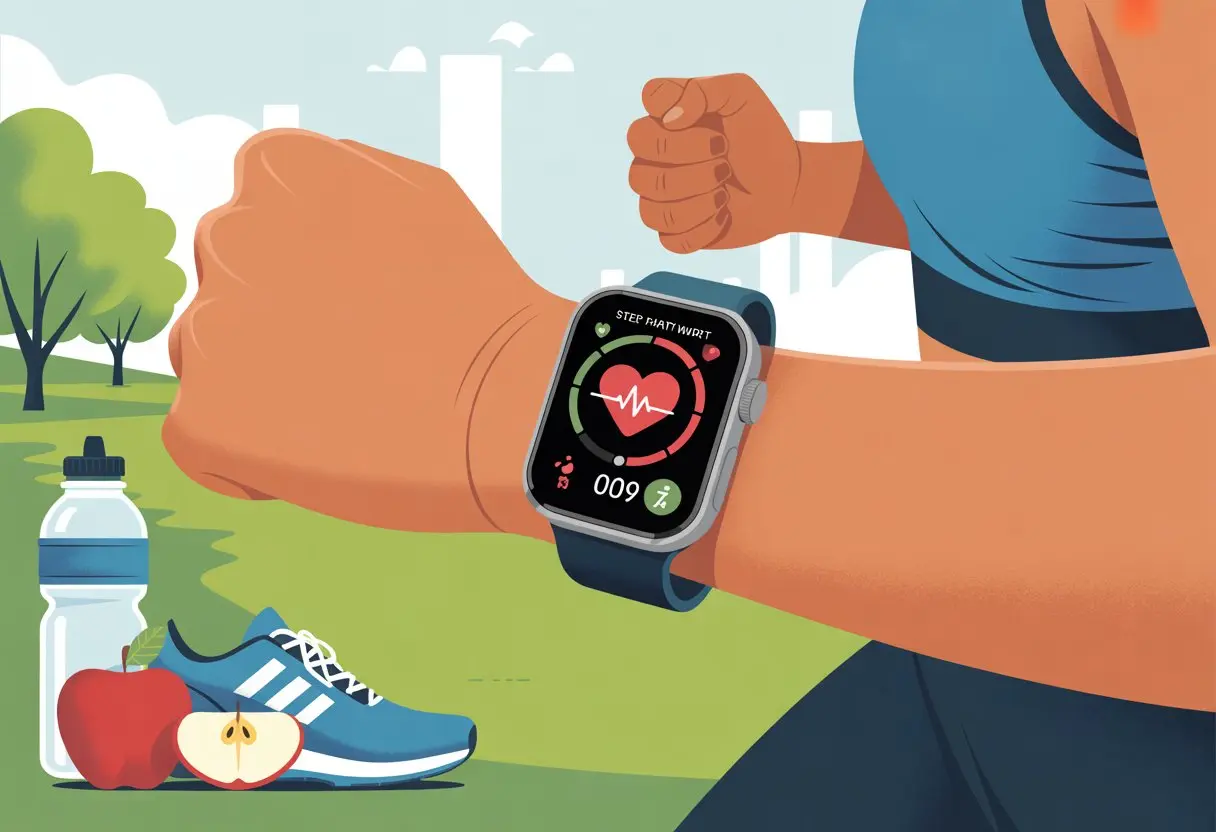
Let’s be real—losing weight feels like a marathon that just never ends. Thankfully, smartwatches exist to pull us out of our lazy ruts and keep our snack habits in check.
When we use a smartwatch for weight loss, we track steps, watch calories, and set goals that actually keep us honest.
These little gadgets nudge us to move, cheer us on when we close our rings, and sometimes even scold us for sitting too long. Instead of relying on fuzzy memory, we see real numbers—how many steps we took today, for example—and that’s a reality check.
So if you want to make weight loss a little easier—and maybe have a few laughs—just strap on the smartwatch and let it boss you around. It’s for your own good, promise.
Getting Started With Your Smartwatch
Before we try to zap away those stubborn pounds with tech, let’s make sure we don’t drive ourselves nuts in the process. Smartwatches can do almost anything—except physically drag us off the couch.
Let’s get them working for us, not the other way around.
Setting Up Your Device
First things first: get that shiny new smartwatch out of the box. Whether it’s an Apple Watch, a Fitbit, or some other tracker, we need to charge it up.
No battery, no steps. No steps, no bragging rights.
Pairing with our phone usually means fiddling with Bluetooth and staring at spinning circles. Just follow the setup guide and try not to invent new curse words.
Most watches ask for our height, weight, and age. That way, it won’t assume we’re marathon runners when we really just sprint for snacks.
Don’t forget to put it on the right wrist—or left, if that’s your style. A snug fit keeps the heart rate sensor happy and prevents the watch from flying into your coffee.
Choosing the Best Smartwatch for Fitness
Picking a smartwatch feels a bit like dating for your wrist. Not every fitness tracker will help with weight loss the same way.
The Apple Watch comes loaded with health features—heart rate tracking, step counting, GPS, and a zillion apps. If you want reminders to close your rings or stand up, this one’s a solid pick.
Fitbit models are also strong contenders, usually at a lower price. They do a great job with steps, sleep, and those cute badges we secretly love.
Some even track calories and have built-in workouts. If you want something simple and cheap, other trackers work too, though you might miss out on fancy features.
Battery life, water resistance, and phone syncing matter. If it can’t survive a sweaty workout or a victory shower, it’s not the one.
Once the smartwatch is ready, it needs some apps to really shine. Most require an official companion app—Apple Health for Apple Watch, Fitbit’s app for Fitbit.
Consider adding apps for calories, steps, sleep, workouts, and even water intake. Some apps gently nudge us; others practically shame us for lounging.
Syncing with our favorite health apps puts all our activity in one place. It’s easier to spot trends and see progress.
If syncing feels like a puzzle, most app makers have step-by-step guides. Get those apps connected now, so you can’t use “I didn’t know how” as an excuse.
For more on using health apps, check out Times Now.
Establishing Your Fitness Goals
Clear goals are a must—otherwise, your smartwatch just nags you for no reason. To lose weight, we need to get specific and track the right things.
That means steps, weight, and even sleep.
Personalizing Weight-Loss Goals
Let’s be honest, “get fit” is so vague, even our Fitbit would roll its eyes. We need goals we can actually measure—like 8,000 steps a day or losing 2 pounds this month.
Think about what keeps you going: Are you motivated by closing those rings? Or do you need a digital cheerleader every time you stand up after a Netflix marathon?
A smart move is to break big goals down into daily targets. Losing 20 pounds sounds tough, but half a pound a week? That feels doable.
Our smartwatches update as we go, which keeps us motivated and feeds our love for instant feedback.
Understanding BMI and Progress
Most smartwatches don’t magically spit out our BMI every morning. But they let us enter our weight and height, then crunch the numbers.
BMI, or Body Mass Index, gives us a ballpark idea of where we stand. It’s not perfect, but it’s a starting point.
Knowing our BMI helps us see if we’re making progress or just getting really good at walking to the fridge. Checking progress every week is plenty—daily checks just make us neurotic.
Charts and graphs in smartwatch apps make it easier to spot trends (and maybe laugh at that pizza-heavy week).
Configuring Fitness Trackers
Before we expect our Apple Watch to turn us into athletes, we need to set it up right. Input your age, weight, and height so the calorie burn estimates make sense.
Setting fitness goals is usually as simple as picking from a menu or tapping a few buttons. Explore daily and weekly goals for movement, exercise, and sleep.
Apps like Runmefit let you set targets for calories or steps per day. Smartwatches can send reminders to move—aka “annoying notifications”—so you don’t have to remember on your own.
Tracking Physical Activity for Weight Loss
When we want to lose weight, our smartwatches become trusty sidekicks. They show us how much we’re moving and what exercise we’re actually doing.
They also highlight where we might need to step it up.
Counting Your Steps and Beyond
We all know the step counter—the one that cheers us for hitting 10,000 steps, even if most came from pacing before bed. But it’s not just about a magic number.
Some smartwatches show graphs and streaks so we can spot lazy days. And, let’s be honest, brag about the active ones.
With a good fitness tracker, we can also track distance, calories burned, and heart rate. These stats help us see if our activity is moving the needle or if we’re spending too much time in “rest mode.”
Not all workouts happen on the treadmill. Most smartwatches have exercise modes for running, cycling, swimming, weightlifting, and even yoga.
When we start these modes, our watch tracks pace, heart rate, and sometimes reps or strokes. That way, we get more detailed feedback instead of lumping everything under “steps.”
Running outdoors and lifting weights burn calories differently. Some watches even throw in friendly challenges or badges—because who doesn’t want a digital high five?
Pro tip: Actually use those workout modes. Tracking nap time as exercise? Yeah, that’s not fooling anyone.
Unlocking the Power of Heart Rate Monitoring
Heart rate data is basically your workout’s hype man. It tells us when to push harder or when to take it easy.
With a smartwatch, we see how our bodies react so we can burn more calories and boost cardio fitness.
How Heart Rate Impacts Workouts
When we watch our heart rate, we’re not just flexing our tech. We’re making sure the sweat is actually worth it.
Heart rate zones show us how hard we’re working—think of them as speed limits for workouts.
Fat-burning zone (50-70% of max heart rate): Great for steady cardio, like brisk walks or slow cycling.
Cardio zone (70-85%): Here’s where we push—running, fast biking, or intense dancing (Zumba, anyone?).
Peak zone (above 85%): Best for short bursts, not for coffee runs.
By checking our heart rate, we can adjust intensity and burn more calories in less time. No more guessing if those burpees actually counted.
Optimizing Cardio Fitness Levels
When we track our heart rate for a few weeks, we start to notice real changes in our cardio fitness. As our heart gets stronger, it doesn’t need to work as hard during the same workout.
It kind of feels like we’ve upgraded our system from Windows 98 to something way more efficient. Not bad, right?
Some smartwatches give us a cardio fitness score or even estimate our heart health. When our resting heart rate drops, it usually means our heart is getting stronger, not just slacking off.
If we log heart rate data over time, we can see our progress, stay motivated, and know when it’s time to push a little harder.
Here’s a tip: track heart rate while sleeping, too! Noticing changes in our resting heart rate tells us if we’re overdoing it or if we’re ready for another workout.
Mastering Calorie Counting With a Smartwatch
We can’t just wave a magic wand to lose weight, but our smartwatches come pretty close—if we actually use them the right way.
Instead of only counting steps, we can track calories burned and sync everything with diet apps for a more complete approach.
Monitoring Calories Burned
We like to believe our smartwatches have all the answers, but calorie tracking isn’t perfect. Most watches estimate calories burned using heart rate, age, weight, and activity type.
It’s definitely better than guessing or listening to grandma’s “just eyeball it” advice, but it’s not flawless.
Smartwatches track all sorts of activities—walking, running, yoga, or even those fake jumping jacks while we’re scrolling social media. Some watches show calories burned right after workouts, which makes it kind of fun to chase higher numbers like we’re playing a game.
Here’s a quick look at what changes calorie tracking:
Factor
Impact on Tracking
Heart Rate
Higher = More calories burned
Activity Type
Different movements = Different calculations
Personal Data
More accurate info = Better estimates
It’s smart to look at trends over time instead of stressing about weird numbers after chasing the dog around the yard for five minutes.
Integrating With Diet and Nutrition Apps
Tracking calories out is only half the story; we also need to know what’s going in. Thankfully, smartwatches can connect with diet and health apps, like MyFitnessPal or Samsung Health.
We don’t have to keep a paper notebook that disappears every time we want to log lunch.
Most apps let us log every meal, snack, or that “I’ll just try a bite” moment. Our smartwatch syncs this info, so we always see a live summary of calories in versus calories burned.
Honestly, it’s way easier to know when we’ve earned a cookie or when it’s time to love salad a little more.
Handy features help a lot:
Barcode scanning for foods (so we never have to type “chicken nuggets” again)
Custom reminders to drink water or avoid late-night fridge visits
Visual charts showing our daily progress, because sometimes graphs are more honest than our memories
When we link health data between devices, we get a simple way to check our nutrition, not just calories. This helps us spot gaps, manage portions, and get the most from our smartwatch—no calculator needed.
Using Exercise Plans and Workouts
Let’s be real: following a weight loss plan can feel just as confusing as finding matching socks. Thankfully, our smartwatches help turn chaotic gym sessions into something a little more organized.
Creating Custom Exercise Plans
Nobody knows our bodies better than we do (except maybe our mom). With a smartwatch, we can build custom exercise plans that fit our goals.
We pick the activities—jogging, cycling, even line dancing—and decide how long we want to sweat.
Many smartwatches let us set targets, like running three times a week or burning a certain number of calories per session. If we want to get fancy, apps like Runmefit help us track weight, steps, and calories so we can see real progress over time.
If we’re not into the gym, we can swap burpees for brisk walks and still see results.
By customizing our routines, we get workouts that match our schedules, moods, and even our dislike for early mornings.
Following Pre-Built Workouts
Not everyone wants to invent their own routines. Pre-built workouts are a lifesaver.
Our smartwatches often come loaded with routines for every fitness level—from “I sit all day” to “I accidentally joined a spin class.”
A few taps and we’re in a strength training, HIIT, or yoga session—whatever makes us feel like we’re winning at fitness. Most plans are time-based and guide us through each move, so we don’t have to search “how to squat” in the middle of the gym.
Since the workouts are already set, we don’t waste time guessing. We just follow the instructions and get that satisfying feeling of checking another workout off the list.
We all love instant results, but real weight loss needs patience. Smartwatches help us track progress by logging workouts, calories burned, and heart rate changes.
If we’re trying to lose a few pounds or just beat our neighbor’s step count, we can actually see our wins in real time.
Weekly or monthly summaries help us spot trends—like how skipping leg day changes our totals or why our steps drop every time it rains. Some apps, like Runmefit, let us compare data and set new goals as we go.
Keeping tabs on our progress motivates us to stick with our plans, even when we’d rather be binge-watching instead of lunging. Regular tracking gives us bragging rights and helps us know when it’s time to ramp things up or celebrate a milestone.
Staying Motivated and Reaping Health Benefits
With a smartwatch on our wrist, we’re not just checking the time—we’re building healthier habits and chasing fitness goals with a bit of style.
By using reminders and celebrating wins, we turn routines into something more fun (and maybe brag a little, too).
Setting Reminders and Achieving Milestones
Let’s be honest: it’s tough to remember to move when we’re glued to the TV, debating just one more episode. Smartwatches like Fitbits and Apple Watches bail us out with reminders that nudge us to stretch, drink water, or just take a breath.
We can set daily step goals, calorie targets, or reminders to get up every hour. It’s like having a tiny, polite fitness coach on our wrist—without the yelling.
With clear move goals and automatic activity tracking, we see exactly where we stand and what needs work.
These reminders keep us on track, even on days when the couch looks way too inviting. The small victories—like hitting our daily step count or making it through a workout—really add up.
Every milestone reached says, “We’re making progress,” and our smartwatch is right there cheering us on.
Celebrating Your Progress With Tech
We shouldn’t forget the perks of celebrating, either. Smartwatches give us digital high-fives with badges, congratulations screens, and funny animations when we hit our targets.
It’s basically a party for our wrist every time we hit a fitness goal.
Some apps let us log progress, compare stats over weeks or months, and even challenge friends. There’s something satisfying about seeing the numbers go up—and our motivation, too.
Leaderboards and group competitions push us to level up, but we don’t have to take it too seriously (unless we want to).
Data from heart rate tracking and calories burned helps us see the real health benefits we’re earning. Honestly, it’s hard not to smile when we see how far we’ve come—and bragging rights don’t hurt either.
Comparing Popular Smartwatches for Weight Loss
Picking the right smartwatch makes tracking calories, steps, and workouts way less of a hassle. Let’s check out some of the most popular models to see which ones actually help us get moving—or at least remind us to stand up.
Apple Watch vs Fitbit for Fitness
The Apple Watch and Fitbit are basically the Batman and Superman of fitness trackers. Both come packed with features like heart rate monitoring, step counting, and reminders to move when we’ve been sitting too long.
The Apple Watch stands out with its Activity Rings, which guilt-trip us in style. It works seamlessly with iPhones, has more apps, and even lets us answer texts mid-burpee.
Calorie tracking is solid, but some folks say it sometimes overestimates the burn—so maybe don’t celebrate too soon.
Fitbit, though, really nails sleep tracking and makes calorie counting super simple in its app. The Fitbit Sense adds stress tracking and skin temperature, if we’re into that.
A lot of people say Fitbit is better for pure fitness data, and it’s usually easier on the wallet. For accuracy, some users argue Fitbit edges out Apple Watch on calorie counts.
Here’s a quick side-by-side:
Apple Watch
Fitbit / Fitbit Sense
Step Counting
Yes, with animations
Yes, with simple feedback
Sleep Tracking
Basic
Advanced
Stress Tracking
Limited
Sense has it
Price
Higher
Lower/Moderate
Compatible With
iPhone
Android & iPhone
Other Fitness Trackers Worth Considering
Sure, the Apple Watch and Fitbit usually grab all the attention, but honestly, there are a bunch of other fitness trackers out there that deserve a mention—especially if you’re trying to lose weight.
If you want something affordable that just works, check out the Fitbit Inspire 3. It keeps things super simple and still tracks steps, calories, and sleep. It’ll even nudge you to move if you’ve been sitting too long. Sometimes, you just don’t want to mess with a million apps, right? Wirecutter’s review actually picked the Inspire 3 as a favorite for folks who want no-fuss tracking.
Garmin smartwatches? Those are a solid bet, especially if you’re a runner or just really into stats. They track stuff like VO2 max and come with built-in GPS. People trust them for their accuracy, but they do cost more.
You’ve also got choices like the Samsung Galaxy Watch, which looks pretty slick and covers most health basics. The catch? Sometimes the battery life or the apps just don’t keep up.
So, if you just want the basics, Fitbit’s got you. But if you crave more features and don’t mind shelling out a bit extra, Garmin or other advanced trackers might be worth a look.
Hi, my name is Garrett Jones, and I am a tech enthusiast. I enjoy researching the new tech that has been released, and have a vast knowledge of the best tech to purchase.
From a young age, I have always had a big interest in technology, and this blog is an extension of that interest. Through this blog, I hope to provide others with all of the information they need regarding tech options to consider, and things such as compatibility. Some of the different items I will be discussing include headphones, smartwatches, and how to fix common issues.