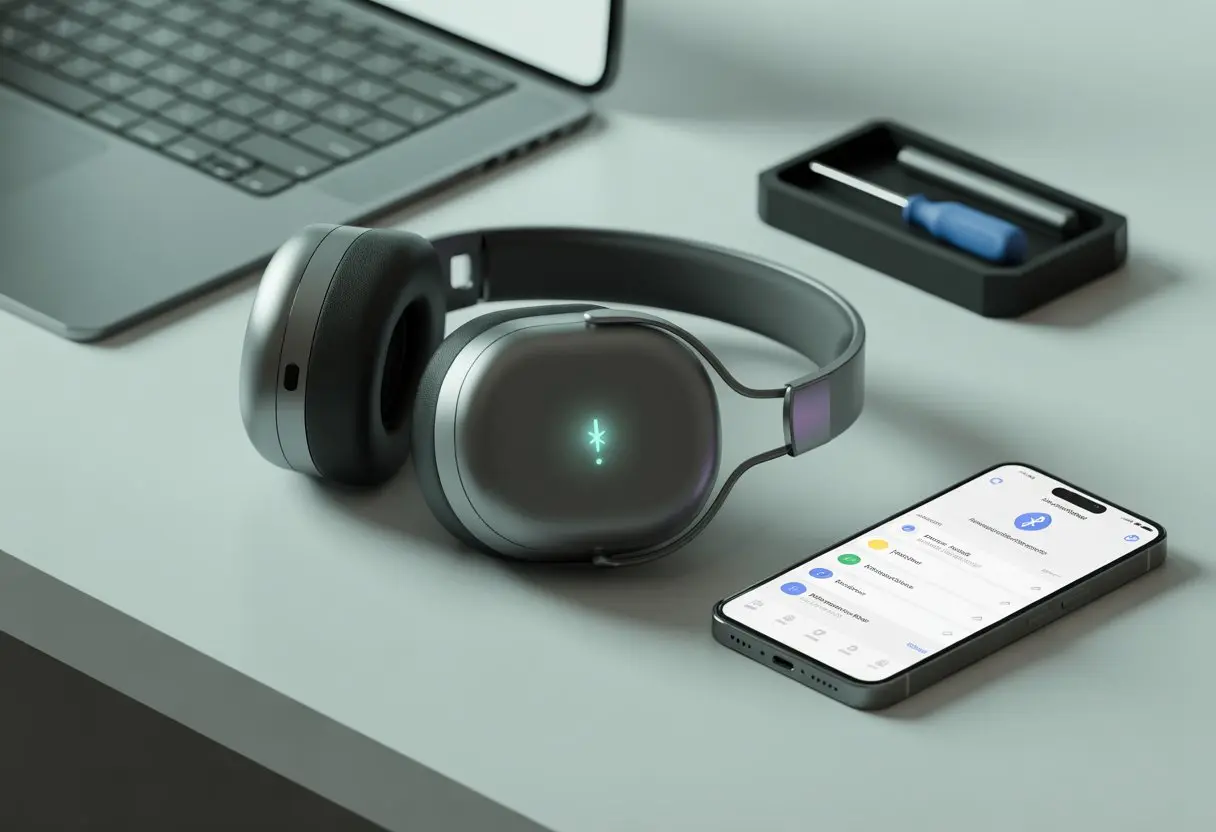
We’ve all stood in the kitchen, clutching our Bluetooth headphones, mashing buttons, and hoping for a magical reset that just… never happens. Honestly, sometimes our Bluetooth headphones just refuse to reset, no matter how long we hover or how many buttons we hold down. It feels like they’re clinging to old pairings out of pure spite—or maybe they just like messing with us.
This isn’t always our fault. There are legit reasons behind this: weird button combos, battery hiccups, or even outdated firmware.
Some headphones demand we press multiple buttons at once, like we’re unlocking some secret vault. You’ll find details for specific models on pages like Audio-Technica’s Bluetooth reset procedure page.
Let’s dig into what’s really going on, why our headphones resist a good reset, and how we might outsmart them (without launching them across the room).
Understanding Bluetooth Headphone Reset
When Bluetooth headphones start acting up, people toss around the word “reset” like it’s some kind of magic fix. But before we start button-mashing with wild hope, it’s good to know what a reset actually does—and how it’s different from a full “factory settings” wipe.
What Does Reset Actually Mean?
Usually, when we say “reset,” we mean telling our headphones to forget every device they’ve ever met. It’s like a social media cleanse, but for gadgets.
A proper reset helps our headphones ditch old Bluetooth pairings and clear out minor software bugs. If it works, it’s a fresh start—no need to dig out the user manual or shake the headphones in frustration.
Some headphones want us to press certain buttons—usually the power or volume keys—for a set number of seconds. We have to get this step right, because every brand has its own quirky button dance.
If we miss even a second, nothing resets. For help, online guides show these button combos.
Factory Settings vs. Quick Reset
Not every reset does the same thing. A quick reset usually just wipes recent Bluetooth connections, but leaves our settings alone.
That’s good for simple pairing problems. A full factory reset, though, wipes out everything—custom settings, saved devices, the lot.
It puts the headphones back to how they were on day one. Think of it as witness protection for your audio gear.
Choosing between quick and factory reset depends on how stubborn our headphones are. If a normal reset fails, we might have to go deeper and restore factory settings, as described in some manufacturer procedures.
Sometimes, that’s just what we need.
Common Reasons Your Bluetooth Headphones Refuse to Reset
When our Bluetooth headphones won’t reset, it’s usually not because they’re plotting against us—though it can feel that way. The real reasons are often less mysterious and more fixable if we know where to look.
Improper Reset Methods
Honestly, most of us have mashed buttons in frustration, hoping for that magic combo.
Some headphones want us to hold the Bluetooth button for a specific number of seconds. Others want us to press multiple buttons at once, like some secret handshake.
If we don’t follow the exact steps in the manual, the headphones just ignore us and refuse to reset.
Manufacturers love to make every model different. Some headphones need to be off, some need to be charging, and some just seem to enjoy confusing us.
Keeping the manual handy (or searching the model online) is key when our reset attempts fail.
If we get the reset wrong, our headphones stay stuck, and we stay annoyed.
Paired Device List Glitches
Headphones sometimes act like exes—they just can’t let go of their old relationships. Most Bluetooth headphones save a paired device list.
If this list gets corrupted, our headphones may not work right or recognize new devices. It’s like their memory gets fuzzy, and they keep looking for that old phone from 2018.
To fix it, we have to manually clear the paired device list. This usually means removing old pairings from both the headphones and any previously connected phones or computers.
If we skip this, even a reset might not wipe out all those lingering connections.
Stubborn Bluetooth Button Behavior
We rely on the Bluetooth button, but sometimes it just stops working. Buttons get stuck, worn out, or lose their spring, turning resets into a guessing game.
If the Bluetooth button is sticky or doesn’t press down fully, the internal contacts might not register anything. That means the headphones don’t get the reset command, no matter how long we press.
Sometimes, a little dust or debris ruins the whole process.
A quick inspection and gentle cleaning might help. But if the button’s truly busted, only a repair or warranty swap will get things working again.
Until then, we’re stuck pushing a button that does nothing and hoping for a miracle.
Charging Complications and Reset Failures
Sometimes, Bluetooth headphones act up because of sneaky charging issues. Other times, a low battery turns our reset attempts into a pointless show.
Is the Charging Case In on the Act?
Honestly, sometimes the charging case is the real troublemaker. If the contacts inside the case are dirty or damaged, the headphones might not actually charge.
No charge means no reset.
We should check the case for dust, lint, or debris in the charging ports. A gentle brush can work wonders.
Swapping in a different cable or charger also helps rule out cable drama—because, yes, even cables can be dramatic.
If the charging lights flicker or act weird, the case might be faulty. In that situation, we might have to consult product support.
Because nothing says “fun” like a customer service call.
Low Battery Drama
A low battery isn’t just annoying—it can turn a reset attempt into a comedy of errors. Most headphones won’t reset unless they’ve got enough juice, so our frantic button-mashing goes nowhere.
The headphones may tease us with flashing lights but never really start up.
Before we try to reset, let’s make sure both the headphones and the case are fully charged. Sometimes, headphones lie about being charged.
When a low battery is the culprit, we might press the reset button twenty times for nothing. Patience—and plugging things in properly—are tech survival skills.
Step-By-Step Solutions for Resetting Headphones
When Bluetooth headphones act up, resets can feel like mysterious rituals. By handling buttons with care and cleaning out those bloated paired device lists, we can get our headphones working again—and maybe keep a few hairs on our heads.
Following the Correct Button Dance
First, we need to master the art of button pressing. Most headphones want us to hold down the power button or a combo of buttons for several seconds—usually six to ten, though who really counts?
Here’s the basic button dance:
Turn the headphones off.
Hold down the main button—usually called the power, multifunction, or reset button.
Wait for indicator lights to flash or for a magical beep.
Some headphones use touch sensors instead of buttons. If things still aren’t working, check the user manual—or squint at the tiny print on the headphones.
Click “Forget” or “Remove” next to the headphones.
Clearing out old connections helps the headphones forget their past and makes it easier to pair correctly next time. It feels good to tidy up, honestly.
When a Reset Doesn’t Solve the Problem
Sometimes, no matter how many times we press those tiny reset buttons, our headphones just won’t behave. At that point, it’s time to look for real solutions—like contacting an actual human or checking if the warranty can save the day.
Assessing Product Support Options
If our Bluetooth headphones are still acting stubborn after a bunch of resets, it’s probably time to call in the pros—or at least the product support team. Most brands offer support websites, chat lines, emails, or even those old-school phone numbers.
Usually, it’s best to hop onto the manufacturer’s website and poke around the FAQ or support pages for guides on resetting headphones or dealing with weird issues.
We should hunt for advice that’s specific to our headphone model. If we’re lucky, some brands even have apps that’ll help diagnose the problem.
It’s smart to jot down what we’ve already tried, so we don’t get stuck repeating the same steps. If we own a big-name brand, there might be a local support center where we can just drop off our headphones for repair.
That way, we actually get real answers—without having to shout “representative” into the phone for half an hour.
Warranty Information: Will It Save the Day?
Before we give up, let’s dig out that warranty card we probably shoved in a drawer months ago. Most Bluetooth headphones come with at least a one-year warranty.
Some premium brands offer extra coverage if we registered the product or bought extended protection. Let’s check the purchase date, too.
A lot of companies want proof of purchase—maybe an email receipt, or that crumpled paper hiding in our backpack. If we’re still covered, the manufacturer might repair or replace the headphones for free.
Sometimes, they’ll even cover shipping if we’re polite enough when we ask. A working warranty can save the day, but not every issue is covered—especially if our headphones took a swim or lost a fight with the family pet.
It pays to read the fine print and follow instructions exactly, so we don’t get stuck waiting or receive a disappointing email saying it’s not their problem.
Tweaking Product Settings for Better Functionality
Sometimes our Bluetooth headphones act like stubborn toddlers, refusing to reset no matter what we do. It helps to dig into the settings and check out gear that can make life easier, so we’re not stuck in an endless loop of frustration.
Exploring Speaker Accessories
Let’s be honest: we’ve all felt like smashing our headphones when they won’t reset. Instead, we can try speaker accessories that might actually help.
A USB Bluetooth dongle can give us a more reliable connection with tricky computers. A hard case keeps our headphones safe, which means they last longer (and we’re less tempted to toss them across the room).
Swapping out ear pads or foam cushions can block more noise and boost comfort. If we need a fresh start, following the right steps for a factory reset can help.
When resets don’t work, these accessories might help us sidestep the problem and just make everything run smoother.
Maximizing User Experience
We all want Bluetooth headphones to work like magic, right? Sometimes, the real trick hides in the settings menu.
Tinkering with settings—like adjusting sound profiles or turning off features we don’t need—can make a huge difference. The “Services” tab in Windows resets for some users every time they reconnect, which gets old fast.
Keeping device firmware updated helps cut down on bugs and weird compatibility issues. Testing out developer settings can be useful, but sometimes changing a codec just flips right back (as with the codec keeps resetting problem).
Here’s a quick list for boosting our user experience:
Restart devices regularly
Delete unused Bluetooth pairings
Check for software updates
Try different sound options
Avoid pairing to multiple devices at once
If we get friendly with our settings and skip the usual mistakes, we’ll spend less time yelling at our headphones and more time just enjoying the music.
A Word on Cookie Policy and Your Listening Pleasure
Let’s talk about the real star of every annoying website popup: the cookie policy. You know the drill—we all just click “accept” and move on.
But what’s actually going on with these cookies? Do they make our headphones sound better? Sadly, nope. And no, they don’t taste like chocolate chip, either.
Cookies are tiny text files that websites use to remember our settings or track our visits. They help websites keep track of what we like, but they don’t do a thing for our headphones’ memory or those weird reset issues.
Sometimes we accept cookies, secretly hoping our headphones will magically remember our Bluetooth preferences. Honestly, that’s wishful thinking—kind of like dreaming you’ll wake up as a pop star.
What Cookies Do
What Headphones Do
Store site preferences
Pair with our devices
Track usage patterns
Play our music
Show relevant ads
Occasionally refuse to reset
Cookies might make browsing smoother, but they just can’t fix stubborn headphones. Our headphones don’t care how many popups we accept or how well we answer cookie consent quizzes.
Here’s a quick list of things cookies can’t solve:
Headphones that absolutely refuse to reset
Bluetooth that just won’t cooperate
Devices that hang onto old pairings like it’s a grudge
If you’ve ever wished cookies could fix your wireless problems, honestly, same. For now, we’ll keep clicking “accept” and cross our fingers for the day someone invents headphones that accept actual snacks.
Hi, my name is Garrett Jones, and I am a tech enthusiast. I enjoy researching the new tech that has been released, and have a vast knowledge of the best tech to purchase.
From a young age, I have always had a big interest in technology, and this blog is an extension of that interest. Through this blog, I hope to provide others with all of the information they need regarding tech options to consider, and things such as compatibility. Some of the different items I will be discussing include headphones, smartwatches, and how to fix common issues.