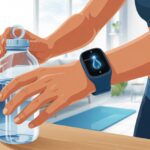
Let’s be honest—most of us forget to drink water until our mouths feel like the Sahara. With all this tech on our wrists, though, it’s way easier to remember to hydrate (and you don’t need to stick post-its everywhere). You can use a smartwatch to set up gentle—or not-so-gentle—reminders to drink water and track your hydration. That way, you’ll probably feel better, and maybe even a little more human.
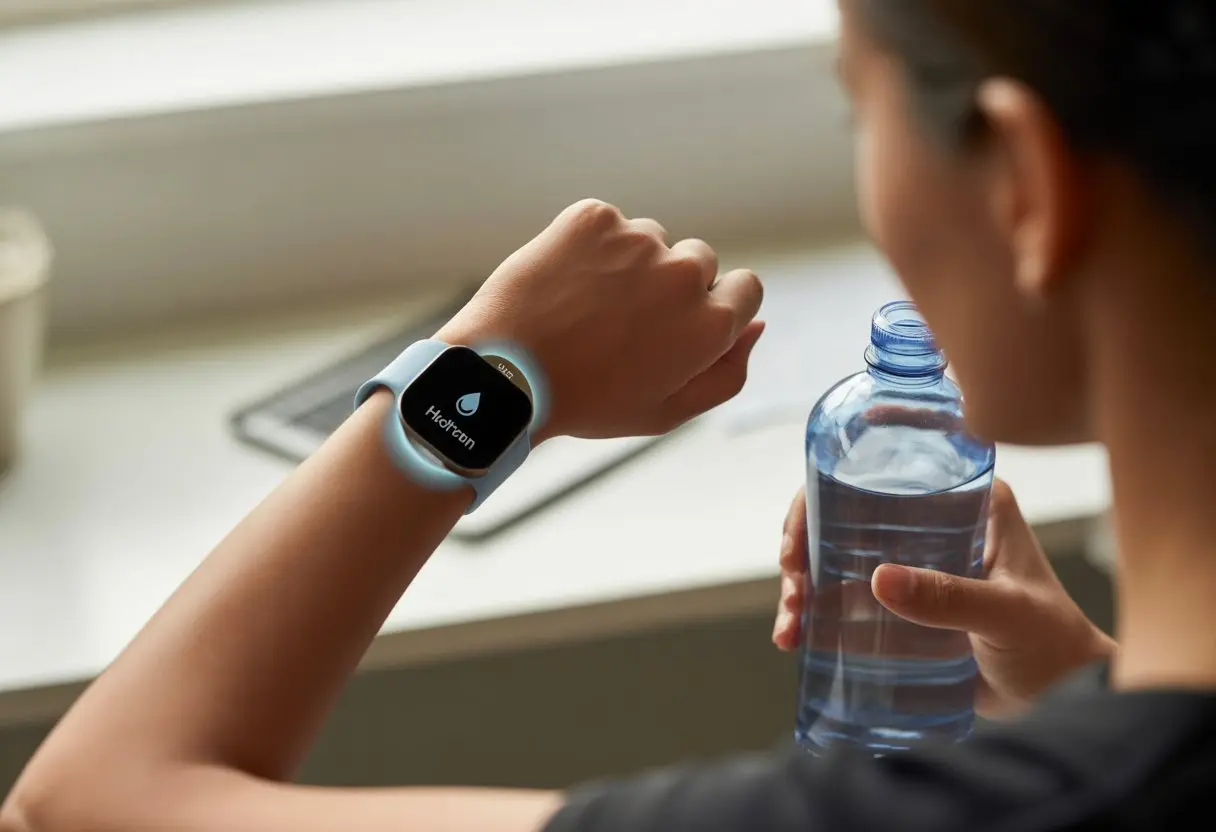
You don’t have to keep guessing if you’ve had enough H2O. Smartwatches can buzz you throughout the day, nudge you to sip, and even log your water intake with special apps or features.
Honestly, it’s way less embarrassing to have your wrist vibrate than to hear someone yell, “Did you drink your water today?”
Getting To Know Your Smartwatch
Before you try to stay hydrated with your wrist, you need to figure out what you’re actually strapping on. Not all smartwatches are the same—some can handle a swim, while others panic at the first raindrop.
You want a smartwatch that fits your style, works with your phone, and won’t drown if you forget it in the shower.
Smartwatch Design and Features
Let’s be real—if it looks like something from an old sci-fi movie, you’re probably not wearing it every day. Most smartwatches have a sleek plastic case, an easy-to-clean silicone strap, and a screen bright enough to spot hydration reminders from across the room.
Some screens are round, some are square, but all of them scream for your attention, sometimes even more than your group chats.
Navigation’s usually simple. You can swipe, tap, or spin a tiny crown to get through the menus.
A lot of smartwatches have physical buttons, which is handy if your fingers are wet or sticky from, well, holding all that water.
For features, you get the basics: notifications, alarms, and health tracking. The real stars are the reminder functions.
Some watches let you program hydration reminders right on your wrist. Others use built-in health apps to nudge you—sometimes politely, sometimes not—when it’s time to drink.
Water Resistance and Materials
Accidents happen. That’s just life.
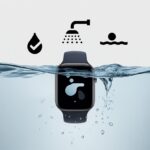
Water resistance is non-negotiable. Most newer smartwatches have ratings like IP68 or 5ATM, which means they won’t freak out around splashes or a quick swim.
If you’re planning to dive into the ocean, though, double-check those ratings first.
Materials matter, too. Plastic cases are light and don’t get too cold or hot. Silicone straps dry fast and resist getting gross.
Some fancier models use stainless steel, but that adds weight and might not feel as comfy when you’re sweating.
Here’s a quick comparison:
| Feature | Plastic Case | Silicone Strap | Stainless Steel |
|---|---|---|---|
| Weight | Light | Ultra Light | Heavier |
| Water Resistance | Good | Excellent | Very Good |
| Comfort | Comfortable | Very Comfy | Less Comfy Sweating |
Water resistance and easy-to-clean materials mean your watch can survive everything from spilled drinks to obsessive handwashing.
Compatibility With Devices
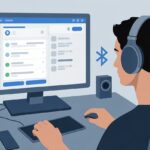
Nobody wants to buy a fancy new smartwatch only to find out it’s not friends with their phone. Most smartwatches connect over Bluetooth, but some play nicer with certain brands.
Galaxy Watches love Samsung phones but also work with most Androids. Apple Watches? They pretty much only care about iPhones.
Always check the box—or better yet, the fine print online—to see if your phone and watch will get along.
A good smartwatch syncs reminders, steps, and hydration data to your favorite health app, as long as your phone is compatible.
Connecting is usually straightforward: turn on Bluetooth, open the companion app, and follow the setup steps. Try not to panic if you hit three updates in a row.
If you’re lucky, your phone and watch will become best friends, and so will your hydration reminders.
Setting Up Hydration Reminders
Getting hydration reminders working takes more than pressing a button. You need to know where the settings hide, how often the reminders pop up, and how these notifications get your attention—hopefully without giving you a heart attack.
Accessing Hydration Reminder Features
First, you’ve got to hunt down where hydration reminders hide on your smartwatch. Most of us need to swipe through the menu or hold down a button to open up the list of widgets or apps.
Look for anything labeled “Hydration,” “Water,” or maybe just a blue droplet.
On Garmin watches, you press and hold the face to get to hydration widget settings right on the watch—not just the phone app.
Some brands want you to set up reminders through their mobile app. Galaxy Watch users can open the Health app and tap the water section for more options.
If you get stuck, don’t ignore the user manual. It’s surprisingly helpful—kind of like a treasure map, but for water reminders.
Customizing Reminder Frequency
We all forget to hydrate at different rates, so setting up how often you get reminders is important.
Most smartwatches let you pick how often a hydration reminder pops up: every hour, every 90 minutes, or just whenever you think you’ll need it.
Usually, it’s just a drop-down or a slider. Some watches also let you set a daily water intake goal, so every reminder becomes a mini countdown until you hit your target.
If you forget to turn reminders on, double-check the settings—it’s usually a quick toggle.
Whether you’re a tea marathoner or a water chugger, adjusting reminder frequency means you only get nudged as much as you want.
Using Vibration and Alerts
When it comes to alerts, your wrist can buzz, ding, or sometimes show a little watery animation.
Vibration is the go-to since it’s hard to ignore, even in boring meetings or crowded rooms.
On most watches, you can adjust how strong the vibration feels, or pick a different sound. Some have alert styles ranging from gentle nudges to full-on “GET WATER NOW” vibes.
If you want to keep it subtle, go for stealthy vibrations or on-screen pop-ups—no need to announce your hydration habits to the world.
If you need extra motivation, pair the alert with a progress update (like how close you are to your daily goal). That way, every buzz feels more rewarding.
For more on hydration tracking tools, check out how Garmin handles hydration settings.
Tracking Fluid Intake Like a Pro
Remembering to drink water is tough, but smartwatches make it easier. By logging every glass, you can improve your hydration tracking and keep health data organized in one place.
Inputting Water Consumption
Let’s be real—sometimes you have no clue how much you’ve actually guzzled. Most smartwatches let you log water with a few taps.
On a Garmin, you can use the Hydration Widget to quickly add each glass, bottle, or even that giant novelty mug from the fair.
Some watches or apps let you adjust container sizes (hello, giant sports bottle!) for more accurate tracking.
Want reminders? Most devices offer automatic alerts to nudge you when it’s time for another sip. Nothing says “Drink up!” like a buzzing wrist.
If you want to get detailed, you can log other drinks too. But honestly, it’s best to stick to water or water-based drinks, since not every beverage actually hydrates.
Sorry, your morning espresso doesn’t count. For more info, Garmin has a handy guide for customizing input.
Monitoring Hydration Progress
Once you start tracking fluid intake, it’s easy to see how you’re doing—or how much you’re slacking. Most smartwatches display your daily consumption as a chart or progress bar right on the watch or in the app.
Some watches show hydration stats with your steps, calories, and other health data, so you get the whole picture at a glance.
You might even spot trends: some days, you’re a hydration hero; other days, you drink less than a cactus. Use these visuals to adjust your routine or set extra reminders.
Motivational messages and badges sometimes pop up to give you a little push when you’re behind.
A table of today’s stats makes things clearer:
| Time | Amount Drank | Remaining Goal |
|---|---|---|
| 9 AM | 250 ml | 1,750 ml |
| 12 PM | 500 ml | 1,250 ml |
| 3 PM | 250 ml | 1,000 ml |
| 6 PM | 500 ml | 500 ml |
Visuals like these make it more fun (and sometimes a little competitive) to keep drinking.
Setting a Personalized Hydration Goal
One-size-fits-all hydration goals don’t really work. Smartwatches often let you customize your daily goal based on your weight, activity, or even the weather.
If it’s 90 degrees and you’re running laps, your hydration target needs to go up. Most hydration tracking tools allow for these tweaks.
To set your goal, just find the settings in your hydration app or watch. Some devices even suggest goals based on your recent data or habits.
Once you set your goal, reminders and stats update automatically. You can watch your progress as you go, turning a basic habit into a game.
And honestly, hitting your daily hydration goal feels like a tiny win—no speech required.
Integrating With Fitness and Health Features
Let’s be honest—most of us need a little help remembering to drink enough water, especially when we’re chasing fitness goals or counting steps. By mixing hydration tracking into your smartwatch routine, you can boost your wellness and get a clearer picture of your health data.
You might even avoid confusing dehydration for hunger (again).
Linking Hydration to Fitness Goals
Your smartwatch loves tracking calories burned, distance run, and stairs climbed. But it also keeps you from turning into a raisin while you’re at it.
A lot of fitness trackers link hydration reminders to your activity. After a sweaty workout, your watch might nudge you with a “Drink up!” because you lose more fluids when exercising, especially during intense cardio or long walks.
Some watches let you update water intake during an activity, so you don’t have to remember later. With each sip, you stay on track with both hydration and fitness targets.
Staying hydrated supports muscle function, helps prevent cramps, and keeps you performing at your best.
Hydration Monitoring and Health Metrics
Hydration tracking isn’t just about chugging water so we can pat ourselves on the back. It connects to bigger health metrics like heart rate, sleep quality, and energy levels.
Our smartwatch gathers this health data, letting us spot patterns—like feeling sluggish after skipping water for hours. Many wearables even show a quick summary so we can compare water intake with daily stats.
Some models track how well our bodies recover after exercise and use that info to adjust our hydration needs. A few smartwatches can remind us to drink water automatically, based on data from our steps or heart rate.
If our watch nags us more after a tough hike, it’s probably outsmarting us that day. Want to know how hydration reminders work in devices like Garmin? Check out the info about using the hydration widget on your watch.
Syncing With Other Wellness Apps
We don’t live in a vacuum—and neither does our health data. Our smartwatches usually play nicely with wellness apps, letting hydration stats team up with food diaries, workout trackers, and sleep logs.
By syncing, we get a clearer look at what’s going on in our bodies. Linking hydration data to a fitness app helps us see if we forget to drink more on running days or if that late-night snack was really just thirst.
Some apps pull hydration info from our fitness tracker’s sensors or let us add water using voice commands. Just saying, “Hey, I just had a glass!” can log it. This digital teamwork gives us motivation—and maybe a little less guilt—when we see how everything fits together for our whole wellness routine.
Advanced Features for Smart Hydration
We can use more than just basic reminders to help us drink water. Many smartwatches have tools that track our exercise, heart rate, and even stress, making hydration support a lot smarter (and maybe even friendlier).
Using GPS for Activity-Based Reminders
When we turn on GPS on our smartwatches, it knows when we’re walking, running, or just zipping around town. The watch checks our activity level and reminds us to drink water when we’re moving a lot.
After a brisk walk or a tough jog, the watch pops up with a little “Drink up!” notification. It’s like having a tiny, polite coach on our wrists.
Some watches even adjust hydration reminders based on the weather. If it’s hotter and we’re more active, the watch ramps up the reminders.
We never have to guess if it’s time to drink—our smartwatch just does the thinking (and nagging) for us. Using GPS isn’t just for lost people; honestly, it’s a lifesaver for thirsty folks too.
Connecting With Heart Rate and Stress Data
Smartwatches with heart rate monitors keep an eye on our pulse all day. If our heart rate spikes from exercise or nerves, the watch nudges us to sip some water.
More activity usually means more sweat, so extra fluids are a must. Some watches combine heart rate and movement data for even smarter reminders.
Let’s not forget about stress levels. Stress makes our heart beat faster, and sometimes we sweat just from nerves.
Many watches track stress and will tell us to drink water during tense moments. Staying hydrated can actually help our bodies handle stress better.
It’s like our smartwatch is saying, “Hey, don’t forget to chill out and hydrate!”
Ensuring Hydration Reminders Work Flawlessly
We don’t want our watches slacking off right when we need a nudge to drink water. To keep hydration reminders and alerts working, we have to handle tech hiccups fast and keep our apps and settings up to date.
Tech Troubleshooting for Reminders
Nothing’s worse than a silent wrist when we’re thirsty and forgetful. First, check if your watch’s Do Not Disturb mode is on.
If it is, we might not get any reminders at all. Same goes for silent mode—reminders could still show up, but we’ll never hear or feel them vibrate.
Sometimes, just turning the watch off and back on clears out any gremlins causing missed hydration reminders. If that doesn’t work, double-check your hydration app or widget is actually running and hasn’t been mysteriously closed.
On a Garmin, go into the hydration widget and make sure alerts are enabled. If you’ve customized alert times or intervals, reviewing those settings helps avoid confusion—maybe we accidentally set it to remind us every leap year.
Lost in the notification wilderness? Check that Bluetooth is connected. If our watch and phone aren’t talking, reminders may not reach us.
Sometimes, a simple unpairing and re-pairing of devices gets everything back in sync.
App Updates and Notifications
Outdated apps are like that one friend who never shows up on time. Keeping our hydration app updated helps reminders and alerts work smoothly.
Most watches update apps automatically, but it doesn’t hurt to check manually now and then. We should also check we’ve given the app permission to send notifications.
On most smartwatches, open the settings, look for the hydration or health app, and toggle on notifications. If these are off or restricted, those important drink-up nudges might get silenced.
For Samsung Galaxy Watch users, there’s often a “Water Drink Reminder” app in the notification options—just make sure it’s allowed to do its job.
Watch out for bugs that updates sometimes bring along for the ride. If a reminder alert acts wonky after an update, try restarting the watch or reinstalling the app.
If patience runs thin, forums and support pages are full of people just like us—thirsty and desperate for tech to behave. For details on hydration alerts and settings, Garmin users can read more in the official widget help guide.
Extra Smartwatch Features for Health and Wellbeing
Besides hydration reminders, our smartwatches come with tricks to help us stay safe, sleep better, and keep track of our overall health. We can use these features any time we want—no extra superpowers required.
Sleep Tracking Integration
With sleep tracking, our smartwatches turn into bedtime detectives. They watch our sleep cycles so closely, it almost feels like they’re trying to win an award.
We just wear the watch to bed, and it starts tracking, usually without making a sound. The next morning, we get a detailed summary of how much we tossed, turned, or snored.
Most sleep tracking features show our total sleep time, deep sleep, light sleep, and awake moments. Some even tell us our “sleep score,” which somehow always seems to judge us if we stayed up watching cat videos.
We can also see habits over time and notice if late-night snacks are actually a bad idea.
For those who want a fast reference, here’s what sleep tracking usually gives us:
| Feature | What It Shows Us |
|---|---|
| Sleep Duration | Total hours slept |
| Sleep Stages | Deep, light, REM, awake periods |
| Trends | Weekly & monthly sleep analysis |
| Smart Alarms | Gentle wake-ups at the right time |
Fall Detection and Safety
Fall detection—honestly, it’s not something anyone hopes to trigger, but it can really save your skin. Our smartwatch packs some clever sensors that notice if you suddenly hit the ground.
If you take a hard spill and just lie there, the watch blasts an alarm like an anxious, overzealous robot buddy. You can dismiss the alert if you’re fine.
But if you don’t respond, the watch jumps into action. It calls your emergency contacts or pings your location to get help on the way.
Some watches even let you send an SOS by hand if you need backup—maybe you’re stuck in a Lego minefield or something equally dramatic.
Here’s what fall detection usually offers:
- Automatic emergency alerts if you don’t answer
- Manual SOS functions for any kind of emergency
- Real-time location sharing with people you trust
Honestly, these features kind of turn your wrist into a secret agent tool for your own safety.

From a young age, I have always had a big interest in technology, and this blog is an extension of that interest. Through this blog, I hope to provide others with all of the information they need regarding tech options to consider, and things such as compatibility. Some of the different items I will be discussing include headphones, smartwatches, and how to fix common issues.
- The Best Rugged And Waterproof Smartwatches - October 21, 2026
- 10 Best Military Smartwatch – Find The Best Tactical Military Watches in 2023 - October 20, 2026
- Are Wired Headphones Safer Than Bluetooth? A Friendly Guide - October 20, 2026
Related Posts: