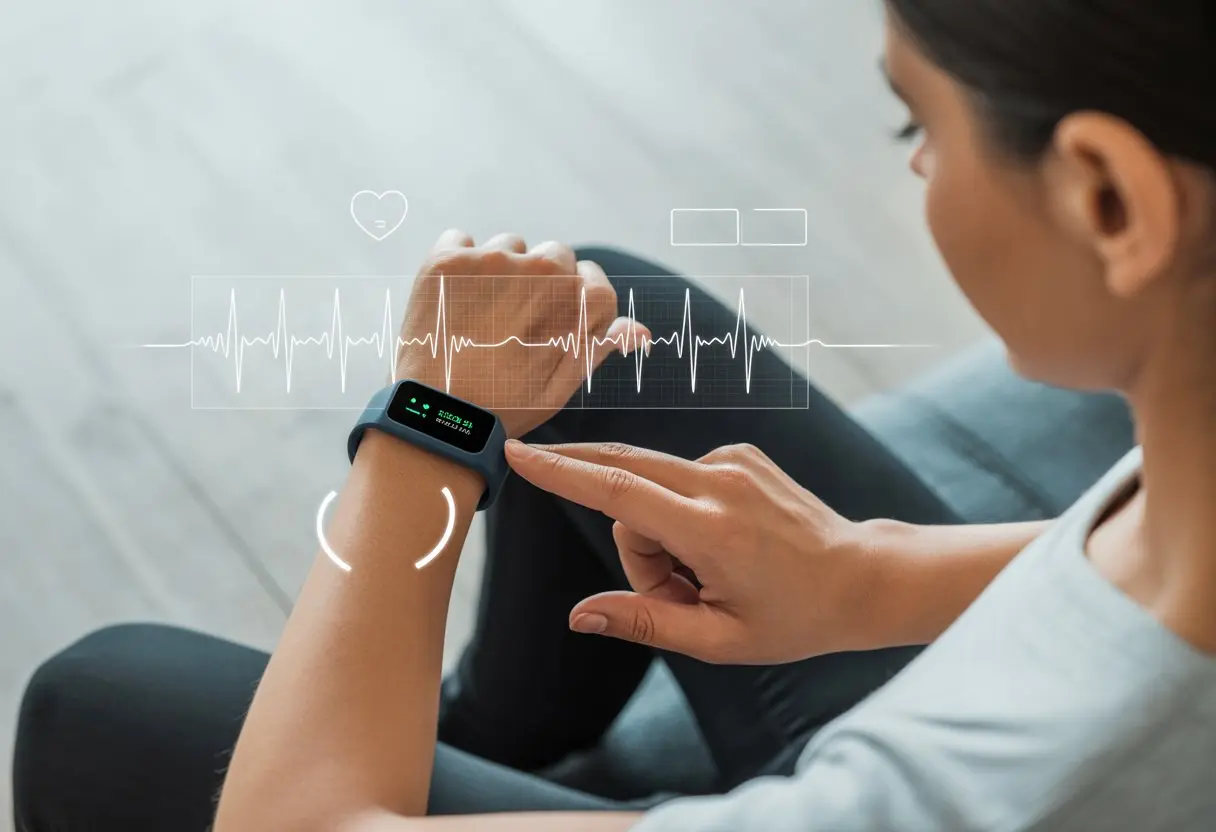
Remember when fitness trackers just counted steps and made us feel guilty for skipping leg day? Well, things have changed—they can check our hearts now, too! A couple taps and a finger on the tracker, and suddenly we’re taking an ECG reading right from the couch, pajamas and all. Our wrists just got a serious upgrade.
We don’t need to be tech wizards to pull this off. Just grab the right app—like Fitbit, Garmin, or Apple Watch—and follow the on-screen steps for a minute. The tracker records our heartbeat patterns and lets us know if something’s off.
Honestly, that’s a little superhero-like, right?
So whether we want to impress friends with our heart stats or just keep tabs on our ticker, it’s as easy as knowing where to tap and which app to open. Who would’ve thought our fitness tracker could do more than silently judge our step count?
Understanding ECG Readings On Fitness Trackers
Those squiggly lines on our tracker? They can look mysterious—like we’re deciphering pirate maps. Actually, they’re just maps of our heart’s electrical activity. Learning how our tracker picks up these signals and what an ECG really is gives us some control over our heart health.
How Fitness Trackers Measure Electrical Activity
Fitness trackers aren’t magic, but they sure seem close. Most use metal plates on the back of the watch as sensors. When we touch the sensor or a button, the device makes a closed loop with our body.
That closed loop lets the tracker sense the tiny electrical signals from each heartbeat. The device then turns those signals into a graph that shows the ups and downs of our heart’s activity.
If we want to sound smart, we can call that graph an “electrocardiogram,” or ECG.
Some trackers use LEDs to check our pulse, but ECG focuses on electrical signals—just like at the doctor’s office. Garmin and Fitbit use these methods to turn heartbeats into readable data right on our wrists.
A Garmin ECG app is a good example of how these sensors work.
Differences Between ECG and EKG
Let’s clear this up: ECG and EKG mean the same thing. “ECG” stands for electrocardiogram in English, while “EKG” comes from the German spelling, elektrokardiogramm.
If we see either term, it’s just talking about our heart’s electrical activity.
Here’s a quick table for reference:
Term
Language
What it Measures
ECG
English
Heart’s electrical activity
EKG
German
Heart’s electrical activity
No matter what our gadget calls it, it’s measuring heart rate, rhythm, and checking if everything’s working together. Doctors and smartwatches both use these terms for the same test.
Why Monitoring Heart Rhythm Matters
If our heart gets a little funky with its rhythm, we might not notice. That’s where the tracker shines. It can spot things like atrial fibrillation, which often stays silent until there’s a problem.
Checking our rhythm at home means we don’t have to sit around at the doctor’s office. We can scan for odd beats anytime—no chilly stethoscopes involved.
Tracking heart rhythm lets us share better info with our doctor. Plus, understanding these readings makes us feel just a bit smarter than our gadgets.
Setting Up ECG Functionality
Time to get our smartwatch or tracker ready for more than just nagging us about sitting too long. We want that ECG function working, or else it’s just a fancy bracelet.
Prerequisites For Accurate Readings
First, strap the tracker onto a clean, dry wrist. Seriously—grease or dirt will mess with the reading. Sit still and relax; wild dance moves can wait until after the test.
The device should fit snugly, but not so tight that it leaves a mark. Not every model supports ECG, so we’ll want to double-check that ours does.
If the tracker has metal contacts, they need to touch our skin directly.
We also need to check age and location restrictions. Some brands limit ECG to certain ages or countries due to regulations. If our model is ECG-ready and our arm is clean, we’re good to go.
Pairing With Health Apps
The real magic happens when trackers and health apps work together. We start by connecting our smartwatch to our phone with Bluetooth.
Usually, each brand’s app makes this easy.
For Apple Watch, we open the Health app and look for “Electrocardiograms” under “Heart.” Garmin users handle this in the Garmin Connect app by picking “Set Up ECG App” in settings.
Fitbit users can find the ECG tile in the Fitbit app under the “You” tab and follow the prompts.
Apps might ask for permission to access heart data. We tap “yes,” because those health stats aren’t going to collect themselves.
Updating Software And Firmware
Old firmware is like eating yogurt past its expiration—just don’t. To avoid weird surprises, we keep our smartwatch software and health app updated.
Updates fix bugs, improve ECG features, and help things run smoothly.
Brands like Garmin send update prompts through their app. Apple Watch and Fitbit do the same, or we can check manually if we’re impatient.
App stores usually handle updates, but it never hurts to check. Regular updates help us get the most out of ECG features—and keep us from running ancient software.
How To Take An ECG Reading
ECG readings on a fitness tracker show us what our heart’s up to right now. Getting a solid ECG means following a few simple steps and knowing what all those beeps and sensors are for.
Preparing Your Fitness Tracker
First, let’s check if our tracker supports ECG readings. Models like the Apple Watch, Fitbit Charge, and some Garmins are built for this.
If our tracker brags about heart health, we’re probably set.
Next, install and set up the ECG app. Apple Watch does this through the Health app on the iPhone. Garmin sets up ECG in the Garmin Connect app. It’s usually a few taps and maybe a privacy notice.
Make sure the device is charged—nobody wants a dead battery mid-heart check.
Clean skin helps the electrodes work. Wash wrists and the watch to keep things clear. If we’re sweaty, a quick towel-off helps too.
We should find a calm, comfy spot and sit down. After all, we’re checking our heart, not training for a dance contest.
Positioning The Electrodes Or Sensors
Electrodes or sensors need direct skin contact—no sleeves or jewelry in the way. Most smartwatches stick the main sensor on the back, pressed against the wrist.
Some devices, like Apple Watch, ask us to put a finger on the digital crown to close the circuit.
Snug is key—not too tight or too loose. If the watch is floppy, the sensors might complain and throw an error. Too tight, and now we’re just annoyed.
Check the fit so both our wrist and the tracker are happy.
Once everything’s set, our tracker’s sensors are ready to go. It’s like prepping tiny scientists on our arm—except they don’t ask for funding.
Starting The ECG App
Open the ECG app on the device. Tap the ECG icon on Apple Watch, open the ECG app on Fitbit Sense or Charge, or head to the health section on a Garmin.
Each brand’s a bit different, but starting is usually obvious.
When we begin, the app might tell us to sit still and relax. Sometimes we’ll need to keep a finger on the digital crown (Apple Watch) or just sit calmly with the tracker on our wrist.
The reading takes about 30 seconds, which can feel long if a pet decides to jump on us.
If we see “Keep Still,” it’s just advice. Movement, laughter, or dramatic air guitar will mess up the results. Stay calm and imagine we’re in a freeze-frame contest.
Understanding The Results
When the ECG finishes, our device shows a result—maybe sinus rhythm (all good), possible atrial fibrillation, or inconclusive. We can usually see past results in the paired phone’s health app.
Most trackers let us export the ECG as a PDF or share it with a doctor. No need to print it for the fridge, but hey, bragging rights are real.
If the reading says “inconclusive,” don’t stress. Sometimes it’s just bad contact or a little fidgeting. If we keep getting odd results like possible atrial fibrillation, it might be time to call a doctor—not just text a friend.
Our heart’s on center stage, and now we know how to help it shine.
Popular Fitness Trackers With ECG Features
If we’re trying to keep our ticker in check, a smartwatch with ECG is our new best friend. Some options even give us readings faster than we can microwave popcorn.
Apple Watch Series 4 And Later
Let’s be honest—everyone knows at least one Apple Watch owner who just can’t resist showing off their wrist. Honestly, can you blame them? Since the Apple Watch Series 4, Apple fans have been able to record an ECG anytime, anywhere.
Just tap the digital crown, and the Apple Watch runs a single-lead ECG for you. It’s not just a party trick; it helps spot issues like atrial fibrillation.
The Series 9 and Apple Watch Ultra 2 keep these features and make everything snappier and smoother.
The watch saves results in the Health app, so you can show your doctor and act like you always knew what “sinus rhythm” meant. Want more details on how Apple does ECG? Check out this guide.
Fitbit Sense 2
If you’re more into Fitbit, the Fitbit Sense 2 is ready to count your steps and check your heart’s rhythm. The built-in ECG app checks for atrial fibrillation when you hold the edges of the watch for a quick test.
You can see your ECG results right in the Fitbit app. Even if medical gadgets make you nervous, the process is simple and painless.
Sense 2 still tracks all the classic wellness stats—sleep, stress, you name it.
If you want your fitness tracker’s ECG readings to be more reliable than your weather app, you’ll need to do more than just put it on your wrist.
Paying attention to a few habits and avoiding common mistakes helps keep your heart rate monitor on track.
Best Practices For Accurate Results
First things first: clean skin and a clean device. Sweat, lotion, or last night’s pizza grease (we’ve all been there) can mess with the sensors.
Always wash and dry your wrist before you take an ECG reading.
Make sure your watch fits snugly, but don’t cut off your circulation. Tighten the band so it’s secure, but skip the tourniquet look.
Try to keep still during the recording. Maybe don’t attempt an ECG while swatting at bugs or jogging in place.
Sit down and relax to get the best results. Rest your arm on a table or your leg—now’s not the time for dramatic wrist flourishes.
Stick to the same wrist each time for consistency. If you usually use your left, don’t suddenly switch to the right just for fun.
Common Sources Of Interference
Interference is the enemy of accurate ECG readings. Movement, moisture, and electronics can all mess things up.
Shaky hands or vigorous activity can make your heart rhythm look like abstract art.
If your tracker is too loose, you’ll get bad results—kind of like listening to music with a dangling earbud. Tighten it up before you start.
Lotions, oils, sunscreen, and even hand sanitizer residue can cause problems. Make sure your skin and the sensors are dry and clean before you take a reading.
Tempted to multitask? Keep your phone, laptop, or microwave away from your wrist during the test.
Atrial fibrillation (AFib) means your heart is a bit confused. The signals go all over the place, making your heart beat irregularly or too fast.
Apple and Fitbit both check for AFib since it can raise your stroke risk. If your ECG flags AFib, pay attention and consider talking to a doctor.
Quick comparison table:
Result
What It Means
Common Advice
Sinus Rhythm
Normal heart pattern
Relax and carry on
Atrial Fibrillation (AFib)
Irregular, confused pattern in the heart
See a doctor soon
Spotting Signs Of Irregular Heartbeats
Your tracker will usually flag it if something seems off, like irregular heartbeats.
Messages like “inconclusive” or “irregular rhythm detected” mean the tracker isn’t sure what’s happening. Maybe you moved too much, or your wrist hair got in the way (it happens).
Or, your heart might have done something worth noting, but it doesn’t fit a clear rule.
Irregular heartbeats can be harmless or serious. Most trackers can’t diagnose every heart condition.
If you see these results often, or you get weird readings and symptoms, don’t freak out—but don’t ignore it.
Tip: Always sit still and relax when recording an ECG. Too much caffeine or nervous fidgeting can confuse even the best gadgets.
Understanding Symptoms And When To Worry
Let’s talk about symptoms. If you ever feel things like:
Heart palpitations (your heart feels like it’s breakdancing)
Persistent dizziness
Fainting
Chest pain or tightness
Shortness of breath
…don’t brush it off. If you get these symptoms with irregular ECG results, reach out to a healthcare provider soon.
Even a normal ECG reading doesn’t make you invincible. Heart problems sometimes show up before your tracker catches them.
If your gut says something’s wrong, trust it and get checked out.
It’s not about panicking—just using technology alongside common sense. If you’re unsure, call the doctor before you start searching the internet for answers.
Integrating ECG Data With Health Tracking
Let’s face it—our health trackers do way more than count steps. Now they capture heart activity, track sleep, and remind us (again) to breathe.
Syncing With Other Health Monitoring Features
When you use a fitness tracker with ECG, you’re basically building a mini hospital on your wrist. That’s a big step up from the old-school pedometer.
Modern trackers automatically pull ECG data into the same app you use for heart rate, sleep tracking, and even oxygen levels.
You don’t need to jump between five apps to see how your heart’s doing after a night of snoring. Most devices let you see trends in one dashboard, comparing ECG results with your workouts, steps, and sleep.
On some Garmin models, the Garmin Connect app brings everything together so you can spot patterns—or just marvel at all the data you’ve created by living your life.
Some apps nudge you to take an ECG if they detect something odd. Others send friendly (and only mildly judgy) reminders when you’ve been sitting too long.
Health features get way more useful when they work together.
Using Data For Stress Management
ECG data isn’t just about waiting for your tracker to freak out. It’s a peek into how your body handles stress—something we all deal with.
If your ECG shows irregularities during stressful days, those readings can help you make changes. Many trackers pair ECG with guided breathing or meditation, giving you real steps to try (hiding under the covers doesn’t count).
When you see how your heart reacts to work chaos or toddler tantrums, you can connect stress to physical symptoms.
Compare your heart’s reaction to stress with sleep and resting heart rate data. If everything looks off, it’s probably time for a deep breath, a walk, or, let’s be honest, a cookie.
Exporting Data For Your Physician
All this tracking is great, but if only your cat sees your ECG data, you’re missing out. Most fitness trackers let you export health data, including ECG reports, into files you can email or show your doctor.
Devices like Apple Watch and Garmin let you create PDFs of your readings. That’s handy for doctor visits or just showing off your charts.
With organized ECG records, doctors can spot trends or problems you might overlook. Sharing this info helps them give better advice or treatment.
No more acting out your heart palpitations in the clinic—just hand over the data and let the pros take it from there.
Regulatory Approvals And Medical Use
Before you start feeling like a superhero with your high-tech wrist gadget, it’s worth knowing how medical regulators view these devices.
There are definitely times when your tracker isn’t enough and you’ll need a real expert.
FDA Approval And What It Means For Users
If fitness trackers could hand out medical degrees, we’d all be set. But we rely on the FDA—the boss of medical device approvals in the U.S.
When an ECG feature gets FDA clearance, like the Apple Watch ECG app, it means the device meets certain safety and accuracy standards.
That doesn’t make your tracker a full replacement for the hospital’s big ECG machines. FDA approval helps us monitor trends and catch possible issues early.
It doesn’t mean you can skip real doctor visits or swap medical advice for frantic group texts.
Most wearable ECG devices are “over-the-counter” medical devices. That makes them easy to buy, but you still need to use them wisely.
If your tracker tells you to slow down, maybe listen—unless you want a lecture from your doctor.
When To Consult A Healthcare Professional
As much as we’d love our wrists to double as mini clinics, sometimes even the smartest smartwatch needs backup.
If your ECG reading suggests an irregular heartbeat or flags possible atrial fibrillation, don’t panic and start Googling.
Collect your readings, stay calm, and reach out to a healthcare professional. They can interpret the data, run more tests, and help you make a plan.
Fitness tracker data is helpful, but it doesn’t come with a medical degree.
Let’s use our trackers for fun and basic monitoring—not to replace doctors. Your heart (and your doctor) will thank you.
Troubleshooting Common ECG Challenges
Tracking your heart’s rhythm with a fitness tracker can sometimes feel more like wrestling with a stubborn robot than embarking on a high-tech health adventure. Most ECG problems tend to show up in a few familiar ways, though. If you know how to spot and fix them, you’ll save yourself a ton of frustration. Let’s break it down and get back to collecting heartbeats instead of headaches.
Connectivity And Bluetooth Issues
Bluetooth—what a mystery, right? Sometimes it just refuses to play nice. If your ECG data won’t appear in the app, chances are the Bluetooth connection dropped or got weak.
Here’s what you can try:
Keep the tracker and phone close together. Bluetooth hates walls and pockets.
Toggle Bluetooth off and on again. Sometimes your phone just needs a little reset.
Restart both devices. It’s not magic, but it works more often than it should.
Software updates can mess with Bluetooth, too. Check for updates in your app or phone settings and see if that helps. If your tracker still acts up, try re-pairing it. In really stubborn cases, deleting and reinstalling the fitness tracker’s app often brings things back to normal.
Battery Life Concerns
ECG mode can drain your battery fast. There’s nothing worse than your tracker dying right when you want to show off your post-horror-movie heart rate.
Turn off features you aren’t using—like GPS or notifications—to save power. Some trackers offer a power-saving mode that pauses extras to stretch battery life. If your device still drains quickly, maybe the battery’s getting old or a background app is hogging energy.
It’s smart to check battery health or close power-hungry apps. Try charging overnight or at the same time each day to avoid those low-battery warnings.
Problems With Chest Straps
Chest straps give you accurate ECG readings, but they love to slip out of place just when you need them most. Good contact is everything. If you moisten the sensors before putting it on, you’ll usually get better signals, especially if your skin’s dry.
If your readings look weird or don’t show up, check that the strap fits snugly but isn’t too tight. Check the battery in the strap, too—a dying battery can sneak up on you. Wireless chest straps sometimes need re-pairing if Bluetooth acts up. If problems stick around, try cleaning the strap or swapping out worn electrodes.
Chest straps aren’t built to last forever, but with a little care, they’ll keep your heart signals flowing. For more on getting clean signals from wearables, check out this guide about ECG signal acquisition in wearables.
Potential Health Impacts And Precautions
Using a fitness tracker for ECG readings can help you spot some heart issues, but let’s not pretend it’s the same as a hospital visit. These smart gadgets have their strengths, but they also have limits.
Detecting Heart Attacks, High Blood Pressure, And Blood Clots
Some fitness trackers can record a basic ECG right on your wrist. They might catch irregular heartbeats, like atrial fibrillation. That’s honestly pretty cool—maybe even cooler than hitting 10,000 steps before breakfast.
But don’t get carried away. These devices can’t diagnose a heart attack, find a blood clot, or measure blood pressure with medical accuracy. If your tracker flashes a warning and your chest feels off, don’t wait—call emergency services, not just your friend for advice.
These sensors help, but they don’t replace regular checkups. Tracking your heart rhythm and fitness might help you spot problems early, but see your doctor if you’re worried. And while some studies say fitness trackers encourage healthy habits, they’re not a substitute for real medical care.
Limitations Of Fitness Trackers For Medical Diagnosis
Fitness trackers with ECG features only give you a single-lead ECG. It’s kind of like a home karaoke machine compared to a full concert setup—if something sounds off, you still need a pro to check it out. Hospitals use 12 leads for a reason.
Water and sweat can mess up readings. If you just ran a marathon or sprinted after the ice cream truck, your data might look like modern art. Even if your tracker says everything’s fine, it can miss serious heart issues—so don’t rely on it if you feel sick.
Most fitness trackers don’t measure blood pressure directly, despite what some ads suggest. If you need to track that, stick to a real blood pressure monitor. For more on how smartwatches handle ECG monitoring, check out how smartwatch ECG monitors fit into heart health care.
Advanced Features And Connectivity
Let’s be honest—ECG readings are cool, but the real excitement is in the extra features and staying connected. Here’s a quick look at stronger connectivity options and a peek at what’s next for ECG tech on your wrist.
Exploring Cellular Connectivity Options
Fitness trackers have evolved from step counters to wrist-based command centers, and cellular connectivity is a game-changer. With built-in LTE or eSIM, you can send ECG results straight to your doctor—even if your phone’s hiding in the fridge (it happens). Real-time alerts and peace of mind are now possible when you’re jogging solo or dancing badly in Zumba class.
Many high-end watches, like some Garmin and Fitbit models, mostly use Bluetooth but are starting to offer cellular options. Cellular-connected trackers let you upload ECG data, get emergency alerts, and sync health stats to health portals—all without chasing Wi-Fi or keeping your phone glued to your side.
If you want a step-by-step guide on syncing and setup, check out how to set up ECG features on Garmin devices.
Future Trends In ECG On Fitness Trackers
Wearable ECGs keep getting smarter—though, whether we’re keeping up is up for debate. Future trackers will probably show off with better sensors and batteries that don’t die right after lunch.
Some might even roll out continuous ECG monitoring, but hopefully without making us feel like cyborgs. Advanced AI could soon catch quirky heart patterns we’d totally miss while doomscrolling at 2 a.m.
Trackers may soon spot a wider range of arrhythmias, not just the usual atrial fibrillation warning. Secure cloud syncing might let our cardiologists peek at our ECGs instantly.
Improved app connections could mean less hassle and more focus on health. If you want to dig deeper into the tech, check out the ECG app features in Garmin smartwatches.
Honestly, it’s not wild to imagine a future where our fitness trackers nag us about more than just our steps—maybe they’ll even tell us to skip that fourth donut.
Hi, my name is Garrett Jones, and I am a tech enthusiast. I enjoy researching the new tech that has been released, and have a vast knowledge of the best tech to purchase.
From a young age, I have always had a big interest in technology, and this blog is an extension of that interest. Through this blog, I hope to provide others with all of the information they need regarding tech options to consider, and things such as compatibility. Some of the different items I will be discussing include headphones, smartwatches, and how to fix common issues.