Ever wake up feeling like you just lost a wrestling match in your own bed? Yeah, same here. Sleep apnea leaves us groggy, cranky, and making a beeline for the coffee pot.
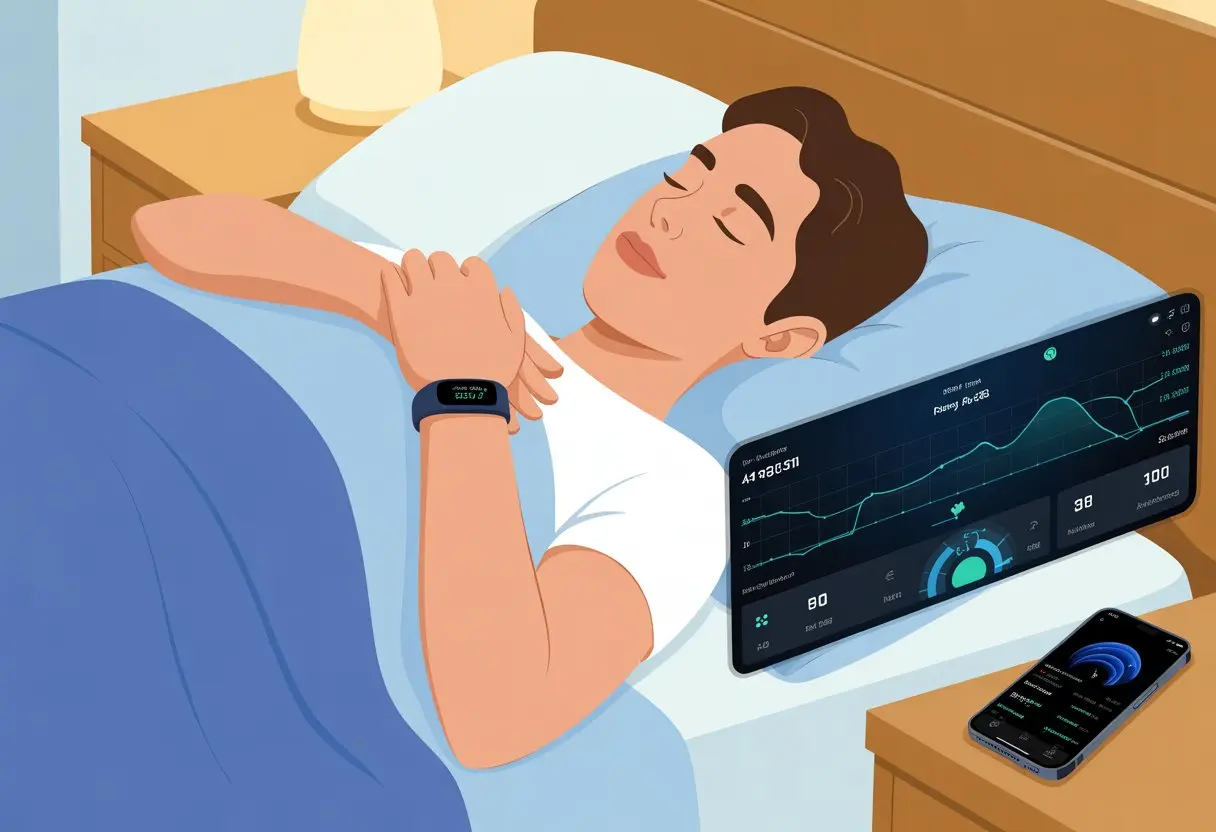
But what if those handy fitness trackers could do more than just count steps or guilt-trip us about our lack of movement? Turns out, we can actually use fitness trackers to spot signs of sleep apnea and get some real insight into how we’re breathing at night.
Wearables like smartwatches and fitness bands now come loaded with sensors. They keep tabs on our heart rate, oxygen levels, and even those subtle breathing changes that happen while we sleep.
Some, like the Apple Watch, track our breathing rate and movements. Others watch for heart rhythm hiccups—potential warning signs for sleep apnea. It’s a bit like having a mini sleep detective on your wrist, just with less drama and a lot more style.
With features built to track sleep disturbances, these gadgets are turning into surprisingly helpful tools for spotting sleep apnea issues—no wires, no awkward hospital stays.
Using a fitness tracker for sleep monitoring isn’t just for the data nerds. It can help us notice concerning patterns early, share useful info with our doctor, and maybe even get better rest.
If our wrist gadgets can help explain why we wake up tired—or why our partner keeps poking us at 2 a.m.—we’re definitely interested.
Understanding Sleep Apnea and Sleep Monitoring
Getting a good night’s sleep sounds simple until we remember there are more sleep disorders out there than breakfast cereal brands. Understanding how sleep apnea and other sleep issues mess with us at night makes it clearer why tracking sleep actually matters.
Sleep apnea isn’t just a fancy term doctors toss around. It’s a real sleep disorder, and it’s a lot more serious than just snoring loud enough to scare the neighbors.
When we have sleep apnea—especially obstructive sleep apnea (OSA)—our airway collapses or gets blocked while we’re asleep. This causes repeated breathing pauses that wreck our rest.
Instead of counting sheep, our sleep tracker might count how many times we “paused” breathing. The signs? Loud snoring, gasping for breath, and waking up feeling like we just climbed Everest in our pajamas.
OSA leaves us dragging through the day, even after what looked like a full night’s sleep. If it keeps up, it can lead to health problems: high blood pressure, heart disease, and mood swings that could startle the family dog.
Sleep Disorders and Their Impact
Think going to bed earlier will fix everything? Sleep disorders—like insomnia, restless legs, and sleep apnea—love to turn bedtime into a circus.
Some nights we toss, some nights we turn, but with sleep apnea, our breathing actually stops and starts. It turns sleep into a weird game of musical chairs.
These issues leave us cranky, forgetful, and yawning so much we wonder if we should hit the gym just for our jaw. Poor sleep ties into trouble focusing, higher car accident risk, and even weight gain.
The problem? We usually don’t notice these issues ourselves. That’s where tech steps in to lend a hand.
We all wish we had a tiny doctor by our pillow, but a fitness tracker comes pretty close (and it doesn’t bill us). Sleep monitoring helps us spot patterns, catch signs of sleep apnea or insomnia, and gather data about our sleep habits.
The right device tracks snoring, movement, heart rate, and even oxygen levels while we sleep. These clues help us catch sleep apnea and other issues early, so we’re not left wondering why we feel so tired after a “full” night’s rest.
Wearables monitor heart rate and breathing patterns, picking up on those sneaky interruptions that come with sleep apnea. This info gives us and our docs a better shot at finding real answers.
When we use fitness trackers to watch our sleep, we’re not just counting sheep anymore. These smart gadgets use a bunch of sensors and features to collect data on our movement, heart rates, and when we’re likely in light or deep sleep.
Key Sensors: Accelerometer, Heart Rate, and More
Our fitness trackers act like mini sleep detectives strapped to our wrists. The accelerometer is basically the local gossip—it knows when we’re fidgeting, rolling over, or building a midnight pillow fort.
By tracking motion, it shows when we’re asleep or tossing and turning. The heart rate sensor picks up every little change in our heartbeat.
When we drift from calm sleep to wild dreams, our tracker logs the shifts. Some trackers also use pulse oximeters to check blood oxygen, which matters a lot for spotting issues like sleep apnea.
Some trackers even throw in a temperature sensor or skin conductivity, just in case we’re curious about whether we’re sweating through nightmares or chilling out.
Detecting Sleep Stages and Cycles
Trackers break our night into sleep stages. Light, deep, REM—it almost sounds like we’re training Pokémon, but really, these stages show how well we rested.
Our trackers use a mix of heart rate and motion data to guess which stage we’re in. A lot happens while we’re haunting our beds each night.
Fitness trackers spot patterns by combining when we’re still, when our heart slows, and when we have sudden bursts of movement. With this info, they estimate our sleep cycles—even if we wish we could just hit snooze on life.
Don’t expect hospital-level accuracy, but for most of us, these gadgets give a pretty solid peek at our nightly adventures. If you want a deep dive, sleep clinics still win, but at least you won’t have wires stuck everywhere.
Interpreting Sleep Movement and Patterns
Movement is the language of sleep, and our trackers get it. They watch for everything from gentle shifts to that wild, blanket-flinging roll.
The number and type of movements help show if we had a restful or restless night. Trackers note when we wake up or get up for a midnight snack.
Some even use these patterns to give us sleep scores or colorful charts. Who doesn’t want a rainbow report card for napping?
The big idea: our fitness trackers quietly take notes on our bedtime gymnastics and spit out trends we can actually use. All we have to do is check the app and try not to get offended by our own “restless” rating.
Setting Up Your Fitness Tracker for Sleep Apnea Detection
Before we start tracking our snoozes like sleep detectives, we need the right gear and settings. A few taps now can help our fitness tracker turn into our trusty sleep apnea sidekick all night.
Device Compatibility and Selection
Not every gadget on our wrist is up for sleep apnea monitoring. We need a tracker like the Apple Watch, Fitbit, or newer Garmin models that support sleep apnea detection—not just basic step counting.
If our watch is more about fashion than health, it might be upgrade time. Modern Apple Watch models running watchOS 11 (or newer), select Garmin watches with Garmin Connect, and several Fitbit trackers support sleep apnea features.
When in doubt, we should check the official website or user manual to see if our device can handle sleep and respiratory monitoring. Pairing our tracker with a compatible phone is important.
For example, Samsung’s sleep apnea feature needs a Galaxy Watch on Wear OS 5.0 or later, plus a phone with Android 9.0+ (yep, those numbers matter). See Samsung’s official support page for details.
Activating Sleep Mode and Do Not Disturb
Once we pick the right sleep tracker, it’s time to set the mood—sleep mode, that is. Turning on sleep mode ensures the device tracks our movement, heart rate, and oxygen overnight, instead of saving battery by pretending we never sleep.
Most trackers have a simple toggle for sleep mode. On an Apple Watch, we open the Health app, tap our profile, and follow prompts for sleep or sleep apnea notifications.
Fitbits and Garmins work similarly. And let’s not forget to flip on Do Not Disturb—nobody wants a midnight notification about their fantasy football team.
Making sure the device fits snugly on our wrist helps. A loose tracker can miss heart rate or blood oxygen dips that hint at sleep apnea.
Syncing and Configuring Sleep Monitoring Apps
Now, we connect our sleep tracker to the right apps. Apple Watch users should open the Health app on their iPhone and set up the sleep section.
For Fitbit, we use the Fitbit app, and Garmin folks rely on Garmin Connect to see sleep stats and breathing patterns. If a pop-up asks for permission to access heart rate or blood oxygen data, that’s normal—it means our tracker’s doing its job.
Sometimes, extra features like advanced sleep analytics or apnea risk notifications need to be enabled in settings. We might need to wear the tracker for a few nights to let it gather enough data.
Checking the app each morning gives us a peek into our slumber secrets and lets us spot any suspicious patterns that could mean sleep apnea. If our phone and tracker stop syncing, restarting both usually solves it—same as every other tech issue ever.
Gathering and Understanding Sleep Data
Our fitness trackers churn out more numbers than a math teacher on caffeine. We have to make sense of all this sleep data, from how long we snore to when we’re lost in dreamland.
It’s all about spotting patterns, watching for red flags, and figuring out if we’re actually getting the rest we need.
Reviewing Detailed Sleep Statistics
Let’s dive into those detailed stats our tracker dishes out every morning. We get a buffet of data: total hours of sleep, time spent awake, number of times we woke up, and sometimes even a record of our midnight snack runs (if only).
If we notice several short nights in a row, maybe it’s time to get serious about bedtime instead of binging “just one more” episode. We can use monthly summaries to see if sleep apnea symptoms—like frequent awakenings or rapid breathing changes—show up more on certain nights.
Patterns matter, so let’s not ignore them, even if we’re tempted to snooze our tracker.
Analyzing Sleep Scores and Sleep Quality
Now, about those sleep scores. If our tracker calls us a “sleep champion,” let’s take it with a grain of salt.
These scores usually mix sleep stages, heart rate, and movement. Most experts say we shouldn’t stress over one bad night’s score—it’s a guide, not a trophy.
We should pay attention to trends instead. Does our sleep score tank after pizza at midnight? Is it higher on weekends when we sleep in?
By checking monthly or weekly overviews, we can spot habits that actually affect our sleep quality. Better scores often mean longer sleep, fewer wake-ups, and more deep or REM sleep.
But hey, if the numbers don’t match how we feel, let’s trust our bodies. Our gadgets are smart, but they can’t tell if the neighbor’s dog kept us up all night.
Identifying REM, Deep Sleep, and Light Sleep
Sleep isn’t just a straight eight-hour ticket to dreamland. Our trackers break our rest into REM, deep, and light sleep—usually with a colorful graph that makes our night look like a rainbow roller coaster.
Here’s a quick breakdown:
Sleep Stage
What It Does
Why It Matters
Light Sleep
Easy to wake up
Restores body
Deep Sleep
Hard to wake up
Heals muscles, immune boost
REM Sleep
Dreaming time
Good for the brain
More time in deep and REM sleep usually means we wake up feeling refreshed. Too much light sleep? We might feel groggy.
When sleep apnea causes constant awakenings, our cycles get interrupted. Tracking these stages helps us see if our condition is messing with our rest.
Some devices show graphs with each sleep stage, making it weirdly fun to compare our sleep to our pet’s nap schedule. If we notice deep or REM sleep always gets cut short, that’s a good reason to talk to our doctor.
Tracking Blood Oxygen and Heart Rate for Sleep Apnea
Watching our blood oxygen and heart rate while we sleep can help us catch signs of sleep apnea. Modern fitness trackers make this easier—and honestly, way cheaper than a sleep clinic.
Blood Oxygen Levels and Oxygen Saturation Explained
Let’s break down blood oxygen levels. Our blood needs to carry oxygen everywhere, especially to our brain (unless we’re trying for that zombie look).
Oxygen saturation measures how much oxygen our blood carries compared to its full capacity. Normal oxygen saturation should stay above 95%.
If it drops below 90% while we’re sleeping, that’s a red flag. Many trackers measure oxygen saturation with sensors on our wrists. If our device tracks these numbers, we should watch for frequent drops—especially if we wake up feeling like we lost a pillow fight.
Using Pulse Oximeter Features
Some smartwatches and bands now include built-in pulse oximeter features. A pulse oximeter shines light through our skin to estimate both oxygen saturation and pulse.
It’s like having a mini science lab on our wrist—no beakers needed. Devices like the Apple Watch and advanced Garmin models can check blood oxygen levels overnight.
Most trackers show our lowest and average readings for each night, so we can spot patterns or sudden drops. For setup, check out the Blood Oxygen app on Apple Watch.
If our numbers stay low or bounce around, that’s a solid reason to talk to our doctor. The heart rate monitor also matters—a jumpy heart rate while we sleep might signal breathing issues.
Some apps show heart rate right next to oxygen numbers, making it easy to spot possible sleep apnea with just a morning glance.
Using Alerts, Notifications, and Alarms for Better Sleep Management
Sleep apnea monitoring with a fitness tracker isn’t just about counting snores. We can set up alerts, notifications, and alarms to catch breathing changes, track sleep patterns, and (hopefully) wake up feeling less like zombies.
Customizing Notifications and Alerts
Getting a 3 a.m. alert because our tracker thinks we’re running a marathon in bed? Not helpful. Customizing notifications is a must.
On the Apple Watch, we can manage sleep apnea notifications through the Health app. We set alerts if our breathing gets weird or if our movement looks like we’re wrestling an invisible bear.
These notifications detect possible sleep disturbances and let us know in the morning, not during dreamland (how Apple Watch notifies us).
Let’s pick the alerts that actually matter. Maybe just for abnormal heart rate, dropped oxygen, or too many sleep interruptions. That way, our tracker becomes a real sleep sidekick, not just another buzzing gadget.
Setting Smart Alarms for Sleep Cycles
Nobody likes regular alarms—especially when they yank us out of deep sleep. Smart alarms are a game changer.
Most modern trackers use sleep data to wake us up when we’re in a lighter cycle. Instead of ringing at a fixed time, the tracker waits for a window when sleep is naturally lighter, so we feel less groggy.
We can set alarms to vibrate softly or play soothing sounds, making mornings a bit less painful for us (and our bedmates). Some apps even let us set backup alarms if we try to ignore the first one.
Smart alarms help us wake up refreshed—and finally give our fitness tracker a reason to get us out of bed.
Advanced Sleep Apnea Monitoring Tips
Building good sleep habits is tough enough without decoding endless graphs and settings. With a little focus, we can get more out of our fitness tracker—whether we want to improve nap recovery or spot weird sleep patterns before they turn into bigger problems.
Monitoring Naps and Sleep Recovery
A quick nap can feel like magic—or like we lost an hour somewhere. Our tracker’s secret weapon is its ability to record not just nightly sleep, but those bonus snoozes during the day.
To make this work, we need to log naps so our tracker doesn’t get confused.
Enable sleep detection for both night and day.
Manually log naps if the tracker misses our stealthy couch sessions.
Keep naps under 30 minutes when possible—power naps help recovery more than marathon naps.
With this, we can see how even short dozes affect our energy and recovery. The more data we have, the better our tracker can estimate how well we’re bouncing back from those zombie mornings.
Recognizing Patterns Indicating Sleep Disorders
Having a fitness tracker means we don’t have to play detective alone. Advanced wearables track heart rate, blood oxygen, and breathing patterns while we sleep.
Some watches, like those from Garmin, offer advanced sleep monitoring to track nightly stats. We should watch for patterns that scream “sleep disorder”:
Frequent drops in blood oxygen
Lots of awakenings
Weird heart rate spikes
If our reports keep showing these red flags, it could be a sign of sleep apnea or something else worth talking about with a doctor. Spotting problems early helps us get the right treatment before our snoring turns into an Olympic event.
Comparing Fitness Trackers to Traditional Sleep Studies
Let’s be real: most of us would rather wear a sleek tracker than spend a night tangled in wires at a sleep clinic. But when it comes to measuring sleep problems like apnea, not all methods are created equal.
Polysomnography vs Home Monitoring
Polysomnography is the gold standard for sleep studies. We lie in a fancy clinic bed, surrounded by enough sensors to feel like a sci-fi experiment.
These sensors track brain waves, oxygen, heart rate, breathing, and even leg twitches. If we snore like a bear, this test will catch it.
Fitness trackers, meanwhile, win for convenience. They track movement, heart rate, and sometimes blood oxygen. But as cool as they look, they can miss subtle breathing issues.
We all love checking out our sleep stats, right? But when our tracker keeps flashing warnings about low oxygen or bizarre sleep patterns, maybe it’s time to talk to an expert.
Don’t let a gadget call all the shots about your sleep. Sometimes, you just need a real person (with a medical degree) to weigh in.
A sleep specialist can actually help us figure out what’s going on. And yeah, that probably means we’ll finally have to do the sleep study we’ve been putting off.
Only a specialist or doctor can order a proper sleep study. They’ll also decide if we need any treatment.
Some warning signs? Loud snoring, waking up gasping, or feeling wiped out all day even after a full night’s sleep. If our tracker keeps waving red flags, we shouldn’t just shrug it off.
Honestly, it’s better to let a sleep doctor figure things out than to keep guessing with our gadgets.
Hi, my name is Garrett Jones, and I am a tech enthusiast. I enjoy researching the new tech that has been released, and have a vast knowledge of the best tech to purchase.
From a young age, I have always had a big interest in technology, and this blog is an extension of that interest. Through this blog, I hope to provide others with all of the information they need regarding tech options to consider, and things such as compatibility. Some of the different items I will be discussing include headphones, smartwatches, and how to fix common issues.