Blood pressure used to be something only the doctor’s office cared about, but now our wrists are getting in on the action. Fitness trackers aren’t just counting steps anymore—they’re trying to keep tabs on our hearts, too.
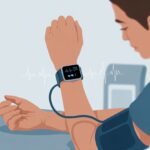
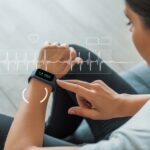
We can check our blood pressure with a fitness tracker by wearing it snugly, following a few simple instructions, and watching the numbers pop up. It’s like being our own nurse, minus the awkward small talk.
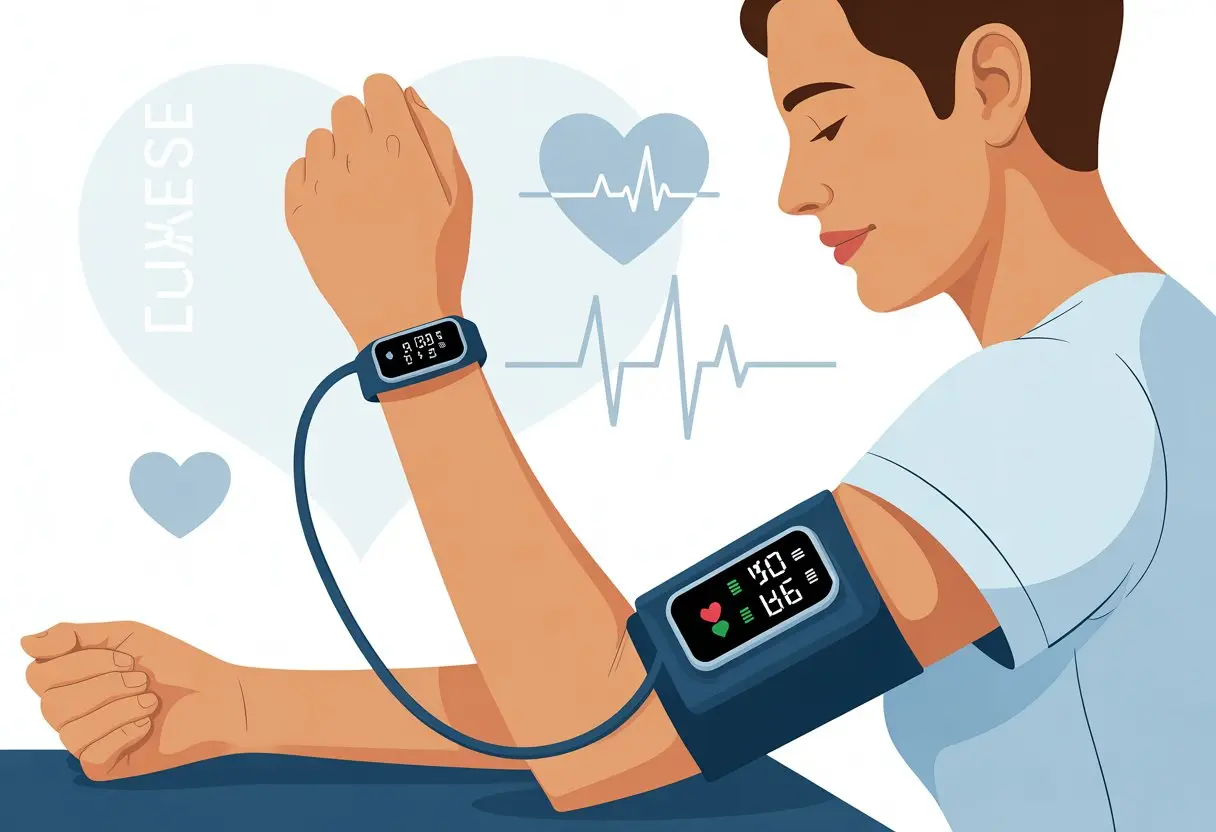
Sometimes we wonder if our fitness tracker is just making up numbers for fun. The technology is still catching up, but some smartwatches really do measure blood pressure with special sensors and a phone app.
With these tools, we can keep an eye on our health while pretending we’re secret agents monitoring vital signs. If we’re curious about how it all works, or just want an excuse to show off our latest gadget, let’s dig into the steps to start using a fitness tracker for blood pressure.
Who knew staying healthy could actually be kind of fun?
Getting Started With Fitness Trackers for Blood Pressure
Before we start strapping gadgets to our wrists and pretending to be secret agents, we need to pick the right device, set it up, and make sure it talks to our phone. Each step helps us take better care of our blood pressure without lugging around a clunky machine.
Choosing a Compatible Fitness Tracker
Let’s be real: not every fitness tracker is ready for blood pressure duty. Some are just regular watches with big dreams.
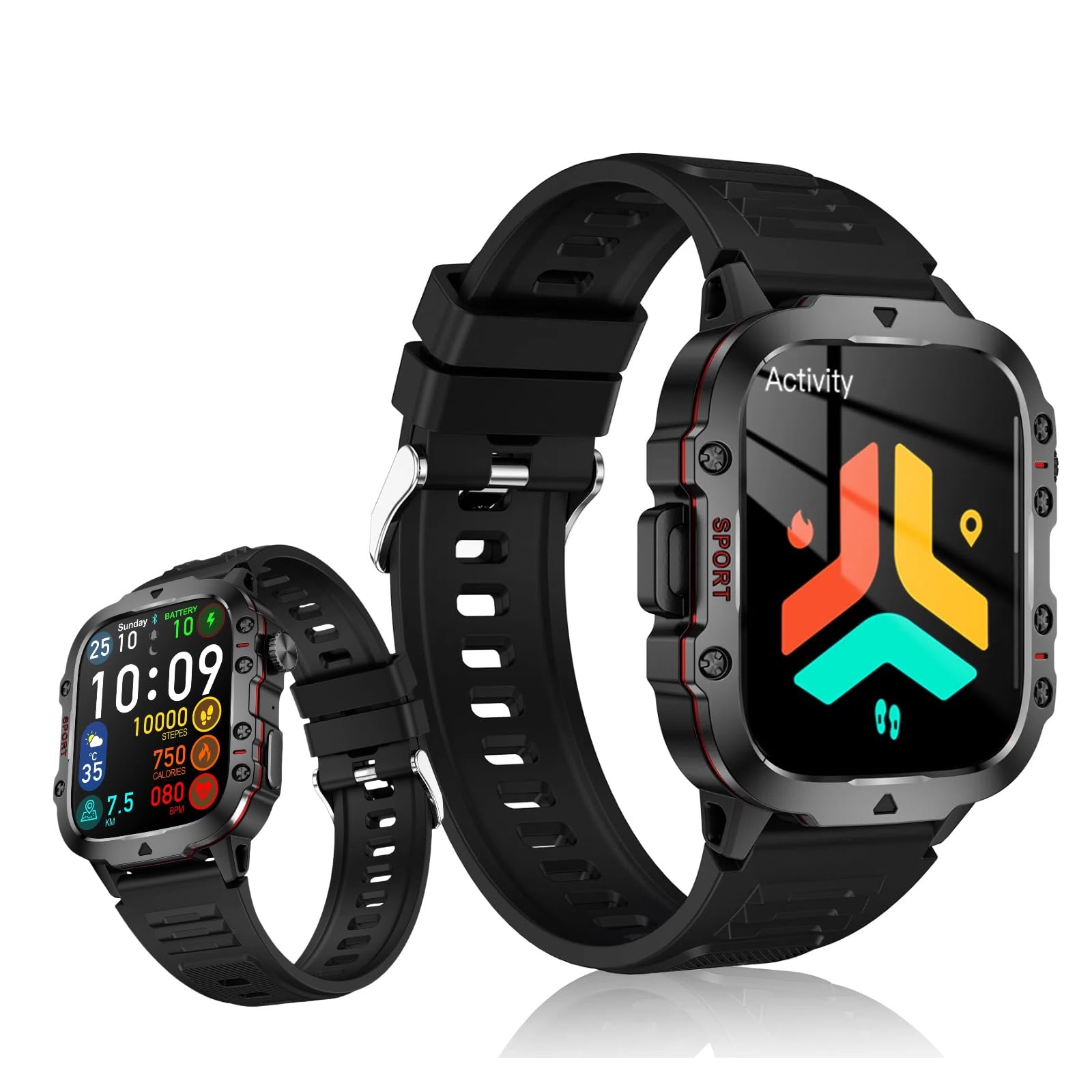
We should look for trackers or smartwatches that actually measure blood pressure, not just count our steps or buzz when we’ve been sitting too long. A few popular options include the Samsung Galaxy Watch and some Fitbit models, which support basic blood pressure monitoring.
Some wearables only track heart rate or promise blood pressure support “soon.” Always double-check that the device really offers blood pressure functionality, not just heart rate tracking.
We also need to think about our smartphone. If we use an iPhone or an Android device, we want a tracker that syncs with our phone’s operating system.
Compatibility is important—plus, nobody wants an app that feels like it was designed by a secret society. Let’s not forget about battery life.
Fitness trackers and blood pressure watches with rechargeable batteries are way more convenient than ones that eat disposable batteries. No one likes having a wearable die in the middle of a reading.
| Feature | Why It Matters |
|---|---|
| Blood pressure | Must-have! |
| Compatibility | Works with iPhone or Android |
| Battery | Rechargeable = fewer headaches |
Setting Up Your Device
So, we’ve got our shiny new tracker out of the box. Now what?
First, make sure it’s charged—waiting for that little lightning icon is nobody’s favorite. Most trackers come with a USB charger or dock, so plug it in and let it charge up.
Once powered up, strap the tracker or smartwatch snugly on your wrist—think gentle hug, not a vise grip. If it uses an inflatable cuff, follow the instructions for a proper fit.
Most blood pressure watches just need to be strapped on. Initial setup usually involves picking a language, setting up profiles, and choosing measurement units (metric or imperial—pick your poison).
Some devices ask for details like age or weight, so don’t let your inner secret agent take over with a fake identity. Just follow the directions on the display or in the manual—try not to throw anything across the room.
If your tracker has weird error messages or inside jokes, at least you’ll know you’re not alone.
Syncing With Your Smartphone
Here’s where things get a bit high-tech (and sometimes, a little weird). Most fitness trackers and smartwatches sync to our phones via Bluetooth.
Let’s turn on Bluetooth on both devices and get ready for some digital matchmaking. Download the health monitoring app recommended by the tracker’s company.
Samsung users, for example, need the Samsung Health Monitor app to collect blood pressure data from a Galaxy Watch. Sometimes, we’ll need both a watch and a phone app—double the trouble, but also double the features.
Once connected, we can view our blood pressure readings, see trends, and maybe even share the data with our doctor—if we’re feeling brave. If things don’t pair right away, try restarting both the tracker and the phone.
We can always check Consumer Reports’ guide on measuring blood pressure with a wearable device if we get stuck. Remember to check for regular app updates—they keep our blood pressure watch smarter than we are.
And with all this syncing, we’re officially living in the future. Flying cars next?
How Fitness Trackers Measure Blood Pressure
Tracking our blood pressure just got a bit more futuristic—and honestly, a lot more fun. Fitness trackers on our wrists are now doing what we used to need a bulky cuff for.
Let’s break down how these gadgets actually measure blood pressure, how accurate they are, and why they care so much about our heartbeats.
Understanding Blood Pressure Measurement Methods
Traditional monitors use an inflatable cuff that squeezes our arm like a friendly anaconda. That’s how they measure systolic and diastolic pressure directly.
Most fitness trackers skip the arm hug and use sensors that work a bit differently. Many wearables use Photoplethysmography (PPG).
This process shines a light (usually an LED) on our skin and uses optical sensors to see how blood flow changes with each heartbeat. Some advanced trackers estimate blood pressure by calculating pulse transit time—the time it takes for our pulse to travel between two points.
It’s kind of like timing how fast a parade gets from start to finish, but with heartbeats. Sometimes, devices throw in other sensors, like ECG (or EKG), to help improve their readings.
But it’s not the same as using a real medical-grade blood pressure monitor that’s FDA-approved.
Accuracy of Wearable Devices
Let’s be honest—fitness trackers want to be doctors when they grow up, but they still need more training. Many wearables just aren’t as accurate as standard medical devices.
The readings are best thought of as estimates or screenings rather than exact measurements. Calibration matters with some smartwatches.
We usually have to pair them with a trusted blood pressure monitor and follow a few setup steps. Otherwise, we’re just guessing and wearing fancy wrist jewelry.
Even with calibration, things like wrist movement, sweat, or band position can mess with the results. While a few devices are trying to get FDA clearance, most trackers today aren’t there yet.
Users shouldn’t make big health decisions based only on a smartwatch reading. We like our wrists, but we trust our doctors more.
The Role of Heart Rate Monitoring
Heart rate sensors are the fitness tracker’s best friend. These little companions measure our pulse rate all day, feeding data into blood pressure algorithms.
The device uses this info to spot patterns that connect with blood pressure changes. Here’s how it goes: the tracker checks our pulse, uses that data with PPG signals, and estimates our blood pressure.
If our heart’s racing—whether from exercise or the drama of losing in a board game—the tracker picks up those changes. That’s why readings sometimes swing around so much.
Some trackers use both heart rate monitoring and ECG to boost accuracy, but they still can’t rival a clinical cuff. The heart rate monitor is great for fitness and spotting trends, but it’s not magic.
Think of it as the peanut butter to blood pressure’s jelly—not the whole sandwich, but still a tasty part. For a deeper look at how the technology works, check out this guide on how fitness trackers use light sensors to measure blood flow.
Step-By-Step Guide to Monitoring Blood Pressure
Getting accurate blood pressure readings with our fitness tracker takes some setup, a few good habits, and a dash of patience. Let’s make this process as smooth—and painless—as possible so we can actually trust those tiny numbers on our wrists.
Setting Up Blood Pressure Monitoring
First, let’s check that our device supports blood pressure monitoring. Some only track steps and broken New Year’s resolutions.
Check the box or the manufacturer’s website before getting too excited. Next, charge up the tracker.
No battery, no blood pressure readings—unless we count the rising pressure when the thing dies halfway through the day. Let’s install the official app on our phone and pair the tracker.
Usually, this involves Bluetooth and more patience than we’d like to admit. Follow the prompts so the tracker can save our readings and even nudge us with reminders.
We need to enter some personal info—like height, weight, and age—so the readings make sense for our body. Ignore the urge to fudge the numbers; it’s not a gym membership sign-up.
If the tracker needs calibration (some do), grab a classic arm cuff monitor. Take a reading at the same time as the fitness tracker and let the app compare.
Now we’re ready to play doctor.
Taking Consistent Measurements
Let’s talk habits, because one fluke reading after arm wrestling the couch cushions doesn’t mean much. We want our arms relaxed, at heart level, and resting on a table.
If we’re standing, pacing, or dancing—save it for TikTok, not blood pressure tracking. It’s best to sit still for five minutes before measuring.
That means no phone calls, cartwheels, or staring contests with the cat. Crossed legs can throw off our numbers too, so keep both feet flat on the floor.
Avoid caffeine, smoking, or intense exercise for at least 30 minutes before testing. If our pulse is still racing from running to catch the bus, let’s take a breather first.
Slide the tracker snugly, but not tightly, on our wrist as shown in the instructions. To get a useful baseline, try measuring at the same time each day and use the same arm every time.
Consistency is key—even if our routine is as unpredictable as Monday morning energy. For more tips, check out advice from the American Heart Association on home blood pressure monitoring.
Recording and Reviewing Your Data
Now for the fun part—actually seeing our data and maybe feeling like we’re in a low-budget spy flick. Most fitness trackers save results to the app, but it’s worth double-checking just in case.
Manual tracking? Let’s be honest, it’s not as thrilling as it sounds.
Some trackers chart our numbers over days and weeks. That’s when we can spot trends—like that odd spike every Sunday, probably when we remember laundry exists.
If we see a string of high readings, there’s no need to freak out. But let’s not ignore them either.
Bring the data to our next doctor’s visit and get a real opinion. Usually, we can export data from the app—sometimes as a chart, which makes us look almost suspiciously organized.
Sticking with regular recording helps us see the bigger picture, instead of stressing over a random off day.
For extra tips, check out this guide on measuring blood pressure with a wearable device.
The Science Behind Accurate Readings
If we want our fitness tracker to be more than just a colorful bracelet, we’ve got to know what makes blood pressure measurement accurate. Getting reliable results means doing things right—and steering clear of the mistakes we all make when a new gadget lands on our wrist.
Why Calibration Is Important
Let’s be real, our fitness tracker can’t magically know our blood pressure without a little help. Calibration teaches our device how our body works, kind of like sending it to “Blood Pressure 101.”
Skip this step, and our readings could be as reliable as a fortune cookie weather forecast.
Trackers measure blood pressure by picking up changes in blood flow with sensors and sometimes lights, as explained in this helpful article.
But—and it’s a big but—they need us to calibrate first by comparing their readings to a traditional blood pressure cuff. If we try calibrating while wrestling a cat, things will get weird fast.
FDA-approved devices require strict calibration, but most fitness trackers aren’t medical devices yet. So, we really need to double-check accuracy ourselves. Think of it as giving our tracker a pop quiz before letting it tutor our health.
Common Mistakes and How to Avoid Them
We’ve all done it—taken a blood pressure reading after running up the stairs or during a heated phone call. Timing and technique matter more than we’d like to admit.
If we measure while excited or moving, our numbers will shoot up for all the wrong reasons.
Here’s a quick cheat sheet for better readings:
- Sit calmly for at least five minutes
- Rest our arm flat at heart level
- Don’t talk, laugh, or juggle fruit while measuring
- Calibrate at the same time of day
- Keep the band snug, but not “tourniquet tight”
If we skip the basics, even the fanciest tracker won’t help. Taking a little extra time means we’ll get results we can actually trust—well, more than our uncle’s fishing stories anyway.
Interpreting Your Blood Pressure Results
Let’s be honest—numbers on our fitness tracker sometimes look scarier than high school math. But once we know what those digits mean, we can skip the panic and figure out if we’re actually on track with our health.
The trick is knowing what’s normal, when to lay off the salt, and when it’s time to call a doctor instead of searching Google.
Understanding Normal and High Blood Pressure
Let’s break down the numbers. Blood pressure comes as two digits, like 120/80 mm Hg (and yeah, “mm Hg” means millimeters of mercury, not a rock band).
The first number (systolic) is the pressure when the heart beats. The second (diastolic) is when our heart is relaxing between beats.
Here’s a quick cheat sheet:
| Category | Systolic (top) | Diastolic (bottom) |
|---|---|---|
| Normal | Below 120 | Below 80 |
| Elevated | 120-129 | Below 80 |
| High (Stage 1) | 130-139 | 80-89 |
| High (Stage 2) | 140+ | 90+ |
| Hypertensive Crisis | 180+ | 120+ |
If our tracker spits out numbers in the high blood pressure or hypertension zone, it’s time to back away from the salt. Readings that hit hypertensive crisis levels? That’s the one club we don’t want to join—call a doctor right away if we see those.
Want more details? Check out this blood pressure chart.
Tracking Trends Over Time
One random reading doesn’t tell the whole story. Blood pressure likes to jump around—after a big meal, during exercise, or when we realize we’re out of coffee.
That’s why regular monitoring helps us spot real patterns, not just flukes.
Let’s say we’re checking at home. The American Heart Association suggests we take two readings, one minute apart. Track these with a chart, app, or even a notebook if we’re feeling old-school.
This way, we can show our doctor trends instead of trying to explain away high numbers with “it was just a rough Monday.”
Best practices:
- Measure at the same time each day (morning or evening).
- Sit quietly for five minutes first.
- Skip caffeine, exercise, or big meals right before checking.
Spotting trends helps us and our doctors catch changes early. If our numbers start creeping up, it’s not just bad luck—it’s our body waving a little red flag.
Features Beyond Blood Pressure Monitoring
Fitness trackers do more than just check our blood pressure—they’re like a Swiss army knife for our wrist. With all these extra features, we can play health detective and maybe even sleep better for once.
Using Sleep Tracking and Heart Rate Monitoring
When we’re not busy counting steps, our trackers keep an eye on us while we snore. Sleep tracking uses sensors to see how long we sleep and how restful it really is.
Some devices show our sleep stages, like light, deep, or REM sleep.
Knowing our sleep patterns helps us spot issues like insomnia or waking up too much. If we see lots of tossing and turning, maybe it’s time to rethink those late-night snacks or endless streaming sessions.
The heart rate monitor isn’t just for the gym crowd. Our trackers give real-time heart rate updates all day and night.
Watching our heart rate can tip us off to stress, sickness, or those moments of pure excitement—like seeing the ice cream truck.
Blood Oxygen Levels and Pulse Rate Measurement
Trackers often sneak in a blood oxygen sensor too. This feature checks how much oxygen our blood carries, using the same kind of light as in sci-fi movies.
It’s especially handy for people with breathing problems or anyone living at higher altitudes.
Pulse rate measurement shows how fast our hearts are working—not just after a sprint, but even during Netflix marathons. Some devices let us see trends or set alerts if our pulse is weirdly high or low, which means fewer surprises.
Here’s a quick summary table:
| Feature | What It Does | Why We Care |
|---|---|---|
| Sleep Tracking | Tracks sleep stages and patterns | Improves rest, highlights issues |
| Heart Rate Monitor | Measures heart activity 24/7 | Spots stress, alerts to problems |
| Blood Oxygen Level | Shows oxygen saturation in our blood | Good for breathing, health alerts |
| Pulse Rate | Counts beats per minute | Tracks exertion, heart health |
Connecting Your Data for Better Health Insights
Tracking blood pressure with a fitness tracker feels smart, but the real magic happens when we connect all this info to apps or even our doctors. Suddenly, health management isn’t so mysterious—or old school.
Sharing Results With Healthcare Providers
Carrying a handwritten notebook to the doctor? That’s so last century. Most fitness trackers—from Fitbit to Samsung, or even our iPhones and Google-powered gadgets—let us send reports straight to our healthcare provider.
Some devices export PDFs or spreadsheets, making it way easier to show off our blood pressure results than digging out crumpled receipts.
Many apps let us set up sharing permissions, so our doctor can see our blood pressure readings in real time. This helps with diagnosis or medication tweaks, so we don’t have to call every time a number looks weird.
Withings says syncing blood pressure data with a provider can support personalized care and better tracking. Plus, if there’s ever an award for most organized patient, we might just win.
Using Apps and Cloud Storage
Trying to remember all those numbers? Good luck. Thankfully, most trackers use Bluetooth to sync with our phone and save data in apps like Fitbit, Apple Health, or Google Fit.
Our blood pressure data lives in the cloud, ready whenever we need it—even if our watch disappears into the couch.
Apps usually show us graphs, colorful trends, and sometimes a gentle nudge that maybe stress-eating nachos at midnight isn’t ideal. Some mobile apps pull in data from different devices, so we can see everything in one place—even if we can’t remember where we left our tracker.
Learn how these wearable apps bring our health and fitness data together for connected health care.
Here’s a handy chart of app features:
| App | Supports Cloud? | Sync with Doctor? | Device Compatibility |
|---|---|---|---|
| Fitbit | Yes | Yes | Fitbit, some Samsung |
| Google Fit | Yes | Yes (with 3rd party) | Android, Samsung, others |
| Apple Health | Yes | Yes | iPhone, Apple Watch |
Tips for Maximizing Fitness Tracker Battery Life
Let’s be honest, our fitness tracker’s rechargeable battery sometimes drains faster than our patience on slow Wi-Fi. But we can stretch its life with a few easy tricks.
1. Lower That Screen Brightness
The brighter the screen, the faster the battery waves goodbye. Let’s dim it down a bit when we don’t need to see our step count from across the room.
2. Turn Off Unnecessary Features
Do we really need our tracker to buzz for every social media ping? Probably not. Turning off extra notifications and unused apps helps the battery last longer.
3. Use Battery Saver Mode
Most trackers have a mode that helps stretch battery life. If we’re not running a marathon or hunting for Pokémon, battery saver is our friend.
4. Manage Connectivity
Bluetooth, Wi-Fi, GPS—these eat battery for breakfast. Only turn on what we need. For daily use, syncing once or twice a day is plenty.
For more, check out these practical tips to get the most out of our smartwatch’s battery.
Pro Tip Table
| Setting | Battery Friendly? | Party Crasher for Battery? |
|---|---|---|
| Brightness: Low | Yes | No |
| Notifications: Off | Yes | No |
| GPS: On All Day | No | Yes |
| Battery Saver: On | Yes | No |
Let’s be battery-smart, not battery-sorry!
Comparing Popular Fitness Trackers With Blood Pressure Monitoring
Buying a smartwatch these days isn’t just about checking texts or switching to a cat-in-sunglasses watch face. If we want to track blood pressure, it pays to know which fitness trackers are actually worth strapping on.
Samsung Galaxy Watch Highlights
The Samsung Galaxy Watch feels a bit like having your own personal nurse—just one who doesn’t nag you about your snack habits. The Galaxy Watch 7 really stands out because it measures blood pressure and takes ECG readings right from the built-in health app.
You’ll need to calibrate it at first (yeah, you still have to dig out a real cuff and be patient for a minute), but after that, it keeps things pretty simple.
If something seems off, the watch sends notifications straight to your phone. The Samsung app lets you spot trends or random blood pressure spikes—which, honestly, sometimes hit after a rough Zoom call.
The watch actually looks good enough for meetings or morning runs. And with decent battery life, you won’t have to leave it tethered to the charger too often.
Fitbit and Other Competitors
Fitbit kicked off the whole step-counting craze, but oddly enough, its main devices still don’t measure blood pressure. The Fitbit Charge 6 and Sense 2 can track your heart rate and stress, which is handy, but real blood pressure data? Not happening yet.
A lot of us keep hoping Fitbit will roll out an update with this feature, but for now, if blood pressure matters most, we’ve got to look elsewhere.
Some folks on Reddit swear the Huawei D2 Watch gives blood pressure readings that actually stack up well against traditional monitors. That’s kind of impressive, honestly.
Meanwhile, brands like Garmin and Withings pack in plenty of health features, but not every model tracks blood pressure, so you really have to check the details before buying.
If you want everything—steps, heart rate, and blood pressure—the newest Samsung watches or certain Huawei models seem like the safest picks right now.

From a young age, I have always had a big interest in technology, and this blog is an extension of that interest. Through this blog, I hope to provide others with all of the information they need regarding tech options to consider, and things such as compatibility. Some of the different items I will be discussing include headphones, smartwatches, and how to fix common issues.
- How to Get Text Messages on Fitbit Versa 2 Android: Simple Guide for Users - October 13, 2026
- Why Doesn’t My Fitbit Record My Sleep? Quick Troubleshooting Guide - October 13, 2026
- How to Change Face on Fitbit Versa 2: Quick and Easy Guide - October 12, 2026
Related Posts: