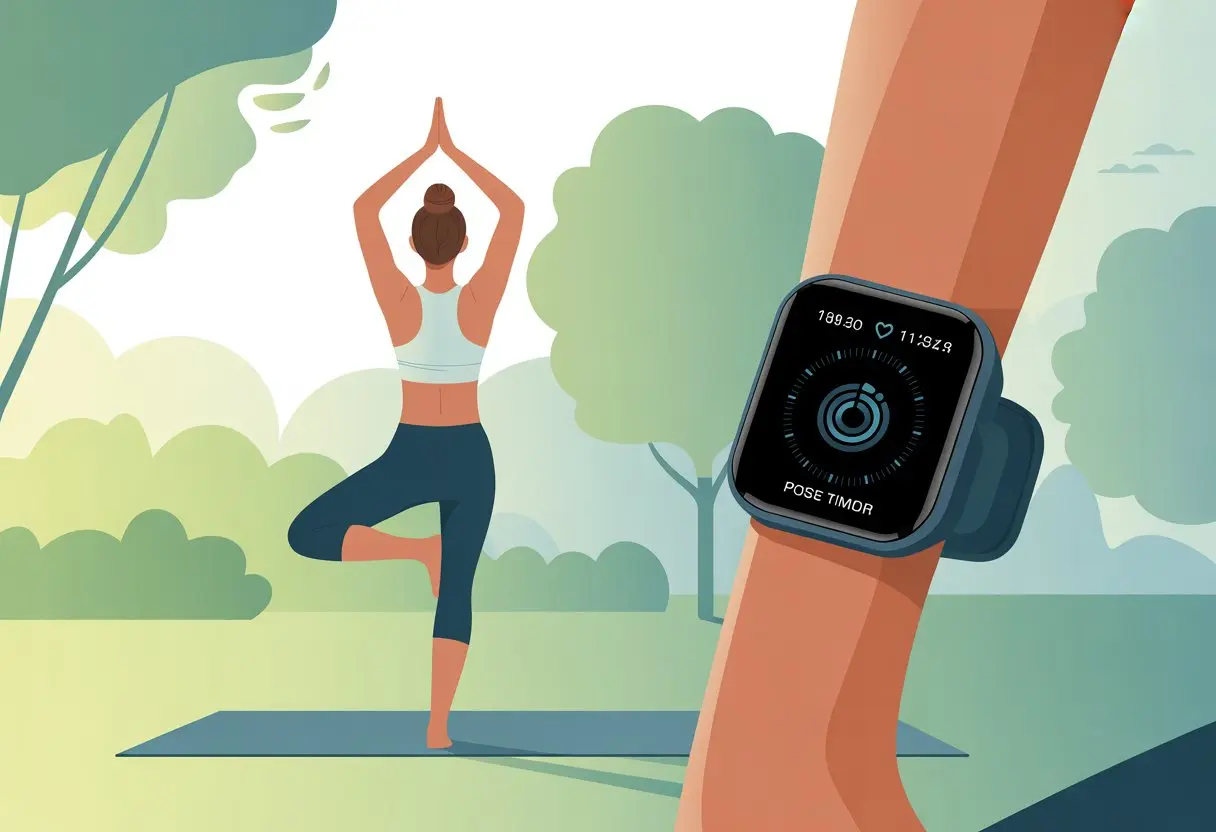
We all want to level up our yoga game without morphing into tech zombies, right? A smartwatch helps us track our progress during yoga—heart rate, breathing, even mindfulness—so we actually see improvement instead of just pretending we’re floating on a cloud.
With a smartwatch, we don’t have to guess if our breaths are deep enough or if our heart is racing like crazy during a tough pose.
Let’s be honest, most of us aren’t yoga gurus who remember every stretch. Smartwatches hold us accountable without making us stop the flow to scribble notes (seriously, who keeps a pen by their mat?).
We can use smartwatch features made for yoga, like the dedicated Yoga activity or health tracking tools, to keep things simple and fun.
Yoga’s about peace and focus, but it’s also nice to have a little tech backup. Just enough to help, not so much that we feel like robots.
Ready to let your smartwatch do the heavy lifting while you enjoy the vibes?
Getting Started With Your Smartwatch For Yoga
https://www.youtube.com/watch?v=ZhBGXhlo0YI
Before we twist ourselves into pretzels, let’s make sure our wrists are ready. The right smartwatch tracks moves, syncs with fitness apps, and even reminds us to breathe when we forget.
Choosing the Right Smartwatch Model
Picking a smartwatch (or fitness tracker) is a lot like choosing the right yoga pants. It should fit, feel good, and not drive us nuts.
Not all fitness watches are equal. Apple Watch, Garmin, and Fitbit have yoga features, but some are just easier to use.
We need to check compatibility with our phones first. Pairing an Android with an Apple Watch? That’s about as fun as holding crane pose for an hour.
Activity trackers should fit comfortably and be waterproof. Sweat happens.
Touchscreens and clear displays let us check stats with a quick glance, even in downward dog.
Battery life is something we shouldn’t ignore. Some GPS watches and bike computers last for days, while others die before we make it to Savasana.
Feature lists are nice, but simple is usually better for yoga. We don’t need a watch that pays for groceries or answers texts unless we love distractions mid-child’s pose.
Pairing With Your Fitness Tracker App
Once we’ve got a watch we actually like, it’s time to connect it. Most trackers want us to download their app—Apple Health, Garmin Connect, or Fitbit’s app.
Connecting is usually as simple as making tea, if we follow the instructions.
Pairing syncs data like heart rate, steps, and session length. If the brand has its own app, we’ll need to make an account.
Many smartwatches also link with other fitness apps, so we can share our yoga wins (and fails) with friends.
We need to make sure Bluetooth is on. Sometimes pairing means updating the app or restarting the device.
If things get stubborn, the user manual or a quick web search usually saves us from tech headaches.
Setting Up Yoga Profiles
Now for the fun part—setting up our yoga profile. On most smartwatches, we just select “Yoga” as an activity.
The Garmin watch, Fitbit, and Apple Watch all have built-in yoga settings that track heart rate, calories, and meditation time.
Some watches let us pick the type of yoga session. We can choose from relaxing yin, challenging vinyasa, or calming mindfulness.
Adjust how sessions are recorded—some watches let us change display screens or set wrist vibrations for milestones (or when we’ve held warrior pose a little too long).
Data can be stored or shared with our favorite apps. Perfect for showing off those epic breathing stats.
For quick setup tips, check out detailed smartwatch yoga guides and get your device ready for the next downward dog.
Yoga-Specific Features and Tools
Smartwatches do more than count steps or nag us to stand up. For yoga, these gadgets give us helpful features like accurate workout tracking, steady heart rate monitoring, and even special apps for mindful breathing.
Workout Tracking For Yoga
When we pick “Yoga” on our smartwatch, it’s not just for show. Dedicated workout modes log session time, estimate calories, and sometimes offer pose guidance.
Some watches organize our workouts by date, so we can spot long-term trends. Seeing our weekly yoga hours can nudge us to roll out the mat more often.
Devices like the Apple Watch record each session’s heart rate data, so we can see every stretch and wobble.
Tables are usually boring, but here’s one that’s actually fun:
Metric
Before Yoga
After Yoga
Flexibility
Rusty
Bendy-ish
Session Duration (min)
20
60+
Zen Level
Meh
So Chill
Looking back on small improvements can turn tiny wins into big smiles. For more, check out this yoga smartwatch guide.
Understanding Heart Rate Monitoring During Yoga
Let’s be real: our hearts don’t usually pound like a sprint during yoga, but heart rate monitoring still matters. The sensor tracks our effort in real-time, showing how calm—or not—we really are.
Most smartwatches use an optical heart rate monitor. This shows us our average, lowest, and highest heart rates right on our wrist.
It helps us measure intensity and gives feedback about relaxation or stress during tough poses.
Seeing a low heart rate means we’ve nailed the art of “don’t panic, even upside down.” Some newer watches even track blood oxygen (SpO2), which is cool if we want to see how deep breathing helps our oxygen levels.
Utilizing Breathwork and Meditation Apps
Honestly, we could all use a break from the chaos. Smartwatches have breathwork and meditation apps that guide us through restful practices—even if we only have five minutes between meetings.
Many models include reminders to slow down and breathe. Apps walk us through focused breathing, track calm minutes, and reward us for just sitting still.
The Apple Watch includes a Breathe app, but there are tons more for guided meditations and yoga nidra.
If listening to a voice on our wrist feels odd, we can switch to silent haptics. Perfect for catching our breath without anyone noticing.
A smartwatch can make yoga sessions smoother and less distracting. We should tweak a few settings to match our style and keep our flow going.
Personalizing Watch Faces
Let’s face it, the default watch face is about as inspiring as a blank mat. We can pick one that actually helps during class.
Most smartwatches let us choose from dozens of designs—some are sleek, some are wild, just like our yoga pants.
Look for a face with clear health stats, like heart rate or a timer, right up front. If possible, hide the battery icon; our zen doesn’t need low power anxiety.
Brightness matters. A face that’s too bright distracts the yogi next to us, especially if we flick our wrist mid-pose.
Let’s dim it or use an ambient setting so our watch glows softly, not like a mini flashlight during meditation.
Customizing the watch face makes yoga feel more personal, functional, and—maybe—even a little stylish.
Managing Notifications During Yoga
Nothing ruins a zen mood like a smartwatch buzzing with sales texts or work emails. We don’t want to hear Siri, Google, or Alexa chiming in when we’re trying to focus.
Before we start, let’s set notifications to “Do Not Disturb” or silent mode. Most watches make this easy with a tap.
If our watch has a mic and speaker, mute or disable them during practice. Random noises break our focus, and other yogis will appreciate the peace.
We can review notification settings in the companion app, turning off anything unnecessary so only health and wellness alerts get through.
For more on tweaking smartwatch notifications for yoga, check out these smartwatch yoga tips.
Tracking Your Yoga Progress And Health Metrics
We can use our smartwatch for more than just telling time or reminding us about meetings we’ve forgotten. With a few taps, we get instant access to health data, helping us build better yoga habits and focus on wellness.
Activity Rings and Fitness Goals
Let’s talk about those colorful rings on our smartwatch. Every time we roll out the mat, these rings track how much we move, stand, and exercise.
Watching them close gives us a weirdly satisfying sense of accomplishment.
With step counts, calories burned, and exercise minutes, our watch lets us set daily fitness goals. We never have to guess if we’re moving enough or making progress.
If we need a push, reminders and prompts nudge us off the couch and into a downward dog.
Here’s a quick comparison:
Metric
What It Tracks
Why It Matters
Move Ring
Daily movement
Encourages activity
Exercise Ring
Active minutes
Tracks yoga sessions
Stand Ring
Standing time
Reminds us not to sit all day
Seeing progress keeps us motivated—and maybe even a little competitive with ourselves.
Sleep Tracking for Recovery
Our smartwatch keeps an eye on us while we sleep, so we don’t have to wonder why we’re tired after a late-night TV binge.
For anyone who thinks shavasana is the only time for deep relaxation, sleep data shows if we’re getting enough recovery to support yoga.
Features like sleep stage tracking help us see if we’re spending enough time in deep or REM sleep.
Many watches suggest ideal bedtimes and track trends over weeks. That way, we can take our yoga off the mat and focus on wellness even while horizontal.
More rest means better flexibility and fewer yawns in morning yoga.
Monitoring Stress and Heart-Rate Variability
Our watch doesn’t just sweat with us; it actually senses when we’re on edge. It tracks heart-rate variability (HRV) and stress levels, even during those “peaceful” moments when our minds are racing with laundry lists.
Tracking HRV regularly helps us spot if our bodies feel stressed or well-rested. If our HRV drops, it usually means we’re stressed or overworked. A higher HRV? That’s a good sign our bodies are recovering well.
Some smartwatches nudge us with breathing reminders to help calm our nerves. It’s a small thing, but sometimes that buzz is the only thing that reminds us to take a breath.
When we check our stress levels and breathing patterns, we learn when to slow down, breathe deeper, or just chill in child’s pose for another minute. It’s like a tiny yoga instructor who’s obsessed with numbers—and honestly, that’s not the worst thing.
Optimizing Battery Life And Durability For Yoga Sessions
Our smartwatches need to last as long as our downward dogs and survive more sweat than a hot yoga class in July. Keeping that battery full and our watches safe gets tricky when things heat up.
Improving Battery Life During Workouts
Battery life can make or break tracking a whole class. If we want our watch to last, let’s turn off unnecessary notifications so our wrists aren’t buzzing every time someone likes our lunch photo.
Using “power-saving” or “theater mode” keeps the screen off unless we need it, which stretches the battery even more—just like us in pigeon pose. Lowering the screen brightness helps too.
We can switch off unused features like GPS, Wi-Fi, or music playback to squeeze out more usage. Checking battery usage in settings lets us spot apps that sneakily drain power.
Let’s not forget regular charging routines. Charging before class means we won’t run out of power right when we finally nail crow pose.
Water Resistance and Sweat Protection
Yoga isn’t diving, but our smartwatches still face a flood of sweat and the occasional water bottle spill. We should check the water resistance rating before bringing our watch into a hot or sweaty studio.
Labels like 5ATM or IP68 mean the watch can handle serious moisture—even if we forget our towel again. It’s smart to wipe our watch dry after each session, especially around buttons or speakers where sweat likes to hide.
Consider using a silicone or sport band because they’re easier to clean and won’t soak up sweat like a sponge. Trying to shower with our watch? Not the best idea, unless it’s officially rated for full submersion.
When in doubt, treat sweaty yoga sessions and watches like socks: air them out and let them dry before the next round.
Exploring Smartwatch Yoga Apps And Platforms
Picking the right yoga app for our smartwatch can turn daily stretches into a high-tech adventure. With the right setup, we can track our breathing, measure our heart rate, and maybe even impress the cat with how calm we look.
Top Yoga Apps For Smartwatches
Some apps act like yoga instructors who never leave our wrist. Yoga Studio and Fitbit’s own yoga mode are great for pose reminders and guided flows.
We get timers, pose libraries, and even calming music. Plus, reminders to focus on our breathing—because let’s be honest, who hasn’t forgotten to breathe during a tricky pose?
If we use Garmin, the Garmin Connect app tracks flexibility, heart rate, and stress, all without making us do complicated math. For Apple Watch users, the built-in workout app tracks yoga sessions, heart rate zones, and calories.
Nobody wants our yoga effort lost in the void. Syncing our smartwatch with fitness trackers like Strava, Google Fit, or Apple Health gives all our sweat the attention it deserves.
Our downward dogs and tree poses finally count toward our daily activity rings. Syncing is usually as easy as connecting through Bluetooth.
Most smartwatches let us automatically upload yoga sessions, heart rate, and calories burned. If our smartwatch app supports it, we get a tidy view of our progress everywhere, from Strava graphs to our favorite step challenge.
Now we can compete with friends to see who can “om” the longest—because who says yoga isn’t a sport?
Cross-Training: Using Smartwatch For Other Activities
Sometimes we need a break from yoga poses and want to try something new. Good news—our smartwatches can do more than count downward dogs.
Switching Modes: From Yoga To Cardio And More
Swapping between exercise modes on a smartwatch feels as easy as moving from Warrior I to Warrior II (hopefully with less wobbling). Most modern fitness watches let us switch from yoga to running, cycling, or even pool swim with just a few taps.
We can track heart rate, calories burned, and session time for each activity. Usually, there’s a long list of workouts to choose from, including HIIT, elliptical, treadmill, dance, and strength training.
If we’re feeling adventurous, we can even log sports like soccer, basketball, or tennis—because why not? The data helps us see which activities boost our fitness and which just leave us panting on the gym floor.
Some watches let us create custom workouts if “row” or “pilates” are more our speed. We won’t miss any stats, no matter how we work out.
Our wearable tracks steps, mileage, and active minutes across every activity, making our training well-rounded and our bragging rights a little more accurate.
Outdoor Activities and GPS Tracking
When we step outside, we become explorers—ready for hiking trails, trail running, or a solid bike ride. A smartwatch with GPS tracking measures distance, speed, pace, and even elevation during activities like running, cycling, or SUP (stand-up paddleboarding, for the non-shorthand folks).
This is perfect for trail runners or anyone who wants to track outdoor mileage accurately without getting lost. We can view our routes, set new records for our favorite trail, or just prove we didn’t go to the corner store and call it hiking.
Our watch often tracks trail maps, elevation gain, and distance, letting us relive every hill and valley after our workout. Whether we’re out for a casual walk or marathon training, our smartwatch can handle both.
And if someone asks our pace, we don’t have to guess—we’ve got numbers to back us up, and maybe even a map to show off at dinner.
Safety, Navigation, And Connectivity
Staying safe and finding our way doesn’t mean we have to give up our zen. With a smartwatch on our wrist, we can stay connected, avoid getting lost, and call for help—even while holding that perfect downward dog.
Safety Features For Yogis On The Move
Ever get so relaxed in Savasana you forget where you are? Same here. Thankfully, many smartwatches have built-in safety features that make yoga outside or at a new studio a little less risky.
Let’s say we take a surprise tumble out of tree pose in the park (it happens). With some watches, a quick button press sends our location to chosen contacts.
The Garmin Vivoactive 5 uses Bluetooth to connect to the Garmin Connect app, which gives us access to safety tracking features.
Here’s a quick list of popular safety tools on smartwatches:
Incident detection: Alerts help if we fall.
Live location sharing: Loved ones can see where we’re flowing.
Emergency SOS: Fast access to help when needed.
So, even if our headstands don’t always go as planned, at least our safety net is digital—and honestly, that’s way less embarrassing than yelling for help in a packed class.
Navigation and Directions From Your Wrist
Who knew “finding your path” in yoga could mean, well, actual directions? These days, smartwatches do way more than just count steps.
You can use GPS right from your wrist for step-by-step directions. It’s surprisingly handy for finding your way to the studio or a quiet park without digging out your phone every few minutes.
Some smartwatches sync up with navigation apps, which means you don’t have to fumble around with sweaty hands and a slippery phone. If you like to wander, you’ll probably appreciate features like built-in maps and compass widgets.
These tools help you steer clear of, say, accidentally joining a pack of dog walkers instead of your yoga class. A lot of watches let you check maps and routes on the tiny screen, so you can glance down and stay focused—less distraction, more zen. There’s even a quick guide on smartwatch navigation if you want to see how it works.
So, if you ever wander off looking for a peaceful spot and end up in the middle of a busy street, your smartwatch can guide you back. Maybe it’ll even help you find your water bottle if you left it behind.
Hi, my name is Garrett Jones, and I am a tech enthusiast. I enjoy researching the new tech that has been released, and have a vast knowledge of the best tech to purchase.
From a young age, I have always had a big interest in technology, and this blog is an extension of that interest. Through this blog, I hope to provide others with all of the information they need regarding tech options to consider, and things such as compatibility. Some of the different items I will be discussing include headphones, smartwatches, and how to fix common issues.