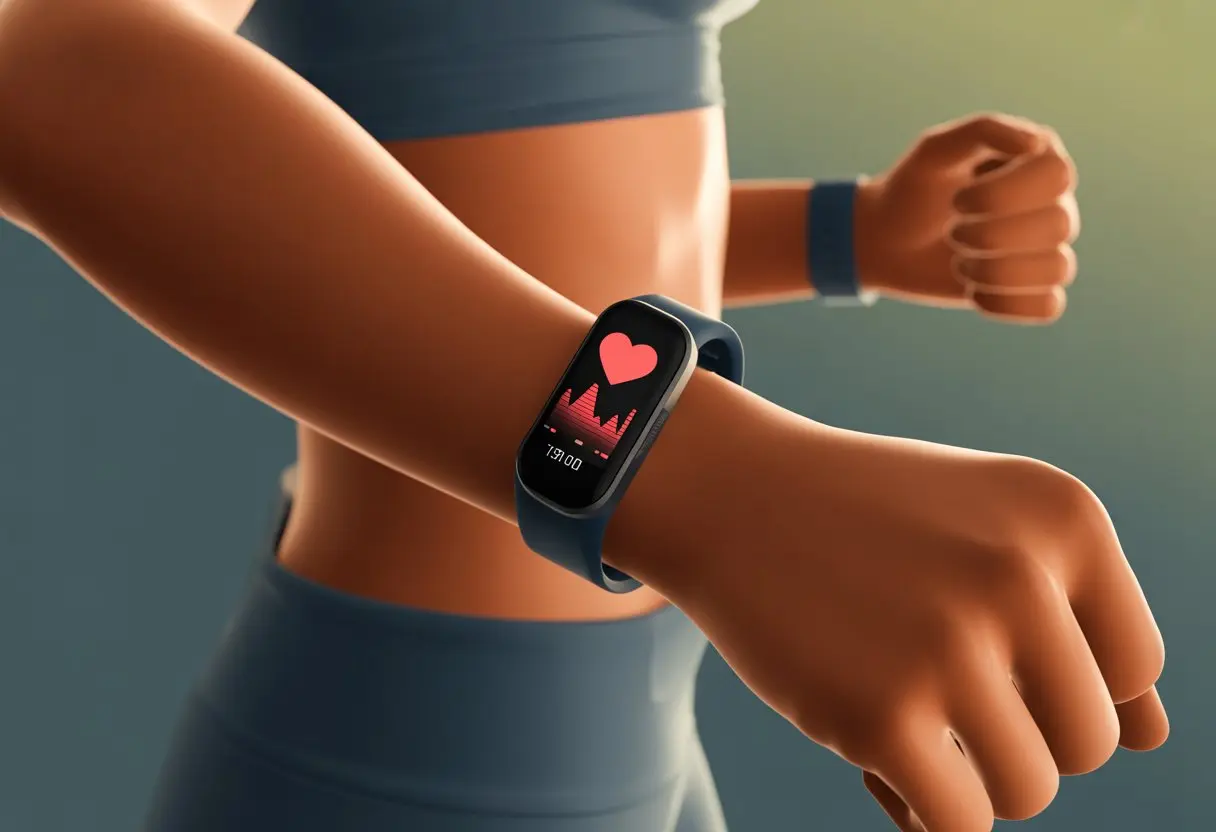
We all want to be a little healthier, but honestly, remembering to check our heart rate during a workout? That’s about as easy as remembering where the heck we put our car keys.
Using a fitness tracker to monitor heart rate gives us an easy way to keep tabs on our health—without looking like we’re prepping for a science fair every five minutes. Just a quick peek at our wrist, and we can spot if our heart’s working as hard as we are—or if it’s quietly slacking off.
These gadgets use clever tech, like green lights and sensors, to measure our pulse while we jog, hit the gym, or just wander to the fridge for a snack.
Fitness trackers remove the guesswork from staying in our training zone, so we know if we’re burning fat, building endurance, or just sweating for the fun of it.
If you’ve ever wondered how to use your tracker without needing a PhD, you’re in the right place.
We’ll break down heart rate zones, show you how to get the most out of your trusty wrist buddy, and maybe give you something to brag about at the next group run.
What Is a Fitness Tracker and How Does It Measure Heart Rate?
https://www.youtube.com/watch?v=hlKjE3GCxvQ
Think of fitness trackers as tiny health assistants you can wear on your wrist or chest.
They check heart rate using a mix of smart lights, sensors, and sometimes even electrical signals.
Understanding Wearable Devices
Let’s be real: sticking tubes to our bodies would make exercise even less appealing.
Luckily, wearable devices let us track heart rate with just a sleek band.
Fitness trackers, like the Apple Watch or Fitbit, have a design that doesn’t scream “lab equipment.”
Wearable devices usually fall into three types: smartwatches, wristbands, and chest straps.
Their main job? Monitor our heart rate and log activities—without embarrassing us at the gym.
They’ve got sensors that collect health data while we move, nap, or dash after the bus.
Most of us pick what feels best.
A smartwatch looks cool and multitasks, while a chest strap means you’re serious.
No matter the style, these wearables quietly keep tabs on our heartbeats, giving us more health info than we ever thought we’d want.
How Photoplethysmography (PPG) Works
Photoplethysmography isn’t a spell from Harry Potter, though it sounds like one.
It’s just the technical name for how most trackers and smartwatches monitor heart rate.
Devices like Fitbit and Apple Watch use PPG sensors—usually with green LEDs.
Here’s what happens: those green lights shine onto our skin.
Blood absorbs green light, so when our heart pumps, the flow changes how much light gets bounced back.
The sensor picks up these changes and counts each heartbeat.
Skin isn’t perfect, though.
If we’re moving a lot or have tattoos in the way, the readings can get a little wild.
Still, for most of us, PPG does a solid job during workouts—or even when we’re just binging shows.
Cracking the code on our heart rate data turns us into fitness detectives.
We can learn how our resting heart rate spills health secrets, why maximum heart rate makes us sweat, and how heart rate zones help us train smarter.
Resting Heart Rate and What It Tells You
Our resting heart rate is the number of beats per minute when we’re totally relaxed—think zombie mode, but alive.
For most adults, a normal resting heart rate lands between 60 and 100 beats per minute (bpm).
If your resting heart rate is lower, especially if you work out a lot, that’s usually a good sign.
Athletes often have a resting heart rate closer to 40 or 50 bpm because their hearts are well-trained.
Sudden jumps up or down? That’s something to pay attention to.
A higher-than-normal resting heart rate might mean stress, dehydration, or illness.
If it’s always far outside the typical range, maybe it’s time to talk to a doctor instead of just your fitness app.
Want to check manually? Try the find your pulse trick before getting out of bed.
Maximum Heart Rate (HR Max) and Stress Test Insights
Maximum heart rate, or HR Max, is the fastest your heart wants to go before it waves a white flag.
The classic formula: 220 minus your age.
So for a 30-year-old, that’s 190 bpm.
During a stress test, you might get hooked up to equipment to see how your heart handles effort.
Some trackers can estimate your HR Max with built-in tests, but a pro can give you the most accurate results.
Knowing your HR Max helps set safe and smart training targets.
Pushing past HR Max might sound heroic, but it’s more likely to end with you making weird faces at the gym or needing a break.
Heart Rate Zones Explained
Heart rate zones are like secret levels in your fitness game.
Each zone is based on your maximum heart rate.
Here’s a quick look:
Zone
% of HR Max
Typical Use
Zone 1: Very Light
50–60%
Warm-up, recovery
Zone 2: Light
60–70%
Easy aerobic, longer sessions
Zone 3: Moderate
70–80%
Tempo workouts
Zone 4: Hard
80–90%
Anaerobic, intense intervals
Zone 5: Max Effort
90–100%
Sprint, pushing the limit
In Zone 2, you should be able to talk comfortably.
By Zone 4, you’re probably singing the “why am I doing this?” blues.
Training in different heart rate zones helps build aerobic fitness, burn fat, and even improve speed.
If you spend all your time in one zone, it’s like only watching reruns—boring and not as effective as mixing it up.
Tracking Heart Rate During Different Activities
When you pop on a fitness tracker to watch your heart rate, you’re getting more than just a random number. You see how your heart reacts to a tough workout, how fast you recover, and, honestly, you might even compare your walking stats to that of a hyper golden retriever.
Monitoring During Moderate and Vigorous Exercise
Let’s be real—nobody wants to overdo it and end up gasping on the gym floor. Your tracker helps you watch your heart rate in real time. Most devices flash your beats per minute (BPM) in colorful graphs, and some even buzz your wrist if you’re pushing too hard.
Here’s a quick cheat sheet for exercise intensity:
Intensity
% of Max Heart Rate
Description
Moderate Exercise
50-70%
Brisk walk, steady bike ride
Vigorous Exercise
70-85%
Running, fast cycling
During moderate exercise, aim for 50-70% of your max heart rate. If you’re running from the cookie aisle, you’ll probably hit that vigorous 70-85% zone.
Staying in the right range helps you train smarter and avoid burning out. Heart rate zones can nudge you to slow down or pick up the pace, which helps burn fat, build endurance, and stay safe.
Your recovery heart rate is kind of like a secret handshake from your heart. It tells you how fast your BPM drops after exercise. If you recover quickly, your fitness is looking pretty good.
To check it, use your tracker’s stopwatch. Sit or stand still right after your workout and measure your heart rate for a minute or two.
Many trackers automatically record this after you stop moving. Some even show off your recovery on a graph, which is great for bragging rights.
If your heart rate drops fast, your ticker’s in solid shape. If it’s slow, that’s just a gentle reminder to keep working at it.
Tracking your recovery heart rate also helps you notice if you’re training too hard or coming down with something.
Using Stopwatch and Speed and Distance Monitor Features
You’re probably not running from wild animals, but features like the stopwatch, speed, and distance monitor make you feel like a real athlete. The stopwatch is perfect for timing sprints, intervals, or just seeing how long it takes to walk to the fridge and back.
With speed and distance tracking, you see more than just your step count. You get to measure your pace, distance, and even compare your best times.
This makes it way easier to set personal records. Maybe you’ll even beat your neighbor’s dog in the weekly “Who’s Faster?” showdown.
A lot of trackers work with GPS, so you can see your route mapped out. With heart rate, speed, and distance, it kind of feels like you’re a secret agent collecting mission data—except your mission is just to get healthier.
All these features keep workouts interesting and help you notice your progress.
Using Fitness Trackers to Achieve Your Goals
If you’re serious about exercise, watching cat videos isn’t going to do the trick—tracking your habits just might. Fitness trackers have features that keep you accountable, help you learn about your body, and, let’s be honest, sometimes give you something to brag about online.
Setting And Tracking Fitness Goals
Let’s admit it—we all love checking boxes and hitting targets. With most trackers, you can set up personalized fitness goals, like a daily step count or a record number of push-ups without collapsing.
The best part? Trackers gather data all day and night. You get graphs and streaks that celebrate you moving more than just from the couch to the fridge.
If you’re feeling a little competitive, you can join friend challenges to see who actually walks their dog and who’s just faking it.
Small wins, like crushing those weekly targets, really keep you motivated. For tips on setting realistic goals and using your baseline fitness, check out articles like how fitness trackers help you reach your goals.
Calorie Counter and Calories Burned Data
A feature a lot of us depend on is the calorie counter. Fitness trackers use your steps, heart rate, and workout time to give you a (sometimes optimistic) look at how many calories you’re burning each day.
This data helps you decide if that extra slice of pizza is worth it—spoiler: it’s usually not, but at least you’ll know where you stand.
With this info, you can balance how much you eat with how much you move. The numbers start to make more sense.
No need to be a math whiz. Your tracker does the calculations, and you can check your calorie stats and activity history with a quick glance.
Integrating Training Plans and Fitness Trainers
Starting out at the gym can be confusing, right? Thankfully, a lot of trackers come with built-in training plans that take the guesswork out.
These plans break things down day by day, reminding you when to work out and when it’s okay to binge-watch TV guilt-free.
Many trackers sync with apps or connect you to fitness trainers who send reminders, quick workouts, and sometimes those “helpful” nudges when you slack off.
With these built-in plans, you move from “I have no idea what I’m doing” to “Hey, I’m basically a pro now!” If you want more ideas, check out guides like using a tracker effectively during home workouts.
Tips for Accurate Heart Rate Monitoring
Let’s be honest: nobody wants funky numbers when watching their heart rate. To get good data, you’ve got to pay attention to how you wear and care for your tracker.
Getting the Best Readings (No, Don’t Duct-Tape It)
Proper placement matters more than you’d think. If you’re using a wrist tracker, wear it about two fingers above your wrist bone—tight enough that it doesn’t spin, but not so tight you cut off circulation.
For chest straps, make sure the electrodes lie flat and touch your skin. If the readings seem off, a little water or electrode gel helps with dry skin.
Seriously, don’t try desperate fixes like duct-taping your monitor. If your watch keeps sliding, try a snugger fit or swap bands.
Tattoos, extra hair, and movement can mess with sensors, so keep your skin clean. Sweat might feel like a badge of honor, but it’s better to wipe it off for accurate readings.
A dead monitor won’t track anything. Keep an eye on battery life.
If your tracker uses a rechargeable battery, make a habit of charging it before it drops to zero. Chest straps usually use coin-cell batteries, so swap them out as the manufacturer suggests.
Cleaning matters too. Sweat and dirt clog up sensors, which means less accurate readings.
Detach the strap, wipe it down, and gently clean connectors after workouts. Don’t just toss the strap in the washing machine unless the manufacturer says it’s fine.
Routine care keeps your heart-rate monitor working and your readings reliable. For more advice on maintenance and chest straps, check out this guide.
Comparing Popular Fitness Trackers for Heart Rate Monitoring
Choosing the right fitness tracker kind of feels like picking a new best friend—except this one counts your heartbeats instead of stealing your fries. Here’s how some top wearables stack up for heart rate tracking, so you get the most out of your steps.
Fitbit Devices
Fitbit devices don’t exactly play it cool when it comes to heart rate tracking. Models like the Inspire 3 and Charge 6 offer continuous heart rate monitoring.
You get real-time heart rate updates while working out, resting, or frantically searching for your keys. Features like Active Zone Minutes and cardio fitness scores go beyond just recording numbers—they give you something to show off to your friends or quietly judge yourself.
Fitbit’s app is easy to use, with graphs and trends that actually make sense. For anyone who wants reliability, Fitbits handle daily tracking and exercise without fuss.
Battery life can last up to a week, so you won’t have to worry about charging every night. They’re a great pick if you’re starting out or want to stay active without breaking the bank.
The Apple Watch isn’t just for checking texts. Models like the Series 9 and Ultra have super-accurate heart rate sensors—think medical clinic accuracy, just without the awkward gowns.
You get real-time heart rate, alerts for high or low readings, and even warnings for irregular rhythms. Open the Heart app, and your current rate pops up—sometimes judging you during snack runs or gym marathons.
Apple’s rings and achievements turn exercise into a mini-competition, even if you’re just trying to outdo your past self. Data syncs easily with the Health app and other fitness apps you already use.
The main downside? You’ll need to charge it daily, and the price tag isn’t exactly friendly. Still, if you’re deep in the Apple world, it’s tough to beat the mix of health features and smartwatch perks.
Not a Fitbit or Apple fan? You’ve got options. Garmin smartwatches are famous for accuracy and battery life that lasts for ages.
No need to subscribe to extra features. Runners and outdoor folks love Garmin for their tracking modes and simple displays.
Samsung Galaxy Watches bring a stylish look with solid heart rate sensors. Some models even have extras like stress tracking and ECG.
If you want something basic and affordable, try brands like Amazfit or Xiaomi. They skip the fancy stuff but still let you know when your heart is pounding—like when someone raids your snack drawer.
It’s not just about strapping a monitor to your wrist and charging up a hill. You want to get the most from your workouts, stay safe, and maybe even impress friends with your numbers (the good ones, not your latest phone bill).
Advice from the American Heart Association
The American Heart Association (AHA) says tracking your heart rate can help you exercise smarter, not just harder. With the right heart rate zone, you burn calories, boost cardiovascular fitness, and avoid that “why did I do so many jumping jacks” regret.
The AHA recommends aiming for 50-85% of your maximum heart rate during moderate to vigorous exercise. You can figure out your max heart rate by subtracting your age from 220. It’s not rocket science!
Here’s a quick list:
Warm-up/cool-down: 50-60% of max heart rate
Fat-burning zone: 60-70%
Aerobic (fitness) zone: 70-80%
Anaerobic (hard exercise): 80-90% (not for the faint of heart—or beginners)
With a tracker, you can use these target zones to make sure you’re not slacking off or, worse, ready to call for help after five minutes.
Before we start channeling our inner Olympic sprinter, let’s be real—everyone’s heart has its own rhythm. If you have heart issues, you’re older, or honestly just feeling unsure, it’s a good idea to talk with a health pro first.
When your monitor flashes like a Christmas tree during a slow stroll, or you get dizzy, short of breath, or feel like you’re about to star in a medical drama, it’s not the time for a new gadget. You need real medical advice.
Doctors will help you figure out safe training zones. They’ll tell you if your fitness gadgets are actually useful, and help you set goals that make sense for you.
If you’re wearing a tracker as part of a recovery plan or for a specific medical reason, a health pro can show you how to read your numbers safely. Honestly, it never hurts to get that thumbs up from someone in a white coat before you go wild with interval training!
Hi, my name is Garrett Jones, and I am a tech enthusiast. I enjoy researching the new tech that has been released, and have a vast knowledge of the best tech to purchase.
From a young age, I have always had a big interest in technology, and this blog is an extension of that interest. Through this blog, I hope to provide others with all of the information they need regarding tech options to consider, and things such as compatibility. Some of the different items I will be discussing include headphones, smartwatches, and how to fix common issues.