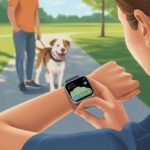
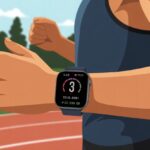
Let’s be real—some days, just putting on sneakers feels like a victory. Hiring a personal trainer? That’s a whole other level of ambition. Still, most of us wish someone (or something) would nudge us off the couch when our motivation goes MIA.
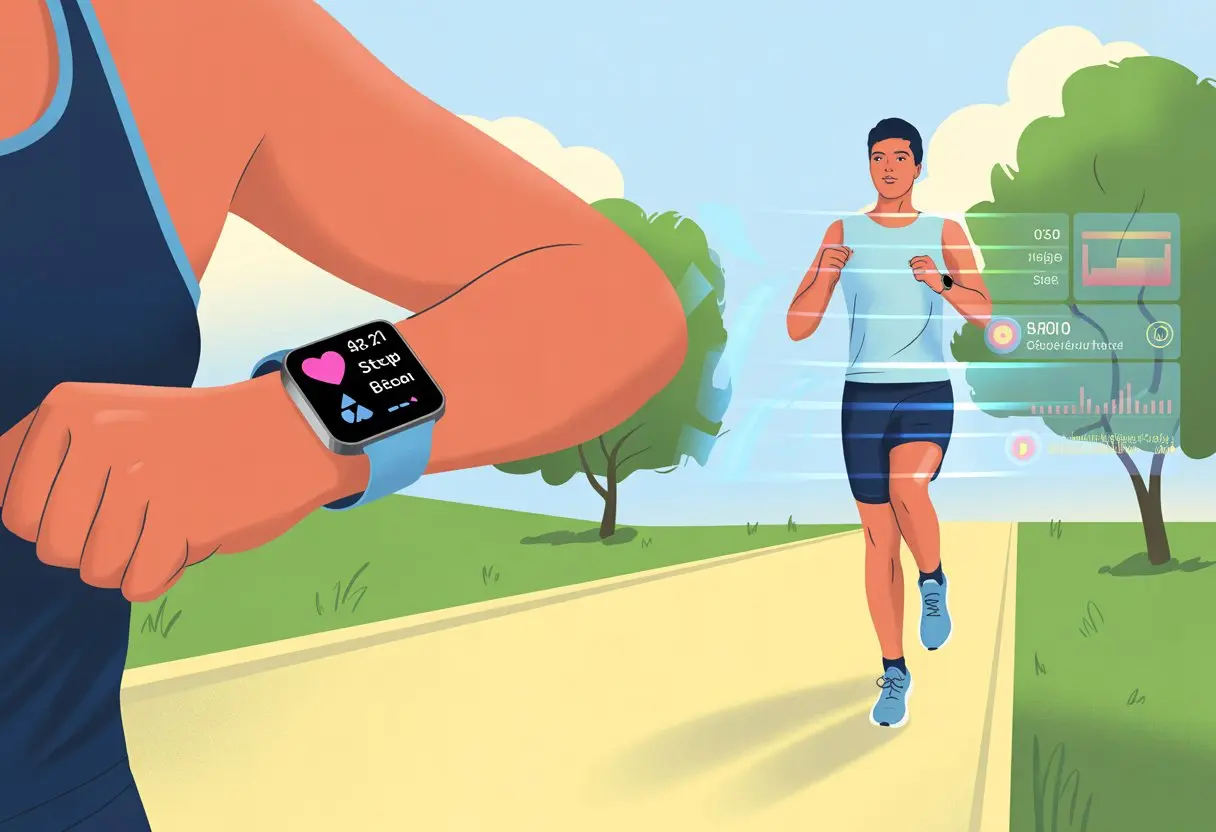
Luckily, the smartwatch on our wrist isn’t just a glorified step counter. It can actually coach us in real time, suggest workouts, and even give us a little celebration when we finally jog past the neighbor’s house for the third time in a week.
When we use a smartwatch as a fitness coach, we get personalized stats, track progress, and follow audio or on-screen workout guides right from our wrist. Some smartwatches even toss us new routines, monitor our heart rate, and give honest feedback so we don’t have to wonder if we’re actually working hard enough.
Plenty of watches let us compete with friends or send reminders to stand, move, or just take a breath. Sometimes, that’s the win we need most.
We don’t have to wait for a New Year’s resolution or a fancy gym membership to get started. Our smartwatch lets us jump in, figure out what works, and maybe even outsmart our own excuses. Let’s dig into how we can actually use our smartwatch as a fitness coach—no whistle required.
Choosing the Right Smartwatch for Fitness Coaching
Picking the right smartwatch for fitness coaching isn’t rocket science, but it does mean thinking about what each brand actually offers. We don’t want a gadget that just sits there and looks cool while it collects dust.
Comparing Popular Brands
Usually, we hear about three big names: Apple Watch, Fitbit, and Garmin. They all try to one-up each other, but honestly, they each have their own personality.
The Apple Watch? It’s the overachiever. It handles swimming, running, texts, and looks good while doing it. If we’re already in the Apple universe, it syncs up perfectly, and its activity rings, heart rate alerts, and guided workouts are pretty slick.
Garmin? That’s for folks who go hard or want to pretend they’re training for a marathon (even if it’s just a run to the fridge). Garmin watches offer multi-sport modes and coaching features, including suggested workouts.
Brand
Best For
Notable Features
Apple Watch
All-around use
Activity rings, workout apps
Fitbit
Simplicity, motivation
Sleep/step tracking
Garmin
Intense training
Multi-sport, coaching, GPS
Essential Fitness Features
It doesn’t matter how stylish our watch is if it doesn’t help us actually get moving. There are a few features we just shouldn’t skip.
Heart rate monitoring sits at the top of the list. We want real-time feedback, not just a vague guess at how hard we’re working. Built-in GPS is a must for tracking outdoor runs or walks.
Activity tracking should cover steps, calories, distance, and sleep. Automatic workout detection is a lifesaver for those of us who forget to hit “start.” If we like to mix it up—cycling, swimming, strength training—look for multi-sport tracking.
And then there’s battery life. Nothing kills motivation like a dead watch halfway through a workout. Let’s make sure our watch can keep up with us—or at least outlast a solid walk.
Setting Up Your Smartwatch for Maximum Performance
Getting our smartwatch ready isn’t just about strapping it on and hoping for the best. We’ve got to tweak some settings, sync things up, and give it the right permissions if we want it to actually help.
Customizing Fitness Preferences
Our smartwatch doesn’t know us yet. Customizing fitness preferences matters if we want real goals and stats that make sense.
Let’s pick our favorite workouts—running, cycling, or maybe even “extreme couch sitting” (hey, movie marathons count for something). Setting our workout types helps the watch track what we’re actually doing.
We can set daily step targets, sleep goals, and reminders to drink water. A lot of watches let us adjust heart rate zones and the types of notifications we get—like a nudge when we’re slacking, or a digital fist bump when we crush it.
Entering our height, weight, age, and fitness level makes calorie and distance estimates way more accurate. The more honest we are, the better our stats will look—and feel.
Syncing with Health Apps
Our smartwatch can do a lot, but it works even better as part of a team. Syncing it with health apps on our phone lets us track everything from calories to sleep to those legendary REM cycles.
Health apps help us keep a record over weeks or months, not just today’s epic stair climb. We can usually sync with Apple Health, Google Fit, or specific apps like Strava and MyFitnessPal. Just follow the pairing steps in the smartwatch app and let it access our health info.
When everything syncs up, we can spot trends, compare stats, and share our wins—because who doesn’t love a little humblebrag? Some apps even let us compete with friends or see how our steps stack up worldwide. For more syncing tips, check out these smartwatch workout tips.
Granting Notification Access
Nobody wants to miss a high-five from their fitness coach, so we need to make sure notifications are set up right. If our smartwatch stays silent during a run, we might miss a step challenge or a heart rate alert.
We head into our phone’s Bluetooth settings, find our smartwatch, and allow notifications. Some watches let us pick which alerts matter: texts, calls, app reminders, or just those “move now!” nudges.
We can fine-tune this so only important notifications buzz through. For example, only get pinged when it’s time to work out—skip Aunt Linda’s cat memes. With the right notification setup, our smartwatch becomes part cheerleader, part personal assistant, and keeps us on track.
Defining and Tracking Your Fitness Goals
Using a smartwatch as our fitness coach means we don’t have to guess if we’re moving enough or just making extra trips to the fridge. These gadgets help us set clear goals and hold ourselves accountable—no whistle or tracksuit required.
Setting Realistic Fitness Goals
We’d all love to be superheroes, but our smartwatches won’t turn us into one overnight. What they do really well is help us set realistic, doable goals—like daily steps, calories burned, or exercise minutes.
Programming daily and weekly targets is easy on most smartwatches. As we get fitter, we can bump up those goals. Maybe we start with 5,000 steps a day and work our way up.
Activity rings or bars let us actually see our progress. Keeping goals small and clear makes them feel like bonus points in a game—less rage-quitting, more winning.
Progress Tracking Strategies
Tracking progress isn’t just about glancing at our wrists and giving ourselves a pat on the back. Smartwatches measure steps, heart rate, sleep, and workouts all day long.
Using activity rings or checklists helps us stay accountable. Some watches buzz and celebrate when we hit milestones—or remind us to stand up if we’ve melted into the couch.
We can look back at weekly or monthly summaries, spot patterns, and tweak our goals as needed. Fitness trackers and smartwatches make tracking progress almost fun. It’s like being our own fitness detective.
Utilizing Heart Rate and Activity Tracking Features
Smartwatches are more than just tiny buzzers for texts. These clever little gadgets help us monitor heart rate and activity, so we know when to push harder—or when it’s time to just chill for a bit.
Using Heart Rate Monitors Effectively
Our smartwatch doesn’t have a stethoscope, but it still gives us real-time heart rate data—no need to lie perfectly still. To get accurate results, we just need to wear the watch snugly on our wrist, especially when we’re working out.
If the watch sits too loose, it might slide around and end up reading someone else’s heart rate instead of ours. Tracking heart rate lets us see how hard we’re working, whether we’re jogging, doing yoga, or chasing after the ice cream truck.
By glancing at the numbers, we can check if we’re hitting our fitness zones. If our heart starts racing at 180 beats per minute during a slow walk, either there’s a wasp on us, or we need to fix that fit.
Most smartwatches let us set heart rate alerts, so when we go over a certain threshold, the watch gives us a gentle—or sometimes not so gentle—nudge. That helps us stay safe while chasing fitness goals, no matter what kind of exercise we pick.
For extra accuracy, some guides suggest tightening the watch a bit more during sweaty workouts, then loosening it afterward so our wrist can breathe again. Here’s a handy guide on improving heart rate monitoring.
Monitoring Activity and Movement
Smartwatches love movement—and, honestly, they can be a little judge-y about it. Most models track our steps, calories burned, and even stand time, cheering us on with activity rings, points, or the occasional sassy reminder to get up.
We can check our daily stats in simple dashboards and colorful graphics. These show how close we are to our goals, whether it’s 10,000 steps, 30 minutes of exercise, or just remembering to stand up once an hour.
Tracking calories burned helps us see how much pizza we’ve “earned”—or at least keeps us aware of our energy balance. Even small tweaks, like taking the stairs or adding a quick walk, make those activity rings fill up faster.
Smartwatches give us a buffet of workout modes to help us step up our game. With the right settings, we can track heart rate, calories burned, and see just how much sweat we’ve sacrificed for those biceps.
Choosing the Right Workout Type
Let’s be real: nothing’s worse than logging a yoga session when we’ve just survived HIIT. Picking the right workout mode matters.
If we’re lifting weights, we should pick “strength” or “weights”—not “swimming,” unless we’re planning to curl dumbbells underwater. Most smartwatches, like Garmin and Fitbit, have options for running, biking, yoga, and even “other” for those freestyle dance sessions only our pets get to witness.
The benefit? We get more accurate tracking and better estimates of calories burned. Using these special modes helps the watch figure out what muscles we’re using.
The data gives us more helpful summaries and nudges us to exercise more when we realize we only picked “walking” all month.
Using Metrics for Improved Performance
Once we’re in the right workout mode, our smartwatches become tiny coaches—minus the yelling. With all those sensors, we get real-time updates about heart rate, reps, and other fancy stats that make us feel like Olympic athletes.
Seeing details like performance zones, intensity minutes, and calories burned can motivate us to squeeze out one more squat (or at least think about it). Some watches let us review charts comparing different sessions, so we can brag about our gains or laugh at our past selves.
We should keep an eye on these metrics and tweak our workouts to set small, realistic goals. That way, our smartwatches actually nudge us toward better results, not just track how well we survived leg day.
If we want more detail, some apps even let us see our progress through visual charts or numerical data. The only thing left is to give ourselves a standing ovation.
Leveraging Notifications for Accountability
If there’s one thing our smartwatch does well, it’s reminding us to sweat. From subtle wrist buzzes to loud chimes, these gadgets keep us from skipping workouts or forgetting healthy habits.
Notifications help us stay on track and, weirdly enough, make hard work feel a bit more fun.
Setting Up Reminders
It’s way too easy to “accidentally” forget leg day. With a smartwatch, we can set up reminders to nudge—okay, nag—us back toward our fitness goals.
Setting up reminders just takes a few taps. We can schedule alerts for workouts, hydration breaks, or just to stand up if we’ve been glued to the couch too long.
Many apps, like Trainerize, let us send automatic prompts to ourselves or clients when it’s time to check in or move. Our smartwatch becomes a friendly drill sergeant that doesn’t yell (but might vibrate a lot).
We use lists, check marks, or colorful pop-ups to make reminders less annoying and more motivating. For example:
Reminder
Time
Motivation Factor
Drink water
Every hour
Prevent camel mode
Walk 1000 steps
Noon
Beat yesterday’s score
Start workout
6:00 PM
Earn post-gym snack
With smart notifications, we add some needed accountability right on our wrist. No excuses—unless our smartwatch runs out of battery.
Celebrating Achievements with Smartwatch Alerts
A smartwatch isn’t just a nag—it’s also great at cheering us on. When we hit our daily step goal, break a sweat, or log a tough workout, our watch lights up, buzzes, or sends us a badge.
It’s not a trophy, but it feels pretty good. We get notifications for milestones, like running a personal best or only snoozing our alarm twice instead of three times.
These micro-celebrations make fitness feel like progress, not punishment. Using wearable tech like this creates a loop where we actually look forward to making good choices just for that digital high-five.
Some platforms, like Trainerize, let trainers get instant alerts when a client logs a win. It makes it easy to send a quick “way to go” or even a goofy GIF.
These instant celebrations boost motivation for both coach and client, because who doesn’t want a little spotlight—especially if it means we don’t have to clean up confetti.
Let’s be honest—our smartwatch collects more data on us than our nosy relatives at Thanksgiving. If we want to become fitness legends (or just get off the couch a bit more), we should actually look at all that info, not just admire our shiny wrist gadget.
Reviewing Trends on Your Smartwatch
Every day, our smartwatch tracks steps, heart rate, sleep, and even how much we fidget during meetings. If we check this data, we’ll start to notice patterns about when we feel energetic or sluggish.
Maybe we hit 10,000 steps every Saturday but barely move on Mondays. If our heart rate jumps during hill sprints (and not just because we spotted our crush at the gym), we can see where we’re pushing ourselves.
It helps to review our week with easy-to-read charts and graphs—no math degree needed. Most watches give us a clear dashboard, so we aren’t left guessing if we’re doing better or worse than last week.
Comparing calories burned, steps taken, or even hours of sleep can give us a little extra motivation. Seeing the numbers in black and white keeps us honest and, let’s admit it, a little competitive (all for health, right?).
Adapting Goals Based on Performance
Once we spot those trends, it’s time to shake things up. If our progress toward a goal is stalling—like we’re running but not running faster—it’s smart to change our targets.
We can adjust daily step counts, set a new running pace, or aim for an extra hour of sleep per night. Many smartwatches let us tweak goals right from the watch or app, making it as easy as ordering delivery (if only fitness routines arrived in 30 minutes or less).
It helps to set both short-term (daily or weekly) and long-term goals. For example, we could aim to cut a minute from our 5K, add 2,000 steps per day, or lower our resting heart rate.
If these new goals feel too tough (or too easy), we can always readjust. With a fitness tracker and a little creativity, we’re just one swipe away from a new challenge.
If we want to get the most out of our smartwatch as a fitness coach, syncing it with third-party fitness tech is key. These tools help us connect with multiple platforms, keep health data tidy, and avoid a mess of different apps.
Connecting with Popular Fitness Platforms
We’ve all bounced between apps, trying to track steps in one, calories in another, and hoping our smartwatch plays nice with both. Popular options like Strava, MyFitnessPal, and Apple Health offer direct smartwatch integration, so we can log everything without a daily scavenger hunt.
Usually, we open the fitness app on our watch or phone, find a menu for “connect apps” or “settings,” and pick what platforms we want to link. Most apps use a simple sign-in flow, so we’ll need our account passwords—forgotten passwords are just part of the deal.
If we use Wear OS or Apple Watch, we can even sync with diet and sleep trackers, turning our smartwatch into a full-time health assistant (minus the motivational speeches).
Just keep an eye on privacy permissions—don’t let your smartwatch share your embarrassing dance party workouts unless you really mean it.
Staying Motivated for Long-Term Success
Let’s be honest: sticking to a fitness plan is tough. Our smartwatches can help us turn healthy intentions into real habits and keep us motivated, even when the couch looks extra tempting.
Building Healthy Routines
The first step to fitness glory is making exercise part of our daily lives. Our smartwatches let us set regular reminders for workouts, bedtime, and hydration checks.
Honestly, it’s like having a tiny, digital mom strapped to our wrist. Every step, crunch, or burpee gets tracked, counted, and displayed for us to admire or cringe at.
Over time, these daily logs become a habit-building goldmine. A quick look at our weekly step count or streak can guilt-trip us into lacing up our sneakers when we’d rather binge TV.
Here are a few ways we can use a smartwatch to keep healthy routines going:
Set daily step goals and use streaks for accountability.
Schedule exercise at the same time each day for consistency.
Review sleep and activity patterns to spot what’s working (and what’s not).
With real-time feedback and some friendly nagging, our healthy routines can become as natural as hitting snooze on a Monday.
Using Your Smartwatch as Your Cheerleader
Let’s be honest—our smartwatches make pretty great hype squads. They don’t have pom-poms, but hey, they’ve got heart-rate sensors and a knack for encouragement.
Most models buzz with a little cheer every time we hit a goal. Sometimes they even toss a bit of virtual confetti our way, which is almost as good as the real stuff (and, thankfully, less to clean up).
Our watches keep us going with personal reminders, progress updates, and shiny digital badges. Who doesn’t grin a little when a “Fastest 5K” badge pops up? Or when our watch celebrates that we didn’t skip leg day?
They give us a nudge if we’ve been sitting too long. Some even let us connect with friends, so we can all try to stay on track (or at least commiserate) together.
Researchers have found that when we pair fitness trackers with encouragement and those gentle little nudges, we’re more likely to stick with healthy exercise and sleep routines. If you’re curious, check out how smartwatches can support habit changes.
So, we get a bit healthier, feel like someone’s keeping us honest, and—best of all—get non-judgy pep talks right from our wrists.
Hi, my name is Garrett Jones, and I am a tech enthusiast. I enjoy researching the new tech that has been released, and have a vast knowledge of the best tech to purchase.
From a young age, I have always had a big interest in technology, and this blog is an extension of that interest. Through this blog, I hope to provide others with all of the information they need regarding tech options to consider, and things such as compatibility. Some of the different items I will be discussing include headphones, smartwatches, and how to fix common issues.