Let’s be real—most of us grabbed a smartwatch hoping it’d magically make us healthier, no sweat required. These little gadgets on our wrists have come a long way. Now, they don’t just count steps or bug us to stand; they check our blood oxygen too. Using a smartwatch for blood oxygen monitoring makes it easy to keep tabs on our health, all from our wrists.
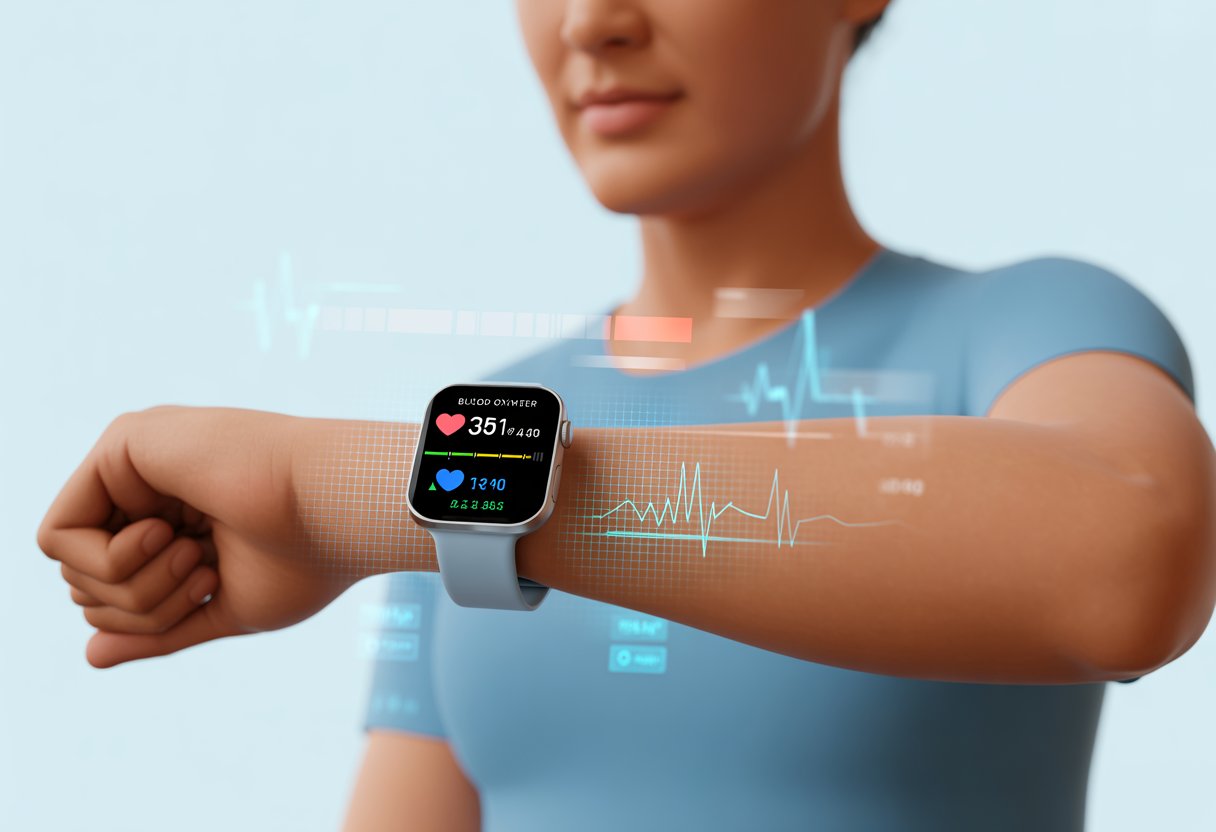
We don’t need any fancy lab equipment or needles. Our smartwatches just shine some lights into our skin and, like magic, give us a blood oxygen number.
Ever wanted to feel like a tech wizard and a responsible adult? Yeah, this feature’s for us.
Let’s take a look at how to use this feature, what the numbers mean, and maybe even impress our friends with our new health stats knowledge.
What Is Blood Oxygen Monitoring On A Smartwatch?
So, how do our smartwatches pull off this trick of telling us how much oxygen is cruising through our veins? It’s not just a party trick—it actually helps us keep an eye on our health in ways we couldn’t have imagined a few years back.
The Science Of Blood Oxygen Level Measurement
Picture our smartwatch as a mini scientist. It shines special lights—green, red, or sometimes infrared—right into our skin.
Some of that light bounces back, and some gets absorbed by our blood, depending on how much oxygen is in there.
Here’s where it gets clever: the watch’s sensors catch the returning light and figure out how much got soaked up. Oxygen-rich blood gobbles up light differently than blood that’s running low.
The watch crunches the numbers and shows us our blood oxygen level as a percentage.
Basically, we get a peek at how well our lungs and heart are teaming up, no lab coat needed.
Want to geek out? There’s a more detailed breakdown at Optus.
Understanding Oxygen Saturation
“Oxygen saturation” is just the fancy way of saying how much oxygen our red blood cells carry. It’s measured as a percentage, called SpO₂.
Think of it like a popularity contest—oxygen always wants to win. Most people land between 95% and 100%.
If our number dips below 90%, that’s a warning flag. Our organs might not be getting enough oxygen.
It’s useful for catching breathing issues or even spotting a rough night’s sleep. When we see a nice 98%, our blood’s living the dream.
Why Smartwatches Love Your Wrists
Why do smartwatches always pick our wrists? It’s not just for show.
The skin here is thin, and blood vessels are close to the surface—perfect for shining light and getting a good reading.
Most of us don’t have a ton of hair on our wrists either, so the sensors get a clear shot.
Wearing a watch is comfy and way less weird than strapping a sensor to our forehead at work.
That’s why top models stick with the wrist for pulse and oxygen data. If you want the technical details, check out how smartwatches use light for measuring pulse and oxygen.
Setting Up Your Smartwatch For Accurate Readings
Getting our smartwatch to check blood oxygen isn’t rocket science—unless we skip the basics.
We need to make sure our devices are ready, the right settings are on, and the watch isn’t halfway up our arm or dangling off our pinky.
Pairing Your Device (Without Losing Your Sanity)
First up, let’s tackle Bluetooth. Grab the phone, bring the smartwatch close, and open the official app.
If the watch doesn’t show up, it’s usually Bluetooth being off or the device needing a charge.
Once we see the device in the app, we connect by following the prompts. Most apps guide us through health tracking permissions, unless our phone decides to throw a tantrum.
Some phones might ask for extra permissions just to keep things interesting.
If all else fails, try turning both devices off and on again. That trick still works.
Configuring Blood Oxygen Tracking Features
With pairing done (hopefully without cursing), it’s time to switch on blood oxygen tracking.
Most smartwatches tuck this feature under a health or wellness section in their settings.
We might need to add “Blood Oxygen” as a tile or menu option. Some watches let us add Blood Oxygen to our tiles right from the home screen.
Others want us to set up the Health app or run a quick setup on our phone first.
Either way, we need to make sure the feature’s active and tracking in the background.
Watch out: settings might hide under names like “Pulse Ox,” “SpO2,” or just “Blood Oxygen.” Smartwatches love to mix it up.
Wrist Placement: Goldilocks Positioning
Getting a good blood oxygen reading depends on how we wear the watch.
It should fit snug, but not so tight it leaves a mark. The watch needs to rest a finger’s width above the wrist bone for best results.
If it’s too loose or too high, the sensors might just guess. Too tight, and our hand might go numb—not the goal.
We should keep our wrist still during a measurement. Extra movement can mess up the reading.
A calm, steady wrist gives our smartwatch the best shot at an accurate number.
Performing Blood Oxygen Measurements
Let’s roll up our sleeves (literally) and see how to check blood oxygen with a smartwatch.
We want those readings to be as accurate as possible—especially if we’re planning to show off at dinner.
Step-By-Step Guide To Using Sensors
First, check that the watch is charged and sitting comfortably a finger’s width above the wrist bone.
If it’s too tight, it’ll feel weird. Too loose, and the sensor is just guessing.
Tap into the blood oxygen app—sometimes called SpO2 or “O2”—on the watch screen.
Most smartwatches ask us to sit still and relax while the sensor does its thing. The sensor shines a special light through our skin and reads color changes in our blood vessels.
That color change tells the watch our oxygen saturation.
A timer might show up. Stay as still as possible until we hear a ding or see the result.
We’ll get a number—usually between 95% and 100%. If it’s outside that range, don’t freak out. Try again in a few minutes.
If you’re curious about the science, sensors use different light wavelengths to check hemoglobin, the oxygen-carrying part of our blood.
Smartwatches reflect light off our blood vessels to estimate oxygen saturation. There’s a good explainer here.
Best Practices For Consistent Oxygen Readings
Getting a solid reading is kind of like taking a good selfie—lighting and stillness matter.
We keep our wrist clean and dry. Lotion or sweat can mess with the sensor.
Wear the watch snug, but don’t cut off your circulation. Take measurements at the same time each day to spot trends.
Right after running up stairs? Expect a wild number.
If possible, measure indoors. Bright sunlight can confuse the sensors.
We shouldn’t move, talk, or wave during a measurement.
Follow the on-screen instructions—it’ll make us look like pros, even if we’re just chilling on the couch.
For a quick checklist:
- Clean and dry skin
- Snug (not too tight) fit
- Still and quiet
- Consistent measurement times
Understanding And Interpreting Results
When we check our blood oxygen level with a smartwatch, we see a number on the screen.
That number gives us a clue about the oxygen in our blood and what it means for our health.
Let’s break down the numbers, what’s normal, and how our oxygen level might make us feel.
What The Numbers Actually Mean
Smartwatches show blood oxygen as a percentage—oxygen saturation, or SpO2.
If we see 98%, it means 98% of our blood’s hemoglobin has oxygen attached.
Most folks land between 95% and 100%. That’s considered healthy.
If our number dips below this, like 92%, it might be time to pay attention. Lower readings can mean our body isn’t getting enough oxygen.
Smartwatches check oxygen by shining light under our skin and running the numbers.
If our SpO2 drops to 89% or less, we should double-check with a medical-grade pulse oximeter, just to be sure our watch isn’t messing with us.
For more on the tech side, see this explanation on how smartwatches measure blood oxygen using light.
Normal Versus Abnormal Readings
Let’s try to make sense of all those numbers with a quick chart:
| Oxygen Saturation | What It Means |
|---|---|
| 95%-100% | Normal range |
| 90%-94% | Slightly low, watch it |
| Below 90% | Low, needs attention |
If our smartwatch flashes a number under 95%, we probably don’t need to freak out, but ignoring it isn’t a great idea either.
Readings below 90% mean our body isn’t getting enough oxygen, and that’s not exactly great for running marathons—or just sitting around breathing.
Sometimes, we see lower readings if we’re up in the mountains or fighting a cold.
And yep, sometimes our smartwatch just needs a charge or a better fit.
But if those numbers stay low, especially if we’re short of breath or notice a weird blue tinge on our lips, it’s time to do something—maybe call a doctor, not just the group chat.
How Blood Oxygen Levels Affect Overall Health
Oxygen saturation isn’t just a random number. It actually makes a huge difference in how we feel day to day.
When blood oxygen is in the normal range, our muscles, brain, and organs get the fuel they need. We feel sharp, strong, and our skin keeps its normal color—no zombie extras here.
Low oxygen levels can leave us tired, confused, and with a headache no amount of coffee fixes.
If our blood oxygen stays low for a while, it can mess with our heart, lungs, and brain. Chronic low oxygen makes us feel weak and short of breath—definitely not party material.
Keeping an eye on blood oxygen with a smartwatch helps us catch issues early and stay on top of our health.
If we spot weird patterns, it’s smart to talk to a health professional or check out Garmin’s blog about Pulse Ox.
Smartwatch Blood Oxygen Monitoring: Limitations And Accuracy
Tracking blood oxygen with a smartwatch feels a little like letting a robot babysit our lungs.
These devices are handy, but their readings don’t always match up with what we’d get at the hospital.
We have to watch for errors and know how much to trust our numbers.
Common Sources Of Error (Or: When Your Watch Tells Tall Tales)
Sometimes our smartwatches tell wild stories with those oxygen readings.
Why does this happen? Skin tone, tattoos, dirt, and even arm hair can mess with the sensors.
Movement trips up the watch too—checking SpO2 while jogging is like trying to read a book in a bumpy car.
Wearing the watch too tight or too loose can throw things off.
The sensor needs good contact with our skin, not a wild ride up and down our wrist.
Cold skin just confuses it. Some watches won’t even try if our hands are chilly.
A low battery can also make the numbers weird.
If things look off, it usually helps to retest or just wait a few minutes.
Comparing To Medical-Grade Devices
Let’s be honest: smartwatches can’t outdo the superheroes of the hospital world—medical-grade pulse oximeters.
Research shows accuracy can swing a lot, especially if our blood oxygen dips low.
Medical devices focus on precision and go through strict checks.
Our watches are built for convenience, not emergencies.
If a smartwatch ever flashes 89% or less, we should double-check with a real pulse oximeter, just in case our wrist gadget is playing tricks, as explained in this guide to checking SpO2 levels on your smartwatch.
We probably shouldn’t take serious health advice from a device that gets confused by arm hair.
Still, these readings help us spot trends and give us a rough idea of our oxygen saturation—just don’t trust them for big medical calls.
How Blood Oxygen Data Can Improve Your Health Habits
Blood oxygen data from a smartwatch isn’t just another number to swipe past.
It actually gives us clues about our breathing, sleep, workouts, and overall health.
Tracking Trends Over Time
Let’s be real, remembering yesterday’s lunch is hard enough—tracking our oxygen levels from memory is hopeless.
Luckily, most smartwatches log our blood oxygen so we can spot patterns.
If our SpO2 usually hangs out between 95% and 100% at rest, we’re probably fine.
But if it dips below that more than once, or drops during exercise, maybe it’s time to tweak some habits.
Better hydration or improving our sleep can make a real difference.
We can use our smartwatch’s daily, weekly, or monthly charts to keep things interesting (and ourselves a bit more motivated).
A lot of smartwatches let us set reminders if our blood oxygen drops, which is perfect for those of us who forget everything unless our wrist buzzes.
For more details, check out how blood oxygen monitoring works on smartwatches.
When To Seek Medical Advice (And When To Just Chill Out)
We all panic sometimes, but not every low number on our watch means it’s time to call the doctor.
If we see a single low reading after finishing a stack of pancakes, don’t stress—wait and check again.
Short dips happen because of bad sensor placement, dry skin, or cold hands.
But if we keep seeing oxygen levels drop below 92%, especially while just sitting around, or if we feel tired, dizzy, or out of breath, it’s time to call our healthcare provider.
Ongoing low readings can signal breathing or heart problems and shouldn’t be ignored.
Apple Watch users can read more about checking their blood oxygen levels with the Blood Oxygen app.
Staying calm—and a little skeptical—helps us figure out what’s actually important, so we can skip the WebMD spiral and focus on habits that might actually help.
Third-Party Apps And Gadgets For Blood Oxygen Monitoring
Not every smartwatch comes with a blood oxygen app right away.
But with the right third-party apps and devices, we can still get in on the oxygen-tracking action.
Picking the right tool can make a real difference in how we track our health.
Connecting With Health Platforms
One of the best parts about many smartwatches is how they connect with popular health platforms.
Some of us use Google Fit, others swear by Apple Health or Samsung Health.
These platforms usually let third-party blood oxygen apps send our SpO2 readings straight into our health profiles.
We just install the app—like “Health Sync” or “Wellness Tracker”—and give it permission to read and write data.
After that, our smartwatch acts as a messenger, zapping our blood oxygen numbers to our favorite platform.
This lets us spot patterns, set alerts when our blood oxygen drops, and sometimes even share the data with our doctor (or that competitive friend).
A few things to remember:
- Make sure our smartwatch works with the app
- Check if our health platform allows outside apps
- Double-check privacy settings, so nobody snoops on our O2 stats
Wearables Vs. The Classic Pulse Oximeter
Smartwatches these days offer blood oxygen tracking and look good doing it.
But how do these wrist gadgets compare to the classic fingertip pulse oximeter? Here’s where science and style go head-to-head.
Classic pulse oximeters measure blood oxygen by shining light through our finger. They’re usually more precise, especially in clinics.
They can be a bit boring though—nobody’s impressed by one at a party.
Our smartwatches use sensors to check SpO2, and some studies say they’re fairly accurate for daily use. They’re not perfect for diagnosing health issues, but they win for convenience.
We get quick readings during exercise, while sleeping, or even during a Netflix binge.
Here’s a quick head-to-head:
| Feature | Smartwatch | Pulse Oximeter |
|---|---|---|
| Style Points | High | Low |
| Accuracy | Moderate | High |
| 24/7 Monitoring | Yes, for some | No |
| Fun Party Trick | Yes | Not really |
Privacy And Security Of Your Blood Oxygen Data
When we check blood oxygen on a smartwatch, we’re not just sharing secrets with our wrist.
Our health info might leave some digital footprints.
It’s smart to know who could be peeking and how to keep our numbers safe.
Who Else Might Be Watching Your Oxygen Levels?
We’d love to think our oxygen data stays just between us and our watch.
But tech companies, app developers, and even advertisers sometimes want a peek.
Many devices sync our data to companion apps or the cloud. That means our health stats might get shared, on purpose or not.
Here’s who often sees it:
- Device makers: Apple, Garmin, and friends collect some info to improve features.
- App partners: Those third-party apps may ask for access.
- Hackers: Not to scare anyone, but if our phone or watch isn’t secure, someone could try to sneak in.
It’s wise to check privacy settings.
We find these in our Health app or account page.
If anyone ever asks to share oxygen data and we don’t know them, it’s probably best to say, “No thanks, oxygen hoarder here!”
Data Storage And Sharing Smart Choices
Our oxygen stats end up stored on our smartwatch, smartphone, or in the cloud.
The good news: most big brands like Apple and Garmin use encryption for extra protection, so hackers would need more than just our pet’s name to get in.
A few tips to keep things locked down:
- Update everything: Always have the latest software for watches and phones.
- Use strong passwords: Not “password123” or our dog’s name, please.
- Check app permissions: Does that meditation app really need our oxygen info?
We can also control where our readings go by turning off sharing in our account or device settings.
A few taps keep our blood oxygen data as private as our questionable dance moves—just the way we like it.
If we’re curious about specific watch security, most brands have info on privacy, like Garmin’s Pulse Ox privacy policies.
Tips For Troubleshooting Common Issues
Blood oxygen monitors don’t always work perfectly the first time.
Simple tweaks usually fix the most annoying issues and save us a trip to tech support.
Sensor Not Working? Try Turning It Off And On Again
There’s a reason everyone asks, “Have you tried turning it off and on again?”
If our smartwatch’s blood oxygen sensor won’t cooperate, let’s give it a quick reboot.
Restarting the watch can reset the sensor and get things working again.
Check the fit of the watch on our wrist too.
A loose or crooked band means the sensor might not get a clear reading.
We want the band just snug enough—not so tight it cuts off circulation, but not sliding around either.
If things still look off, updating our smartwatch’s software might help, since new updates often fix bugs.
Here’s a handy guide from Garmin on getting better Pulse Ox readings.
When Sweat, Hair, Or Tattoos Get In The Way
Ever wondered why your smartwatch suddenly thinks your oxygen level has dropped to potato status? Sweat, hair, and tattoos can totally mess with the sensor’s view.
If you’re sweaty, just dry off and make sure the band sits on clean skin. Sometimes, moving the watch up or down your wrist helps, especially if there’s less hair or no tattoo in that spot.
Lighter or colored tattoos usually cause fewer issues than dark, solid ones. The sensor light just travels better through lighter areas. If you want to dive deeper, check out more about these sensor challenges in this smartwatch guide.

From a young age, I have always had a big interest in technology, and this blog is an extension of that interest. Through this blog, I hope to provide others with all of the information they need regarding tech options to consider, and things such as compatibility. Some of the different items I will be discussing include headphones, smartwatches, and how to fix common issues.
- Which Smartwatch Can Make Calls Without Phone | User Guide - October 29, 2026
- Fitbit Charge 2: Specifications, Features & Price - October 29, 2026
- Samsung Galaxy Watch 42mm Versus 46mm Compared - October 28, 2026
Related Posts: