Online meetings have crept into our daily routines, whether we’re working from home, taking classes, or just trying to catch up with family who live miles away.
Sitting in front of a screen, hoping your headphones don’t bail on you mid-meeting, is enough to make anyone long for the days of carrier pigeons. Bluetooth headphones rescue us from tangled wires and keep our voices and ears connected when it counts.
Let’s be real, not every pair of Bluetooth headphones works well for online meetings. The top things to care about? Good sound, a mic that doesn’t make us sound like we’re underwater, and a battery that won’t die during your boss’s “quick” update.
Comfort matters too, especially if you’re stuck in meetings that drag on. Noise cancellation and easy controls are nice extras, but not everyone needs them.
Picking the right Bluetooth headphones can make online meetings feel less awkward and way smoother. We spent a lot of time digging into and testing the best options, so you can find headphones that won’t crush your ears or cramp your style.
Best Bluetooth Headphones for Online Meetings
Let’s be honest, nobody wants to sound like they’re talking through a tin can on Zoom. We all want to look and sound sharp, not like we’re using a walkie-talkie from the ‘90s.
So, to make online meetings a little less painful and a bit more stylish, we pulled together the best Bluetooth headphones for the job. Your ears—and probably your coworkers—will appreciate it.
If you want to actually sound clear in your next meeting and avoid that “broadcasting from a washing machine” effect, this headset is a pretty safe bet.
Pros
Blocks out background noise and those snack-break coworkers
Survives even the longest “this could have been an email” meetings
Comfortable for all-day wear
Cons
Mute button only works during calls, so it won’t save us from our own muttering
Not exactly a style icon
On-ear fit isn’t for everyone
We’ve all sat through meetings where someone’s dog barks, the neighbor fires up a lawnmower, and the audio sounds like it’s coming through a tin can. We put on the Mopchnic Bluetooth Headset and, suddenly, people could actually hear us—not the chaos outside.
The AI noise-canceling mic really does its job. Connecting the headset is simple, even on old laptops without Bluetooth. We just plugged in the USB dongle, powered up, and it paired instantly.
No need for a tech degree here. Battery life? We made it through hours of back-to-back calls without panic-searching for a charger.
The soft, breathable earmuffs are a relief. After a full workday, our ears didn’t feel like they needed a vacation. The mute button’s handy, but just remember it only works on calls—not when you’re belting out show tunes at lunch.
If you want something simple and reliable for meetings, Mopchnic Bluetooth Headset gets the job done—maybe not with flair, but definitely with function.
Sick of turning into a sweaty, head-hugging headphone zombie? This lightweight Gixxted set feels like a breath of fresh air.
Pros
Ears stay uncovered—hear coworkers and the mailman at the same time
Mic actually cuts out background chaos (dogs, kids, you name it)
Dual device pairing for the multitaskers among us
Cons
Open-ear design leaks sound, so privacy isn’t its strong suit
No water resistance—don’t wear these in the rain or, you know, while sobbing
The fit feels odd if you’re used to a tight “ear hug”
These Gixxted Open Ear Headphones are surprisingly comfy. They just rest above your ears—no squeezing, no sweat, no weird hair dents.
The built-in mic holds its own during meetings. We cracked a few jokes and, shockingly, no one complained about background noise.
If someone wants to join a call from a construction site, this mic actually helps. The best part? Pairing two devices at once.
We can switch from laptop to phone with a single button and feel like tech wizards. The only hitch is the sound leakage—maybe don’t blast your playlist during a meeting.
Also, skip these if you’re heading out in the rain. All in all, we’d keep these around for daily calls and let our ears (and hair) breathe a little.
Mic mute only works on calls—no secret karaoke breaks
After wearing this headset for back-to-back Zoom calls, we found the noise cancellation makes household chaos fade away. The padded headband adjusts well, so our heads (and hair) survived.
Audio is clear, which is more than we can say for the Wi-Fi some days. Daily use feels comfortable enough.
The memory foam ear pads help us forget we’ve been on calls for hours—except when our boss starts another one. The included USB dongle saves us if Bluetooth throws a fit.
Switching devices and muting isn’t the smoothest, though. The mic mute only works on calls, so our off-key humming isn’t as private as we’d like.
If you’ve got larger ears, the fit may get tight after a while. But for most of us working from the kitchen table, the JIAMQISHI Wireless Headset covers the basics without emptying your wallet or making you grumpy.
Grab these if you want solid Bluetooth headphones for meetings and don’t feel like spending a fortune.
Pros
Great noise cancellation for blocking out the world
Stays comfy—even after a marathon video call
Battery lasts for ages, so you don’t have to scramble for a charger
Cons
Bass is a bit much for super serious calls
Bulky—these aren’t subtle
Mic isn’t the clearest if you’re picky
Wearing the Soundcore Life Q20 feels like stepping into your own little meeting zone. The ear cups are soft, and they don’t crush your ears.
Even when chaos breaks out in the background, the noise cancellation keeps things quiet. We barely noticed our neighbor’s lawnmower last week.
Connecting is simple, and we’re not tripping over cords. The battery just keeps going—we’ve made it through days of calls without recharging.
No sore ears or weird hair dents, which is a win in our book. Are these the sleekest headphones? Not really, but we’ll take comfort and quiet over style any day.
Want to spice up the next All-Hands? Try the bass boost—just hope your boss isn’t listening too closely.
Flip-to-mute mic saves us from embarrassing background noise
Easy Bluetooth switching between devices
Cons
Mic quality isn’t exactly studio-level
Over-ear fit gets warm if you’ve got bigger ears
Not the best choice for jamming out to music
We’ve all been in those meetings where someone’s audio keeps cutting out or they sound like they’re calling from a cave. That’s not a problem with the Zone Vibe 100.
Our voices come through clear, and muting the mic is as easy as flipping it up—perfect for dramatic exits. Comfort? These headphones are in a class of their own.
They’re so light, we sometimes forget we’re wearing them—until we trip over the charging cable (oops). Long work sessions don’t leave our heads or ears aching, which honestly feels like a miracle.
Switching between laptop and phone is smoother than pretending you have a tech issue on a Monday. Only real gripe is the sound is more “conference call” than “concert,” and folks with big ears might feel the squeeze after a while.
But for meetings, calls, and multitasking, the Logitech Zone Vibe 100s are a solid pick for work-from-home life.
If you want to sound clear in meetings and don’t mind looking a bit like you work in a call center, you should probably check out this headset.
Pros
Noise-canceling mic actually shuts up barking dogs and grumpy leaf blowers
Comfy enough for those never-ending Zooms
Battery lasts so long you can forget the charger for days
Cons
Not the slimmest; small heads might feel a bit like a bobblehead
Bluetooth dongle only plays nice with Windows, not Mac
Mute button only works during calls—no sneaky fake coughing
When you put on the Soothielec headset, it almost feels like you’ve got your own private office—well, as private as your messy living room gets.
The noise cancellation does a solid job, so when your neighbor starts a rock band at 10 a.m., your coworkers won’t hear a thing.
You can wander into the kitchen for a snack in the middle of a meeting and keep the Bluetooth connection alive. That’s a kind of freedom we all need.
Wearing it all day won’t make your ears beg for mercy. Those plush ear pads stay gentle, even after hours of pretending to work.
The battery life is wild—forty hours really does feel like magic. The charging stand is handy and keeps the desk from turning into a disaster zone.
It’s not all perfect, though. If you’ve got a smaller head, you’ll probably have to tighten it like roller skates, and yeah, it does look a little big on some people.
The mute button’s in a good spot, but it only works on calls, so dramatic silences are out. Pairing with two devices at once is helpful, but don’t mix the USB dongle and Bluetooth or you’ll have issues.
If you’re on video calls all day and don’t mind the size, this one’s an easy recommendation.
If you want to hear every word in your meetings without squishing your ears, this headset should be high on your list.
Pros
Still comfy even as the meeting counter ticks up
AI mic cuts out background noise—no more barking chihuahuas on calls
One-touch mute button for those “oh no” interruptions
Cons
Can’t adjust the fit—big-headed folks, beware
Doesn’t work with game consoles like PS5
Open ear design means you’ll hear every microwave beep in the break room
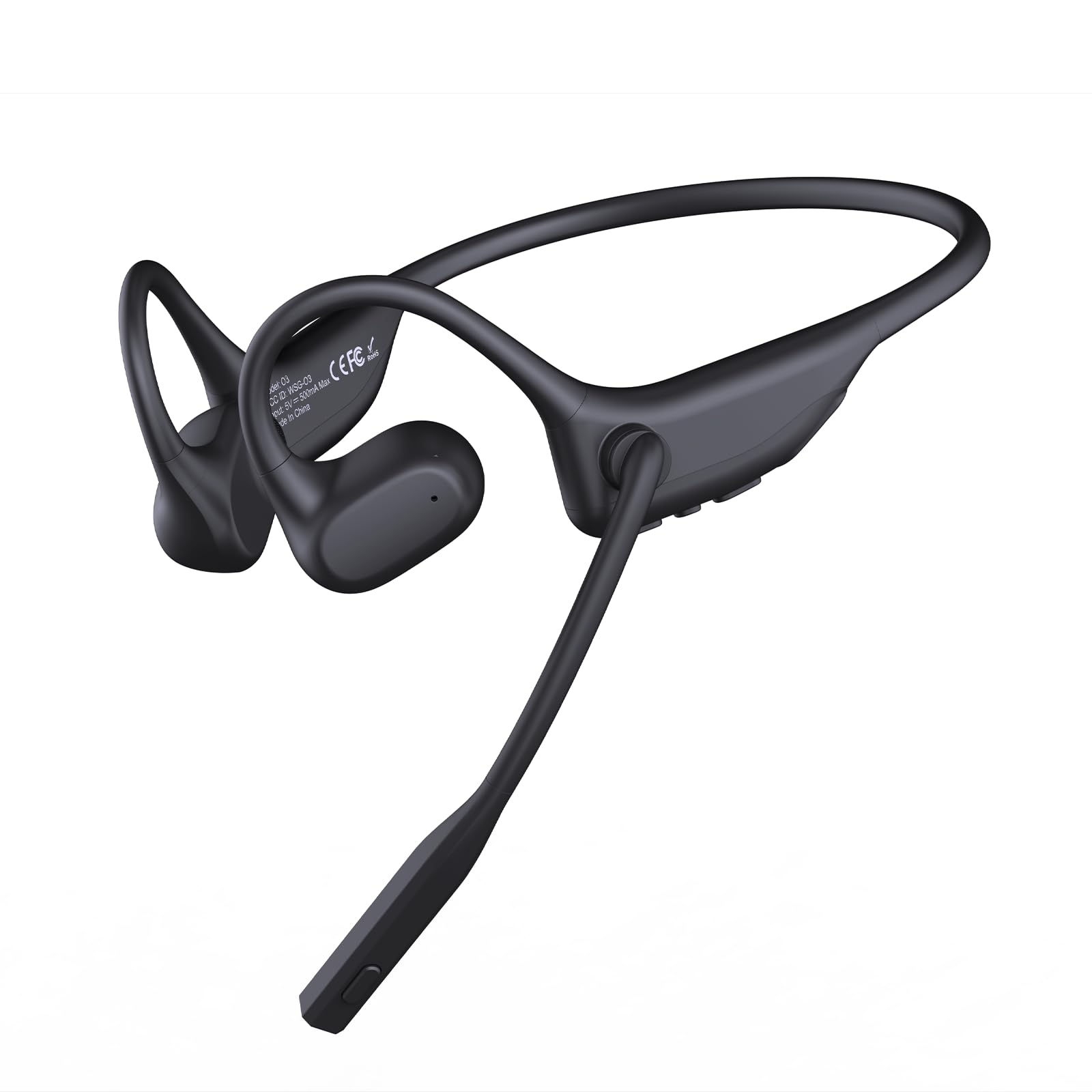
The first time you put on the CXK Open Ear Bluetooth Headset, it’s honestly a relief—no sore ear canals, no pinching, just a soft fit.
For meetings that drag on and on, that comfort really matters. The headset stays put, even if you’re pacing around the backyard on a heated call.
The one-touch mute button saves you from awkward moments. One tap and you can cough, yell at your pets, or answer “yes, dear!” without the boss getting an earful.
The AI noise-canceling mic keeps your voice clear, even when the office vacuum decides to make an entrance.
You can’t adjust the fit, so anyone with a larger noggin might feel squeezed. The open design keeps you aware, but sometimes you wish you weren’t—especially when Bob reheats leftover seafood.
If you need a reliable headset for meetings and want to mute your coworkers (and maybe your toddler) with a button, this one deserves a look.
Pros
Strong noise cancellation for a peaceful meeting
Huge battery—less charging, more talking
Easy Bluetooth or dongle setup (even old laptops work)
Cons
Not very water resistant (so, skip the shower calls)
A bit chunky for smaller heads
Ear pads can get warm after hours
Honestly, using the LEVN Wireless Headset 5.2 felt like unlocking a “do-not-disturb” shield. Calls came through clear, even with the usual chaos—leaf blowers, dogs, and that one guy cooking during meetings.
The AI noise cancellation works so well, you could probably answer the doorbell mid-call and nobody would notice.
Connecting is refreshingly easy. Use Bluetooth, or just plug in the USB dongle if your device’s Bluetooth is being weird.
The wireless range is solid—you can grab coffee a couple rooms away and still catch the latest office gossip.
The charging base keeps your desk tidy, and you won’t have to hunt for the cord at the end of the day. Sixty-five hours of battery life means you’ll never panic-search for a charger mid-week.
If you want to survive another round of online meetings without losing your mind or your ears, this headset might actually save you—at least until the next Wi-Fi meltdown.
Pros
Noise cancelling really works, even when your kitchen sounds like a zoo
Long battery life—you can forget to charge and still get through Monday
Super comfy for all-day use; your ears might finally forgive you
Cons
Sound isn’t fancy (don’t expect a concert in your head)
Not water resistant (coffee spills are a nightmare)
Some folks see technical hiccups after a week or two
The FXWONTY Wireless Headset makes you feel like a meeting pro, even if you’re still in pajamas. The AI noise cancellation bails you out when the kids turn the living room into a playground.
You barely hear the chaos, and apparently, neither does anyone else on the call.
Wearing it all day doesn’t flatten your ears. The cushions stay cool, and you almost forget you’re wearing them.
With 65 hours of battery, you might go days before you remember where you left the charging cable.
Connecting is easy with Bluetooth or the USB dongle, and it works with every device we’ve tried. The sound isn’t studio quality, but calls come through clear and nobody’s complained about the mic.
No waterproofing, so keep your coffee far, far away. Treat it well, and it’ll get you through the week’s meetings.
If you want a pain-free way to survive your daily meeting marathons, this CPTEA headset actually makes it possible—and you can still hear yourself munching snacks.
Pros
Super comfy—you’ll barely notice it’s there
Lets you stay alert to barking dogs or sneaky kids
Handles noisy backgrounds better than you’d expect
Cons
Battery life might leave you stranded by late afternoon
Sound isn’t ideal for music fans
Not great for rain or sweaty workouts
Wearing this headset, you finally realize your ears don’t have to suffer just to survive endless Zoom calls.
The open-ear design sits gently, so you avoid both ear canal invasion and that poking pain after hours of use.
You’ll stay aware of your surroundings, which means you can ignore your boss and still hear the doorbell.
Noise cancellation blocks out loud coworkers and relentless keyboard clatter. Calls come through clear, and switching between laptop and phone feels easy.
Let’s be real, though: this isn’t concert-quality sound. If you crank up a playlist, bass lovers might be a bit let down.
When the battery taps out after about 12 hours, you’ll need a coffee break you didn’t even want. The headset doesn’t love rain or sweaty workouts either.
Let’s be real—everyone’s heard that one person in a meeting whose headphones sound like they’ve been through a blender. Nobody wants to be that person. Before grabbing your next pair, it’s worth checking a few things.
Here’s what you’ll want to look for:
Noise-cancelling microphone (because nobody wants to hear your neighbor’s leaf blower)
Long battery life (so you’re not scrambling for a charger mid-call)
Comfortable fit (your ears will appreciate it, trust me)
Stable Bluetooth connection (random lags are the worst)
Easy controls (a mute button saves lives)
Feature
Why It Matters
Active noise canceling
Keeps you focused on the meeting, not whatever’s happening outside.
Battery life
Survives marathon meetings without a recharge.
Comfort
Your ears get sore fast—look for something you can actually wear all day.
Mic quality
People need to hear you, not just your dog in the background.
Bluetooth range
You should be able to move around a bit without dropping audio.
Lightweight headphones make all-day wear possible, and honestly, some ear cushions just feel better. Your ears will notice the difference.
If you’re stuck in meetings for hours, grab headphones with an adjustable headband and soft ear cups. Adjustable volume and a quick mute button can save you from more than one awkward moment.
Double-check that your headphones will actually work with your devices. Some older laptops or phones can be surprisingly stubborn about pairing.
Choosing Bluetooth headphones for meetings really comes down to comfort, sound, mic quality, and battery. If you keep these features in mind, your next meeting might not be quite so dreadful.
Hi, my name is Garrett Jones, and I am a tech enthusiast. I enjoy researching the new tech that has been released, and have a vast knowledge of the best tech to purchase.
From a young age, I have always had a big interest in technology, and this blog is an extension of that interest. Through this blog, I hope to provide others with all of the information they need regarding tech options to consider, and things such as compatibility. Some of the different items I will be discussing include headphones, smartwatches, and how to fix common issues.