Watches used to just tell time. Now, some of them help us talk to Google without even picking up our phones.
Smartwatches with Google Assistant let us check the weather, send messages, and set reminders, all from our wrists. It’s like having a tiny robot butler—only this one doesn’t care if we’re wearing mismatched socks.
Let’s be real, not all smartwatches keep up—some feel like they need a nap halfway through the day. When picking the best smartwatch with Google Assistant, we really need to think about battery life, phone compatibility, comfort, and how easy it is to use.
A pretty screen is great, but it doesn’t matter much if the voice commands keep confusing our shopping lists. We’ve checked out the top contenders so you don’t have to.
Best Smartwatches with Google Assistant
We all want a watch that does more than just tell time. Setting reminders and answering our random questions is a must.
Let’s look at the best smartwatches with Google Assistant before we end up asking the microwave for the weather.
Pixel Watch 2

If you want a smartwatch that blends Google Assistant with fitness features and doesn’t look like you duct-taped a phone to your wrist, this one’s got you covered.
Pros
- The band feels super comfortable—no wrist strangling here
- Google Assistant responds reliably, even to our worst “Hey Google” attempts
- Plays nicely with Google apps (yep, you can check those embarrassing emails right on your wrist)
Cons
- Battery might complain if you forget to charge overnight
- Some features only work if you’re already living in Google’s world
- Not ideal for big wrists or folks who want a huge screen
Right out of the box, the Pixel Watch 2 feels light—so much that we stopped checking if it was even on. The band hits that sweet spot: snug but not too tight, comfy whether we’re jogging to the fridge or actually going outside.
Talking to Google Assistant from our wrist is so handy, we don’t bother yelling at our phones anymore. The health tracking quickly became our favorite part.
The heart rate monitor seems to catch even our most dramatic coffee runs. It even told us to breathe during a stressful Monday meeting.
Getting reminders and answers without reaching for our phones just makes life easier. But, as with every gadget, there are quirks.
The battery usually lasts a day, but if we leave the charger behind, we’re in trouble. If you’re not on a Google phone, some apps and features might not work.
Still, the Pixel Watch 2 stands out for Android fans who want Google Assistant on their wrist. If we could, we’d high five it—but it’s already on our arm.
Google Pixel Watch (Renewed)

If you’re looking for a smart, stylish, and budget-friendly way to chat with Google Assistant, the renewed Pixel Watch might do the trick—if you don’t mind a few quirks.
Pros
- Sleek and comfy for all-day wear
- Fitbit tracking keeps us moving
- Google Assistant usually listens
Cons
- Battery life is short—blink and you’ll need to charge
- Not all included accessories are original
- Some watches arrive moody or with charging issues
When we slipped on the Pixel Watch, we immediately noticed how light it felt—almost like nothing at all. The round design looks sharp, and the screen is crisp—no weird rectangles here.
Using Google Assistant, we set reminders, replied to texts in traffic (not while driving, promise), and controlled our smart home without lifting a finger. Our step count climbed fast, thanks to Fitbit tracking.
Heart rate and sleep insights are handy, as long as we remember to charge it more often than our phones. That’s the catch—the battery life isn’t breaking any records.
We had to charge right after a long walk, but at least it charges quickly. Unboxing felt a little like a “grab bag,” since renewals don’t always include original bands or chargers.
Some folks online had to hunt down a working charger, so it’s almost a scavenger hunt. Still, if you want a stylish Google-powered gadget for less money, the Pixel Watch (Renewed) is worth a look—just know you might have to deal with the occasional tech hiccup.
Fitbit Versa 4

If you want a smartwatch that doesn’t nag you with daily charging but still nudges you to move, the Versa 4 nails it.
Pros
- Lasts nearly a week, so less time glued to the charger
- Fun exercise tracking keeps us honest
- Google Assistant lets us bark orders hands-free
Cons
- Need a subscription to unlock all the good stuff
- No offline Spotify—so much for our silent disco dreams
- Sync can get weird now and then
When we strapped on the Fitbit Versa 4, we barely noticed it thanks to its light build. Our step count, though? It definitely noticed.
Google Assistant comes built in, and we asked it everything from “What’s the weather?” to “Should I actually go running today?” The answers were always helpful, sometimes even guilt-inducing.
We tracked more workouts than we care to admit, and checking heart rate or sleep was as easy as sneaking a glance during meetings. The battery life meant we weren’t hunting for a charger every couple of days.
Unlocking all those “Premium” insights required a subscription, which felt a bit sneaky. Syncing with the app worked most days, but we had to reset it once after a weird data glitch—cue dramatic music.
As a daily driver, the Versa 4 keeps us moving, keeps us informed, and occasionally tests our patience. But honestly? We forgive a lot for a battery that outlasts our motivation to do burpees.
Pixel Watch 3

If you want a smartwatch that keeps up with your fast-paced, Google-filled days, this one checks a lot of boxes—just don’t expect to skip nightly charging.
Pros
- Bright, easy-to-read screen (finally, no squinting)
- Fitbit integration helps us pretend we exercise
- Google Assistant actually listens (unlike certain family members)
Cons
- Battery means you’re charging nightly
- Only works with Android—sorry, iPhone folks
- A bit pricey if you’re watching your wallet
We noticed right away how crisp and vibrant the Pixel Watch 3’s display looked outside. Whether we’re waiting for coffee or pretending to jog, everything stays sharp and easy to read.
Using Google Assistant felt smooth. We set timers, checked the weather, and even controlled smart home gadgets. It’s like having a mini butler on our wrist—one that doesn’t complain.
Fitbit integration gives us a little boost, even if our “runs” are just sprints for the bus. The advanced running tools and readiness score are surprisingly motivating.
Charging every day is a bit of a pain. We found ourselves planning routines around the charger, which isn’t ideal if we forget.
Still, if you’re deep in the Android world and want a slick Google experience, this watch keeps up with most of us—unless it’s out of battery.
Google Pixel Watch LTE

If you want a smartwatch that actually feels smart—and looks good with Google Assistant built in—this one’s a solid pick if you can live with a few quirks.
Pros
- Customizable look lets us match our moods (or socks)
- Google Assistant always feels ready to help
- Tracks fitness and health stats with no fuss
Cons
- Battery might tap out before the day’s over
- Not all carriers work with this watch—check first
- Watch faces and customization are a bit limited unless you dig around
Sometimes we just want our tech to match our socks, our shirt, or maybe even our mood swings. The Pixel Watch LTE makes that possible.
Swapping bands takes less effort than finding matching socks. Customizing the digital watch face means we never have to repeat a look—unless we’re pretending we do laundry more than we actually do.
Google Assistant is just a wrist-raise away, and that’s genuinely handy. Setting reminders, shooting off quick texts, or getting the weather while we act like we know what “partly cloudy” means—it’s the kind of help that makes us wonder how we managed before.
The health tracking works well, even if we mostly use it to brag about our “steps” at brunch. But there are things we’d like to see improved.
The battery life isn’t going to win awards. If you use all the smart features in one day, it’s running low by evening.
Not every network plays nice with the LTE version, so double-check before buying. And, weirdly, there aren’t as many watch faces as we expected—doesn’t Google have more tricks?
Even with those gripes, we still think the Google Pixel Watch LTE deserves a spot on our wrists, especially if you like mixing tech with a little style.
Pixel Watch 1 (LTE, Silver/Chalk)

If you want Google’s smarts right on your wrist and don’t mind charging up every night, this one might just be your new favorite gadget.
Pros
- Elegant, modern look that makes us feel a bit fancier
- Deep Google Assistant integration—kind of like having a mini-butler
- Fitbit tracking gently guilts us into moving more
Cons
- Battery sometimes gives up before we do
- Looks a bit small on bigger wrists
- Some features ask for subscriptions or extra accounts
When we first slipped on the Pixel Watch, we couldn’t help but feel a little cooler. That circular, domed screen really pops, and we noticed a few curious glances at work—could’ve been admiration, could’ve been confusion.
Navigating the menus felt easy, even at 6 AM when we hadn’t fully woken up yet.
Google Assistant proved super handy, especially with our hands full of groceries or coffee. Quick replies, reminders, and directions popped up right when we needed them.
Voice commands worked well, with only the occasional “Sorry, didn’t catch that”—which, honestly, feels kind of charming.
Battery life? Well, it could be better. We had to charge it nightly unless we wanted to walk around with a blank screen the next day.
Step and sleep tracking worked smoothly, and contactless payments saved us from digging for our wallet. If you can forgive the short battery, the Pixel Watch 1 (LTE, Silver/Chalk) really does bring Google-powered convenience right to your wrist.
Google Pixel Watch 2
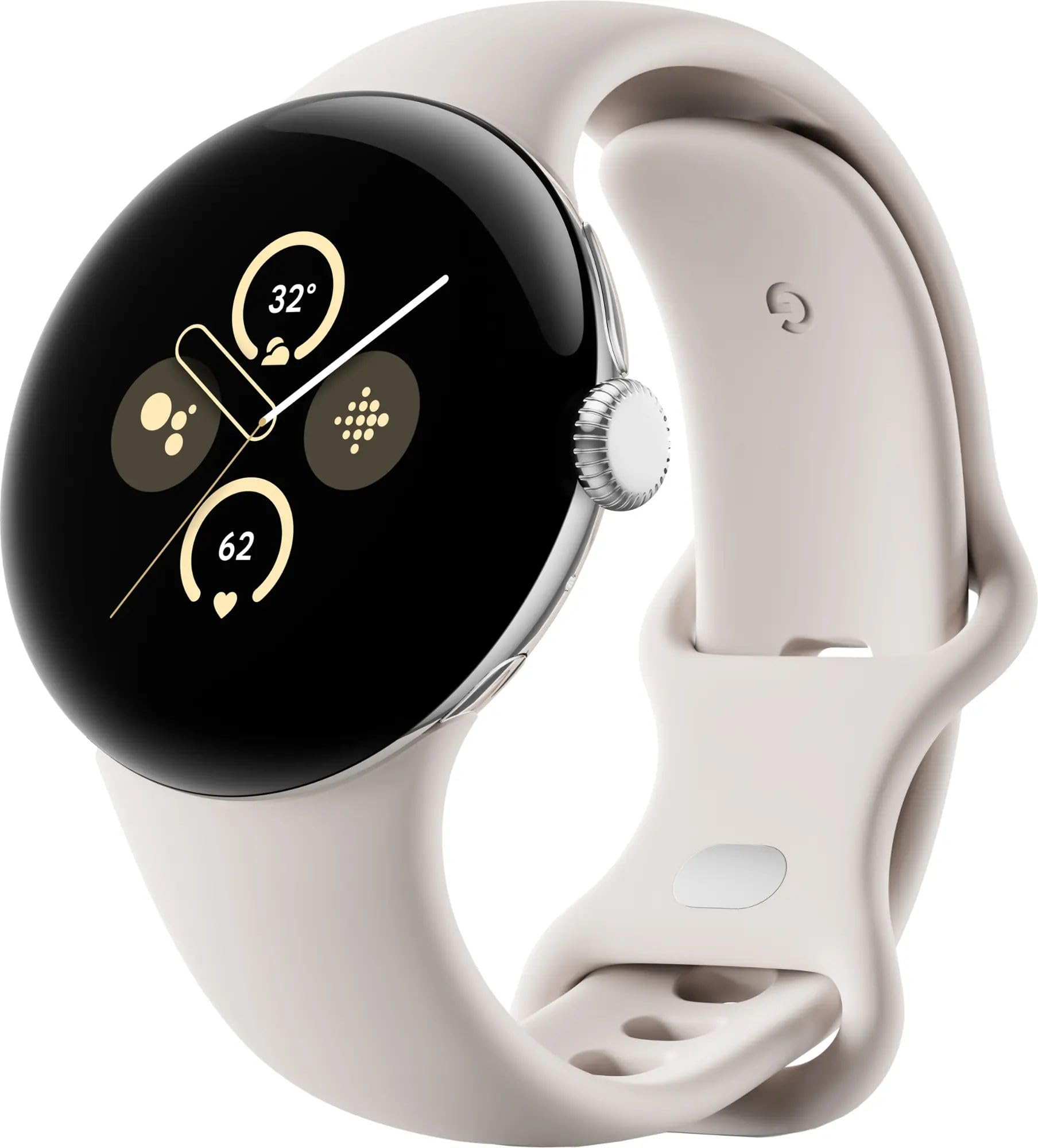
If you’re a Pixel fan and want a well-rounded Google Assistant smartwatch, this is a solid choice—just be ready to charge it daily.
Pros
- Super comfortable for all-day wear
- Assistant works hands-free and voice commands are smooth
- Excellent health tracking—heart rate, skin temp, stress checks
Cons
- Battery usually dies by bedtime
- Bands feel a bit cheap and might be tight for bigger wrists
- Charger in the box looks a little off-brand
When we put on the Pixel Watch 2, we loved how light and sturdy it felt. Sometimes we even forgot we had it on.
Google Assistant made setting reminders and sending texts quick and painless. The sensors impressed us—we could check heart rate, stress, and skin temperature whenever we wanted.
The screen stays crisp and bright, even outside in the sun. We just wish the battery lasted longer.
If you use GPS workouts or the always-on display, expect to charge it every night. Bands swap out easily, but the ones in the box felt pretty basic.
If you plan to work out a lot, maybe grab a tougher band. Still, the mix of health features and Google smarts makes this Google Pixel Watch 2 a handy companion—just keep the charger close and try not to fall (the fall detection is neat, but who wants to test it?).
Pixel Watch 2 by Google

If you’re after a smartwatch that mixes style, brains, and even mood swings (yes, it tracks stress), this one’s worth a look.
Pros
- So comfy, we sometimes forget it’s even there
- Heart rate tracking is almost too accurate—no excuses for skipping steps
- Google Assistant responds quickly and actually gets us (even when we mumble)
Cons
- Charging can be a bit finicky, and the magnet could use some motivation
- Battery just barely survives a long day
- Some renewed units arrive looking a little “lived-in”
We spent a week with the Pixel Watch 2, and our wrists have never felt so smart—or so judged. The lightweight aluminum case looks sharp and feels good on the skin, even after chasing down a train.
Google Assistant keeps us organized, handling reminders and web searches before we’ve even had coffee. The health features help us pretend we’re living healthy.
When our heart rate spiked after a stressful email, the watch noticed—and gently suggested a deep breath. Setup felt easy with our Android phone, and sleep tracking was like having a tiny doctor on our arm (but with more patience).
Charging sometimes needed a little patience, though. The magnetic charger seemed to have a mind of its own.
And for renewed units, some arrived spotless, while others looked a bit rough. At least we could clean them up ourselves.
Quirks aside, it’s a genuinely helpful gadget for anyone who wants Google smarts right on their wrist—just don’t lose the charger.
Google Pixel Watch 41mm (Hazel)

If you want a watch that actually listens (unlike some relatives), this one’s a great pick.
Pros
- Swapping bands is so easy, we might finally match our outfits
- Google Assistant answers faster than we can think
- Scratch-resistant glass saves us from our own clumsiness
Cons
- Battery life feels more like a sprint than a marathon
- Gets a little warm when charging (just like us in the sun)
- Not the lightest watch, but hey, that’s what wrists are for
The Google Pixel Watch 41mm surprised us with how good it looks. Honestly, we’ve spent more time picking band combos than actual clothes lately.
Changing the band is so simple, even our sock drawer’s jealous. Picking a watch face to match our mood is oddly satisfying.
We love being able to ask Google questions right from our wrist. Setting timers or sending quick texts while pretending to be busy is a breeze.
Activity and sleep tracking make us feel like health nuts—even if we’re eating ice cream for dinner.
But, like us at family reunions, it can get a bit overheated on the charger. Battery life doesn’t always last the whole day, so expect some charging breaks.
It’s not the lightest watch around, but you get used to it. If you want a smart assistant on your wrist that won’t judge your life choices, the Pixel Watch is a smart pick.
Pixel Watch by Google
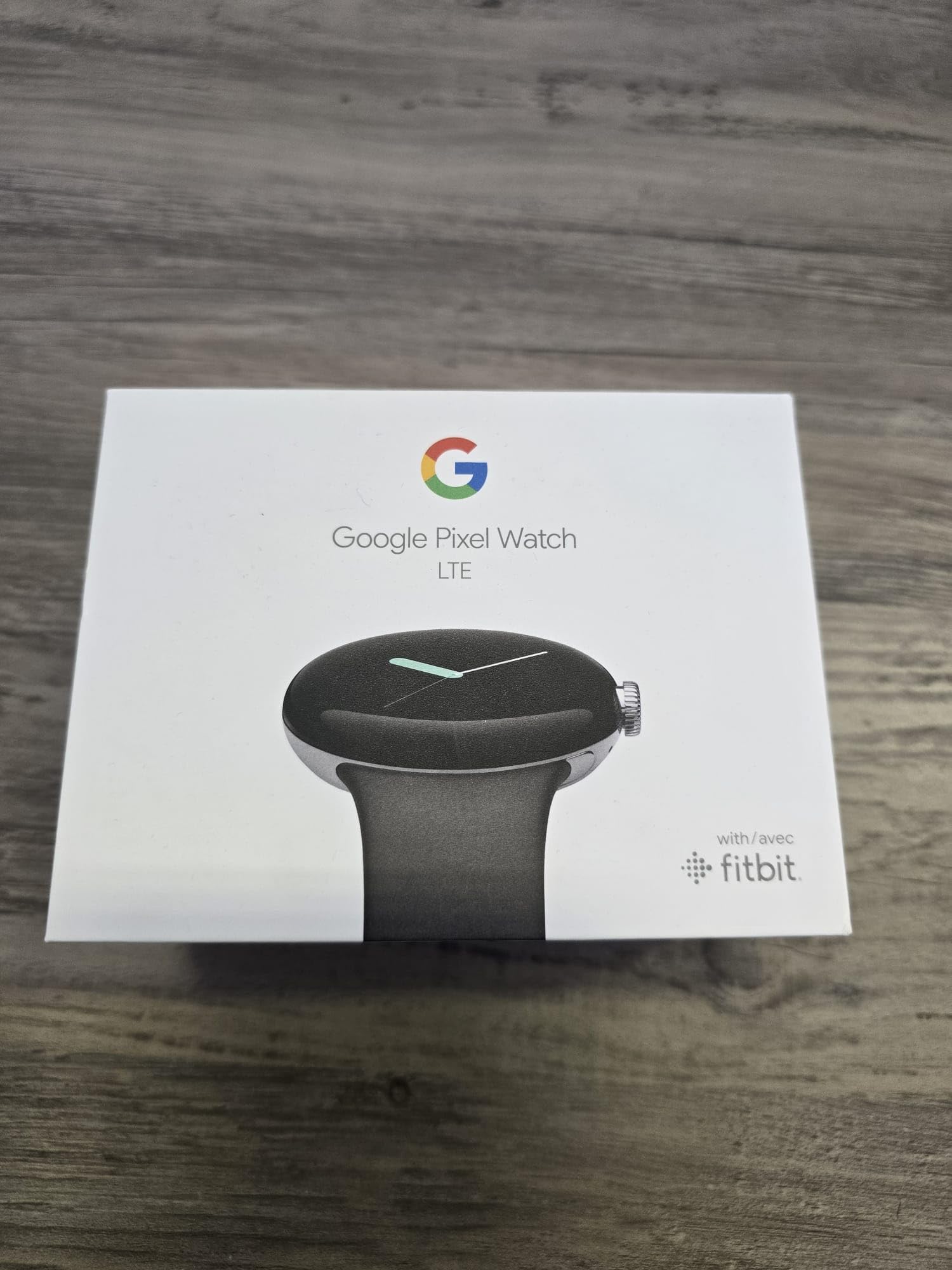
If you want Google Assistant on your wrist with a stylish look and lots of fitness features, this watch is a solid bet.
Pros
- Quick voice replies make us feel like secret agents
- Sleek design fits in anywhere, even at taco night
- Syncs well with fitness tools and keeps us moving
Cons
- Battery needs charging more often than our plants
- LTE setup can get a bit tricky
- Screen could be bigger for sausage fingers
The Pixel Watch by Google makes us look a bit cooler than we really are. We love how fast it responds to Google Assistant—no more fumbling for our phones while jogging or burning dinner.
Swapping watch faces is easy, and there’s enough Fitbit tracking to make us feel like we’re actually keeping up with our health (even if we skip leg day). Notifications land right on our wrist, so we never miss calls—unless we’re dodging group chats.
LTE lets us leave our phones at home, though setup had us scratching our heads and googling for help (oh, the irony). Charging is a daily thing, and the smaller screen means some of us can’t fat-finger texts without a typo.
The comfy band and polished case look sharp. It’s not perfect, but it makes life a little smoother—and maybe makes us look more organized than we actually are.
Buying Guide
Picking a smartwatch with Google Assistant isn’t rocket science, but wow, it can feel pretty close sometimes.
We’ve got to keep a few key features in mind, or we’ll just end up talking to our wrists and getting nothing back.
Things we should consider:
- Battery life (Unless charging is our hobby… which, honestly, who enjoys that?)
- Display quality (Our eyes deserve something decent, right?)
- Comfort (Nobody wants to wear a brick all day)
- Water resistance (Rain, sweat, and those “oh no” moments happen)
Here’s a table to help us keep things straight:
| Feature | Why It Matters |
|---|---|
| Battery Life | Nobody wants a dead screen by lunchtime |
| Connectivity | Smooth pairing means fewer headaches |
| Voice Response | Fast replies save us from awkward pauses |
| App Selection | More apps, more fun (or work) |
| Durability | Good for clumsy folks—like me |
Let’s not forget—some watches just don’t support every app out there.
Before we get too excited, we should check which apps and updates are actually available, so we don’t miss that all-important weather alert before a downpour.
Trying the watch on in the store? Always a good idea.
Our wrists have opinions, and they’ll tell us what feels right and what’s just… not.
If a watch has simple menus, we’ll have a way easier time.
Honestly, if we need a manual just to set a timer, maybe it’s time to look elsewhere.

From a young age, I have always had a big interest in technology, and this blog is an extension of that interest. Through this blog, I hope to provide others with all of the information they need regarding tech options to consider, and things such as compatibility. Some of the different items I will be discussing include headphones, smartwatches, and how to fix common issues.
- How to use a fitness tracker for sedentary alerts: Because Your Couch Won’t Miss You Anyway - September 14, 2026
- Why do my Bluetooth headphones not work with my projector? Solving Tech Mysteries for the Audio-Challenged - September 13, 2026
- Best Smartwatches for Medication Reminders: Never Forget Your Pills (or Your Sanity) Again - September 13, 2026
Related Posts: