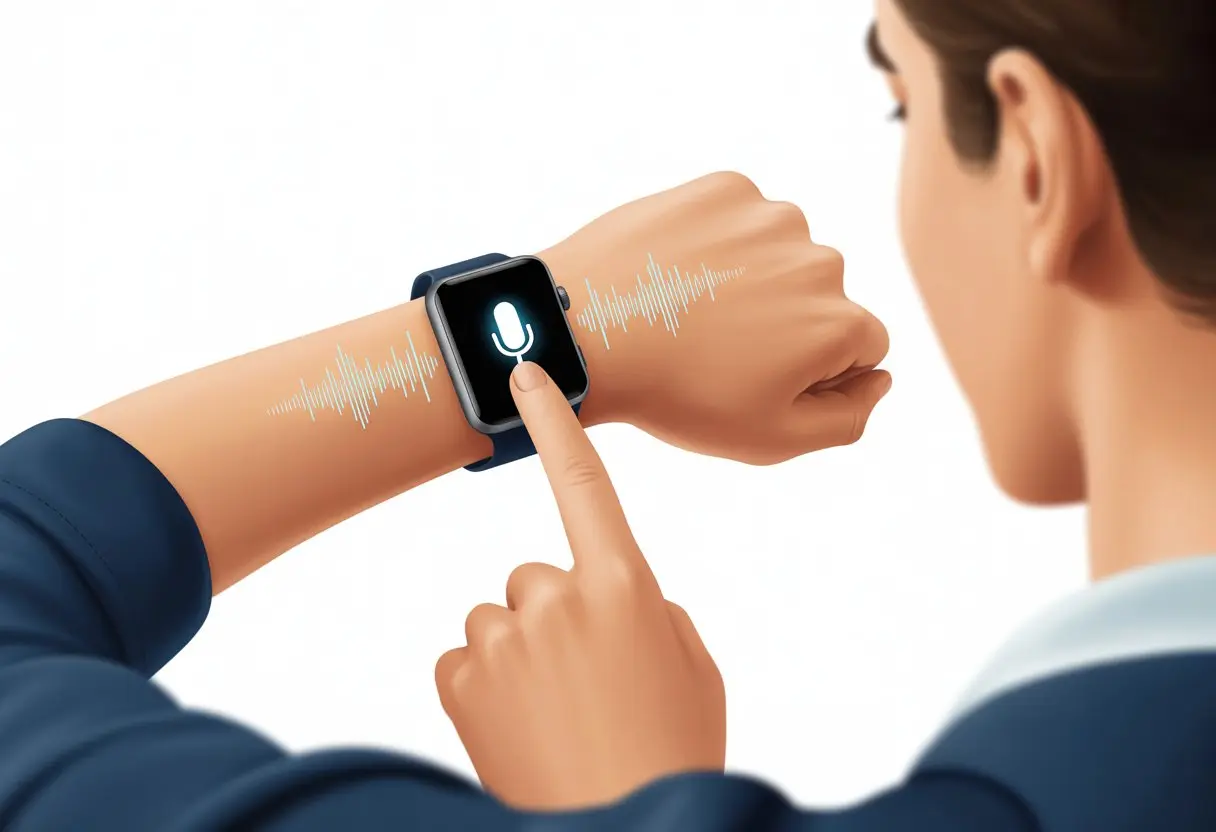
Let’s be real—our smartwatches already know more about our daily routines than some of our best friends. When we use a voice assistant on a smartwatch, life gets a whole lot simpler. We can call, text, and boss around our smart gadgets—all without poking at a tiny screen.
Why bother typing with those little thumbs? Just ask for what you want out loud, and suddenly you’re living out your sci-fi fantasies.
With smartwatches and AI voice assistants working together, we get a new level of convenience. Need reminders, weather updates, or to send a message? Just speak up.
Honestly, our watches understand us better than our old remotes ever did. It’s a little wild.
Let’s talk about how to actually get our watches to listen and do what we say—no more yelling at gadgets and hoping for the best.
If we’re feeling gutsy, some models even let us control smart home devices or ask questions right from our wrist, like with the Garmin watch’s voice assistant.
Getting Started With Voice Assistants On Your Smartwatch
Before we tell our watch to call Grandma or blast our favorite playlist, we need to set a few things up.
Let’s make sure our devices can talk to each other, our wrists are ready, and our voices are warmed up.
Pairing Your Phone
First off, we can’t just shout at our smartwatch and expect instant results (maybe one day). Most voice assistants need to be paired with a phone.
Usually, this means turning on Bluetooth for both the phone and the watch. On your phone, open settings, find Bluetooth, and make sure it’s discoverable.
On the watch, look for a “Pair” or “Connect” option—usually hiding in the settings menu. Sometimes, a companion app is part of the deal; Garmin and Google Pixel Watch, for example, want their own apps on your phone.
After a few taps, some agreements, and maybe entering a code, you’ll see the “Connected” message. Suddenly, your phone and watch are besties.
Now you can send texts and make calls from your wrist—after just a little setup.
Compatibility Requirements
We can’t force a square peg into a round hole, and the same goes for smartwatches and phones. Voice assistants only work if both devices get along.
For instance, Google Pixel Watch likes Android phones, while some watches only play nice with certain iOS or Android versions. Always check the smartwatch’s site or packaging for a compatibility chart.
It’s the worst to get excited, open the box, and realize your phone isn’t supported—or worse, after half an hour of pairing attempts. On the plus side, many watches list voice assistant support right up front.
Some voice assistants also need internet. No Wi-Fi or data? Your smartwatch might ignore you, no matter how many times you ask for the weather.
Setting Up Voice Commands
Once we’ve got things paired and made sure they’re compatible, it’s time to teach the watch to listen. This usually means picking a default assistant (Google Assistant, Siri, or Alexa) and following the steps in the watch’s app.
We’ll probably need to give microphone permissions. There’s often a quick tutorial showing how to trigger the assistant—maybe “Hey Google” or holding a button.
Some watches let us customize commands for special tasks, like texting Mom or dimming the lights. If we bark orders and get silence, it’s worth double-checking permissions and making sure the assistant is on.
A bit of patience pays off, and when you finally say “Set a timer for pizza” and it just works, it’s kind of magical. For more details, check this Garmin support guide.
Choosing Your Voice Assistant Sidekick
Picking the right voice assistant for our smartwatch adventures really shapes the whole experience. The top options let us call, text, get directions, set reminders, and even control our smart homes—just by talking.
Overview Of Popular Voice Assistants
When it comes to AI voice assistants, it’s a bit like picking a favorite character: Siri, Google Assistant, or Alexa. Each has their own quirks and strengths.
Here’s a quick breakdown:
Voice Assistant
Works Best With
Key Features
Siri
Apple Watch
Quick replies, HomeKit, reminders
Google Assistant
Wear OS, Android
Search, navigation, smart devices
Alexa
Select smartwatches
Smart home, lists, shopping
We want a voice assistant that fits our phone, watch, and how much we trust talking to robots.
Apple Watch And Siri
If you have an Apple Watch, Siri is your built-in buddy. Just raise your wrist and say “Hey Siri,” or press and hold the Digital Crown.
Siri reads and replies to texts, makes calls, starts timers, and controls HomeKit devices. Forget an appointment or need to check the weather? Siri’s got you.
You can use voice commands for messages, weather, or directions. With every watchOS update, Siri seems to learn new tricks—sometimes it really does feel like a tiny butler. Apple’s setup process keeps things pretty smooth.
Wear OS And Google Assistant
If you’re on team Android, Wear OS watches usually run Google Assistant. Tap the screen, say “Hey Google,” or long press a button to get started. Setup is simple (official guide here).
Google Assistant helps with navigation, reminders, smart devices, and quick texts. It connects with Google services like Maps and Calendar.
You can ask for directions, check the weather, or control smart home gadgets without grabbing your phone. It’s like having a helpful friend on your wrist—one who knows your schedule and doesn’t mind silly questions.
Amazon Alexa On Smartwatches
Alexa isn’t built into every smartwatch, but some brands—like Garmin and a few others—let you add her. Setting up Alexa means connecting through the watch’s app and signing in with your Amazon account.
Once you’re set, Alexa checks shopping lists, sets reminders, controls Alexa-enabled devices, and answers questions. You can control lights, play music, and get news or weather updates.
Ask Alexa for a joke and she’ll deliver, even on your wrist. For setup help, Garmin provides a guide to get things going.
Voice Assistant Hardware: The Secret Sauce
Let’s be honest—if a smartwatch couldn’t listen or talk back, it’d just be a weird, silent wrist TV. The real magic of voice assistants comes from the little things, like built-in speakers and microphones.
And don’t forget battery life—it’s a silent but sometimes grumpy partner.
Integrated Speaker And Microphone
If we want our smartwatch to handle commands, answer questions, or even sass us, it really needs a good microphone and speaker. Most newer models—like the Fitbit Sense and plenty of Wear OS watches—have both built in.
The mic listens when we mumble “set alarm” at midnight, and the speaker gives us those robot responses or reads our texts out loud. Quality matters here.
Cheap mics catch background noise, and bad speakers sound like a robot trapped in a tin can. This combo lets us dictate texts, hear reminders, and ask about the weather—even when our hands are full.
For music, calls, and voice notes, a built-in speaker and mic mean you can leave your phone in your pocket. It’s true convenience—unless you’re trying to whisper secrets to your watch in a crowded room. Maybe one day we’ll get a “whisper” mode.
Battery Life Considerations
If the hardware is the brains and voice, then battery is the stomach—it needs fuel, and it gets cranky when it’s empty. Voice assistants can drain battery, especially if we’re chatting with our watch all day or using always-on features like “Hey Siri” or “OK Google.”
Short battery life turns a smart device into a pretty but useless wrist brick before dinner. So, battery specs matter.
Some newer models save juice by only listening for voice commands when we tap or press a button. This helps us balance using voice features and having enough battery left for tracking steps or heart rate.
It’s worth checking real-world battery times, not just what the box claims. Nothing’s worse than asking your watch to call a ride—and it’s dead.
Mastering Everyday Voice Commands
Let’s admit it: talking to our watches feels a bit like being a secret agent. Voice assistants let us text friends, call family, track health, and tame daily chaos—all without putting down our snacks.
Sending Texts And Making Calls
Ever tried calling Mom with your hands full of groceries? With voice assistants, just say, “Call Mom,” and your smartwatch does the rest.
It’s quick, hands-free, and saves you from grocery aisle debates. Texting is just as easy.
Say, “Send a text to Lisa: I’ll be late!” and watch it happen—no typing needed. Want to look extra cool? Try dictating while jogging or cooking.
Key voice commands for communication:
“Call [Contact Name]”
“Send a text message to [Contact Name]”
“Read my last message”
Some smartwatches even let us check voicemails or answer calls right from our wrist. It’s a little bit sci-fi, honestly.
Health Monitoring And Fitness Features
Tracking steps won’t turn us into marathon runners overnight, but it’s a start. Voice assistants help us check heart rate, start workouts, or log water intake without fumbling for buttons.
For fitness fans, starting a workout is as easy as saying so. Bragging about it later? Even easier.
Common voice commands for fitness:
“Start a workout”
“What’s my heart rate?”
“Log my weight”
“How many steps have I taken today?”
Using our voice keeps us focused on moving. It’s also great for reminders—like tracking medication or remembering to breathe. Mondays, especially, could use those reminders.
Managing Daily Tasks Effortlessly
Smartwatch voice assistants really save the day for busy professionals. No more typing endless reminders or fiddling with calendars.
We just say, “Remind me to send the report at 3 PM,” or “Set a timer for ten minutes.” That’s it—done.
Our to-do lists shrink with every command:
“Add eggs to my shopping list”
“What’s on my calendar today?”
“Remind me to feed the dog at 6 PM”
These simple commands help keep life moving, or at least make it look that way. Even if the assistant just reminds us where we hid our chocolate, hey, that’s a win.
Natural Language: Making Your Smartwatch Understand You
Talking to a smartwatch sometimes feels like chatting with a friend. But there’s some clever tech beneath the surface.
It listens for our voice commands and uses machine learning to figure out what we want. Let’s peek at what’s really happening behind the scenes.
Command Phrases And Context
We can’t just say anything and expect results—smartwatches need us to use the right command phrases. Things like “Set a reminder,” “Send a message,” or “What’s the weather?” work best.
If we get too creative—like, “Remind me if there’s thunder out when I go to yoga in my mom’s car”—we’ll probably just get a confused beep. Context matters, and most voice assistants handle straightforward requests better.
Smartwatches keep getting better at understanding what we mean, especially during activities. For example, context-aware voice assistants can guess that we want quick info if we’re walking or exercising.
Tip: Stick to simple command phrases unless you enjoy watching your watch freeze up.
Machine Learning Behind Voice Assistants
Here’s where it gets interesting. Smartwatches use machine learning and natural language processing to turn our words into actions.
It’s not just about recording audio—the watch analyzes patterns, accents, and context.
Think of it as a brain working in the background. It learns from what we ask, tries to predict our next request, and gets a bit smarter every time.
Voice recognition improves the more we use it, especially if we correct it when it gets things wrong.
Machine learning is the silent helper that (hopefully) never judges our pronunciation.
Improving The User Experience
Let’s be honest, shouting at our wrist in public feels awkward. A good user experience means the assistant understands us quickly and doesn’t ask us to repeat ourselves five times.
Designers focus on making voice assistants “get” us with fewer mistakes. That means better microphones and smarter touch backups for when we mumble.
Checklist for a Happy Wrist Experience:
Use direct phrases
Speak clearly, but not too loud
Remember the watch can use context (like our activity)
If it misunderstands, try rephrasing instead of arguing with it
When the assistant finally sets that timer or sends our message without a hitch, it almost feels like it read our mind. Almost.
Smart Home Integration And IoT Fun
Voice assistants on smartwatches let us unlock a new level of convenience. We can multitask, control smart devices, and automate our routines with just a command.
It’s like strapping a tiny butler to our wrist.
Controlling IoT Devices With Your Wrist
No more searching for the phone just to turn on a light or adjust the thermostat. Now, IoT devices listen to us directly through the smartwatch.
Lights on? A quick “Hey Google, turn on the kitchen lights” into our watch does it.
Thermostat? We ask our wrist, and the house cools down before our coffee does.
Door locks, music, more? All at our command—even from the bathroom (don’t ask).
Smart home integration means our watches work with Alexa, Google Assistant, and Siri. We control things by voice from anywhere, turning our home into a sci-fi playground.
Automating Everyday Routines
We can get creative with automation. Our morning routine? The watch tells the coffee maker to start, sets the lights to “I’m awake, sadly,” and plays our favorite playlist.
All this happens before we even open our eyes. For forgetful folks, setting routines like “Goodnight” to turn off devices, lock doors, and lower the thermostat saves time and money.
Using a smartwatch for routines lets us multitask like pros. Walking the dog? Set the house alarm from the sidewalk.
Both hands full of groceries? No problem—our voice does the work.
Apps and integrations, like those for Android smartwatch automation, make this possible. We get to enjoy cool tech without needing superhero reflexes.
Troubleshooting Common Hiccups
Let’s face it, using smartwatch voice assistants isn’t always smooth. Sometimes, tech seems to have a mind of its own.
Here’s how we handle the most common hiccups—without losing our cool.
Connectivity Issues
If our smartwatch just won’t listen, checking the basics can save the day. The first thing on our troubleshooting checklist? Bluetooth.
The smartwatch and phone need a solid Bluetooth connection. If they aren’t paired, our voice commands go nowhere.
Make sure both devices are charged and Bluetooth is on. Sometimes, toggling Bluetooth off and back on works better than we’d expect.
If that doesn’t do it, restarting both devices can help. If problems stick around, check for updates.
Using outdated apps or system software is like asking a rotary phone to use TikTok. For more help, many brands have guides, like K&F Concept’s smartwatch connection guide.
Microphone And Speaker Glitches
No one wants a smartwatch that acts like it’s on strike. If our voice assistant ignores us, the microphone might be blocked.
Check for anything covering the mic—like a fingerprint, screen protector, or yesterday’s cookie crumbs.
If the watch won’t talk back, the speaker could be the issue. Try adjusting the volume or rebooting the watch.
Sometimes software settings mute responses, so double-check the sound settings. If nothing works, pair the watch with Bluetooth headphones to test if it’s hardware or just an attitude problem.
If issues keep happening, contacting support or looking into repairs might be needed—but hopefully, we won’t get there.
Voice Recognition Misadventures
We’ve all had moments where our smartwatch totally mishears us. If voice commands keep getting lost, retraining the voice recognition can help.
Most devices let us recalibrate our voice profile. This helps the assistant understand our accent, mumbling, or unique way of speaking.
Background noise messes things up, so try to avoid talking to the watch in a wind tunnel or with screaming goats nearby.
Speaking clearly and pausing between commands helps. It’s also smart to review the list of commands our assistant understands.
If all else fails, at least we got a laugh—and maybe our watch did too.
Maximizing Efficiency And Convenience
Let’s be honest—trying to juggle work, family, and that never-ending to-do list is no small feat. Luckily, voice assistants on our smartwatches can actually make things a bit less chaotic.
You can just say “Hey Google, remind me to call Mom!” and set reminders without fumbling for buttons.
Need to send a text or make a call? Just speak up and, honestly, it feels like living in a spy movie (well, minus the tuxedo).
When you want to add events or check your schedule, speaking to your watch makes it way quicker—plus, your hands stay free for pizza or paperwork.
Task
Voice Command Example
Why It’s Handy
Setting Reminder
“Remind me to email Sarah”
No need to drop what we’re doing
Sending Message
“Send a text to Alex”
Quick communication, less typing
Checking Calendar
“What’s on my schedule?”
Keeps our day running smoothly
Voice assistants let us multitask like champs. Whether you’re in the kitchen with flour everywhere or dashing off to a meeting, your smartwatch has your back.
It’s almost like having an extra pair of hands—just quieter and, thankfully, not sneaking your snacks. Voice assistants help busy professionals stay on top of things, keep in touch, and maybe even carve out a little more time for yourself.
Hi, my name is Garrett Jones, and I am a tech enthusiast. I enjoy researching the new tech that has been released, and have a vast knowledge of the best tech to purchase.
From a young age, I have always had a big interest in technology, and this blog is an extension of that interest. Through this blog, I hope to provide others with all of the information they need regarding tech options to consider, and things such as compatibility. Some of the different items I will be discussing include headphones, smartwatches, and how to fix common issues.