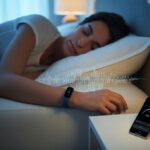
Let’s be honest—nobody really wants to hear they snore, especially not from a tired roommate waving a pillow around. But what if you could catch yourself in the act, without making anyone else lose sleep? With a smartwatch, you can actually track your snoring and get the real story—from soft purrs to chainsaw-level rumbles.
Nowadays, smartwatches do way more than just count steps or buzz with texts. Thanks to their sensors and dedicated apps, they’ll monitor your sleep and even pick up on those weird sounds you make while dreaming about, I don’t know, pizza or flying. Some watches, like the Galaxy Watch series, come with built-in snore detection, so you just wear the thing and check your phone in the morning. If you’re hoping for a quieter night—or just want proof for your snoring denial—it’s time to let your tech do the dirty work.
Let’s see how you can turn your smartwatch into a midnight detective. Maybe your mornings will be less awkward, but hey, the data might surprise you.
Understanding Snoring and Sleep Tracking
Everyone’s heard snoring from down the hall—or maybe you’re the culprit and nobody’s said a word. Snoring actually tells you a lot about your sleep, and smartwatches make it weirdly easy to track every honk and wheeze.
What Causes Snoring
When you fall asleep, your muscles relax, sometimes a little too much. The tongue and throat tissues can block part of your airway.
Air squeezes through and makes those tissues vibrate, which is what causes the classic snoring sound.
Here’s what usually makes snoring worse:
Sleeping on your back
Carrying extra weight
Drinking alcohol
Allergies or congestion
Snoring isn’t just about noise. If you snore a lot, it could mean something’s up with your breathing or sleep quality. Figuring out why you snore helps you use sleep tracking better.
The Role of Sleep Cycles and Stages
Sleep isn’t just one long nap. The night’s split into several cycles, and each sleep cycle lasts about 90 minutes.
You move through a few stages every cycle:
Stage
What Happens
Light Sleep
You’re drifting in and out, easy to wake up
Deep Sleep
Your body repairs itself; snoring usually gets louder
REM Sleep
You’re dreaming; muscles relax even more, so snoring is common
Smartwatches use sensors and sometimes microphones to track movement, breathing, and even those weird noises. This lets you see when you snore and how it lines up with different sleep stages.
If you snore more in certain stages, that could point to bigger issues.
Snoring Vs. Sleep Apnea
Snoring can just annoy people, but sometimes it’s a red flag for sleep apnea. Here’s a quick comparison:
Snoring
Sleep Apnea
Mostly noise
Stops in breathing or gasping for air
Disrupted sleep quality
Feel tired even after a full night’s sleep
Usually not dangerous
Linked to health problems if untreated
Sleep apnea means your breathing actually stops at times, which is a lot more serious. Wearables and apps can spot these signs by picking up sound, breathing, and movement.
If your smartwatch keeps catching long pauses in snoring followed by choking noises, it might be time to talk to a professional—and maybe sleep with a backup pillow.
When you use a smartwatch for snoring detection, you’re really just letting a tiny gadget full of sensors do the work. These devices listen to you, notice your movements, and even track your heart rate—all while you sleep like a rock.
Microphones and Noise Detection
Your watch isn’t just for checking the time—it’s got a microphone, too. It listens for snoring by picking up sounds while you sleep.
Don’t worry, it’s not recording every weird dream mutter; it just wants to catch those snoring noises.
Once the watch hears something suspicious, it uses noise detection software to figure out if it’s actually a snore or maybe just your cat causing trouble at 2 a.m.
The Samsung Galaxy Watch7 and similar watches record snoring events for you to check out later. Sometimes it’s hilarious to hear your own snoring, but it can also help you spot sleep issues.
Heart Rate and Movement Sensors
A lot of smartwatches track more than steps—they keep an eye on your heart rate and how much you move during the night. If your heart rate suddenly jumps or you start tossing around, the watch will notice.
It combines this heart data with movement tracking to paint a picture of your sleep. If you thrash around every time you snore, the data will show it.
Some watches even use this info to warn you about possible sleep problems. Who knew your wrist could be this nosy?
Accelerometers and Vibration Alerts
Accelerometers track movement in every direction, and in the snoring game, that’s important. If your watch senses you’re restless, it knows your sleep isn’t great.
Some smartwatches even wake you up gently if you snore too loudly. You get a gentle vibration on your wrist—no partner elbow required.
That little buzz nudges you to shift positions, which can stop the snoring right away. It’s like a polite sleep coach that doesn’t nag or poke you awake.
Setting Up Your Smartwatch for Snoring Detection
Ready to let your smartwatch catch those nighttime noises? You’ll need the right watch, the best apps, and a few tweaks to make sure it works, even if your snoring is, well, legendary.
Choosing the Right Wearable
Not every smartwatch is ready for snore patrol. Look for a watch with a built-in microphone, since mind-reading tech isn’t here yet.
The Samsung Galaxy Watch7, Watch Ultra, and some Fitbit models have microphone support for sleep tracking. Samsung’s latest watches can record snoring if your phone is nearby, but always double-check if your specific model supports it before you get too excited.
Battery life counts, too. You don’t want your watch dying at 2 a.m. Make sure your watch feels comfy, since nobody wants a sore wrist on top of snoring shame.
Installing Snoring Detection Apps
Every superhero needs a sidekick, and your wearable needs a snoring detection app. Samsung users should use Samsung Health, which enables snoring detection by syncing your watch and phone.
Go to Samsung Health on your watch, then dive into Settings > Sleep and turn on the feature on your phone. Samsung’s site has more info for Galaxy Watch snore detection.
Fitbit users can look for compatible sleep tracking features or third-party apps in the Fitbit App Gallery. Some apps use the watch’s mic, others use the phone, so check which one is actually listening.
The right app should be easy to find, with simple instructions and a way to review your snoring data—so you can laugh or cringe later.
Calibrating Microphone and Volume Settings
Once you’ve got the app, make sure the mic can actually hear you over your bedroom fan. On Samsung watches, the phone’s microphone usually does the snore detecting, but sometimes the watch takes over if your phone isn’t close.
Here’s a quick checklist:
Keep your phone or watch near your head while sleeping—not under the pillow, or it’ll miss your Oscar-worthy snores.
Adjust volume settings: Set sensitivity high enough to hear snoring, but not so high that it picks up every creak in the house.
Test it out: Fake a snore or play a snoring sound to see if your device catches it.
Good calibration means you’ll catch every sleepy snort and get more accurate results for a peaceful (and honest) night’s rest.
Using Your Smartwatch for the Best Results
If you want your smartwatch to be your trusty snore detector, you’ve got to set the scene. Small changes can make a big difference in tracking and making sense of the data.
Even the best tech needs a little help.
Optimizing Bedtime and Sleep Environment
Your smartwatch can’t work miracles in a noisy room or on a lumpy bed. Before you hit the sack, silence your phone, turn off any loud fans, and maybe ask the dog to keep his snoring to himself.
You’ll get the clearest snoring data in a quiet room. Go for fresh sheets, good airflow, and a pillow that doesn’t date back to college.
If you can, keep the room cool and dark, and as far from your neighbor’s late-night playlist as possible.
Here’s a quick bedtime checklist:
Quiet your bedroom: Fewer random sounds mean fewer false snore alerts.
Stick to a schedule: Try to sleep and wake up at the same time.
Wrist position: Make sure your watch fits snugly so it doesn’t spend the night tracking your elbow.
Interpreting Snoring Data
Now you’ve got a collection of nighttime noises—what next? Most smartwatches log your snoring episodes, showing how often and how loud you “perform” at night.
The trick is to look for patterns, not perfection. A random snore after pizza night is no big deal.
If you’re snoring a lot or super loudly, maybe it’s time for some lifestyle tweaks or a quick chat with your doctor.
Smartwatches usually show snoring duration or volume in easy-to-read charts. Don’t freak out over one rough night—watch for trends over a few weeks.
Some watches use your phone’s mic, while others go solo, like certain models of the Samsung Galaxy Watch 5.
Integrating Data with Other Sleep Tools
You can get even fancier by syncing your snore data with other apps or sleep gadgets.
Many smartwatches share info with broader health apps, so you’ll see snoring, heart rate, and sleep stages all in one spot.
Some apps let you export sleep data to compare snoring with caffeine intake or stress.
No more guessing if that double espresso at 9 p.m. was a good idea (spoiler: probably not).
If your smartwatch works well with your phone or a dedicated sleep app, you’ll spot trends more easily.
Mixing snoring detection with other metrics gives you a clearer picture of how bedtime habits shape your sleep environment—and maybe even your dreams.
Advanced Features and Tips
Let’s be honest—everyone wants better sleep tracking and fewer rude awakenings from their own snoring.
Thankfully, most smartwatches come packed with features to help us track sleep stages, filter out background noise, and keep batteries alive until morning.
Tracking Deep Sleep and Light Sleep
Tracking deep sleep versus light sleep sounds fancy, but it really depends on how your smartwatch gathers sleep data.
Most smartwatches use sensors to watch your movement and heart rate while you sleep.
This tells you when you’re in light sleep (lots of tossing) and deep sleep (snore symphonies, anyone?).
Knowing the difference matters.
Deep sleep is when your body repairs itself, while light sleep is just you rolling around.
Your smartwatch shows a summary in the morning, so you’ll know if you hit the jackpot with deep sleep or just took a nap with benefits.
Some watches even let you see snoring patterns side-by-side with sleep stages in the Samsung Health app.
That makes it easier to spot if your snoring is worse during deep or light sleep.
If you want to get fancy, put the watch into sleep mode to turn off some other features and save battery (and maybe silence a few notifications, too).
If your nightly routine includes long snoring concerts, lower the screen brightness and disable extra apps you don’t need during sleep.
If you forget to charge, most smartwatches offer a battery-saving mode.
It won’t track every detail, but it’ll still catch the main snoring highlights of the night.
Comparing Smartwatches for Snoring Detection
Now for the fun part: arguing about which wrist gadget makes the best bedtime buddy.
Each wearable brings its own snore-hunting powers and quirks.
Some act like sleep detectives, while others just want to count your steps and call it a night.
Fitbit Snoring Detection Features
Fitbit gives you snoring detection in select models, so you can be judged by your own wrist at 2 a.m.
This feature works through the built-in microphone, which listens for snoring sounds while you sleep—don’t worry, it can’t hear your secret snack trips.
Using the Fitbit app, you’ll see charts showing when and how often you snored.
Fitbit pairs this with tracking blood oxygen levels and sleep stages, so you get a fuller picture of your nighttime adventures.
Not all Fitbits have microphones; mostly newer models like the Sense or Versa 3 and up.
Keep your watch charged, because recording snores drains the battery faster than pretending you’re not snoring.
Fitbit isn’t the only wearable out there, thankfully. Samsung’s Galaxy Watches, for instance, actually offer a snore detection feature that works alongside your smartphone at night.
Basically, your phone’s microphone does most of the work, picking up every snore—even the embarrassing ones. You just need to keep your phone near your pillow. Closer than your dreams of silent sleep, if we’re being honest.
Garmin and Apple have gone a different route, putting more energy into tracking sleep stages and blood oxygen. Apple skips built-in snore detection, so you’ll have to use third-party apps. That usually means dealing with subscriptions or, sometimes, a bit of app drama.
When you’re picking a wearable, it pays to double-check both hardware and app compatibility. Not every smartwatch or phone will support snore features.
If you want accurate snoring data, go for models with noise-sensing microphones and solid sleep tracking. Comparing wearables, their features, and app support side-by-side can save you a headache later.
Hi, my name is Garrett Jones, and I am a tech enthusiast. I enjoy researching the new tech that has been released, and have a vast knowledge of the best tech to purchase.
From a young age, I have always had a big interest in technology, and this blog is an extension of that interest. Through this blog, I hope to provide others with all of the information they need regarding tech options to consider, and things such as compatibility. Some of the different items I will be discussing include headphones, smartwatches, and how to fix common issues.