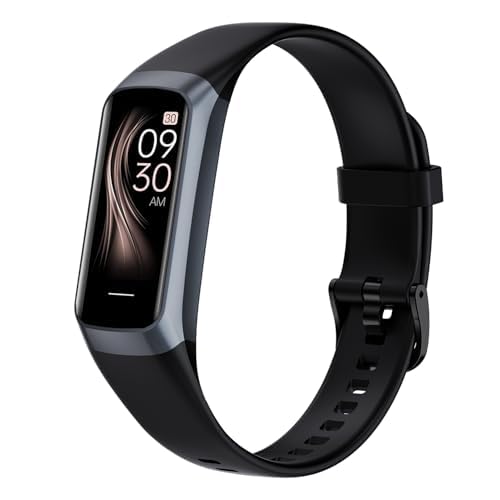
Let’s be real—most of us can’t even remember where we put our keys, so remembering vitamins? Yeah, good luck. But smartwatches are actually making that a bit easier. With a smartwatch, you can set up medication reminders that buzz right on your wrist, so skipping pills becomes a lot less likely.
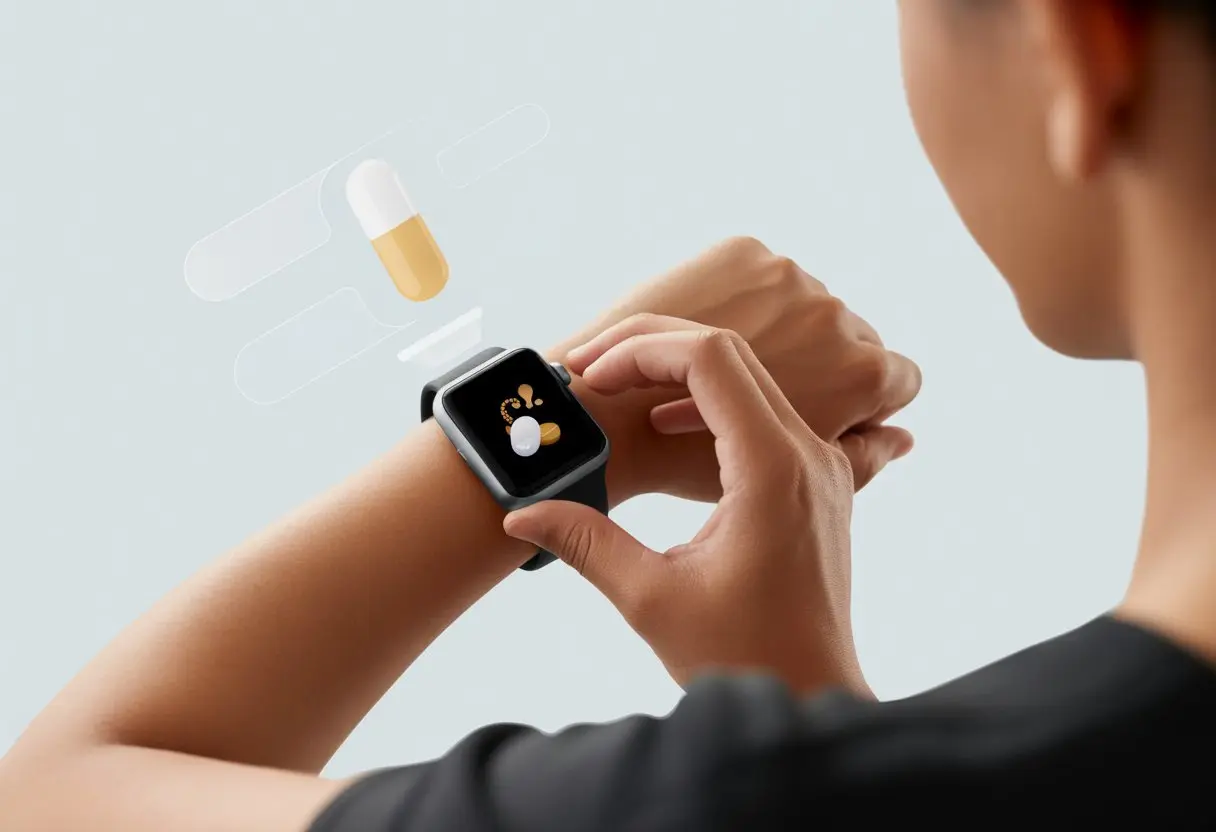
You don’t have to carry a notepad or plaster alarms all over the house anymore. Your trusty smartwatch handles it. From logging doses to sending you gentle nags about that afternoon supplement, a device like the Apple Watch keeps your health routine on track, even when your brain checks out.
It’s honestly like strapping a tiny nurse to your arm—except it’s much cooler and way less judgy. Whether you’re taking vitamins, prescriptions, or just allergy tablets, setting up reminders is pretty simple. Ready to give your memory a little tech boost? Let’s dive in.
Understanding Medication Reminders on Smartwatches
Honestly, keeping up with a medication schedule can feel like solving a Rubik’s cube—blindfolded. That’s where smartwatches step in, acting like tiny wrist assistants who never complain about reminding you (and they’re not even passive-aggressive about it).
What Is a Medication Reminder?
A medication reminder gives you a digital nudge—sometimes more like a digital shout—when it’s time to take your pills, vitamins, or even that weird supplement you bought on a whim.
These reminders might be a simple alarm or a full-on notification with instructions. Plenty of smartwatch apps let you set daily reminders, track missed doses, and jot down notes.
Now, instead of sticking notes everywhere, you just rely on your wrist. That means less clutter and fewer “Did you take your meds?” texts from your family.
Why Use a Smartwatch for Reminders?
If you set reminders on your smartwatch, they’re much harder to ignore. It’s strapped to you, buzzing until you pay attention. Phones, on the other hand, bury reminders under memes and endless messages.
Plus, a smartwatch comes in handy when your phone isn’t always glued to your hand—like when you’re out for a walk or pretending to exercise. Some watches even work fine if your phone’s off.
The Apple Watch Medications app lets you log, track, and get nudges about your meds right from your wrist. Samsung and other brands have their own versions too, so there’s something for everyone.
Common Reminder Features
Most medication reminder features aim to make life easier, not bossier. Here’s a quick rundown:
| Feature | What It Does |
|---|---|
| Repeating Alarms | Sounds or vibrates at the same time each day |
| Snooze/Reschedule | Lets you delay if you’re busy |
| Dose Logging | Tracks if you’ve taken your medication |
| Custom Notes | Adds info like “Take with food” |
| Visual Reminders | Uses icons or colors to get your attention |
Some smartwatches, like those running the MediSafe app, can even connect to electronic medical records. Now, if only they could convince your doctor to prescribe fewer pills.
Let’s be honest—no one wants to miss a dose. Smartwatch reminders help you stick to your medication schedule and keep things organized, with less nagging from actual humans.
Setting Up Your Smartwatch for Medication Alerts
We all know the feeling—forgetting meds and then having to explain to the doctor that our “reminder system” was just hoping for the best. Thankfully, today’s tech lets your smartwatch handle the nagging. Here’s how you get started and make sure you never miss a dose—even if you’re stuck in a long meeting or pretending to listen at a family dinner.
Pairing With Your Smartphone
First things first—your smartwatch needs a buddy. That’s your smartphone. Start by downloading the companion app for your specific smartwatch. If you’re on Apple, pair it with your iPhone. Samsung users usually go with Samsung Health on Android.
Once you pair both devices (Bluetooth, we owe you one), notifications move right from your phone to your wrist. This way, you don’t have to awkwardly fish out your phone at the pharmacy to check if it’s pill time.
Pairing also unlocks extra features. Some reminders vibrate, like those on the Pivotell Vibratime, so even if you ignore sounds, you still get a buzz. You can check battery status and update settings too—pretty important if your memory is as spotty as mine.
Syncing With a Reminder App
Once your smartwatch is linked, install a solid reminder app. Apple Watch uses the Health app for tracking meds and sending alerts. On Android, Samsung Health or a good third-party app does the trick.
Enter your meds into the app, and you’ll start seeing reminders pop up. Some apps offer critical alerts for important meds or send follow-up reminders if you snooze the first one. The best apps let you log doses, so you know what you’ve taken and don’t end up double-dosing (trust me, not a good idea).
Pick a reminder app that syncs quickly with your watch. Apple Watch medication reminders update through the Health app, so changes show up instantly. For Samsung Health, just make sure notifications are on, and you’ll get the nudges right on your wrist.
Configuring Daily Medication Schedules
Now comes the part where your smartwatch actually becomes your personal assistant (and thankfully, doesn’t make awkward small talk). Enter each medication, set the dose, and choose the time you need to take it.
The app takes over from there, giving you alerts you can’t ignore. You can tweak these: maybe a gentle vibration for night owls, or a loud chime for deep sleepers. Some apps let you set multiple reminders if your schedule is, well, complicated.
Using your iPhone and Apple Watch, you can fine-tune alerts—turn on follow-ups, get critical notifications, or log each dose right after you take it. Your smartwatch can handle as many reminders as you need (within reason), so you always know when it’s time for your next dose—no matter how forgetful you feel.
Customizing Alarm and Vibrating Notifications
Making sure you don’t miss your meds is important, but your reminders don’t have to be boring or annoying. Smartwatches let you mix and match alarms, vibrations, countdowns—whatever works for you—so you stay healthy and on time without bugging everyone else.
Setting Audible Alarms
Nothing says “take your meds now” like a loud beep on your wrist in a quiet room. Audible alarms work great if you tend to ignore gentle nudges or just need that extra push. Most smartwatches, like the Apple Watch, let you set up alarms right on the device or through a phone app. You can pick alarm tones, adjust the volume, and even set different alarms for each medication.
Here’s a quick checklist for setting an alarm:
- Open the alarms app on your smartwatch.
- Tap the + button to add a new alarm time.
- Adjust repeat settings for daily or custom schedules.
- Pick an alarm sound—go wild or keep it basic.
- Name the alarm (“Pill Time!” never gets old).
Some watches let you use a countdown timer if you just need a reminder after a set interval. Loud alarms can be lifesavers, but maybe don’t scare yourself (or your pets) every day.
Enabling Vibrating Reminders
If you want something more subtle, vibrating alarms are your best bet. A vibrating reminder watch buzzes quietly, so only you know it’s time. Many smartwatches, including some dedicated reminder watch models, let you schedule multiple vibration alarms every day.
To set up vibrating reminders:
- Open the haptic or vibration settings on your smartwatch.
- Enable vibration for alarms and reminders.
- Adjust intensity—light for a gentle nudge, strong if you need a real jolt.
Some Android apps, like Wear Notification Helper, let you customize vibration patterns for different meds. That way, you know which pill goes with which buzz. With the right settings, you get a private tap on the wrist—no need for a public spectacle.
Using Discreet Reminder Options
Sometimes you need to take meds without announcing it to the world, or your boss, or whoever’s sitting next to you. Discreet reminder options keep things private. Vibrating alarms are the go-to, but there are other tricks too.
Most smartwatches offer silent notifications—gentle pop-ups or icons without sound. If you’re feeling adventurous, you can use a vibrating reminder watch set to buzz at different times. Countdown timers work well if your schedule changes daily.
Combining subtle vibrations, pop-ups, and countdowns gives you total stealth. No more awkward glances or explaining what that random alarm was for. Your medication routine just got a whole lot smoother—and a lot quieter.
Choosing the Best Smartwatch for Medication Management
Picking the right smartwatch to remind you about your meds isn’t rocket science, but it’s worth thinking about a few things before you hit “Add to Cart.” The best choice blends smart tech and comfort, making sure you get reminders about your medicine—not just steps and texts.
Top Features to Look For
Start with the small features that make a big difference. Look for strong reminder features that handle multiple alarms or notifications. The device should buzz, ring, or light up so even your sleepiest self notices.
Battery life matters a lot. Nobody wants to charge their watch more than their phone. Watches with a rechargeable battery and long battery life mean you’re less likely to “forget” your reminders.
For daily wear, a waterproof watch is a lifesaver—no need to take it off every time you wash your hands. Don’t forget about CE certification or a decent warranty in case you have a clumsy moment.
Most people like silicone straps because they’re comfy and don’t get gross if you sweat. Here’s a quick checklist:
- Robust reminder/alert features
- Long battery life
- Waterproof rating
- Rechargeable battery
- CE certified
- Warranty (the longer, the better)
- Comfortable silicone strap
Comparing Leading Brands
Walk into the smartwatch aisle, and you’ll probably notice it’s always a showdown between the Apple Watch and big names like Garmin or Samsung. The Apple Watch draws a crowd because it’s got that easy-to-navigate app store, snappy notifications, and those regular updates Apple loves to send out.
If you’re someone who really doesn’t want to charge two gadgets every night, Garmin might win you over with its longer battery life. Wear OS and Tizen watches aren’t bad either, especially if you’re on the Android side, and they make setting up medication reminders a breeze.
Some brands keep things simple with basic reminder features, while others load up on health tools. We can compare things like display size, notification options, and, of course, price—nobody wants to pay for stuff they’ll never use.
A few watches even come with special features for medication management, so you’re not left wondering if you skipped a dose.
Evaluating Accessibility and Comfort
Nobody likes a gadget that feels like a brick on their wrist. Look for something light, with an adjustable silicone strap, and easy to put on or take off.
A clear, bright display makes a huge difference—no one wants to squint just to read a reminder. Easy-touch buttons or screens help a lot, especially if your fingers aren’t as nimble as they used to be.
Good accessibility means anyone, tech whiz or not, can set up and manage medication reminders without a headache. And honestly, style matters.
We should have options that look good, so we don’t have to trade style for health. If the watch includes a medical alert feature or extra health tracking, that’s a nice bonus.
Maintaining and Charging Your Reminder Watch
If we forget to charge our watch, our reminders go dark too. We need to keep our gadget powered up by taking care of the battery and charging it right.
Maximizing Battery Life
We all want our smartwatch to last all day, maybe even through the night. A few simple habits can help stretch that battery.
Let’s use power-saving modes if our watch has them. Not every notification needs to buzz our wrist—a weather alert can wait, but our medicine can’t!
Closing unnecessary apps and lowering the screen brightness gives us bonus hours. Turning off constant heart rate or location tracking helps, too.
The longer our battery lasts, the less we’ll scramble for a charger. We should also avoid extreme temperatures.
Leaving a smartwatch on a hot dashboard can cook the battery, and freezing it won’t make it last longer. Unless we’re aiming for Smartwatch Popsicles, let’s keep it at room temp.
Proper USB Charging Techniques
Always use the USB charging cable that came with your watch to keep the battery healthy. If you lost it, grab another one with the same wattage—don’t use the giant brick from your old laptop or that sketchy cable from the junk drawer.
Plug the USB cable into a wall charger or your computer, and make sure the port is clean. Lint or dust can mess up the connection, leading to slow or no charging.
If your watch dock “clicks” or snaps in place, that’s the sweet spot—those magnets are doing their thing. Wait for a full battery instead of doing lots of quick, partial charges.
Most smartwatches show a charging icon or buzz when they’re ready. Give your watch a good night’s “sleep” on the charger, so your medication reminders never take a day off.
For more details, Armitron has Eclipse smartwatch instructions on their site.
Tips for Adhering to Your Medication Schedule
Nobody wants to end up at the doctor’s office just because they forgot their meds. Making our smartwatches part of our medication management routine can be simple if we use a few practical tricks.
Here’s how we can get reminders to work for us (instead of the other way around).
Staying Consistent With Daily Reminders
Let’s be real—most of us can’t even remember where we left our keys. Relying on our brains to remember a daily medication schedule? Not happening.
That’s where smartwatches come in. Setting up daily reminders is the first step, but sticking to them is where things get interesting.
We should set reminders at the same time each day. This helps us tie meds to routines like brushing our teeth or that first cup of coffee.
Naming reminders something positive, like “It’s Vitamin Victory Time!” can help, too. A simple table or checklist on our smartwatch can keep us honest.
Tick the box or swipe the alert only after taking the med—no cheating! Using a medication journal or calendar can also keep us from double-dosing or missing a dose.
Overcoming Missed Alerts
Let’s admit it: everyone misses a smartwatch buzz now and then. Maybe you were napping, chasing the dog, or deep in a YouTube spiral—it happens.
Don’t panic. If you miss an alert, just take your medication as soon as you remember (unless your doctor says otherwise).
To cut down on those “oops” moments, many smartwatches let you set multiple reminders for the same dose. Add a backup reminder 10 or 20 minutes later, just in case.
Some apps keep pestering you until you act, with notification tracking or persistent smartwatch notifications. If you’re really forgetful, ask a friend or family member to check in if you haven’t responded by a certain time.
No shame in it—we’re all human. The trick is making the tech work for us, not against us.
Additional Tools and Resources for Medication Management
Managing pills is a lot easier now, thanks to technology that’s smarter than our old flip phones. Instead of sticky notes or blaring alarms, we’ve got real digital helpers.
Let’s check out how these tools can keep us on track—and maybe even save our blood pressure from spiking when we forget a dose.
Exploring Third-Party Apps
There’s an app for just about everything, and medication reminders are no exception. With options like Medisafe, MyTherapy, and others, we can set up custom reminders, log each pill we take (or forget), and get notifications that almost feel like encouragement from a robot friend.
Some third-party apps go beyond simple reminders. Many let us track vitamins, supplements, and prescriptions, complete with dose info and refill alerts.
Features like reports and medication lists make it easy to impress your doctor during visits. A few apps sync up with smartwatches automatically.
Others connect with family or caregivers, so someone else can nudge us if needed. If you want a roundup of solid options, Healthline reviews the best medication reminders, making it easier to find something that fits your tech style and busy life.
Leveraging Online Health Platforms
Online health platforms really shake up how we manage our medications. Sites and apps from trusted names like WebMD let us check drug interactions, use pill identifiers, and dig into medication guides—all in one place.
We can type in our medication list, set up reminders, and track progress without digging through old paper charts. Honestly, it feels a lot less stressful.
These platforms sync info across our devices. If I add a new prescription on my phone, it shows up on my smartwatch almost instantly. That means I don’t waste time entering the same data twice, and hey, I get to feel a little more on top of things.
Some insurance providers or healthcare networks toss in their own medication management tools inside their portals. They usually throw in extras like wellness tips or refill reminders, which can be surprisingly helpful.
By sticking with these online health platforms, including those from WebMD, we can turn medication management from a dreaded chore into something that just fits into our routine. And ideally, we won’t end up mixing up allergy meds with vitamins ever again—though, let’s be real, it happens.

From a young age, I have always had a big interest in technology, and this blog is an extension of that interest. Through this blog, I hope to provide others with all of the information they need regarding tech options to consider, and things such as compatibility. Some of the different items I will be discussing include headphones, smartwatches, and how to fix common issues.
- How to Get Text Messages on Fitbit Versa 2 Android: Simple Guide for Users - October 13, 2026
- Why Doesn’t My Fitbit Record My Sleep? Quick Troubleshooting Guide - October 13, 2026
- How to Change Face on Fitbit Versa 2: Quick and Easy Guide - October 12, 2026
Related Posts: