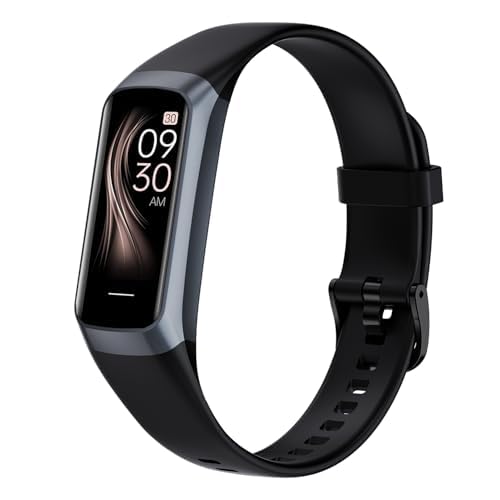
Let’s be real—most of us can remember the name of our favorite donut, but not when we’re supposed to take our meds. The good news? Fitness trackers aren’t just for step-counting or buzzing when we’ve been sitting too long.
We can actually set up our fitness trackers to remind us about medication, making life a whole lot easier for the forgetful (which, honestly, is most of us).
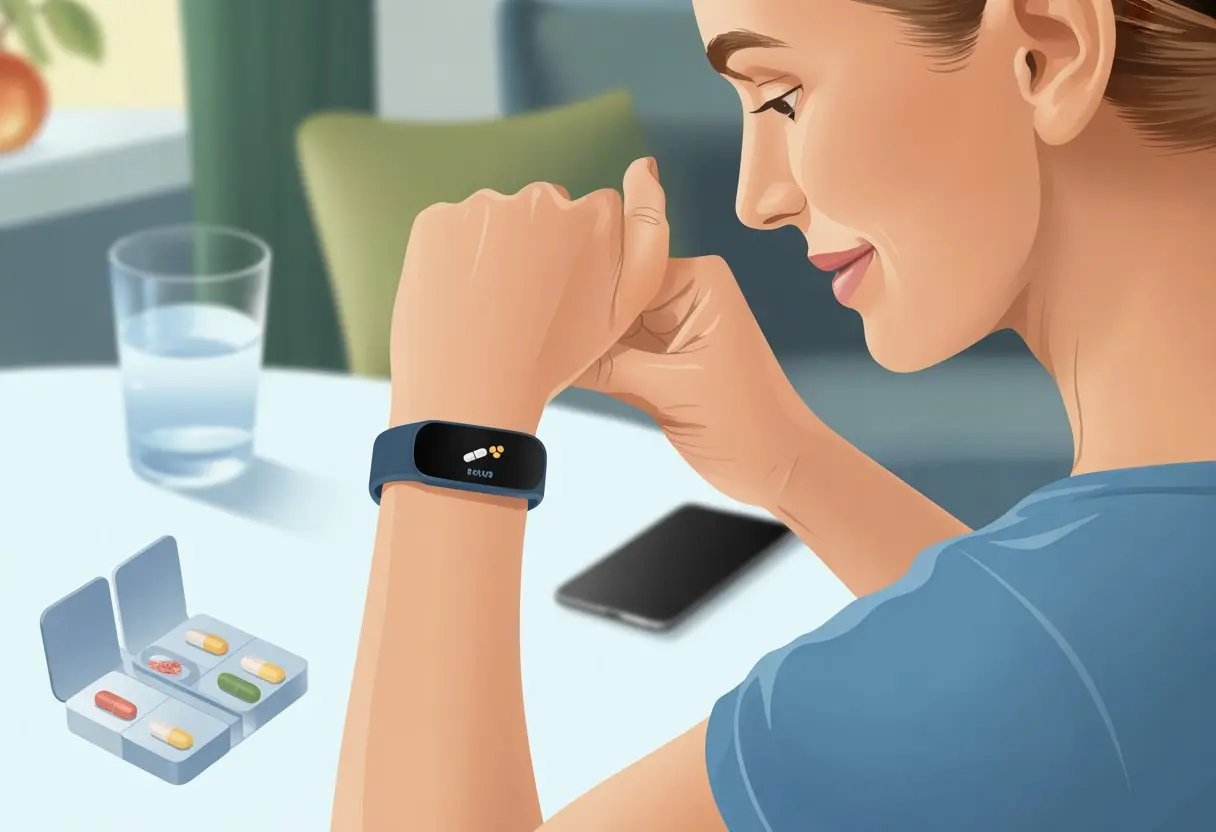
By using alarm or reminder features, or syncing with health apps, we can turn our trusty wrist gadgets into personal medication assistants. Some trackers, like Fitbit and Apple Watch, let us customize reminders so we’re never out of step—or out of pills.
For example, the Apple Watch lets us track and get reminders about meds right on our wrists. It makes us feel like high-tech superheroes who never miss a dose, even if we still skip leg day sometimes.
If you’ve ever found yourself staring at a pill bottle, wondering if you actually took your medication, this is for you. Setting up medication reminders on a fitness tracker is a simple way to take control of your health and avoid that “Did I or didn’t I?” panic dance.
Let’s dig into how to get started and finally stop forgetting our meds.
Why Use a Fitness Tracker for Medication Reminders
Using a fitness tracker for medication reminders gives us a little more freedom and a lot less worry. We get to combine our love of gadgets with smarter medication management.
That means less time digging through old pill boxes and more time doing, well, literally anything else.
The Link Between Wearable Devices and Medication Management
Our wearable devices are basically glued to our wrists already, so why not make them more useful? Many modern smartwatches and fitness trackers let us set vibration reminders, gentle nudges, or on-screen alerts.
That way, we don’t have to rely on our memory or sticky notes that disappear into the kitchen counter abyss. Unlike a pill case that just sits there, a fitness tracker is with us all the time—while we walk, jog, or just lounge around.
If our device tracks steps, heart rate, and sleep, it can just as easily buzz when it’s time for pills. Apps for most popular brands let us schedule medication reminders alongside our daily fitness goals.
With cloud sync, missed reminders don’t vanish into the void. We can track which doses we took—or didn’t—so reporting back to doctors gets way easier.
The fitness tracker turns forgettable routines into a steady, manageable part of our day. For more on wearables and healthy routines, check out how people use mobile apps and fitness trackers to promote healthy habits.
Benefits Over Traditional Pill Reminders
Pill organizers help—until we forget to fill them, misplace them, or knock them over at the worst possible moment. Fitness trackers have some real advantages here:
- Always With Us: We never leave home without our wrist bling, unlike pill cases.
- Discreet Reminders: No loud buzz or flashing lights—just a soft tap or gentle beep.
- Custom Schedules: We can set reminders for any time or frequency, even weird schedules like every third Tuesday.
- Easy Tracking: Some apps let us log each dose, so we never have to wonder, “Did I actually take my pill this morning?”
We can also sync reminders with our other health data, giving us a more complete view of our habits. That means fewer missed doses and less face-palming at the pharmacy because we forgot refills.
Learn how to set up medication reminders using your phone or wearable.
Laughing at Forgetfulness: A Tech Solution
Let’s face it—we’ve all looked at a pill and thought, “Wait, did I take you already?” Our wearable devices won’t laugh at us, but they’re way more reliable than our brains before coffee.
These fitness tracker reminders add a fun twist to our daily routines. We can even give each reminder a goofy name.
Instead of “Take Pill,” our tracker might say, “Swallow the Magic Bean!” It’s a tiny way to make the necessary feel less like a chore.
If we want to keep track and laugh at our forgetfulness, some smart apps let us track streaks, award badges, or send cheering messages for each successful dose. With technology on our side, we can turn medication management into something with less groaning and a bit more grinning.
For ideas on making reminders practical (and maybe even fun), check out these suggestions for medication reminders.
Getting Your Fitness Tracker Ready
Before we can say goodbye to missed pills, we need to turn our fitness tracker into a medication management assistant. We can use mobile apps, set up basic reminders, or go for the fancy stuff with advanced features.
Syncing with Mobile Apps and Medication Management Apps
Step one—let’s make sure our fitness tracker can talk to the right apps. Most fitness trackers connect with a mobile app.
This app is usually where all the magic happens for setting reminders and logging meds. If our tracker doesn’t have built-in medication features (Fitbit, we see you), we’ll need a separate medication management app.
Popular options let us log what we take, when we take it, and send polite (sometimes pushy) reminders. Some trackers, like Apple Watch, offer a dedicated Medications app for logging and reminders.
Steps to sync:
- Download the companion app for our tracker.
- Pair the tracker with our phone.
- Link a medication management app if needed, then follow any prompts to connect it to our tracker.
Easy syncing means we have fewer excuses for forgetting our meds!
Setting Up Simple Medication Reminders
Now, let’s set up the basic reminders. Even if our fitness tracker doesn’t know Tylenol from tic-tacs, most can still send us alarms or silent, buzzing nudges.
We don’t have to overthink it: just set repeating alarms for our medication times through the tracker’s app. Here’s how:
- Open the mobile app and find the alarms or reminders section.
- Choose the days and times we need a reminder.
- Label the alarm “Medication” (or “Don’t Forget!” if we want a pep talk).
Some medication tracking mobile apps also send push notifications to our phone and tracker, doubling our chances of actually remembering.
Exploring Advanced Medication Reminders
If we need more than just simple reminders, it’s time to look at advanced medication reminders. Some medication management apps let us log doses, track missed pills, and even alert a buddy if we skip too many.
Features like voice commands, barcode scanning, or interactive checklists are perfect for the forgetful (or just plain lazy) among us. Apple Health and similar systems on other trackers can connect with advanced medication reminders to show trends or even use our camera to identify new meds, as seen in some integrated health platforms.
We can:
- Get reminders, track history, and easily update schedules.
- Export or share reports with our doctor.
Honestly, anything that keeps us from playing detective about where that last pill went on Tuesday feels like a win.
How to Set Up Medication Reminders Step-By-Step
Making sure our fitness tracker remembers our pills is way easier than trusting our sleepy brain at 7 AM. When we get our reminders just right, we stay healthy, happy, and never skip a dose—or get startled by a loud alarm.
Customizing Reminder Alerts – No Annoying Buzzes Allowed
Nobody wants their wrist to vibrate so hard it scares the cat or gives us a mini heart attack. Let’s set up reminders that are helpful but not over the top.
On most trackers, we hop into the companion app on our phone and find the settings for notifications or health reminders. We usually get to choose between a gentle buzz, a short chime, or even silence if we want a notification that just shows up on the screen.
Some apps let us pick different alerts for morning and evening doses. This way, we aren’t jolted out of bed or interrupted mid-conversation.
When using something like the Apple Watch, we turn on “Follow Up Reminders” in the Health app to get a nudge if we forget the first time. Quick tip: test the alert level while no one’s watching—no need to broadcast our vitamin routine to the entire gym.
For more info, check how to track medications using Apple Watch.
Inputting Medication Schedules and Dosages
Now comes the fun part: telling our tracker exactly what we’re taking, when, and how much. Most trackers work with a health app on our phone, like Apple Health or Google Fit.
We open the app and go to the medication or health reminders section. Usually, we tap “Add Medication” and pick our medicine name from a list or just type it in.
Next, we add details like how many milligrams, the number of pills, and what times of day to remind us. Morning, afternoon, or night—we set it all up.
We can also add custom instructions like “with food” or “don’t take with grapefruit juice.” Making these reminders super specific means we don’t have to remember details on our own, especially before coffee.
For step-by-step help, see this iPhone medication reminder guide.
Adding Refill Reminders Before You Run Dry
There’s nothing worse than opening the medicine cabinet and realizing we have exactly zero pills left. Most medication reminder apps and fitness trackers let us set up refill reminders.
After entering a new medication, we add how many pills we have and how many we take each day. The app does the math and lets us know when we’re getting low—usually with a friendly ping and not a doomsday siren.
We can set it to give us a heads-up a week in advance, so running out doesn’t become an adventure. If our app allows, we might even track order dates or include pharmacy contact info, just in case.
Having that refill reminder saves us from last-minute pharmacy runs—and from awkward explanations to our doctor. For more info on using mobile apps for this, check out the Medisafe Pill & Med Reminder app.
Integrating Health Data and Medical History
When we combine our medical history with daily health data from our fitness trackers, we unlock more insights about our medicine routines. Let’s see how to keep everything organized and get more out of our medication reminders.
Managing Your Medical History in the App
Let’s not trust our memory with doctor visits and long medicine lists—unless we really like living dangerously. Most fitness tracker apps let us add our medication list, allergies, and important dates (like that time we broke our pinky).
We should enter details like:
- Medicine names
- Dosage
- Frequency
- Start and end dates
- Special instructions
Some apps even let us attach reports or lab results. Nothing says “organized adult” like uploading our latest cholesterol numbers.
Some medication reminder apps can connect with medical records from doctors or sync with health tracking platforms for easy updates. If we ever change meds, we can edit our list right from our phone.
Less time with paperwork, more time for snacks.
Tracking Health Data Alongside Medications
Ever wondered if your blood pressure actually drops after you finally take your pill? When your fitness tracker and medication reminder chat with each other, you can find out.
A lot of apps now sync up with wearables, pulling in stuff like:
| Health Data | Examples |
|---|---|
| Heart Rate | Resting, active, after medication |
| Steps & Activity | Counts, distance, exercise type |
| Sleep | Hours, quality, interruptions |
| Blood Pressure | Manual input or device synced |
Comparing medication times to this health data helps us spot trends. Maybe our sleep gets better when we take meds on time, or our steps drop when we forget.
Some apps make it easy with simple graphs, or send us nudges if something looks weird. Curious how it all works? Check out how some platforms link health tracking devices with medication reminder apps.
Staying Ahead of Drug Interactions
Honestly, juggling a bunch of pills can feel like trying to solve a puzzle with missing pieces. Figuring out which meds work together—and which could turn your stomach into a battleground—takes way too much brainpower.
How Medication Management Apps Warn You
Our phones love to warn us about the weather, but they rarely warn us before we eat something questionable. With medication management apps, we finally get helpful warnings.
These apps have built-in drug interaction checkers. When we add a new prescription, the app checks it against our current meds. If there’s a possible issue—maybe “Don’t mix aspirin and this blood thinner unless you want nosebleeds”—the app shoots us an alert.
Some apps use color warnings (red for danger, yellow for caution), or suggest calling the doctor before trying that herbal remedy from Aunt Linda.
Using a fitness tracker with medication reminders isn’t just about timing; it keeps us safer. Trackers can connect with these apps, sending alerts right to our wrist—no more missed notifications because our phone’s buried in the couch.
The Comedy of (Medication) Errors: What Not to Mix
If there were awards for ‘Best Oops Moment From Mixing Meds,’ some of us would have a trophy shelf. Instead, let’s avoid being the punchline.
| Don’t Mix | Why Not? | How Apps Help |
|---|---|---|
| Grapefruit & Statins | Increases side effects | Pop-up alert |
| Warfarin & Vitamin K | Lowers effectiveness | Diet reminders |
| Antihistamines & Alcohol | Super drowsy combo | Warning notification |
We can set our apps to remind us not to take everything at once. Apps track what we log (or forget), and send reminders—sometimes polite, sometimes not.
With these tools, we don’t have to memorize every possible mistake. Let the app handle the worrying and nagging.
Collaborating With Your Healthcare Provider
We can actually make our medication routine better—and maybe even impress the doctor. Fitness trackers let us keep tabs on our med history and share it with our provider.
This makes follow-ups less awkward and a lot more useful.
Sharing Reports and Medication History
When our fitness tracker becomes a mini medical assistant, it tracks which pills we took and when. Most gadgets or their apps let us export or show reports.
These records usually have dates, times, and missed doses. We can email them to our provider or just show them at our checkup—proof we remembered our vitamins at least once.
Some trackers sync with phones, making it easy to share med data. Apple’s Health app, for example, lets us log meds and show a list of what we’ve taken (or missed).
Now our provider doesn’t have to guess. They see the facts, and we can skip the sheepish “I think I’m taking them… sometimes.” More details about tracking this info are in the iPhone Health app’s medication tracking.
Getting Professional Advice Based on Tracker Data
When our provider sees our medication history, they can give advice that actually fits our real routine. If the tracker shows we forget pills after taco night, maybe we need reminders at a different time or a simpler schedule.
Fitness trackers pick up on patterns we might miss. Did we always skip our evening med after a certain show? Our provider can help us tweak the plan.
Together, we can figure out what’s working and what isn’t. That way, next check-up is less stressful and maybe even a bit more successful.
Best Practices and Hacks for Medication Adherence
If we want our fitness trackers to actually help us remember meds, we need more than just a bunch of beeps and buzzes.
A few tweaks in how we set up and respond to reminders can make all the difference.
Motivation Tips: Making Reminders Less Annoying
Let’s be real—nobody loves being bossed around by their wrist. Here’s how to keep reminders from feeling like nagging:
- Customize the Reminder Tone: Pick a sound that doesn’t make you want to throw your tracker. A cheerful beep beats a blaring alarm.
- Pair It With a Fun Activity: Turn it into a tiny game. Do a silly dance or give yourself a gold star every time you take your meds (maybe skip the dance at work).
- Use Motivational Messages: Set your tracker to show “You rock for remembering!” instead of just “Take meds.” It’s cheesy, but it works.
- Visual Reminders: Some trackers use icons or colors. A quick flash of color can be just the nudge you need.
For more ways to stay on track, things like pill organizers and dedicated apps can help with medication adherence.
Common Mistakes to Avoid
We all mess up, but a few classic slip-ups can really derail us:
- Forgetting to Wear the Tracker: If it’s charging on the nightstand, it can’t remind you. Try to put it on as part of your morning routine.
- Ignoring Repeated Alerts: If you keep snoozing reminders, your brain will start tuning them out. Switch up the tones or alert times now and then.
- Not Updating Schedules: If your prescription changes but your tracker doesn’t, those reminders won’t help. Update reminders whenever your med schedule shifts.
- Overloading Reminders: Too many alerts make you want to toss your tracker. Stick to the essentials to avoid frustration.
A few smart habits can turn your fitness tracker into a helpful sidekick, not a wrist-mounted annoyance. Pill organizers and visual cues go a long way toward better medication adherence.
Common Challenges and Troubleshooting
Using fitness trackers for medication reminders doesn’t always go smoothly. Sometimes our wearables glitch out, and syncing problems can drive us nuts.
Let’s look at the most common issues and how to keep our meds on track (and our sanity mostly intact).
When Fitness Trackers Forget Too
We’ve all been there—set a reminder, then realize our fitness tracker decided to take a nap. Smartwatches and wearables sometimes miss reminders, show silent notifications, or just ignore us.
Usually, it’s a low battery (cue panic), silent mode on, or a firmware update that never finished. Sometimes the mobile app is the problem—permissions off or the app sleeping in the background.
Quick fixes for forgetful wearables:
- Double-check notification settings on both your phone and tracker.
- Make sure Do Not Disturb is off.
- Keep your device charged and let it update.
- Open the mobile app now and then to keep it active.
Not every device nails reminders, so let’s be honest—some are just better than others. There’s a lot of variation in wearable data and alerts, so it helps to pick models with a good track record for reliable notification accuracy.
Solving Syncing and Notification Issues
When your phone and fitness tracker stop talking to each other, it’s almost guaranteed you’ll miss a pill or two. Syncing issues really do feel like couples therapy for gadgets—sometimes they just need a little push to get along.
Let’s be honest, the usual suspects are pretty basic. Maybe Bluetooth’s off (guilty), or you left your phone in another room, or the app refuses to update. The easiest fix? Try restarting both the wearable and the app, then pair them again.
If notifications aren’t showing up, start with your phone’s settings. Pro tip: Some trackers want extra permissions before they’ll send reminders. Poke around in the app’s settings and make sure your device gets the green light.
Still stuck? Go ahead and update both your phone and tracker, and maybe check the manufacturer’s help pages. Sometimes just reinstalling the app does the trick—it’s like digital CPR, honestly.
If things still won’t sync, try stepping away from crowded Wi-Fi spots and change your location for a stronger connection. With a handful of these fixes, you’ll turn those silent reminders into loud, proud alerts. If you want more ideas, check out these tips for dealing with smart wearable challenges.

From a young age, I have always had a big interest in technology, and this blog is an extension of that interest. Through this blog, I hope to provide others with all of the information they need regarding tech options to consider, and things such as compatibility. Some of the different items I will be discussing include headphones, smartwatches, and how to fix common issues.
- The Best Rugged And Waterproof Smartwatches - October 21, 2026
- 10 Best Military Smartwatch – Find The Best Tactical Military Watches in 2023 - October 20, 2026
- Are Wired Headphones Safer Than Bluetooth? A Friendly Guide - October 20, 2026
Related Posts: