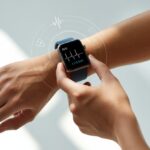
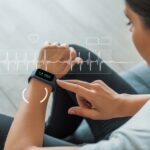
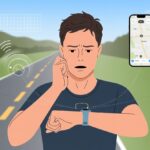
Let’s be real: fitness trackers and watches are supposed to help us hit our goals, not make us question reality. When our step count claims we’ve walked to the moon after just pacing the kitchen, something’s clearly off.
To fix inaccurate readings on wearable tech, check the fit, clean the sensors, update the software, and recalibrate the device if needed. Let’s stop blaming the dog for our sudden 20,000-step spike during movie night.
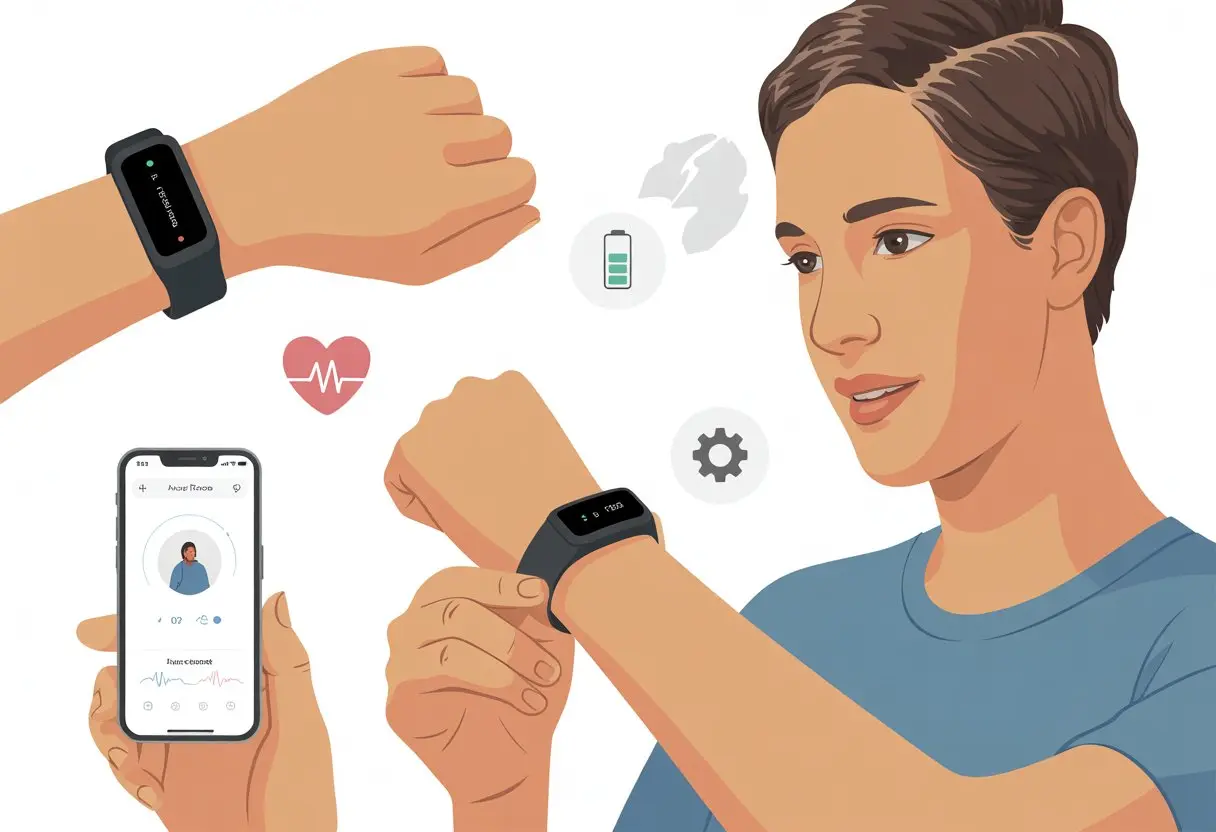
Sometimes it feels like these devices are running their own marathon—on their own schedule. Resetting calibration data on an Apple Watch or making sure the band isn’t too loose can actually help.
If the heart rate readings start going wild, better placement and cleaning off sweat can bring things back to normal.
Nobody wants a tracker that thinks we’re Olympic athletes just for folding laundry. If we get to know how our fitness watch measures activity and give it a little attention, the results start to make sense.
Let’s make those wins count and leave the drama to reality TV.
Common Causes of Inaccurate Fitness Tracker Readings
Sometimes our fitness tracker spits out numbers that look like we ran from wild animals all day, or worse, like we never left the couch. There are reasons behind these weird readings, and it’s not just because our trackers woke up cranky.
Poor Fit and Positioning
If our tracker flops around like a party bracelet, the heart rate sensor can’t do its job. A tight fit might cut off blood flow, but a loose one lets in too much light.
It’s a delicate balance, a bit like Goldilocks with her porridge.
Tip: The optical sensors should sit flat and snug against our skin, just above the wrist bone—not so tight we lose feeling, but not loose enough to slide around. Movement, like swinging our arms during a run, can throw off the readings too.
Sometimes just wearing the tracker higher or lower on our arm helps.
Wearing our tracker on the wrong wrist (hey, lefties who picked “right” by mistake) can also mess things up. Always pick the right setting during setup.
Sweat and Skin Interference
Let’s be honest, we sweat—a lot sometimes. Sweat and oils can make a slick surface that throws off the optical sensor.
As if working out wasn’t messy enough, now our own skin is in on the mischief.
People in fitness forums swear that wiping down our skin and tracker helps with accuracy. Tattoos, lotion, and even extra hairy wrists can block the heart rate sensor.
For best results, clean our wrist and the band before workouts. Taking a quick break to wipe off sweat with a towel can keep the readings from going off the rails.
Sensor Limitations
Our optical sensors are clever, but they aren’t perfect. Fast exercise with lots of arm movement, like boxing or jump rope, can confuse the heart rate sensor.
Fitness trackers are only about 67% accurate during intense activity. The tech uses light to detect blood flow, and that works best when we’re still.
Cold weather slows our blood flow, making it harder for the tracker to pick up a signal.
If we want the best data, it helps to warm up for about 10 minutes before starting a workout, especially on cold mornings. Still, our fitness tracker isn’t a medical device.
Sometimes, it just gets a little dramatic.
How to Properly Wear Your Fitness Tracker
Getting good results from our fitness tracker isn’t rocket science, but wearing it wrong can make our step count and heart rate readings act like they’ve had too much coffee.
Let’s use our devices in a way that would make the manual proud.
Best Placement for Wrist-Based Trackers
Our fitness tracker likes to hang out about one finger’s width above our wrist bone. That’s the sweet spot—close to the skin but not squeezing the life out of us.
A snug fit helps the heart rate sensor stay in touch, literally, with our pulse.
If our band is too loose, it can slide around and make the tracker think we’re dancing when we’re just sitting. Too tight, and we might cut off circulation or end up with a weird pattern pressed into our skin.
Consistent placement matters. Let’s pick the same wrist and spot every day so our tracker doesn’t have to guess.
The sensors work best on the top of our wrist, so ankle or upside-down-wrist attempts may end up with laughable numbers. For more, check out these Apple Watch fit tips.
Tips for Different Activities
When we’re running or biking, movement can fool the tracker, and sweat might mess with the sensors. For workouts, try wearing the band a bit higher on our arm—a little above the usual spot—for a tighter, more secure fit.
This helps capture heart rate spikes without confusing the device.
If we’re just doing chores or sitting around, we can loosen the band for comfort. But let’s not turn it into a wrist hula hoop.
Our tracker needs a little maintenance, too. Cleaning the sensors with a soft, damp cloth keeps sweat and grime from blocking the magic.
And please, don’t test if it doubles as a chew toy.
If we strap the tracker to our ankle, it might look cool, but it messes up the data and makes heart rate readings less accurate. Reddit’s Apple Watch discussions have plenty of stories about this.
Stick to the wrist for accuracy—and fewer awkward questions at the gym.
Calibrating Your Fitness Tracker for Accuracy
Wild numbers on our tracker can mess up everything from our step goals to calories burned. We all want the most accurate results so we can brag (honestly) about our progress.
Here’s how to get those health metrics back in line.
Manual Calibration Steps
Sometimes, our fitness tracker just needs a reminder of what a real walk looks like. Apple Watch users can reset and recalibrate by opening the Watch app on the iPhone, tapping Privacy, and hitting “Reset Fitness Calibration Data.”
This wipes the slate clean—like clearing browser history when nobody’s looking.
On Fitbits or other trackers, calibration usually means walking or running outside at a steady pace for about 20 minutes. We keep GPS on and let our arms swing.
When we do this, the tracker learns our stride and gets step counts and distance estimates much closer to reality.
If we bounce between intense exercises, inaccurate readings can happen. For high-energy workouts, it helps to compare our device with a chest strap or another trusted tracker.
When in doubt, a quick calibration walk never hurts—unless the dog gets underfoot.
Syncing with Companion Apps
Fitness trackers love connecting with our phones. Syncing with companion apps like Fitbit, Apple Health, or Samsung Health can make a big difference.
Every time we sync, fresh data—like sleep, weight, or new workouts—helps the tracker fine-tune its numbers.
Try syncing at least once a day. Just open the app and make sure Bluetooth is on.
With the right permissions, our apps can grab smartphone GPS and movement data to correct mistakes made by the tracker alone.
Sometimes, syncing fixes calorie burn numbers that claim we burned 4,000 calories watching TV. For the data lovers, apps offer charts to spot weird patterns.
The more we sync, the more our tracker learns—and the less likely it’ll say we ran a marathon just going to the fridge.
If things still look off, a quick app update might help. Trackers are like toddlers; sometimes a little nudge gets them back on track.
For Apple Watch users, here’s more on calibrating and syncing for better accuracy.
Understanding Sensor Technology and Its Quirks
Fitness trackers use two main types of sensors: optical sensors and accelerometers. Both have their strengths and their quirks, so it’s good to know what’s happening inside before we start blaming our wrists for that extra slice of cake.
How Optical Sensors Work
Optical sensors use tiny LED lights that shine into our skin to measure blood flow. Every time our heart beats, the light bounces back differently.
The sensor picks this up and estimates our heart rate from the rhythm of those bounces.
These light-helpers work best when our watch fits snugly—not so tight it cuts off circulation, and not so loose it thinks we’re waving at every passing dog.
Hair, tattoos, sweat, and even skin tone can mess with readings, so sometimes we get heart rate numbers that look like we were chased by a bear just walking to the fridge.
Studies show optical heart rate sensors do well during moderate exercise, but rapid movement or loose bands can throw them off. If the reading seems way off, the light show under our skin might just be confused.
For more details, check out the accuracy of optical heart rate sensing technology.
Role of Accelerometers in Tracking
Accelerometers are the unsung heroes inside our fitness tracker. They track movement in all directions and help count steps, estimate distance, and guess at how many calories we burned from that “power stroll” to the snack counter.
But here’s the funny part—trackers sometimes can’t tell the difference between running and an enthusiastic round of air guitar.
Accelerometers sense motion and changes in speed, then use some math (magic math, maybe?) to decide if we took a step or just waved our arms.
Because of this, it’s easy to trick or confuse the tracker. We might rack up steps folding laundry or driving on a bumpy road.
Slow walking or holding something heavy might mean steps aren’t counted at all. If you’ve ever seen your step count jump during a wild kitchen dance, blame the quirks of activity tracker accuracy—and maybe our questionable dance moves.
Dealing with Erratic Data and Heart Rate Readings
Fitness trackers sometimes act like overcaffeinated squirrels—jumping all over the place with heart rate readings. It’s important to spot when the numbers are weird, figure out why, and know when we can actually trust them.
Identifying Erratic Heart Rate Data
Let’s be honest—our wrists go through a lot. From endless typing to wild karaoke air-guitar, it’s no wonder our fitness trackers sometimes get confused.
Sometimes, we’ll spot a heart rate that’s way too high while we’re just lounging. Or maybe a super low number pops up right after we’ve jogged up the stairs. That’s just weird.
Watch out for these signs:
- Sudden jumps or drops in heart rate data that don’t make sense
- Numbers over 120 bpm when we’re just binge-watching Netflix
- Our tracker acting fussier than a toddler at bedtime
To settle things down, we can try a few quick fixes:
- Tighten the watch so it sits about two fingers below the wrist bone
- Wipe away sweat, lotion, or whatever mystery goo is there
- Clean the back of the device since dirt can mess up readings
- Make sure we’ve got the latest software updates
If the numbers still look off, it’s usually not a crisis. Most of the time, a loose fit or dirty sensor is the culprit.
For more ideas, check out how others have handled Apple Watch heart rate issues.
When to Trust Your Tracker
Sometimes, our trackers get it right—but not always. The sensors work best when we’re still and the fit is just right.
During calm activities like walking or resting, the numbers usually make sense. But after we’ve been waving our arms around, cleaning, or even shadowboxing with the cat, things get sketchy.
Loose bands and sweaty wrists can throw things off. If we see smooth, gradual changes in heart rate, it’s probably accurate. Wild swings? Not so much.
When we’re unsure, it’s smart to compare our tracker’s data with a chest strap or a quick manual pulse check. That way, we’ll know if the numbers are real—or just a side effect of petting the dog.
People love sharing their tracker mishaps online, and honestly, it’s nice to know we’re not the only ones with weird data.
Advanced Tips for Improving Fitness Tracker Accuracy
Ever notice your tracker thinks brushing your hair is a workout? Getting accurate readings just takes a few tweaks and a little patience.
Paying attention to the details can make our fitness data way more reliable.
Choosing Compatible Activities
Let’s not kid ourselves—putting a fitness watch on the family dog won’t help our step count (unless the dog’s our running buddy). Trackers are built to recognize certain activities like walking, running, cycling, or swimming.
To keep our stats honest, we should stick to activities our tracker supports. If we try recording jump rope on a step-only device, we’ll just get nonsense.
Most apps let us add workouts manually or pick the closest match. Being upfront about what we’re doing means we won’t end up bragging about phantom calories at the next BBQ.
Need more ideas? These tips can help us get the most out of our tracker.
Regular Device Maintenance
Our fitness watch goes everywhere—sweaty runs, rainy walks, and even that one salsa dancing attempt. It deserves some care.
First thing, keep the sensors clean. Sweat, dirt, and lotion can block readings, so a quick wipe after workouts is smart. The band should feel snug, but not like we’re cutting off circulation.
Software updates might seem annoying, but they actually improve tracking and battery life. We should check for updates regularly.
If our numbers still look off, we can try resetting our fitness calibration data or double-checking our profile info. Height, weight, and age all matter.
A well-maintained tracker won’t make us Olympians, but at least we’ll know if we really chased the cat as much as we think.
Impact on Health Metrics: What to Watch Out For
When our trackers act up, it’s more than just an annoyance. Bad data can mess with important health numbers like blood pressure and calories burned.
Sometimes, our health plans take a hit because the numbers just aren’t right.
Blood Pressure and High Blood Pressure Cases
Let’s be real—most trackers can’t measure blood pressure accurately. They just don’t have the right tech.
If we deal with high blood pressure, relying on these numbers can be risky. Wrong readings might make us think we’re fine when we should call the doctor.
For anyone tracking blood pressure, a cuff-style monitor is the way to go.
We should also check for updates and wear the device correctly. Even the best trackers get confused by sweaty wrists, fast arm swings, or tattoos. Anyone else’s wrists just refuse to cooperate?
Monitoring Calories Burned
Watching calories burned on our wrist sometimes feels like watching the lottery—lots of numbers, not always much sense.
Trackers estimate calories from steps, heart rate, and height, but they can’t tell if we’re running from geese or just waving hello.
Studies say calorie counts can be off by 5-10% or more, depending on the brand and activity. So, maybe don’t plan dessert based on those numbers alone.
It’s smart to treat these numbers as a rough guide. If we care about weight, using a food tracker helps a lot.
We can double-check accuracy by comparing our device with a treadmill or health app. If the numbers never match, at least our tracker stays consistently weird.
Want to know more? Here’s an article on fitness tracker accuracy.
When to Contact Customer Support or Upgrade Your Device
Sometimes, no matter how many times we restart it, our fitness tracker just won’t cooperate. That’s when it’s time to call customer support or maybe start shopping for a new one.
Signs Your Tracker Needs Professional Help
If our tracker thinks we’re running a marathon while sitting on the couch, that’s a problem.
Here’s when we should get help:
- Steps, calories, or heart rate are way off, even after calibrating or resetting
- The screen freezes, won’t respond, or shows confusing error messages
- Battery life drops faster than our motivation on Mondays
- The device refuses to sync with our phone or app, no matter what we try
We can try recalibrating or restarting—Apple even suggests calibrating your watch. But if nothing works, reaching out to support is our best bet.
Choosing the Right New Tracker
When it’s time to ditch our old tracker, picking a new one shouldn’t be a chore.
We should look for features we’ll actually use—accurate heart rate tracking, long battery life, and waterproofing matter. Style counts too—no one wants to wear a brick to dinner.
Fitbit, Garmin, and Apple Watch all have solid options. Reading reviews or watching a few videos helps dodge buyer’s remorse.
It’s smart to check if the tracker works well with our phone. If we’re serious about stats, models for runners or swimmers give better accuracy.
Budget matters. There are plenty of affordable trackers, but spending a little more usually means better features and accuracy. At least we’ll have something shiny to show off, even if we’re just pretending to go for a run.
Conclusion: Trust, but Verify Your Fitness Tracker
Let’s be real—we want to think our wearable tech knows everything about our health. But honestly, sometimes that fitness tracker is just guessing, like the friend who “eyeballs” ingredients while cooking.
Are we really burning 800 calories just folding laundry? Come on, tracker. We know better.
These gadgets can only estimate what’s going on with our bodies. Studies have shown that fitness trackers can be off by quite a bit.
Here are a few things to keep in mind:
- Step counts? They’re great for motivation. Don’t worry too much if the numbers bounce around a little.
- Heart rate? Usually it’s close. But if it spikes when you watch a scary movie, don’t freak out.
- Calories burned? Treat that number as a ballpark figure. It’s not exact.
Here’s a quick comparison:
| Feature | Trust Level | Note |
|---|---|---|
| Steps | 👍 | Pretty accurate |
| Heart Rate | 🤞 | Usually decent, not perfect |
| Calories Burned | 🚧 | Take with a grain of salt |
Let’s treat wearable tech as a tool, not some all-knowing oracle. Have fun with your tracker, challenge your friends, and stay active. Just don’t believe every number it throws at you. For the most part, fitness trackers help us out, but—like us—they’re not flawless.

From a young age, I have always had a big interest in technology, and this blog is an extension of that interest. Through this blog, I hope to provide others with all of the information they need regarding tech options to consider, and things such as compatibility. Some of the different items I will be discussing include headphones, smartwatches, and how to fix common issues.
- How to Get Text Messages on Fitbit Versa 2 Android: Simple Guide for Users - October 13, 2026
- Why Doesn’t My Fitbit Record My Sleep? Quick Troubleshooting Guide - October 13, 2026
- How to Change Face on Fitbit Versa 2: Quick and Easy Guide - October 12, 2026
Related Posts: