Let’s be real—tracking food and workouts can feel like a chore, and who actually wants more paperwork? That’s where fitness trackers come in handy. They count our steps, keep tabs on our heart rate, and sometimes make us feel like we’re auditioning to be cyborgs.
But syncing those trackers with MyFitnessPal? That’s when things really get interesting. Suddenly, we’re basically calorie-tracking superheroes.
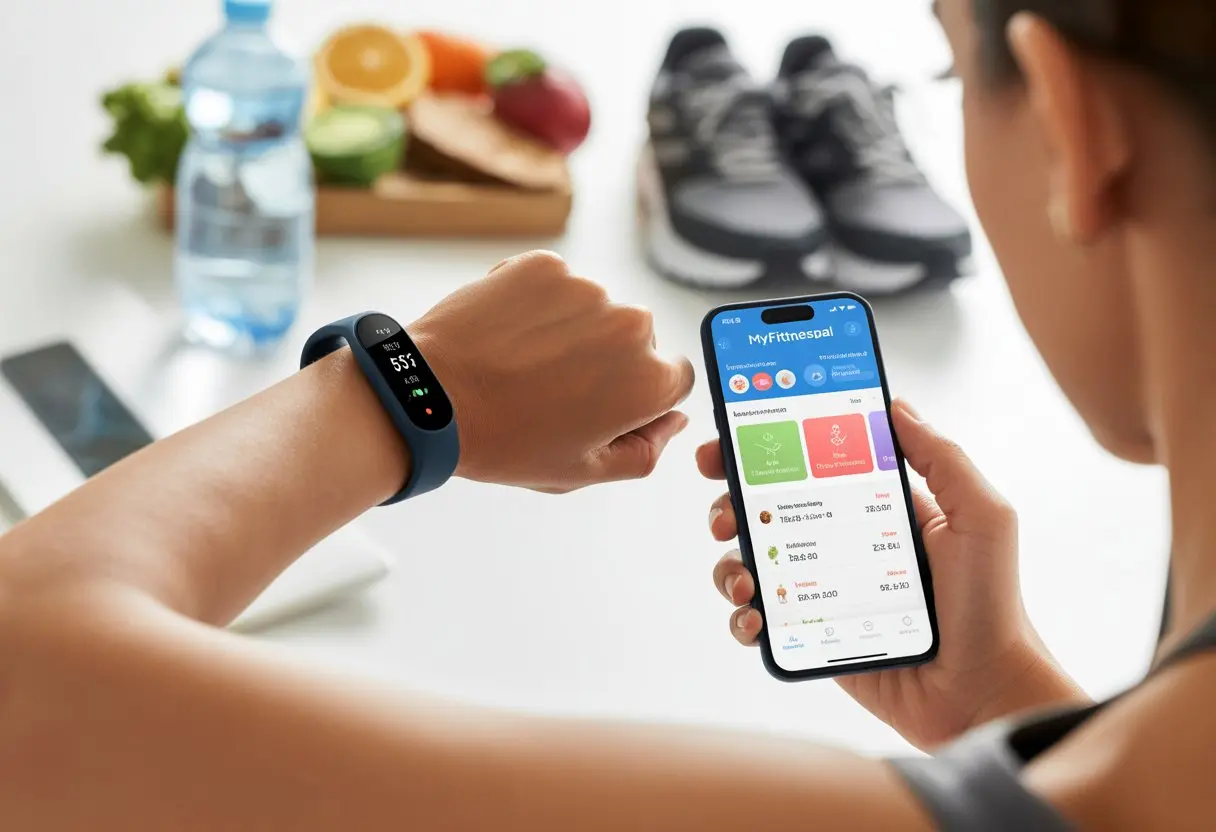
When we connect a fitness tracker to MyFitnessPal, our steps, workouts, and burned calories just show up in the app. It makes staying on top of our goals so much easier.
No more double logging, no more guessing if that slice of cake was “earned.” MyFitnessPal works with most big-name devices—Fitbit, Garmin, Samsung Health—so odds are good you’ll have a smooth setup. It’s like making our tracker and phone besties for our health.
Honestly, the simpler it is to log activity, the more likely we are to stick with it. Let the gadgets do the work.
That way, we can focus on the important stuff—like what to eat after a workout. Or which playlist will get us through those last few reps.
Getting Started: Fitness Trackers and MyFitnessPal
Pairing a fitness tracker with MyFitnessPal is kind of like peanut butter and jelly. They just work better together.
This combo tracks food, steps, and workouts without breaking a sweat—well, until we actually work out.
Overview of MyFitnessPal and Fitness Trackers
With MyFitnessPal, we log meals and calories. The database is huge—over 20 million foods—so that weird salad dressing you found? It’s probably in there.
The barcode scanner makes logging food almost too easy. It feels more like a game than a chore.
Fitness trackers like Fitbit or Apple Watch handle the step counting, heart rate, and workouts for us. When we sync a tracker, exercise stats pop right into MyFitnessPal.
No more entering every sweaty minute by hand. And hey, no need to exaggerate about that epic jog.
Linking most trackers is straightforward. Just tap into the “Apps & Devices” section in MyFitnessPal’s menu.
Once connected, steps and calorie burn flow into the app, so we see everything in one place. If you want a walk-through, check out this MyFitnessPal YouTube guide.
Choosing the Right Device
Picking a fitness tracker is a bit like shopping for jeans. What works for your friend might not work for you.
Think about which features actually motivate you. Some of us want simple step tracking, while others want heart rate, sleep scores, or reminders to get off the couch.
Popular choices include:
| Device | Key Features | Best For |
|---|---|---|
| Fitbit | Steps, heart rate, sleep | Everyday tracking |
| Apple Watch | Activity, apps, notifications | iPhone users |
| Garmin | GPS, workouts | Runners & cyclists |
| Xiaomi | Basic tracking, affordability | Budget-conscious users |
Compatibility matters. Most trackers pair easily with MyFitnessPal on iPhone or Android.
Before buying, double-check that your gadget syncs directly—no one wants a complicated workaround.
Battery life, comfort, style—these things matter too. Would you wear it every day? If not, it’s probably not the right pick.
Connecting Your Fitness Tracker to MyFitnessPal
Let’s be honest, syncing a fitness tracker with MyFitnessPal sounds simple, but sometimes tech has other ideas. Still, with a few steps, we can get our apps talking and our stats syncing.
Setting Up Your Account
First, make sure you’ve got accounts for both MyFitnessPal and your tracker’s app. It’s like remembering both shoes for the gym—kind of important.
Download the MyFitnessPal app, then sign in or create an account.
If you’re using Fitbit, grab the Fitbit app too. Make sure both apps are up to date.
Nobody wants their tech playing hide and seek just when they’re ready to get moving.
Inside MyFitnessPal, go to the menu (usually three lines in the corner—yeah, the ‘hamburger’). Tap “Apps & Devices.”
That’s where the real action starts.
Syncing Your Devices
Find your tracker’s brand—Fitbit, Garmin, whatever you’re rocking—in “Apps & Devices.” Tap it, then hit “Connect.”
You’ll probably need to log into your tracker account, so have your password ready (or at least try to remember it).
If permissions pop up, just hit “Allow.” It’s the digital handshake that lets your devices share info.
A progress bar or loading circle might show up. That’s just the apps doing their thing.
Once it’s done, your tracker’s activity data should appear in MyFitnessPal. If you jogged to the mailbox, it’ll know.
Troubleshooting Common Problems
Sometimes, syncing just won’t happen, and it’s honestly annoying. If data isn’t showing up, check if both accounts are connected.
Try restarting both apps—or the classic “turn it off and on again” for your phone. It works more often than you’d think.
Make sure both apps are updated. Updates can fix a ton of weird issues.
If Fitbit is being stubborn, check the Fitbit FAQ for more help.
Still stuck? Disconnect and reconnect your tracker. Sometimes it just needs a fresh start.
Tracking Your Daily Activity and Exercise
We all secretly want to know if those 10,000 steps are actually doing anything, or if walking to the fridge is our main workout. Syncing a fitness tracker with MyFitnessPal lets us see our steps, activity, and workouts all in one place.
It’s a great way to make every step and squat count. Plus, it keeps us honest (and gives us an excuse to brag).
Steps and Activity Level
Counting steps is basically the adult version of collecting Pokémon. Most trackers keep track of every step, whether we’re power walking or just pacing around the kitchen.
When we sync with MyFitnessPal, all that step data appears in the app. No need to count anything by hand.
Our activity level is more than just steps, though. MyFitnessPal lets us set our general activity—sedentary, lightly active, or active.
If we spend more time in a chair than at the gym, let’s be real about it. When our tracker reports more movement, the app updates calorie goals automatically.
For more details, check out this official overview.
Logging Exercise Routines
Logging workouts in MyFitnessPal should be as quick as flexing in the mirror—ideally, even quicker.
We can add exercises manually by searching the app’s workout library. Or just let our synced tracker do the work.
It pulls in our runs, bike rides, and workouts, then adds burned calories to our daily totals.
We can look at workouts by type—running, yoga, “aggressive vacuuming”—or by calorie burn. The more accurate our info, the better our stats.
If you want a simple guide, check out using MyFitnessPal to track your routines.
Mastering Food and Calorie Tracking
Tracking what we eat sounds tedious, but MyFitnessPal makes it… well, maybe not fun, but definitely less painful.
Knowing what goes into our bodies helps us eat better and actually hit nutrition goals. Maybe we’ll finally figure out where those mysterious snack pounds come from.
Logging Calories and Foods
Honestly, nobody wants to do math after a long day. With MyFitnessPal, we don’t have to.
We can search for foods in a database of over 20 million items, scan barcodes in the kitchen, or use the meal scan and voice logging features. If we made something from scratch, we can add a homemade meal with ingredients.
Here’s how logging can be super easy:
- Scan barcodes on packaged foods
- Search the database for restaurant meals or home-cooked stuff
- Manually add recipes and save them for later
We get instant feedback on our caloric intake. If we’re in the green, awesome. If that third cookie pushed us over—well, at least we know (learn more about food tracking).
Managing Macros and Nutrition Goals
Calories are just the start. MyFitnessPal breaks down protein, carbs, and fats so we can balance our diet.
Adjusting nutrition goals is easy—just head to the ‘goals’ section and set custom targets for each macro.
Here’s a quick cheat sheet:
| Macro | Why It Matters | Tips to Track |
|---|---|---|
| Protein | Builds and repairs muscle | Log meats, dairy, and legumes |
| Carbs | Provides energy | Track rice, pasta, fruits, bread |
| Fats | Supports cell functions | Watch oils, butter, and nuts |
Tweaking our macro balance can help us lose weight, gain muscle, or just feel less sluggish after lunch (see how to set nutrition goals).
The trick is to keep it simple. No need to turn nutrition into a puzzle.
Using MyFitnessPal for Weight Management
We can use MyFitnessPal to help reach weight goals—whether we’re losing pounds or building muscle.
Keeping an honest food diary and tracking exercise makes everything clearer. And, let’s be honest, it’s a lot harder to pretend that fifth cookie didn’t happen.
Weight Loss Strategies
If we’re trying to lose some extra fluff, MyFitnessPal makes it easier to track what we eat—even those “just a taste” moments that somehow become a second dinner.
When we log each meal and snack, we see how many calories we’re actually eating compared to what we’re burning.
Let’s be honest, it’s easy to forget that salad dressing counts. Tracking helps us spot those sneaky calories and keeps us from blaming the scale for being “broken.”
Setting a clear calorie goal in the app, based on our weight, activity, and how fast we want to lose, gets us started.
MyFitnessPal figures out how our metabolism works by calculating calories burned during exercise.
We can track walks, gym sessions, or even “extreme laundry folding”—it all adds up.
If you want more tips, check out this simple guide on how MyFitnessPal works for weight loss.
Supporting Healthy Weight Gain
If you’re hoping your pants fit a little tighter (in a good way), MyFitnessPal can help you gain weight in a healthy way.
The app lets us log all our meals, snacks, and shakes, so we know if we’re actually eating enough—not just thinking about food all day.
We can set a calorie goal that’s above our daily needs and keep an eye on protein, carbs, and fat.
That way, we’re not just loading up on donut holes but actually fueling our bodies to build muscle and energy.
Tracking workouts in MyFitnessPal helps too, since exercise burns calories and sometimes means we need to eat more (someone’s got to do it).
Adding snacks like nuts, cheese, smoothies, and yogurt can boost our intake without leaving us stuffed at every meal.
MyFitnessPal’s progress charts turn weight gain into a mini celebration every time the graph goes up—sometimes victory looks like a belt notch in the other direction.
If you want more details, there’s a helpful tutorial on getting started with MyFitnessPal.
Enhancing Your Health and Wellness Insights
When we connect a fitness tracker to MyFitnessPal, we start collecting a ton of info about our bodies.
With all this data, we’re not just counting steps—we’re actually seeing stories about our health we might’ve missed.
Understanding Blood Pressure and Health Metrics
Using a fitness tracker with MyFitnessPal turns us into part-time health detectives.
MyFitnessPal doesn’t track blood pressure directly, but some trackers do. If our device supports it, we can connect those apps or devices to MyFitnessPal and always have our readings handy.
Here’s what we usually get from a tracker:
| Health Metric | What It Tells Us |
|---|---|
| Steps | Our total movement for the day |
| Heart Rate | How hard our heart is working |
| Blood Pressure* | How much pressure is inside our arteries |
| Sleep Patterns | How well we rest at night |
*Blood pressure needs compatible devices, and it’s smart to double-check readings before texting our moms about being superheroes.
The best part? Having all our fitness and nutrition info in one place helps us spot trends—like salty dinners raising our blood pressure, or stress spiking our heart rate.
It takes a lot of the guesswork out of understanding what our bodies are trying to say.
Making Sense of Your Progress
All those graphs and numbers are nice, but how do we really know if we’re making progress—besides noticing our pants fit differently?
MyFitnessPal lets us log meals, track workouts, and check our progress with charts that don’t require a PhD.
To stay motivated, we can:
- Check our daily and weekly trends
- Set goals for steps, water, or exercise minutes
- Watch for changes in metrics, like more steps lowering resting heart rate
Pro tip: Pairing fitness tracker data with food logs gives us those “Aha!” moments.
We might notice more veggies means better sleep or that late-night snacks aren’t great for morning walks.
If we need more help, the MyFitnessPal app offers extra tools and tips so we don’t have to do it solo.
Keeping our data updated and glancing at it often helps us stay on track—no detective hat required.
Leveraging Features and Community
Using a fitness tracker with MyFitnessPal isn’t just about counting calories and steps.
We get to unlock features that make reaching our goals a little less like a chore and a little more like a team sport (but without the awkward team photos).
Exploring Recipes and Nutrition Tips
Let’s face it—eating the same lunch every day gets old fast.
Luckily, MyFitnessPal comes through with loads of new recipes and nutrition tips.
The app offers meal ideas for different diets, whether we’re gluten-free, vegan, or just trying to eat fewer chicken nuggets.
Honestly, the recipe importer is a lifesaver. We can add any online recipe by pasting the link—MyFitnessPal does the math and gives us the nutrition facts.
Even Grandma’s casserole isn’t a mystery anymore.
Need a quick breakfast? Looking for low-carb snacks for late-night cravings? There’s a list for that.
The MyFitnessPal community shares meal photos and tips so we’re never left out of the foodie fun.
Engaging with MyFitnessPal Forums
Nobody likes feeling alone on their fitness journey—especially when it seems like everyone else is running marathons before breakfast.
That’s where MyFitnessPal’s forums help out.
We can post questions, swap workout stories, or just vent about our cheat days (yes, days).
There are sections for recipes, nutrition, and tech tips for syncing our fitness tracker with the app.
We can follow threads for advice, create new topics, or join groups with similar interests.
Whether we want support, answers to tricky calorie questions, or a place to brag about finally saying no to cake, MyFitnessPal forums keep us connected.
And hey, who doesn’t want a few digital high-fives now and then?
Tips for Improving Accuracy and Staying Motivated
Tracking every calorie and step tests our patience sometimes, but accuracy and motivation both matter.
Let’s see how we can make our fitness tracker and MyFitnessPal work smarter (and maybe have a little fun along the way).
Ensuring Data Accuracy
To get the truth out of MyFitnessPal, we’ve got to give it the truth. Guessing isn’t our friend—unless it’s a game show, then sure, go wild!
- Weigh and measure everything. Eyeballing a serving size is risky. A digital kitchen scale saves the day.
- Match entries correctly. Pick food entries that are as close as possible to what we actually ate. Many users suggest double-checking nutrition labels in MyFitnessPal to avoid mystery macros.
- Sync devices often. Our tracker only helps if it’s up to date. Let’s reconnect devices after software updates so every step, jump, and awkward dance move actually counts.
- Input activity honestly. It’s tempting to pad our calories burned, but we’re only tricking ourselves. If in doubt, overestimate calories eaten and underestimate exercise.
When we get our numbers right, our progress tracker tells the truth. (Unless it’s April Fool’s Day—then all bets are off.)
Maintaining Momentum and Good Habits
Let’s be honest: keeping up the momentum is tough, but our motivation can be even tougher. Tracking isn’t just numbers—it’s about making sure our sneakers don’t just sit there collecting dust.
We can shake things up by:
- Setting goals that actually excite us. Maybe it’s beating last week’s steps, or finally managing three push-ups without face-planting.
- Starter streaks: There’s something weirdly satisfying about seeing, “You’ve logged in 7 days in a row!” It feels like a tiny lottery win, except the prize is better habits.
- Join challenges: MyFitnessPal throws out group challenges and fun events like mud runs. Honestly, crawling through mud for a t-shirt? That’s motivation with a side of adventure.
- Celebrate milestones, big or small. Hit 10,000 steps? Chose veggies over chips? That deserves a cheer, or at least a high-five from yourself.
With a bit of creativity and some self-cheering, we’ll keep moving—sometimes literally—toward our goals. One honest entry and a clumsy warm-up at a time.

From a young age, I have always had a big interest in technology, and this blog is an extension of that interest. Through this blog, I hope to provide others with all of the information they need regarding tech options to consider, and things such as compatibility. Some of the different items I will be discussing include headphones, smartwatches, and how to fix common issues.
- How to Get Text Messages on Fitbit Versa 2 Android: Simple Guide for Users - October 13, 2026
- Why Doesn’t My Fitbit Record My Sleep? Quick Troubleshooting Guide - October 13, 2026
- How to Change Face on Fitbit Versa 2: Quick and Easy Guide - October 12, 2026
Related Posts: