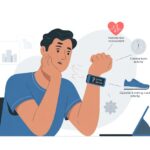
We’ve all had those moments when our fitness tracker acts like we’re running a marathon through the living room or crawling at a snail’s pace. Sometimes, it almost feels like these gadgets have a secret sense of humor.
Usually, our fitness trackers show inaccurate distance because of GPS signal problems, stride length calibration issues, or outdated settings.
Sometimes, our tracker just loses GPS for a second. Or it decides our stride is suddenly Olympic-level, even if we’re just shuffling to the kitchen.
Software updates and low-power modes can mess with the device, too, making it guess our distance in some pretty creative ways. If you’re curious about what’s really going on and want to fix it, let’s try to untangle this mess and save our pride from these overenthusiastic step counters.
How Fitness Trackers Measure Distance
Our fitness trackers love to keep us guessing, but their weird numbers come from how they use different sensors.
To really understand those “magical” mile totals, we need to look at GPS, how our stride gets measured, and what those tiny motion sensors are up to.
The Role of GPS Technology
When our fitness tracker brags about an outdoor run, it uses GPS to track our position with signals from satellites. The device checks our location every few seconds and figures out how far we’ve gone by measuring the distance between those points.
If we zigzag, wander under thick trees, or walk through tunnels, the GPS can get confused and either add or skip chunks of distance. Devices with fancy GPS (like some iPhones or high-end watches) usually get closer to the truth, but errors sneak in if we lose signal or run next to tall buildings.
It’s not perfect. But when GPS behaves, it usually gives us the most accurate reading compared to other methods.
For more details, check out this GPS accuracy comparison between fitness watches and phones.
The Impact of Stride Length Calculation
When we walk on a treadmill, go indoors, or wander into a GPS dead zone, our tracker starts guessing. It counts our steps and multiplies by our stride length—that’s how far we go in a single step.
But here’s the catch: stride length isn’t the same for everyone. If we shuffle, speed up, or suddenly do jumping jacks, our stride changes, and the tracker doesn’t always catch up.
Most devices try to learn our normal stride when we calibrate them outside. Even Apple suggests calibrating for better accuracy.
When our tracker gets stride length wrong, it can over- or underestimate our distance by a lot. Some folks have seen up to a 25% difference between what they actually did and what their tracker says, especially during repeat workouts.
Accelerometers and Motion Sensors
Now, let’s talk about the unsung heroes: accelerometers and motion sensors. These tiny gadgets live inside our tracker and count every arm swing.
They track how fast we move and try to figure out if we’re walking, running, or just flailing around (waving at neighbors counts, apparently).
Without GPS, these sensors do their best detective work, using our motion patterns to guess our steps and distance. But if we swing our arm a lot, they might give us a “bonus lap” we didn’t really earn.
On the bright side, accelerometers let us track activity where GPS can’t reach—like pacing around the living room. But without calibration and a good stride length, their guesses can be way off, as shown in stories of inaccurate distance tracking when using only these sensors.
Common Reasons for Inaccurate Distance Readings
When our fitness trackers start spitting out weird numbers, there are a few usual suspects. Getting accurate distance often depends on a good GPS signal, the right settings, and making sure our devices aren’t being stubborn or outdated.
GPS Signal Issues and Interference
Sometimes, our trackers seem just as confused about distance as we are before our morning coffee.
If we run indoors, near tall buildings, or in thick woods, GPS can struggle. Skyscrapers and trees love to block signals, forcing our devices to guess or measure distance all wrong.
Heavy clouds, rain, or even holding our phone in the wrong spot can mess with accuracy. Some devices, like certain Garmins and Fitbits, act up when the GPS connection is weak, and suddenly our mileage looks like it came from another universe.
We can help by letting our tracker get a strong satellite lock before moving. Sometimes, just waiting fifteen seconds before hitting “start workout” does the trick.
Incorrect User Settings
Who knew our own info could mess us up? If the Fitbit or Apple Activity app has the wrong height, weight, or stride length, our distances become as accurate as a fish story.
Wearing the tracker on the wrong wrist or too loosely can throw things off, too. Some apps let us calibrate—definitely worth a try if our numbers seem fishy.
Settings might default to weird measurements after an update or if we accidentally change something. Always double-check personal info and recalibrate if things get weird. Apple even suggests recalibrating when distance readings stop making sense.
Device Firmware and App Glitches
As much as we love our gadgets, they can be a bit dramatic. Whether we use watchOS, Garmin, or Fitbit, outdated firmware or buggy updates can confuse the distance tracker.
Sometimes, the app freezes, glitches, or just skips parts of our run. This might mean random jumps, missing chunks, or refusing to measure anything at all.
Restarting our device, updating to the latest software, or reinstalling the app usually helps. Community forums like Fitbit and Apple have loads of troubleshooting tips from others who’ve been there.
Being our device’s IT support wasn’t in the plan, but sometimes it’s the only way to get accurate results.
Brand-Specific Distance Tracking Quirks
Fitness trackers can be finicky, and each brand adds its own twist to measuring our runs and walks.
Ever wonder how a straight path becomes a zig-zag, or how a 5-mile jog turns into 4.7 or 5.3? You’re not alone.
Fitbit and the Case of the Missing Kilometers
We love our Fitbits, but sometimes they act like math is optional. The Fitbit Charge and other models often record less distance than we actually cover—especially indoors or on tracks.
GPS accuracy depends on having a clear sky. If we’re inside or near tall buildings, the tracker guesses based on our steps.
If we haven’t set up our stride length, Fitbit just uses a generic value. That’s how our 3-kilometer walk can shrink to 2.7 kilometers in no time.
A quick fix is to manually calibrate our stride length and check if our firmware is updated. It’s a small step, but it helps recover those “lost” kilometers and keeps us from blaming the coffee shop for being farther away than it really is.
Apple Watch: When the Ring Refuses to Close
Apple Watch keeps us moving with those colorful rings—but sometimes, after a long stroll, the rings just won’t close.
WatchOS uses a mix of GPS, motion sensors, and our own movement patterns, which can backfire in certain situations.
If we’re on a treadmill or walking somewhere with weak GPS, the Apple Watch can struggle to judge our distance. Sometimes, the calculated stride doesn’t match our real step size, especially after an update or if our walking style changes.
For a quick fix, we can recalibrate our Apple Watch by walking or running with our iPhone in an open area. It won’t close the rings instantly, but it sure beats running circles around the kitchen.
Garmin Forerunner and Strava Synchronization Woes
Let’s talk about the Garmin Forerunner and its sometimes rocky friendship with Strava.
Our Forerunner usually nails the distance, but when we upload to Strava, it might shave off a few meters. This isn’t sabotage—it’s just that each service processes GPS data differently.
Garmin and Strava use different algorithms. Garmin might be generous with sharp turns, while Strava loves straight lines. If Strava says we’re a tenth of a mile behind, it’s probably not because we stopped for a snack—it’s just a tech quirk.
If we want consistency, we can stick to one app or compare them side by side to see who wins the “accuracy” contest this week. At least our pets can’t read our stats and laugh at the difference.
Troubleshooting Inaccurate Distance Measurements
Keeping our fitness tracker honest takes more than just wearing it and hoping for the best.
Let’s look at the most common trouble spots and how we can fix them, so our runs, walks, and dance-offs are measured right.
Calibrating Your Fitness Tracker
So, our fitbit charge or other trusty companion thinks we’re running marathons just by walking to the fridge. Calibration is basically the secret handshake between us and our device.
We can calibrate by letting the fitness tracker learn our stride. On some devices, like Apple Watch, we need to go outside, turn on GPS, and walk or run at a natural pace for about 20 minutes.
Yes, it might look odd lapping the driveway, but it works. On many trackers, calibration hides deep in the menus.
In the Fitbit app, we can update our stride lengths in the settings. Calibrating helps our tracker play nice with GPS, so wild step counts and weird distances happen less, even when GPS acts up.
For Apple Watches, more help is on the official calibration tips.
Updating Software and Apps
Fitness trackers aren’t like fine wine—they don’t magically improve with age. Unless we update them, they just get stuck in their old ways. Developers roll out software and Fitbit app updates to squash bugs that mess up our distance readings. If we ignore those updates, our tracker might think we ran a marathon when really, we just jogged for pizza.
Here’s a checklist to keep devices sharp:
Make sure both the tracker and phone have the latest apps.
Restart the tracker after updates. It’s like a quick nap for our wearables.
If we use a third-party activity app, check for its updates too.
A simple update and restart usually fix most distance glitches. If things still seem off, reinstalling the app sometimes works wonders—like flipping the lights off and on and hoping for the best.
Checking for Hardware Issues
Sometimes, it’s not us—it’s the hardware. Fitness trackers aren’t indestructible (not yet, anyway). If our device took a dive in the pool, bounced off the floor, or went for a spin in the laundry, accuracy can drop fast.
Let’s check for:
Cracked screens
Malfunctioning sensors
Worn wristbands or loose devices
If everything looks fine but the tracker keeps inventing wild numbers, we might need to unpair and reset it. Apple Watch users can sometimes fix issues with a full unpair and reset.
If none of that works, it might be time to contact support or finally admit the tracker needs to retire.
Special Cases: Indoor and Treadmill Runs
When we swap outdoor trails for the great indoors, tracking steps and miles gets a bit trickier. Fitness trackers have to use different tricks to estimate distance, and that’s where things can get weird—or just hilarious.
Challenges of Tracking Distance Indoors
Running or walking inside seems easy—until our trackers get involved. Most devices rely on our arm swings and stride length to guess how far we’ve gone. The problem? Our stride isn’t always the same, especially if we’re dodging toys or trying not to trip over the dog.
If our stride length is set wrong, our stats might look like we ran a marathon in a closet. On treadmills, things get even weirder. The treadmill knows exactly how much its belt moved, but our tracker? It’s just guessing, based on how many times we swung our arms.
This can lead to a mismatch in distance, with the watch sometimes showing way more or way less than what the treadmill says. Sometimes, it feels like we teleported—or barely moved. Plenty of people have noticed this gap in accuracy between trackers and treadmill numbers.
Improving Treadmill Accuracy
Luckily, we can make things more accurate. Most trackers let us calibrate our stride length. Taking the tracker for a solid walk or run outside (where GPS works) helps it learn how we really move.
This makes indoor readings a little smarter, and less likely to think we moonwalked through the living room. If the tracker gets way off, we can reset its calibration data and start over.
On the treadmill, it helps to run at a steady pace and swing our arms naturally. Some trackers let us manually correct the distance after a workout—a lifesaver if it decides we only ran to the fridge and back.
If nothing helps, we can always compare the treadmill’s reading (measured by the belt) to our tracker’s guesswork. Just don’t expect them to ever agree. For more on why this happens, check out this deep dive on treadmill accuracy.
Tips to Improve Your Fitness Tracker’s Distance Accuracy
Getting fitness trackers to show the right distance isn’t always easy. Small tweaks in how we use and wear them can make a big difference in the numbers we see.
Wearing Your Device Correctly
If we just slap the tracker on in a hurry, we’re basically asking it to guess our steps. Instead, we should wear it snug above the wrist bone—not too loose, not cutting off circulation.
For walking or running, letting our arms swing naturally helps the tracker count steps better. Holding a water bottle or phone in the same hand as the device can really confuse it.
Some trackers, especially the non-GPS ones, get mixed up if we push a stroller or hold onto a treadmill.
Tip: If we switch wrists or swap trackers, let the device or app know so it can adjust. If the tracker offers calibration, use it every so often.
This helps it learn our pace and stride, which can boost accuracy. Apple Watch users can get better workout and activity tracking with proper calibration.
Optimizing GPS Use
Trackers love clear skies even more than we do. GPS needs a strong satellite signal, so thick trees, tall buildings, or tossing the device in a bag can really mess things up.
If our tracker has built-in GPS, starting a workout in an open area helps it lock onto satellites. Keeping the device’s software updated is also a good idea—updates often fix bugs and improve GPS performance.
To get the best results, we should wait a moment before moving so the GPS can connect fully. Think of it as stretching, but for our tracker.
If our tracker lets us download maps or sync routes in advance, it’s worth doing before heading out.
For city runs, expect a few skips in the data if we zigzag between skyscrapers. If problems keep popping up, recalibrating or restarting the device can help.
As plenty of users have discussed in forums, sometimes a fresh start or software update is all it takes to fix distance discrepancies.
When to Consult the Experts
Sometimes, fitness trackers just leave us scratching our heads. If we’ve tried everything and still can’t get things right, it might be time to get real help.
Using Support Platforms Like JustAnswer
Sometimes, no matter what we try, we end up logging marathons from the comfort of our couch. At that point, it just makes sense to reach out for help from actual people.
Platforms like JustAnswer let us talk directly to tech wizards who’ve probably seen every bizarre glitch out there. I mean, they’ve probably even dealt with that wild 50,000-step spike you got while napping.
When the Fitbit app or Activity app starts inventing distances, we can hop onto JustAnswer and ask for advice that fits our specific device. The experts there walk us through checking stride settings, GPS quirks, or those weird syncing bugs that make no sense.
If you’re totally stumped, a quick chat with someone who knows their stuff can save hours of frustration. Sometimes, it’s honestly what keeps us from just chucking our trackers out the window.
Hi, my name is Garrett Jones, and I am a tech enthusiast. I enjoy researching the new tech that has been released, and have a vast knowledge of the best tech to purchase.
From a young age, I have always had a big interest in technology, and this blog is an extension of that interest. Through this blog, I hope to provide others with all of the information they need regarding tech options to consider, and things such as compatibility. Some of the different items I will be discussing include headphones, smartwatches, and how to fix common issues.