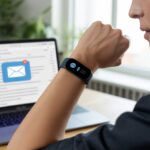
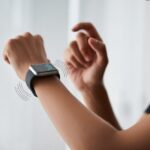
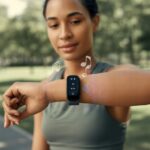
We’ve all been there—ignoring our phones, only to realize we missed something important. Or, maybe worse, missing our daily step goal. That’s where fitness trackers step in, quietly buzzing on our wrists like a persistent squirrel trying to get our attention—no blaring alarms needed.
With a fitness tracker, we set up vibration alerts to nudge us to move, track progress, or wake up gently—without scaring our pets half to death.
Vibration alerts are easy to use and honestly pretty great. Most trackers let us program different buzzes for things like walk reminders or exercise goals (and it’s a little thrill every time).
If you want more, some slim trackers or clip-ons send vibrating reminders so you don’t forget what you’re supposed to be doing.
Let’s be real—our brains are forgetful. A fitness tracker with vibration alerts feels like a personal assistant on your wrist, but without the HR paperwork.
Whether you want reminders to drink water, move, or just check notifications, vibration alerts keep you on track in a way that’s quiet but stubborn.
Getting Started With Vibration Alerts
When we set up vibration alerts on our tracker, we stop missing steps, texts, or meetings. Calls, texts, alarms, and those classic reminders to move all get a buzz.
Pairing Your Phone
First things first, we need to pair our fitness tracker with our phone using Bluetooth. Most trackers—think Apple Watch or Fitbit—want us to use their app for this.
We open the app, hit “Add Device,” and let it scan for our tracker. It’s a bit like a school dance, but less awkward.
When the tracker pops up, we tap it and maybe enter a code or confirm a prompt. If there’s a code, it usually flashes right on the watch face.
Once it connects, the app throws up a satisfying “Connected” message. Pro tip: Keep the manual handy—every tracker has its own quirks.
Setting Up Notifications
Notifications are the main event. Inside the app, we look for “Notifications,” “Sounds & Alerts,” or something similar.
We pick what we want our wrist to buzz for—calls, texts, calendar stuff, alarms, or move reminders.
Trackers like Garmin let us tweak even more, like changing vibration strength or setting vibration-only for quiet times. That way, we avoid getting kicked out of class or the library for a rogue beep.
Setting this up right means we only get buzzed for what matters, not every time someone likes a cat meme.
Need more control? Some trackers let us mute certain app notifications or hit “Do Not Disturb” straight from the watch face.
Vibration alerts act as our silent, wearable nudge. When we get a text, call, calendar event, or that “stand up” reminder, the tracker vibrates and keeps us in the loop.
Most trackers let us choose vibration levels—light, medium, or “wake the neighbors”—so we don’t miss an alert by accident.
Some, like the vivosmart 5, let us set the buzz strength in the settings menu.
Here’s a quick comparison of alert types:
Alert Type
Example
Who Needs It?
Calls & Texts
Incoming call, SMS
Social butterflies
Silent Alarms
Wake up or reminders
Heavy sleepers
Activity Reminders
“Time to move!”
Desk warriors
App Alerts
Social, news, etc.
Information junkies
With notifications set, we can finally stop missing out—whether it’s a step goal or a dad joke sent via text.
Customizing Vibrations for Different Activities
Honestly, nobody wants to miss a thing while tracking workouts, heart rate, or even just steps. Setting up vibration alerts that match what we’re doing keeps us on top of goals and helps avoid missing those milestones.
Exercise Modes and Alerts
When we’re running, cycling, or swimming, vibration alerts keep us motivated and on track—no need to stare at our wrists every two minutes.
These alerts tell us if we’ve hit a step goal, earned active zone minutes, or reached a set distance or time. It’s like having a cheerleader who buzzes instead of shouts.
Some trackers use different vibration patterns for different milestones. For example, a distance alert might be a double buzz, while a new intensity minute could just be a single tap.
On Garmin, we can adjust the vibration level for activities, so only we know about our fastest mile. Want extra motivation? Set reminders to move if you’ve been sitting too long.
Here’s a quick table of what we might customize:
Activity
Alert Types
Vibration Option
Running
Distance, goals, splits
Pattern, intensity
Cycling
Speed, cadence, heart rate
Length, frequency
Swimming
Lap, duration
Strength, repeat
Heart Rate Vibrations
Our heart rate monitor isn’t just a number game—it buzzes us when our heart rate jumps or drops.
If we leave our target zone during training, a strong vibration gets our attention. That’s pretty important when we want to stay in fat-burning mode, chase vo2 max, or avoid turning a jog into an “oops, too much” moment.
Many trackers let us set custom alerts for high or low heart rates, so we know if we’re pushing the limits—without any drama. We can even get warnings for abnormal heart rate, which is way better than guessing.
And for the multitaskers, you can set these alerts so only the important ones buzz and interrupt your music.
With smart customization, we keep our tracking sharp and our wrists buzzing only when it matters.
Using Vibration Alerts In Daily Life
Vibration alerts on fitness trackers help us stay on schedule and get where we’re going—even if our phone’s on silent or music’s blasting.
With these handy buzzes, we stay connected without making a scene.
Reminders, Timers, and Alarms
Let’s be honest, we forget stuff. With a fitness tracker, we can set reminders and timers that buzz our wrists when it’s time to move, eat, or water our sad little plants.
If you’re forgetful, these silent nudges can be lifesavers—especially in class, at work, or when you’re just trying to ignore your inbox.
At bedtime, silent alarms wake us gently or remind us to wind down for better sleep tracking and a higher sleep score. No more jumping out of bed because your phone shrieked.
With do not disturb mode, trackers won’t wake us at 3 a.m. unless it’s really needed.
Cooking? The countdown timer saves us from burnt toast (again). Exercising? Let the tracker buzz when we’ve hit our daily goal or need to switch sets.
Even the stopwatch feels friendlier with a gentle vibration instead of a beep that gets us side-eyed at the gym.
Navigation With Vibration
Directions can be confusing, but our fitness tracker helps out. With tiny vibrations, our smartwatch guides us through new cities, trails, or even just the maze of a shopping mall.
Thanks to connected GPS, navigation features, and sometimes a compass or real-time pace, we get buzzed for every turn or “oops, missed it, try again.”
This is especially handy if we’re listening to music—no need to take off headphones or squint at a tiny screen.
With vibration alerts, we keep our eyes up and on the path. Whether we’re tracking distance, checking clocks, or flipping watch faces, a buzz tells us what’s next.
It’s the easiest way to avoid walking into a tree. Well, at least to keep it from happening twice in a week.
Optimizing Your Fitness Tracker For Vibration Alerts
Getting the most from a fitness tracker takes a bit more than just strapping it on. If we want serious buzz for our bucks, we have to tweak alert settings and keep an eye on battery life so our wrists don’t go awkwardly silent halfway through the day.
System Settings and Customization
Let’s dive into the sometimes-messy world of system settings. Usually, we find them on the watch or buried in the app.
We need to make sure vibration is on for notifications and alerts—look for settings like Sounds and Alerts or Alert Vibration.
Some trackers let us pick the actual vibration level, which is perfect if you want a strong buzz but not a mini-earthquake.
If our tracker has a touchscreen, tapping and swiping through menus might take a bit to get used to.
We can check the watch face for status icons to see if vibration is active.
It’s smart to check for product updates, since they sometimes add new alert options or fix bugs that make things too quiet.
To double-check device info, we can peek at the e-label or digital info screen, usually hiding somewhere in the settings or behind a few hopeful taps.
Regular updates and menu explorations help keep our vibration alerts running right—and our patience mostly intact.
Battery Life and Charging Tips
Nothing kills our alert game faster than a dead battery. When we mess with vibration strength, heavy vibes drain more power, so finding that sweet spot really matters.
Lowering brightness or switching off features we never use helps save juice for those crucial buzzes.
We should charge the watch regularly, but overcharging? Not a great idea—our wrists (and wallets) will be happier if we avoid it.
Most models show a battery life estimate right on the watch face, which makes it way easier to plan around busy days or last-minute workouts.
Caring for our device isn’t just about charging. Cleaning the watch—especially the sensor and charging pins—keeps battery life strong and alerts sharp.
If we forget how to charge or care for our tracker, a quick peek at the official e-label or support site will jog our memory (probably faster than our last run).
For more battery tips specific to your device, check your manual or support page.
Brand-Specific Vibration Features and Tricks
Every brand adds its own twist to vibration alerts. We can use these smart features to wake up, get moving, or keep up with important messages—without bugging everyone around us.
Using Vibration Alerts on Fitbit
With Fitbit, we set strong vibration alerts for step goals, reminders to move, or even bedtime routines.
If we usually ignore silent nudges, Fitbit’s vibrations feel more like a persistent toddler—pretty hard to miss!
Inside the Fitbit app, under Settings, we pick which notifications buzz our wrists, like calls or texts.
Newer Fitbit models let us change vibration strength or set different styles for each notification.
Sleep tracking gets a boost too—Fitbit wakes us up with silent alarms, so we skip the blaring noises and get gentle vibrations instead.
Adjusting these is simple: tap device settings, scroll to vibration options, and tweak as needed.
Go to More > Devices > Sounds and Alerts in the app.
From there, we can turn on vibration alerts during activities, daily workouts, or adjust the strength for a “hey, wake up!” kind of buzz.
If we want the wrist to nudge us when we’re slacking off, Garmin’s got it covered.
Community tips for vibration settings during workouts are on this Garmin forum post.
Vibration Alerts With Apple Watch
The Apple Watch does a little bit of everything (if “everything” fits on your wrist).
Vibration alerts show up as haptic feedback—a gentle tap for app notifications, reminders to stand, and more.
We customize which alerts vibrate in the Watch app on our iPhone, picking from calls, texts, and calendar stuff.
If we need a silent alarm, Apple Watch wakes us up without waking anyone else.
It tracks activity smartly too: our wrist buzzes when we hit standing or move goals, or when it’s time to get up and shake off the couch-potato blues.
In Settings > Sounds & Haptics, we can even boost the vibration intensity if we tend to snooze through the regular ones.
Apple Watch keeps us connected—without beeping at everyone around us.
Troubleshooting and Enhancing Your Experience
Sometimes our fitness trackers just don’t buzz when we want, or they buzz so much we wonder if they’re trying to get our attention for something else.
Luckily, there are some simple ways to fix these problems and make things better.
Fixing Common Vibration Alert Issues
Let’s be real—when vibration alerts quit, it feels like our wrist has ghosted us.
Before panicking, let’s check a few things:
System Settings: Open your tracker’s settings and make sure vibration alerts are on. Some devices have “Do Not Disturb” or silent modes that need to be off.
Software Updates: Sometimes the tracker just needs a firmware update to keep buzzing. Updating can fix most minor bugs.
If nothing works, we can check the Garmin Support Center or our device’s help page for detailed guides.
Advanced Features and Hacks
Once our tracker’s buzz is back, why not make it even smarter?
We can:
Customize Vibration Patterns: Some trackers let us assign different patterns for calls, texts, and alarms. That way, we know what’s happening without looking.
Change Watch Faces: Updating the watch face makes alerts easier to see and feel—especially outside or during a workout.
Personalize User Profile: Tuning our profile so the tracker understands our schedule helps us get alerts at the right times.
Try Vibration Timers: Using vibration timers or stopwatches is handy for workout intervals or reminding ourselves to stretch, snack, or just strut with confidence.
For an extra edge, we should dig into hidden features and community hacks on company forums or support pages.
Who knew our fitness tracker could be our personal (very gentle) drill sergeant?
Extra Features: Beyond Basic Vibration Alerts
Fitness trackers do so much more than buzz when we need to move.
From playful reminders to tracking milestones, our wrists become command centers for both fun and wellness.
Fun and Quirky Uses
Who would’ve thought a wristband could be this entertaining?
Our trackers now remind us about everything from taking out the trash to watering our desk cactus.
We can set up starred calendars that nudge us with a quick vibration when it’s time for our favorite TV show—because missing “Bake-Off” is just not an option.
Music playback controls on the band let us feel like mini DJs while we work out or clean.
There’s also that sweet little buzz when we finally hit our step goal.
It’s like a tiny cheerleader on our wrist, whether we’re running a marathon or just making it from the couch to the fridge.
We can even add custom data fields for extra fun: tracking water sips, sending secret Morse code to friends, or setting quirky vibration patterns for birthdays.
That’s serious fun in a small package.
Health Tracking and Wellness
Okay, let’s be honest—health and wellness features are where fitness trackers really show off. We track our sleep stages now. The watch buzzes quietly in the morning, and with one sleepy tap, we find out if we spent more time dreaming or just drooling on our pillows.
If you’re curious, menstrual cycle tracking and pregnancy tracking are right there too. The reminders pop up on our wrists, making it surprisingly easy to stay in the loop.
We get to celebrate every calorie burned, whether we climbed stairs or just survived a heated meeting. That little vibration nudges us to stand up, breathe, or meditate—honestly, it’s a lifesaver on those stressful days.
Our trackers send medication alerts, so they become more like wellness sidekicks than simple step counters. If we’re creative, those vibration alerts help us stay organized, healthy, and maybe even a bit more entertained—even if we’re just tracking how many cookies we swear we won’t eat.
Hi, my name is Garrett Jones, and I am a tech enthusiast. I enjoy researching the new tech that has been released, and have a vast knowledge of the best tech to purchase.
From a young age, I have always had a big interest in technology, and this blog is an extension of that interest. Through this blog, I hope to provide others with all of the information they need regarding tech options to consider, and things such as compatibility. Some of the different items I will be discussing include headphones, smartwatches, and how to fix common issues.