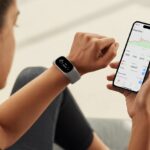
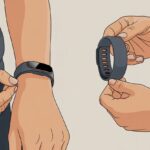
Ever wish you could just leave your wallet at home and pay like a secret agent with a flick of your wrist? Turns out, fitness trackers now let you pay almost anywhere that accepts contactless cards.
Just set up your fitness tracker with a payment app like Google Wallet, then hold your wrist over the card reader. Done.
It really is almost as easy as reaching for a cookie after a workout—except this time, you’re buying the cookie. With smartwatches and fitness trackers, paying is a simple tap-and-go move thanks to contactless technology.
You don’t have to dig for change or wrestle with tangled headphones at the register. Just lift your wrist and, honestly, you might even impress yourself.
What Is a Fitness Tracker with Payment Capabilities?
Let’s be real—sometimes, you just don’t want to fish around for your wallet. With today’s fitness trackers, you can pay for coffee or bus rides just by flicking your wrist.
These wearables go way beyond counting steps. They let you make secure, contactless payments right from your wrist.
Types of Fitness Trackers That Support Payments
Big brands now offer fitness trackers that double as wallets. Think Apple Watch, Garmin fitness bands, Fitbit Charge, and Samsung Galaxy Fit.
Some even look more like jewelry than gadgets, so you can pay for things and still look sharp.
Here’s a quick look at some popular choices:
Brand
Notable Models
Payment System
Apple
Apple Watch Series
Apple Pay
Garmin
vivoactive, Forerunner, Vivosmart
Garmin Pay
Fitbit
Charge 4, Versa, Sense
Fitbit Pay
Samsung
Galaxy Fit, Galaxy Watch
Samsung Pay
Most of these require you to link a credit card or bank account through their app. Once you’re set up, just wave your wrist at a payment terminal—no more pocket digging.
Fitness trackers with payment features keep popping up, so you’ve got plenty of options now.
How Wearable Technology Enables Digital Transactions
Wearable payment devices use NFC (Near Field Communication). Instead of handing over a credit card, you just bring your tracker near the reader and it sends your payment info wirelessly.
Paying takes seconds, which is a lifesaver when you’re in a rush or juggling too much.
Security definitely matters. These gadgets use encryption and tokenization to keep your bank info safe.
If you lose your wearable, it’s not like losing a wallet stuffed with cash; you can usually lock the payment system from your phone. Devices like Garmin Pay give you secure, on-the-go payment power just by wearing your tracker.
Honestly, fat wallets and sticky cards feel pretty outdated now. All you need is your fitness tracker—and maybe a little flair for waving your wrist at the checkout.
Setting Up Your Fitness Tracker for Digital Payments
https://www.youtube.com/watch?v=th_vAplk-Go
Getting your fitness tracker ready for digital payments is more than just breaking a sweat. You need to check if your tracker is compatible, add your cards, and make sure everything connects to your phone.
It’s a bit like prepping for a workout—if you skip a step, you’ll probably trip at the finish line.
Compatibility with Mobile Wallets and Payment Apps
Not every fitness tracker lets you pay with a tap. You need to check if your device works with mobile wallets like Apple Pay, Google Pay, Samsung Pay, or Garmin Pay.
For example, not all Apple Watch models support Apple Pay—but most recent ones do. If your tracker looks like it belongs in a museum, it’s probably not buying you coffee.
Manufacturers usually list supported payment apps on their websites or in the manual. If you’re unsure, a quick search or a peek at official help pages can clear things up.
It’s smart to confirm your country and bank are supported too, so you don’t end up disappointed at the checkout.
Usually, the tracker’s settings menu or companion app on your phone will show payment options if payments are supported. If you don’t see them, your device might just want to count steps—not dollars.
Connecting Debit Cards and Credit Cards
Once you’ve got a compatible tracker, it’s time to load your wallet—no cash needed, just your debit card or credit card. You’ll usually do this through the official mobile wallet app, like Apple Pay for Apple Watch, or Garmin Pay for Garmin wearables.
Here’s a quick checklist:
Open your device’s payment app (Wallet, Garmin Connect, Google Pay, etc.).
Tap Add Card.
Scan or enter your card details.
Complete any security steps, like bank verification.
Your bank might text or call to make sure it’s really you, not your mischievous sibling trying to buy 100 protein shakes. Keep your card handy for those steps.
Linking Your Fitness Tracker to Your Smartphone
Your fitness tracker won’t connect itself. You’ll need to pair it with your smartphone using the official companion app the manufacturer recommends.
For most trackers, including the Apple Watch, just open the app, hit “Pair Device” or whatever it’s called, and follow the steps on your screen.
Once paired, your card info and payment features sync between phone and tracker. Make sure Bluetooth is on and your phone’s charged—otherwise, you’ll just be running in circles.
If the setup asks for permissions, don’t freak out; just keep tapping “Allow” until your tracker is ready to show off its buying power.
Sometimes, setup takes a few minutes or asks for a PIN. That’s normal. If things get weird, restarting both your phone and tracker usually helps.
Configuring Payment Security on Your Device
Keeping your digital payments secure isn’t just a good idea—it’s pretty much essential. You want your info safe and your payments smooth, so let’s talk about how to keep your fitness tracker locked down.
Enabling Two-Factor Authentication
Two-factor authentication (2FA) acts like a bouncer for your digital wallet. You have to prove who you are twice.
Most fitness trackers and payment apps let you turn on this feature in their settings. Usually, you’ll link your account to a phone or email so you get a code each time you log in or pay.
Here’s the usual routine for setting up 2FA:
Open your payment or device settings.
Look for “Security” or “Two-Factor Authentication.”
Pick your method (SMS, app code, or email).
Follow the prompts to link your device.
2FA makes it way harder for anyone else to make payments from your tracker, even if they get past your first line of defense. It’s kind of like a secret handshake for your wallet.
Securing Transactions with PINs and Biometrics
Don’t put all your digital eggs in one basket. You can also use a PIN or biometrics (like your fingerprint) to approve payments on your fitness tracker.
When you set up payment features for the first time, most devices ask you to pick a personal PIN code so nobody else can shop without your say-so.
Here are some common options:
Option
How It Works
PIN
Enter your code before each payment
Biometric
Use your fingerprint or face
Most smartwatches and trackers let you pick whichever you like best. PINs keep nosy roommates out, and biometrics keep your cash safe if you lose your tracker at the gym.
Don’t share your PIN with anyone (not even your dog). Keeping this info private helps protect your money and your info.
Making Contactless Payments Using a Fitness Tracker
Paying with your fitness tracker is way faster than digging through your bag or fumbling for a PIN while the line behind you grows restless. With the right setup, swiping for that smoothie is as easy as counting your steps.
Understanding NFC and MST Technology
Most fitness trackers use NFC—and no, that’s not “Not For Cookies.” Near Field Communication lets your tracker talk to the payment terminal when you bring them close, like two penguins awkwardly meeting.
Brands like Fitbit and Garmin rely on NFC for payments.
Some trackers use MST (Magnetic Secure Transmission), which mimics the stripe on old-school cards. MST works with older readers, but you won’t see it much in new wearables.
Bluetooth doesn’t handle payments, so don’t expect to pay from across the room.
Contactless payments need the right tracker—features vary by model. If you’re traveling, Fitbit Pay works internationally as long as you spot the contactless symbol at checkout.
Table: Tech Features Comparison
Technology
Used For Payments?
Which Devices?
Range
NFC
Yes
Most fitness trackers
~4 cm
MST
Sometimes
Some Samsung devices
~4 cm
Bluetooth
No
Connects to phone only
up to 10 m
Step-by-Step Guide to Paying at the Checkout
First, set up the payment feature by adding your card to the tracker’s wallet app. You’ll probably need to go through some security checks.
Once you’re set, your wrist is ready.
At the checkout, press a button on your tracker to pull up your wallet or card. Hold your device near the terminal—don’t hover too far away.
Wait for a beep or a checkmark. That’s it. You’ve paid.
Some trackers, like Garmin and Fitbit, will ask for a passcode if you haven’t worn your tracker for a bit, just in case someone tries a sneaky tap. Fitbit Pay and Garmin Pay both use these steps, so it’s pretty similar all around.
If you run into a really old terminal, it might not support contactless payments, so you might have to use a regular card instead. But honestly, more places are adding tap-and-go options every year.
Key Benefits of Using Fitness Trackers for Payments
Fitness trackers aren’t just for counting steps or nagging you to stretch. They’ve made paying for things faster and easier, and they fit right into busy, health-focused lifestyles.
Convenience and Ease of Use
We’ve all had those moments—digging around for a wallet, only to realize it’s buried somewhere at the bottom of a gym bag. Fitness trackers totally bail us out here, turning payments into a quick flick of the wrist.
Most fitness trackers use NFC (Near Field Communication), so we just hold the tracker near a payment terminal and, boom, we’ve paid. It’s the same tap-to-pay tech as our phones or cards, but now it’s literally attached to us.
No more fumbling with cards, phones, or cash at checkout. Just a tap and a beep, and we’re done—sometimes the cashier looks more surprised than we do.
We’re less likely to leave our wrist behind than our wallet, right? Fitness trackers and smartwatches let us pay securely and contactlessly with a tap, making those little purchases so much faster.
Health and Lifestyle Integration
Why should paying for stuff mess up our healthy routines? Wearable tech rolls our health goals and spending into one tool.
With payment features built into our trackers, we don’t have to stop our day or lose our step streak just to buy a snack. We can pay for juice mid-jog, grab water after yoga, or pick up a snack on a bike ride—no digging through bags.
Many trackers sync with apps that log payments right next to our steps, heart rate, and calories. Our wallets might not love it, but our tracking game gets even stronger.
This combo really makes fitness trackers handy for anyone who wants both convenience and a little style.
Popular Fitness Trackers and Smartwatches with Payment Features
Who doesn’t want to leave the wallet at home and just tap their wrist like a spy? Loads of smartwatches now offer contactless payment, blending fitness tracking with digital convenience.
Apple Watch and Apple Pay Integration
If you’re an Apple fan, the Apple Watch just makes sense. It syncs with our iPhones and lets us use Apple Pay at tons of stores.
We add our cards to the Apple Wallet app, and then a double-click on the watch’s side button pays for snacks or that emergency coffee.
Apple made security tight—every payment needs a passcode, Face ID, or Touch ID. If we accidentally open Apple Pay while waving, it won’t work unless our wrist is unlocked and touching our skin.
The Apple Watch even works for some transit systems, which is a lifesaver on busy commutes. It’s convenient, secure, and, let’s be honest, just a little bit flashy.
Samsung Pay on Wearables
Samsung smartwatches have Samsung Pay built right in, so we can pay on the go. Some Galaxy Watch models support both NFC and MST, which means we can use Samsung Pay even on older terminals that don’t support tap-to-pay.
Setting up Samsung Pay is easy in the Galaxy Wearable app. Our payment details stay secure, and each transaction uses a unique code, so if we lose our watch, nobody else gets to shop.
It works with most Android phones and still keeps plenty of fitness features for when we’re feeling motivated—or not.
Google Pay and Garmin Pay Devices
Some wearables, like certain Fitbits or Wear OS watches, support Google Pay. We just add our cards and go—buying smoothies or tracking steps, all in one.
Garmin smartwatches, like the Vivoactive 6, use Garmin Pay. We add our card in Garmin Connect, then pay by entering a short passcode at checkout.
Garmin’s bank support might not be as huge as Apple or Google, but it covers the big names. Now, we really have no excuse to skip a run—everything we need sits right on our wrist.
Troubleshooting Common Payment Issues
Digital payments with fitness trackers are great—until something goes sideways. Fixes usually depend on us figuring out if it’s a tech hiccup or our card acting up.
Connectivity and Communication Problems
Sometimes our tracker looks ready, but the payment just won’t go through. Maybe the connection with our phone, Bluetooth, or the payment terminal is flaky.
Before we panic at the register, let’s check a few things:
Is Bluetooth on for both tracker and phone?
Did we enable NFC? Payments need it.
Is the tracker snug on our wrist? Some need a tight fit for security.
Did we unlock the device before paying? Locked screens won’t work.
If it’s still not working, try opening the payment app (like Google Wallet) on the tracker and giving it another shot. Holding our wrist steady over the terminal—no wild waving—helps too.
Turning the tracker off and back on fixes more than we’d like to admit. If we’re still stuck, Google Wallet’s smartwatch guide has more answers.
Payment Declines and Card Removal
Nothing tests patience like a payment decline when we’re hungry and only have our fitness tracker. Usually, it’s something simple—expired card, wrong PIN, or the bank blocking the charge.
Here’s a quick checklist:
Problem
Rapid Response
Card expired
Update card info in the payment app
Bank flagged payment
Call the bank to verify the transaction
Card removed
Re-add the card to our tracker’s wallet
Wrong PIN or security error
Re-enter and double-check caps lock isn’t on
Sometimes, stuff is out of our hands—like when Fitbit Pay goes away after January 13, 2025. We’ll need to use Google Wallet or another service then.
If payment still won’t work, try removing and re-adding the card. Keeping our tracker’s software updated helps too. And if things get really weird, customer support is always there—hopefully less judgmental than our empty wallet.
Staying Safe and Organized with Wearable Payments
No one wants a hacker to buy their morning coffee. And juggling a bunch of cards at checkout just makes us sweat.
Best Practices for Privacy and Security
We love the quick wrist tap, but let’s not make it easy for someone to get our bank info. Set up custom security levels on fitness trackers so only we can approve payments.
Turn on things like Bluetooth encryption and lock the wearable with a PIN or fingerprint. If the device lets anyone pay, something’s off.
Encrypt our data and only share what’s necessary. Here’s a handy checklist:
If we have more cards on our tracker than socks in the drawer, it’s time to get organized. Most wearables let us set a default card so we don’t buy groceries with an old gym card.
Name each card and wallet something memorable—maybe “Weekly Pizza Fund”? When we switch between cards, the menu should make sense, not feel like a puzzle.
Review wallets every month and remove cards we don’t need. If we use multiple wallets, pick one for daily stuff and keep others as backups.
Future Trends in Fitness Trackers and Digital Payments
Fitness trackers aren’t just for steps anymore—they’re making wallets feel kind of pointless. New features and smarter tech are pushing these wearables deeper into our finances and health.
Advancements in Wearable Payment Technologies
Pulling out a phone or card feels outdated now, doesn’t it? Fitness trackers are taking over contactless payments by turning our wrists into mini credit card machines.
Smartwatches, bands, and even rings are ready for secure tap-and-go at coffee shops, stores, and anywhere else we crave a snack.
Banks and payment apps are teaming up so we never have to fumble for cash again. These wearables are getting better battery life, encrypted chips, and faster approvals.
Pretty soon, getting our coffee could be as quick as checking our pulse—or maybe even faster.
Features getting upgraded:
Faster NFC chips
Stronger security, like fingerprint or heart rate authentication
Better compatibility with loyalty cards and rewards
Honestly, it’s probably just a matter of time before we can pay for pizza by flexing our bicep.
Integration with Broader Health Ecosystems
Fitness trackers are now playing nicely with all sorts of health and wellness apps. Tracking calories, keeping an eye on sleep, and even managing budgets—suddenly, it’s all happening on one device.
Now our step count can sit right next to our spending habits, fighting for attention. That’s pretty convenient, isn’t it?
These trackers send data straight to gyms, insurance companies, and those wellness reward programs everyone talks about. If we use them smartly, we might snag discounts on health insurance just by moving more. Sometimes, we even get rewards for grabbing a smoothie instead of a donut.
Devices now connect without much fuss, so we can watch our health trends and finances from a single dashboard. It’s honestly kind of satisfying.
Ways these integrations help us:
We can manage health and spending goals in one spot
We get real-time nudges for healthier choices (and smarter buys)
Sharing info with doctors, trainers, or even financial advisors gets way easier
The fitness tracker era feels like it’s multitasking for us, making it less of a chore—and honestly, a bit more fun—to keep tabs on our bodies and our wallets.
Hi, my name is Garrett Jones, and I am a tech enthusiast. I enjoy researching the new tech that has been released, and have a vast knowledge of the best tech to purchase.
From a young age, I have always had a big interest in technology, and this blog is an extension of that interest. Through this blog, I hope to provide others with all of the information they need regarding tech options to consider, and things such as compatibility. Some of the different items I will be discussing include headphones, smartwatches, and how to fix common issues.