Ever had your Fitbit die right when you’re in the middle of a workout? Or worse, while you’re asleep and dreaming about breaking your steps record? We’ve all been there.
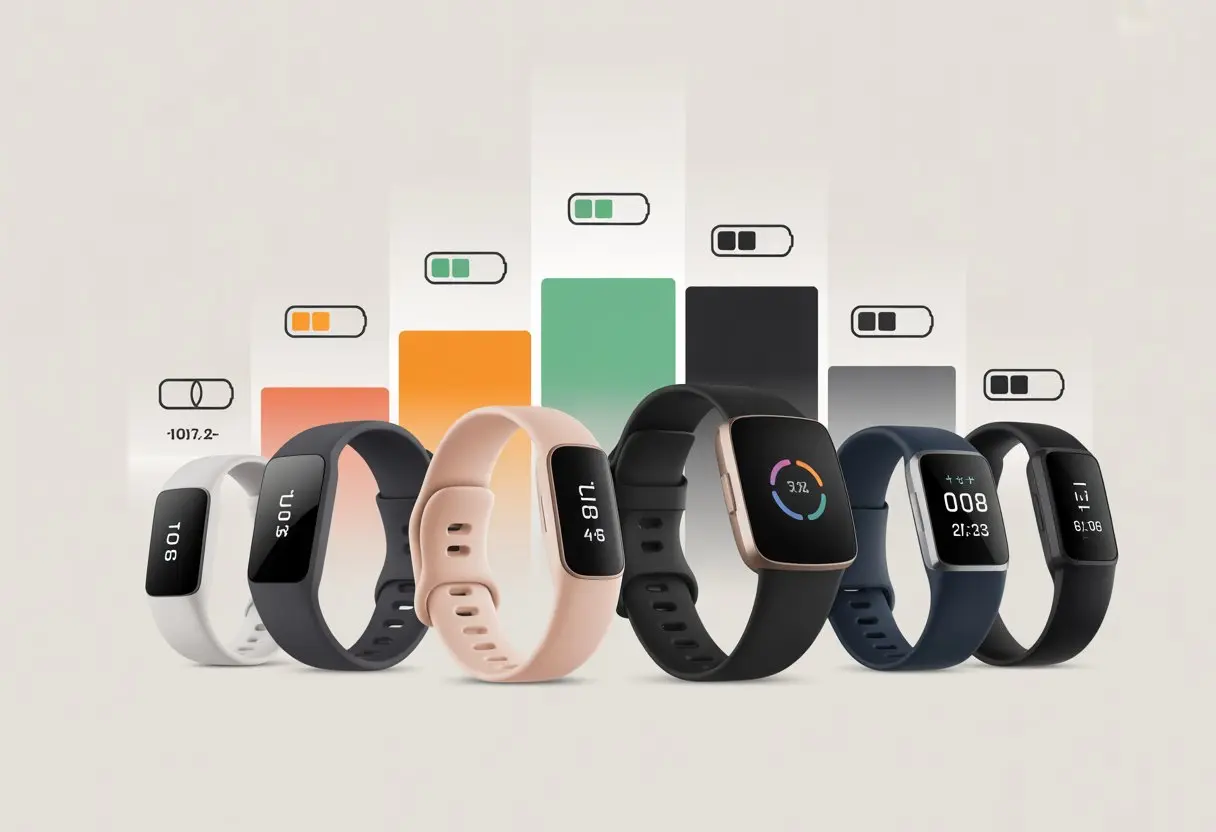
Different Fitbit models have battery lives ranging from about 3 days to as long as 10 days, depending on the model and your settings.
Maybe you’re thinking about getting a new tracker. Or you’re just tired of always searching for your charger.
Knowing which Fitbit lasts the longest can save you a lot of frustration. If you want your next fitness tracker to be less needy than an old flip phone, you’ll want to see how the most popular models compare by battery life.
Stick around—you might just find out if the Fitbit you’re eyeing can actually keep up with you. Or maybe it’ll be begging for a charge before you’re even halfway through your week.
Fitbit Battery Life Overview
How long will your Fitbit last between charges? It’s not always as simple as popping it on your wrist and hoping for the best.
Battery life depends on the model, how you use it, and sometimes, your obsessive need to check your step count every five minutes.
What Impacts Fitbit Battery Life
Fitbit battery life isn’t just about battery size. It’s more like a complicated dance between your daily habits and the sneaky settings hiding in your app.
Features like GPS, Bluetooth, and the always-on display can drain your battery fast. Turning on notifications, cranking up screen brightness, and using interactive watch faces might look cool, but your battery will start sweating.
Models with more sensors or big color screens, like the Fitbit Sense or Charge 6, tend to run out of juice quicker than simpler trackers. Even things like cold weather can make a difference.
Cold isn’t a friend to batteries, unless you like seeing your battery percentage drop like it’s on a ski slope.
Battery Life vs. Usage Patterns
Your daily routine matters more than you probably want to admit. If you only check your watch twice a day and keep features minimal, your Fitbit could last almost a week.
But if you blast the display, run GPS for long walks, and respond to every incoming message, you’ll be looking for your charging cable a lot sooner. It’s a balancing act—do you want all the features, or do you want your tracker to live as long as a loaf of shelf bread?
Active users—marathon runners, avid walkers, or serial step-count refreshers—usually see shorter battery times. Keeping things simple and only turning on what you need will let you squeeze more time from your battery.
Or you can just treat your charging cable like a best friend and plug in every night.
Fitbit Battery Life: Expectations vs. Reality
Fitbit often advertises battery life numbers that sound a bit like hopes and dreams. For example, the Fitbit Charge 6 claims up to 7 days of battery life if you rarely use GPS.
But real-world reviews show you’ll usually get closer to 5 or 6 days, especially if you use the fancy stuff. If you’re glued to the always-on display and live for non-stop notifications, that 7-day number drops even more, sometimes scraping by at 3 or 4 days.
Advertised battery life is like the “up to 50% off” sign at the store—possible, but not likely unless you barely use anything. Fitbits are a lot like pets: the more attention you give them, the more energy they burn.
Comparing Fitbit Models: Battery Life Face-Off
Nobody wants a fitness band that needs more charging than their phone. If your tracker dies mid-walk, it’s not tracking anything.
The following comparisons break down which Fitbit models offer the best battery life, so you can spend more time moving and less time searching for a charger.
Fitbit Charge 6 vs. Charge 5
Both the Fitbit Charge 6 and Charge 5 claim up to 7 days of battery life. That’s impressive for a tracker with a color screen and GPS.
In real life, battery life drops to around 5 days if you use features like built-in GPS or always-on display. The Charge 6 steps up with new software and a better button, but in the battery face-off, it’s almost a tie.
Want to enjoy long hikes and not worry? Either model is a solid pick, but the Charge 6 may give you a tiny edge if you turn off some features.
If battery life is what you live for, the Inspire series is your jam. The Inspire 2 takes the crown with up to 10 days of battery.
That’s longer than most plants can survive if you forget to water them. The Inspire 3 drops a little to about 10 days max, but real-world daily use is closer to 7 days.
You get a color screen on the Inspire 3, so you can see your stats in style—just know you might need to recharge one day earlier than Inspire 2. Both are super light and great for forgetful chargers.
Fitbit Sense vs. Sense 2
The original Fitbit Sense and the Sense 2 both promise up to 6 days of battery. But if you use advanced health features like ECG, SpO2, or the always-on screen, don’t expect to see that number.
The Sense 2 offers slightly better power management, so you might squeeze out one more bedtime story before it demands a nap. This is still pretty strong battery performance for a watch packed with smart health features.
If you want week-long battery, try not to turn on every feature at once.
Fitbit Versa 4 and Versa Series
The Versa series, including the Versa 4, is all about balancing a smartwatch experience with solid battery life. The Versa 4 lasts about 6 days, which is good for a smartwatch with a bright color display and built-in fitness band features.
Earlier Versa models land around 4-6 days, depending on how many emoji-filled texts you read on your wrist. With the always-on display enabled, expect a dip to maybe 2-3 days.
You’ll need to weigh your love for glowy screens against your hatred of charging. For the most up-to-date details, visit this Fitbit model comparison chart.
Smartwatch Features That Drain Juice
Everybody loves extra features on their smartwatch until you’re looking for a charger before lunchtime. Some features zap battery life so quickly, you’d think your watch was training for a 100-meter dash.
Always-On Display and AMOLED
If your watch boasts an always-on display or a shiny AMOLED screen, expect your battery to retire early. AMOLED screens make your stats and clock faces look bright and colorful, but every glowing pixel needs power.
Turning on the always-on function means your watch stays lit up all day. Sure, checking the time without flicking your wrist is cool.
But your Fitbit might need a nap by dinner. Some models let you switch off always-on mode or lower the brightness.
These settings can help, but you’ll lose the “wow” factor of having a mini billboard on your wrist. If battery life is crucial, turn the display off except when you need it.
Apps and Smart Notifications
Love checking your texts and emails from your wrist? Apps and smartphone notifications are super handy but act like little energy vampires.
Every buzz, pop-up, or weather alert your Fitbit sends uses power. The more you connect to apps and notifications, the faster your battery runs out.
Some people install extra apps, like Google apps, YouTube Music, or other widgets. Each of these takes a small bite out of your battery.
If you let them run all day, your smartwatch ends up needing to refuel a lot more often. It helps to limit which notifications you really need.
Only keep the essentials turned on—unless you like low-battery warnings more than the actual notifications.
Built-in GPS, Music, and Maps
Using built-in GPS, streaming music, or checking Google Maps might make you feel like a secret agent, but your battery definitely notices. GPS is one of the top battery drainers.
Tracking your run or bike ride with onboard GPS is handy, but even high-end Fitbits struggle to last more than a few hours with it on, as seen in reviews like this PCMag smartwatch guide.
If you combine GPS with streaming music—using apps like YouTube Music—your battery might not even survive your workout playlist. Maps are helpful for directions, but every time your watch pings the satellites or loads new routes, it’s counting down the minutes it has left.
To save power, try downloading songs ahead of time, using GPS sparingly, or pre-loading your route. Your watch’s battery will thank you, and maybe your step count goals won’t be interrupted by another charging break.
Health Tracking vs. Battery Endurance
Using a Fitbit sometimes feels like managing a tiny health clinic on your wrist — until you get that dreaded low battery alert. Every feature you turn on, from constant heart rate checks to advanced sleep reports, has an effect on how long your tracker actually stays alive between charges.
Heart Rate and EDA Scanning
Fitbits are always eager to monitor your heart rate, sometimes more than your own family. But the more it checks, the more battery it uses.
Continuous heart rate tracking gives you accurate readings for workouts or rest, and helps with calorie estimates, but don’t expect your battery to last a full week if you’re constantly checking your pulse every two minutes.
EDA scanning measures tiny changes in your skin’s sweat levels to spot stress, and it’s another battery muncher. Long EDA scans use a bunch of sensors at once.
Running these scans daily (because stress is so 2025) will make your Fitbit need a charge sooner than advertised. If you want longer battery life, consider cutting back on these frequent checks.
Models like the Charge 6 offer up to 7 days of battery, but heavy health tracking can make it feel much shorter. You can see more on battery life differences among devices in this comparison.
Sleep Monitoring Features
Sleep tracking on Fitbits can nudge you toward better habits—or just make you worry about a bad night’s rest. These features track your movement, heart rate, and even oxygen levels while you sleep.
With all these sensors running while you snore, it’s no surprise the battery drains faster overnight. Some Fitbit models offer basic sleep tracking, using just movement and heart rate.
Newer Fitbits throw in extra sensors for blood oxygen and sleep stages. The more detailed your sleep data, the harder your battery has to work.
Devices like the Inspire 3 claim up to 10 days of battery life, but if you love sleep data, you might be charging up sooner than you’d hoped. Want to know which models handle sleep tracking without burning through battery? Check this top fitness trackers list.
ECG and Advanced Health Tools
You might feel like a secret agent running ECG readings on your wrist (take that, Q!). ECG (electrocardiogram) readings help you track heart health and can even give you a heads-up about possible problems.
But let’s be real: this high-tech trick drains battery. These tests need special sensors and beefy software, so your Fitbit is doing some heavy lifting.
Features like irregular heart rhythm notifications, SpO2 monitoring, and skin temperature reports are handy. The more you use them, the more you’ll be seeing your charger.
If you’re all-in on these advanced health tools, just expect a shorter battery life. Curious which devices last longer? Have a look at this Fitbit comparison chart.
Fitbit Battery Life vs. The Competition
Battery life matters, especially if you’re tired of charging gadgets every night. The differences between Fitbit and its main competitors can save you time, hassle, and maybe a few gray hairs.
Fitbit vs. Apple Watch
Fitbit devices are kind of like the camels of the fitness tracker world—they just keep going. Models like the Inspire 2 can last up to 10 days on a single charge if you don’t go wild with GPS and notifications.
Even the more feature-packed Fitbits, like the Charge 6, often get about 7 days before running out of juice, unless you use every sensor at once. The Apple Watch, on the other hand, is more like a thirsty tourist.
The Apple Watch Series 9 usually manages about 18 hours to 1 day before it politely demands a charger. You can squeeze a bit more with low power mode, but two full days is pushing your luck.
So, if you don’t want your life ruled by a charging cable, a Fitbit model is a strong pick.
Device
Average Battery Life
Fitbit Charge 6
7 days
Fitbit Inspire 2
10 days
Apple Watch
1 day
Fitbit vs. Google Pixel Watch
Google’s Pixel Watch—especially the Google Pixel Watch 3—does a lot of things well. But marathon battery life isn’t one of them.
The average Google Pixel Watch usually gives you about 24 hours of usage. That means you’ll probably have to charge it every night, especially if you track sleep or use GPS.
Fitbit trackers usually give you a solid stretch of 5-10 days before the battery starts begging for mercy. If you want to track your sleep, steps, and every sneeze without hunting for an outlet, a Fitbit is the safer bet.
Device
Average Battery Life
Fitbit Inspire 2
10 days
Fitbit Charge 6
7 days
Google Pixel Watch 3
1 day
If you want to avoid carrying a charging cable everywhere, maybe lean toward Fitbit—unless “Did you bring my charger?” is your favorite travel phrase.
Maximizing Your Fitbit’s Battery: Pro Tips
You can stretch your Fitbit’s battery by changing a few habits and tweaking some settings. Cutting down on unnecessary features and picking the right tracking options will help your battery last longer.
Adjusting Settings for Longevity
Let’s be honest, your Fitbit doesn’t need to light up like a disco ball every time you move your wrist. Lower your screen brightness, shorten the timeout, and turn off the “Always-On Display” if you want your battery to stick around for the long haul.
Silent alarms and reminders can also drain your battery, so turn off any you don’t really use. Do you really need every Instagram like or calendar reminder popping up on your wrist?
Save energy by limiting notifications from your apps and phone. Bluetooth eats battery too—turn off “All-Day Sync” when you don’t need constant stats.
Features like built-in GPS are awesome, but they’re battery hogs. Only fire up GPS when you really need it for that epic run or bike ride.
The fewer extras you leave on, the longer your Fitbit can keep working without a charge.
Optimizing Fitness Tracking and Exercise Modes
Activity tracking is what makes your Fitbit shine, but even this star has to save energy sometimes. If you leave “All-Day Activity Tracking” running nonstop, your battery is going to vanish faster than dessert at a birthday party.
You can adjust which activities are tracked automatically, so you’re not recording every wild arm wave as exercise. If you use the workout app, pick the exercise modes that actually matter to you.
No need to track every single walk—limit workouts to running, biking, or whatever fitness activities you care about. Some modes, especially those using GPS, chew up battery quickly—save these for when you want real precision.
The heart rate monitor is essential for some, but you can lower battery drain by setting it to “Auto” instead of “On” all the time. Or just turn it off when you don’t need detailed health data.
A few simple choices can help your Fitbit last longer without missing out on the stuff that actually matters to you. For more battery saving tips, check Google Help and Asurion’s battery guide.
Smartwatch Extras: Are They Worth the Power Drain?
Extra features like payments, voice assistants, and subscriptions can make your Fitbit feel a bit like a mini smartphone. The more you ask it to do, the faster you’ll see your battery percentage dive for cover.
Contactless Payments and Wallets
You can leave your wallet at home and pay with a flick of your wrist using Fitbit Pay or Google Wallet (depending on your Fitbit model). This feature sounds cool, but it’s not free—at least for your battery.
Turning on contactless payments keeps certain antennae active, so your Fitbit’s always ready for a tap-and-pay.
If you use your smartwatch to pay for coffee, lunch, or the occasional ice cream (no judgment), expect battery life to dip a bit. For most folks, the impact is small—unless you’re tapping all day long.
Quick rundown:
Fast, easy payments
Minor battery drain if you use it a few times a day
Want to talk to your watch like some kind of gadget spy? Turn on Alexa or other voice assistants built into newer Fitbits.
Asking your watch questions (“Alexa, what’s the weather?” or “Remind me to move!”) can be super handy. But every time Alexa listens, your Fitbit uses more power for Wi-Fi or Bluetooth.
Constant use of voice assistants and syncing drains battery quicker, especially if you’re syncing lots of notifications or music. If you love to chat with your gadgets, keep a charger handy.
If you mostly ignore these features, your battery will thank you by sticking around longer.
Subscription Perks: Fitbit Premium
If you’ve subscribed to Fitbit Premium—because who doesn’t want their sleep analyzed in more detail than their last math test—you’ll get more advanced tracking and daily reports straight to your device.
More tracking and insights means your watch works harder, and yes, the battery takes a hit. Still, the power drain isn’t wild unless you dive into every extra metric and let your Fitbit analyze every heartbeat and breath.
Just know that extra insights come with a cost—more interesting graphs, fewer hours between charges. It’s the price of knowing exactly how well you slept when you already knew you were tired.
Design, Durability, and Dimension Disputes
When you strap a Fitbit to your wrist, it’s not just about counting steps—it’s about how it looks, how much water it can fend off, and whether it feels like a fashion statement or a tiny spaceship. These details matter for matching your tracker to your daily needs and style.
Aesthetic Trade-Offs: Style vs. Stamina
You want your Fitbit to look good, but you also want it to last more than a few days away from the charger. Some models like the Fitbit Versa 3 and Fitbit Sense 2 offer sleek, rounded designs that might remind you of a smartwatch, but their larger screens mean you’ll be reaching for the charger more often.
Meanwhile, the Charge 5 goes for a slimmer, more fitness-focused look, which can help stretch out battery life by skipping fancy visual extras. How much do you care about glowing fancy screens versus a more basic (but longer-lasting) display?
You might have to choose between a gorgeous color touchscreen or a device that’ll still be ticking after your weekend hiking trip. Style points are nice, but stamina can save you from mid-day tech panic.
For a closer look at the latest models and their fashion sense, see The Verge’s Fitbit watch comparison.
Water Resistance and Activity
Fitness trackers love to brag about their water resistance ratings. Most modern Fitbits, like the Charge 5 and Versa series, come with a 5ATM rating.
That means you can shower, swim, or spill your water bottle with only your pride harmed. Most models keep ticking through laps in the pool or rainfall on your morning run.
But if you dream of diving into the ocean like a secret agent, know that water resistance doesn’t mean deep-sea invincibility. Long soaks, hot tubs, and saltwater can still be too much for your tracker.
Check your model’s rating before pretending you’re James Bond. Always.
Size Matters: Dimensions and Comfort
If your wrist leans more “delicate bracelet” than “action hero,” size really does matter. Some Fitbits, like the Charge 5, keep a slim, discreet profile—you’ll barely notice it under a shirt sleeve.
Others, like the Versa 4 or Sense 2, come with chunkier cases. That extra heft can feel substantial, especially if you’re not used to big watches.
Wrist comfort makes all the difference. If your Fitbit feels awkward or bulky, chances are you’ll leave it behind with last year’s fidget spinner.
Here’s a quick size table for some popular models:
Model
Case Size (mm)
Design Style
Charge 5
36.7 x 22.7
Slim, curved
Versa 4
40.4
Watch-like
Sense 2
40.5
Watch-like
If you hate bulky bands or just want something that works with your favorite jacket, pick a size that matches your style and comfort. Want all the nitty-gritty numbers? Compare details at Business Insider’s Versa 4 vs. Sense 2 review.
Price Tags and Power: Does More Money Buy More Battery?
Sometimes it feels like your wallet should buy you a longer-lasting Fitbit—especially when some models drain faster than a high school drama club. Price, battery life, and your real workout needs all matter when picking the right tracker.
Cost vs. Battery Life Across the Lineup
Fitbit’s got a wide price range, from wallet-friendly Inspire models to the feature-packed Sense series. You’d think pricier watches would outlast your toughest workout, right? Well, not always.
The average Fitbit watch usually lasts about five days. Cheaper models like the Inspire 3 or Charge 5 can run closer to a week.
The fancier Sense 2 or Versa models have extra features, but those bright displays and sensors eat up battery.
Fitbit Model
Price Range
Estimated Battery Life
Inspire 3
Low
7-10 days
Charge 5
Mid
5-7 days
Versa 4 / Sense 2
High
~6 days
Does a more expensive Fitbit always give you more juice? Not really. You’re mostly paying for perks like built-in GPS, music control, or Alexa—not some magical battery that never quits.
Value for Fitness Enthusiasts
If you just want to count steps or check your heart rate now and then, you really don’t need a pricey Fitbit. Cheaper models usually last longer between charges and still cover the basics.
But let’s say you’re after stress tracking, EDA sensors, or want to talk to your wrist like some kind of secret agent. You’ll end up paying more for those features. Just know that your Sense 2’s advanced sensors can eat up to 16% per day from your battery—even if you barely use them.
Consider what you actually need. Are you the forgetful type who hates charging stuff? Maybe keeping it simple is the way to go, both for your sanity and your budget.
Hi, my name is Garrett Jones, and I am a tech enthusiast. I enjoy researching the new tech that has been released, and have a vast knowledge of the best tech to purchase.
From a young age, I have always had a big interest in technology, and this blog is an extension of that interest. Through this blog, I hope to provide others with all of the information they need regarding tech options to consider, and things such as compatibility. Some of the different items I will be discussing include headphones, smartwatches, and how to fix common issues.