Let’s be honest—most of us rock a smartwatch because we love gadgets that do more than just tick away the hours. When it comes to running, though, these little wrist computers can do way more than just buzz with random notifications.
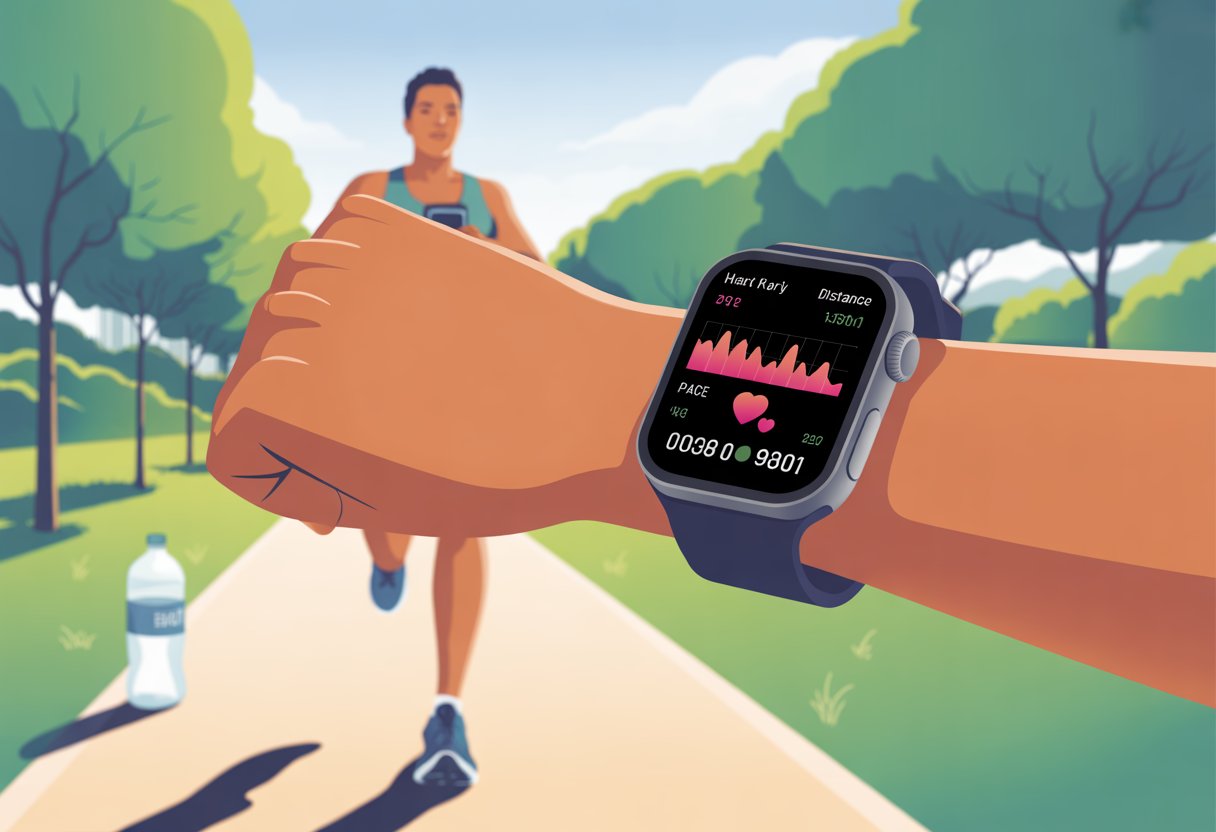
A smartwatch can help us track our distance, pace, and heart rate, and even nudge us to hit those goals we keep talking about.
We can set reminders to run, sneak a peek at our stats mid-stride, and ditch those awkward phone armbands. If you’re still strapping your phone to your arm like it’s 2012, maybe it’s time for a little upgrade.
With the right setup, a running smartwatch can make training smarter—and, honestly, more fun.
Let’s jump into how we can use our watch to step up our runs and maybe even sneak in a little bragging at brunch. If you want to see how to set it all up, the folks at Smartwatch for Less have a handy beginner’s guide.
Getting Started With Your Smartwatch
Before we hit the pavement, let’s make sure our smartwatch is actually ready. A quick setup now saves us a ton of stress (and maybe a sprint back home) later.
Setting Up Your Device
First things first—let’s peel off that plastic and charge the watch. Some models act stubborn unless they’re fully charged, so just let it fill up.
After powering it on, we follow the prompts: pick a language, set the time zone, and maybe debate the 24-hour clock for a minute longer than we should.
Next, we should poke around the settings. Enable heart rate monitoring, add our info, and turn on notifications.
We don’t want the watch thinking we’re Olympic-level if we’re just jogging to the mailbox. Most watches walk us through the steps, but if we get lost, those tiny icons are definitely to blame.
Pairing With Your Smartphone
Now for the fun bit: making our smartwatch and phone become besties.
The devices should spot each other if they’re close. We’ll see a code—just make sure it matches on both screens.
Once we confirm, the watch and phone sync up. Keeping them paired means we get notifications, GPS tracking, and our step count—sometimes embarrassingly accurate.
Downloading Running Apps
To get the most out of this wrist computer, we browse the app store for running apps like Strava, Nike Run Club, or Garmin Connect.
Some watches come with their own running app, but others let us pick our favorite. We pick one, hit install, and follow the prompts—sometimes it feels like setting up a bank account, but it’s worth it.
Many smartwatches for running help us track runs, set schedules, and remind us to get moving. If all else fails, we can always use the built-in stopwatch and look very official at the track.
Tracking Your Runs Like a Pro
Getting the most from our smartwatch isn’t just about looking high-tech. By tracking distance, checking pace, and counting steps, we can actually improve our running.
Measuring Distance
Guessing how far we’ve run? That’s a recipe for confusion.
The smartwatch’s GPS tracks distance for us, so we don’t have to keep circling the park, hoping we’ve hit five miles when we’re barely at two.
We can check maps after each run and see exactly where we powered up hills—or where we took a breather by the duck pond.
Many watches let us save favorite routes, so we always have a go-to for those groggy mornings.
Tracking distance helps us set new goals, too. If we ran three miles this week, maybe next week we aim for 3.2.
Trying to figure out if we’re running too fast or too slow? Let’s just let the watch tell us.
Real-time pace tracking gives us live updates, so we know if we’re sprinting or just shuffling along.
We can set pace alerts that nudge us to speed up or slow down, which keeps our training consistent and helps us build endurance.
Watching average pace over time tells us if we’re improving or just making more snack stops.
Some watches even offer interval training, letting us switch between fast and slow, which is great for both fitness and bragging rights.
Step Count Basics
Let’s talk steps—our watches count every one (unless we’re glued to the couch).
Step count is a simple way to see how much we’re moving, even on days when a long run isn’t happening.
Watching that number climb can be weirdly satisfying, like seeing how many slices of cake we skipped.
We can set daily step goals for extra motivation and maybe even do a little victory dance when we hit them.
Step count also gives us clues about our running form. Checking our cadence (steps per minute) can help spot problems and maybe prevent injuries.
Harnessing Heart Rate and Performance Metrics
We want more from our runs than just sore legs and sweat stains.
Our smartwatches come packed with heart rate and performance tools that make us feel like we’re training for something big—even if it’s just a lap around the neighborhood.
Tracking heart rate during runs shows if we’re in the right zone: fat burning, cardio, or just “nervous before a hill.” Setting heart rate zones helps us train better, not just harder.
Most apps show these zones with names like warm-up, fat-burn, aerobic, or “about to explode.” We try to stay in our target range for each workout.
If our heart rate spikes, it’s time to slow down and avoid burning out. It’s simple, but it works.
Calories burned isn’t just a number—it’s the reason we can justify a snack after the run.
Our smartwatches estimate calories using heart rate, distance, and time. The harder we work, the more calories we burn.
It’s not perfect, but it’s good enough to keep us motivated.
Most watches log calories burned for each workout. This lets us compare, plan, and maybe even outdo our friends.
We can check trends over time in the app. Here’s how to use it:
Track each run and review calories burned
Use weekly totals for meal planning
Compare calories on easy vs. tough days
It’s fun and adds a little healthy competition.
Performance Tracking Tips
Our smartwatches collect loads of data: pace, cadence, distance, heart rate, VO2 max, and recovery time.
But honestly, we don’t need to become data scientists overnight. Start with the basics: heart rate, pace, and distance.
Set goal alerts—like “run 2 miles” or “stay in a certain heart rate zone.” Watches give us feedback and reminders during the run, like a coach (but less shouty).
Exploring GPS features helps us see where we’ve run and lets us show off our routes with colorful maps.
Pressing start and hoping for the best is fun, but making a smartwatch work for us takes a bit more effort.
Setting up the right features makes sure our running buddy is more than just a fancy bracelet.
Personalizing Training Goals
We can set our smartwatches to cheer us on—or quietly judge us—with specific goals.
Want to run a certain distance, hit a faster pace, or just make it to the end without collapsing? Pick the target—distance, time, pace, or even calories burned.
Most watches let us tweak these goals every day, like a digital coach who never takes a day off.
Heart rate zones come in handy, too. We pick the right level for our training, and staying in those zones helps us build fitness or speed without overdoing it.
Some smartwatches offer step counting, recovery tips, and reminders to move. If we need a nudge to lace up or just to stretch our legs, those gentle buzzes can really help.
Setting Up Race Modes
Race day nerves? Yeah, they’re real—but our smartwatch can actually help cut through the chaos. Most running watches come with a special race mode you can set for 5K, 10K, half marathon, or full marathon efforts.
This mode locks in our splits and estimated finish time, and it even gives us progress alerts. It’s like having a running metronome on your wrist.
Instead of guessing where we are in the race, these features show us real-time stats. We can use them to adjust our pace, avoid blasting off too fast, or push harder if we’ve got something left in the tank.
Setting up reminders for hydration or fuel? That can save us from turning into a hungry, cranky mess halfway to the finish line.
We can save and review data from our races, too. Looking back at our splits and pace is honestly less scary than a middle school report card, and it helps us plan smarter for the next one.
If you want a deeper look at these and other key smartwatch features for runners, there are tons of options out there tailored for training and racing goals.
Integrating Smartwatch Data With Your Training Plan
When we use our smartwatch, we can track running workouts, measure progress, and update our training based on real numbers. No more relying on wishful thinking or just the occasional dash to catch the bus.
That helps us stay consistent and actually see improvement week after week.
Syncing Data to Apps
Syncing our smartwatch to a running app is where the magic happens. After we finish a run, all that glorious sweat—and those calories burned—show up in detailed charts and graphs on our phones.
Popular apps like Garmin Connect, Strava, and Apple Health let us review distance, time, pace, heart rate, and even personal bests. If we’re using training plans, some smartwatches send data automatically to coaches or built-in programs, which then adjust our workouts for us.
For example, Garmin Coach uses our synced metrics to update running plans on the go. We don’t have to remember how far we ran last Tuesday—our watch already knows and keeps everything organized.
With just a tap, we can show off that new 5K record, or at least prove we really tried.
Reviewing Running Progress
Reviewing our running progress feels a bit like getting a report card, but it actually helps us improve. We can check training metrics like pace, heart rate zones, and distance trends week after week.
Smartwatches make it super easy to spot improvements or figure out where we’re slowing down. Many watches let us compare runs side by side and even give feedback, so we know if that new speed workout is actually working.
It’s also kind of fun to look back and see our consistency streak—or laugh at that one epic “walk” that was more like a slow-mo movie scene. For those who love data, the numbers highlight how well we’re sticking to our running and training routines.
This helps us stay motivated, set smarter goals, and make every run count.
Advanced Running Features and Outdoor Use
With GPS watches, we unlock a bunch of new running features that make training easier—and maybe even a little more fun. Whether we’re pushing the pace on an outdoor track or trying out fancy tracking modes, our smartwatches pack more smarts than they let on.
Using Your Watch on an Outdoor Track
Running on an outdoor track can get boring if we’re just staring at lane numbers. Our watches actually give us useful data besides counting endless laps.
Most good running watches let us set track workouts and mark laps with a tap—or by pressing a button, if our sweaty fingers aren’t cooperating. They measure lap splits automatically.
We can track pace and distance, and later see colorful charts to prove we really did run in circles. Some watches adjust GPS accuracy for tracks, which is great for tight turns and avoiding that weird “you ran through a building” map line.
Looking for motivation? There’s data for that too—virtual pacers, customizable alarms, and all the stats we need to humblebrag to our running buddies.
Exploring Specialized Running Modes
Now we’re getting into the superpowers. Modern GPS watches do a lot more than just track road runs.
Most of them include modes for treadmill, triathlons, trail running, and even a few oddball activities. These modes tap extra sensors to track cadence, stride length, and ground contact time—so you can drop those terms at pasta night and sound like you know what you’re talking about.
You’ll find that these watches analyze your running form and toss feedback your way on things like vertical oscillation. Some even suggest workouts based on what you’ve been doing lately, all thanks to those fancy algorithms in Garmin running watches.
Certain models throw in outdoor navigation, like breadcrumb trails and maps. So if you get lost, at least you’ll do it with style.
And yeah, they’re waterproof. A little rain or sweat? Just another thing to track.
Hi, my name is Garrett Jones, and I am a tech enthusiast. I enjoy researching the new tech that has been released, and have a vast knowledge of the best tech to purchase.
From a young age, I have always had a big interest in technology, and this blog is an extension of that interest. Through this blog, I hope to provide others with all of the information they need regarding tech options to consider, and things such as compatibility. Some of the different items I will be discussing include headphones, smartwatches, and how to fix common issues.