Let’s be honest—our smart home gadgets seem to multiply like rabbits, and keeping up is a challenge. Thankfully, we don’t have to keep juggling remotes and apps when we’ve got a wearable right on our wrist.
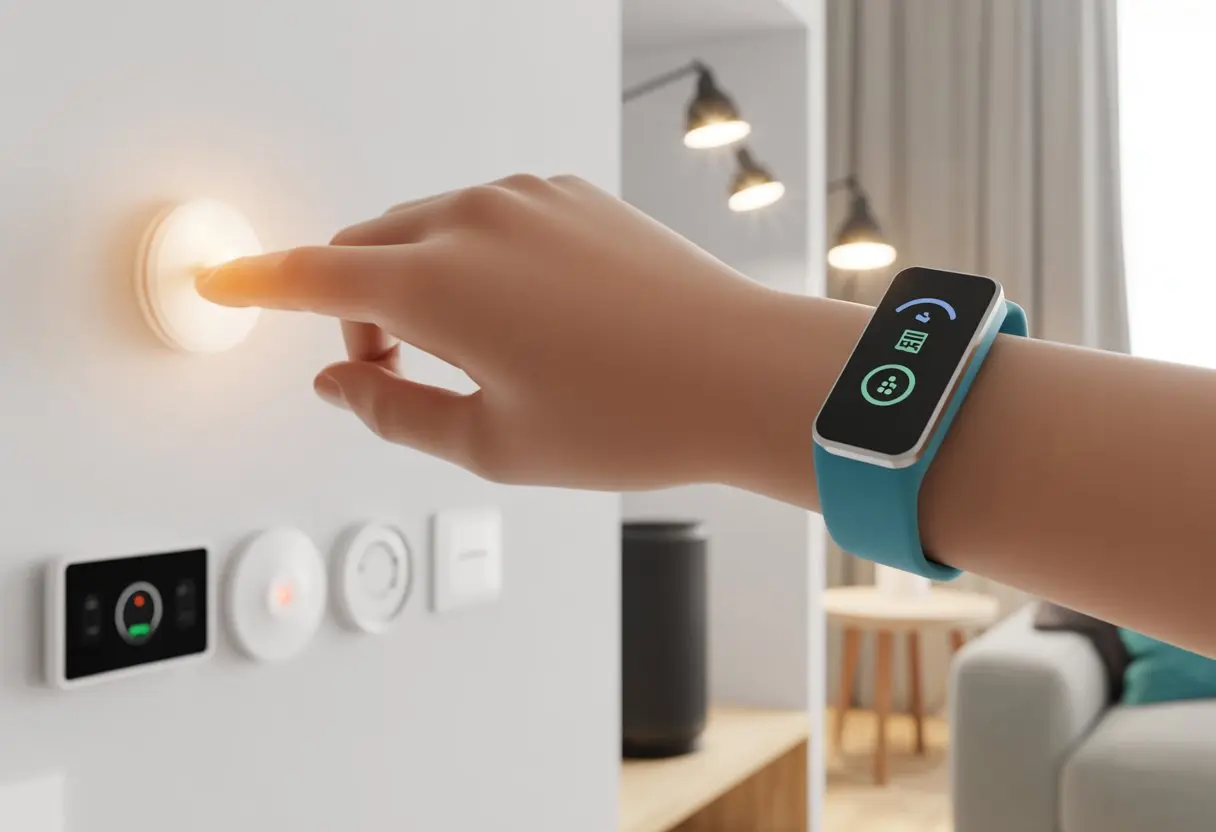
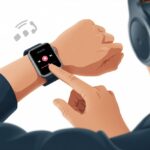
You can use a fitness tracker to control smart home devices, letting you turn off lights, unlock doors, and even adjust your thermostat with just a few taps or gestures.
With smart home control from your fitness tracker, you’re not just counting steps and checking your heartbeat—you’re tapping into next-level convenience. No more running around the house to press buttons; now you can flick your wrist or squeeze your band and—boom—the living room is ready for movie night.
If you ever wished for a magic wand, this is about as close as it gets.
Your favorite fitness tracker can double as your personal smart home command center. Honestly, your home (and your comfort) are about to get a serious upgrade.
What You Need to Get Started
Before you start waving your wrist to turn off the lights, you’ll need the right tech combo. The main thing is picking a fitness tracker that works with smart home devices, checking compatibility, and grabbing the right apps or platforms.
Choosing the Right Fitness Tracker
Let’s be real—we all want to feel a little futuristic when fiddling with our lights. Fitness trackers and smartwatches like the Apple Watch, Samsung Galaxy Watch, and Fitbit let you control smart home gadgets straight from your wrist. Smart rings are inching into the scene, but right now, they mostly just track your heart rate instead of your thermostat.
If you use an iPhone, the Apple Watch is your best bet. Android fans, Samsung and Fitbit usually play nicely. These trackers do more than count steps—they’ve got voice assistants or apps to help you link up with your home.
Cheaper fitness bands might not have all the bells and whistles, but a few let you handle simple tasks through notifications or connected apps. Before you buy, double-check which smart home platforms you want to use—because not every band or watch works with every gadget.
Compatible Smart Home Devices
Not every smart home device wants to play ball with your wrist. Focus on gadgets that support Alexa, Google Home, or Apple HomeKit. The most common options are smart lights, plugs, locks, and thermostats. Sometimes, even your humble robo-vacuum can get in on the action.
If you want to dim the lights from bed or lock the door with a flick of your wrist, you’ll need devices that can connect to your tracker—usually through Wi-Fi or Bluetooth. Some systems let you control the whole house right from your wrist.
Here’s a quick cheat sheet:
Device Type
Popular Brands
Works With
Smart Lights
Philips Hue, LIFX
Most smartwatches
Smart Plugs
TP-Link, Wemo
Alexa, Google, HomeKit
Thermostats
Nest, ecobee
Alexa, Google
Door Locks
August, Yale
Apple Watch, Samsung
Supported Apps and Platforms
The real magic is in the app or platform that links your tracker to your smart home. Apple Watch uses the Home app for HomeKit stuff. Samsung watches connect with SmartThings, and Fitbit lets you use Alexa for voice commands, as shown here.
You might need a third-party app or cloud service if your fitness band doesn’t natively talk to your smart gadgets. Apps like 1Home or IFTTT can bridge that gap.
Setting up these integrations sometimes means tinkering with settings and permissions—and maybe a little cursing when things don’t pair right away.
Pairing Your Fitness Tracker with Smart Home Devices
Let’s make your fitness tracker pull its weight for more than just counting steps. With the right setup, you can use it to control your lights, adjust the temperature, or even annoy the dog with the robo-vac.
Connecting via Bluetooth Low Energy (BLE)
First up, you need to get your tracker talking to your smart home gadgets. Most fitness trackers use Bluetooth Low Energy (BLE). It sounds high-tech, but really, it just means they conserve battery while sending data.
Make sure both your tracker and your smart home hub or device are charged and on. BLE works best when your tracker is close to the device, so don’t stash it in your sock drawer.
Open the smart home or fitness app on your phone and look for a “Pair Device” or “Add Device” button. The app will prompt you to turn on Bluetooth and search for nearby devices. When your tracker shows up, tap to pair. Sometimes you’ll need a PIN or code—keep those handy.
If pairing fails, try turning everything off and back on. Honestly, that fixes more than you’d expect. Make sure you’re close to the smart hub, or BLE won’t find the tracker.
Setting Up Voice Assistant Integrations
Now, let’s get bossy with your house using your voice. Many smart homes support Google Assistant or other voice assistants. You can link your fitness tracker to the same ecosystem that runs your smart plugs, lights, or thermostat.
Start by opening the mobile app for your voice assistant—like Google Home. Look for the “Add” or “Set up device” button and search for your fitness tracker brand or service. If it’s supported, you’ll go through a quick sign-in or authorization process.
Once connected, you can say stuff like, “Hey Google, show my step count,” or “Turn on the living room lights when I close my exercise ring.” This only works if your devices speak the same language, so check your tracker’s compatibility with your assistant.
You can also get notifications on your tracker from smart home devices. Imagine your wrist buzzing when the laundry’s done—maybe a little annoying, but kind of handy.
Configuring the Mobile App
Time to dive into your fitness tracker’s companion app. This is where you pick what your tracker can control and how it talks to your devices. The app usually lets you set up automation, like turning the thermostat down when you hit your sleep goal.
Most steps start or finish in this app, so keep it updated and give it the right permissions. To link your smart home gadgets, go to the settings menu and look for “Smart Home” or “Integrations.”
Follow the prompts to select devices, connect accounts, and set preferences. Some apps show you an integration list—if your smart lights or thermostat appear, you’re set. You can also choose which alerts and notifications ping your tracker, so you’re not interrupted every time the door opens.
For more tips, check out this guide on connecting your device to apps like Runmefit.
Automating Your Home Using Fitness Data
When you connect your fitness data to your smart home, you turn health tracking into something genuinely useful. Your heart rate and sleep patterns can actually adjust your living space—comfort is just a heartbeat (or a snore) away.
Using Heart Rate Monitoring for Ambient Control
Let’s make that heart rate monitor do more than guilt you about cardio. If your tracker sees you’re working out hard, your house can lower the temperature or turn on a fan—no more sprinting for cool air.
When your heart rate drops, the system can close windows or turn off the fan. If your heart rate spikes while you’re just sitting (thanks, horror movie), maybe the lights will dim to help you chill out.
Some smart systems can play relaxing music when your tracker senses you’re stressed. It’s almost like having a spa at home, minus the fancy robes.
Over time, these automations adapt to your heart rate patterns, making your day a bit smoother. You can create actions in smart home apps or platforms like Home Assistant and tie them to changes in your heart rate for real-time adjustments. Want to get fancy? Check out this dynamic home gym scheduler using Home Assistant.
Sleep Tracking and Smart Lighting
We spend a third of our lives sleeping—unless you’re up watching cat videos. That’s where sleep tracking helps. When your sleep monitor senses you’re waking up, your bedroom lights can gently fade on, making mornings less brutal.
Smart lighting can shift based on your sleep analysis data. If you had a rough night, the lights can stay dimmer and warmer, easing you into the day without that harsh glare.
Tracking your sleep patterns also lets you automate other stuff. Imagine the coffee machine brewing after a tough night, or the thermostat warming up before you crawl out of bed.
When you link sleep tracking to your smart home, your house starts responding to your needs—no commands required. Most smart lights work with the big platforms, so setting up these sleepy automations isn’t hard.
Creating Custom Routines and Triggers
Smart homes should make life easier, especially if you’re juggling fitness and stress. You can set up clever automations so your smart devices react to your activity or stress levels.
This way, you get the most out of fitness tracking and digital health tech—no extra sweating required.
Fitness Activity Detection for Automation
When your fitness tracker senses you’re starting a workout, you can trigger smart home routines right away. Imagine your lights flipping to a motivational color, your speakers blasting your workout playlist, and a fan kicking on—all because you started jogging in place.
You can set up these automations using platforms like Google Home or SmartThings. Just create a custom routine that turns devices on or off whenever activity is detected.
With a couple of taps, your living room transforms into a full-on gym—no membership or lunk alarms required.
Here’s what you might automate when your tracker detects fitness activity:
Music playback: Start a playlist for workouts.
Lighting: Switch bulbs to energizing colors.
Climate control: Turn on fans or drop the temp.
Equipment: Power up smart exercise gear.
With real-time feedback from fitness trackers, you spend less time prepping and more time actually moving (the fun kind).
Stress Monitoring to Adjust Environment
We all know that managing stress matters for our health. Fitness trackers now keep tabs on our stress levels.
When they notice we’re tense, why not let our smart home step in and help us chill out? If stress spikes, our home can dim the lights, play calming sounds, and maybe even fire up our favorite diffuser.
Digital health meets mood lighting—what a combo, honestly. Setting up these routines usually involves the stress monitoring feature on the tracker sending a signal to our home automation hub.
Common things we might automate based on stress:
Lighting: Switch to soft, warm colors.
Sounds: Play relaxation music or nature sounds.
Temperature: Lower the room temperature slightly.
Notifications: Gently remind us to stretch or breathe.
We can turn our house into a personal zen garden whenever things get a bit too intense. It’s a new level of stress management, powered by the gadgets we already wear every day.
Enhancing Your Workout Experience with Smart Controls
Working out at home shouldn’t feel like suffering in a dusty garage. When we use fitness trackers with smart home control, we can change up the music, dim the lights, or cool things down—without missing a single rep.
Controlling Music and Media
Nothing ruins a plank faster than a boring playlist. With smart home devices and a fitness tracker, we can start, stop, or skip songs right from our wrists.
No more reaching for our phones with sweaty hands. We can turn up the volume when our favorite song comes on, or mute everything for that much-needed cool-down.
Some fitness trackers even work with voice assistants. We just say, “Play workout playlist,” and let the beat drop.
If we like watching workout videos, smart TVs connected to our trackers let us pause or change workouts using simple touch or voice controls.
Here’s why this rocks:
Less Distraction: No need to stop moving to shuffle songs or adjust TV shows.
Better Motivation: The right music keeps our energy up.
Cleaner Gear: Fewer fingerprints and less sweat on our devices.
Temperature and Lighting Adjustments
If we’ve ever tried yoga in a room that feels like a freezer, we know how important comfort is. Smart home control lets us adjust the temperature before we even roll out our mat.
Some fitness trackers connect to thermostats, so we stay cool for cardio or warm for stretches. Good lighting makes a huge difference in our workout mood.
Smart lights sync up with our routines, and we can use our tracker to switch from bright “beast mode” to soft “chill out.” Light colors can even signal warmup, high-energy intervals, or cool-down periods.
Here’s what it means for us:
Feature
Benefit
Temperature Control
Keeps us comfortable and focused
Lighting Control
Sets the right mood and energy
No more fumbling for wall switches during a workout. We stay in the zone and out of the dark—unless, of course, it’s time for a disco cooldown.
Tips for Optimizing Battery Life and Device Longevity
If our fitness trackers run out of power, they might as well be fancy wristbands. Making them last longer while tracking every move and nap is key for smart home control.
Maximizing Long Battery Life
Screen brightness, GPS, and extra features drain a wearable device’s battery faster than Monday motivation. Let’s dial down our screen brightness—just a notch usually does the trick.
Most of us can still read the numbers without turning our wrist into a spotlight. Turning off extra features we rarely use—like always-on heart rate checks or notifications when the fridge is left open—can give us precious hours (or even days).
Charging correctly matters just as much. We should avoid charging our trackers all the way to 100% or letting them hit 0% every time.
Sticking between 20% and 80% when possible helps keep the battery healthier for the long haul. That means less time plugged in and more time high-fiving ourselves for hitting those step goals.
Scheduling Charging Around Sleep Tracking
Sleep tracking is one of our fitness tracker’s best party tricks, but it throws off our nightly charging routine. If we want to get data on our tossing, turning, and maybe a little drooling, we need to plan our charging like grown-ups.
The sweet spot? Charging while we shower, get ready in the morning, or during those moments when we’re Netflix binging on the couch.
Short charging sessions during idle hours keep our fitness tracker ready for sleep duty without missing our daylight activity. For folks whose trackers need longer charges, plugging in during dinner is smart, since most of us don’t track how many times we chew anyway.
Some recommend letting the battery drain to zero and then fully recharge once a month—just for calibration, not daily (as found in battery calibration tips). The key is finding a habit that fits our schedule, so our wearable can keep tracking, buzzing, and bossing around our smart house without needing a nap when we do.
Troubleshooting Common Issues
Even the smartest fitness trackers aren’t immune to technical hiccups. We’ve all felt that little burst of annoyance when our device disconnects, refuses to sync, or blows up our phone with alerts at 3 a.m.
Connection Drops and Quick Fixes
We’ve been there: one minute our tracker is unlocking doors, the next it’s about as connected as a soggy sock. Wireless interference or low battery usually causes the problem.
Quick fixes include:
Making sure Bluetooth is actually on—yes, we’ve forgotten, too
Standing closer to our smart home hub
Restarting both the tracker and phone
Persistent drops may mean it’s time to move the hub away from microwaves and Wi-Fi routers, or check for weak wireless signals. When in doubt, forget the device in the app and pair again; think of it as couple’s therapy, but for gadgets.
For stubborn connection oddities, more tricks can be found on smart home and fitness tech troubleshooting pages like this guide.
App Compatibility and Updates
We expect our fitness tracker to play nice with every app, but sometimes they just bicker. Old app versions or outdated firmware can stop notifications or smart home controls from working.
To avoid these drama moments:
Keep both your tracker’s firmware and the app updated
Check if our devices and apps actually support each other (sorry, some models just won’t cooperate)
Clear the app cache—think of it as a digital deep breath
If a certain feature stops after an update, searching for known bugs or patch notes can reveal if it’s a widespread issue
Manufacturers update their apps for a reason, usually to squash bugs, so we shouldn’t skip those updates. App compatibility FAQs can be helpful, too.
Time Zone and Alert Syncing
There’s nothing quite like getting a home security alert at breakfast time—only to realize it was for last night. Time zone misfires can cause notifications to show up at the worst possible moments.
Let’s keep our smart home notifications timely:
Set the correct time zone on both our phone and fitness tracker
Verify that the companion app’s region settings match our actual location
Resync the tracker if times are still off—this usually happens automatically but sometimes needs a manual nudge
If all else fails, toggling airplane mode on and off can force a resync. Time zone mix-ups are common but can be fixed fast with a few taps.
We don’t want to be startled by the doorbell at midnight when it really rang at noon, do we? More tips can be found in fitness tracker troubleshooting guides.
The Future of Fitness Trackers and Smart Homes
Wearable devices keep getting smarter and more connected with our daily lives. We’re about to see some breakthroughs—especially with smart rings and other futuristic trackers taking charge of our homes and habits.
Upcoming Features in Wearable Devices
Let’s be honest—we all want gadgets that make life easier without making us look like cyborgs. The next wave of wearable devices will help, letting us control everything from the temperature to our playlists by just moving our wrists or tapping a screen.
Imagine walking into a room, and your fitness tracker quietly tells the thermostat to adjust so we won’t have any excuse for sweating during yoga (again). Innovations don’t stop at comfort.
Tracking heart rate, sleep quality, and even our posture will become smoother and more accurate. Future fitness trackers could give us real-time alerts, not just for steps but also for air quality or if we’re slouching worse than a tired sloth.
Integration with smart thermostats, lights, TVs, and locks
Integrating Smart Rings and Oura Ring
It’s not just about wristbands anymore. Smart rings like the Oura Ring squeeze a bunch of powerful sensors into tiny, stylish bands.
So now, we can track our health stats and even control smart home devices—without drawing much attention. Unless someone’s eyeing that techy bling, of course.
The Oura Ring tracks your sleep cycles, heart rate, steps, and even body temperature. It’s kind of wild to think that soon, you’ll just flick a finger to lock the door, play some music, or dim the lights—no need to dig for your phone.
Fitness fans love having that data and convenience right at their fingertips. Literally.
More systems now let smart rings work together with other gadgets at home, making wellness monitoring feel pretty seamless. If you’re curious, here’s more on integrating wearables in smart home systems and how it’s changing daily life.
As new models keep rolling out, smart rings are shifting from niche gadgets to must-have accessories. Whether you care about health, style, or just hate losing the remote, there’s something here for everyone.
Hi, my name is Garrett Jones, and I am a tech enthusiast. I enjoy researching the new tech that has been released, and have a vast knowledge of the best tech to purchase.
From a young age, I have always had a big interest in technology, and this blog is an extension of that interest. Through this blog, I hope to provide others with all of the information they need regarding tech options to consider, and things such as compatibility. Some of the different items I will be discussing include headphones, smartwatches, and how to fix common issues.