Let’s be real for a second. Everyone wants proof they crushed it at the gym, right? Nothing says “yep, I did that” quite like a fitness tracker on your wrist.
Some of us are still surprised our watches even tell time, never mind counting reps. But here we are, getting actual stats every time we shuffle from the squat rack to the water fountain.
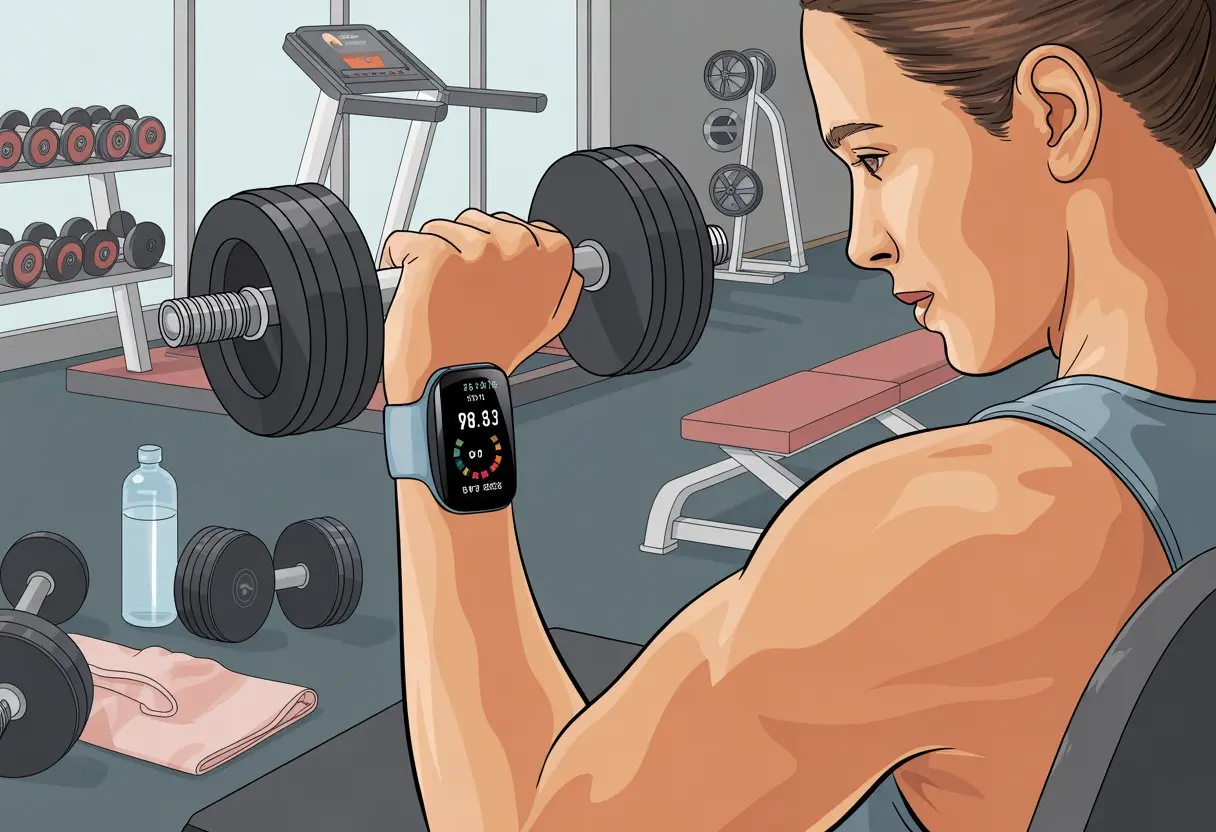
Using a fitness tracker at the gym gives us real feedback—reps, sets, heart rate, and calories burned. Every beep and buzz means we’re not just sweating—we’re building a record of what actually happened, not just what we claim we did.
We don’t have to scribble workout notes on crumpled receipts or try to memorize numbers anymore. By syncing our watch with an app, we get easy-to-read charts that show what’s really working.
If you’re still confused, don’t worry. Tracking workouts isn’t rocket science, and you don’t need to be a member of some secret club.
Choosing the Right Fitness Tracker for the Gym
Picking a fitness tracker for the gym can feel like picking socks—so many choices, but only a few really work for you. We want something that tracks what matters and won’t die halfway through a workout.
Key Features to Look For
A good gym tracker does more than just count steps while you look for parking. We need solid heart rate monitoring so we know we actually worked, not just scrolled through playlists.
Look for easy-to-use workout tracking modes for strength, HIIT, and cardio. And don’t forget reliable battery life—nothing kills motivation like a dead watch after one set.
We also want Bluetooth syncing to our phones (Android or iPhone, no judgment here). No one wants to mess with cables.
Some of us even like sleep tracking—because why not get credit for naps?
Comparing Popular Fitness Trackers
With so many brands, it’s easy to get overwhelmed. The Fitbit Charge 2 keeps things simple and just works, especially if you forget to charge it every night.
The Garmin Connect lineup gives you tons of metrics—calories, reps, even leg day stats. But honestly, it might be too much if you just want basics.
Some trackers let you swap out bands to match your wildest gym shoes. Others let you pay for smoothies with a wrist tap—because who wants to dig for a wallet with tired arms?
If you want more opinions, check reviews on garmin watches for gym workouts or browse best-of lists.
Budget vs. Premium Models
Fitness trackers come in two camps: budget-friendly and “forgive me, bank account.” Affordable options handle heart rate and exercise tracking just fine for most people.
The Fitbit Inspire 3 gives you the basics without emptying your wallet.
Premium trackers add perks like contactless pay, extra stats, and fancier screens. Think GPS, Spotify, and sleep analysis that’s almost too detailed.
If you love having all the data and features, splurging might actually keep you motivated—especially if you hit the gym a lot.
Setting Up Your Fitness Tracker Like a Pro
Setting up a fitness tracker takes a little tapping, pairing, and—let’s admit it—a bit of patience. We have to sync our devices, organize workouts, and tweak settings so everything feels just right.
Syncing With Your Smartphone
Honestly, our fitness tracker is just a fancy bracelet until we sync it with a smartphone. First, get your tracker and phone ready for Bluetooth—Android users, maybe close a few background apps.
After grabbing the official fitness app (Fitbit, Garmin Connect, Samsung Health, whatever fits), use Bluetooth to connect. If things freeze up, try turning Bluetooth off and on—kind of like blowing on an old game cartridge.
Follow the on-screen steps to finish setup. Once you’re connected, your tracker starts sending step counts, heart rates, and even those late-night snack walks to the app.
Most apps show you colorful graphs, which makes spotting trends (or “oops, too many leg days”) a lot easier.
Configuring Training Plans
Now let’s make the tracker work for us. Most trackers let you set up weekly plans.
In the app, choose a preset like “Strength Training” or “Cardio,” then tweak sets, reps, and rest times. Platforms like Garmin and Galaxy Watch let you create workouts with rounds mapped out.
It’s like having a drill sergeant, just way quieter. You can schedule reminders and rest days, which is great if you “accidentally” skip leg day.
Your tracker will remind you—sometimes a bit too often—what’s on the schedule.
Personalizing Workout Settings
This part is all about comfort and getting good data. Enter your age, height, weight, and fitness level.
Your calorie burn will be more accurate. Strap placement matters—experts say wear it on your less dominant arm for better readings.
If your wrist gets sweaty, keep the tracker snug but not tight, and wipe it down so it tracks heart rate right.
You can adjust display brightness, workout screens, and which stats show up mid-session. If your tracker vibrates, turn on alerts so you don’t miss rest breaks or set changes.
Sync your tracker often so you don’t lose any gym data—no one wants to repeat burpees because of a failed sync.
If you need extra help, guides like this one for new users are super handy for learning the quirks.
Tracking Your Gym Workouts Effectively
Let’s be honest—our memories aren’t always reliable, especially after a tough workout. Using a tracker means we can log every rep and set, skipping the guessing games and math mistakes.
Logging Strength Training Sessions
When you start a strength workout, actually hit “Start” on the tracker. If you forget, those reps and sets just disappear.
Choose the right activity type, like “Strength Training” or “Weight Lifting,” so your data stays organized.
Most trackers let us log each exercise. This helps us remember what we did—no more wondering if we actually did squats last week or just thought about them.
If your tracker lets you add custom exercises, go for it. You can even type in those weird bicep curls you love.
Apps usually give you a workout history to check later. It’s kind of fun to see if you’re beating your old self (spoiler: you probably are).
Counting Reps and Sets
Counting reps and sets gets tricky, especially when you’re running on empty. Some trackers use motion sensors to count reps automatically.
You can also tap or swipe to log each set, which keeps things accurate. A rep is one movement; a set is a group of reps before a rest.
Trackers might nudge you with a set timer or rest timer, so you don’t end up scrolling social media instead of lifting.
Here’s a quick example:
| Exercise | Sets | Reps per Set |
|---|---|---|
| Bench Press | 3 | 10 |
| Deadlift | 4 | 8 |
If you lose count, logging as you go saves you from the “Was that 9 or 10?” panic.
Recording Weight Used
Remembering the weight you just lifted is huge. It helps you track progress and keeps you from piling on too much.
Most trackers let you type in the weight for each set. Some even let you enter different weights for every set, which is perfect for pyramid sets or when you try to impress someone at the gym.
Recording weights shows if you’re actually getting stronger—or just finding better lighting. With this info, you can look back and spot new personal bests.
For more on keeping stats organized, check out this workout tracking guide.
Monitoring Your Activity Levels and Progress
Tracking gym workouts shouldn’t feel like solving a puzzle. With a fitness tracker, you can watch your activity levels climb, keep your heart rate in check, and make sure your movement actually counts.
Tracking Moderate Exercise and Physical Activity
Let’s admit it—sometimes we think we’re moving more than we really are. The tracker keeps us honest by counting steps and minutes of moderate exercise.
Experts say moderate means your heart rate is up but you can still talk, even if you’re a little breathless.
Most trackers light up or buzz when you hit the recommended 150 minutes of moderate activity per week. You can see this in real time, which is handy on those days you spend more time searching for dumbbells than lifting them.
Some trackers even buzz if you sit too long, nudging you to move. Getting feedback helps set realistic goals and spot trends each week.
For more tips, check out advice on getting the most out of your fitness tracker.
Here’s what to look for in a tracker:
| Feature | Benefit |
|---|---|
| Step counter | Counts daily movement |
| Active minutes log | Tracks moderate activity |
| Movement reminders | Stops us from becoming gym furniture |
Logging Cardio: Walking and Cycling
When we add walking or cycling to our cardio routine, our tracker logs each session. Most trackers come with built-in modes for both, recording distance, time, pace, and even calories we burn.
We get more insights when we compare workouts over the week. Did we actually bike longer on Sunday, or did it just feel that way because we skipped water?
Fitness trackers with GPS map our routes, so we can brag about our favorite hill to anyone who’ll listen. Detailed records help us adjust workouts for steady progress, and sometimes we spot patterns—maybe we’re secretly a power walker who cycles just for snacks.
Some trackers sync this info with smartphone apps, giving us colorful charts and the occasional badge. Who doesn’t like digital rewards?
If you’re ready to dive deeper, this guide from Forbes explains features to track your activity level and progress.
Understanding Heart Rate Monitor Readings
Let’s talk heart rate. Nothing says “I’m working hard” like a number showing just how much our heart is pumping.
Fitness trackers use built-in sensors to show us our heart rate while we exercise, walk, or even when we’re just untangling headphones.
Usually, we see three numbers:
- Resting Heart Rate: Our chill-out mode, best checked first thing in the morning.
- Current Heart Rate: What’s happening right now, whether we’re boxing, walking, or just thinking about cardio.
- Target Heart Rate Zone: The sweet spot where we get the most fitness benefits without turning beet red.
Staying in our target heart rate zone helps us avoid burning out or slacking off while we “rest” between sets. Most modern trackers alert us if we’re pushing too hard or not enough, so we guess less and flex more.
If those numbers look confusing, SELF has advice for not letting our fitness tracker rule our life.
Analyzing Workout Data for Smarter Gains
Learning how to look at our fitness tracker’s numbers is half the battle. By paying attention to our data, we can skip the “winging it” phase and train a bit smarter.
Maybe, just maybe, we’ll finally beat our neighbor’s step count.
Using Apps Like Garmin Connect and Fitbit
Apps like Garmin Connect and Fitbit act like personal assistants, but they don’t bug us about laundry. They love showing us charts.
When we sync our fitness tracker to these apps, we keep all our stats in one place. We can see daily steps, heart rate changes, and whether our workout steps look like exercise or just us chasing the dog.
We get workout summaries that break down every minute of sweat. If we set fitness goals, these apps keep us on track—sometimes with more pep than we have at 6 a.m.
The best part? We can join challenges and compare ourselves to friends, which, let’s be honest, is half the fun.
Some apps suggest training plans based on our data. They tell us if we’re slacking or ready to move up in weight or reps.
This takes the guesswork out of our routines and keeps us improving. If we skip a week (or three), maybe just ignore the “weekly progress” tab.
Interpreting Performance Metrics
Let’s look at the numbers our fitness tracker gives us. Performance metrics like heart rate zones, calories burned, and step count all tell different stories about our workouts.
If our heart rate never leaves the “barely awake” zone, we know it’s time to step it up.
Here’s a handy table to keep track of what matters:
| Metric | What It Tells Us | Why It Matters |
|---|---|---|
| Heart Rate | Workout intensity & recovery speed | Guides safe, effective training |
| Calories Burned | Effort plus doughnut budget | Helps us adjust workouts |
| Steps | Total activity, not just gym time | Motivates all-day movement |
Watching these numbers over time gives us clues to tweak training plans. If our calories burned go up and our recovery time drops, that’s progress.
If we’re hitting our step goal before lunch, we’ve officially outpaced our previous lazy selves. For more on data-driven fitness tracking, seeing trends helps us make changes that actually work, not just look good in charts.
Staying Motivated and Crushing Fitness Goals
It’s way too easy to set a goal and then forget it after two days (or two hours). Our fitness trackers make it harder to slack off, especially when they keep buzzing and reminding us.
Let’s see how we can actually use those reminders to win at gym workouts—and maybe have some fun with it.
Setting and Adjusting Fitness Goals
Setting the right fitness goals is like picking the right gym playlist. If it’s not your jam, you’re just going to hit skip.
Fitness trackers make it easier to set goals that fit what we want, like steps per day, weight lifting targets, or calories burned.
We can adjust these goals anytime. Maybe we’re crushing our step goal but missing our strength workout mark.
No problem. Most trackers let us edit goals with a few taps.
If we’re feeling ambitious, we can raise the bar. Bad week? We can ease up without guilt.
Trainers always say goals should be specific, measurable, and realistic. Fitness trackers help with all three.
They track our progress and show us what we’ve done. They don’t lie—unlike that mirror at the gym that insists we’re still five pounds heavier.
Unlike paper charts or planners, our wearable friends spot trends in our routines. For more on why setting and tracking goals matters, check out ways fitness trackers help us reach our goals.
Celebrating Milestones With Your Device
Fitness trackers love to celebrate when we hit a target. Tiny buzzes, fireworks on the screen, or cheesy messages like “You did it!”—it’s not a parade, but we’ll take it.
These little celebrations keep us coming back and trying harder at each gym session.
When we finish a tough workout, our device might show a record badge or congratulate us for a personal best. Some trackers let us share these milestones with friends, which turns goal smashing into friendly competition.
A good trick is to set small, frequent goals. That way, our tracker gives us more reasons to celebrate.
Keeping up with these small wins makes us feel way more motivated to exercise. For tips, check out using a fitness tracker to stay motivated.
Let’s let our wrists cheer us on—because sometimes, we all need applause that fits in the palm of our hand.
Addressing Common Mistakes With Fitness Trackers
Sometimes our fitness trackers get it hilariously wrong. If we accidentally count arm waves as steps or run out of battery right in the middle of a workout, things can get wild.
Avoiding Miscounts and Sync Fails
Let’s be honest, our trackers can be drama queens. If we wave at a friend or brush our teeth with extra flair, suddenly we’ve become Olympic walkers.
Wearing the tracker properly, usually snug on our non-dominant wrist, makes step counts more reliable.
When we’re at the gym, it helps to double-check if our tracker recognizes the movement. Lifting weights might not register if the tracker’s set to “run” mode.
We should update our activity type before starting.
Syncing is everything. If our tracker and app aren’t best friends, workouts can disappear like socks in the dryer.
Daily syncing keeps records accurate and saves us from explaining to friends why our step count is stuck. For more tips, check out ways people are using their fitness tracker wrong.
Battery Life and Maintenance
Nothing kills a workout vibe faster than that sad beep of a dying battery. I mean, who wants their gym superstar moment interrupted? I always try to set reminders to charge my fitness tracker before heading out, just in case.
Most trackers need a few hours to hit 100%, so planning ahead saves a lot of frustration. If you want longer battery life, try turning off features you don’t use—like constant heart rate tracking or the always-on display.
Some trackers offer a power-saving mode, which honestly comes in clutch for all-day wear. I recommend checking the band and charging contacts every week or so and giving them a quick clean.
Sweat and grime can mess with syncing and drain your battery way faster than you’d expect. Let’s not end up in that unlucky group who stops using their tracker; our gym data deserves better!

From a young age, I have always had a big interest in technology, and this blog is an extension of that interest. Through this blog, I hope to provide others with all of the information they need regarding tech options to consider, and things such as compatibility. Some of the different items I will be discussing include headphones, smartwatches, and how to fix common issues.
Related Posts: