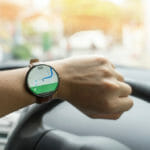
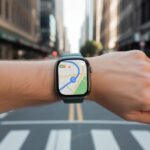
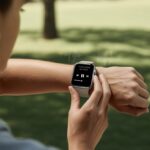
We’ve all wandered through a city, clutching our phones like flashlights at a sleepover, hoping Google Maps will lead us to coffee or civilization. That’s where smartwatches swoop in—offering turn-by-turn navigation, step tracking, and, maybe most importantly, a way to find your way without tripping or dropping your phone in the gutter.
When you use a smartwatch with Google Maps, you just glance at your wrist for directions. It looks cooler and feels a lot safer than waving your phone around as you walk.
Not every smartwatch nails Google Maps, though. Some are like overachievers with bright screens and strong vibrating alerts. Others…well, they get lost trying to find the bathroom. You want a watch that works with Google Maps, has a clear display you can read outdoors, lasts all day (or longer), and feels good on your wrist. Blisters? No thanks, even from tech. Performance matters too—nobody wants frozen directions at a five-way intersection.
So, we rounded up smartwatches, put them through their paces, and found out which ones actually help you get around without getting lost (again).
Trying to follow directions on your phone while dodging lampposts? Yeah, we’ve been there. That’s why we hunted down the best smartwatches that make Google Maps navigation so much easier—and keep your hands free for snacks.
Amazfit Active 2

We recommend this smartwatch if you want Google Maps navigation without tiny screens or constant charging.
Pros
- Free offline maps with turn-by-turn directions
- Battery life that outlasts our willpower at the gym
- Bright screen that doesn’t fade in sunlight
Cons
- Zepp App voice control gets stubborn when Wi-Fi acts up
- Watch feels a bit big on smaller wrists
- Notifications get chatty unless you tweak the settings
Getting lost can’t be your excuse for being late to brunch anymore. The Amazfit Active 2 let us download maps for free and gave us turn-by-turn directions we could actually read. That screen? So bright, even the sun gave up trying to wash it out.
We didn’t stress about battery life. This thing lasted over a week with regular use, so plugging in every night is officially canceled.
The stainless steel case looks premium, and the silicone band survived sweat and accidental salsa spills.
Voice control tries hard, but sometimes it just doesn’t get us—maybe it’s our accent? Setting up notifications to keep things quiet was simple, and sleep tracking was spot on.
If you want navigation, fitness tracking, and a watch face that works with anything, this one’s a strong pick.
Amazfit Bip 6 Smart Watch

If you want Google Maps navigation on your wrist and hate charging your watch every night, check this one out.
Pros
- GPS locks on faster than we can mispronounce “recalculating”
- Bright display is readable, even when the sun won’t quit
- Battery lasts for days—almost suspiciously long
Cons
- Removing the band to charge it feels like defusing a bomb
- Some notifications slip through the cracks
- Looks a bit sporty for fancy occasions
Finding our way with the Amazfit Bip 6 and Google Maps felt surprisingly easy. The GPS fires up quickly—no more awkward waiting on the sidewalk for a signal.
Free downloadable maps helped us survive wrong turns (on purpose, for science). The watch was more patient than any of our friends.
The display pops with color and brightness. We saw every street name clearly, which is kind of a miracle.
Battery life is the real hero, lasting up to two weeks. That gave us time for spontaneous adventures—or just “getting lost” without hunting for a charger when we got home.
Charging the watch tripped us up. Removing the band just to get it on the charger feels like it should come with dramatic music. The watch sends notifications, but not all of them, so sometimes we missed a message.
Overall, the Bip 6 is great for anyone who wants tech that actually works out and about—even if their sense of direction could use a little help.
Amazfit T-Rex 3 Military Smart Watch

If you need a smartwatch that laughs at rough hikes and lets you follow Google Maps without squinting, this one’s a top pick.
Pros
- Survives wild outdoor adventures, even accidental swims
- Battery life outlasts our longest camping trips
- Map screen stays bright, even when the sun gets in your eyes
Cons
- It’s bulky—could double as a wrist weight
- Calls and texts work, but typing on that screen is never fun
- GPS setup takes more patience than getting our dog out of bed
Honestly, most smartwatches claim to be rugged, but the T-Rex 3 struts through mud, cold, heat, and water like it’s showing off. We took it surfing, hiking, and into surprise rainstorms, and it just kept ticking.
No panic when someone suggests freediving—the thing actually likes water more than we do.
Google Maps navigation is easy thanks to the blindingly bright display. Even at high noon, directions are readable, so getting lost takes real effort.
With dual-band GPS and six satellite systems, our blue dot rarely takes creative detours.
Battery anxiety? Not here. The T-Rex 3 keeps going for weeks, while other watches beg for mercy after a road trip.
Is it perfect? Nah. But for anyone who wants a smartwatch they can trust on rough trails or city walks, it’s tough to beat. Plus, it gives us plenty of excuses to brag.
Amazfit GTR Mini Smart Watch

If you want a smartwatch to boss around Google Maps and dodge dead batteries, the Amazfit GTR Mini is a real contender.
Pros
- Battery life so good, we forgot what a charger looks like
- GPS tracking is spot-on, even when we get lost
- Lightweight and looks good on most wrists
Cons
- No fancy Bluetooth phone calls, so no secret agent moments
- Some features work best with Android—not great if you swap phones a lot
- Customizing notifications gets tricky
The first time we strapped on the Amazfit GTR Mini, we noticed how comfy it felt. The band sits just right, and the face doesn’t weigh down our arm.
Using it with Google Maps worked as expected. GPS locks on fast, which is handy when we wander off or forget which way the coffee shop is from the gym.
Battery life steals the show. We went almost two weeks without charging—and honestly, we almost looked for the charger out of habit, not need.
We get notifications for texts and calls (though we can’t answer like we’re in a spy movie).
This watch tracks our runs, walks, and even naps (because naps count, right?) and gives us plenty of health info. The sleep monitoring is helpful, but we wish tweaking notifications was easier.
If you want Maps and step tracking with minimal fuss, this one keeps up.
Garmin vívoactive 5

If you want a reliable smartwatch that actually helps you get from point A to point B (without getting lost in your own neighborhood), this is a strong pick—especially if you’re always on the go.
Pros
- Battery life that outlasts our last vacation
- AMOLED screen keeps maps looking bright, even in full sun
- Simple menus for navigation and health features
Cons
- Missing some advanced map features (no turn-by-turn on the watch itself)
- Not the most waterproof thing around (think splash proof, not submarine)
- Some functions need fiddling with the Garmin app
Out of the box, the Garmin vívoactive 5 feels light and comfortable. The display pops, so quick map checks are easy—no squinting, even on sunny days.
Bluetooth pairing is quick, and within minutes, we explored maps alongside our fitness stats.
Navigating with Google Maps notifications is straightforward. It doesn’t show full-color maps, but it displays turn alerts, which honestly saved us from missing a few right turns.
It buzzes for each direction, which is great if we’re distracted by, say, a dog parade.
We often forget to charge it, only to realize it’s still going strong days later. While some mapping extras are missing, the basic navigation gets the job done.
It’s best for anyone who wants health tracking and reliable, at-a-glance directions in something that looks good at the gym or at brunch.
Xiaomi Watch 2 Pro

If you want Google Maps on your wrist without that “grandma’s jewelry” vibe, the Xiaomi Watch 2 Pro is a pretty convincing option.
Pros
- Turn-by-turn Google Maps shows up right on your wrist, so you can leave your phone in your pocket.
- The battery lasts way past your first coffee run.
- Flicking through menus with the crown just feels cool—almost regal, honestly.
Cons
- This watch is definitely “big-boned”—tiny wrists beware.
- Some Xiaomi apps test your patience more than waiting for pizza delivery.
- Setting up certain features means making a Xiaomi account, which left us scratching our heads.
Google Maps runs smoothly here—directions pop up fast, and the screen stays bright, even outside. We liked glancing down at our route in a crowded city and not missing a turn.
The rotating crown is a treat to use, almost like dialing in a secret code. Reading street names was easy, too.
Style-wise, this watch just works. It doesn’t look cheap or like it’s trying too hard. The stainless steel body and classic shape mean you can wear it to dinner and still look sharp.
Installing apps is a breeze with Wear OS—no need for a tech degree.
But, yeah, it’s big. If your wrist is on the slimmer side, the 46mm face feels huge, almost like strapping on a dessert plate.
We also stumbled a bit with Xiaomi’s app setup, mostly because it asked for more logins and permissions than we expected.
Still, if Google Maps on your wrist is a must, we’d use this daily.
Amazfit Cheetah Pro

If you want to zip through city streets without missing a turn, the Amazfit Cheetah Pro somehow makes Google Maps navigation actually fun.
Pros
- Offline maps save you from data panic when your signal drops.
- GPS tracking is sharp—even in parking garages, it keeps up.
- The battery just keeps going, sometimes longer than our motivation.
Cons
- Some features disappear in battery saver mode.
- Setting up offline maps the first time can be a pain.
- Not the cheapest watch on the shelf.
Let’s just say, the titanium look finally gives us a sporty watch that doesn’t scream “I run marathons,” but still looks good when you’re just running late.
Once we powered it up, the display looked crisp and bright, so turn-by-turn directions were easy to see.
Punching in navigation for a quick trip, the dual-band GPS locked onto our route so fast, we wondered if it had X-ray vision. Even when we wandered off course, the watch rerouted us right away.
The battery life is probably our favorite part. We got days of vibrant maps and live guidance, with juice to spare.
Just know that battery saver mode takes away a bunch of features—kind of annoying.
The Amazfit Cheetah Pro brings Google Maps to your wrist, packed with features for both athletes and, honestly, anyone just hunting down the nearest taco truck.
JnJnhkta Military GPS Smartwatch
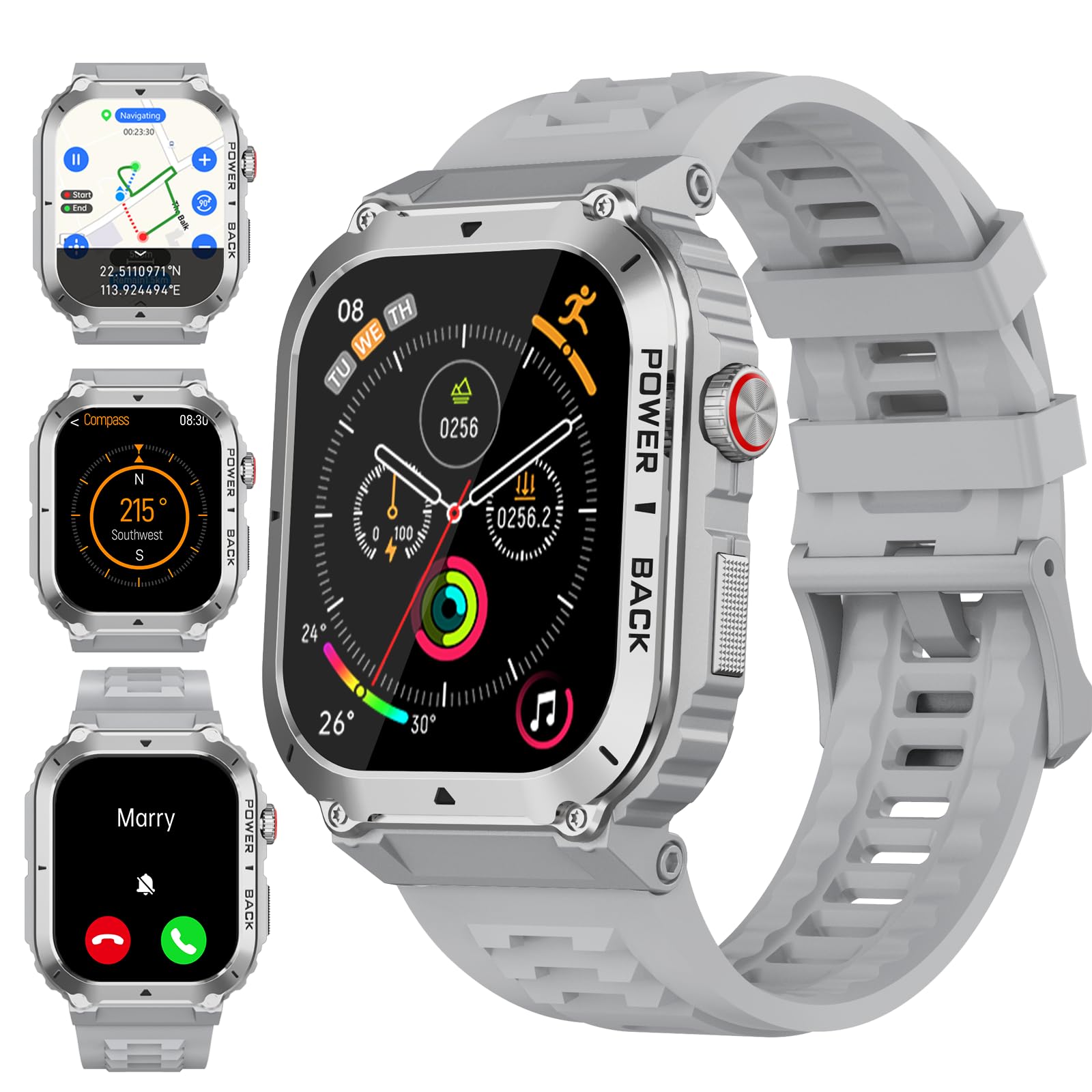
If you want to channel your inner secret agent (but really just need to find a coffee shop), this rugged smartwatch is a solid pick.
Pros
- The tough design can handle rain, mountains, and even the city bus.
- GPS and mapping are accurate enough to stop you from wandering in circles.
- Calls, notifications, and health tracking all work smoothly.
Cons
- Battery life starts strong but drops after a few weeks of heavy use.
- Setting up navigation and maps takes some fiddling.
- It’s chunky—skinny wrists look even skinnier.
We really put this JnJnhkta watch through its paces—running, hiking, even a quick trip to the fridge. The GPS and mapping impressed us.
Routes popped up fast, and the compass kept us from getting lost in our own neighborhood. We didn’t have to pull out our phones every time we wondered where we were.
Making calls from the wrist felt straight out of a spy movie. The health stats—steps, heart rate, sleep—reminded us how much more we should move.
The battery lasted a week or more at first, but after a few weeks, we reached for the charger every couple of days. Map features look great but need some patience to set up.
And yes, it’s big—but honestly, it makes us feel more rugged than lost.
Garmin Venu Sq 2

If you want a bright screen, solid battery life, and reliable Google Maps on your wrist without feeling like a robot, this watch pretty much nails it.
Pros
- AMOLED display is bright enough that sunglasses become optional.
- The battery lasts so long, you might forget where you put the charger.
- Tracks more health stats than your last physical.
Cons
- The square shape isn’t for everyone.
- Figuring out all the apps takes some time.
- No built-in speaker for those “Hey, Siri, help me!” moments.
This Garmin Venu Sq 2 really stepped up our navigation game.
With its bright display, turn-by-turn directions were easy to spot—perfect for getting lost in a new part of town (which, honestly, happens a lot). The touchscreen is smooth, so zooming in and out of routes didn’t have us mashing buttons.
We didn’t have to charge it every night, which felt like a breath of fresh air. We squeezed almost a week and a half from one charge—long enough to forget about charging altogether.
Checking steps or stress after rerouting a few times was simple, and the health tracking kept us honest.
It took us a bit to find all the features, though. Once we poked around in settings, we found a ton of options—maybe almost too many.
If you love maps, fitness, and not being glued to an outlet, the Garmin Venu Sq 2 is a sharp pick for runners, explorers, and anyone chasing a new step record.
CARBINOX Blaze GPS Smartwatch
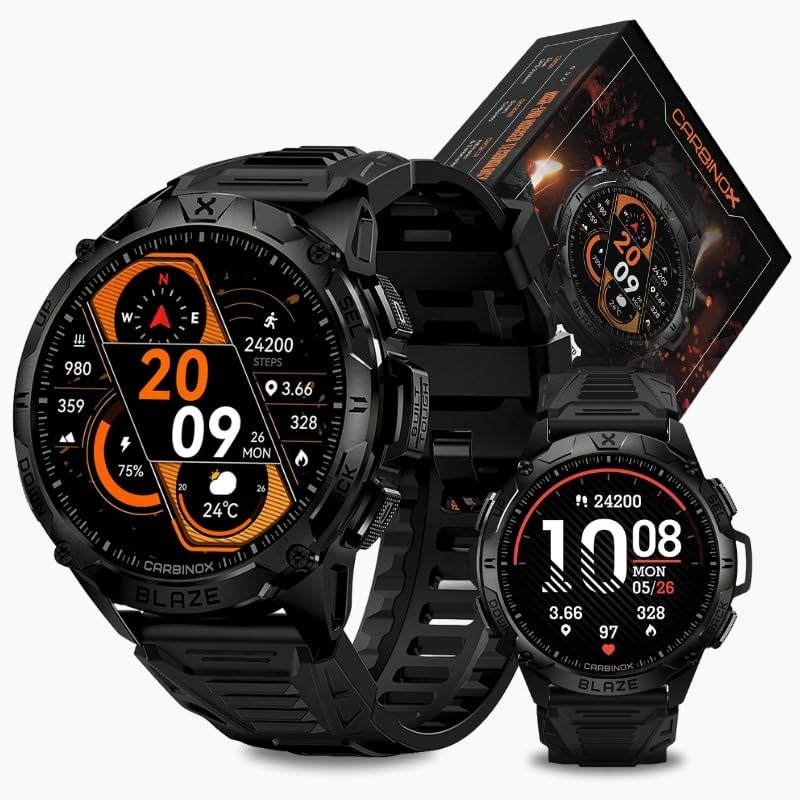
If you want a rugged GPS watch that can handle almost anything but don’t want to spend a fortune, this one deserves a look.
Pros
- Survives tough jobs, rough workouts, and even clumsy mornings.
- Pairs with both Android and iOS without causing drama.
- Lets you answer calls like a secret agent (unless you answer in class, then not so secret).
Cons
- The original band feels flimsy, like it skipped arm day.
- Asks for “high power mode” on your phone, which is a bit stressful.
- GPS is accurate but not as smooth as the priciest watches.
After strapping on the CARBINOX Blaze, we felt ready for anything—except maybe algebra.
It feels tough, like it could take a tumble off the table (again) and just keep going. Rain, sweat, or even a ketchup spill don’t faze it.
The performance stays steady during hectic moments, like muddy hikes or sprinting through rain.
Maps navigation is pretty simple here. The built-in GPS usually keeps up on the trail, though you won’t get those super-detailed maps from the really expensive models.
We still found our way back to the car without wandering into a pond.
Answering calls from the wrist felt futuristic—and helpful when our phone was buried in a backpack.
One gripe: the stock band could be better, but a quick swap fixed that.
For anyone who wants a reliable, affordable watch that won’t bail when life gets messy, the CARBINOX Blaze is up for the challenge.
Buying Guide
So, we’re picking a smartwatch for Google Maps. There are a few things we really need to think about—or we’ll just end up wandering around like confused tourists.
Battery life matters a lot. Nobody wants their watch to die before they even find the coffee shop.
It’s best if the battery manages at least a full day, especially with GPS running.
We also need a screen that’s actually easy to read. Trying to squint at tiny maps and text? That’s just frustrating.
Go for something bright, with sharp colors, and, honestly, not the size of a postage stamp.
Compatibility is another big one. A smartwatch might look cool, but if it won’t connect with our phone or run Google Maps, it’s not much use.
Here’s a quick table to help:
| Feature | Why It Matters |
|---|---|
| Battery Life | Lasts for long trips |
| Display | Maps easy to see on the go |
| Comfort | We want wrists, not sore spots |
| GPS Accuracy | Finding our way, not getting lost |
| Phone Compatibility | Works with our device |
Honestly, we deserve a watch that’s both comfortable and looks good. If we’re glancing at our wrist all day, it should feel nice and look decent too.
And don’t forget about accurate GPS. Without it, we might end up at a pizza shop instead of the train station—although, is that really such a bad thing?

From a young age, I have always had a big interest in technology, and this blog is an extension of that interest. Through this blog, I hope to provide others with all of the information they need regarding tech options to consider, and things such as compatibility. Some of the different items I will be discussing include headphones, smartwatches, and how to fix common issues.
Related Posts: