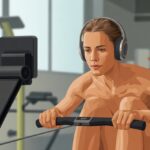
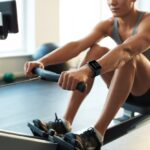
Let’s be real, using a rowing machine sometimes feels like playing “are we there yet?” on repeat. But hey, we can shake things up and track our progress by pairing a fitness tracker with our rower.
When we connect a fitness tracker to the rowing machine, we get real stats for distance, calories, heart rate, and more. Every sweaty pull finally counts for something.
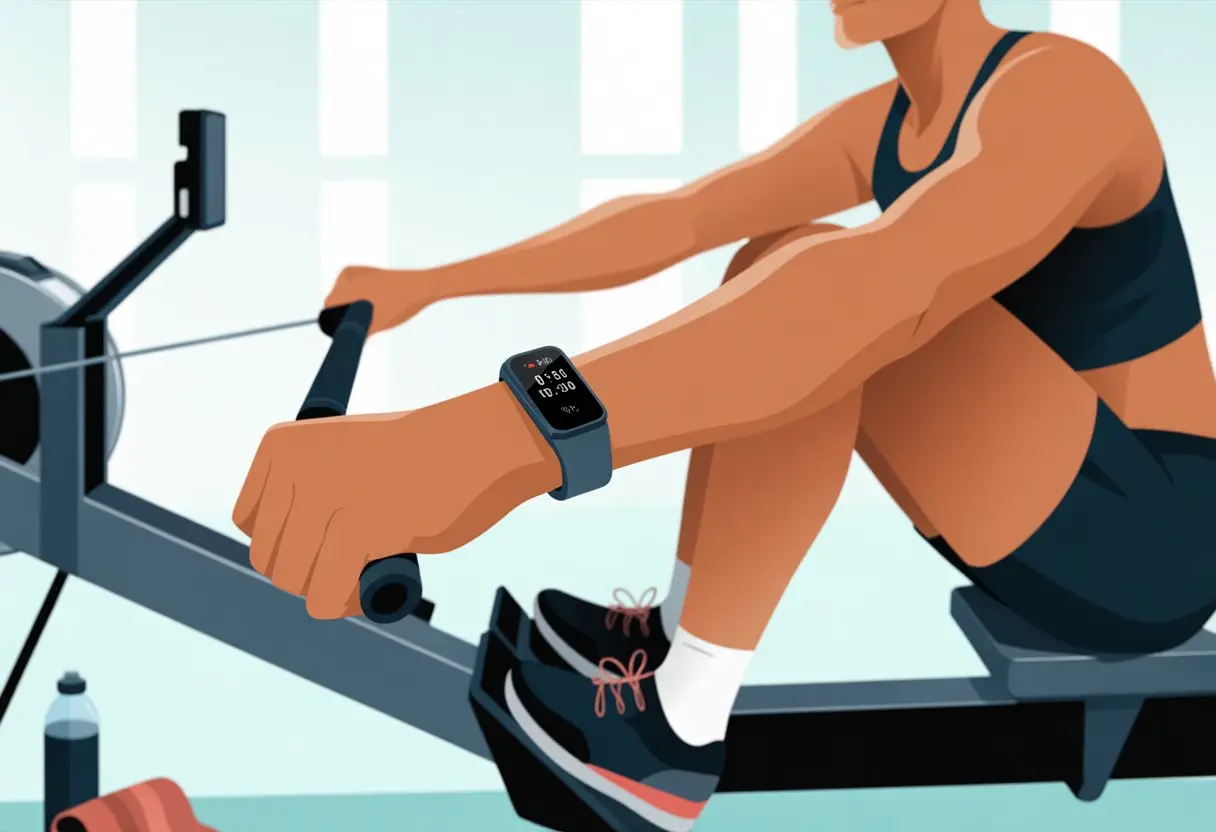
We don’t need to be tech geniuses. Whether we’ve got a Garmin, Fitbit, or some other gadget, most trackers make it pretty easy to sync with our rowing workouts.
A couple of taps or scrolls, and suddenly every rowing session turns into a mini science experiment—minus the lab coat.
When our devices actually talk to each other, we skip all that guesswork. We get to see our performance improve over time.
If we just want to brag a little (who doesn’t?), these tips will help us track each row like pros.
Getting to Know Your Fitness Tracker
Picking out a fitness tracker for rowing is a big deal—almost as important as finding two matching socks. We should know what types are out there, which features actually help, and how long the battery will last (or survive a surprise dunk in a puddle).
Types of Fitness Trackers
There’s no one-size-fits-all tracker for rowing. We can choose from wristbands, watches, and even smart rings, though honestly, rowing with a ring feels like asking for trouble unless we’re off to Mordor.
Most folks go for something like a Garmin watch or an Apple Watch. Both can track indoor rowing, and some models sync straight to the rowing machine.
Basic trackers count steps (not super helpful here), but the fancier ones track heart rate, calories, and even our sleep. Want extra detail? Some trackers offer chest straps for more accurate heart rate data.
Compatibility matters. Garmin models connect easily with lots of rowing machines. Apple Watches tend to work with third-party apps.
Some trackers use buttons, others go all-in on touchscreens. Pick what feels right.
Key Features to Look For
We want a tracker that actually helps us row, not just vibrate every time someone likes our cat photo. Heart rate monitoring is a must—it keeps us from overdoing it.
Water resistance is non-negotiable. Sweat happens. Sometimes, entire water bottles happen.
Touchscreens are cool and let us swipe through stats like we’re in a sci-fi flick. But honestly, when our hands get sweaty, a physical button can be a lifesaver.
Plenty of trackers, like Garmin and Apple Watch, now include built-in rowing modes. That’s way better than pretending steps equal strokes.
We should check for easy syncing with health apps and rowing machine logs. GPS isn’t much use indoors, but automatic workout detection and custom modes are gold for rowers.
Battery Life and Durability
It’s the worst when our tracker dies mid-row, especially if we’re crushing a personal best. Battery life ranges from a day (looking at you, Apple Watch) up to a week with some Garmins.
If we want to impress our rowing crew, let’s not get caught charging during every session.
Durability is just as important as battery life. Good trackers have sturdy bands, tough screens, and don’t freak out over a little sweat.
For the clumsy among us, many models offer water resistance up to several meters. Dropping a tracker in a puddle (again) shouldn’t be the end of the world.
Before buying, we should check each model’s specs. Battery life and durability deserve as much attention as our rowing form.
Choosing the Right Rowing Machine
Finding a good rowing machine isn’t about picking the shiniest one. We need to look at how it works, which models people actually like, and whether the screen is helpful or just confusing.
Popular Indoor Rowing Models
Let’s admit it, some machines are popular for a reason—they don’t break down constantly and don’t feel like rowing in syrup. The Concept2 Model D and Model E are top picks for home and gym rowers.
WaterRower and NordicTrack also make solid machines.
Here’s a quick comparison:
| Model | Notable Feature | Price Range |
|---|---|---|
| Concept2 Model D | PM5 Monitor, air resistance | $$ |
| WaterRower | Water resistance, wood frame | $$ |
| NordicTrack RW Rowers | Magnetic/air combo, big display | $$ |
Off-brand machines exist, but let’s be honest—a wobbly machine with a flimsy handle won’t get us far.
Understanding Air Resistance and Ergometer Types
We’ve got options for resistance: air, water, magnetic, even hydraulic (yes, really). Air resistance rowers like the Concept2 use a flywheel and give us that classic rowing feel.
The harder we pull, the tougher it gets. It’s instant feedback—minus the yelling coach.
Water rowers use actual water and sound like a babbling brook, which might have us running to the bathroom more often. Magnetic rowers are smooth and quiet—great for sneaky late-night workouts.
And ergometer? That’s just a fancy word for a machine that measures our effort (and maybe our patience).
Matching our tracker is usually easier with air or magnetic resistance since those machines often have more modern monitors.
The Almighty Concept2 PM5
If rowing machines had a superhero, it’d be the Concept2 Model D with its PM5 monitor. The PM5 tracks everything: distance, stroke rate, even how many times we sigh during a tough session.
We can connect heart rate monitors directly, and thanks to Bluetooth and ANT+ support, syncing devices is actually painless (unlike our legs after rowing).
For more info, check out this beginner’s guide to rowing machines.
If we’re serious about tracking, sticking with a PM5 almost guarantees our data won’t disappear into spreadsheet limbo.
Setting Up Your Fitness Tracker for Rowing
Getting our fitness tracker to play nice with our rowing machine can feel like introducing a goldfish to a family reunion—everyone means well, but does anyone actually get each other? Let’s break down how we pair devices, link with apps, and connect to those high-tech rowing consoles without hurting our brains (or backs).
Pairing via Bluetooth
First up, we need our rowing machine and fitness tracker to become Bluetooth pals. Most modern machines, like the Concept2 with the PM5, support Bluetooth.
Our trusty trackers—whether Garmin, Fitbit, or Apple Watch—can usually connect directly.
Here’s the basic process:
- Turn on Bluetooth on both devices.
- Put the tracker into pairing mode. Usually, this means digging through settings and tapping “pair device” a few times.
- On the rowing machine’s console, pick “Connect” or “Bluetooth.” Blinking lights mean you’re on the right track.
Once they’re paired, our tracker should show heart rate and workout data as we row. If things freeze, turning off Bluetooth and restarting both devices is a classic fix. Sometimes, tech just needs a quick nap.
Syncing with the ErgData App
If we’ve got a Concept2, syncing with the ErgData app makes life so much easier. We download the app, sign in, and connect the dots between workouts and stats.
Usually, it goes like this:
- Open ErgData and link it to the rowing machine via Bluetooth.
- Our workout data syncs automatically to our Concept2 Logbook.
- We can link to other platforms like Garmin Connect, Strava, or Fitbit, so our rowing achievements follow us everywhere.
This setup lets us see detailed stats, track progress, and forget about scribbling numbers on sweaty Post-its. The app’s interface is way better than our handwriting after a tough row.
For help, check out how to use the ErgData app.
Connecting to Rowing Machine Consoles
Not every fitness tracker talks directly to the rower. Sometimes, we need to connect through the machine’s console.
The Concept2’s PM5 monitor is usually our go-to.
Here’s a quick look:
| Console Model | Compatible Devices | Supported Features |
|---|---|---|
| PM5 | Most Bluetooth trackers | Heart rate, workout sync |
| Older models | Limited or no compatibility | Use external adapters |
Apple Watch users might need a third-party app or a bit of patience. Garmin fans, linking your tracker through Garmin Connect logs all the stats, but syncing often works best if we finish our row and then hit “save” on both devices.
For a visual guide on connecting devices to rowing consoles, YouTube has us covered—with less sweat and confusion.
By pairing, syncing, and connecting our devices, we turn rowing into a high-tech, stat-filled adventure instead of a guessing game.
Monitoring Rowing Metrics
If we want to get fit or smash our goals on the rowing machine, we need to do more than just pull the handle and hope for the best. Tracking the right metrics lets us see our progress and tweak our workouts.
Bragging about a new personal record? We can do that with confidence.
Tracking Heart Rate and Stroke Rate
Rowing can leave us gasping like we’re running from a goose. That’s why tracking our heart rate matters.
With a heart rate monitor hooked up to our fitness tracker, we make sure we’re training at the right intensity. For beginners and seasoned rowers, watching heart rate keeps us from pushing too hard or slacking off—it’s the Goldilocks zone.
Stroke rate (cadence) is just counting how many times we pull the handle per minute. Our tracker shows this, so we know if we’re rowing like a calm lake or a wild rapid.
Rowing experts say watching stroke rate helps us pace ourselves and avoid burning out early. For more, check out these essential rowing metrics every athlete should track.
A quick list of benefits:
- Avoid overtraining
- Pace workouts properly
- Spot improvements over time
Recording Distance, Speed, and Power
If heart rate shows how hard our engine’s working, distance, speed, and power are all about what we actually do on the “water.” Most rowing machines toss these stats on the screen, and plenty of fitness trackers let us sync the data for later deep dives.
Distance tells us how far we “rowed” during a session. Speed is how fast we covered that imaginary river. Power (measured in watts) tracks the strength behind every stroke, revealing whether we’re rowing like champs or just splashing around.
Many machines and trackers mash these into colorful charts so we can spot our progress in a glance.
Here’s a quick comparison table:
| Metric | What It Shows | Why We Pay Attention |
|---|---|---|
| Distance | How far we’ve rowed | Sets targets and milestones |
| Speed | How quickly we’re moving | Tracks improvement |
| Power | Force per stroke (watts) | Measures muscle output |
If we want to impress ourselves (or, let’s be honest, the internet), understanding these numbers matters. For tips on making sense of them without a math degree, check out this guide on rowing machine displays.
Analyzing Performance Data
Fitness trackers turn our rowing workouts into useful data, but sometimes it feels like we’re deciphering ancient runes. Let’s break down how we can log our efforts, connect to our favorite apps, and figure out what those calorie numbers really mean.
Logging Workouts Automatically
If we’re tired of scribbling sweaty workout notes, automatic logging is a lifesaver.
Most new rowing machines sync with fitness trackers to record distance, split times, and heart rate in one go. That means less fumbling with our phones and more time actually rowing.
Some trackers use Bluetooth and push the data straight into our apps. For older machines, we can use apps that scan the rower’s screen after a session and log the details—no tech wizardry required.
Simple, direct logging helps us spot trends and keep an eye on steady progress.
The saved data lands in our tracker’s app or online logbook. These logbooks keep a detailed history, making it easy to compare old workouts with new ones and set bigger goals. Automatic logging feels like having a super-organized coach—just without the whistle.
Integrating with Strava and Online Logbooks
Lots of us love sharing workouts and chasing virtual high-fives. Linking our tracker’s platform, like Garmin Connect, to online logbooks or services like Strava brings all our data together.
Once we connect everything, finished rowing sessions show up not just in the tracker app but also in our favorite online communities. We can compare split times with friends, challenge teammates, and maybe even build a workout streak we’ll never admit is just for bragging rights.
Some online logbooks break down performance with neat graphs and charts. Keeping all our rowing data in one place makes it easier to spot improvements—or catch ourselves slacking. Integrating everything feels almost like being a pro athlete, minus the contracts.
Understanding Calories Burned
Calories burned on a rowing machine can seem like a mystery. Our tracker estimates calories by measuring things like distance, speed, stroke rate, and heart rate if we’re wearing a monitor.
Most fitness trackers use formulas that factor in age, weight, and gender. Some adjust for our actual effort, while others just guess (and sometimes wildly). Checking calories burned helps us plan snacks and see real energy use, not just wishful thinking.
Not all trackers are equally accurate, so we should treat these numbers as close estimates—not a free pass to eat three donuts after every session. The best approach? Use calories to track trends, not obsess over the exact number.
Rowing for Beginners: How Not to Fall Off
Let’s be honest—nobody wants to be the person who slides off a rowing machine while the gym pretends not to notice. Saving our dignity starts with good habits and a little know-how.
With some practice, a rowing machine starts feeling less like a rodeo bull and more like a reliable bicycle.
Mastering Proper Form
Form really is everything. If we flop around, we’ll feel silly and risk hurting our backs.
Let’s keep it simple:
- Sit tall—no slouching, unless we want to look like tired sea lions.
- Strap in your feet securely, right over the ball of your foot.
- Hold the handle lightly—no need for a death grip.
The motion order matters. We drive back with our legs, lean back with our core, then pull with our arms.
To return, it’s arms forward, hinge at the hips, then slide forward with our legs. Remember: Legs, core, arms; arms, core, legs.
Most experts say going slow at first helps us learn the stroke. Watching a quick video, like this beginner’s rowing setup guide, helps us picture the right moves. Our backs will thank us.
Building Confidence on the Erg
Let’s just say it: confidence is tough at first. Feeling awkward is totally normal.
That’s why starting slow is our best bet.
A good starting pace is 16–18 strokes per minute. That’s slow enough to get comfortable and avoid the dreaded “flying off the seat.” Short sessions—around 10 minutes—are plenty for day one.
Consistency beats heroics every time.
Small wins build confidence. We can track progress using the rowing machine’s display.
Seeing improvements, even tiny ones, proves we’re getting better. And if we ever get lost, there are plenty of rowing beginner tips just a click away.
Bringing a friend helps us laugh off the wobbles. Every rowing pro started out clutching the handle and hoping not to fall backwards.
Maximizing Your Training Impact
We all want to get the most out of our precious workout minutes. Rowing with a fitness tracker helps us burn more calories, build real strength, and stay motivated. And, honestly, it can make us look a little cooler on those fitness app leaderboards.
Cardio, Strength, and Endurance Benefits
Rowing is like a two-for-one deal at the gym. It’s a cardio workout that gets our heart pumping and sweat pouring, but it also works muscles in our arms, legs, and core.
A fitness tracker shows our heart rate in real time. We can tell if we’re slacking or if it’s time to ease up so we don’t end up gasping for air.
Watching these numbers helps us target the best fat-burning zone or push for muscle growth, building strength and endurance together.
Research shows steady rowing protects our joints, burns calories, and builds muscle power—all with less impact than pounding on a treadmill.
If we get bored easily, there are plenty of rowing workouts to try, whether we want endurance, sprints, or pure muscle burn.
Tracking Progress and Setting Goals
Sometimes it feels like we’ve rowed across the Atlantic, but our tracker keeps us honest.
Using a fitness tracker logs every session—distance, stroke rate, split time, calories burned, and more.
Writing down our times or checking our stats in an app lets us see improvement. Maybe our 2,000-meter time goes from “tortoise” to “almost not embarrassed.”
We can use goal-setting features to challenge ourselves, like beating last week’s distance or upping our daily calorie goal.
A weekly or monthly leaderboard adds some friendly competition. When our progress is right there in the data, it’s easier to stay motivated or get back on track if we fall off the rowing wagon, as tracking workouts can boost motivation.
Joining Monthly Challenges
Nothing taps into our competitive side like a good challenge. Lots of fitness trackers and rowing apps offer monthly challenges—maybe rowing a certain distance, hitting a calorie target, or completing a set number of sessions.
Here’s why we love them:
- Motivation: There’s a prize at the end, even if it’s just bragging rights.
- Community: Competing with friends (or strangers) keeps us rowing longer.
- Consistency: Challenges remind us to row regularly, not just when we remember the machine’s gathering dust.
Tracking challenges with our fitness tracker means steady reminders, a sense of accomplishment, and sometimes even a digital trophy. Who doesn’t want more trophies, even if they’re virtual? For more on this, using rowing machines to track improvements can really boost our drive.
Keeping the Motivation Rowing Strong
Staying excited about rowing can be tough, especially when the machine starts to feel like a torture device instead of fitness gear. Adding a fitness tracker helps us keep things fresh and measure our hard work in new ways.
Sharing Workouts with Friends
Let’s be honest: nothing keeps us going like a little friendly competition.
Most fitness trackers make it easy to share achievements or daily stats with friends, especially using built-in apps or social features. Comparing times, calories burned, or even who rowed last while binge-watching TV makes things personal.
A simple leaderboard or group chat lets us celebrate every personal record—and, let’s face it, give each other a hard time when someone skips a row day.
Some trackers let us share actual workout details or sync with platforms like Strava or Apple Health.
Here’s a quick rundown of what we can share:
| Workout Data | How We Can Share |
|---|---|
| Total Distance | Text, App, Social Media |
| Calories Burned | Group Chats, Challenges |
| Split Times | Leaderboards, App Features |
| Workout Streaks | Weekly Snapshots, Badges |
Sharing isn’t just about bragging. It’s proof we showed up, didn’t fall off, and are inching closer to our goals.
Using GPS Tracking Outdoors
Sometimes you just need some fresh air and a break from the gym’s questionable music playlist.
If you ever get the courage to row outdoors—in a real boat, not just the living room—a tracker with GPS can totally change the game.
GPS tracking lets you map your route, check your speed, and see exactly how far your noodle arms actually carried you across the water.
Instead of guessing, you’ll have proof that you rowed the lake and didn’t just spin around in circles.
Some rowing apps let you review every turn, and you can even compare your outdoor rows with your machine sessions.
That’s right—now you can scientifically confirm you’re not just paddling in place.
A GPS tracker also makes it easy to upload your rows to fitness apps, so you can share with friends or analyze your progress.
And if you forget where you parked your boat, well, the tracker probably remembers.
For more tips on tracking and comparing your workouts, the folks at Hydrow have some helpful advice.

From a young age, I have always had a big interest in technology, and this blog is an extension of that interest. Through this blog, I hope to provide others with all of the information they need regarding tech options to consider, and things such as compatibility. Some of the different items I will be discussing include headphones, smartwatches, and how to fix common issues.
- How to use a fitness tracker for step challenges: Outsmart Your Couch One Step at a Time - August 30, 2026
- How to sync a fitness tracker with your phone: Because Even Gadgets Need Friends - August 30, 2026
- How to Use a Fitness Tracker for Walking: Steps, Stats, and Outrunning Your Couch - August 30, 2026
Related Posts: