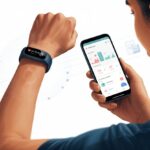
Let’s be real—we all know we should meditate, but sometimes our brains act like squirrels after a triple espresso. That’s when our trusty fitness trackers can actually help us out.
We can use our fitness tracker to make meditation easier to start, measure, and maybe—just maybe—stick with. No more guessing how long we sat in “peaceful bliss” (or tried not to think about pizza).

When we use a fitness tracker for meditation, we set reminders, track our mindful minutes, and log each session to see progress. Some trackers offer meditation or breathwork modes, while others let us log the activity manually, just like any other exercise.
With a fitness tracker on our wrist, meditation feels less mysterious and more like another part of our healthy routine.
Getting started is easy: open the exercise screen, pick meditation or breathwork if it’s an option, and let the tracker do the rest. Suddenly, mindfulness fits right in between our daily step goals and sleep stats.
Understanding Fitness Trackers for Meditation
Using a fitness tracker for meditation lets us watch our minds wander almost as closely as we watch our steps on a busy day. These wearables track stillness, not just sweat.
There are some key differences in how they measure peaceful breathing versus power walking.
How Fitness Trackers Measure Meditation
Fitness trackers like the Apple Watch, Garmin, and Fitbit use built-in sensors to monitor our bodies when we sit down to meditate.
Instead of counting steps, these gadgets watch our heart rate, breath rate, and how restless (or calm) we are. When we pick a meditation or mindfulness activity, the tracker uses light sensors on the back to check if our pulse slows down or our breathing gets steadier.
Some smartwatches ask us to follow along with audio or visual meditations. During the session, trackers might show calm graphics or gently buzz to guide our breathing.
At the end, our watch tells us how long we meditated, our average heart rate, and if we managed more calm than chaos. Calm points: unlocked.
Differences Between Meditation and Physical Activity Tracking
Tracking meditation isn’t like tracking steps or runs—thank goodness, because our “stillness record” would crush our “sprint record.”
When we walk or run, most trackers measure steps, distance, pace, calories, and heart effort. The sensors notice movement and acceleration.
For meditation, trackers look for the opposite: as little movement as possible. The watch cares about calming signals, like a lower heart rate.
Our phone might panic if we don’t move for an hour, but if we’re meditating, it’s finally happy about our inactivity. Doing nothing is exactly the goal.
Types of Devices That Support Meditation Tracking
We’ve got lots of options for meditation tracking, from smartwatches to fitness bands and smartphone apps. The Apple Watch and Fitbit lines both have meditation modes, either built-in or through apps.
Garmin devices now offer a dedicated meditation activity too (see how it works in the Garmin Meditation Activity). Most trackers for Android and iOS have meditation options, either through native apps or by syncing with Calm or Headspace.
Some wearables add guided breathing, stress scores, or reminders to just breathe. Here’s a quick table:
| Device Type | Meditation Support? | Example Models |
|---|---|---|
| Smartwatch | Yes | Apple Watch, Garmin |
| Fitness Band | Yes | Fitbit Charge, Inspire |
| Smartphone App | Yes (if synced) | Calm (iOS/Android) |
Setting Up Your Fitness Tracker for Meditation
We don’t need spiritual enlightenment to realize our fitness tracker could use a little help before we’re ready for deep breathing. Rolling our eyes at confusing menus is half the fun.
With just a few steps, we’ll have our gadget ready to bring us peace—or at least fewer notifications.
Installing a Meditation App
First, let’s grab a meditation app so our fitness tracker does more than nag us about steps. For Apple Watch, we can try the built-in Mindfulness app or download meditation apps from the App Store.
Garmin smartwatches let us add a meditation activity right from the watch menu—no hiking boots needed.
Fitbit users can use the Relax app, but some creative folks even use the sleep feature for custom timing (yes, meditation naps count). Android users should check Google Play for apps with guided sessions and meditation timers, and maybe skim a few reviews.
A good app lets us pick guided or custom sessions, helping us skip annoying sign-ups and focus on breathing—while ignoring the urge to check texts.
Connecting Headphones for Meditation Audio
Meditating with audio is great—unless our fitness tracker tries serenading us with software update beeps. To use guided meditation audio, we pair Bluetooth headphones or earbuds to our tracker.
This works best with Apple Watches, some Fitbits, and Garmin: just dig through settings, pick Bluetooth Devices, and pair the headphones.
After pairing, try a short guided session. If the audio comes out of our phone instead, toggling Bluetooth off and on usually fixes it.
For silent meditation, no headphones are needed—just the sound of our own breathing and maybe a cat meowing in the background. A comfy fit and reasonable volume matter; nobody wants meditation with bonus ear pain.
Customizing Meditation Sessions
Who says we have to meditate for exactly as long as the app suggests? Our fitness tracker should let us pick custom session lengths, types (guided or solo), and even focus areas like breath, body scan, or gratitude.
In the mindfulness or meditation settings, we usually find options to set a timer, pick background sounds, and adjust reminders.
Garmin lets us record custom meditation activities. Apple and Fitbit give us flexibility for session times and types.
We can schedule reminders for daily practice—nothing gets the zen flowing like a digital nudge at 6 a.m. For the truly dedicated, tracking heart rate or calmness lets us brag about “achieving tranquility” in the group chat.
Using Core Meditation Features
Meditating with a fitness tracker like Core feels high-tech, but it’s actually pretty simple. With Core, we can track our sessions, set goals, and use special timers to help us sit still—at least until our legs fall asleep.
Setting Meditation Goals
Let’s be honest: most of us need a little motivation. That’s where setting meditation goals comes in.
With Core, we can choose goals like how many sessions we want each week or total minutes we’d like to hit. The app helps us keep track of our streaks, which is honestly more motivating than gold stars in kindergarten.
Core tracks details like heart rate and time spent in each meditation activity. We get stats and daily reminders.
We can start small, adjust our targets, and celebrate hitting milestones with badges—or maybe a donut. It’s really up to us.
Starting and Ending a Meditation Session
To start a session, we search for a meditation in the app, then hold the Core in our hands. Sometimes, technology is all about getting hands-on—literally.
We put our thumbs on the device’s sensors (they feel like little dots), and choose a guided or unstructured meditation.
The device vibrates in patterns to guide us through breathing and focus exercises. It’s like getting a secret handshake from a zen robot.
When we’re ready to stop pretending not to think about snacks, we end the session with one tap in the app. The app shows us stats like duration and average heart rate, so we can see if we really relaxed—or just napped.
Utilizing Countdown and Activity Timers
Timers turn our wandering into focused practice. Core features both an activity timer and a countdown timer.
With the activity timer, we set the total session length. It’s perfect for those of us who don’t trust ourselves not to peek at the clock every 30 seconds.
The countdown timer gives us short periods to focus—like 5 minutes of silence or guided breathing. In the app, we can create custom intervals, so the meditation doesn’t feel endless.
Using these timers, we turn “just sitting” into a real meditation session. No more awkwardly checking our watch mid-zen.
Now, our devices remind us exactly when it’s time to stop being serene.
Monitoring Your Meditation Progress
A fitness tracker can turn meditation into something more than sitting still and pretending not to think about snacks. With a bit of tech and some honest tracking, we can keep tabs on how our bodies feel and see our sessions get more consistent—and maybe even impressive.
Analyzing Heart Rate During Meditation
Let’s be honest, sometimes our minds wander to pizza during meditation, but our heart rate doesn’t lie. Most fitness trackers measure our heart rate and resting heart rate before, during, and after meditation.
By watching our heart rate dip while we meditate, we can tell if our bodies are actually relaxing or if we’re just zoning out. If our resting heart rate drops over weeks, it might mean our meditation is working.
Some tracker apps show handy graphs that look like a roller coaster (except we want the ride to be smooth). We can compare heart rate trends across different days, times, or meditation styles—no PhD needed.
Tracking Positive Emotions and Mindfulness
We can’t just rely on numbers to track our zen. Many fitness trackers or meditation apps let us rate our positive emotions and mindfulness after each session.
Did we feel peaceful? Did our mind wander to a talking squirrel again? Sometimes it does, let’s be real.
A lot of apps now let us log our mood before and after meditation using smiley faces or sliders. It’s easy to see if meditation puts us in a better mood or just makes us sleepy.
We can flip back through our record and cheer ourselves on when we see more happy faces than grumpy ones. Some trackers also prompt us to jot down what helped—or totally distracted us—so we learn what keeps our practice on point.
It helps to see that, yes, meditating really does affect our moods (even if it doesn’t make the neighbor’s dog any quieter).
Reviewing Meditation Session Data
Fitness trackers do more than just count steps. They log every meditation session—times, dates, and sometimes even the meditation style we tried.
Looking at our meditation session data kind of feels like earning badges. Instead of “fastest run,” we might see “longest time spent just sitting and breathing.”
We can spot trends using tables and charts. Maybe we notice which days we stick to our routine or how our session length changes.
Some apps even send us encouraging messages. Sometimes they sound suspiciously like our mom.
It’s honestly fun to compete with ourselves. Did Tuesday beat Thursday? Are we actually improving?
Each review turns meditation into a lighthearted challenge. We remind ourselves that slow progress still counts—especially if we’re in stretchy pants.
Integrating Meditation Into Your Daily Fitness Routine
Jumping into workouts and tracking every step feels empowering. But our minds need attention, too.
How do we add meditation to our routines so both our brains and bodies get a boost?
Combining Meditation With Yoga and Workouts
Mixing meditation with yoga is just natural. Yoga already focuses on breathing, balance, and being present, so mindfulness fits right in.
We can grab our fitness trackers, start a guided meditation, and use heart rate data to relax even deeper into each pose.
But we don’t have to be yogis to meditate. Between sets at the gym or after a sweaty cycling session, a few moments focusing on our breath can lower stress.
Cool-downs start feeling less like an afterthought. Maybe we even avoid passing out on the mat.
Even brisk walks have their zen moments—especially when our tracker buzzes and reminds us to pause and breathe like a calm, healthy ninja.
Adding meditation doesn’t have to be serious. We don’t need to sit like statues.
Some fitness trackers offer mindfulness reminders and short breathing exercises. That’s perfect for anyone who thinks “stillness” is harder than leg day.
Syncing Meditation With Physical Activity Data
When we sync meditation sessions with fitness data, we see real proof that our minds work just as hard as our legs.
Many trackers let us log meditation and view changes in heart rate, stress, or even sleep quality over time.
Picture finishing a tough run and using your device’s mindfulness app right after. We can watch our heart rate drop quickly, which feels like a superpower.
This info helps us spot trends—like whether regular meditation improves recovery time or keeps post-workout stress in check.
If we love data (and who doesn’t, at least a little?), linking meditation with stats from cycling, walking, or workouts helps us set better goals.
It’s not just about burning calories anymore. We’re tracking calm, too.
That makes the fitness journey feel more complete—and honestly, a bit more fun. For extra inspiration, check out how fitness trackers help manage health and mindfulness.
Enhancing Motivation and Mental Health Benefits
Fitness trackers aren’t just about counting steps or watching our heart rate spike when we see our favorite snack.
These little devices offer a lot for motivation and mental health, especially when we use their meditation and mindfulness features.
Building Habits With Positive Feedback
Let’s be real—most of us need a nudge (or a digital slap) to keep up healthy habits.
Fitness trackers shine here. They give us instant positive feedback after every meditation session.
Buzzes, badges, and streaks keep us interested. Mindfulness practice starts to feel like leveling up in a game.
Consistent reminders and progress charts make meditation stick. Feedback isn’t just numbers—it’s encouragement.
Those tiny celebrations train our brains to see mindfulness as rewarding, not another boring to-do.
Over time, this positive reinforcement builds lasting habits. Research even links activity tracking with higher motivation.
Leveraging Motivation Features
Sometimes, good intentions aren’t enough to get us moving.
Many trackers have built-in features that boost motivation: personalized goals, challenge modes, and even leaderboards.
Some devices offer guided mindfulness or meditation sessions. Most track our streaks to keep us coming back.
Don’t underestimate friendly competition—a meditation leaderboard can bring out our inner monk-warrior.
We’re more likely to show up when our tracker cheers us on. It feels like we have a tiny, enthusiastic fan club right on our wrist.
These tools transform meditation from a solo effort into a shared journey for our minds.
Using Your Tracker as a Personal Trainer
Think of your fitness tracker as a wrist-sized personal trainer—not yelling, but gently suggesting a breath or a moment to destress.
Many trackers include mindfulness apps that guide us through short meditation breaks or breathing exercises.
These prompts help us pause, notice our thoughts, and relax—even on busy days.
Some advanced trackers suggest meditation practices based on our stress or heart rate.
If we need structure, scheduled meditations or progress tracking in the app feel like having a personal coach—without the sweatbands.
Our tracker becomes a partner for mental health, giving us support when we need it. Devices like Apple Watch or Fitbit offer real-time feedback, making meditation sessions more effective.
Exploring Additional Tracking Features for Mindfulness
Modern fitness trackers do more than count steps. Their extra features help us see how sleep, diet, and exercise all affect our minds.
Recording Sleep Data to Enhance Meditation
Let’s admit it—nobody gets perfect sleep every night.
Our fitness trackers record sleep data, so we actually know how much we get (instead of pretending at brunch).
By checking our sleep cycles, we notice patterns. Do we meditate better after seven hours? Do we nod off during breathing exercises after only four?
A mindfulness session feels more like a brain boost when we’re rested.
Many trackers grade our sleep with charts for deep, light, and REM sleep.
We even get a sleep score out of 100—no tricky math needed.
A good sleep score means we’re more likely to stay awake while meditating!
Tracking Nutrition and Calorie Burn for Mindful Living
Meditation is tough with a rumbling stomach or a sugar crash.
Tracking nutrition and calories burnt can help. Logging our meals (even the secret snacks) shows us how food affects our mood.
We see calories burnt during the day, so we can balance food with movement.
If our energy crashes when we skip breakfast or we get hangry halfway through a mindfulness session, it’s time to tweak our habits.
Some handy nutrition features:
- Food diary for meals
- Calorie counter
- Hydration log
- Daily tips (sometimes with cheerful reminders about vegetables)
Staying mindful about eating gives us steadier focus—and fewer awkward stomach noises mid-meditation.
Exploring Endurance and Fat Burn Metrics
Endurance and fat burn tracking aren’t just for our next 5K.
These features show how physical activity changes our stress, energy, and even meditation results.
Most trackers display heart rate zones, especially fat burn and peak endurance.
Regular exercise helps our bodies and minds deal with stress better.
That means fewer “why did I just snap at my houseplant?” moments.
We can look at endurance and fat burn stats over days or weeks.
This info helps us adjust exercise routines for the best mindfulness results.
Platforms like Fitbit also offer stress and mindfulness tracking with exercise stats, giving us a full view of our well-being.
Choosing and Maintaining the Best Fitness Tracker for Meditation
Choosing a fitness tracker for meditation means weighing comfort, battery life, and compatibility.
We want a device that won’t beep during our one moment of enlightenment and won’t need charging every day.
Comparing Top Brands: Fitbit, Apple Watch, and Garmin
Let’s check out three big names: Fitbit, Apple Watch, and Garmin.
Each has its strengths, and our mindfulness journey deserves the best fit.
Fitbit Inspire 3 stands out for its slim, comfy fit and strong meditation tracking.
Its app offers plenty of guided breathing sessions, so we don’t have to count breaths on our fingers.
For many, it’s a favorite for activity tracking and meditation-friendly features.
Apple Watch gives us a bright screen and guided mindfulness tools.
We can track heart rate during meditation, join breathing sessions, and set reminders to stop doomscrolling and start meditating.
Apple Watch syncs perfectly with iPhones, so compatibility isn’t a headache.
Garmin provides detailed stress tracking, solid battery life, and guided breathing.
Some Garmin watches even show “Body Battery” scores, so we know if we’re too drained to meditate.
They work with Android and iOS but can feel a bit chunky on the wrist.
| Brand | Comfort | Meditation Features | Phone Compatibility |
|---|---|---|---|
| Fitbit | High | Guided sessions | Android, iOS |
| Apple Watch | Moderate-High | Mindfulness app, HR | iOS (best) |
| Garmin | Moderate | Breathing, stress | Android, iOS |
Ensuring Compatibility and Battery Life
Nothing ruins meditation faster than a tracker blinking off because it ran out of charge.
We need a device that works with our phones and stays alive through our zen moments.
Compatibility matters. Apple Watch users need an iPhone; Fitbit and Garmin work with both Android and iOS.
Before buying, we should check the app store for complaints and double-check the feature list.
For battery life, Fitbit Inspire 3 usually lasts up to 10 days on a charge.
Garmin models often last 5 to 14 days, depending on features.
Apple Watch, with all its extras, sometimes needs daily charging, so it’s not for the forgetful.
Keeping the device charged doesn’t have to be a hassle. We just plug it in during daily routines—showering, making coffee, or practicing questionable yoga poses.
Caring for Your Device
Meditation’s great and all, but let’s not get too relaxed when it comes to our gadgets. They need a little attention and care if we want them to stick around.
- Wipe Down Regularly: Sweat, lotion, and snack crumbs—yeah, we’ve all been there—can pile up fast. Just grab a soft cloth and give your device a quick wipe after each session.
- Charge Properly: Try not to leave it plugged in forever. Even though most trackers are pretty smart about charging, unplugging when it’s full helps the battery last longer.
- Keep Dry: Nobody wants their meditation cut short by a soggy wristband. Only dunk it if you know for sure it’s waterproof.
When your device acts up, have you tried the classic “turn it off and back on again” move? That trick works more often than you’d think.
Don’t forget to update the app every so often—new features pop up, and it keeps things running smooth. Swapping out old straps can make your tracker feel brand new, no incense or chanting needed.

From a young age, I have always had a big interest in technology, and this blog is an extension of that interest. Through this blog, I hope to provide others with all of the information they need regarding tech options to consider, and things such as compatibility. Some of the different items I will be discussing include headphones, smartwatches, and how to fix common issues.
- Why is My Fitness Tracker Screen Not Responding? When Your Steps Tracker Takes a Nap - September 22, 2026
- Why do my Bluetooth headphones not work with my camera? Reasons Your Gadgets Won’t Play Nice Together - September 21, 2026
- How to Use a Fitness Tracker for Elderly Care: Because Grandma Wants to Outsmart Her Step Counter - September 21, 2026
Related Posts: