Let’s be real—most of us use smartwatches to count steps or maybe buzz us when we forget the oven. But what if our trusty wrist gadget could actually help us keep tabs on sleep apnea, too? We can use a smartwatch to watch for signs of sleep apnea at home, turning that nightly wrist accessory into a mini health sidekick.
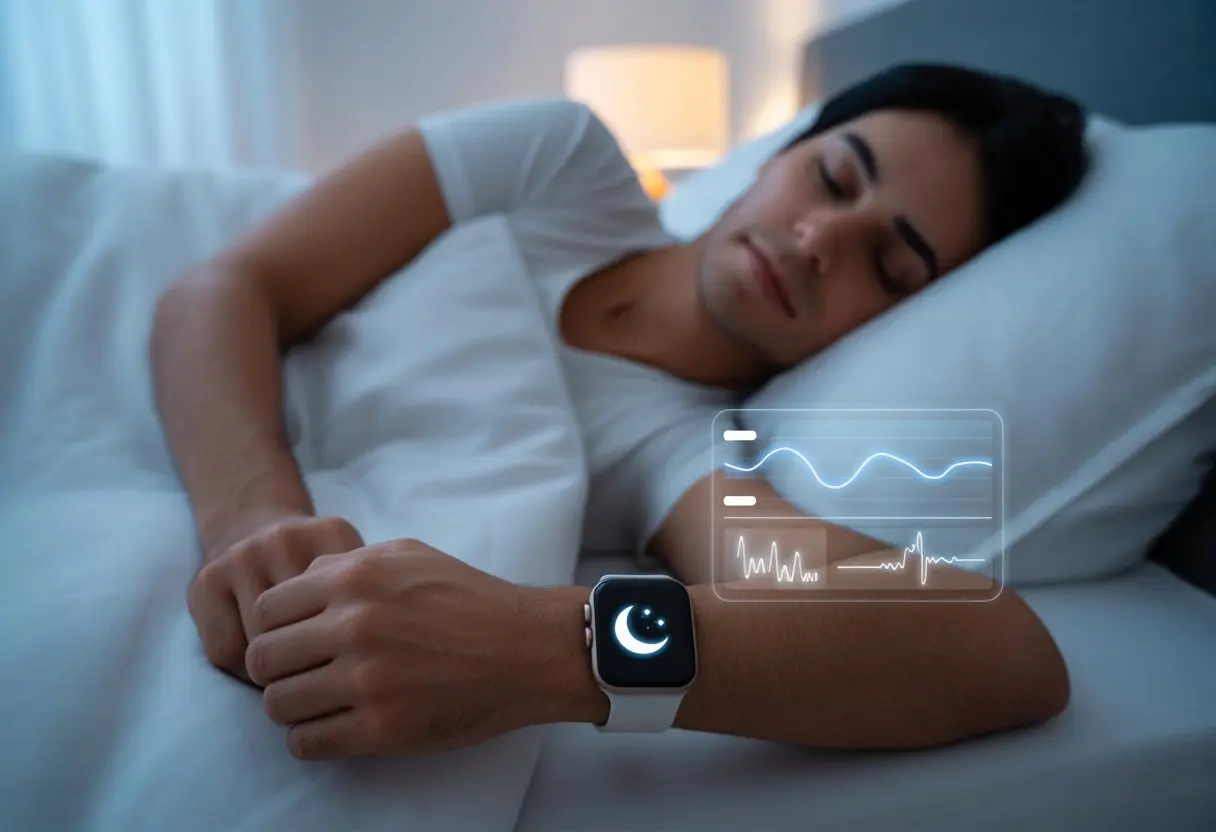
These high-tech little things track blood oxygen levels, pick up on snoring, and sometimes even warn us if our breathing gets weird while we sleep. Devices like the Apple Watch and Samsung Galaxy Watch keep adding features that help us spot sleep apnea risks, sometimes just by wearing them to bed. Check out guides like this one on Samsung’s sleep apnea detection.
So instead of waiting forever for a sleep study, we can use smartwatches as an easy first step. The tech won’t replace a doctor, but it’s a handy way to catch issues early—and maybe finally make sense of all those sleep graphs.
Understanding Sleep Apnea and Sleep Monitoring
If you’ve ever woken up snoring so loudly you scared yourself, or wondered why you’re exhausted after a full night’s sleep, you’re not alone. A closer look at sleep apnea, home monitoring, and how sleep disorders sneak into our routines can help us figure out what’s really going on.
What Is Sleep Apnea?
Sleep apnea is a condition where you stop breathing for short bits while sleeping. Sometimes your airway gets blocked, or your brain just forgets to send the “breathe” signal. Sounds dramatic, but it mostly leads to loud snoring, choking, or gasping in the night.
There are two main types: obstructive sleep apnea (blocked airways) and central sleep apnea (when the brain forgets to tell you to breathe). Both can wake you up dozens—or hundreds—of times a night, and you’ll probably never remember.
Most of us won’t recall these wake-ups. But daytime symptoms like feeling wiped out, headaches, or crankiness might tip us off that something’s wrong. Doctors diagnose sleep apnea with tests like polysomnography, but honestly, not everyone wants to sleep in a lab with wires stuck everywhere.
Why Monitor Sleep Apnea at Home?
Let’s be honest, nobody wants to spend the night wrapped up like a science experiment in a clinic. At-home monitoring with smartwatches lets us track signs of sleep apnea right from our own beds. It’s way less awkward, and pajamas are always allowed.
Collecting sleep data over many nights helps us spot patterns a single lab night might miss. Smartwatches check heart rate, blood oxygen, movement, and even breathing irregularities. That’s more chances to catch red flags early.
With features on the latest Apple and Samsung watches, we can monitor sleep apnea risk for days or weeks, giving us info to bring to a doctor if needed. Convenience, privacy, and reliable clues—can’t really complain about those.
The Role of Sleep Disorders in Your Daily Yawn-fest
Ever wonder why you feel like a zombie by lunchtime? Sleep disorders like sleep apnea almost guarantee you’ll spend your day dreaming about your pillow. Constant interruptions in restful sleep steal the energy we’re supposed to get overnight.
Maybe we blame our coffee habit or endless to-do lists, but unrecognized sleep apnea is often the real villain. If we ignore it, it can cause mood swings, memory blips, and even bigger issues like high blood pressure or heart trouble.
By tracking our sleep with new tech, we give ourselves a better shot at dodging those problems. A little night-time detective work might just mean better sleep—and fewer embarrassing yawns at work.
How Smartwatches Detect Sleep Apnea
With smartwatches getting smarter, tracking sleep apnea at home is finally possible—no weird headgear or sticky sensors required. These watches use clever tech to spot odd breathing, snoring, and oxygen changes, giving us tools for better sleep health right from our wrist.
Key Features That Help Detect Sleep Apnea
Smartwatches now come loaded with features that make them little sleep detectives. Motion sensors (accelerometers) watch for awkward movements or strange breathing patterns while we sleep. Many models measure blood oxygen levels (SpO2), alerting us if our oxygen drops during the night.
Some watches use a microphone to catch snoring, though don’t blame the watch if your partner gets proof. Heart rate sensors track big changes that can signal breathing trouble. All these features work together to guess when our breathing’s off or when we stop breathing—a classic sleep apnea sign.
We can even get alerts if something looks weird in our data. Apple’s Breathing Disturbances tool tracks our breaths per minute over 30 days and looks for suspicious patterns. Samsung’s Galaxy Watch offers hints about our sleep health, but it’s not pretending to be a doctor. These gadgets aren’t perfect, but they’re surprisingly good at sniffing out red flags. Want more? Check out CPAP.com for more about smartwatch features for sleep apnea.
The Science Behind Sleep Apnea Detection
Sleep apnea detection in smartwatches is a mix of science, a little magic, and maybe some wishful thinking. They look for breathing disturbances we usually miss while we’re blissfully snoring. The Respiratory Disturbance Index (RDI) often gets estimated using patterns the watch’s sensors pick up—even if we never noticed anything.
Blood oxygen sensors show numbers that dip when sleep apnea strikes. A sudden drop can signal one of those annoying breathing pauses. Heart rate measurements help too—our hearts tend to speed up after each apnea episode, and the watch doesn’t miss it.
Microphones, when included, score bonus points for catching snoring. Algorithms crunch all this data faster than we can say “sleep study.” While a smartwatch won’t replace a lab test, it can catch signs and nudge us to get checked if our wrist keeps tattling. For a closer look at the tech, see how Apple Watch measures breathing disturbances for sleep apnea at AARP’s guide.
Essential Sensors and Technology in Smartwatches
When it comes to turning our wrists into tiny sleep scientists, a few built-in features matter most. Let’s see what these gadgets use to sniff out sleep apnea clues while we snooze.
Heart Rate Monitoring
Our hearts usually love a steady rhythm, but sleep apnea throws a wrench in the beat. Most smartwatches track heart rate to spot odd patterns—like sudden jumps or drops—that can hint at breathing trouble during sleep.
A lot of us don’t realize how much our heart rate changes when we stop breathing, even for just a few seconds. This is where smartwatches really shine (and maybe beep at us). They use light sensors to measure blood flow, catching every mini heart drama.
If you’re worried about comfort, good news: heart rate sensors on most wearables are gentle and accurate. They give us updates all night without pinching our wrist—or our patience.
Accelerometers in Sleep Tracking
Accelerometers are the undercover agents in our smartwatches. These tiny sensors track every movement at night, from the smallest twitch to a heroic sleep roll. By sensing wrist movement, smartwatches figure out when we’re restless or maybe struggling to breathe.
Smartwatches with solid accelerometers use movement data to spot sleep stages and possible apnea episodes. If we stop moving for too long, or our movements look suspicious (like sudden jerks), that’s a red flag.
Some smartwatches and sleep tech even combine movement patterns with heart rate for a fuller picture. It’s like our wrist is solving a sleep mystery while we dream about pizza.
Pulse Oximeter: Oxygen’s Sidekick
Let’s be honest: without oxygen, sleep is a disaster. Many smartwatches now have a pulse oximeter—a tiny superhero that measures how much oxygen we’re soaking up with every breath.
A pulse oximeter uses light to check our blood oxygen saturation. If our levels dip below normal, especially at night, that’s a big warning sign for possible apnea. We can check overnight oxygen averages and spot worrying lows, all thanks to this little tool.
Devices with a pulse oximeter give us color-coded results and trends. That way, we (and maybe our doctor) can catch oxygen drops before we blame morning grogginess on just too many late-night YouTube videos.
Setting Up Your Smartwatch for Sleep Apnea Monitoring
Getting the most out of our smartwatches means picking a device that actually works for us, setting it up right, and making sure it connects to our other tech. Otherwise, we’re just wearing a pricey wrist accessory.
Smartwatches Compatible with Sleep Apnea Apps
Let’s start by making sure we’re not picking the wrong gadget. Not every smartwatch can monitor sleep apnea. Apple Watch, Samsung Galaxy Watch, and some Fitbit models have features or apps to track sleep patterns and oxygen levels. Garmin has devices for fitness fans, and certain models include SpO2 sensors, though not all support sleep apnea detection yet.
Here’s a quick comparison of popular picks:
| Brand | Models with Sleep Apnea Monitoring | Key Features |
|---|---|---|
| Apple Watch | Series 8, 9, Ultra | Sleep apnea notifications, SpO2 |
| Samsung | Galaxy Watch 4 & newer | Samsung Health Monitor app |
| Fitbit | Sense, Versa 3, Charge 5 & newer | SpO2 sensor, sleep tracking |
| Garmin | Venu 2, Fenix 7, Forerunner 945 | SpO2 sensor, fitness tools |
Before we dive in, let’s double-check: does our watch have a blood oxygen (SpO2) sensor? If not, it might be time to shop around or borrow one from a generous friend.
Getting Started: First Night Preparation
We’ve picked our champion, so let’s get it ready for action. Make sure the smartwatch is fully charged—nobody wants it dying at 3 a.m.
Update the firmware too. These updates usually add features or fix weird bugs hiding in the software.
If you’ve got an Apple Watch, open the Health app on your iPhone and set up sleep tracking. Samsung folks, open the Samsung Health Monitor app and check out the Sleep Apnea section, like in the Galaxy Watch guide.
Don’t forget to wear the watch snugly above your wrist bone. If it’s too loose, you’re just tracking random arm flailing, not real sleep.
Syncing with Other Devices and Apps
With the watch on and ready, it’s time to connect everything. Most smartwatches need to sync with your phone or tablet to collect and review sleep data.
Apple Watch pairs with iPhone and drops data right into the Apple Health app. Fitbit devices use the Fitbit app, and you can hook that up to Google Fit or other health services.
Samsung Galaxy Watch users need the Samsung Health Monitor app. Usually, you’ll pair by turning on Bluetooth and sometimes Wi-Fi, so don’t skip those steps.
Some Garmin watches sync with Garmin Connect and can export data to other apps, but features change depending on the model.
Check that notifications are on, syncing is enabled, and your apps have permission to access health data. Otherwise, you’ll just stare at an empty chart, wondering if you even slept.
Sleep Tracking Features That Matter Most
Let’s be honest—if we’re trusting a tiny computer on our wrist to watch us sleep, we need to know what it’s actually doing. The best smartwatches don’t just count sheep—they track minutes in deep sleep, notice when we’re tossing and turning, and keep an eye out for breathing hiccups.
Tracking Sleep Stages: REM, Light, and Deep Sleep
First, let’s see how much time we spend in each sleep stage. Smartwatches use built-in sensors to watch body movement and heart rate, breaking down our REM, Light, and Deep sleep.
Ever wonder why you’re dragging through the day? Maybe you didn’t get enough deep sleep, not just another late-night TV binge.
Some watches even show off with colorful graphs and charts. It’s like a sleep report card—except instead of a grade, you get the harsh truth about how restless you really are.
Understanding our sleep stages helps explain why we wake up feeling like overcooked noodles or, sometimes, actually refreshed. By tracking sleep duration and stages, we can make smarter choices about bedtime.
Detecting Breathing Disturbances
Now for the detective work: spotting breathing problems. Many newer smartwatches can catch changes in our breathing while we sleep.
They use sensors like accelerometers and pulse oximeters to spot pauses or shallow breathing, which might signal sleep apnea.
Some smartwatches work with special apps to catch breathing interruptions, and a few even flag possible signs of sleep apnea. You might get alerts that something’s off, or reminders to see a doctor—though, honestly, a reward would be nice.
Smartwatches can’t diagnose sleep apnea by themselves, but they give us clues worth checking out.
Comparing Smartwatches to Traditional Sleep Diagnosis
When it comes to sniffing out sleep apnea, two big tools come up: smartwatches and old-school sleep labs. Each has its own pros and cons, so let’s see how they compare on comfort, accuracy, and real-life usefulness.
Polysomnography vs. Wearable Devices
Polysomnography (say that three times fast) is the gold standard for diagnosing sleep apnea. In a sleep lab, they load us up with sensors to track brain waves, heart rate, breathing, movement—you name it.
Honestly, it feels a bit like prepping for an alien encounter with all those wires.
Smartwatches, on the other hand, keep things simple. You just wear one at home, and it tracks heart rate, movement, and sometimes blood oxygen while you sleep.
No need to pack a bag or explain your sci-fi look to anyone.
Here’s a quick breakdown:
| Feature | Polysomnography | Smartwatch |
|---|---|---|
| Comfort | Low (lots of sensors) | High (just a watch!) |
| Data Collected | Extensive | Limited |
| Location | Sleep lab | Home |
| Cost | High | Moderate to low |
With polysomnography, you get tons of data but give up comfort. Smartwatches trade some detail for ease.
The Reliability of Wearable Sleep Apnea Detection
We love smartwatches for counting steps or nagging us to move, but can they really spot sleep apnea? Studies show smartwatches can notice changes in heart rate, movement, and oxygen drops.
However, they can’t officially diagnose sleep apnea like a proper lab or home test.
Some devices flag possible sleep interruptions, but only a doctor using a real sleep study can confirm sleep apnea. Experts say smartwatches offer good hints, but they might miss mild cases or get confused if we toss and turn a lot.
In research, smartwatches look promising but don’t quite match the accuracy of traditional tests (see here).
So, smartwatches make a great first step and are awesome for tracking over time. But if you think you have sleep apnea, you still need to see the pros for a real diagnosis.
Tips for Getting Accurate Results
To get the most out of your sleep tracking smartwatch, pay attention to the little things. Wearing your smartwatch the right way and sticking to a regular bedtime routine can make a big difference between real results and wild guesses.
Wearing Your Smartwatch Correctly
If you wear the watch upside down, sideways, or dangling off your wrist, your sleep data won’t win any accuracy awards. For best results, make sure the watch has good skin contact—tight enough to stay put, but not so tight your hand goes numb.
Here’s a quick checklist:
- Position: Keep it above the wrist bone (not creeping up your arm).
- Fit: Snug but comfy. Not too tight, not too loose.
- Cleanliness: Dirty sensors block readings. Wipe down the back before bed. Glitter nail polish? Optional.
- Consistency: Use the same wrist every night.
Following these basics helps sensors measure heart rate, movement, and blood oxygen with less guesswork. That means better odds of spotting sleep apnea episodes.
Routine and Sleep Hygiene
Let’s not mess up our own sleep data by living like caffeinated owls. Our bodies—and our smartwatches—do better with routine.
Going to bed and waking up around the same time helps the watch spot patterns, not chaos. Regular schedules boost tracking accuracy, especially for sleep apnea screening.
Try this (super short) bedtime checklist:
| Habit | Why It Matters |
|---|---|
| Dim the lights | Supports bedtime signals |
| Limit caffeine | Reduces sleep disturbances |
| Relax screen time | Prevents weird heart rate spikes |
| Go to bed on time | Helps the device track real sleep cycles |
Good sleep hygiene isn’t just for perfectionists. When we keep bedtime habits steady, the watch can tell real sleep problems apart from the effects of late-night cookies.
This means more reliable data for your next doctor’s visit or, hey, midnight science experiment.
What to Do with Your Sleep Data
Wake up and see that your smartwatch tracked every snore, toss, and gasp? It’s like a mystery novel—if the villain is a stuffy nose.
To get the most from your nightly data, learn to read it, know when to ask for help, and connect it to your CPAP gear if you have it.
Interpreting Your Sleep Apnea Reports
So, you checked the app and it says “Possible sleep apnea detected.” Should you panic? Not yet.
Most smartwatches now, including Apple and Samsung, show stats like total sleep time, breathing interruptions, and oxygen drops. Look for repeated warnings about sleep disturbances or pauses in breathing.
If you keep seeing frequent oxygen drops or several apnea episodes, that’s a red flag.
Here’s a tip: Compare your nightly summaries over a week. Are disruptions happening every night? If so, that’s more than just a bad midnight snack.
But if you only get occasional alerts, maybe wait before you clear room for medical gear.
When to Consult a Doctor
Even though smartwatches are getting smarter, they’re not magic. Reach out to a doctor if you have:
- Multiple nights of sleep apnea warnings
- Daytime tiredness, morning headaches, or loud snoring
- Already using a CPAP but still getting bad reports
Doctors might suggest a professional sleep study if your smartwatch keeps sounding the alarm. That test is more accurate and can confirm if you need treatment.
If your watch’s messages start to sound like they’re yelling at you, it’s time to stop ignoring them.
If someone at home says you stop breathing at night, or your data looks suspicious, get checked out. We all want to keep ourselves—and our partners—rested and happy.
Integrating Data with CPAP and Other Treatments
If you’re already pretty cozy with your CPAP machine, why not make your sleep data actually do something for you? These days, a lot of devices let you track both CPAP stats and smartwatch data in the same health apps.
When you compare CPAP usage with those nighttime disruptions your watch picks up, you start to get a real sense of whether the treatment’s working. Notice fewer interruptions in your breathing and wake up feeling a bit more human? That’s probably a sign your CPAP’s doing its job.
Some smartwatches and apps even let you export your sleep data. That makes it pretty simple to share with your doctor or toss into a report.
Instead of just saying, “I slept weird last night,” you can actually show the charts and numbers. It’s a lot more convincing.
Linking up your data can help fine-tune your treatment plan. Maybe you won’t have to pick between those Darth Vader noises and feeling groggy all day.
But if your numbers don’t look any better, even with CPAP, it’s time to reach out to your doctor. Maybe you need a different mask or some setting tweaks.
At least you’re not in the dark about your sleep anymore—you’ve got the data to back you up!

From a young age, I have always had a big interest in technology, and this blog is an extension of that interest. Through this blog, I hope to provide others with all of the information they need regarding tech options to consider, and things such as compatibility. Some of the different items I will be discussing include headphones, smartwatches, and how to fix common issues.
- How to use a fitness tracker for sedentary alerts: Because Your Couch Won’t Miss You Anyway - September 14, 2026
- Why do my Bluetooth headphones not work with my projector? Solving Tech Mysteries for the Audio-Challenged - September 13, 2026
- Best Smartwatches for Medication Reminders: Never Forget Your Pills (or Your Sanity) Again - September 13, 2026