Let’s be real—most of us don’t bounce quite like we used to. Whether we’re chasing kids, dogs, or dreams, just staying upright feels like a bigger win than it sounds. That’s where smartwatches with fall detection step in. And hey, they don’t judge us for tripping over the same spot on the carpet every morning.
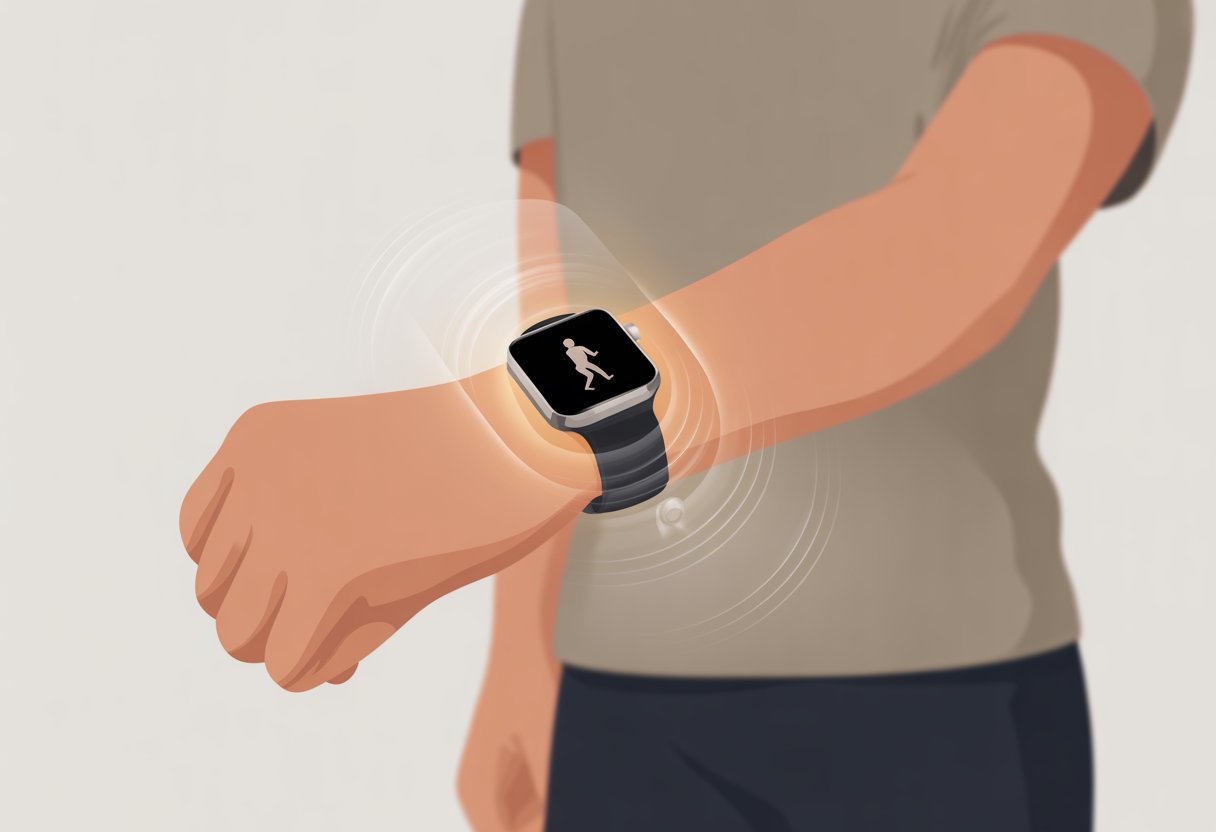
With just a few quick settings, we can turn our smartwatch into a personal safety sidekick that automatically spots hard falls and gets help if we can’t get up. Imagine that—wrist tech looking out for us when gravity gets a little too ambitious.
Brands like Apple and Samsung have built-in features that make the process simple and almost foolproof. Even if we’re not tech wizards, we won’t need to fumble for the instruction manual every five seconds.
Learning to use fall detection is honestly easier than convincing a cat to get off the counter. Here, I’ll break down the steps to activate and use this feature, so we can spend less time worrying about spills and more time moving with confidence—carpet traps and all.
What Is Fall Detection in Smartwatches?
Our smartwatches keep an eye on us every day—sometimes more than we expect. Fall detection is one of those features that sounds serious, but it actually works in a surprisingly straightforward way using sensors, clever tech, and a little quick thinking by our wrists.
How Fall Detection Works
Fall detection in smartwatches is about knowing when we take an unplanned trip—straight to the ground. The watch’s sensors track fast movements and sudden stops.
When these patterns match what usually happens during a fall, the device jumps into action (way faster than I ever do). The watch buzzes or rings and asks if we’re alright.
If we don’t answer within a set time, it sends an alert or even calls an emergency contact automatically. This is pretty handy for anyone prone to unintentional acrobatics.
The feature tries not to mistake wild dance moves or sudden plops onto the couch as tragic falls. But, honestly, sometimes it thinks our best dance moves are emergencies—so maybe clear the living room before testing.
Types of Sensors Used
To pull off this modern magic, smartwatches rely on a team of sensors. The stars here are accelerometers, which measure changes in speed and direction.
When we move, fall, or tumble, the accelerometer captures that wild ride with precise data. Many watches also use gyroscopes to sense rotation and orientation.
If our wrist twists in a dramatic way, the gyroscope takes note. Newer watches use advanced algorithms, combining data from multiple sensors to guess if we’re in trouble or just trying to set a new dance record.
Some devices even use barometers to detect changes in elevation. That way, the watch can tell the difference between falling off a playground swing and just stepping down the stairs with a little too much flair.
Popular Models with Fall Detection
A few big names put fall detection front and center. The Apple Watch made this feature standard, and it’s already saved plenty of people from a long wait on the floor.
Samsung models, like the Galaxy Watch series, also offer fall detection with SOS features ready to go. If you’re loyal to Google, you’re not out of luck—Pixel Watch 2 brings this technology as well.
Fitbit and some other smartwatches have joined in too, making fall detection a pretty common sight in health-focused devices.
Here’s a quick look at a few models that include fall detection:
| Brand | Model | Fall Detection | Extra Features |
|---|---|---|---|
| Apple | Watch Series 4 and up | Yes | Emergency SOS, ECG |
| Samsung | Galaxy Watch 3/4/5 | Yes | SOS with contacts |
| Pixel Watch 2 | Yes | Wear OS integration | |
| Fitbit | Sense 2, Versa 4 | Yes | Heart health tracking |
With all these choices, staying upright is starting to feel a little overrated.
Getting Started: Setting Up Fall Detection
No one plans on taking a tumble, but it’s smart to be prepared. With fall detection, our clever wrist gadget stands ready to call for help if gravity gets a little too ambitious.
Activating Fall Detection Feature
First things first—we need to actually switch on the fall detection feature. On Apple Watch, we do this right from the Settings app.
Tap over to SOS > Fall Detection and make sure it’s turned on. Want the magic on all the time? Choose “Always On” so it works even when we’re walking, running, or doing our best interpretive dance moves.
If we’re Samsung fans, we’ll open the Galaxy Wearable app, head to Watch Settings, pick Safety and emergency, and activate hard fall detection. On some non-LTE models, the feature needs to be connected to our smartphone to alert someone if we suddenly hug the floor.
Here’s a quick step list for Apple Watch:
- Open Settings on watch
- Tap SOS > Fall Detection
- Turn it on, select “Always On” if preferred
And for the Galaxy Watch:
- Open Galaxy Wearable app
- Go to Watch settings > Safety and emergency
- Switch on hard fall detection
Find more details at Manage Fall Detection on Apple Watch and Activate Hard Fall Detection on my Samsung Watch.
Customizing Emergency Contacts
We don’t want our “I’ve fallen and can’t get up” texts going to the pizza place. Let’s pick some real heroes as our emergency contacts.
On Apple Watch, we manage emergency contacts in the Health app on our iPhone.
- Open the Health app
- Tap our profile picture, then Medical ID
- Under Emergency Contacts, tap Edit and add our chosen contacts
Now, when fall detection thinks we’re in trouble, those folks will get the SOS.
For Samsung users, emergency contacts can also be set up in the Galaxy Wearable app under “Safety and emergency.” We can add loved ones, our neighbor who makes a mean lasagna, or anyone who won’t laugh at us for tripping over the cat.
Tip: Double-check everyone’s contact info so our call for help doesn’t end up in digital limbo.
Integrating With Emergency Services
Sometimes we need our smartwatch to call more than just our best friends—real professionals are needed. When fall detection kicks in and we don’t respond, Apple Watch will try to contact emergency services automatically and send a message to our emergency contacts.
We need to make sure our watch is connected to a cellular network or our phone for this to work. If there’s no signal, it can’t shout for help.
On Samsung watches, calls to emergency services might need the watch to be connected to a phone, especially if our model isn’t LTE-enabled. If we want extra peace of mind, we can add local emergency numbers into our contacts, just in case.
Fall detection isn’t perfect—it can’t catch every slip or slide, especially if we’re doing something wild like shimmying out of a hammock or sliding down a hill on purpose. Still, it’s a reliable sidekick for most everyday acrobatics.
Using Location and Connectivity for Accurate Alerts
If our smartwatch doesn’t know where we are, how will anyone know where to find us when we take a tumble? To get the right help at the right time, we need both GPS location services and the right kind of cellular connectivity working together.
Enabling GPS Location Services
Let’s be honest, we all want our smartwatch to do more than tell the time. By turning on GPS location services, our watch can pinpoint exactly where we are.
This is crucial if we need to send our coordinates after a fall—no one wants rescuers searching the whole city. On most smartwatches, we find location settings in the main menu.
For Apple Watch, we go into the Watch app on our iPhone and turn on location sharing. On Samsung and other brands, GPS is usually under Settings > Location.
When enabled, our watch uses GPS and sometimes Wi-Fi or Bluetooth to help locate us. Just a heads up: GPS eats battery like we eat snacks on movie night.
Keep your watch charged, especially before heading out. If you have privacy concerns, you can tweak which apps get access to your location—just don’t turn everything off or emergency services may end up on a wild goose chase.
Cellular Connectivity and Phone Plan Essentials
Having a smartwatch with fall detection is great, but without cellular connectivity, our cries for help might only entertain the neighborhood squirrels. With cellular service, our watch can call or text for help, even if our phone is out of reach.
Some watches need their own SIM card or an eSIM. We should check if our phone plan supports watch add-ons, especially if we’re using an iPhone and Apple Watch with fall detection.
The plan should allow calls, texts, and a bit of data—just enough to send those emergency “oops, I fell” alerts. Check with your provider before leaving the house and thinking you’re invincible.
No cellular? We’ll need to keep our phone nearby so the watch can piggyback on its connection. If we wander too far without our phone and without cellular service, our smartwatch’s attempts to send alerts might be as lost as our socks after laundry day.
For those prone to wandering (and wandering falls), getting a cellular-enabled watch is worth considering.
For more tips about setting up safety features, check out fall detection on both Apple Watch and Samsung smart watches.
Health Monitoring and Safety Benefits
Staying safe doesn’t mean we have to act like robots—or watch every heartbeat with eagle eyes. Our smartwatches help track important health numbers and alert us when things go a bit haywire (without needing a medical degree).
Heart Rate Monitoring for Emergencies
Let’s be real—nobody wants a surprise from their heart unless it’s for something good. When we strap a heart rate monitor on our wrist, we get instant updates on our pulse.
That’s handy for spotting stress, racing heartbeats, or even if we’re about to set a record for sitting still. Lots of smartwatches warn us when our heart rate jumps too high or dips too low, even if all we’re doing is napping on the couch.
If we take a nasty fall, our heart rate data helps emergency contacts or doctors figure out what happened. In tense moments, that fast feedback can help others act quickly and maybe keep us out of trouble.
Electrocardiogram (ECG) and Blood Oxygen Tracking
We’re not doctors, but with ECG features, we can pretend we’re secret agents—at least a little. Smartwatches with ECG let us check for things like atrial fibrillation.
The ECG shows a simple chart right on our wrist. That makes it easier to catch heart rhythm issues before they turn serious.
Some watches also check our blood oxygen levels. Low oxygen can signal problems like breathing issues or maybe a coming illness.
A quick look at our blood oxygen reading tells us if we should relax, call a doctor, or just breathe easier—especially after running up the stairs because we forgot our phone. If you want to know more about medical wearables, check out how smartwatches in healthcare medicine assist.
Enhancing Independence and Lifestyle
Smartwatches let us keep our adventurous side, even if our best running days are behind us. We get real-time help and freedom, whether we’re making coffee or hiking a hill slower than a turtle.
Smartwatches for Older Adults
We all want independence, but nobody’s excited about wearing a giant emergency button. Smartwatches let us feel safe without shouting, “I need help!” every time we leave the house.
They detect falls automatically and can send out an alert to family or help services, even if we forget how to find the help button—or just keep pressing snooze by accident.
For older adults, staying home alone feels less scary. If we slip on the kitchen floor or decide to pirouette in the living room (not recommended), the watch is ready.
We don’t have to keep our phone glued to our side, and we don’t have to give up our independence either.
Here’s a quick list of perks:
- Discreet: Nobody will notice we’re using fall detection unless we tell them.
- Reliable: The watch picks up most falls (though it can’t read minds).
- Easy: No extra remotes or gadgets to lose—just charge, wear, and live your day.
Supporting Active and Outdoor Lifestyles
We love getting fresh air, taking a walk, or maybe pretending we’re explorers if the mood hits. Fall detection watches let us do all this with more confidence.
If we trip during a hike or wobble while gardening, smartwatch fall detection can spot it and send alerts. That means we can focus on the scenery instead of worrying about starring in the next viral slip-and-fall video.
Features like GPS and emergency contacting mean we don’t have to check in every hour. Our loved ones get some peace of mind too, knowing we’re safe while wandering longer at the farmer’s market than we promised.
Pro tip: Wear your watch snug so it works well. It won’t stop you from tripping on your shoelaces, but at least it’ll call for help.
Smartwatch Emergency Features Beyond Fall Detection
Smartwatches are basically our digital sidekicks, always ready in tough moments. Besides fall detection, they pack other emergency features that almost make us feel like superheroes—just without the cape.
How Emergency SOS Functions
Emergency SOS is like having a panic button on our wrist. When we press and hold a button or tap the screen a few times (sometimes it takes some frantic poking), our watch can call emergency services, send messages to our contacts, and share our location faster than we can say, “Uh-oh.”
We love that these watches alert friends or family automatically. No more fumbling for a phone when things go sideways—our watch takes care of it.
Some models even sound a loud alarm, which is great if we want to attract attention or scare off trouble. On many devices, we tweak settings in the watch or the companion app.
The Samsung Galaxy Watch, for example, uses its Detect fall feature with SOS to help us reach emergency help in just a few taps. It won’t leap tall buildings, but it could still save the day.
Syncing with Health Apps and Devices
Linking a smartwatch with your favorite health app really feels like a self-care upgrade. These apps track things like steps, sleep, and heart rate, then share details with your doctor or family if you want. This teamwork between devices keeps all your info in one spot.
If fall detection or SOS goes off, synced health apps save data about what happened. That record comes in handy when you want to check the details—or maybe just prove you actually did fall while attempting those questionable dance moves. Most health apps let you decide what gets shared and who sees it.
You can pair your smartwatch with medical alert systems, smart scales, or your phone’s health platform for even more detailed tracking. It’s honestly way easier for your healthcare team—or those nosy relatives—to keep tabs and make sure you’re okay. Some advanced watches even let you share real-time stats, so people know you’re safe without anyone having to call. Isn’t it kind of wild that technology can keep us safe and help us dodge awkward phone calls at the same time?

From a young age, I have always had a big interest in technology, and this blog is an extension of that interest. Through this blog, I hope to provide others with all of the information they need regarding tech options to consider, and things such as compatibility. Some of the different items I will be discussing include headphones, smartwatches, and how to fix common issues.
- How to use a smartwatch for fall detection: Because Gravity Happens - October 1, 2026
- Best Smartwatches Under $100 That Won’t Make Your Wallet Cry - October 1, 2026
- How to use a smartwatch for meditation and Pretend You’re Not Just Checking Notifications - September 30, 2026
Related Posts: