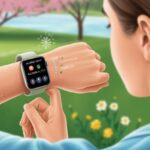
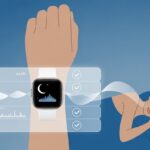
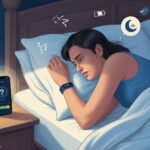
We all know that a good night’s sleep can make or break our mood. But figuring out if we actually slept well? That’s a whole other story. Enter the not-so-secret hero on our wrists: the smartwatch.
With a smartwatch, we can track our sleep and see real data about how much we actually rest each night.

Now, instead of just guessing why we feel like zombies on Monday mornings, we can use that handy device to measure our sleep cycles. We can spot patterns and even adjust our habits for better snoozing.
It’s kind of like having a detective—and maybe a tiny little nag—on our wrist, helping solve the mystery of why we’re yawning all day.
Ready to get the most out of your smartwatch and turn your sleepy nights into restful ones? Let’s check out some simple ways to use this wearable tech for real sleep tracking.
Maybe we’ll wake up feeling a little more like humans and a little less like caffeine-fueled raccoons.
What Is Sleep Tracking On A Smartwatch?
Most smartwatches today do more than just tell the time. Our trusty wearables try to track every little detail about how well—or, let’s be honest, how terribly—we sleep each night.
They watch our bodies while we rest and hand us a report card in the morning.
Understanding Sleep Stages
Every night, we drift through different sleep stages. There are three main stages: light sleep, deep sleep, and that wild ride called REM (rapid eye movement).
Light sleep is the easiest phase to wake from. Deep sleep is when we really recharge and recover, even if we dream about doing homework in our pajamas.
REM sleep is where most of our dreams happen and our brains get busy sorting memories and emotions.
Our sleep cycles hop between these stages several times. Sleep trackers try to spot these shifts and give us color-coded charts that sometimes look more complicated than they are.
The goal? Help us understand why we feel like a zombie after eight hours in bed.
How Smartwatches Measure Sleep
Smartwatches use sensors to spy on our sleep in surprisingly high-tech ways. These gadgets track our movements, heart rate, and sometimes even our breathing.
Most use something called “actigraphy,” which is just a fancy word for watching if we’re wiggling around or lying still.
Some models check out heart rate variability to figure out if we’re dreaming about roller coasters or just snoring. Others add extra features like oxygen monitoring or skin temperature sensors.
Wearables try to guess our sleep stages, but they aren’t perfect. They can’t read our minds (yet).
Still, sleep trackers give us enough info to chat about our sleep quality over coffee without sounding like we made it all up. Want to get nerdy? See how Garmin explains its sleep tracking technology.
Wearables Versus Other Sleep Trackers
Not all sleep trackers attach to our wrists. Some are under-the-mattress pads or bedside gadgets.
These options sometimes use microphones or radar to measure breathing and movement. They may be less fussy about charging, but they’re not so great for folks who travel—or who sleepwalk.
Wearables like smartwatches shine because they’re easy to wear, portable, and double as fitness buddies.
However, they aren’t as reliable as medical-grade devices. According to Johns Hopkins, smartwatches can spot restless nights, but they can’t diagnose sleep disorders like a sleep lab can.
Smartwatches work best for tracking habits and making tweaks, not for solving mysterious yawning spells. For more, check out what Johns Hopkins says about sleep trackers.
Setting Up Your Smartwatch For Sleep Tracking
Before we can start tracking our midnight adventures, we need to get our smartwatch ready for some serious snoozing. This means picking the right device, putting on the right apps, and making sure everything is set up properly.
Choosing The Right Device
Picking a smartwatch for sleep tracking isn’t just about grabbing the shiniest one. We want something comfortable enough to wear all night—nobody wants to wake up grumpy because of a chunky gadget on their wrist.
Look for features like built-in accelerometers, which track our movement as we toss and turn. Some watches (like the Garmin series) even include a pulse oximeter to measure our blood oxygen while we dream about pizza.
If we want really detailed reports, a few high-end gadgets offer EEG sensors, but those are less common and usually found in pricier wearables.
Fitness trackers are also good options if we prefer something slim and simple.
The important thing is to choose a device that won’t feel like a brick strapped to our arm but still gives us the data we need.
Installing Sleep Tracking Apps
Alright, we’ve got our smartwatch. Next step: apps.
Most smartwatches come with built-in sleep tracking, but third-party apps can add extra features or nicer charts (because who doesn’t want to brag about how boring their sleep patterns look?).
For Apple fans, we can use the built-in Sleep app to set up bedtime routines and track our snooze. Samsung Galaxy smartwatches also have their own native sleep tracking options, and there are other apps in their store too, like Sleep as Android or Pillow.
It’s smart to check if the app works with our watch’s sensors, especially if our device has fancier hardware like an oximeter. If we go with something like a Garmin watch, make sure everything is updated to the latest version for the smoothest experience.
Calibrating Sensors
Time to get technical. If we want accurate sleep tracking, calibration matters.
We need to make sure the watch fits snugly—tight enough so the sensors (accelerometer, pulse oximeter) actually touch our skin, but loose enough that our arm doesn’t fall asleep before we do.
Many watches ask us to run through a short setup or wear test when first using sleep tracking features. Some even have a calibration mode for more advanced sensors, like the oximeter or EEG if available.
It’s also worth double-checking settings inside the app for sleep tracking accuracy and making sure all permissions are turned on.
If all else fails, restart the watch and try again. Smartwatches can be stubborn, just like us when someone tries to wake us up before our alarm.
Core Features Of Sleep Tracking On Smartwatches
When we use our smartwatch for sleep tracking, we’re basically inviting a small robot onto our wrist. This handy device tracks sleep duration, keeps an eye on our heart rate, checks oxygen levels, and helps us decode our sleep patterns.
All this, and it doesn’t even charge us by the hour.
Tracking Sleep Duration
Ever wonder how long you actually sleep—not just how long you lie in bed questioning your life choices? Sleep duration tracking is for you.
Our smartwatch uses built-in sensors, like accelerometers, to sense movement and figure out when we fall asleep and wake up.
We get a nice report in the morning. It might look something like this:
| Bedtime | Wake Time | Total Sleep |
|---|---|---|
| 11:03 PM | 6:59 AM | 7 hrs 56 min |
Sometimes, it even tells us how many times we got up at night for a glass of water or to yell at the neighbor’s dog.
These stats help us set targets for sleep and see if our Netflix binge is cutting into real rest.
Monitoring Heart Rate & Oxygen Levels
Our heart keeps beating even when we’re asleep (thank goodness). Smartwatches love to show us graphs of our heart rate all night.
They use optical sensors to shine a little light under our skin and read the pulse.
Some watches include an oximeter to measure blood oxygen levels while we sleep. This number matters because lower oxygen can mean sleep problems, like sleep apnea.
We can watch for red flags in our readings and maybe impress our doctor at our next checkup.
Here’s a quick list of what these features can show us:
- Average night heart rate
- Spikes or drops in heart rate
- Blood oxygen percentage (SpO2)
- Alerts for unusual readings
Recording Sleep Patterns
Sleep isn’t just one big nap. Our smartwatch sorts our night into sleep stages like light sleep, deep sleep, and REM (the part where we dream about losing our homework).
By tracking tiny movements, heart rate changes, and sometimes even breathing, it guesses what stage we’re in.
We get colorful graphs and sleep “scores” that tell us if last night was worth bragging about. This info can help us see if we’re getting enough deep sleep or just tossing and turning.
For more details about how this tech works, check out how smartwatches track sleep stages.
Decoding Your Sleep Data
So, we’ve tracked our beauty sleep and now have a mountain of numbers, graphs, and maybe even a snoring alert. Let’s figure out what all these terms mean, and maybe, just maybe, become sleep experts by breakfast.
Analyzing Light, Deep, and REM Sleep
Smartwatches keep tabs on three main sleep types: light sleep, deep sleep, and REM sleep. Each one plays a different role, and skipping them is like leaving toppings off a pizza.
- Light Sleep is when we shift between awake and deeper sleep. We spend the most time here, but don’t expect wild dreams.
- Deep Sleep is when our body repairs muscles and boosts the immune system. If we’re low on deep sleep, we might feel groggy or get sick more easily.
- REM Sleep is where dreams and creativity happen. This stage is key for memory and mood.
Many sleep trackers use heart rate and body movement to measure these stages. That’s just fancy talk for “they see when we’re tossing and turning and how chill our hearts are” (more on the science).
We want a healthy balance of all three, but a little more REM or deep sleep is never a bad thing.
Understanding Snoring Detection
Let’s talk about snoring. If our smartwatch tells us we snored last night, it’s not just being a tattle-tale.
Snoring detection uses the watch’s microphone or sound sensors (and sometimes accelerometers if we snore really loud).
Here’s why snoring data matters:
- Snoring can interrupt sleep cycles and lower sleep quality.
- Frequent snoring might point to sleep issues like sleep apnea.
- Some apps share when, how often, and even how loud we snore. So enjoy that audio clip.
If our snoring keeps popping up in the results, it might be time to chat with a doctor (or buy earplugs for our roommates).
Interpreting Sleep Score
Our sleep tracker usually wraps up the night with a sleep score—that big, shiny number that’s hard to ignore. This number mixes together things like:
- Total sleep time
- Time in different sleep stages
- Movement while we sleep
- Restfulness and sometimes even snoring
A higher score means we probably slept better. Most apps use a 100-point scale, where 85+ feels “great,” 70-84 is “not awful,” and anything below that? Well, maybe our mattress is out to get us (more details).
If we check our score over time, we start to notice what’s working and what’s not.
Maximizing Sleep Quality With Smartwatch Insights
We all want the kind of sleep that makes us wake up singing, not crawling straight to the coffee maker. Smartwatches do more than spit out numbers—they help us figure out what’s messing with our nights, suggest better habits, and sometimes hint if there’s something more serious going on.
Identifying Poor Sleep Habits
Our smartwatches are like those friends who catch us sneaking snacks after midnight and just raise an eyebrow. By looking at sleep data, we see if we’re staying up too late or waking up at weird hours.
The graphs don’t sugarcoat it—if our bedtime bounces around or we’re up ten times a night, it’s right there in the stats.
Most trackers monitor movement, heart rate, and even noises while we sleep. That makes it easy to spot those nights we spent tossing, turning, or “sleep-dancing.”
Sometimes, our watch shows how restless sleep follows too much screen time, late-night meals, or that extra coffee after 4 pm.
When we look at the trends, certain patterns start to pop out. Movement tracking and sleep stage detection really highlight the trouble spots.
Improving Sleep Quality
Once we see our sleep habits need work, our smartwatch can actually help us out. Most watches offer little nudges, like “Hey, maybe skip the nachos at midnight next time.” They’ll also buzz when it’s almost bedtime, so we don’t get lost in an endless scroll of cat videos.
We can use the data to build a better routine. Adjusting our bedtime or ditching screens half an hour before sleep might bump up our sleep scores—and honestly, we’ll probably feel better in the morning.
Some watches track heart rate and even blood oxygen while we sleep. That info shows us how deep our sleep really gets.
With these details, we can tweak our bedtime routine—maybe set a regular wind-down time or try blackout curtains. Small, steady changes add up to real results. Smartwatches provide insights that make better rest feel possible.
Recognizing Sleep Disorders
Not every sleep problem gets fixed with a new playlist or counting sheep. Sometimes, our smartwatch flashes warning signs.
If it tracks lots of blood oxygen drops or shows way too much restlessness, it might be time to see a doctor.
We shouldn’t use our watch to self-diagnose stuff like sleep apnea, but if we spot patterns—heavy snoring, super disrupted sleep—it’s a good reason to get professional advice. These tools start the conversation, not end it.
Smartwatches are great for tracking sleep, but they can’t replace medical tests if we suspect something’s wrong. Still, with a watch on our wrist, we’re one step closer to figuring out what’s really happening at night.
Smartwatch Alarms & Sleep Optimization Features
Getting up on time is rough, but smartwatches do more than just beep at us. With the right alarm and optimization tools, we can wake up a bit less grumpy and maybe even feel, well, human.
Using Smart Alarms
Smart alarms act like a personal butler who knows our sleep habits better than we do. Instead of going off at a set time, they try to wake us when we’re at the lightest point in our sleep cycle.
This means we don’t have to wake up feeling like a zombie that just lost a pillow fight.
Our smartwatch tracks movement, heart rate, and other signals to figure out the best time to wake us—usually within a window we pick. Even if we barely got enough sleep, this can help us feel more refreshed.
Not every watch has this feature, but it’s worth hunting for if we hate dramatic wake-ups.
Gentle Wake Up Vibrations
Blaring alarms are just the worst, right? Gentle wake up vibrations give our wrists a private nudge—no need to wake up the whole house.
These vibrations are strong enough to wake us, but not so harsh they send us into panic mode.
A few perks of vibration alarms:
- Quiet, so others aren’t disturbed
- Way less stressful
- Feels like a secret handshake with our watch
Smartwatches usually let us adjust the vibration strength. We can pick what feels right—just enough to wake us, not enough to launch us out of bed.
Customizing Alarm Settings
Custom alarm settings let us boss our smartwatch around. We can set different alarms for weekdays and weekends, adjust the smart alarm window, or pick our favorite ringtone (or a fancy vibration pattern).
Lots of watches offer:
| Feature | What We Can Do |
|---|---|
| Repeat Schedules | Set recurring alarms (e.g., M-F) |
| Snooze Options | Pick how often (and how long) to snooze |
| Vibration Patterns | Choose strong or gentle vibrations |
| Smart Wake Windows | Decide a time range for smart wakeups |
Personalized alarms make it easier for us to wake up our way—and maybe even beat that morning grogginess. If we want more info, here’s a guide on how smartwatches help maximize sleep quality with sleep tracking features.
Lifestyle Factors Affecting Your Sleep Tracking Results
Using a smartwatch to track sleep is only part of the story. Our daily habits can mess with the results—good sleep is about more than just lying in bed.
What we eat, how we set up our room, screen habits, and bedtime routines all play a part.
Impact Of Caffeine And Diet
Let’s talk caffeine. If we sip coffee or energy drinks too late, getting good sleep data is like trying to juggle with oven mitts.
Caffeine hides everywhere—tea, chocolate, soda, pre-workout drinks. Tracking sleep after a double espresso at 8 p.m.? Yeah, those numbers won’t look pretty.
Heavy dinners can also keep us tossing and turning. Spicy or high-fat foods before bed can mean heartburn or bloating.
Here’s a quick cheat sheet:
| Drink/Food | Best Time | Worst Time |
|---|---|---|
| Coffee | Before 2 p.m. | Evenings |
| Chocolate | Early afternoon | At night |
| Large meals | Before 7 p.m. | Right before bed |
If we want our smartwatch to show how we really sleep, let’s keep the late-night snacks and espresso shots in check.
Managing Environmental Factors
If our bedroom feels like a sauna, cave, or disco, our sleep can flop. Temperature, light, and noise mess with what our smartwatch records.
Too hot or cold? We end up shivering or sweating. That’s bad for deep sleep and for our tracker’s results.
Light is sneaky too. Streetlights, blinking gadgets, or an annoyingly bright lamp can throw off our sleep cycles. Closing curtains or using a sleep mask helps a ton.
Noise? Classic villain. Snoring, traffic, or our neighbor’s late-night karaoke can ruin our night. Earplugs, white noise machines, or a polite note to the neighbor can help.
A comfy, quiet, dark room gives our tracker the best chance to record good sleep. Want our smartwatch to cheer us on? Let’s set up the perfect sleep space. If you’re curious, here’s more on how advanced sleep tracking works.
Screen Time: Smartphones And TV
If we treat our eyes to a parade of screens right before bed, our smartwatch will show the fallout. Blue light from phones and TVs tells our brains it’s still party time, not sleep time.
When we scroll or binge-watch, melatonin—the hormone that helps us feel sleepy—takes a hike. That means we toss and turn, and our tracker catches every restless minute.
A few things to try:
- Put devices down 30-60 minutes before bed
- Use ‘night shift’ or blue light filters
- Read a real book (paper, not pixels)
Our sleep tracker works best when our brains get a chance to wind down. If we say goodnight to our screens early, maybe our watch will stop nagging us about “restlessness.”
The Role Of Bedtime Routines
Let’s be honest—our pets have better routines than we do. Bedtime routines tell our bodies it’s time to sleep, and our smartwatches seem to love a little consistency.
A decent routine might look like:
- Brushing teeth
- Reading a few pages
- Gentle stretches
- Dimming the lights
If we try to hit the sack at the same time each night, our bodies catch on. Our sleep stages get less random, our heart rates settle, and our tracker has an easier job.
Science shows that even logging routines in our tracker can help us spot what works.
If we only stick to a routine twice a year, the smartwatch won’t be fooled. But if we keep at it, our tracker might finally give us a score we don’t hate.
Syncing, Backup, And Privacy Of Sleep Data
Our smartwatches scoop up a mountain of sleep data every night, from deep snooze to that weird minute staring at the ceiling. Managing all this means syncing to our phones, figuring out where to stash it, and keeping it private.
Syncing With Smartphones And Apps
First off, syncing is a must unless we want our sleep data to live forever on our wrist. Most smartwatches—like Apple Watch—connect with apps on our phone. We just open the Health or sleep app and bam—all our tossing and turning shows up on the big screen.
Usually, we just turn on Bluetooth and tap a few buttons. All our sleep graphs show up in companion apps. Some third-party apps, like Pillow Sleep Tracker, upload automatically, which means no midnight tech headaches.
If we get really into the details, syncing works across several devices. With the right settings, we can check last night’s session on our phone, tablet, or even email ourselves a report (because some of us love a good spreadsheet).
Exporting And Saving Sleep Data
Exporting data lets us back it up or share it with a doctor—especially if our sleep schedule is just plain weird. Most sleep tracking apps let us save or share this info. The iPhone’s Health app, for example, lets us export sleep data as CSV files, so we can make our own charts.
To export, we usually jump into the app’s settings, tap “Export Data,” and pick email or a cloud service. Some apps even let us schedule regular exports, so our inbox fills up with sleepy data.
Backing up to the cloud keeps our nap history safe if we lose or upgrade our watch. That way, we don’t have to mourn the loss of years’ worth of sleep graphs if something goes wrong.
Privacy Concerns With Your Sleep Information
Let’s talk about privacy for a second. Sleep data feels personal—because, honestly, it is.
Some of us snore, some of us crash at truly odd hours, and, really, who wants strangers knowing that? Most smartwatch platforms say they keep our data private. They usually encrypt it when syncing between the watch and your phone.
But hey, it’s worth double-checking those privacy settings. Some apps might sneakily share sleep info with third parties for research or ads if you aren’t careful about permissions.
Best move? Stick with apps you actually trust. Keep your apps and devices updated, and tweak those settings so your sleep habits don’t just wander off into the wild.
You can also set up two-factor authentication. Try not to send your data to random emails or unfamiliar cloud services.
If you’re feeling extra cautious, look for apps that offer local-only storage. That way, nobody but you (and maybe your cat, if it’s nosy) gets to peek at your sleep reports.

From a young age, I have always had a big interest in technology, and this blog is an extension of that interest. Through this blog, I hope to provide others with all of the information they need regarding tech options to consider, and things such as compatibility. Some of the different items I will be discussing include headphones, smartwatches, and how to fix common issues.
- How to use a smartwatch for sleep tracking and stop snoozing through your wellness - September 16, 2026
- Best Bluetooth Headphones for Podcasts: Hear Every Giggle and Gasp Without Wires - September 16, 2026
- Best smartwatches for sleep apnea detection: Because Counting Sheep Shouldn’t Need a Doctor - September 15, 2026
Related Posts: