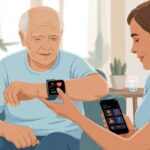
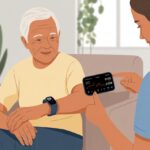
Smartwatches started out as fun gadgets for counting steps or replying to messages. Lately, though, they’ve become surprisingly helpful for people who need a bit more support—especially seniors.
These little devices can track our health, remind us to take medicine, and even help us call for help if we take an unexpected tumble (not the Paris kind, sadly).
Let’s be real, not every smartwatch is up to the job. Some have screens so tiny you end up squinting, and others are covered in more buttons than a remote control from the 90s.
For elderly care, we really care about features like fall detection, easy-to-read screens, heart rate tracking, and emergency calling. Comfortable straps, simple controls, and a battery that doesn’t die before the day’s over—those matter too.
It’s tempting to grab the fanciest-looking watch, but honestly, ease of use and reliable safety features win every time. We spent late nights scrolling, comparing, and even testing smartwatches to find the best ones for elderly care.
Best Smartwatches for Elderly Care
Let’s admit it—keeping track of time, health, and missed calls gets harder as the years go by. Thankfully, smartwatches help us stay connected (and maybe even look a bit tech-savvy).
Here’s our list of the best smartwatches to keep us all one step ahead.
Smart Med Alert Watch

We think this watch is a solid pick if you want extra peace of mind for those moments when life gets a little wobbly—or maybe just want an excuse to press a big red button.
Pros
- Real-time help with the push of a button
- Fall detection jumps in when you can’t
- Small enough that you won’t feel like you’re lugging around a lunchbox
Cons
- Monthly fee adds up
- Wristband fits tighter than grandma’s hug
- Glitches mean we spent some quality time with customer service
After strapping on the Smart Med Alert Watch, we noticed right away how light and compact it felt. Unlike those chunky medical devices, this one blended in without much fuss.
It even survived an accidental splash in the kitchen sink, which is more than we can say for last night’s pasta. We loved pressing the emergency button—it connected us straight to a live person, not some robot on autopilot.
The fall detection surprised us with its sharpness. One of us took a spill reaching for cookies (no shame), and help arrived fast.
Getting the watch set up took longer than we wanted, though. The monthly cost isn’t the cheapest, and the band left marks on our wrist after a day.
Still, for safety, communication, and a bit of “check out my cool watch,” the Smart Med Alert Watch holds its own.
COCO BT2-Z Smartwatch

If you want your loved ones to have a safety net (and maybe a pretty big watch on their wrist), this one’s worth a look—with a few caveats.
Pros
- Quick emergency calling for those “uh-oh” moments
- Large, easy-to-read touchscreen (no squinting)
- Swappable wristbands for different moods—or outfits
Cons
- Fall detection can be finicky
- Too many features for folks who want “just the basics”
- Some watch faces feel like picking the least ugly wallpaper
The COCO BT2-Z greeted us with a big, bright screen. Reading the time and checking steps finally feels easy—we don’t have to hold the watch up to our face like detectives.
Swapping straps is actually fun. One day formal, next day disco fever (sadly, no disco ball included).
Setting medication or call reminders is a breeze—almost like having a helper who never forgets (well, unless it’s out of battery). The emergency call button is easy to find and gave us some real peace of mind.
We just wish the fall detection worked a bit more reliably. If you expect this watch to call for help every time you trip, you might be disappointed—it sometimes misses the action.
And with so many features, the watch sometimes expects us to run a marathon, not call bingo at the community center. Still, for the basics—time, health monitoring, and peace of mind—the COCO BT2-Z keeps us connected.
Seculife SOS Smartwatch for Seniors

If you enjoy paying subscriptions about as much as chasing down refunds, this might be your next smartwatch.
Pros
- Super simple SOS button for those “Oops, I’ve fallen!” moments
- Lightweight—no wrist workouts required
- Live GPS tracking keeps tabs on wandering loved ones
Cons
- Subscription fee stings
- Some features fizzle in Canada and Mexico
- App setup can feel like cracking a secret code
We don’t like pressing more buttons than we have to, so the SOS button on the Seculife watch feels like a lifesaver. It’s easy to use, even for those of us who still struggle with the TV remote.
A quick tap lets family call for help or check in. The speakerphone is handy when yelling across the house just isn’t an option.
Live GPS tracking made us feel like secret agents for a few days. We always knew where our loved one wandered—no more surprise trips to the neighbor’s backyard.
The watch is so light, some of us forgot we had it on (until it buzzed). But let’s be honest: the subscription fee hurts.
Setup isn’t smooth—we wrestled with the app longer than we’d like to admit. And if you travel, some features vanish right after you cross the border, which is a letdown if your adventures ever take you past the local grocery store.
For anyone who wants an easy SOS and tracking, the Seculife SOS Smartwatch checks the basic boxes, but picky users (like us) might crave more reliability and a simpler fee.
Fajocru Smartwatch for Seniors

If you want a smartwatch loaded with features for elderly care (but don’t mind some setup headaches), the Fajocru is worth a look.
Pros
- SOS emergency button adds peace of mind
- Comfortable band that’s easy to wear all day
- Fun extras like step counting and voice chat keep us connected
Cons
- Setup is trickier than assembling flat-pack furniture
- GPS accuracy can be all over the map
- Battery life isn’t exactly marathon-ready
We all want to keep an eye on our loved ones, but nobody wants a gadget that’s harder to wrangle than our relatives. The Fajocru Smartwatch stands out for its SOS button, which, after some trial and error, actually works as a lifeline.
The silicone band surprised us with how comfy it is, whether you have skinny wrists or chunkier arms. We had fun chatting back and forth using the voice feature.
It’s a nice way to check in, and even our gadget-shy folks warmed up to it once we got past the setup confusion. Step tracking and health reminders encourage daily walks, but let’s not pretend anyone here’s running marathons.
The GPS can be so off that we wondered if our family member took a wrong turn into another county. Battery life is another weak spot—just when we started to relax, it ran out faster than our patience during daylight saving time.
Getting everything running took longer than it should, and customer support felt like playing phone tag with a ghost. The Fajocru Smartwatch for Seniors offers loads of helpful features for families but does require patience and some tech troubleshooting.
If you enjoy puzzles and want a comfy, feature-packed watch, this could be the one.
Odsslgw Smart Watch for Seniors

If your grandparents need a smartwatch that’s easy to use and keeps an eye on their health, this one’s a decent pick—with a few quirks.
Pros
- Make and take calls right from the wrist—no more searching for the phone in couch cushions
- Long battery life means less fussing with chargers
- Swapping out watch faces is kind of fun and keeps things interesting
Cons
- The app is confusing—setup took longer than making a cup of tea
- You can read messages, but don’t expect to type out replies
- The instructions could use a makeover (and a font upgrade)
We found it refreshing to answer calls straight from the watch, especially when our hands were full of groceries or petting a stubborn cat. The speaker and mic work well enough, though don’t expect a conference call experience.
Notifications pop up fast, so we never miss a message—even if replying is more of a spectator sport. The health tracking features impressed us.
It checks heart rate, sleep, and even nags us to drink water (thanks…we guess). This helped remind us—and the older folks—not to turn into chair potatoes.
The adjustable band feels comfortable, and the big, bright screen is easy to read. We enjoyed picking from all the different watch faces—who knew there were so many?
The app left us scratching our heads. Older family members needed a bit of help getting started, so patience is required.
Once we set everything up, daily use was smooth and hassle-free. We could finally focus on racking up those Fitbit-shaming step counts.
MJVV Elderly 4G GPS Smart Watch

This smartwatch promises global tracking and a bunch of features, but it’s got a few quirks that might test anyone’s patience.
Pros
- GPS is solid—we always know where Grandpa wandered off to
- SOS button is simple and works when things go sideways
- Waterproof, so splashes and rain don’t freak us out
Cons
- Needs its own paid SIM card (because nothing’s ever easy)
- Size feels like strapping a deck of cards to your wrist
- Not exactly the belle of the ball in the looks department
Trying out this gadget, we noticed right away that it takes safety pretty seriously.
The live GPS tracking comes in handy, especially when our loved ones take “going for a walk” to the next level.
We found the emergency SOS button refreshingly simple—a long press and it’s good to go, which makes it easy for anyone in a pinch.
Setup takes patience, honestly. Getting the SIM card up and running might involve more head-scratching than we’d like, and there’s a monthly fee to boot.
Once we got it working, we tracked routes, made calls, and even used the video chat feature.
We felt a bit more at ease, but also started worrying about our data plan.
The watch is chunky—no denying it—but we didn’t have to panic during hand washes or rainy days.
The audio sounded clear enough, and the tracking seemed accurate.
If you can get past the quirks, the MJVV Elderly 4G GPS Smart Watch helps us keep tabs on our favorite escape artists.
Safety+ 4G Medical Alert Watch

If Grandpa or Grandma loves gadgets almost as much as their afternoon naps, this watch could be the extra set of eyes we all wish we had.
Pros
- Fall detection is reliable and keeps us in the loop
- Caregiver app makes wrangling appointments way easier
- SOS button is easier to use than most remotes
Cons
- Design looks more “therapy session” than “secret agent”
- Monthly fee feels like paying rent to your own wrist
- Call-to-activate setup is about as fun as assembling flat-pack furniture
Using the Safety+ 4G Medical Alert Watch felt like combining a smartwatch and a safety net.
Instant fall alerts actually worked (yes, we fake-tripped over a slipper), which gave us some real peace of mind when we weren’t in the same room.
The app is a little lifesaver—we tracked steps, set medication reminders, and even checked if Dad left his chair before noon.
During emergencies, the SOS button was easy to find and even easier to press.
Notifications hit our phones right away, and we got real-time alerts for falls or wandering.
That’s a relief, especially if you’re a worrier.
The watch isn’t going to win any design awards, though.
If your loved ones care about flashy wristwear, this one won’t cut it.
The monthly fee stings a bit after the free month, and calling to activate reminded us of every “please hold” moment we’ve ever suffered through.
But if safety matters more than looks, Safety+ 4G Medical Alert Watch is a solid pick with a real sense of security built in.
Quican Alexa Smartwatch

If we want Grandma to feel like a secret agent—and maybe remember to drink water—this smartwatch could be her new sidekick.
Pros
- Calls and Alexa on our wrist—no more yelling across the house
- Large, bright screen makes reading messages easy for aging eyes
- Battery outlasts most of our attention spans
Cons
- Can’t reply to messages from the watch—typing is for the young at heart
- Some folks see screen issues after a few months (pixel parties, anyone?)
- It looks fancy but won’t replace our doctor (not even close)
We have to say, the big, bright display is a breath of fresh air.
Scrolling and checking notifications felt easy, even in sunlight.
It almost made us think our reading glasses got an upgrade.
Making calls without digging through a purse or couch is a nice bonus, especially if phone hide-and-seek is a daily sport.
Alexa integration was straightforward, too—it answered questions and set reminders, so nobody missed bingo or pill time (again).
On the downside, we couldn’t reply to messages right from the watch.
Some unlucky folks ran into screen problems after a few months.
It’s not perfect, but with solid health features, a waterproof build, and enough sports modes to tire out the grandkids, we think the Quican Alexa Smartwatch is a great pick for seniors who want simple, modern support on their wrist.
Smart Med Alert Watch

If you want something simple for peace of mind and don’t mind a few quirks, this watch works—just don’t expect James Bond gadgets.
Pros
- Handy fall detection for those surprise tumbles
- Activation is actually easy after calling customer service
- Works pretty much anywhere, even if we wander into the neighbor’s yard
Cons
- Subscription fee is required, though the ad isn’t upfront about it
- Bigger and bulkier than our old ‘90s wristwatch
- Fall sensor is like a jumpy squirrel—it goes off too easily
Setting up the Smart Med Alert felt more eventful than our last family game night.
We liked that customer service was friendly—even if we had to call just to get started.
Once activated, the watch fired up quickly, and the fall detection started doing its thing (maybe a little too eagerly).
The size surprised us; putting it on felt more like strapping on a tiny sandwich than a watch.
But the display is clear, and even our less techy relatives could check the time and see that the watch was working.
Water resistance is a plus since spills and rain are always lurking.
The subscription fee pops up after setup, and we wished that info was more upfront before we reached for the wallet.
The fall detection is really sensitive, sometimes getting excited at every bend and twist, so we got a few calls just for tying our shoes.
If you want help anywhere and don’t mind dialing in, Smart Med Alert Watch could be a handy addition—just be ready for a few surprise check-ins.
LODIMEKE Smartwatch with Alexa & Health Tracking

If we want a solid, feature-packed smartwatch for elderly care that won’t break the bank, this one deserves a real look.
Pros
- Comfortably lightweight—we almost forget we’re wearing it
- Call and message notifications land right on our wrist
- Battery lasts for days—no daily panic charging
Cons
- No built-in GPS, so we can’t go full secret agent
- The band might leave a mark if we wear it too tight
- Replying to texts isn’t supported (so notifications just sit there)
We took this watch for a spin, and honestly, it’s easier to use than programming the old VCR.
The screen is bright and clear, so checking steps, heart rate, or weather is a breeze—no squinting.
It’s so light, sometimes we check if it’s still on our wrist.
Communication is smooth with real phone call support right from the watch—great for quick chats or when we can’t remember where we left our phones.
The watch pings us for messages, but we have to grab the phone to reply, so our witty comebacks might be a bit delayed.
The wellness features win us over for elderly care.
It nudges us to move, reminds us to hydrate, and even tracks our sleep.
Alexa is built-in, so we can set alarms or get the forecast without yelling across the house.
The band can get a bit clingy (watch out for tight straps), but that’s nothing a quick adjustment can’t fix.
Buying Guide
Let’s be honest—everyone wants to help their elderly loved ones, but nobody wants a watch so confusing that even a secret agent would give up. When you’re shopping for a smartwatch, start with ease of use.
Big screens and simple menus mean you’ll get fewer “How do I turn this thing on?” calls. That’s a win for both sides.
Safety? Always first. Look for features like fall detection and emergency SOS. Imagine a watch that actually calls for help if you take a spill—honestly, James Bond would probably want one.
Battery life matters a lot. We all want a watch that lasts longer than a sitcom marathon. Who wants to charge another gadget every night?
Here’s a quick cheat sheet to keep handy:
| Feature | Why it Matters |
|---|---|
| Large Display | Easy to see, even without glasses |
| Fall Detection | Help arrives after a tumble |
| Emergency Button | Quick way to call for assistance |
| Long Battery Life | Less charging, less hassle |
| Water Resistance | No worries if we forget to take it off |
| Simple Controls | Less time pushing random buttons |
Comfort really counts too. If a watch isn’t comfortable, it’ll just collect dust. Adjustable straps, lightweight design, maybe even some color options—why not show a little style?
One last thing: double-check if the watch needs a special smartphone or app. Nobody wants to get stuck in tech support limbo.

From a young age, I have always had a big interest in technology, and this blog is an extension of that interest. Through this blog, I hope to provide others with all of the information they need regarding tech options to consider, and things such as compatibility. Some of the different items I will be discussing include headphones, smartwatches, and how to fix common issues.
- The Best Rugged And Waterproof Smartwatches - October 21, 2026
- 10 Best Military Smartwatch – Find The Best Tactical Military Watches in 2023 - October 20, 2026
- Are Wired Headphones Safer Than Bluetooth? A Friendly Guide - October 20, 2026
Related Posts: