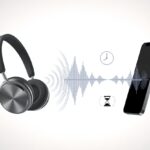
We’ve all been there. You’re seconds away from a win, about to pull off a clutch play, and suddenly your Bluetooth headphones turn everything into a bad kung-fu flick.
The character on screen acts, but the sound lags behind, like it’s lost in slow motion. Bluetooth headphones have a delay with games because audio takes time to travel wirelessly from your device to your ears.
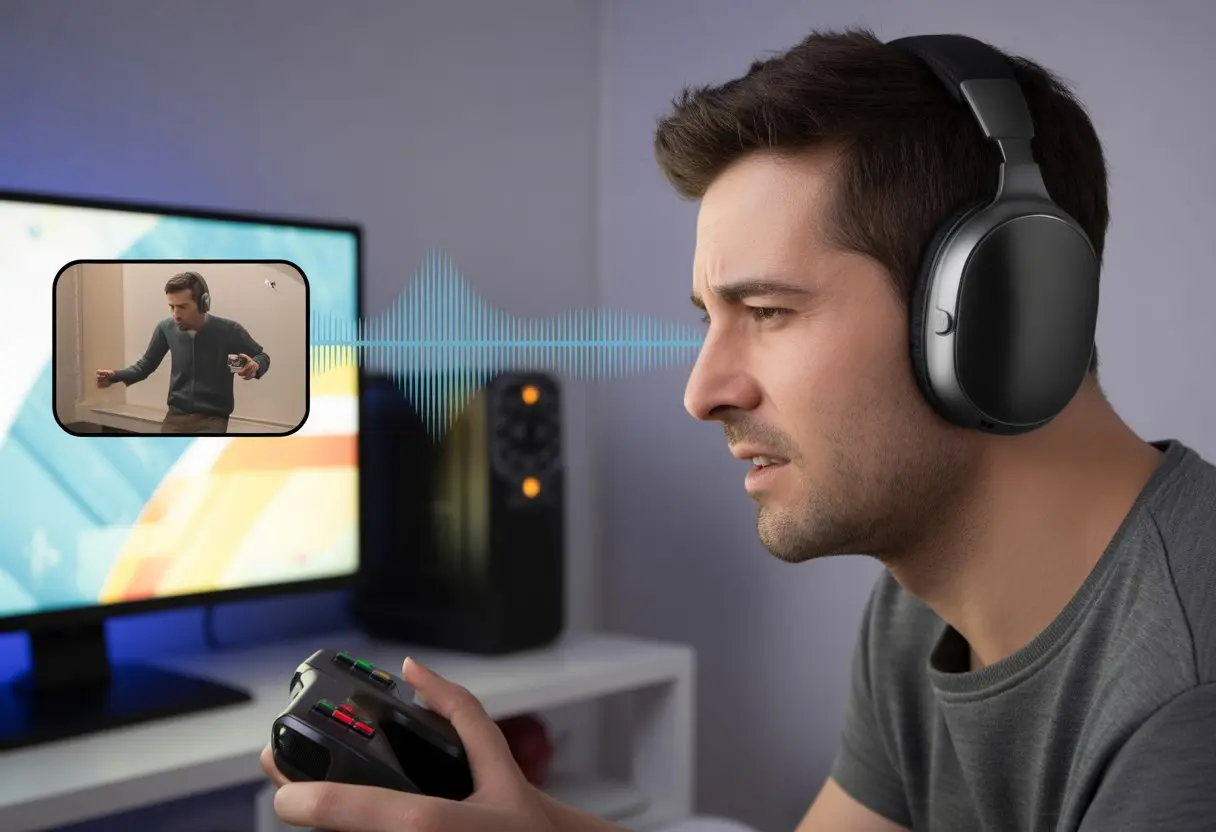
This delay—latency—happens because of how Bluetooth transmits and processes sound. Some headphones and games make the lag worse, while others barely let you notice it.
You might end up with smooth battles or a frustrating guessing game of when the next sound will hit. If you want your game audio to match the action, it helps to know why this happens—and maybe how to fix it.
Ever yelled, “Why am I hearing footsteps behind me when everyone’s already dead?” Well, you’re not alone.
What Causes Bluetooth Headphone Delay In Games?
It’s annoying to shoot and hear the sound a beat late. But there are some clear reasons why Bluetooth headphone audio doesn’t line up with what you see.
Let’s break down how wireless headphones work, why latency exists, and why some setups just seem quicker.
How Audio Transmission Works Over Bluetooth
When you use Bluetooth headphones, audio doesn’t just pop into your ears instantly. Your device compresses the game sound so it can send it over Bluetooth.
The headphones then decompress that signal before you actually hear it. Each step eats up a split second.
If you thought this all happened at light speed, well, sorry—nope. Wired headphones skip nearly all of this, which is why they usually don’t have delay.
But with Bluetooth, every sound effect goes on a tiny rollercoaster ride before it reaches you. Background stuff like buffering and busy networks can slow things down even more.
Factors like signal interference or just being too far from your device can add extra milliseconds, putting you just a bit behind the action.
Understanding Latency In Wireless Headphones
Latency means the gap between when the game makes a noise and when you actually hear it. In Bluetooth audio, this is totally normal—pretty much every wireless headset has at least a little lag.
On average, Bluetooth latency lands somewhere between 100 and 300 milliseconds. In fast-paced games, even small delays can throw off the timing of gunshots or footsteps.
Your reflexes start to feel broken, and it’s just plain frustrating. Audio lag isn’t a big deal for music or movies, but in games, our brains really notice.
It’s like playing drums and hearing the beat after the applause. If you want instant sound, Bluetooth headphones might force you to live with a bit of lag—or hunt for ways to shrink it.
Bluetooth Protocols: Not All Are Created Equal
Not all Bluetooth headphones are built the same. There are different Bluetooth protocols, or codecs, and some are much faster than others.
SBC is the most basic and common codec, but it’s honestly notorious for higher latency. Codecs like aptX Low Latency and AAC are designed to deliver sound more quickly.
Both your headphones and your device have to support the same codec, though. Otherwise, you’re stuck with the slowest one.
It’s a bit like trying to dance with someone who only knows different steps.
Common Bluetooth Codecs and Typical Latency:
| Codec | Average Latency (ms) |
|---|---|
| SBC | 200-300 |
| aptX | 150-200 |
| aptX Low Latency | 40-60 |
| AAC | 150-200 |
| LDAC | 100-200 |
If you get the right combo, you can get pretty close to zero lag. But don’t expect miracles if your device or headphones don’t speak the speedy language of aptX Low Latency.
The Usual Suspects: Bluetooth Codecs Explained
Bluetooth headphones and gaming don’t always get along. Audio lag usually comes down to the codec running behind the scenes, quietly shuffling your sound from device to ears.
Some codecs are built for speed, but others tend to take their sweet time.
aptX, aptX LL, aptX Adaptive: Are They Really That Fast?
Let’s start with the speedsters. aptX built its reputation on promising better sound with a decent balance between speed and audio quality.
aptX Low Latency (LL) steps it up—this one’s famous for super low delay, often under 40 milliseconds. That’s fast enough to keep games and videos in sync, so you actually hear your character jump when you press the button.
Then there’s aptX Adaptive, which can change its data rate on the fly, balancing sound quality and lag. In real life, these codecs usually keep things snappy, making them top picks for gaming.
Not every gadget supports them, though, so check your settings (and your wallet) before you expect lag-free audio.
SBC and AAC: The Slowpokes of the Codec World
Now for the standard-issue codecs. SBC is the original Bluetooth codec—it’s everywhere, but it’s known for noticeable lag, sometimes over 150 milliseconds.
Press jump in a game, and your character might leap a moment later. AAC isn’t much better, especially on Android.
Apple devices handle AAC better, but Android users still get some lag, especially in games. Both SBC and AAC work fine for music, but they’re slower than advanced options like aptX when it comes to games or videos.
If you want fast sound, steer clear of SBC and AAC when it really counts. For more on these codecs and their lag, check out this Bluetooth latency overview.
Game Time: Why Is Delay Worse While Gaming?
When you’re gaming, even the tiniest audio hiccup can make you feel like you’re underwater. Fast action and split-second timing just don’t mix well with laggy sound.
Real-Time Audio Requirements
Gaming is intense—our reflexes might be sharp, but Bluetooth often isn’t. Unlike movies, where a tiny sound delay goes unnoticed, games need instant feedback.
When you shoot, jump, or dodge, you expect the sound to line up with your actions. Imagine scoring a goal in a soccer game but hearing the crowd cheer five seconds late.
That’s what it feels like when enemy footsteps come through after it’s too late. The main problem is that Bluetooth audio is processed, compressed, and sent through the air, then uncompressed by your headphones.
This whole journey can add up to a 200-millisecond (or more) delay.
Here’s what actually happens:
- Sound created in-game
- Processed and compressed by your device
- Transmitted over Bluetooth
- Decompressed by headphones
- Played to your ears (finally!)
All these steps are just too slow for twitchy games where every millisecond matters. Even with “low latency” modes, Bluetooth latency is normal and can be very noticeable.
Bluetooth Connection Stability in Fast-Paced Games
Let’s talk about the wild ride that is Bluetooth stability. If the signal drops, lags, or stutters mid-game, you’re suddenly guessing whether that beep meant victory or defeat.
Fast-paced games simply don’t play nice with unstable connections. Imagine playing a racing game and hearing the engine rev two seconds late—or not at all.
It messes with your timing and ruins the immersion. A stable Bluetooth connection is crucial, but plenty of things can mess it up:
- Interference from other devices
- Physical barriers (walls, your own body)
- Too much distance from your device
The quality of your Bluetooth headphones matters too. Higher-end models might handle these issues better, but everyone faces some base level of lag.
Honestly, as gaming forums point out, lag will always happen with BT audio and gaming, especially in rhythm games and shooters.
For the smoothest, most connected experience, wired headphones are still the gold standard—unless you like a little extra chaos in every match.
Tech Trivia: Other Factors Causing Audio Delay
Besides Bluetooth itself, a bunch of behind-the-scenes tech details can add extra delay. From how your devices process sound to invisible waves flying through the air, audio lag hides in unexpected places.
Sample Rate and Bit Depth: Audio Quality vs. Speed
Cranking up sound quality asks your headphones and devices to do more work. The sample rate (how many times audio gets “sampled” per second) and bit depth (how much info is in each sample) both matter.
Higher settings like 96kHz or 24-bit depth make everything sound richer. That’s awesome for music, but not great for fast reactions in games.
All that extra detail takes more time to process and send over Bluetooth, so the lag grows. It’s the classic “do you want it fast, or do you want it fancy” question.
You can check or change these settings in your PC’s sound control panel. Dropping back to 44.1kHz at 16-bit can make games feel more responsive, even if you lose a little sparkle in your gunshots or footsteps.
Audio Files and Interface Issues
Not every audio file is created equal. Big, uncompressed files like WAV or FLAC make your hardware work overtime, especially if your headphones aren’t built for it.
Compressed formats like MP3 or AAC travel faster but sacrifice a bit of clarity. Your audio interface—the bridge between computer and headphones—matters too.
If your driver is outdated or acting up, it can add even more delay. Sometimes multiple audio drivers fight over control, which only makes lag worse.
To avoid conflicts, keep your audio drivers up to date and use the right output device for your games.
Electromagnetic Interference: When Your WiFi Is a Menace
Let’s be honest: our homes are swimming in invisible signals these days. Electromagnetic interference can ruin a lag-free audio session faster than you’d think.
WiFi routers, microwaves, and even other Bluetooth gadgets team up and mess with our headphone connection. Bluetooth and WiFi both fight for space on the same 2.4GHz frequency band.
If our game lags every time someone nukes leftovers, it’s probably not a coincidence. Moving closer to our device or switching WiFi to 5GHz could help keep things smooth.
Earbuds vs. Headphones: Does Size Matter?
When we’re gaming with Bluetooth audio, the size question comes up all the time. Do big headphones or tiny earbuds really affect audio delay?
Wireless Technology Differences
Let’s dig into the tech in our ears for a second. Both earbuds and Bluetooth headphones use the same basic Bluetooth technology, but there’s a catch—not all Bluetooth is the same.
Some headphones and earbuds support advanced codecs like aptX Low Latency or AAC, while others skip them. These codecs can help with lag, but only if both our audio device and headphones support them.
Surprisingly, size doesn’t really matter much for speed. Our chunky headphones aren’t automatically faster than tiny earbuds.
Both usually have similar Bluetooth chips and face the same delays, unless they’ve got special gaming modes or firmware. If our wireless tech is old, audio lag sticks around no matter what style we pick.
Low Latency Heroes: Wired Solutions And Alternatives
When our Bluetooth headphones start dragging behind in games, it might be time to grab something more reliable. Sometimes, the best fix is old-school tech that just gets the job done.
Headphone Cable: The Unfashionable Savior
Let’s admit it, rocking a headphone cable won’t win any style awards. But when we’re dodging in-game bullets or timing a perfect jump, function beats fashion every time.
Wired headphones give us basically zero audio delay. They cut out the lag that makes Bluetooth gaming so painful.
A direct wired connection means there’s no waiting for audio compression or transmission. It’s just sound, straight to our ears—instant.
Sure, we might have to untangle wires or avoid rolling over them with our chair, but at least our gameplay stays sharp and synced. If low latency is the goal, a humble cable is our best friend, even if it’s not exactly cool.
Hybrid and Dual Mode Headphones
If we want both freedom and performance, hybrid or dual-mode headphones are a lifesaver. These let us switch between wireless Bluetooth mode and wired mode with a simple audio cable.
Need top performance for gaming? Plug in the wire and—boom—lag disappears. Want to dance around during a music break? Unplug and go wireless.
Hybrid headphones offer flexibility without forcing us to pick sides. Some even try to optimize lag in Bluetooth mode, but honestly, nothing beats the speed of a cable.
With dual-mode headphones, we get to feel modern and a bit retro at the same time. It’s kind of like wearing a smartwatch and a sundial—maybe odd, but always on time.
If we’re trying to reduce Bluetooth lag while keeping options open, hybrid headphones are our not-so-secret weapon.
Tips To Minimize Bluetooth Audio Lag In Games
Nobody wants to lose a game because our headphones are napping between sounds. There are a few ways we can turn our Bluetooth audio from “lazy river” mode to “speed racer” mode.
Upgrading Your Bluetooth Audio Gear
Sometimes, the best fix is to retire our old Bluetooth headphones. The latest models, especially those with aptX Low Latency (aptX LL) or aptX Adaptive, deliver faster sound and less lag.
Here’s a quick look at common Bluetooth audio codecs:
| Codec | Typical Latency | Notes |
|---|---|---|
| SBC | 200+ ms | Old, laggy, avoid for gaming |
| aptX | ~70-150 ms | Faster, but not always enough |
| aptX LL | ~40 ms | Best for gaming |
| aptX Adaptive | ~60 ms | Good, adapts to connection |
When shopping, look for these codec names on the box or website. Both our headphones and gaming device need to support the same codec for it to work.
Tweaking Device Settings For Faster Response
Before we spend money on new gear, let’s try tuning our current devices. Some games or devices let us pick audio delay settings or enable “game mode” in their menus.
Phones and PCs sometimes hide Bluetooth settings in the device menus too. Turning off unused Bluetooth connections can help reduce interference.
Keeping our headphones and device close together also makes a difference—Bluetooth signals drop off fast. Sometimes, just doing the basics can help:
- Turn off HD Audio options if delays stick around
- Keep headphones and gaming device nearby
- Disconnect old Bluetooth devices
- Move away from microwaves and Wi-Fi routers (yes, kitchen gadgets are out to get us)
For more step-by-step help, check out this list of ways to reduce Bluetooth lag.
Using Compatible Codecs for Gaming
If our gear supports them, using codecs like aptX LL or aptX Adaptive can nearly erase audio lag. Sometimes we can set our preferred codec in our Bluetooth device’s developer settings or app.
Not every game or device makes codec switching easy, and sometimes it just defaults to the slower SBC codec. If that’s happening, we’ll have to dig into settings or maybe install an app from the headphone brand.
The closer we get both our headphones and device to using the same low-latency codec, the better our audio sync will be. This matters most for rhythm games or anything that needs quick timing—no more blaming lag for missing the beat.
For more on Bluetooth latency and how to fix it, there are practical tips worth trying.
The Future of Gaming With Wireless Headphones
Faster Bluetooth protocols and smarter audio tech might finally let us keep up with the action on screen. No more awkward delays where our character’s footsteps and the sound in our ears just don’t match.
Upcoming Bluetooth Protocols
The Bluetooth protocol keeps getting updates—kind of like games that never stop patching. Next-gen versions like Bluetooth LE Audio aim to cut audio latency and boost sound quality.
There’s buzz about new codecs, such as LC3, that could give us smoother sync and use less battery. We might see ultra-low latency modes become the norm, designed just for gaming, so our sound effects come through instantly.
Some headsets already have special gaming firmware, but soon this could be standard in every wireless pair. Even multiplayer chat could get better, as Bluetooth innovation lets us hear teammates without lag.
Maybe we’ll finally know exactly who’s trash-talking us in real time—which, let’s be honest, is half the fun of gaming anyway.
Improvements in Wireless Audio Technology
Wireless tech keeps getting smarter these days. Manufacturers are tossing in dedicated chips that handle sound faster and more efficiently, so delays barely register.
Some gaming wireless headphones even flip to low-latency connections on their own. That way, we don’t miss out on any of the action.
Adaptive sound processing is a cool feature, too. Headphones now pick up on what we’re doing—whether it’s games, movies, or calls—and tweak audio delivery speed.
We don’t have to mess with settings as much, which honestly saves time and hassle.
If battery life matters to you, you’ll notice that modern headsets strike a balance between speed and efficiency. We can game longer, unplugged, without a drop in audio quality.
Maybe it’s not magic, but it sure feels close when our headphones keep pace with every moment. Curious about how these upgrades help in single player games? You can check out more about Bluetooth audio latency in games.

From a young age, I have always had a big interest in technology, and this blog is an extension of that interest. Through this blog, I hope to provide others with all of the information they need regarding tech options to consider, and things such as compatibility. Some of the different items I will be discussing include headphones, smartwatches, and how to fix common issues.
- The Best Rugged And Waterproof Smartwatches - October 21, 2026
- 10 Best Military Smartwatch – Find The Best Tactical Military Watches in 2023 - October 20, 2026
- Are Wired Headphones Safer Than Bluetooth? A Friendly Guide - October 20, 2026
Related Posts: