Let’s be real—flying a drone feels cooler with a remote in one hand and a pair of Bluetooth headphones on your head. But there’s more to it than just looking the part.
You can actually use Bluetooth headphones with some drone remotes to hear in-app sounds, flight alerts, or even music while you’re piloting. That little upgrade makes the whole flying experience a lot more fun.
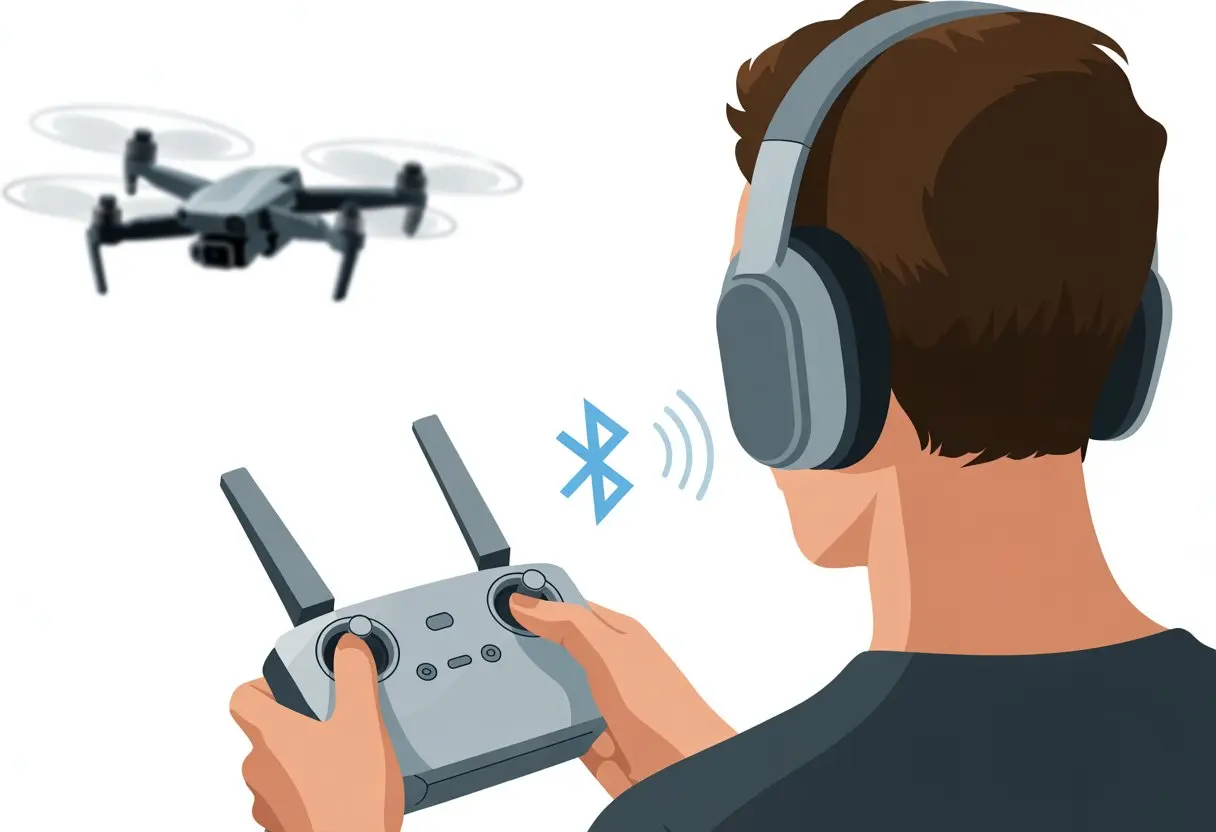
Some remotes make this easy, while others seem determined to test your patience. If you’ve ever wondered whether your drone remote and Bluetooth headphones can actually work together—or if they’re doomed to stay distant acquaintances—you’re not alone.
People chat about this all the time on spots like the DJI Spark Drone Forum.
Let’s talk about what actually works, what doesn’t, and why your drone might just ignore your headphones sometimes. Ready? Maybe your next flight will have a soundtrack, or at least less confusion.
Understanding Bluetooth Technology
If you want to hear music or drone sounds wirelessly, you’ll need to know a thing or two about Bluetooth. Not every Bluetooth gadget gets along with drones, and some remotes have their own quirks.
How Bluetooth Works With Audio Devices
Bluetooth lets your headphones and speakers connect to things like phones or tablets—kind of like instant best friends. Once you pair your Bluetooth headphones, audio can zip between the devices without any wires or wizardry.
Bluetooth uses short-range radio waves, usually up to about 33 feet (or, you know, a small parade of cats). Most Bluetooth audio gear uses the A2DP profile, which is just a fancy label for sending music and voices with decent quality.
Here’s the usual drill:
- Put your headphones in pairing mode. Sometimes this feels like it should be easier.
- Make sure your remote or device is also in pairing mode.
- Pick the headphones from the device’s Bluetooth list.
Easy? Sometimes. When it works, it’s great. But Bluetooth can be moody, and we all know it.
Limitations of Bluetooth in Drones
Drones and Bluetooth don’t always get along. Most drone remotes don’t support Bluetooth audio right out of the box, so you can’t just toss on wireless headphones and expect instant results.
A few advanced controllers, like the DJI Smart Controller, support Bluetooth, but usually it’s for accessories or apps—not for direct audio output. Sometimes you need adapters, like those little Bluetooth transmitters that plug into the remote’s audio jack.
Bluetooth’s range is limited. If your drone heads off toward the horizon, Bluetooth can’t keep up. There’s also a bit of audio lag, which can make flying feel like you’re watching a badly dubbed movie.
Compatibility of Bluetooth Headphones With Drone Remotes
Not every drone remote will play nice with Bluetooth headphones, and your favorite ear gear might not make the cut. You’ll want to check if your remote is compatible, and which Bluetooth versions it supports.
Supported Drone Models
So, who’s invited to the party? Some drone remotes, like certain DJI models (think the DJI RC and RC Pro), claim to support Bluetooth headphones, but even they can be picky. Not all devices want to mingle, and some just ghost you after a few awkward pairing attempts.
If you want to see which models have Bluetooth compatibility quirks, check out the MavicPilots forum. Pilots there share plenty of tales—some successful, some not so much.
Always check the official manual (it’s more useful than a doorstop) or the manufacturer’s compatibility list, like DJI’s Bluetooth Device Compatibility List. Different models act differently with various headsets, so do your homework before you fly.
Bluetooth Versions and Standards
Bluetooth isn’t just one thing—there are versions like 4.0, 5.0, and more, and they don’t always get along. Your shiny new headphones might use the latest standard, while your remote is stuck in the past.
Even if both your headphones and remote speak “Bluetooth,” their “accents” might clash. Some headphones lag or refuse to connect, depending on the version the drone remote supports. If you can, test before you fly—nothing kills the mood like a “pairing unsuccessful” message.
Step-by-Step Guide to Connecting Bluetooth Headphones
Let’s get your Bluetooth headphones and drone remote working together. Here’s how you can try to make the magic happen.
Preparing the Drone Remote for Pairing
First, wake up your drone remote. Hit the power button and watch it come to life.
Dig into the remote’s settings. Most have a section just for Bluetooth or accessory management. You might need to poke around a bit—sometimes it feels like a scavenger hunt.
Find the Bluetooth option and choose “pair device” or something similar. This usually starts pairing mode, and the remote might flash a light or show a little icon.
Make sure nothing else is already connected via Bluetooth. If something is, disconnect it first. Keep the remote close to your headphones—Bluetooth doesn’t like long-distance relationships.
Putting Your Headphones in Pairing Mode
Now, let your headphones have their moment. Most Bluetooth headphones have a pairing button—usually the power button or a separate one. Hold it down for a few seconds until the lights start blinking (blue, red, or maybe something fancier). Sometimes a robotic voice even says “pairing.”
Some headphones want you to hold the button for five seconds, others for ten. If nothing happens, just try again. We’ve all stood there, holding buttons, wondering what we’re missing.
Check that your headphones aren’t already paired with something else, like your phone in another room. If they are, disconnect them using the “forget device” option on that device. Now your headphones should be visible and ready for the remote to find. Basically, they’re shouting, “Pick me!” in Bluetooth language.
Once everything is blinking, it’s time to play navigator. On the remote, look for a list of available Bluetooth devices. Your headphones should show up—probably with a name like “WH-1000XM4” or something equally cryptic.
Highlight the right device—not your neighbor’s smart fridge. If the remote asks for a PIN, try 0000 or 1234 (unless someone got creative in the factory).
Sometimes you’ll see a spinning “connecting” icon. Be patient—Bluetooth is never in a hurry. If your headphones don’t show up, refresh the list and make sure the headphones are still in pairing mode. If all else fails, turn everything off and on again. It’s a classic move for a reason.
Confirming a Secure Connection
Let’s make sure the connection is solid. Once paired, most remotes show a “connected” status or a little headphone icon.
Test the connection by playing some audio from the remote. Adjust the volume and check if both ears get sound. If you only hear audio in one ear, it might just be a loose fit or the headphones didn’t connect fully. Try re-pairing, or update the headphones’ firmware if you can.
Watch out for dropouts or lag. Other electronics can cause stuttering, which is the last thing you want mid-flight. If it keeps happening, move away from other devices or shift the remote’s position. You want clear sound and a steady connection—no drama.
Troubleshooting Common Connection Issues
Getting Bluetooth headphones to work with a drone remote can feel like you’re trying to referee a squabble between two stubborn kids. You’ll run into audio lag, dropouts, or a device that just flat-out refuses to connect.
Audio Lag and Interference Solutions
Let’s talk about audio lag first. Pairing Bluetooth headphones with your drone remote can cause sound to trail behind the video. Hearing a beep seconds late is… not ideal. Some low-latency Bluetooth codecs like aptX can help, but not all devices use them. If lag gets unbearable, switching to a wired headset (yeah, I know) is still the quickest fix.
Interference is another pain. Drones, phones, and headphones all blast signals in the 2.4 GHz range, so things get crowded. To cut down on the chaos:
- Turn off extra Bluetooth devices nearby.
- Move away from Wi-Fi routers, microwaves, and other electronics.
- Use the 5 GHz Wi-Fi channel for your drone if you can (though not all remotes offer this).
Less digital noise means a clearer connection. If your sound is still weird, just reboot everything. It works more often than you’d think.
Resetting Bluetooth Connections
Sometimes your devices just need a fresh start. If you’ve been switching headphones or remotes, they can get confused and start acting up.
To fix this, remove or “forget” all old Bluetooth connections on both your headphones and the device running your drone app. On most phones, go to Settings > Bluetooth, tap each device, and select “Forget This Device.” You can check out more fixes in this resetting connections guide.
After you’ve cleared out the old connections, reboot both devices. Try pairing again. Keeping things simple—just one connection at a time—usually works best.
Firmware Updates for Improved Connectivity
We’d all like to think our smart gadgets are, well, smart. But sometimes they act like they’re stuck in 2015 without a clue about today’s headphones or remotes.
Old firmware often causes these headaches.
Drone remotes and Bluetooth headphones both get software updates. Updates can improve compatibility, squash bugs, and sometimes even make connections faster.
Here’s what we usually do:
- Check the drone remote’s support or app settings for firmware updates.
- Check the headphone maker’s app or website for headphone firmware upgrades.
Update one device at a time so nothing gets mixed up. If there are release notes, we skim them to see if they mention Bluetooth fixes—just in case we’re not alone in our struggle.
If things still don’t work, well, sometimes the problem just needs the next update. Be patient, sip some coffee, and keep checking for new releases. Sometimes, knowing we’ve done everything we can is the best connection we’ll get.
Enhancing Your Drone Experience With Bluetooth Audio
Adding Bluetooth headphones to our drone setup lets us enjoy music while flying. We can also hear real-time alerts without waking up the neighbors.
We boost our focus, keep in touch, and make flying more fun—all with less hassle and a bit more style.
Tips for Clear Communications
Let’s be honest—nobody wants to misunderstand a warning, especially when our drone is rapidly approaching an angry flock of geese.
To avoid unnecessary panic, we should always check that our Bluetooth headphones are fully charged before takeoff. Low battery beeps always seem to show up at the worst possible time.
Pairing our headphones with the remote is key. Most modern drone remotes with built-in screens don’t support Bluetooth audio, but a few, like some DJI RC and RC2 models, offer a workaround with certain headsets.
It’s a little like a secret handshake—only the cool gadgets know it. Before flying, let’s double-check Bluetooth settings and confirm the connection.
We can also keep background noise down by using headphones with noise-canceling features. Nobody wants to mix bird songs with system alerts—we might miss something important.
If our friends want to join in, we can use splitters or Bluetooth hub devices. Everyone gets the message, not just the guy with the fanciest headphones.
Using Audio Feedback for Aerial Photography
When we’re lining up the perfect shot, audio feedback becomes our co-pilot.
Camera beeps help us capture photos just as the target is centered. Audible notifications from our drone—like “Recording started” or warnings about low battery—save us from guessing games and accidental crash-landing performances.
Through our Bluetooth headphones, we can listen for real-time camera focus cues and recording starts. This cuts down on missed shots and unexpected mishaps.
In windy areas, earbuds are a lifesaver. We can actually hear feedback over the roar of Mother Nature’s leaf blower.
For those of us chasing cinematic glory, hands-free audio feedback means we spend less time fiddling with the remote and more time framing the perfect panoramic.
We might even find ourselves humming along to a motivating tune—and that’s a win for creativity and mood.
Safety and Legal Considerations
Before we get too excited about pairing our fancy headphones and taking to the sky, we need to look out for a few important rules.
The use of audio accessories with drone remotes has legal limits. Putting on headphones can affect how we operate our drones.
Regulations for Audio Accessories in Flight
Let’s be honest—government agencies don’t exactly hand out prizes for flying drones in style with Bluetooth headphones.
The rules are clear: our main job is to keep the drone under control while staying aware of the environment.
The FAA doesn’t have laws that specifically say “no Bluetooth headphones,” but we can’t let any accessory distract us during flight. Our focus should be on the drone, people, and other aircraft.
If we start blasting music and miss a tree—or worse, a low-flying goose—there could be consequences.
Remote ID rules require our drones to broadcast certain location and identification information. Wireless signals can sometimes interfere, so adding extra Bluetooth connections may not win us any technical awards either.
Always check the latest drone and headphone rules in our area before launch. Some countries are pickier than others.
Ensuring Safe Drone Operation With Headphones
Using headphones means we might not notice what’s going on around us. We could miss a cyclist shouting, “Hey, watch out!” or fail to hear an emergency siren.
The moment we put on headphones, we risk cutting off vital sounds that keep us and others safe.
A simple checklist helps:
- Keep volume low
- Remove one earbud
- Pause music during takeoff and landing
By keeping at least one ear open to the world, we can enjoy our music without turning into the world’s most oblivious drone pilots.
Let’s not forget, interference can also occur with drone frequencies. If we notice odd behavior, it could be that our tech is getting a little too friendly with itself.
When in doubt, safety trumps style. Fancy tunes are fun, but an accident with our drone is just plain embarrassing and possibly illegal.
Alternatives to Bluetooth Headphones for Drone Remotes
As much as we love our fancy wireless gear, sometimes Bluetooth headphones just don’t get along with drone remotes.
Luckily, we’re not out of options. We can go old school with wires or get a bit creative with external gadgets for audio.
Wired Audio Solutions
Remember the days when we untangled headphone cords for half our lives? Wired headphones are still a reliable plan B for listening while using a drone remote—if our controller or connected device has an audio jack, that is.
Plugging in wired headphones means we don’t need to worry about lag, dropped signals, or interference from nearby Wi-Fi or other drones trying to photobomb our flight path.
Some drone controllers have a headphone jack (hello, 2010!), and if not, we might need an adapter.
Smartphones and tablets connected to the remote via cable can also let us use wired headphones.
Sure, we may look like we raided a yard sale for tech, but our audio will be crisp, and we won’t need to charge yet another device.
Quick Pros and Cons Table
| Wired Headphones | Pros | Cons |
|---|---|---|
| Standard plug, if present | Stable connection | Mobility limited by cord length |
| No charging needed | Lower latency | Can tangle easily |
| Generally cheaper | Easy to set up | Not all devices have headphone jacks |
External Audio Transmitters
If we crave the wireless life but Bluetooth just isn’t working, external audio transmitters can save the day.
These handy gadgets plug directly into the drone controller’s audio output (if it has one) and send sound to our wireless headphones, usually using radio frequency (RF) or even their own Bluetooth signal.
RF transmitters can provide longer range and less interference compared to standard Bluetooth.
Setting up an audio transmitter usually involves plugging it in and syncing it to our headphones.
Some pilots in online forums suggest using modern radio transmitters that even have ports built-in for these add-ons.
It’s an extra gadget to keep track of, but we might feel like secret agents with an earpiece and a mystery box attached to our controller.
While it’s one more thing in our drone bag, transmitters open up options.
We may even impress fellow pilots with our on-the-go audio engineering—even if no one else can actually hear the drone say, “Battery low, please land immediately.”
Conclusion
Well, here we are at the end. If you’re anything like us, you’re probably still fiddling with your headphones, hoping to catch some decent music mixed with those propeller sounds.
Connecting Bluetooth headphones to a drone remote isn’t rocket science. With a bit of patience and the right settings, you can dodge those annoying wires like a pro.
Let’s be real:
- Not every drone plays nicely with Bluetooth headphones.
- Sometimes, you’ll need a third-party adapter to make things work.
- Reading manuals? It’s not thrilling, but it sure beats crashing.
If you get stuck, just pause for a second. Maybe grab a snack. Honestly, a cookie can work wonders for troubleshooting.
Still stuck? Don’t sweat it. You can always look for answers from other pilots—check out Reddit’s FPV forum or browse for headset options that actually support your remote, like the DJI Bluetooth headset.
So, let’s get out there, hook up those headphones, and enjoy flying—hopefully with some good tunes and fewer tech headaches.

From a young age, I have always had a big interest in technology, and this blog is an extension of that interest. Through this blog, I hope to provide others with all of the information they need regarding tech options to consider, and things such as compatibility. Some of the different items I will be discussing include headphones, smartwatches, and how to fix common issues.
- 7 Best Neckband Bluetooth Headphones (Plus One To AVOID) - October 24, 2026
- The Most Expensive Earbuds | Some People Spare No Expense - October 24, 2026
- Best Wireless Earbuds For Fitbit Sense/Versa 3/Versa 2 - October 23, 2026
Related Posts: