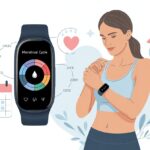
We love a good gadget, but honestly, nothing screams “futuristic convenience” quite like using a smartwatch to keep tabs on something as old-school as the menstrual cycle.
With menstrual cycle tracking on a smartwatch, you can log symptoms, spot patterns, and get period reminders—all without digging out your phone or scribbling on a napkin. No more guessing games or awkward calendar math during lunch. Your wrist’s got it covered.

The best part? Most smartwatches make tracking super easy with a few taps, colorful graphs, and discreet notifications.
You get to stay on top of your health, find trends, and maybe even look ultra-organized next time someone asks, “When was your last period?”
Whether you use Apple Watch, Samsung Health, or Garmin, menstrual tracking is literally just a glance away.
If you’re curious how all this tech actually works (and maybe how to dodge surprise visits from Aunt Flo), stick around.
Things are about to get a lot less mysterious—and honestly, a lot more fun.
Setting Up Your Smartwatch For Menstrual Cycle Tracking
Getting started with menstrual tracking on your smartwatch isn’t as complicated as assembling flat-pack furniture.
You just need the right watch, a good app, and a couple of taps to connect everything.
Choosing Compatible Devices and Apps
First things first: not every smartwatch or fitness tracker can handle menstrual tracking.
If you’re an Apple fan, the Apple Watch comes with the built-in Cycle Tracking app.
Garmin users get similar features through Garmin Connect.
Fitbit also offers menstrual health tracking in both their watches and app.
Here’s a quick compatibility table to help you pick:
| Brand | Cycle Tracking Feature | Needed App | Notes |
|---|---|---|---|
| Apple | Yes | Health / Watch | Works natively; best with iPhone |
| Garmin | Yes | Garmin Connect | Syncs with web and mobile easily |
| Fitbit | Yes | Fitbit App | Setup for all major Fitbit devices |
Check that your smartwatch and phone both support the latest updates.
Sometimes older gadgets just refuse to learn new tricks.
Syncing With Your Smartphone
Your smartwatch can’t magically know your cycle info.
You have to sync it with your phone.
Usually, you need to download the right app (like Apple Health, Garmin Connect, or the Fitbit app) and pair it with your device.
Here’s how syncing typically goes:
- Open the app on your phone.
- Turn on Bluetooth and keep your device nearby.
- Pair your smartwatch with the app.
Most apps will nudge you with notifications to keep syncing, especially after updates.
If you skip a sync, your data could vanish faster than a missing sock.
Activating Cycle Tracking Features
To actually use the tracker, you need to switch it on.
Otherwise, you’re just wearing a fancy clock.
For Apple Watch, open the Cycle Tracking app and tap to log a period or note symptoms.
Garmin asks you to visit Health Stats in Garmin Connect and choose Menstrual Cycle.
Fitbit fans turn on menstrual health tracking in the Fitbit app settings.
Each system asks for some personal details, like period start dates, cycle length, and symptoms.
The more accurate the info, the smarter the predictions—though it still can’t predict surprise cravings.
Most apps let you add daily notes, which can help at the doctor or when you want to show off your organization skills.
For step-by-step guides, Apple has Cycle Tracking on Apple Watch, and there are guides for Garmin and Fitbit too.
How To Log Your Periods And Symptoms
When you track your menstrual cycle with a smartwatch, you only get useful insights if you log details accurately.
Smartwatches let you record everything from period dates to cramps, moods, and even sex drive, all with a few taps—no more digging for a pen at the bottom of your bag.
Recording Period Start and End Dates
Logging your period’s start and end dates is the main event.
Let’s be real, remembering your last period is almost as hard as remembering all your passwords.
With most smartwatches, you just open the app or widget, tap Add Period, and pick your start and end days.
For example, in the Apple Watch Cycle Tracking app, you swipe to today’s date, tap the oval, and mark the start.
Ending it is the same: just tap when your period stops.
Samsung Health and Fitbit have similar options.
You can view your cycle history, get predictions for future periods, and set reminders so you’re not caught off-guard.
Tracking Physical Symptoms
Because our bodies love surprises, periods aren’t just about bleeding.
You can log symptoms like cramps, headaches, bloating, fatigue, acne, and more.
Menstrual tracking apps usually offer a handy list of common symptoms.
Some even use emojis to make logging a bit more bearable.
On a Garmin smartwatch, you can pick the exact symptoms you feel each day.
Want to track how often your mood does a nosedive? The apps can handle that.
Regular tracking helps you notice patterns—maybe even plan your next chocolate stash more strategically.
Typical symptoms to track:
- Cramps
- Breast tenderness
- Headaches
- Bloating
- Insomnia
Noting Sex Drive and Sexual Activity
Sometimes, tracking your sex drive and activity during your cycle can reveal what’s going on beneath the surface (and in your brain).
Many apps let you privately log days when your desire spikes or dips, as well as when you’ve had sex.
Discretion is solid, with vague labels and password locks if you want them.
Logging sexual activity isn’t just curiosity.
If you’re thinking about conception—or, let’s be honest, avoiding it—seeing how your cycle lines up with intimacy can help you make smarter choices.
Most smartwatch apps let you use icons or notes, so you can track these personal details in a way that feels right for you.
Understanding Cycle Insights And Notifications
Tracking your cycle on a smartwatch isn’t just about counting days.
Features like cycle insights, ovulation predictions, and notifications help you take control of your health—no sticky notes or weird calendar doodles required.
Forecasting Ovulation Day
If you’ve ever wanted your smartwatch to act like a mini fortune teller for your body, ovulation prediction is about as close as you’ll get.
Most smartwatches with cycle tracking, like the Garmin Connect app, use your logged symptoms, period dates, and sometimes even body temperature to estimate ovulation.
Why bother? Ovulation affects more than just fertility.
Your energy, mood, and even cravings—like that midnight ice cream run—can all connect to hormone changes during this window.
Some apps, like Oura’s Cycle Insights, try to pinpoint ovulation and show you how it fits into your full cycle.
But honestly? These predictions aren’t perfect.
If you log inconsistently, or your cycles like to play hide-and-seek, ovulation estimates might drift by a few days.
Still, having a ballpark beats playing calendar roulette.
Cycle Predictions and Alerts
Now for the fun stuff—notifications!
Your watch isn’t just stylish; it’s also an alarm clock for your hormones.
Cycle tracking features can send you alerts for upcoming periods, suspected ovulation, and when your cycles seem off.
Let’s be honest, some days you forget what day it is, let alone when your period starts.
Reminders mean you’re less likely to get caught off guard or make last-minute sprints for supplies.
You can usually customize how and when these alerts show up, making them as obvious or as subtle as you want.
If you actually use the tracking features (meaning you tap those buttons), you’ll get better health insights over time.
These insights might help you spot patterns, like when you’re ready to conquer the world—or just need a nap.
Your smartwatch becomes an assistant who knows you a little too well, but at least it doesn’t judge.
Integrating Health Tracking With Menstrual Data
When you track your menstrual cycle with a smartwatch, you basically turn your wrist into a tiny health detective.
You’re not just looking at periods—your heart, sleep, and activity stats all spill clues about how your body changes through the month.
Monitoring Heart Rate and SpO2
Your heart isn’t just there for pizza cravings—it’s a key player in your health.
Smartwatches track heart rate and SpO2 all day, letting you become your own wellness detective.
During your cycle, heart rate might rise or dip, especially during different phases.
It’s not magic; it’s hormones doing their thing.
Many smartwatches, especially those paired with Apple Health or Google Fit, log heart rate changes and oxygen levels (SpO2).
SpO2 tracking measures oxygen in your blood, which can change a bit due to hormones.
These regular updates help you spot weird patterns early, like a sudden SpO2 drop or a random spike in heart rate.
No need to panic at every alert, but a “wait, what’s up with my pulse?” moment can help you decide if it’s time to check in with your doctor.
Analyzing Sleep Patterns
Your sleep can get weird throughout your cycle.
Some of us want to hibernate before a period, while others wake up at 2 AM, ready to reorganize the fridge.
With sleep tracking, your smartwatch logs when you’re actually sleeping—not just when you say you went to bed.
It records light, deep, and REM sleep, then spits out easy-to-read charts and tips.
You might spot trends like less deep sleep before your period, or more restless nights right after.
Looking at these sleep patterns, you might finally solve the mystery of why you’re extra cranky or craving weird snacks.
If your smartwatch connects to health platforms like Garmin Connect, you can even see your sleep data right alongside your cycle info.
That makes it a lot easier to spot connections between rough sleep and period headaches.
Correlating Activity With Cycle Phases
Here’s where things get interesting. Sometimes we feel like running a marathon, but on other days, just tying our shoes feels like cardio. Activity trackers don’t judge; they just quietly watch us break personal records—or, honestly, just walk to the pantry.
When we match up activity levels with our menstrual data, we get real insight through charts, tables, and those pretty colorful rings. Maybe our step count drops before our cycle, or workouts suddenly feel tougher halfway through. That’s not laziness—it’s just our body talking.
Platforms like Google Fit let us compare activity data and health stats with our cycle phases. We can plan workouts (and naps) that fit our energy. Spotting these trends helps us skip the guilt and remember that binge-watching dramas sometimes counts as activity—at least for our hearts.
Maximizing Battery Life And Display Features
Getting the most out of a smartwatch means paying attention to both the fancy screen and the not-so-fancy battery. No one likes realizing halfway through the day that their watch is basically a wrist rock.
Optimizing AMOLED Display Use
Our smartwatch’s AMOLED display looks fantastic, but it can really drain the battery if we’re not careful. It’s best to pick a watch face with darker colors and fewer complications. Every extra animation is just another sip from our battery’s coffee cup, apparently.
Always On Display might sound amazing, but it’s a surefire way to kiss hours of battery goodbye. Turning it off, or at least lowering the screen timeout, keeps the screen from shining bright all day. Black pixels don’t light up on AMOLED screens, so going for darker themes actually boosts battery life. Who knew a goth vibe would pay off here?
Here’s a quick comparison table for display settings:
| Setting | Impact on Battery |
|---|---|
| Brightness High | Big battery drain |
| Brightness Low/Auto | Saves battery |
| Always On: Enabled | Drains fast |
| Dark Mode | Conserves power |
Tips For Conserving Power
Saving battery isn’t about sacrifice—it’s about being clever. We can turn on Power Saving or Battery Saver mode when we know the day will be long, like a family road trip or a marathon “just one more episode” Netflix binge.
Turning off notifications we don’t need helps a ton. If our wrist buzzes every time someone likes a two-year-old post, our battery pays for it. Cutting back on unnecessary alerts and background sensors means more hours between charges.
GPS and fitness tracking features love to eat up battery. We should limit GPS usage to when we really need it, and close apps running in the background.
Here’s a quick list of power-saving moves:
- Turn on Battery Saver mode
- Disable Always On display
- Reduce screen brightness
- Manage notification settings
- Limit GPS and background apps
With just a few tweaks, we can keep our smartwatch awake and helping us track our cycle—without sprinting for a charger.
Smartwatch Compatibility And Ecosystem Benefits
Not all smartwatches work the same for menstrual tracking, but the best ones make it easy to keep tabs on our cycles. Pairing our device with health apps unlocks extra features, sometimes helping us reach those fitness goals we set last January and, let’s be honest, forgot about by February.
Benefits Of Using Apple, Garmin, And Fitbit Devices
If we’re using Apple watches, we get the built-in Cycle Tracking app. It lets us quickly log periods, symptoms, and even random mood swings—because who doesn’t want their watch to explain why chocolate seems extra delicious today? We can check our data right from our wrist, so it’s quick to look up cycle details.
Garmin devices offer the Menstrual Cycle Tracking widget on compatible models. We can see which day of our cycle we’re on and log symptoms. It’s handy if we’re training for a marathon or just running for the bus, since cycle tracking ties in with all our other health features. You can learn more about it on this Garmin Support page.
Fitbit isn’t left out either. Their watches allow period logging in the Fitbit app. We can set cycle reminders and track trends over time. Fitbit’s simple charts make it easier to spot patterns, which helps whether we’re planning a hike or just planning to eat ice cream for dinner.
Connecting With Popular Health Apps
Connecting our smartwatch to popular health apps feels like joining a fitness club—minus the awkward gym selfies. With Apple Health, Garmin Connect, or Fitbit’s dashboard, we can sync our period data with everything else happening in our bodies. This puts our menstrual cycle alongside sleep, steps, hydration, and even heart rate.
It gets even better. Data from our smartwatch can sync with third-party apps like Clue or MyFitnessPal. That helps us set smarter fitness goals, compare health trends, and manage everything from one spot. Notifications can remind us of upcoming periods or suggest when to take it easy at the gym.
When all our health info lives in one place, there’s less guesswork and more time for the important stuff—like deciding if we really need another cupcake today.
Privacy Considerations When Tracking Your Cycle
Let’s be real—when we’re logging every cramp and craving, we want our health secrets to stay, well, secret. Still, those little tech buddies on our wrists? Sometimes they get a bit too curious with our data.
Period tracking apps on smartwatches scoop up a ton of info—cycle dates, symptoms, maybe even those wild mood swings (awkward). Some even want our location, which just feels over the line. We can limit what we share to keep things a bit more private.
Here’s a quick checklist for better privacy:
- Read the app’s privacy policy. Ugh, it’s dull, but it’s worth skimming just to know who’s peeking at our data.
- Turn off location tracking. Unless our watch is suddenly a weather forecaster, it really doesn’t need our GPS.
- Enable device security—a pin or fingerprint can keep nosy people out if they grab our watch.
| Do This | Avoid This |
|---|---|
| Skim privacy policies | Ignore app permissions |
| Adjust data sharing | Use public Wi-Fi to sync |
| Use strong passwords | Share health info with everyone |
And honestly, the law doesn’t always have our backs. Federal health privacy laws like HIPAA usually don’t cover period tracking apps. So, we’ve got to decide for ourselves how much we trust these apps with our most personal moments.

From a young age, I have always had a big interest in technology, and this blog is an extension of that interest. Through this blog, I hope to provide others with all of the information they need regarding tech options to consider, and things such as compatibility. Some of the different items I will be discussing include headphones, smartwatches, and how to fix common issues.
- Why is My Fitness Tracker Screen Not Responding? When Your Steps Tracker Takes a Nap - September 22, 2026
- Why do my Bluetooth headphones not work with my camera? Reasons Your Gadgets Won’t Play Nice Together - September 21, 2026
- How to Use a Fitness Tracker for Elderly Care: Because Grandma Wants to Outsmart Her Step Counter - September 21, 2026
Related Posts: