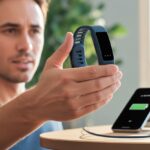
So you’re a runner, cyclist, or weightlifter, and you’re wondering if strapping WHOOP to your wrist will change your life—or at least your workouts. Gadgets are tempting, especially ones that claim to make you faster, stronger, and maybe even able to leap over small puddles.
But is WHOOP actually worth it, or is it just another fancy wristband collecting your sweat data?
WHOOP gives you solid tracking on sleep, strain, and recovery, and it’s especially helpful if you want real data on how hard you train and when you should chill. If you want a wearable that excels at measuring effort in running or cycling, or you’re trying to figure out why you’re always wiped after leg day, WHOOP aims to help.
Don’t worry, you don’t have to fall for the marketing hype. There are reasons both for and against picking WHOOP over other trackers, and we’ll look at what works (and what doesn’t) no matter what sport you’re sweating through.
What Is WHOOP and How Does It Work?
Ever wanted to wear a sleep scientist, a heart rate monitor, and a nosy best friend around your wrist? WHOOP might just be the solution.
This fitness tracker promises all-day data collection and insights—but there’s more to it than just stylish silicone and impressive graphs.
Overview of the WHOOP Wearable
The WHOOP strap isn’t a typical smartwatch. It’s a small, screen-free band that slips onto your wrist and watches your every move—almost literally.
Whether you’re running laps or just sprinting to catch the bus, it tracks your heart rate, heart rate variability, and sleep. Each version—like the WHOOP 3.0 and WHOOP 4.0—improved on the last, with the 4.0 boasting a smaller design and new sensors.
The strap is light and waterproof. You don’t have to remove it for sweaty HIIT classes, showers, or those times you pretend to swim laps at the pool.
Charging is easy. There’s a handy slide-on battery, so you can charge while you wear it.
If you’re tired of missing overnight data, WHOOP’s got your back—well, actually, your wrist.
WHOOP App Features
The real brains of the operation live in the WHOOP app. This digital coach analyzes your sleep, recovery, and strain (that’s just a fancy way of saying how hard you’re pushing yourself during workouts or daily life).
The app shows trends and gives daily scores, so you know if you’re ready for that long bike ride or if you should just take a nap. There are sleep analysis tools, recovery insights, and even a journal so you can track habits like caffeine use or foam rolling.
For cyclists, runners, and weightlifters, the app offers activity auto-detection and can tell you how much strain each session adds to your day. The app updates often, so you’re always getting the latest features and bug fixes without lifting a finger—other than to tap your phone screen.
You’ll get personalized coaching suggestions too. If your recovery is low, the app might gently suggest you take it easy.
If you’re well-rested, it gives you the go-ahead to hit that next training session hard—or at least harder than last time.
Subscription Model and Cost
WHOOP doesn’t sell its strap in the usual one-and-done way. Instead, it uses a subscription model.
You pay a monthly fee to use both the hardware and the full app, which means your strap is only as good as your subscription. The cost is usually around $30 per month, with discounts if you commit for a year or more up front.
Membership covers the latest hardware, data tracking, and customer support—plus free upgrades if a new band launches while you’re still a subscriber. There’s no upfront cost for the band itself, but you need an active subscription to keep the data flowing.
Some people balk at the price, but others see value in constant data, coaching, and a wearable that apparently never needs charging downtime. For more on how it works and hands-on reviews, check out this WHOOP Strap review and overview.
How WHOOP Benefits Runners
WHOOP is like the friend who watches your training, nags you to sleep, and quietly judges your sprints. It tracks your strain, tells you how your body recovers, and even spies on your sleep—with your permission, of course.
Tracking Strain & Recovery for Runners
Every time you lace up your shoes, WHOOP records your effort through its strain score. Want to know if you ran like the wind or just shuffled to the fridge? You’ll get an exact strain score, based on your heart rate, duration, and intensity.
When your legs beg for a break, WHOOP uses heart rate variability (HRV), resting heart rate, and sleep to grade your recovery. This helps you avoid the classic mistake of training too hard on tired legs (hello, random shin pain).
That means fewer excuses for skipping cooldowns and fewer surprises when you finally listen to your legs.
Sleep and Recovery Optimization
Your fastest miles don’t happen during training—they happen when you’re sleeping. WHOOP isn’t shy about nudging you for better sleep.
It tracks your sleep duration, stages (light, deep, REM), and even how much you toss around at 3 am. You’ll see how well—or how badly—you recovered from a brutal tempo session.
The app suggests when you should hit the pillow, so your next race doesn’t start with a yawn. The recovery score, based on sleep and HRV, recommends how hard to push the next day.
If you’re guessing at your pace or zone, WHOOP tracks your heart rate 24/7. You see your average, max, and resting heart rates right in the app.
No need to interrogate your watch or trust your memory (hint: it’s usually wrong after mile 18). WHOOP calculates your daily and weekly training load so you can see if you’re building fitness or just piling up soreness.
The app uses your heart rate patterns and HRV to flag when it’s time to push or recover. You can dial in your training plan, avoid burnout, and maybe even impress your running buddies with data.
WHOOP packs in some neat tricks for cyclists who want to get more out of every ride. You’ll find helpful data on strain, power, and route details that can turn you from weekend warrior to your group ride’s resident stat nerd.
Analyzing Power Output and Strain
Want to know if your “easy ride” was actually more intense than your last speedy grocery run? WHOOP uses its heart rate sensor to track your daily activity and assigns a strain score.
This score makes it easy to compare tough climbs to recovery spins, so you’ll always know when to brag and when to nap. The app breaks down your power output over each ride, displaying how much energy you actually used.
It’s like having a coach, but without the sweat stains or whistle. You’ll see a chart of your intensity—helpful for deciding if you have enough left to race your neighbor up that last hill.
Knowing when you need rest is also part of the deal. WHOOP’s strain and recovery analytics help you spot if you’re crushing it, or if you’re about to get crushed by fatigue.
Let’s be honest—you like looking at maps after your ride to see where you “accidentally” missed a turn. WHOOP now includes GPS features that record your actual route, even those surprise detours.
After each ride, you’ll get a map and stats that cover distance, speed, and trip highlights. You can check your average pace on each segment, review different rides, and see if your favorite hill is getting any easier—be honest, it probably isn’t.
The GPS ties together route, power, and heart rate data so you can see patterns and compare different routes. All this lets you track improvements or see when your legs decided to take a day off.
If you like picking up heavy things and putting them back down again, WHOOP might be right up your alley. You’ll see how your body deals with resistance exercise and if that “one more set” was really a good idea.
Resistance Exercise Tracking
WHOOP uses its sensors to track your heart rate, reps, weight lifted, and even range of motion for each set. This gives you a detailed look at the real work you’re doing in the gym—not just guessing based on how much you sweat through your shirt.
The platform’s Strength Trainer feature measures both the cardiovascular and muscular load during resistance training.
You can see how hard each lift hits your muscles, not just your lungs, which is a step above most fitness trackers. Still, some users think the feature can be a bit “clunky” and doesn’t always sync well with other fitness apps yet.
But if tracking the specifics of strength training excites you more than leg day itself, you might enjoy diving into all these data points.
Workout Creation and Logging
Creating a custom workout in the WHOOP app feels a bit like ordering a complicated coffee—so many choices, and it can be a lot if you’re just getting started.
You can log sets, reps, weights, and exercises, which makes it way easier to track your progress (and maybe your bruised ego after a missed PR).
The app lets you save favorite routines, so repeating a workout is just a click away.
This is perfect for strength athletes who crave consistency, or anyone who wants to grumble about the same movements every week.
Sleep performance score (percentage of needed sleep)
Sleep disturbances
Sleep Coach and Personalized Recommendations
If you’ve ever wanted a personal sleep butler, the sleep coach on WHOOP comes pretty close.
It uses your latest data to tell you when to wind down and how much sleep you should aim for, based on your training load and recovery.
You can set goals like “get by,” “perform,” or “peak.”
The Sleep Coach gamifies sleep for athletes and might guilt you into skipping that late-night movie.
It’ll even send you nudges to hit the lights if you’re still up scrolling through cat memes.
All this gets delivered right to your app, making bedtime planning a little more strategic.
The personalized coaching in WHOOP stands out for its focus on recovery and daily performance, so you spend less time yawning during workouts and more time actually crushing your goals.
Recovery Scores: Science or Sorcery?
Ever wanted a tiny wizard on your wrist to tell you if you should crush a workout or take a nap?
WHOOP’s recovery score promises just that—but with science, not magic.
You’ll see numbers and colors every morning, but what do they actually mean for your training?
How Recovery Is Calculated
WHOOP’s recovery score combines a few key ingredients every night.
The science behind HRV and sleep tracking is still evolving.
Still, it often gives helpful trends, as long as you don’t treat it like fortune-cookie wisdom.
Accuracy, Sensors, and Analytics
If you’re wondering how good WHOOP is, you need to know how reliable its heart rate data is and what it does with all that information.
Good sensors and solid analytics can make or break how helpful WHOOP is for your training.
Optical Heart Rate Sensor Technology
WHOOP uses an optical heart rate sensor on its strap.
This isn’t your grandma’s heart monitor—it’s a little green light that tries to read your heartbeat through your wrist.
Sometimes wrist-based sensors lose track if you wave your arm like you’re swatting flies, but most of the time, WHOOP’s heart rate sensor does a solid job.
Nobody likes their tech to tap out mid-run or fizzle during a set of squats.
Good news: the WHOOP 4.0 tries not to leave you hanging, thanks to its battery system and unique charging methods.
Here’s what you’ll experience (or maybe grumble about) once the battery starts dropping.
Battery Performance and Charging Pod
WHOOP 4.0 has a battery life that can last up to five days per charge.
Of course, this depends on how obsessed you are with checking your stats.
Heavy tracking can mean topping it up sooner.
The charging pod attaches magnetically to the tracker—no fiddly cables or tiny ports.
Just scoot the pod onto your band, and it starts charging.
Your WHOOP takes about 2 hours to fully charge.
There’s an LED light on the pod that tells you if it’s juicing up or already full.
No guessing games.
If your memory is like a sieve, the app reminds you about your battery before it’s too late.
On-the-Go Charging and Battery Swaps
Maybe you’re out for a long ride or getting ready for a marathon (overachiever alert).
Instead of stopping tracking when the battery goes low, WHOOP lets you keep going while charging—on your wrist.
The portable charging pod stays clipped so you don’t have to pause your data.
Here’s the fun part.
There’s no need to take the band off at all.
Pop the pod on, and you’ll still look stylish (or at least as stylish as before).
If you plan it right, you may never have to see your tracker under 100% again.
The battery packs are water-resistant but not invincible.
Don’t shower or swim with the pod attached.
For backup, you can get extra battery pods and swap when needed.
This way, even if you forget to charge, your tracker doesn’t need to miss a beat.
If you want more details on battery longevity and real user experiences, check out this detailed review or a user’s take on how the charging pod changes the game for on-the-go athletes in this comparison thread.
Comparisons With Other Fitness Trackers
Not all fitness trackers are created equal, especially if your life goal isn’t just to compete in neighborhood step wars.
Your choice depends on whether you care about every step, perfect recovery, or just charging your device slightly less often than you charge your phone.
Step Counters and Daily Activity Features
Some trackers act like you’ll vanish if you don’t hit 10,000 steps every day. Fitbit, Garmin, and Apple Watch count every step, jump, or questionable dance move, and toss you badges for your efforts.
These features keep you moving and give you daily feedback. You can brag in group chats—maybe even to your competitive aunt.
WHOOP is different. It doesn’t count steps at all.
If step goals keep you motivated, this device will probably let you down. Whoop cares about things like strain and recovery, leaving step counts to devices obsessed with walking marathons in your living room.
You won’t see a confetti animation for walking to the kitchen. That’s just not WHOOP’s thing.
How WHOOP Stacks Up Against Competition
Some fitness trackers focus on counting steps. WHOOP stands out by digging into heart rate variability, sleep, and recovery.
But WHOOP is a subscription service. You’re paying monthly for those just rolled out of bed stats, so make sure that fits your budget and your appetite for data.
Stress Monitoring and Additional Features
Ever wonder how stressed you actually are? Or what your fitness tracker thinks is your weirdest health quirk?
WHOOP doesn’t just track workouts. It tries to figure out your body’s stress levels and throws in a few unexpected features.
Stress Tracking Capabilities
WHOOP offers a feature called stress monitor. This tool claims to measure your stress in real time and gives you a “stress score.”
Continuous heart rate monitoring and heart rate variability (HRV) help WHOOP estimate how hard your body is working, even before your boss asks, “Can I see you for a minute?”
It crunches a mountain of data and gives you recommendations if it spots elevated stress. You’ll see a graph that highlights your most wound-up moments—like when you realize your running shoes are still wet.
For athletes, knowing your stress can help plan workouts and avoid burnout. Now you have numbers to back up your “just a bad day” excuse.
Unusual and Unexpected Features
WHOOP isn’t only about stress. There are some extra features that honestly feel a bit wild, like sleep tracking so detailed it sometimes knows you’re tired before you do.
You get personalized sleep “coaching” that tells you exactly when to go to bed—basically a digital mom. The tracker also gives you insight on your workout tracking, including strain and recovery scores.
You can brag to friends, even if your workout was just walking your dog. It tracks skin temperature and respiratory rate too.
It’s like your wrist has its own mini science lab, running experiments all day and night. If you want a deep dive on how WHOOP compares with medical-grade devices, check out the WHOOP 4.0 review for some surprisingly nerdy results.
Is WHOOP Worth It for Athletes?
WHOOP gives you a backstage pass to what’s happening inside your body, from sleep quality to how hard you actually worked in the gym. But it comes with a subscription, so make sure it’s more useful than that yoga mat you never unrolled.
Analyzing the Value for Runners, Cyclists, and Weightlifters
Runners
You’re probably obsessed with tracking splits, heart rate, and sleep. WHOOP excels at giving feedback on your recovery, how well you’ve slept, and how hard your run actually was.
Thanks to daily strain and recovery metrics, you’ll know when to push and when to give your legs a break—even if your run club disagrees.
Cyclists
You get automatic activity detection and continuous heart rate tracking. WHOOP tracks strain, so you can see how tough your rides are (and brag without exaggerating).
It’s light and not annoying, so you won’t ditch it on long rides. Sleep tracking helps you avoid bonking and show up at the coffee shop looking alive.
Weightlifters
This one’s interesting. WHOOP isn’t just for runners and cyclists—it can track weight training strain too.
If you spend more time under barbells than on roads, WHOOP still helps you avoid overtraining by showing recovery levels and guiding rest days. And unlike your gym buddy, it won’t judge your squat depth.
Final Verdict: Investment or Indulgence?
If you love data and check your numbers more than your socials, WHOOP might be a game-changer. It spots trends in your sleep, strain, and recovery that other trackers miss.
It acts a bit like a coach you wear on your wrist—only quieter. That value, though, doesn’t come cheap.
There’s a monthly membership. Unlike a one-time product, you keep paying as long as you want data from the WHOOP cloud.
If you really want to improve performance, dodge burnout, and you’re into quirky data, WHOOP’s probably worth a look. If you’d rather trust your gut, it might feel like more indulgence than investment—kind of like those pricey gels you keep grabbing.
Hi, my name is Garrett Jones, and I am a tech enthusiast. I enjoy researching the new tech that has been released, and have a vast knowledge of the best tech to purchase.
From a young age, I have always had a big interest in technology, and this blog is an extension of that interest. Through this blog, I hope to provide others with all of the information they need regarding tech options to consider, and things such as compatibility. Some of the different items I will be discussing include headphones, smartwatches, and how to fix common issues.