We’ve all stared at the mirror, promising ourselves this time will be different, determined to finally outwit that stubborn scale. That’s where the fitness tracker comes in—our trusty little sidekick, counting steps, calories, and maybe, if we’re feeling optimistic, our victory laps.
Honestly, it sounds super high-tech, but it mostly just keeps us from counting “lifting the remote” as a full-on arm workout.
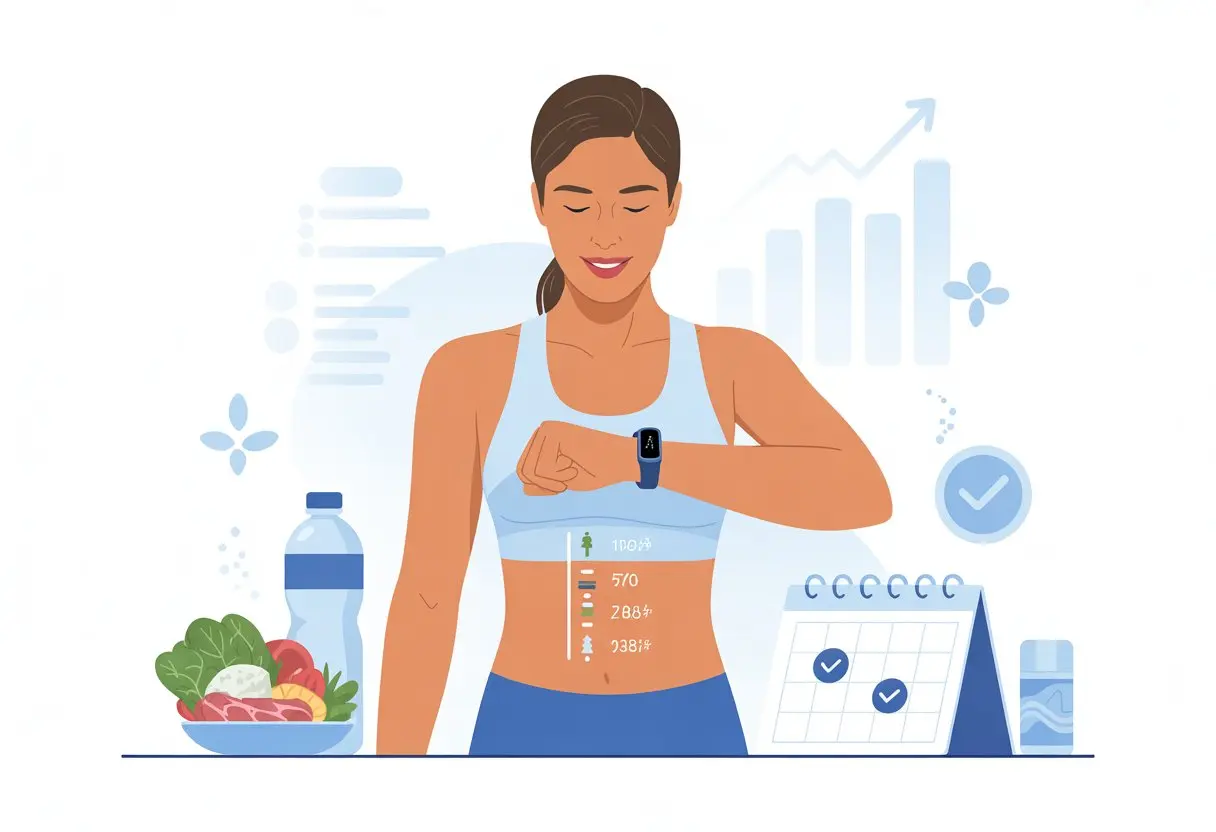
The real trick to using a fitness tracker for weight loss is paying attention to the data—like step count and calories burned. When we actually check what our bodies are doing, we end up walking a little more, snacking a bit less, and sometimes racing friends to 10,000 steps (unless there’s free food at the finish line, then all bets are off).
Let’s be real: left to our own devices, we’d probably hand ourselves an Olympic medal for taking the stairs once. But once we start looking at the numbers and those gentle reminders from our tracker, our weight loss goals feel a lot less impossible. If you want some tips for getting more out of your device, here’s a handy guide on using a fitness tracker for weight loss.
Getting Started With Your Fitness Tracker
First things first: we have to master the basics, or our shiny new tracker will just gather dust and silently judge us. From picking the right gadget to getting it to talk to our phone, a solid start helps us reach those weight loss goals—no tech degree required.
Choosing The Right Wearable Device
Honestly, picking a wearable feels a bit like speed-dating for our wrists. There are so many options: big flashy screens, simple step counters, waterproof models, heart rate monitors—the works.
We should find a fitness tracker that matches our activity style. If we love the pool, waterproofing is a must. If we care about heart rate zones, a built-in monitor is worth it. For the phone-obsessed, notifications on the wrist keep us on track (and let us peek at texts while planking). Some even track sleep, so we can finally figure out why we’re zombies at 7 AM.
Don’t forget to check battery life and comfort. If it feels like strapping on a brick, or if we’re charging it all the time, it’s just not going to work for our “active” lifestyle (or our Netflix binges). Forbes has a helpful overview on choosing a fitness tracker.
Syncing Activity Trackers With Your Smartphone
Now comes the fun part—getting the fitness tracker and our phone to play nice. Most trackers sync via Bluetooth and need a companion app. Usually, we just download the app, scan a mysterious QR code, set up an account, and let our phone handle the rest.
Sometimes, syncing feels dramatic. We stand still, watching the progress bar crawl, hoping it doesn’t freeze at 99%. But once they’re paired, the magic begins. Our steps, heart rate, and even those sprints to catch the bus get logged in the cloud. Some apps toss in calorie tracking or connect with other health apps.
Quick checklist for smooth syncing:
- Bluetooth ON (not just pretending).
- Keep the tracker charged.
- Update the app and the device.
- Approve all permissions.
If it takes a few tries, don’t sweat it. Patience brings colorful graphs and charts (eventually).
Understanding the User Interface
Once we’re synced, it’s time to figure out what all those icons and numbers mean. Some trackers show data as numbers, graphs, or—my favorite—a little stick figure doing a happy dance after 10,000 steps. Others buzz us if we’ve been sitting too long.
Most user interfaces let us:
- Start or stop workouts
- Set goal alerts (steps, calories, heart rate)
- Check sleep and activity stats
- Change notification settings
- See battery status (nothing kills motivation like a low battery mid-run)
The app interface matters, too. We can explore dashboards for daily, weekly, or monthly trends. If something’s confusing, tapping around (carefully) usually helps. For tips on getting more out of home workouts with trackers, here’s a guide on using your fitness tracker effectively at home.
And if all else fails, there’s always YouTube—or maybe a tech-savvy teenager who can bail us out if we hit the wrong button.
Setting Up Your Fitness Goals
Before we ask our tracker to help us lose weight, we need to set real targets. If we just say “move more,” we might end up wandering the snack aisle longer—not exactly the goal. Smart goals give us direction so we don’t get lost (unless we want those extra steps).
Personalizing Daily Steps Targets
Let’s be honest: 10,000 steps is just a nice, round number, not some magic ticket. The right step goal depends on where we’re starting. If 2,500 steps wipes us out, jumping to 10,000 overnight will just make us hate walking.
Most trackers let us set our own daily step target. We can track a normal day, then bump it up by 500 or 1,000 steps. Each week, we review and increase slowly as walking gets easier.
Here’s a tip: set step reminders. If we’re glued to our screens, our tracker can buzz us into action. For a bit of fun, we can join step challenges with friends or family. Motivation gets easier with a little friendly competition and digital trophies. More step tracking tips are here: using a fitness tracker.
Customizing Heart Rate Zones
We’re not training for gold, but heart rate zones still matter. Most trackers measure heart rate all day, not just during workouts. That’s actually helpful—it shows us how hard we’re working (and yes, chasing the dog totally counts).
We can set our heart rate zones by entering age, weight, and fitness level. The tracker calculates zones: resting, fat burn, cardio, and peak. For weight loss, spending more time in the fat-burning and cardio zones works best.
It’s not about maxing out. We can check our stats after a walk or workout and tweak intensity if needed. Heart rate data keeps us from overdoing it—or, let’s be real, underdoing it.
Configuring Calories Burned Objectives
Tracking calories burned keeps us honest. We’d all love to think tying our shoes burns a hundred calories, but science says otherwise. Our tracker estimates calories burned using steps, heart rate, age, weight, and height.
Most trackers let us set a calories burned goal. To get it right, we check our usual burn and set a target that nudges us to move more. Some break down calories by activity—walking, gardening, or our best attempt at dancing.
Setting calorie goals works best with food tracking, too. If we know how much we eat, we can compare it to what we burn and adjust, so we don’t undo our steps with a late-night pizza. Here are some tips for tracking calories burned with smart fitness data.
Tracking Physical Activity For Weight Loss
Let’s be real—losing weight is tough enough without guessing how many steps we’ve taken or if our “brisk” walk actually counts. A fitness tracker makes reaching our goals less confusing and a bit more fun.
Monitoring Activity Levels
When we use a fitness tracker, we basically turn ourselves into step-counters—and honestly, that’s not a bad thing. Most trackers let us set daily or weekly step goals, so we know when we’ve walked enough to earn that extra slice of pizza.
A lot of us don’t realize how much—or how little—we move each day. By checking our stats, we can see if we barely left the couch or if we jogged enough to impress the dog. Most trackers count steps, measure distance, estimate calories burned, and remind us to get up so the couch doesn’t get too lonely.
If we like numbers and seeing progress, watching our totals climb can be surprisingly motivating. The trick is to pay attention and try to move a little more each day. Even a short walk counts—our tracker won’t judge.
Check out more activity tracking benefits with this Forbes guide on using a fitness tracker.
Logging Workouts and Moderate Exercise
Fitness trackers help us track more than just steps. When we log workouts—yes, gardening counts if we break a sweat—we start to spot patterns in our habits. Some trackers let us record anything from yoga to cycling, so there’s no excuse to skip leg day.
Experts suggest at least 150 minutes of moderate exercise each week, and our tracker can remind us. Many devices sort activities by intensity, which lets us brag about our “moderate” workout (even if we just jogged after the ice cream truck).
We can set goals for specific activities, like three gym sessions a week, and let our tracker cheer us on. Seeing completed workouts in the app can turn us into achievement hunters. Want more? Check out these tips for using a fitness tracker effectively.
Using Heart Rate Monitors Effectively
Heart rate monitors in trackers are like tiny personal trainers on our wrists. They help us figure out if our activity is easy, moderate, or “please send help.” Checking our heart rate keeps workouts in the right zone for burning fat.
Different heart rate zones show how hard we’re working. For weight loss, moderate intensity is a good aim. Most trackers display these zones in the app, or right on the screen during workouts. This keeps us from overdoing it—or just strolling at a snail’s pace (unless we’re actually racing snails).
A heart rate monitor also tracks our improvement. Over time, we might notice we can do the same workout with a lower heart rate, which means we’re getting fitter (and maybe a little smug). Here’s more on what trackers can measure: fitness-tracking devices and their features.
Leveraging Your Fitness Tracker Data
Fitness trackers collect more data than our phones store passwords. If we use that info wisely, we can spot what habits help us, what doesn’t, and how to get unstuck—without hurling our tracker across the room in frustration.
Analyzing Trends In Fitness Tracking
We’ve all had those days when we “accidentally” skip a workout and end up binge-watching three shows in a row. That’s when our activity trackers become those brutally honest friends—always ready to point out when our shirt’s inside out.
Checking out our fitness trends lets us see which days we get moving and which ones are reserved for epic couch sessions. We can spot patterns in our step counts, calories burned, and active minutes.
Try looking at weekly or monthly averages instead of sweating over every single day. If our graphs look like mountain peaks one week and pancake-flat the next, well, we know why the scale seems confused.
Reviewing these trends helps us build habits and set goals that don’t make us want to quit. It also finally answers the question, “Why do my Wednesdays look like a nap?”
Identifying Progress and Plateaus
Progress rarely moves in a straight line—if it did, we’d all be Olympic athletes by now. By tracking daily entries and achievements, we start noticing little improvements we might’ve missed.
Maybe we burn more calories on a walk or last longer before needing a snack during workouts. When our weight or calories burned stall, it’s easy to lose motivation.
But with our tracker, we stop guessing and start looking at real data (here’s how trackers help with weight loss). We can switch up our activity, try out new workouts, or just shake up the routine.
A simple table comparing steps, workouts, or calories burned month to month can give us that push we need to get moving again.
Optimizing Everyday Movement
Small tweaks in our daily habits can help us move more and burn extra calories. By checking our fitness tracker for everyday steps, we can turn normal moments into chances to get active—no gym heroics required.
Walking More For Easy Wins
Let’s be real—walking is probably the easiest medicine out there. No need for fancy gym clothes or gadgets. Our tracker becomes our step-counting sidekick, buzzing us when we’ve been sitting too long.
That gentle nudge is our cue to get off the couch, chase the dog, or grab a glass of water we didn’t even want.
Here are a few ways to sneak in extra steps:
- Park the car far from the store (bonus points if it’s raining).
- Skip the elevator and storm the stairs like we’re late for a Black Friday deal.
- Take short walks during phone calls, pretending we’re at a walking meeting with the president.
Tracking daily step goals lets us compete with friends, family, or just our own stubborn past selves. Most trackers let us set reminders and targets, making it easier to move more each week. Dive deeper into daily step goals at this fitness tracker guide.
Turning Daily Activities Into Exercise
Exercise doesn’t always mean squats and buckets of sweat. Our favorite sneaky move is turning boring chores into mini workouts.
Washing dishes? That’s time on our feet. Folding laundry? Toss in a few calf raises between socks. We can turn cleaning, gardening, or walking the dog into steps that count.
Some of our best calorie burns come from these tiny moments:
- Vacuuming like we’re racing for a world record.
- Dancing while we cook (even if only the cat is watching).
- Playing tag with the kids, or just pretending to chase them.
By syncing our tracker, we keep score of these little bursts of movement throughout the day. Over time, these mini activities really add up and help with weight loss. Check out tips for making the most of daily movement in this article on using a fitness tracker to guide your routine.
Staying Motivated And Consistent
Chasing weight loss goals feels more like a marathon than a sprint—unless sprints count towards our step goal. Using an activity tracker helps us keep moving, but let’s be honest—motivation can be as unpredictable as our bathroom scale.
Gamifying Your Fitness Challenge
We can turn our fitness tracker into more than just a step counter; it becomes our personal game console. Many trackers let us set up friendly competitions, daily streaks, or virtual badges.
Nothing beats that smug feeling when we top a leaderboard or finally snag that 10,000 steps-in-a-day badge—take that, Tuesday! Turning workouts into games makes exercise less of a chore and more like leveling up.
With apps and tracking tools, we can log food, compare scores, or unlock digital rewards. Suddenly, motivation feels fun when our tracker flashes a congratulatory message instead of a guilt trip. For more ideas, see using fitness trackers for goals to help keep our behavior trending in the right direction.
Celebrating Milestones (With Or Without Cake)
Hitting our fitness goals deserves a little celebration. Whether it’s dropping five pounds, running farther, or closing all our tracker rings for a whole week, these milestones matter—even if the scale still acts like it’s in on a joke.
Rewards don’t have to be cake (though, let’s be honest, cake crossed our minds). Maybe we treat ourselves to a new playlist, fun socks, or a quiet victory dance in the kitchen.
Making a list of non-food rewards keeps us on track and lets us celebrate without undoing our progress. If you want pointers, setting a reward system can help keep things positive and our eyes on the prize—sparkly socks included.
Advanced Tips For Tech-Savvy Losers
If we’ve bought wearable devices, we’re probably not just here to count steps. We want to hack the system, stack up data, and squeeze every ounce of accountability from our fitness trackers.
Integrating Other Health Apps
Why make our fitness trackers do all the heavy lifting? We can link them with food logging apps, sleep trackers, and even smart scales. When all our health data sits in one place, we can actually see what helps and what hurts.
Here’s a quick combo platter:
| Health Area | Example Apps | How It Helps |
|---|---|---|
| Nutrition | MyFitnessPal | Tracks calories and macros |
| Sleep | Sleep Cycle | Spots patterns that slow us |
| Weight | Fitbit Scale | Makes progress visible |
Most trackers now make syncing a breeze. Our step goals, calories, heart rate, and sleep data all come together so we can spot trends and tweak habits.
We just have to remember—syncing dessert photos doesn’t burn calories, even if the tech looks cool. For an in-depth look at linking apps smartly, Forbes has a solid guide on using a fitness tracker.
Using Social Features For Accountability
Why not use peer pressure for good? Most wearables let us add friends, join groups, and join challenges. Suddenly, skipping a workout means our chat blows up with laughing emojis and reminders that we’re “the slow one” in the step race.
Some ways to make the most of these features:
- Challenge friends to weekly step battles or calorie burns
- Share updates so others can cheer (or heckle, let’s be real)
- Join open groups with similar weight loss goals
Social features can actually make healthy habits stick, according to experts in tech and weight management. Besides, nothing gets us out the door faster than the fear of losing last place in a family step-off!
Troubleshooting And Maintaining Your Device
We all want our activity tracker to work well and not act like a stubborn toddler. Keeping an eye on glitches and battery issues can save us from missing tracking data or getting stuck with a “where’s my step count?” moment.
Common Fitness Tracker Glitches
Wearable devices freeze up or show random step totals that make us look like we ran a marathon in our sleep. Sync issues pop up all the time, and sometimes our phone refuses to recognize the tracker.
Try turning Bluetooth off and on or restarting both devices. Sometimes, electronics just need a nap too.
Other classic problems? Unresponsive screens or weird heart rate data. For those, a quick restart or gently cleaning the sensor usually does the trick. If the tracker keeps acting up, factory resetting might help, but only if we’re ready to set everything up from scratch.
Wearing the tracker on the non-dominant wrist keeps readings more accurate, since it avoids extra movements from chores. If the tracker acts odd after a swim or workout, dry it off and check for updates.
Battery Life And Firmware Updates
Nothing’s worse than an activity tracker dying halfway through the day. Maximizing battery life means turning off GPS and heart rate tracking when we don’t need them. Cutting down on notifications helps, too.
Some devices offer power-saving modes for those extra-long days. Don’t let old firmware mess things up, either. Checking for updates every few weeks keeps our wearable running smoothly and can even add new features or fix annoying bugs.
Make sure the tracker and phone are both charged before updating.
Table: Quick Battery Tips
| Problem | Solution |
|---|---|
| Battery drains fast | Disable unused features, reduce alerts |
| Won’t charge | Try a different charger or cable |
| Shuts off suddenly | Update firmware, restart device |
If all else fails, let’s not throw our gadget out the window just yet—contact support. They’ve probably seen it all before. For more hands-on tips, check out these common problems and solutions for fitness trackers.
Final Thoughts On Smarter Tracking For Weight Loss
Let’s be real—using a fitness tracker for weight loss sometimes makes you feel like you’re on a secret mission. But instead of cracking codes, you’re just counting steps and calories. All for the hope of squeezing into those jeans you love!
Fitness tracking really brings the numbers to life. You can actually see your progress, whether it’s steps, active minutes, or calories burned.
Some days, my smart watch buzzes more than a doorbell on Halloween. I know that’s just a nudge to get up and move, not to hand out candy.
So, why does this stuff matter?
| Benefit | Why It Helps Weight Loss |
|---|---|
| Step Counting | Lets you see your daily movement |
| Calories Burned | Helps you manage food intake |
| Movement Reminders | Keeps you from turning into a statue |
Tracking keeps us honest. If I tell myself I walked a mile but my tracker says, “Nice try, that was only three blocks,” well, I guess it’s time to add a few more steps.
Closing activity rings feels like a little win every time. Each beep and buzz is basically a virtual high-five. Someone even said that closing rings on a smart watch just feels good, even if it’s a tiny start.
Let’s be honest, none of us are going to outrun a cheetah. But with smart tracking, at least we know exactly how slowly we’re running away from those snack cravings.

From a young age, I have always had a big interest in technology, and this blog is an extension of that interest. Through this blog, I hope to provide others with all of the information they need regarding tech options to consider, and things such as compatibility. Some of the different items I will be discussing include headphones, smartwatches, and how to fix common issues.
- The Best Rugged And Waterproof Smartwatches - October 21, 2026
- 10 Best Military Smartwatch – Find The Best Tactical Military Watches in 2023 - October 20, 2026
- Are Wired Headphones Safer Than Bluetooth? A Friendly Guide - October 20, 2026
Related Posts: