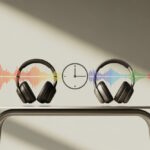
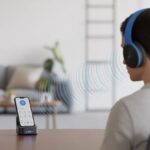
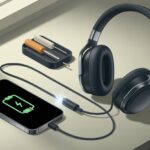
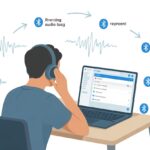
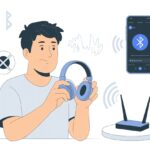
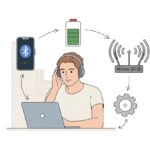
We’ve all hit that moment—ready to watch a video or play a game, but our Bluetooth headphones seem to lag behind, like they’re stuck in another dimension. Why does Bluetooth audio always seem to trip up right when timing matters most? If you want to reduce Bluetooth headphone latency, you should use headphones and devices that support newer Bluetooth versions and low latency codecs like aptX.

Nobody wants to feel like they’re listening to echoes from a mountaintop when the action is right in front of them. Luckily, with a few tweaks and the right gear, we can get that sound almost perfectly in sync.
Let’s talk about what’s really causing that delay and how we can outsmart it, instead of just yelling at our headphones and hoping for the best. Hang in there—your ears and your sanity will thank you.
What Is Bluetooth Headphone Latency?
Bluetooth headphone latency is that little (or sometimes not-so-little) gap between when an audio signal leaves your device and when it actually hits your ears. Too much of a delay can ruin the experience.
Understanding Latency in Bluetooth Audio
Latency basically means “waiting,” but with Bluetooth headphones, even a few hundred milliseconds can make us feel like we’re stuck in a slow-mo scene. When we use Bluetooth, our audio travels wirelessly instead of through a cable.
The sound gets turned into a digital signal, compressed with codecs, and sent through the air to our headphones. Every step, even if it’s quick, adds a bit of delay.
Most people won’t notice a tiny lag when they’re just listening to music. But when we’re watching videos or gaming, our brains catch on fast when lips and voices don’t match up, or when a crash in a game comes in late. This lag, known as Bluetooth latency, usually ends up worse than what you’d get with wired headphones.
Some video apps try to hide it by delaying the video to match the audio, but honestly, they’re just compensating for Bluetooth’s quirks.
Common Causes of Latency
Plenty of things can slow down Bluetooth audio. The biggest troublemaker is the codec—that’s the tech that compresses and decompresses our audio. Some codecs, like SBC, crawl along, while others like aptX and AAC move much faster.
If we use a headphone cable, latency drops to almost nothing. No fancy processing, no wireless traffic jams.
Distance plays a role, too. The farther we go from our device, the more likely our audio signal hits interference or just takes longer. Old Bluetooth versions can’t keep up with the speed of newer ones, and even our phones or headphones might struggle if their hardware isn’t up to date. If you want more ways to keep your music on time, check out these tips to minimize Bluetooth latency.
Comparing Bluetooth and Wired Headphones
Bluetooth and wired headphones both have their place. Depending on what we’re doing—music, movies, gaming—one might work better than the other.
Audio Quality and Latency Differences
Honestly, when it comes to audio quality, wired headphones usually win out. With a direct cable, we get richer sound and less interference. Bluetooth headphones use wireless magic, which means compressing audio and sometimes adding lag, especially with cheaper or older models.
If you’ve ever watched a movie and the lips move way before the words, that’s latency. Wired headphones keep latency super low since the signal doesn’t have to jump through hoops to reach us. The delay is so tiny, it’s basically invisible.
Bluetooth headphones, on the other hand, can lag up to 200 milliseconds, depending on the version and codec. Some apps try to help by holding back the video, but it’s not always a perfect fix. This difference is huge if you’re gaming or doing anything that needs fast reactions. For more on audio lag, check out this Bluetooth latency guide.
When to Choose a Headphone Cable
Wired headphones are the go-to for zero delay and top audio quality. Gamers, musicians, and anyone editing audio or video will spot the benefits right away. If your podcast suddenly sounds robotic, a simple headphone cable can save the day.
Here’s a quick table to help you decide:
| Situation | Wired Headphones | Bluetooth Headphones |
|---|---|---|
| Gaming | ✔ Best | ✘ Possible delay |
| Commuting | ✔ Good | ✔ Great (no wires) |
| Video/Audio Editing | ✔ Best | ✘ Can cause sync issues |
| Casual Music Listening | ✔ Good | ✔ Great for everyday use |
If you’re always moving or just hate tangled cables, Bluetooth is the winner for convenience. But when timing and sound quality matter, wired headphones give us real-time peace of mind. Some call it old-school, but honestly, it’s just reliable. Want more on wired vs wireless? Check out this comparison of headphone types.
Top Ways to Reduce Bluetooth Headphone Latency
Fixing Bluetooth headphone lag can seriously improve your music and video experience. If you want smoother audio and fewer lip-sync issues, you’ll need to pay attention to your device settings and the tech inside your headphones.
Selecting a Low Latency Codec
Let’s talk codecs. If you want less lag, grab Bluetooth headphones that support a fast codec. aptX Low Latency and aptX Adaptive are your friends here, cutting down delays way more than basic SBC. When buying headphones, don’t just look for “Bluetooth”—hunt for those specific words.
But here’s the catch: both your headphones and your phone or computer need to support aptX. If only one side does, you’re still stuck with lag. On Windows, you can try enabling aptX Low Latency in the audio settings under device properties. Mac users have fewer options, but some tweaks with Bluetooth Explorer might help.
If you’re into details, check out this post on how to eliminate Bluetooth earphones delay. The right codec on both ends means your audio gets to you faster, and you can finally watch YouTube without weird dubbing.
Optimizing Your Bluetooth Connection
Even the best codec won’t help if your Bluetooth connection is bogged down. Keep your headphones close to your device—walls, microwaves, and maybe even that stubborn cat can block the signal (well, maybe not the cat).
Check for signal blockers. Too many active Bluetooth gadgets can slow things down, so turn off stuff you don’t need. Keep your devices charged, too—low batteries can make audio lag or glitch out.
If things are still slow, try disconnecting and reconnecting your headphones. Sometimes just restarting your gadgets works wonders. For more practical tricks, here’s a list of ways to reduce Bluetooth lag that keeps things simple.
Adjusting Device Settings for Better Audio Sync
Our headphones deserve a little love, especially when game or show audio drags behind like a turtle on wheels. Getting Bluetooth latency under control means we need to get creative with our device and audio settings and be picky about which audio output we use.
Tinkering with Audio Settings
Let’s be real. Digging through device settings isn’t always fun, but it can save the day. Most devices have hidden gems in their audio settings menu. Look for things like “AV Sync,” “audio delay,” or “latency compensation.” Tweaking these can make movie voices match lips again—it feels like a magic trick.
On Android phones, some apps let you tweak even more. For example, Samsung’s Sound Assistant has a Bluetooth Metronome tool to fine-tune delay. On computers, media players like VLC offer track synchronization tools to adjust audio and video timing—perfect for those moments when explosions sound late. Take a few minutes to poke around in your apps and system menus—even smart TVs hide Bluetooth audio sync settings sometimes.
Choosing the Right Audio Output
Not all Bluetooth audio devices are built the same. Some headphones or speakers support faster codecs, which can help a lot. If your headphones have aptX Low Latency or AAC, use those instead of the plain SBC codec—they’re like the fast lane for audio. Usually, you can switch the audio output or codec in your Bluetooth settings.
If lag is still making you nuts, try switching outputs. Sometimes plugging in wired headphones just fixes everything. You might need to pick a different output in your device’s menu—choosing “headphones” instead of “Bluetooth speaker,” for example, can make a real difference. Picking the right one means you finally get real-time sound, not soap opera-level delays. More tips on cutting lag? Here are some ideas for minimizing Bluetooth audio lag.
Advanced Solutions for Tackling Latency
Sometimes, our Bluetooth headphones just refuse to keep up. When tweaking settings isn’t cutting it, it’s time to break out the bigger tools.
Using an External Audio Interface
Let’s be honest: computers rarely come ready for smooth, speedy Bluetooth audio. That’s why I reach for a trusty external audio interface.
These gadgets usually plug in via USB. They give us a lot more control over how audio gets processed and sent out.
With a solid audio interface, wired headphones connect with basically zero delay. Some interfaces even include dedicated Bluetooth support and use better chips than most laptops.
These devices help audio reach our ears faster, with less signal loss or interference. It’s a bit like having a VIP pass for live sound—just not as portable.
We should double-check compatibility with our operating system and keep drivers updated. Not every interface handles Bluetooth, so reading the specs is almost as important as that first cup of coffee in the morning.
Upgrading to AptX Adaptive
If you want to stay wireless but need better performance, it’s time to check out AptX Adaptive. This Bluetooth codec is all about speed and flexibility.
Older codecs like SBC or regular AptX can feel sluggish. AptX Adaptive, though, tries to keep latency low and adjusts for what we’re actually doing.
AptX Adaptive can cut latency down to about 50-80 milliseconds. That’s a big deal for games and videos, honestly.
Both your headphones and your device need to support this codec, though. On Windows 10 or newer, AptX Bluetooth support is built in—as long as your hardware can handle it.
It’s smart to check both sides before buying. Nobody wants that last-minute surprise where your headphones are stuck in 2016.
Troubleshooting Persistent Latency Problems
Bluetooth latency can be stubborn—kind of like a cat that ignores you until you’re busy. If a quick reset or swapping devices doesn’t help, we’ll have to dig a bit deeper.
Diagnosing Bluetooth Audio Issues
First, let’s figure out if our headphones are the issue or if our device is just being moody. Try the headphones with a different phone or computer.
If the lag follows the headphones, they’re probably the culprit. If not, our device might need some attention.
Here are some troubleshooting steps:
- Update drivers and Bluetooth firmware on both your computer and headphones.
- Remove and reconnect the headphones. A fresh pairing can sometimes fix things.
- Disable low-quality headset modes on Windows. You can find more about disabling those settings.
- Check for other Bluetooth devices causing interference and disconnect any you don’t need.
If none of that works, hey, maybe grab a snack, double-check your headphones aren’t haunted, and then reach out to the manufacturer for help.
Conclusion
You know the feeling—your lips are moving, but the sound lags behind, and suddenly you’re starring in your own off-beat foreign film. Bluetooth headphone latency can really mess with your groove, but honestly, you don’t have to let it win.
Try these quick fixes—no rocket science here:
- Keep your devices close (think texting distance, not across the room)
- Update drivers and firmware (yeah, basically the old “turn it off and on again,” but with extra steps)
- Use Bluetooth 5.0 or higher to cut down on lag
- Shut down those sneaky background apps that just eat up resources
We don’t need to live with audio delays like it’s the early days of wireless. Better Bluetooth tech, smarter habits, and maybe a little luck can make a difference.
Still stuck? You can check out more advice in guides like this Bluetooth latency troubleshooting guide. There’s hope for smoother, real-time listening—promise.

From a young age, I have always had a big interest in technology, and this blog is an extension of that interest. Through this blog, I hope to provide others with all of the information they need regarding tech options to consider, and things such as compatibility. Some of the different items I will be discussing include headphones, smartwatches, and how to fix common issues.
- The Best Rugged And Waterproof Smartwatches - October 21, 2026
- 10 Best Military Smartwatch – Find The Best Tactical Military Watches in 2023 - October 20, 2026
- Are Wired Headphones Safer Than Bluetooth? A Friendly Guide - October 20, 2026
Related Posts: