Let’s be honest—most of us grab our fitness trackers just to count steps or check our heart rate when we’re half-heartedly jogging. But honestly? These gadgets can do more. They can actually help us keep tabs on our allergies, too.
We can track symptoms, pollen counts, and notice patterns between our workouts and allergy flare-ups.
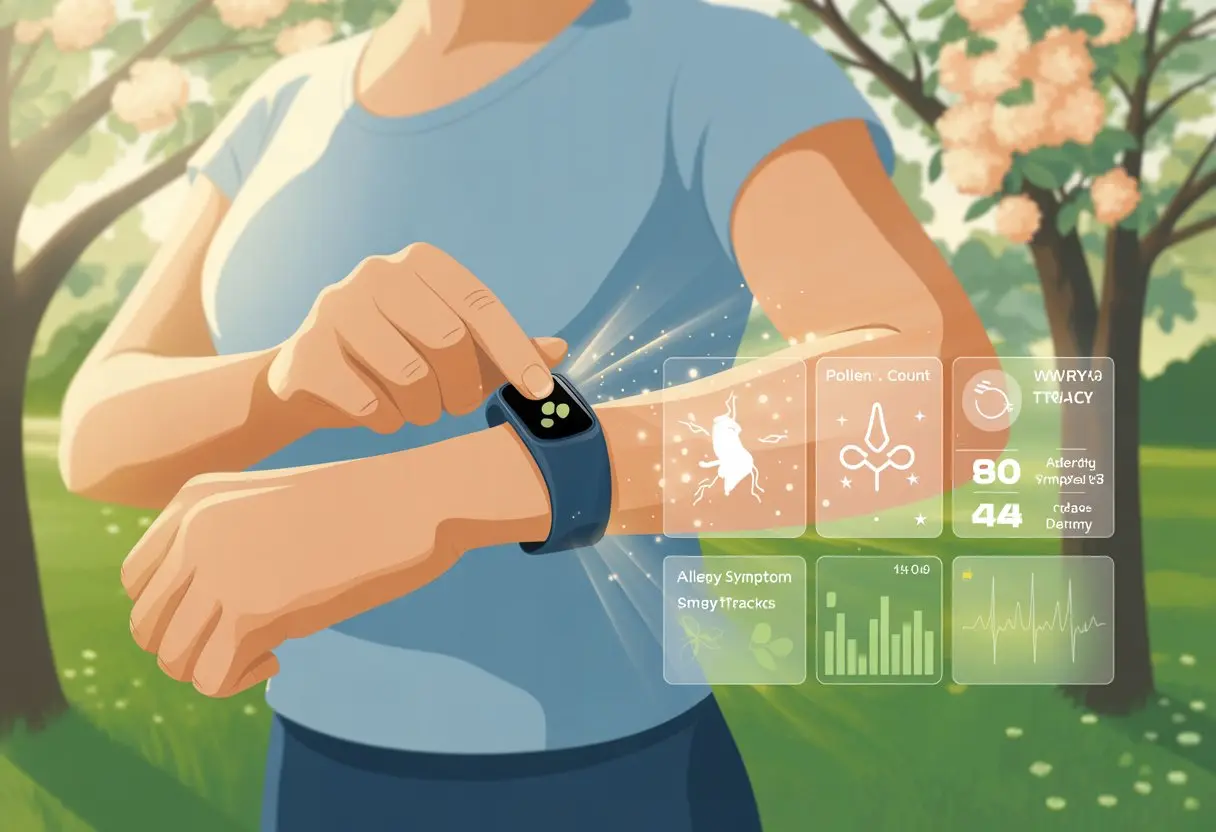
Tracking allergies with these devices is way easier than learning the difference between ragweed and, uh, regular weeds. By using fitness tracker apps or pairing them with symptom diary apps, we can see how our daily habits and the environment mess with our bodies.
Some smart wearables even give us air quality and pollen data, right on our wrists. That makes life a little less sneezy, and honestly, a lot more manageable. If you want more details, check out this guide about wearables that track pollutants and allergens.
If allergy season keeps turning us into red-eyed, puffy zombies, maybe it’s time we let our fitness trackers do some of the heavy lifting. Why not outsmart our allergies—one beep and buzz at a time?
Getting Started With Fitness Trackers For Allergy Management
Tracking allergy symptoms isn’t exactly thrilling, but a fitness tracker or smartwatch can make it feel less like a chore. The first step is picking a gadget that fits our style, setting it up without losing our patience, and making sure it syncs up with our phones or tablets.
Choosing the Right Wearable Device
Finding the right wearable is step one. Fitness trackers and smartwatches are everywhere, but they’re not all equal.
Some come with fancy screens, waterproofing, and batteries that last forever. Others, like smart rings, look cool and won’t clash with our outfits.
We should check if the wearable offers built-in health features. Heart rate monitors, sleep tracking, and note-taking help us log when those sneeze attacks hit.
If we have sensitive skin or allergies to certain materials, it makes sense to look for nickel free fitness trackers.
Let’s also make sure our device works with allergy-tracking apps. Some trackers come with their own apps, but others connect with third-party options for more flexibility.
Setting Up Your Fitness Tracker
Time to become allergy-detective superstars. First, charge the device—because nothing kills the mood like a dead battery.
Next, create a user account in the companion app. Hopefully, we remember our passwords this time.
Personalizing settings is where we get to have some fun. We can set reminders to log symptoms, pick which notifications we want (or silence the annoying ones), and connect other health data for a fuller picture.
It’s smart to check for device updates right away so things don’t get buggy.
If we want extras—like linking our tracker to allergy-friendly recipes or weather alerts—it’s worth exploring how to use tracking apps to improve your daily life.
Syncing Devices With Bluetooth
Now for the final boss: Bluetooth syncing. We turn on Bluetooth on our phone or tablet, and put the wearable in pairing mode (sometimes it feels like we’re casting a spell, honestly).
When our phone finds the device, we just follow the prompts and hope for that “pairing successful” moment. Syncing keeps our data current and makes sure our sneeze diary actually gets to the app.
If syncing fails, restarting both devices and making sure they’re close together usually solves it. Bluetooth linking means we can start tracking allergy patterns without even leaving the couch.
Tracking Allergy Symptoms Using Health Monitoring Features
Fitness trackers can be our allergy sidekicks, quietly collecting health data while we go about our day. With a little setup, we can log what makes us sneeze, cough, or break out—and maybe finally convince our family we’re not just being dramatic.
Logging Allergic Reactions
Let’s be real, our sneezes deserve a little credit. But more importantly, we need to log every sniffle, itch, and wheeze.
We can use our tracker’s symptom logging feature to:
- Record when and where symptoms start
- List the type of reaction (runny nose, hives, shortness of breath—pick your poison)
- Note what meds we took and if they worked
Some apps let us match symptoms to outside stuff, like pollen levels or weather. That helps us—and our allergy specialist—spot patterns quicker than you can say “achoo.”
For deeper tracking, symptom tracker apps offer charts and trends, making it easier to share with our doctor or just laugh about our wild pollen allergy adventures.
Customizing Allergy Tracking Apps
Fitness trackers and smartphones are flexible. We can tweak our apps for our own allergy quirks.
Need to track reactions to pets, food, or dust bunnies? Most trackers let us add custom tags or fields.
Let’s make it personal:
- Set reminders to log symptoms at certain times (like before bed—because of course, that’s when we remember everything).
- Add details like severity or triggers with just a tap.
- Adjust alerts or get push notifications when pollen or air quality spikes.
Some wearable apps even sync with environmental data, so our phones nudge us before we step outside into a pollen storm. That might actually save us a tissue or two.
Integrating a Food Diary
Food is great, but sometimes it’s the enemy (looking at you, peanuts). By adding a food diary, we can quietly track meals and see if that stir fry or snack was behind our latest rash.
How do we do it?
- Log every meal and snack right after eating
- Mark any symptoms in the tracker after food entries
- Link health data for symptoms and foods on a timeline
Pairing food diaries with health tracking helps us find sneaky food triggers. Tracking which foods cause trouble over time means we can show real proof to our allergy specialist—or just win arguments at dinner.
Some apps let us use drop-down lists or add quick photos, so we don’t have to type “ate too much cheese” every single day.
Monitoring Vital Signs During Allergy Flare-Ups
When allergy season hits, our bodies can react in dramatic ways—some of which are easier to measure than others. By keeping an eye on certain vital signs, we can catch problems early and adjust our routines before things get out of hand.
Tracking Heart Rate Changes
We all love numbers that say we’re alive, and heart rate tops the list. Fitness trackers can catch when our hearts speed up, especially during allergy flare-ups.
Sometimes, a sudden spike in heart rate isn’t excitement for weekend plans—it’s our body reacting to allergens.
A heart rate that’s higher than usual might mean our system is working overtime to fight off pollen, dust, or whatever else is floating around. Many trackers show us heart rate data over time, so we can spot changes easily.
If our hearts are racing for no clear reason, it’s time to pay attention. Looking at our history, we can show our doctor the real numbers and maybe get treatment adjusted.
Measuring Blood Oxygen Levels
Blood oxygen is one of those numbers nobody brags about, but maybe we should. When allergies (especially asthma) hit, our blood oxygen can drop.
That means less oxygen gets into our bloodstream when we breathe in. Many fitness trackers come with pulse oximeters that watch our oxygen saturation.
If we see numbers consistently under 95%, it’s time to pause and take notice. Low oxygen can leave us feeling weak, dizzy, or like we’re living in a hospital drama.
Recording our blood oxygen readings regularly helps us see trends. If those numbers dip, it may be time to call the doctor before things get worse.
Spotting Asthma-Related Symptoms
Allergy flare-ups and asthma sometimes team up, which is just unfair. With fitness trackers, we can watch for signs that asthma’s joining in.
This means paying attention to breathing changes, cough frequency, and how active we can be before our lungs start complaining.
Some trackers let us log symptoms like chest tightness or wheezing, and match them with activity levels and vital signs. If we notice it’s harder to be active or we get short of breath faster, that’s a clue.
Connecting these trends with our allergy data makes it easier to give doctors the full story. The Asthma and Allergy Foundation suggests staying proactive with both allergies and asthma.
Checking our tracker data helps us spot patterns, dodge triggers, and maybe even avoid a surprise trip to the ER. If only trackers could measure how annoyed we get at pollen, right?
Understanding Activity, Sleep, And Allergy Data
If we really want to get a grip on our allergies, we need to look at what we do all day, how we sleep, and how all that mixes with pollen, dust, and everything else that makes us sneeze.
By watching our own data, we can spot trends and figure out what keeps us feeling our best.
Activity Tracking for Triggers
Let’s be real—sometimes our best exercise is running away from things that make us itchy. With fitness trackers, we can watch our steps, heart rates, and how much time we spend outside.
Many devices use tiny sensors called accelerometers to count steps and record activity (even if we’re just pacing in the kitchen).
This is great for allergy tracking because we can see if certain hikes or outdoor runs line up with allergy flare-ups. If we always get sniffly after a workout in the park, we might be running through a pollen minefield.
Some newer devices track air quality and pollen in real time—so we can stop blaming the cat if the pollen count is actually sky-high. See how wearable tech can track environmental allergens.
Tips for Tracking:
- Log outdoor workouts with location
- Compare exercise times to allergy symptom logs
- Watch for weather or pollution alerts
Using Sleep Tracking to Identify Patterns
Nothing ruins sleep like waking up gasping for air thanks to allergies. Sleep tracking measures how long we’re out, how much we toss and turn, or—let’s admit it—snore like a tiny dragon.
These devices use movement to guess if we’re really sleeping, so they’re helpful but not perfect.
When we check our sleep quality, it can help us figure out if allergies are wrecking our rest. Did we sleep badly after mowing the lawn, or was it just a late-night Netflix binge?
If we spot a trend of lousy sleep after allergy triggers, we can plan ahead.
Look for signs like:
- Restlessness after high-pollen days
- Short sleep duration after outdoor activities
- Symptoms like sneezing or coughing waking us up
Interpreting Combined Health Data
Digging through piles of fitness and allergy data feels a bit like prepping for a pop quiz we never signed up for. Still, when we pull together activity, sleep, and allergy logs, the picture actually starts to make sense.
We might notice our best sleep comes after days with less time outside. Or maybe those brutal symptoms always pop up when the air quality tanks.
Here’s a sample table to kick things off:
| Date | Steps | Sleep Quality | Pollen Level | Allergy Symptoms |
|---|---|---|---|---|
| June 1 | 8,500 | Good | High | Sneezing |
| June 2 | 4,200 | Fair | Low | None |
| June 3 | 10,000 | Poor | High | Itchy Eyes |
Comparing these details, we get to play detective—sometimes with a laugh—while figuring out what actually messes with our allergies. And hey, maybe we’ll even catch a few more Z’s.
Sharing Fitness Tracker Data With Your Healthcare Provider
Honestly, our fitness tracker isn’t just a step-counting trophy. When we’re tracking allergies, it can give our healthcare provider a real peek into what’s happening.
We bring our data, chat with an allergy specialist, and turn those checkups into something useful—maybe even less awkward.
Exporting and Presenting Allergy Data
First step: get the data off the tracker and make it look halfway decent. Most fitness trackers let us export info through their apps or websites. Sometimes it’s a quick “Export to PDF” tap. Other times, it’s a wild goose chase through menus.
Once we wrangle our data, let’s toss it into a list or table by date, symptoms, and triggers. For example:
| Date | Symptom | Possible Trigger | Activity Level |
|---|---|---|---|
| 2025-05-14 | Sneezing | Pollen | 12,000 steps |
| 2025-05-16 | Hives | Cats | 6,500 steps |
If we’re feeling fancy, a lot of health apps let us sync and share this with our phone’s Health app. Bringing printed copies or emailing digital versions saves us from fumbling with our phone in the waiting room.
Collaborating With an Allergy Specialist
Once our allergy story is all documented, time to loop in the specialist. We can share the exported data before the visit or bring it along.
Allergy pros might spot patterns we’ve missed—like, maybe our “bad luck” with cats is just plain cat allergy. Our tracker’s numbers can reveal sneaky triggers hiding in plain sight.
The specialist might ask us to add more details, like location or air quality. Some tracker apps can handle this, or we can just jot notes in an app—or even scribble on paper if our phone battery’s always dying.
Discussing Findings With Your Healthcare Provider
We show up, data in hand, trying to look like we’ve got it all together. Our healthcare provider checks out our allergy records, compares them to our medical history, and asks about anything weird or confusing.
Together, we can talk through next steps—maybe tweaking our routine, trying out a new med, or just steering clear of the neighbor’s massive fluffy cat. The doctor might suggest syncing future entries directly to their system through a secure portal.
Apps like FitnessSyncer make it easier to move tracker data wherever it needs to go, so nobody’s stuck translating step counts into medical notes by hand.
Ensuring Your Allergy Tracking Data Stays Private
Tracking every sneeze and sniffle is one thing—but worrying about who else gets to peek at that info? Not so fun. Let’s make sure our wearables keep our health data just between us.
Privacy Concerns With Wearables
When we strap on a fitness tracker, it doesn’t just count steps. It logs stuff like heart rate, sleep, and allergy notes.
Some companies collect more than we’d expect, and nobody wants to see their cereal brand targeting them for runny noses.
Many wearables store our health data in the cloud. This means someone could access it if accounts get hacked or if companies share it with partners.
We need to check where our health data lives and how it’s protected.
Let’s look for devices with strong, clear privacy policies. We want encryption for both device storage and cloud backups.
If a tracker brags it keeps secrets better than our best friend, that’s a good sign. Some folks recommend fitness trackers that respect privacy so we aren’t broadcasting our hay fever to the world.
Managing App Permissions Responsibly
Wearables love asking for every permission under the sun—location, microphone, maybe even our favorite ice cream (okay, not yet). Giving too many permissions can leak more health data than we realize.
Let’s stick to the “need-to-know” rule. Only let allergy tracking apps access what’s absolutely necessary—just health data and sensors. Skip location or contacts unless we actually need them for allergy mapping.
Most phones and tablets have an App Permissions section in Settings, so we can tweak things anytime.
It’s smart to check which third parties our app shares data with. Free apps are tempting, but some share info with marketers.
If an app wants our shopping lists or wants to send data to mysterious “partners,” maybe it’s time to bail. Our sniffles shouldn’t end up as tissue ads.
Tips For Making Allergy Tracking a Habit
Building a new habit? Honestly, it’s as tricky as dodging dust bunnies under the bed. If we want allergy tracking to stick, it needs to be simple, smooth, and—dare I say—kind of fun.
Daily Routines to Stay Motivated
Everyone loves a good routine—like brushing our teeth after a questionable breakfast choice. To make allergy tracking a no-brainer, tie it to something we never skip.
Let’s park the tracker next to our toothbrush or leave it on the nightstand. That way, it’s the first and last thing we see each day.
A simple checklist helps too. Here’s a basic one:
| Time | Symptom | Severity (1-5) | Notes |
|---|---|---|---|
| Morning | Sneezing | 3 | After waking up |
| Afternoon | Itchy Eyes | 2 | Outside walk |
If we keep tracking quick—just a couple taps or swipes—we’re way less likely to forget. And if we do skip a day? No big deal. We can always say we were “gathering extra data.”
Using Reminders and Notifications Effectively
If we can set reminders for TV shows, we can definitely set reminders for allergy tracking. Fitness trackers love to buzz our wrists, so let’s use those notifications to our advantage.
Pick times that make sense—maybe after lunch or when we get home. Too many reminders and we’ll want to toss the tracker out the window, so let’s keep it to just one or two gentle nudges.
Sometimes, a positive reminder helps. Something like, “Time for a quick check-in! Your nose will thank you.” Giving ourselves a little treat after tracking doesn’t hurt either.
For more inspiration, expert-recommended symptom diaries with notification features can help keep our streak going.
Troubleshooting Common Issues With Allergy Tracking
Some days, fitness trackers seem more interested in playing hide-and-seek than tracking anything. Let’s tackle those classic headaches—like syncing drama or microphones that pretend we don’t exist.
Dealing With Sync Problems
When our fitness trackers or smartwatches stop syncing, it’s like our allergy progress got lost in the Bermuda Triangle. Usually, Bluetooth is the culprit.
Turning Bluetooth off and back on works more often than we’d think—it’s the old “did you try turning it off and on again?” trick.
Updating our apps is another simple fix. Outdated apps cause all sorts of problems, so we should check the app store for updates.
If that fails, logging out and back into the companion app can jolt the tracker awake.
Still stuck? Restart both the tracker and the phone. It’s like coffee for our gadgets.
Don’t forget to check if the tracker is charged—a dead device just isn’t going to sync, period.
If nothing works, some trackers let us reset the device in settings. Definitely back up our data first. Losing all those allergy records would sting worse than ragweed season.
When Your Smartwatch Just Won’t Listen
Talking to modern smartwatches is supposed to feel futuristic. But sometimes, honestly, it feels like they’re just ignoring us or pretending we’re speaking some alien language.
First things first—try cleaning the microphone area. If you’ve been sneezing up a storm lately, dust or lint might have snuck in there.
Check the connection next. Voice commands need a solid Bluetooth link. If it’s weak or drops out, your smartwatch just tunes you out like a moody teenager.
Try moving your wrist a little closer to your phone. Sometimes that’s all it takes to help the signal.
Still stuck? Head into your watch’s settings and recalibrate the voice assistant. Running through the setup again can remind your watch which voice it’s supposed to care about.
Here’s a little advice: speak clearly and at a normal pace. Even the smartest gadgets get tripped up when we’re stuffy or sneeze halfway through a command.
If voice features keep acting up, just type in your symptoms the old-fashioned way. It’s not flashy, but at least your smartwatch can’t pretend it didn’t hear you.

From a young age, I have always had a big interest in technology, and this blog is an extension of that interest. Through this blog, I hope to provide others with all of the information they need regarding tech options to consider, and things such as compatibility. Some of the different items I will be discussing include headphones, smartwatches, and how to fix common issues.
- How to Get Text Messages on Fitbit Versa 2 Android: Simple Guide for Users - October 13, 2026
- Why Doesn’t My Fitbit Record My Sleep? Quick Troubleshooting Guide - October 13, 2026
- How to Change Face on Fitbit Versa 2: Quick and Easy Guide - October 12, 2026
Related Posts: