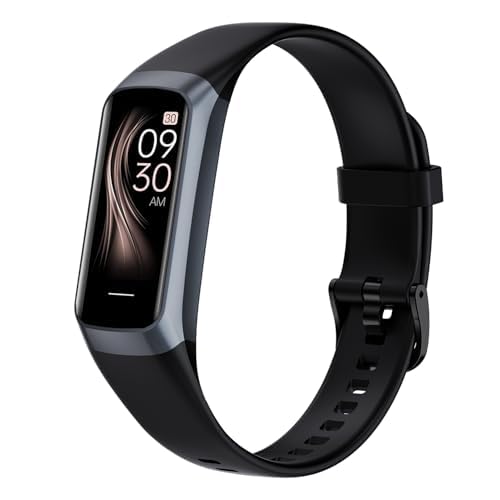
Nothing kills the workout mood faster than lacing up, firing up your fitness tracker, and getting slapped with “error code 50” just as you’re ready to set a new record. Tech sure knows how to keep us humble, huh?
Usually, a simple restart or firmware update knocks out error code 50, and you’re back in business—no need for any dramatic window-throwing.

But if error code 50 just won’t quit, you’ve got a few more tricks up your sleeve. After all, nobody spends this much on a fitness tracker just to watch it count errors instead of steps.
Every brand seems to have its own weird rituals for fixing errors, but don’t sweat it. I’ve rounded up the best tips and I’ll keep the tech talk to a minimum.
Let’s kick error code 50 to the curb together. We’ve got better things to do—like convincing ourselves that a walk to the fridge is cardio.
If you’re sick of cryptic errors ruining your workouts, hang tight. We’ll have you moving again soon.
Understanding Fitness Tracker Error Code 50
Error Code 50 can leave you staring at your tracker or treadmill, confused and maybe a little annoyed. Figuring out what this code means, why it shows up, and what it even looks like can save you time—and maybe a headache or two.
What Is Error Code 50?
Error Code 50 usually pops up when your device has a communication breakdown. Basically, the tracker’s computer isn’t talking to a key part, like the console or a sensor.
On a treadmill, this might mean the main computer doesn’t get a signal from something it needs to start. It’s like showing up for a group run and realizing someone forgot their shoes—nobody’s going anywhere until that’s sorted out.
This code isn’t loyal to any one brand. You’ll spot it most often during startup, right after you hit the power button with high hopes and the treadmill decides to betray you. Sometimes, it’s just a loose connection or a tired old cable causing the drama.
Why Error Code 50 Happens
This code doesn’t just show up to ruin your day—there’s usually a reason. Sometimes, it’s a communication issue inside the machine, maybe because a cable isn’t plugged in all the way or one decided to retire early.
Dust, sweat, or a nosy pet can knock a wire loose, too. I’ve seen it happen after someone shoved their treadmill against a wall or got a little too enthusiastic with cleaning.
Some brands get dramatic and throw this code for power issues or after a sudden outage. Firmware bugs on the console or sensor board can also trigger it. Sometimes, your machine just wakes up cranky—don’t take it personally.
Common Symptoms to Watch For
Spotting Error Code 50 is easier than pretending kale chips taste good. Usually, your tracker or treadmill flashes a big “Error 50” on the screen. It might refuse to start or blink weird lights at you.
You might see your treadmill power up but freeze, or the console just sits there no matter how much you poke it. Sometimes, it’ll beep or flash like it wants to be in a sci-fi movie.
On fitness trackers, syncing fails or your heart rate and activity data won’t show up right. The tracker might restart itself, or the display flickers. These signs make it pretty clear Error Code 50 is not here to help you crush your step goals today.
Quick Fixes for Error Code 50
When your tracker flashes error code 50, your workout dreams can quickly turn into a troubleshooting headache. The upside? Most of the time, you can fix it with a few easy steps and a bit of patience.
Turning It Off and On Again: The Classic Move
You can’t go wrong with the oldest trick in the book. Restarting your device is often the fastest way to kick error code 50 to the curb.
First, press the power button or unplug the device entirely, depending on what you’ve got. Give it about 10 seconds to clear any lingering gremlins.
For treadmills or bigger machines, unplugging from the wall does a full reset. Don’t rush it—let the machine chill for a sec, then power it back up and see if the error’s gone.
If the code disappears, you just proved classic fixes still work. If not, time to try something else.
Checking Connections and Power Sources
Loose wires cause more headaches than you’d expect. Check every connection—power cords, plugs, even battery contacts if your tracker has them.
On treadmills, peek at the sensor wires and cables. Corrosion or damage can trigger error 50. A flashlight helps you spot frayed or loose plugs.
Double-check that your outlet or power strip is actually working. Don’t let a tripped breaker trick you into thinking your treadmill is haunted. Sometimes, unplugging everything and plugging it back in—firmly—does the trick.
Consulting the User Manual Without Panicking
Nobody loves reading manuals, but sometimes they really do save the day. Most fitness gadgets have a troubleshooting section with common faults like error code 50.
Grab your manual or search online for your device’s model and “user manual.” The instructions usually walk you through fixes for your exact machine, with diagrams and all.
If things get weird or the error sticks around, check the manual’s support info. You might find advanced fixes, or at least sound knowledgeable when you call for help.
DIY Troubleshooting for Persistent Error Code 50
Tackling error code 50 can feel as annoying as running out of battery mid-workout. Still, you’ve got some practical steps to try—no engineering degree required.
Inspecting Hardware for Loose Cables
Time to channel your inner detective. Power off the tracker and look for any battery covers or screws you can open safely—don’t go full mad scientist.
If you spot cables or connectors out of place, gently snap them back in. Dust, sweat, or moisture can sneak in, so wiping the area with a dry cloth isn’t a bad idea.
Check for connectors that wiggle more than they should. Tightening or reattaching them might solve the problem.
Before closing things up, look for tears, corrosion, or any obvious wire damage. If everything looks good, put it back together and see if you’re finally free of error code 50. More hardware tips live in this Precor troubleshooting guide.
Recalibrating Your Fitness Tracker
If cables aren’t the culprit, recalibration could help. Over time, sensors forget their jobs and need a quick reset. Most trackers hide a recalibration or reset option in the menu—hunt it down like your step goal.
Follow the reset steps from the manual or on-screen prompts. Sometimes, holding the power button or pulling the battery does the trick. Wait a minute before powering back on to clear out the cobwebs.
Don’t skip steps or rush. Resetting can wipe your settings, so back up your data if you can. If error code 50 sticks around after a reset, it might be time to dig deeper.
Updating Firmware and Software
Outdated firmware is a magnet for weird errors. Keeping your tracker updated helps prevent issues—including code 50.
Check the official site or app for a firmware update menu. Sometimes, you’ll need to connect to a computer or sync with your phone’s app.
Follow the instructions step by step, even if you feel like you’re moonlighting in IT. If a firmware bug is behind the error, an update could clear it up. This goes for gym equipment and trackers, as seen in many troubleshooting threads.
Be patient during updates—no surprise cardio until it’s done. Restart the device after updating and see if it’s back to normal. If not, well, at least you’ve ruled out the basics.
Error Code 50 on Treadmills: Special Considerations
Nobody wants Error Code 50 glaring at them mid-run. On treadmills, this code can mean something totally different, so let’s see what makes it special—and how to deal with it.
Treadmill-Specific Error Code Differences
Treadmill error codes are all over the place—every brand has its own system. That means Error Code 50 could mean something on a Sole treadmill and something else on a LifeSpan or Spirit.
Sometimes, Error 50 points to an electronic glitch, like a bad speed sensor or a problem between panels. Other times, it’s a power surge, an “E-STOP” situation, or a belt sensor issue.
Always check your owner’s manual or the brand’s help page for your exact treadmill. Don’t panic if Error 50 doesn’t match what you read online—your treadmill probably wants something specific. If you’re stuck, calling customer support beats staring at the screen in frustration. For a breakdown by brand, treadmill.run has a guide to error codes.
What to Do When Error 50 Pops Up on Your Cardio Machine
First, try the classic reboot. Sometimes, that’s all it takes to clear a glitch.
If that doesn’t work, check the E-STOP button (the big red one you might want to slap when the incline gets wild). Pull it out, push it in—sometimes, fiddling with it can actually trigger Error 50, which is just mean.
Look for loose power cords, check for signs of a power “brownout,” and make sure the machine’s plugged directly into the wall (not a sneaky surge protector). Old houses and weak outlets can cause enough trouble to make your treadmill throw Error 50. If you’re still stuck, check out treadmill error code troubleshooting online. And if all else fails, let tech support handle it.
When to Call in the Big Guns: Professional Help
Sometimes, a quick button press or restart just won’t cut it. When your gadget hits a wall, it’s time to get some expert help.
Deciding If It’s Time to Phone a Technician
We’ve all tried turning it off and on again, but honestly, sometimes that’s just not enough. Error code 50 can be stubborn—if it keeps popping up after you restart, update the software, or reset the device, it’s probably not something you can fix with a quick YouTube search and a bit of hope.
When your tracker or treadmill acts up with hardware trouble, odd noises, or warning lights that just won’t quit, pay attention. Electronics get weird, but if you see repeat errors or visible damage like cracks, strange smells, or even sparks (yikes), you should really call in pro help.
Don’t brush off codes that point to control boards or motors. Messing around too much could make things worse or even void the warranty. If you’re not sure, it’s just smarter to let actual technicians handle the tricky stuff—especially if the gear cost you a chunk of change or you rely on it daily.
If you want more signs it’s time to call an expert, check out key indicators your fitness equipment needs professional repair before you start grabbing screwdrivers.
Checking Your Warranty (You Might Be Lucky!)
Before you start spending money, take a minute to check if your device is still under warranty. Lots of treadmills and fitness trackers offer at least a year of coverage, and sometimes more for things like motors or electronics.
Dig up that user manual, scroll through your emails for receipts, or log in to the manufacturer’s website. They usually have a serial number lookup, which makes checking warranty status pretty painless.
If your gadget’s still covered, repairs or even replacements might be free—or at least way cheaper than paying out of pocket. Warranties usually cover defects or breakdowns, not accidents like dropping your tracker down the stairs or letting your dog chew the treadmill cable.
Still, it’s a good idea to read the fine print. With a little luck, a quick call to customer support could save you some cash and hassle. Just make sure you haven’t voided your warranty by whacking the device with a hammer—tempting as that might be when error code 50 shows up again.
Preventing Future Fitness Tracker Errors
If you want to dodge mysterious errors like code 50 in the future, keeping your devices in good shape is key. Staying organized and a bit diligent saves you from a lot of frustration (and maybe stops you from launching your tracker out the window).
Regular Maintenance Works Wonders
Let’s be real—when did you last clean your fitness tracker? Crumbs, sweat, and whatever else lives on your wrist can sneak into tiny cracks. Wiping the device with a soft cloth (ideally not the one you use on your glasses) keeps dirt away from the sensors.
Loose or fraying charging cables are another headache waiting to happen. If you spot any, swap them out before your tracker decides to quit. It helps to set a reminder to check that all the ports are clear and contacts aren’t blocked.
Here’s a quick checklist:
- Gently clean tracker and strap each week.
- Inspect cables for damage.
- Check charging ports for lint.
- Restart the device every now and then.
With these basics, you can avoid a lot of weird errors before they even start.
Keeping Your Manuals and Updates Updated
Let’s be honest—most of us toss those manuals the minute the box lands in the recycling bin. Still, those tiny booklets can save you from frantic Google searches mid-workout.
If you snap a photo or keep a digital copy on your phone, you won’t have to go hunting under the couch for answers.
Firmware updates? Think of them like vitamins for your tracker. They squash annoying bugs and help you dodge those weird firmware errors, like code 50.
Just set your trackers and apps to update automatically if you can. If not, try checking for updates once a month—set a reminder if you’re forgetful.
Lost your manual for good? Don’t stress. Most brands post PDFs right on their websites.
Staying on top of software, and knowing who to call for help, keeps your devices running smooth. No more mystery beeps or digital cries for help—at least, that’s the idea.

From a young age, I have always had a big interest in technology, and this blog is an extension of that interest. Through this blog, I hope to provide others with all of the information they need regarding tech options to consider, and things such as compatibility. Some of the different items I will be discussing include headphones, smartwatches, and how to fix common issues.
- Why is My Fitness Tracker Screen Not Responding? When Your Steps Tracker Takes a Nap - September 22, 2026
- Why do my Bluetooth headphones not work with my camera? Reasons Your Gadgets Won’t Play Nice Together - September 21, 2026
- How to Use a Fitness Tracker for Elderly Care: Because Grandma Wants to Outsmart Her Step Counter - September 21, 2026
Related Posts: