Ever noticed your fitness tracker getting hotter than your motivation on a Monday morning? Fitness trackers overheat because of high-power apps, charging, or sometimes even battery problems. We’re just trying to hit our step goals here, not fry an egg on our wrists.
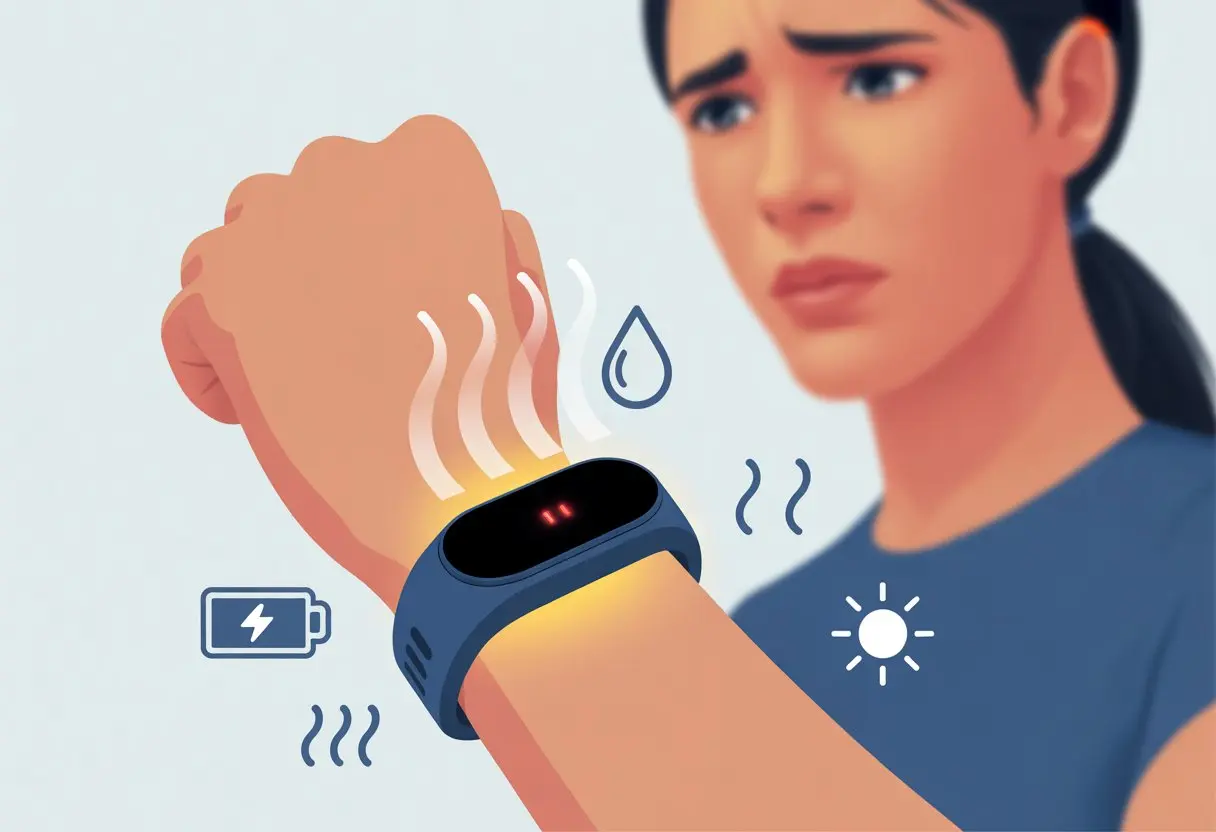
You’re definitely not alone in this sweaty struggle. Plenty of folks have watched their smartwatches shut down or throw out temperature warnings, usually right when they’re pushing hardest at the gym—or sometimes just after a swim.
Basically, your wearable’s saying, “Hey, I need a breather too!” Want to keep your tracker cool and your day on track? Let’s dig into what actually makes these gadgets heat up and what you can do about it.
Common Reasons Why Fitness Trackers Overheat
Fitness trackers might look like tiny superheroes strapped to your wrist, but they have their limits. When these wearable sidekicks overheat, it isn’t because they want to roast marshmallows—there are real reasons behind their struggles.
Excessive Use Or Heavy Workouts
Let’s be real—sometimes we ask a lot from our trackers. Long workouts, especially when we’re running GPS, heart rate, and Bluetooth all at once, push these devices to their limits.
When every sensor kicks into overdrive, our trackers heat up, just like we do at the gym. Add in real-time music streaming or taking calls, and it’s basically a sauna session for your wrist.
Galaxy Watch users have watched their devices overheat during tough gym sessions. This drains battery life fast and can cause your tracker to glitch out or even shut down.
Charging Issues And Bad Cables
If your tracker charges slower than a snail or gets hot while plugged in, dodgy cables or charging bricks could be at fault. Cheap or damaged cables mess with battery performance and can make your tracker overheat.
Defective batteries sometimes join the party too. Some Fitbit models even had to be recalled because faulty batteries were causing overheating.
If your tracker’s battery is swelling, shutting off suddenly, or giving off a burning smell, that’s a serious warning sign. Charging on soft surfaces or under blankets? That’s like wrapping your tracker in a winter coat and tossing it into a sauna. Not a great idea.
Exposure To Heat Sources
Fitness trackers aren’t built for spa days or sunbathing on a dashboard. Leaving them in direct sunlight, near heaters, or in a hot car can make their temperature spike.
Batteries really don’t like being roasted, and performance drops fast. Some trackers even shut down or flash temperature warnings if things get too hot, like when Fitbits overheated and turned off after swimming.
If your device gets warm just sitting around, it probably spent too long in the heat. Avoid exposing it to high temperatures—think of it like skipping a run in a wool sweater in July.
Device Hardware Problems
When your fitness tracker feels like a mini grill, that’s not a feature anyone asked for. Hardware problems can turn up the heat fast, making it tough to get through a workout—or even a full day—without worrying about cooking your wrist.
Faulty Battery Components
Most trackers run on lithium-ion batteries. These are great for battery life, but not so great if they go wrong.
If a battery gets damaged, is poorly made, or just starts to wear out, it can run way hotter than it should. You’ve probably heard about thermal runaway—basically, the battery gets so excited it can’t stop heating up.
Look out for your device getting hot while charging, draining super fast, or showing a bulge where the battery sits. Leaving a hot tracker on your wrist is like slow-cooking your arm. If this happens, stop using it and reach out to the maker or the shop where you bought it.
Quick battery tips:
- Use only the charger made for your device.
- Don’t wear your tracker while charging.
- Keep it out of direct sunlight.
Internal Chipset Malfunctions
Sometimes, it’s not the battery—it’s the brain. The chipset handles everything from step counting to heartbeats.
If it has a defect or gets pushed too hard by demanding apps, it can overheat. That’s your tracker having a tiny meltdown.
Running too many apps or background functions can overload the chips. You might notice lagging screens, surprise resets, or a warm wrist.
A quick restart or closing some apps might help, but if the heat keeps coming back, it’s probably time for a professional checkup.
Defects In Computer Hardware
Not every fitness tracker comes off the assembly line perfect. Sometimes, wiring, sensors, or circuit boards have defects that turn your tracker into a mini toaster—even when it’s supposed to be sleeping.
You might see blank screens, random shutdowns, or a hot surprise when the device isn’t even doing anything. Some folks have had to stop wearing their trackers altogether, as seen in real-life complaints.
If things feel off, especially if it keeps happening, it’s safer to ask for a replacement or repair. Your wrist deserves better than a hardware hot flash.
Software And Firmware Glitches
When your fitness tracker feels like a tiny oven, sometimes the real trouble is in the software. The code running these gadgets can mess up, and suddenly you’re left with a toasty wrist and missed steps.
Outdated Applications
Nobody loves pressing the update button, but running old apps can cause all sorts of overheating issues. Older software isn’t always optimized for new features, and it can keep your tracker’s processor working overtime.
If you haven’t updated your apps, your tracker might not sleep properly, and the battery could heat up. Notifications or tracking features might get stuck in a loop, making your device hotter than a summer sidewalk.
Developers often fix these issues in updates, so if you’re running ancient software, you’re missing out on improvements. Keeping apps current isn’t just about new icons—it’s about saving your wrist from a cookout.
Buggy Updates
Sometimes updating isn’t the answer either. Buggy updates have caused overheating problems for users of some popular models.
Recent firmware “fixes” for Fitbit battery overheating have occasionally made things worse. Glitches can force your tracker to use more power than normal.
Sensors like heart rate or GPS might stay on, draining the battery and turning your tracker into a mini space heater. Some updates try to limit battery use, but they can also bring other headaches—like fewer features or faster battery drain, as mentioned in Fitbit’s recent software patches.
Sometimes, updating feels more like a gamble—will your wrist survive the next patch?
GPS And Connectivity Features Gone Wild
Sometimes our fitness trackers act like they’re auditioning for a spy movie—constantly tracking, searching, and connecting. All that action can heat things up more than a midday jog in July.
Constant GPS Use Draining Power
Leaving GPS on all day is like hosting a never-ending road trip. GPS works overtime to keep your location updated, especially when you’re tracking an outdoor run or ride.
The more often GPS checks your position, the harder the battery works—and the more heat it generates. If you forget to end a workout or keep GPS running in the background, your wrist might start feeling like a stovetop.
Some trackers get especially warm using GPS for long periods, as mentioned in this post about overheating with certain GPS apps.
Shady GPS signals, tall buildings, or thick trees can make your tracker work even harder. To avoid wrist-roasting, double-check you’re not logging a “marathon” just walking to the fridge. Turning off GPS when you’re not using it is a solid, cool move.
Bluetooth And Wi-Fi Mishaps
Bluetooth and Wi-Fi seem harmless, but they can quietly demand a lot of attention. If either keeps searching for a signal or reconnecting, your tracker’s processor starts working overtime.
This endless connection hunt eats up battery and cranks up the heat. Sudden temperature spikes might hit when both Bluetooth and Wi-Fi try to reconnect, or if you wander too far from your phone.
Before you panic and stick your tracker in the freezer, try disabling extra connections you’re not using. Most trackers let you toggle Bluetooth or Wi-Fi off—no tech wizardry needed.
Here’s a quick checklist:
- Skip auto-connecting to every Wi-Fi hotspot
- Keep Bluetooth off if you’re not syncing
- Don’t start every workout with every feature on
Who knew our wrist gadgets could be so needy with their digital friendships?
Environmental And User-Related Causes
If your fitness tracker starts overheating, maybe take a look at what your environment—and your own habits—are throwing at it. Sometimes, the tracker’s just an innocent bystander, sitting there melting while we sweat buckets and sunbathe without realizing it.
Wearing Fitness Tracker In Hot Weather
Let’s be honest: heat and gadgets just don’t mix well. When we head out for a run on the hottest day of the year, our fitness tracker might protest. Direct sunlight doesn’t just tan us—it can also heat up our devices fast.
If we spend too long in warm environments—like jogging at noon, sunbathing, or even wearing the tracker in a sauna—the device can overheat. Sometimes we’ll notice the tracker feels hot or even shuts itself off to protect its little digital brain.
According to these smartwatch overheating tips, we should keep our tracker out of direct sunlight when we don’t need it. Shade isn’t just for us; it’s a lifesaver for our gadgets, too.
Sweat And Moisture Effects
Let’s talk about sweat for a second. Working out is great, but moisture can be the enemy of tiny electronics. When we get sweaty, moisture can sneak inside the tracker, especially if it isn’t fully waterproof.
This can mess up sensors or sometimes make the tracker work harder, causing it to heat up. Sweat is salty, so it can also lead to corrosion or weird readings.
If we’re sweating a lot, it’s smart to take off the tracker, wipe it (and ourselves), and then put it back on. Regular cleaning and keeping the charging port dry can help avoid those awkward “hot wrist” moments.
Risks Of An Overheating Fitness Tracker
When our fitness tracker feels more like a hot potato than a gadget, it’s uncomfortable—and can be risky. Here’s what could happen if it gets too warm.
Burns And Skin Irritation
Nobody wants to explain a red mark on their wrist by saying, “Oh, that’s from my watch.” Overheating trackers can cause mild to serious burns. Usually, this happens because the battery inside gets too hot and transfers heat to our skin.
Some reports have shown that faulty batteries can cause burns and even blisters. If our watch feels warmer than usual, we should take it off and check for any strange behavior or damage.
Here are a few warning signs we should watch for:
- Redness or itching under the band
- Unusual warmth on the wrist
- Tingling, stinging, or burning sensations
If any of these show up, it’s time to give the tracker a break. No step count is worth a scorched wrist.
Reduced Battery Life
Overheating doesn’t just hurt our skin—it’s rough on battery life, too. When our tracker overheats, the lithium battery inside works overtime. Batteries, like us, can only take so much before they start to give out.
High temperatures can make the battery degrade faster. We’ll find ourselves charging more often, and the tracker’s lifespan will shrink. In really bad cases, overheating can cause thermal runaway, where the battery gets hotter and hotter, risking damage or worse.
We should look out for these battery trouble signs:
- Needing to recharge way too often
- Tracker shutting down by itself
- Swelling or bulging of the case
If we want to avoid living at the charging dock, a little care goes a long way.
Steps To Prevent Fitness Tracker Overheating
Keeping our fitness trackers cool isn’t that hard. With some smart habits, we can stop our devices from overheating or shutting down when things heat up.
Regular Maintenance And Software Updates
Let’s be honest—most of us ignore software updates until our devices start acting up. But updating our trackers is one of the fastest ways to fix overheating. Companies release updates to fix bugs or improve power management.
Regular maintenance helps, too. Dust, sweat, and lint don’t do our wearables any favors. Giving the tracker a quick wipe every few days keeps gunk off the sensors and vents.
A clean tracker has better airflow and stays cooler. If there’s a companion app, we should check it weekly for notifications about battery or overheating issues. That way, we’ll catch problems before our tracker turns into a wrist sauna.
For more info, see how companies use software patches to cool things down.
Safe Charging Habits
Let’s talk about “charging responsibly.” Using the correct charger matters. That random cable we found in a drawer probably isn’t the best choice for our tracker.
High voltage or mismatched chargers can make the device heat up or even break it. Charging the tracker on a bed or couch is a hidden mistake since soft surfaces block vents and trap heat.
Try these habits:
- Place the tracker on a hard, flat surface
- Keep it out of direct sunlight while charging
- Unplug after it’s fully charged
It’s also smart not to use the tracker while it’s plugged in. Activity apps or sensors can create extra heat. Turning off Bluetooth or Wi-Fi during charging helps, too.
For more tips, check out how charging and brightness settings affect overheating.
What To Do If Your Fitness Tracker Gets Too Hot
If our tracker feels like a toaster oven, we need to act fast. Our goals: cool it down, check for damage, and decide if it’s time to call for help.
Immediate Actions To Take
First, don’t try to tough it out. Take the tracker off and set it on a cool, flat surface. Don’t put it in the fridge or freezer—let’s not repeat any kitchen disasters.
If it’s charging, unplug it immediately. Heated trackers—whether from Microsoft, Google, Apple, or a no-name brand—can get even hotter if they stay connected.
Wait a few minutes for the device to cool down before pressing any buttons. Once it’s safe to touch, see if the screen is blank or if it turns back on. Some trackers might play dead for a while and need extra cooldown time.
If it smells odd or looks damaged, put it aside and move to the next steps.
Quick checklist:
- Remove tracker from wrist
- Unplug the charger
- Let it cool down
- Check for damage or any weird smells
And maybe don’t leave it charging on top of your laptop in the sun—just a thought.
When To Contact Customer Support
If the tracker still won’t cooperate after cooling down, it’s time to call support. If the screen stays black, it won’t power on, or the device gets hot even when we’re not charging or using GPS, don’t try to fix it ourselves.
Reach out to the company’s customer support team. Most brands—yes, even the ones with sarcastic help desks—can walk us through the next steps.
For Google and Apple watches, overheating can stop charging or make the device unresponsive. Fitbit devices sometimes shut down or stay blank after overheating, too.
When we contact support, have these details ready:
- Model and serial number
- What happened when the tracker overheated
- Any error messages or weird behavior
- Steps we already tried (no need to mention yelling at it)
Don’t try hardware fixes on your own—it could void the warranty or ruin your tools. Let customer support handle it, even if it means sending the device in or getting a replacement.
Comparing Fitness Trackers With Other Devices
Fitness trackers can get hot, but our other favorite gadgets sometimes have heat issues, too. The way computers, laptops, and smartphones handle overheating is a whole different story.
Overheating In Computers And Laptops
Our computers and laptops can turn into mini ovens if we push them too hard—especially with too many apps or browser tabs open. Unlike fitness trackers, these machines have cooling fans and heat sinks built in to handle the heat.
Most laptops, whether from Microsoft or Apple, come ready for a heat battle. When things get too warm, the fans might sound like they’re about to take off. If cooling fails, the computer might just shut down, taking our work with it.
Fitness trackers don’t have room for big fans or cooling systems. When they overheat—maybe from battery issues, a software glitch, or charging problems—there’s nowhere for the heat to go except into our wrists.
That’s not exactly ideal during a workout or nap. Computers and laptops have more space for cooling, while fitness trackers just have to tough it out—kind of like us at the gym.
Differences Between Trackers And Smartphones
Let’s be honest—if your fitness tracker feels a bit toasty, you’re probably thinking about your smartphone too. Phones heat up all the time, whether we’re gaming, streaming, or just charging for hours on end.
But here’s the thing: smartphones have way more space for stuff like heat pipes, metal frames, and sometimes even tiny cooling fans. That’s a luxury fitness trackers just don’t get.
When a phone gets too hot, it usually gives us a warning. It might slow down or shut off certain features for a bit. Newer phones, especially, are made to keep their important parts from frying if things get wild.
Try streaming a couple hours of video on a tracker—if it even lets you! That’s just not what they’re built for.
Fitness trackers use smaller batteries, which sounds safer at first. But honestly, that’s not always true. If something goes wrong inside, those batteries can heat up frighteningly fast. Sometimes, wearables overheat because of battery problems like thermal runaway.
So, yeah—smartphones are bulkier and built to handle more heat. Fitness trackers? They’re tiny, and they can overheat much more easily, often without much warning.

From a young age, I have always had a big interest in technology, and this blog is an extension of that interest. Through this blog, I hope to provide others with all of the information they need regarding tech options to consider, and things such as compatibility. Some of the different items I will be discussing include headphones, smartwatches, and how to fix common issues.
- Best Smartwatches for Elderly Care: Keep Grandma on Time and Grandpa Out of Trouble - September 7, 2026
- Why is my fitness tracker not showing incoming calls? Maybe It’s on a Silent Fitness Retreat! - September 7, 2026
- How to Use Bluetooth Headphones with Zoom Without Accidentally Broadcasting Your Playlist - September 6, 2026
Related Posts: