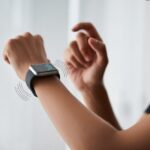
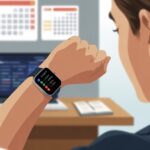
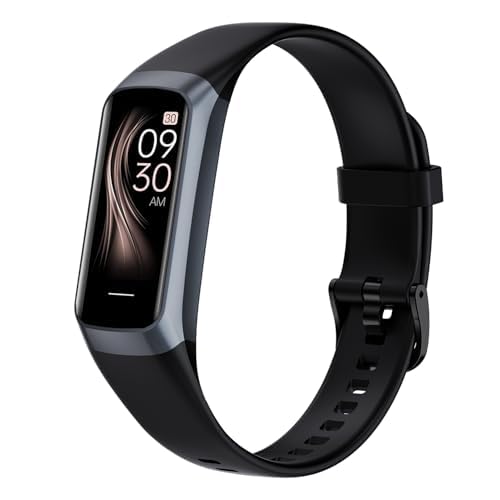
Let’s be real—most of us spend way too much time stuck in our chairs. Our bodies keep begging for a bit of action, but sometimes we need a nudge—or, honestly, a buzz on the wrist. With a fitness tracker, we get gentle sedentary alerts that remind us to move before we become part of the office furniture.
It’s kind of like having a personal coach whose main job is to stop us from turning into professional sitters. We don’t have to count minutes or mess with alarm clocks. Our fitness trackers handle that and tap us on the wrist when we’ve been still for too long.
Using features like sedentary alerts helps us build healthier habits with almost zero effort. If we’re ready to ditch the couch potato life, setting up these reminders can actually make a difference.
Plus, our backs might just send us a thank you note.
What Are Sedentary Alerts on a Fitness Tracker?
Our fitness trackers have a knack for noticing when we’re pretending the couch is quicksand and haven’t moved in ages. Sedentary alerts step in to nudge us—sometimes gently, sometimes not—toward healthier habits and a bit more movement, even when we’re glued to our seats.
Defining Sedentary Alerts
Sedentary alerts act as little reminders from our fitness trackers when we’ve been inactive for too long. If we sit still longer than a set time—maybe 30 or 60 minutes—our tracker buzzes, vibrates, or flashes a message like, “Time to move!”
Usually, we get to choose how long it takes before the alert goes off. On many trackers, we can even tweak the alert interval, so we aren’t startled during our favorite show but still get those nudges throughout the day.
No matter how it gets our attention, the goal stays simple: help us avoid turning into statues and add more movement to our days.
How Fitness Trackers Detect Inactivity
Fitness trackers basically work like tiny motion detectives strapped to our wrists. Most devices use built-in accelerometers and gyroscopes to track our movement.
When we wave our arms or get up to walk, the tracker senses it. But if we’re just typing or gaming, that barely registers (sad, right?). We can usually adjust the inactivity time limit, so we decide how strict our wrist coach gets.
Some trackers even pause alerts if we’re sleeping or set “do not disturb” times. That way, we only get reminders when they actually matter.
Benefits of Staying Active
Getting nudged by a tracker isn’t just for laughs. Regular movement helps lower the risk of health issues tied to too much sitting, like bad circulation or low energy. It can even boost our mood and clear our minds.
Studies show that breaking up long sitting periods helps keep weight in check and supports heart health. These reminders can turn into habits that keep us moving.
Let’s be honest—sometimes we need that extra push. Our fitness trackers are just looking out for us, even if it means telling us to get off the couch.
Setting Up Sedentary Alerts on Your Wearable Device
Getting sedentary alerts running on our favorite wearable can be the nudge we need to get up and stretch. We want these reminders to fit into our lives smoothly, so let’s dig in and see how to find, tweak, and troubleshoot them.
Finding Sedentary Alert Settings
Every fitness tracker seems to hide the alert settings like it’s some secret menu. Usually, we’re hunting for this option in the device’s app on our phone.
On most Fitbits, we open the Fitbit app, tap our device picture, and scroll until we see “Reminders to Move” or “Inactivity Alerts.”
If we’re Samsung smartwatch fans, we go into Samsung Health on the watch, tap “Steps,” and poke around in the settings. There’s usually a simple switch to turn alerts on or off, which feels oddly satisfying.
For other brands, it’s a similar process—open the health or device app, find notifications or reminders, and flip the feature on.
Once sedentary alerts are on, let’s make them work for us—not against us. Most devices let us choose how often we want a nudge.
If every 30 minutes feels like too much, bump it up to an hour. On Fitbits, we can pick which hours we get alerts and set “Do Not Disturb” for movie nights.
Some trackers let us pick the type of reminder—buzzes, gentle vibrations, or even a peppy message telling us to “move it.” On Samsung watches, we can set which days alerts are active, so weekends don’t feel like work.
Tuning these notifications helps us avoid tossing the device out the window when it buzzes during a nap. The goal is to stay active, not just annoyed.
Troubleshooting Common Issues
Sometimes, even after all our button presses, sedentary alerts just stop working. First thing—check if our wearable is actually connected to our phone via Bluetooth.
No connection, no reminders. Classic.
We should double-check notification settings on both the device and app, too. Sometimes updates mess with our customizations and turn features off without warning.
Restarting our tracker and phone is surprisingly effective. If all else fails, a visit to the Samsung Health support page or device forums can save the day.
We don’t need to be tech wizards, just stubborn enough to make our devices do what they promised.
How to Respond When You Get a Sedentary Alert
When our trusty fitness trackers buzz, it’s not just a polite suggestion. It’s more like a gentle poke from a friend who wants us to put down the remote and move—even if it’s just for a minute.
Getting up every now and then helps us hit our daily step count and keeps us feeling a little more alive.
Choosing Quick Activities
Let’s be honest, we don’t always have time for a workout when our watch tells us to move. But we can still do a few quick things that count as movement and keep the tracker happy.
Try these:
Take a walk around the room or down the hall. Even a trip to the fridge works.
Stretch your arms, legs, and maybe your patience.
Do jumping jacks or march in place for a minute.
Try a speedy cleaning sprint, even if it’s just tossing shoes back in the closet.
Nothing fancy needed. The important thing is to actually move, so we don’t end up with the “couch potato” badge.
If we make a list of favorite quick activities, we can rotate them to keep things interesting.
Integrating Movement into Your Routine
The real trick is to sneak movement into our busy days before we even notice it. Instead of making exercise a chore, we can blend it with other stuff we’re already doing.
Some easy ideas:
Take the long way to the bathroom, kitchen, or water cooler.
Walk while we’re on the phone or listening to a podcast.
Move during every TV commercial break.
Turn chores into step challenges—like racing to the mailbox in under 100 steps.
If we tie movement to things we do often, we’re more likely to stick with it. Soon, our steps add up without us even trying.
Small changes matter—short walks and little bursts of activity really do help.
Staying Motivated for Activity Breaks
Some days, getting up feels like a major achievement. Staying motivated gets easier if we make breaks a game or add small rewards.
We can challenge a friend or family member to see who racks up more steps by lunch. Use our tracker’s built-in cheerleader features—badges, confetti, the works. (Digital confetti only, though. Pets will eat the real stuff.)
If we’re dragging, stick a funny note or quote by the TV or computer. Every time we sit down, it gives us a reason to get up.
Making movement fun—not a chore—keeps us going. Sometimes, a little humor helps as much as a buzz on the wrist.
Optimizing Your Fitness Tracker for Maximum Results
Honestly, our fitness trackers only work as well as we let them. If we want them to actually help us (and not just be a pricey bracelet), we need to master syncing—and, yeah, maybe skim that user manual.
Syncing Data with Your Mobile Device
If our tracker doesn’t talk to our phone, it’s basically just a fancy wristband. So, first mission: connect the two. Most trackers use Bluetooth, so we turn that on in our phone’s settings.
Open the app for our device and follow the steps to pair them.
Once connected, our activity, steps, and sedentary alerts show up in real time. We should check the app daily to see stats or set new goals. Some trackers sync with other health apps, too, so we can see everything in one spot.
If syncing fails (and let’s be honest, it probably will at some point), restarting both the tracker and phone usually fixes it.
Here’s a pro tip: set our devices to sync automatically. That way, we don’t have to remember to tap anything or wave our arms around like magicians.
For more help, look for instructions in the device’s help section or check out step-by-step setup guides.
Understanding the User Manual
We all act like we’re too cool to read manuals, but honestly, our fitness tracker manuals have secrets we can’t ignore. They show us how to turn on features like sedentary alerts, explain what each button actually does, and sometimes clear up the mystery of those weird flashing lights.
When we flip through (or, let’s be real—Google) the manual, we find out how to change vibration settings, tweak reminders, and make sense of those odd notifications after lunch. Manuals usually toss in troubleshooting tips that can save us from that mini panic when our device just stops buzzing.
Some even mention care instructions we probably skipped. (Waterproof doesn’t mean indestructible, right?) If we tossed the paper copy, most brands post digital manuals online. Skimming just a few pages can help us uncover cool features and get more out of our device—see these tips on choosing and using a fitness device.
Tracking Progress and Fitness Goals with Sedentary Alerts
Staying active isn’t just about gym time. It’s about how often we actually get up during the day, and those smart sedentary alerts push us to move.
With the right settings, we can check our progress and maybe even laugh at our former couch potato selves.
Monitoring Your Step Goal
Setting a step goal is trendy, but hitting it? That’s where sedentary alerts really help. When our tracker buzzes because we’ve been sitting too long, it’s basically an electronic nudge—sometimes annoying, but it works.
Each alert tells us to stand up, stretch, or maybe do a quick lap around the living room. Tracking steps is more than just numbers. Most trackers let us look back at step totals over days or weeks.
We can spot lazy days and celebrate any day we break 10,000 steps with a slightly embarrassing dance. Setting and tracking step goals keeps us accountable and adds a little pressure to keep moving.
Patterns show up in the data. If we notice activity drops every Tuesday, maybe we need a walk before that boring meeting. A little rivalry with ourselves—or coworkers—can actually be fun.
Evaluating Calories Burned
Let’s talk calories burned. Before we order pizza just because we took a few extra steps, we should use our tracker’s calorie numbers wisely.
Sedentary alerts give us more chances to burn calories with little bursts of movement, not just during workouts. Most trackers estimate calories based on heart rate, body size, and activity type.
It’s not perfect, but it helps us see how tiny actions add up. When we get an alert, even a quick stretch or a trip to the fridge (for water, probably) bumps up our daily burn.
We can compare calories burned to our goals. If our tracker says we’re behind, maybe it’s time to take the stairs or park further away next time.
Tracking progress with smart data keeps us tuned in to our bodies and makes even small wins feel good—like standing up during commercials.
Integrating Heart Rate Monitoring and Sleep Data
It’s easy to think our fitness tracker just nags us to get up, but it’s more clever than that. When we use heart rate and sleep data together, our tracker starts acting more like a wellness buddy than a digital pest.
Using Heart Rate Data to Enhance Alerts
Sometimes we’re sitting for a reason—maybe our hearts are pounding thanks to stressful emails. Our tracker uses heart rate monitoring to tell the difference between lazy lounging and just being calm but alert.
If our heart rate spikes while we’re sitting, the tracker might notice stress and suggest a short walk instead of the usual alert. If our heart rate stays steady, gentle nudges to move make sense.
We can set custom alerts, too. Want your device to bug you more when you’re relaxed, but chill out when you’re already stressed? Many trackers let us do that now with apps or features like heart rate zones.
Linking Sedentary Behavior with Sleep Quality
Did you know our sitting habits can mess with our sleep? Too much couch time can mean less snoozing and more tossing at night.
Our tracker records how long we’re still during the day and connects it to our sleep patterns. Good trackers show bedtime stats and movement trends together.
Some give tips, like “Try moving every hour!” since more movement during the day can help us fall asleep faster and improve sleep quality, according to research on fitness wearables and sleep.
Better sleep might just be a few extra steps (and fewer hours glued to our chairs) away.
Privacy Concerns and Data Security
Fitness trackers do more than count steps—they track where we go, what we do, and sometimes even how lazy we’re being. That makes privacy and security a big deal if we don’t want the world knowing our nap schedule or how many trips we take to the fridge.
Understanding What Data Is Collected
Fitness trackers gather a lot of info about us. We’re talking steps, heart rate, sleep cycles, and even when we sit or stand.
Many trackers also log our GPS location or sync with our phones for even more data. Most devices collect:
Activity data: Steps, calories, workouts, and movement
All this info gets stored on our device or in the cloud. If our tracker syncs with a company app, that data may end up on company servers in seconds.
Not all companies treat our secrets the same, so understanding what’s collected is important. For a deeper dive, check out fitness tracker privacy risks.
Managing Your Privacy Settings
Once we know what’s being collected, it’s smart to check our privacy settings. We can usually decide who sees our info, or stop sharing certain data altogether.
Here’s what we can do:
Go to the privacy section in our fitness app. Look for ways to stop sharing stats with friends or the public.
Turn off location sharing if we don’t need it. Our running route isn’t exactly breaking news.
Use strong passwords and set up multi-factor authentication if possible. That way, our sleep stats stay private.
Restrict app permissions on our phone so the device doesn’t grab extra info.
Whether we’re sweating under the Aussie sun or running late in New York, fitness trackers are everywhere. Each country has its own trends, favorite brands, and a few quirks in how people use these clever wristbands.
Fitness Trackers in Australia
In Australia, it feels like everyone—and maybe their neighbor’s dog—owns a fitness tracker. Wearables are common with fitness fans, but also in offices and schools.
Brands like Fitbit and Garmin are huge down under, probably because Australians love outdoor activities and want to track every step—including those to grab coffee.
Some health insurance plans in Australia even give discounts or rewards for hitting step goals. You’ll see step competitions at work, and people obsessing over daily data like it’s the weather.
Urban areas like Sydney and Melbourne are big on new gadgets, with fitness trackers widely available in stores and online. Just don’t brag about your step count at a barbecue—someone there probably beat you anyway.
Trends in the United States
Honestly, the United States feels like the Wild West when it comes to fitness trackers. Wearables aren’t just a trend—they’re everywhere. You’ll spot them on college kids, retirees, and everyone in between.
Apple, Fitbit, and Samsung lead the pack. Most of their gadgets nudge you to move, stand up, or just remember to breathe. Americans really do love their data, and these trackers give them endless numbers to pore over.
Customization? Oh, it’s a big deal. People want their bands in every color, every material, and every style you can dream up.
Along with step counts and heart rates, lots of folks use trackers to set sedentary alerts at work. It’s a little nudge to stand up before your legs go numb in yet another meeting.
Hi, my name is Garrett Jones, and I am a tech enthusiast. I enjoy researching the new tech that has been released, and have a vast knowledge of the best tech to purchase.
From a young age, I have always had a big interest in technology, and this blog is an extension of that interest. Through this blog, I hope to provide others with all of the information they need regarding tech options to consider, and things such as compatibility. Some of the different items I will be discussing include headphones, smartwatches, and how to fix common issues.