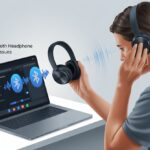
Let’s be real—karaoke night loses its magic when neighbors start banging on the ceiling after our third off-key song. Bluetooth headphones can totally save the day, rescuing both friendships and eardrums. You can use Bluetooth headphones with lots of karaoke machines, but first, check if your machine supports Bluetooth output or if you’ll need a wireless transmitter.
Thankfully, hooking up Bluetooth headphones to a karaoke machine is usually pretty easy, even if your machine isn’t exactly top-of-the-line. Sometimes, you just press a button. Other times, you’ll need to get creative with adapters and cables.
If you’ve ever wanted to belt out your favorite songs in private, you’re in the right spot.
Let’s look at the options, share some tricks, and make sure your secret karaoke nights actually stay secret.
Understanding Bluetooth Headphones
Bluetooth headphones give us freedom from tangled cords and let us wander around like we’re on a singing show. It’s helpful to understand how Bluetooth headphones work and why audio codecs actually matter for karaoke.
What Makes Bluetooth Headphones Different?
Bluetooth headphones let us sing (or, you know, shout) without being attached to the karaoke machine. Instead of plugging in, we just pair them over Bluetooth.
No more yanking the whole setup off the table by accident. Now we can dance, strut, or just stand there awkwardly.
Here’s what sets Bluetooth headphones apart:
Wireless connection: No cords to wrestle with.
Battery powered: Yep, you’ll have to remember to charge them.
Built-in controls: Many let you change volume or skip tracks right on the headphones.
But there’s a small catch: Bluetooth adds a little bit of lag. For most things, it’s fine, but in karaoke, even a tiny delay can be distracting.
Bluetooth Audio Codecs Explained
When we use Bluetooth, the music has to squeeze through some digital “pipes” before it hits our ears. That’s where codecs come in. Basically, a codec is a translator that helps our songs travel wirelessly from the karaoke machine to our headphones.
Some common Bluetooth codecs and what they mean for us:
Codec
Audio Quality
Delay (Latency)
SBC
Standard, just okay
Higher
AAC
Better for Apple fans
Medium
aptX
Clearer, less lag
Lower
LDAC
High quality, faster
Low/Medium
If you want your singing to actually match the music, headphones with codecs like aptX or LDAC can make a real difference. Otherwise, you might look like you’re lip-syncing on fast-forward.
Karaoke Machine Compatibility Explained
Before we start singing, let’s make sure we’ve got the right karaoke machine for Bluetooth headphones. Knowing how different machines work and what features to look for can save us a lot of hassle.
Types of Karaoke Machines
Not all karaoke machines are created equal. You’ll usually see three main types:
All-in-one portable machines
Component systems (separate mixers and players)
Karaoke apps on devices
All-in-one models usually have built-in speakers and sometimes a headphone jack. Component systems need more wires but offer more input and output options. Karaoke apps are perfect for people who love shouting “Bluetooth pairing!” at their phones.
Some machines look pretty retro. If yours seems like it’s from the disco era, it may not have Bluetooth. Check the sides and back for a “Bluetooth” logo or label—it’s a good sign if you spot one.
Checking for Bluetooth Support
Just because your machine has flashy lights doesn’t mean it supports Bluetooth headphones. Start by checking the manual (yeah, I know, who likes manuals?). Look for anything about Bluetooth or wireless headphones.
Some newer machines have a Bluetooth input button. If yours does, pairing is simple:
Hit the Bluetooth button
Put your headphones in pairing mode
Wait for the connection
But here’s the thing: most karaoke machines only connect to one Bluetooth device at a time. If your phone is already paired, disconnect it first since most machines only support one Bluetooth connection at a time.
Alternative Audio Output Options
If your machine doesn’t have Bluetooth, don’t panic. Look for a standard headphone jack or RCA output.
If you find a headphone jack, grab a Bluetooth transmitter. Plug it in, press a button, and your Bluetooth headphones are ready for karaoke.
If your machine only has RCA or AUX outputs, use an RCA-to-3.5mm adapter and a transmitter. Some really old systems only have a mic jack, but plugging headphones into that won’t help—unless you enjoy silence.
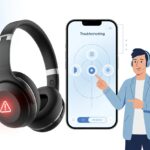
Check what outputs your machine offers and pick the simplest solution, even if it means adding a gadget or two. When in doubt, ask a techy friend or check an online troubleshooting guide.
Pairing Bluetooth Headphones with a Karaoke Machine
Pairing Bluetooth headphones with a karaoke machine can be surprisingly easy—or a little weird. Sometimes it feels like you’re doing a science experiment instead of karaoke night.
Step-by-Step Pairing Process
First, check if your karaoke machine supports Bluetooth output. Look for a Bluetooth logo or menu option. If it doesn’t, you’ll need a Bluetooth transmitter that plugs into the headphone or audio out jack.
Here’s a quick checklist to get paired up:
Turn on Bluetooth on your transmitter (or machine) and headphones.
Make sure both are in pairing mode—usually, that means holding down a button until you see some flashy lights.
On the karaoke machine, pick the right audio output (Bluetooth or Aux, depending on what you’re using).
Wait for the devices to connect. Most headphones will beep or say something when they’re paired.
Play a track—if you hear yourself singing, you’re all set!
If your machine doesn’t have Bluetooth built-in, just use the external transmitter and follow the same steps. For more details, this headphone and karaoke machine discussion might help.
Troubleshooting Pairing Issues
If your Bluetooth headphones won’t connect, don’t freak out. Double-check that both devices are in pairing mode at the same time. It can be a patience test, honestly.
If things still don’t work, try these tips:
Turn everything off, then back on. It’s a classic move for a reason.
Make sure nothing else is connected—Bluetooth can get weirdly possessive.
Move the devices closer together, away from walls and, weirdly enough, microwaves.
Reset your Bluetooth headphones. Sometimes they just need a fresh start.
Dig into the karaoke machine’s manual for any Bluetooth settings you might’ve missed.
If all else fails, you can always use old-school wired headphones and pretend they’re wireless. At least until you can upgrade your setup. If you want to see how others solved similar problems, check here: pairing wireless headphones and mics with a karaoke machine.
Dealing with Latency in Karaoke Setups
Bluetooth headphones and karaoke machines can be a great combo, but sometimes they just can’t keep up with each other. That delay between singing and hearing yourself can turn karaoke night into a bit of a comedy.
What Is Audio Latency?
Audio latency is just a fancy way of asking, “Why does my voice sound like it’s coming from outer space?” It’s the delay between when you sing into the mic and when you hear it in your headphones.
With Bluetooth, your sound takes a detour through the wireless airwaves. The lag usually lands somewhere between 100-200 milliseconds, which can throw off your timing. Wired headphones barely have this problem—they’re much faster.
This lag makes singing on time a challenge. Your friends using Bluetooth for karaoke totally get it.
Minimizing Delay for a Smoother Duet
You don’t have to ditch your Bluetooth headphones just yet. There are some ways to reduce latency and keep your karaoke game strong.
First, see if your headphones or karaoke machine have a “low latency” or “audio sync” mode. Some soundbars or systems let you tweak settings to speed things up. This can seriously help with reducing karaoke microphone lag.
If you still notice a delay, try a few more tricks:
Go for Bluetooth 5.0 or newer—they’re usually quicker.
Keep your headphones and machine close together. Walls are not your friend here.
Look for karaoke apps or systems that promise “ultra-low latency” support.
Mixing and matching these tips can make your karaoke setup a lot smoother.
Alternative Solutions If Bluetooth Is Not Supported
Some karaoke machines just refuse to join us in the modern age. If there’s no Bluetooth built in, you still have options for getting your wireless headphones working. You might need a few extra gadgets, but at least you won’t be stuck singing in silence.
Using Bluetooth Transmitters
When our karaoke machine feels stuck in the past and doesn’t have Bluetooth, we can grab a Bluetooth transmitter to close the gap.
These nifty little gadgets plug right into the headphone or audio out port and send the sound wirelessly to our Bluetooth headphones.
We just pair the transmitter with our headphones, and suddenly, it feels like we’re living in the future—no magic tricks required.
Most transmitters use a 3.5mm headphone jack or RCA ports. Some even offer low-latency audio, so we don’t end up sounding like we’re singing from a tunnel or lagging behind the beat.
If we want step-by-step help, forums like Reddit’s tech support have plenty of advice.
Before buying anything, let’s check if our karaoke machine has an audio out port.
Not every machine makes this easy, so if we can’t spot one, we might need to dig up the owner’s manual or poke around a bit (carefully, of course).
Wired Workarounds and Adapters
Bluetooth isn’t the only way to hook up headphones.
Sometimes, we just need to go old-school and use wires—yep, they still work!
We can plug wired headphones right into the line out or headphone port.
If our headphones only have USB or Lightning connectors, adapters can save the day and keep the karaoke going.
When two people want to listen, a simple headphone splitter does the trick.
For more complicated setups, audio adapters exist for USB-C and Lightning headphones.
But here’s the catch: if our machine uses special features like Bluetooth playback, the line out port might stop working, as explained on this karaoke machine support page.
Let’s not kid ourselves about untangling cables in one go—grab a twist tie and call it a win.
If nothing works, maybe it’s time to just invite some friends over and sing together the old-fashioned way.
Optimizing Sound Quality for Karaoke Nights
No one wants to grab the mic and hear a crackly mess.
For our next karaoke night to be a hit, we’ve got to dodge audio issues and make sure our voices sound as smooth as possible.
Tips for Reducing Interference
Let’s talk about the enemy: Bluetooth interference.
Wireless signals thrive on chaos, just like we love a good power ballad.
To keep things running smoothly, we should keep our headphones and karaoke machine as close together as possible.
Walls and random decorations just get in the way, so the fewer, the better.
Other devices can mess with our setup, too.
Wi-Fi routers, microwaves, even the neighbor’s smart fridge can confuse Bluetooth signals.
When setting up, we should move other wireless gadgets away from our karaoke zone.
Here’s a quick checklist to keep interference down:
Step
Action
Distance
Place headphones and karaoke machine nearby
Obstacles
Remove or minimize walls in the signal path
Devices
Turn off unused wireless gadgets
Placement
Keep electronics away from large metal objects
If we still hear static, we can try turning Bluetooth off and back on.
It might sound silly, but sometimes it actually works.
Best Practices for Microphone and Headphone Use
Even with the best gear, karaoke night can flop if we don’t use it right.
Don’t crank the volume to max (unless we like ringing ears)
Don’t use cheap batteries that give up halfway through a song
For bonus points, use headphones that cover our ears well.
That way, we can really hear ourselves and maybe even stay on pitch.
Maintaining Your Bluetooth Headphones
If we want to sing without static or beeping in our ears, our Bluetooth headphones need a little TLC.
Charging them right and cleaning them smartly lets us enjoy karaoke nights instead of listening to low battery warnings.
Proper Charging and Storage
Nothing kills “Bohemian Rhapsody” like headphones dying halfway through “Galileo!”
We should always check the battery before a karaoke session.
Charging regularly matters, but let’s not overdo it—never leave headphones plugged in for days.
Most models charge in 2-3 hours, so let them rest after.
Good storage means happier headphones:
Keep them in a cool, dry place
Use the case (if we can find it)
Don’t toss them in bags with sharp stuff
Leaving them in the sun or a hot car just ruins the ear pads.
Coiling wires tightly or bending headbands won’t do them any favors either.
By charging and storing them right, we can avoid surprise silence.
Cleaning and Caring for Your Headphones
Our ears deserve clean headphones.
Wipe the ear pads with a soft, damp cloth to get rid of sweat or crumbs.
For stubborn grime, a cotton swab with a little rubbing alcohol works—just go easy on the liquid.
Let’s keep headphone hygiene up by:
Cleaning ear pads weekly (or more if we love karaoke marathons)
Brushing the mesh gently with a soft toothbrush to kick out dust
Letting everything dry before using (nobody wants a shock)
Avoid harsh cleaners or poking sharp stuff into tiny holes.
That’s just asking for trouble, and nobody wants that.
With a little care, our headphones will stay fresh and ready for every encore.
Common Mistakes to Avoid When Going Wireless
Wireless karaoke sounds great, but we’ve all had things go sideways.
A couple of simple mistakes can leave us with silent headphones or a dead mic.
Let’s see what can trip us up and how we can save our wireless karaoke from disaster—without chucking the machine out the window.
Overlooking Karaoke Machine Settings
Sometimes, we forget our karaoke machine has its own quirks.
A lot of machines get picky about what they connect to.
If we try to pair Bluetooth headphones that only support one audio channel, we might lose the music or vocals.
Worse, the microphone might lower the music volume every time we sing, which drives people nuts on karaoke forums.
We should double-check if our machine actually supports Bluetooth audio output.
Even if it does, let’s look at the settings for headphone pairing and mic priority.
Adjusting the mic and music volume separately can help avoid sudden sound drops.
And don’t forget to set our headphones as the main output device before we start.
We don’t want the crowd—or our pets—listening in instead.
Forgetting About Battery Life
We’ve all been there—the singer kicks things off with confidence, and then, bam, the headphones die right before the best part of the song.
Bluetooth headphones and wireless mics rely on good batteries. If you forget to charge them, you’ll probably get silence or, honestly, those awkward beeps halfway through “Bohemian Rhapsody.”
Let’s just charge our gear before the party, every time. It doesn’t hurt to keep a spare pair of charged earbuds or extra batteries nearby, either.
Some models actually warn us with a beep or a flashing light when the battery’s low. Honestly, it’s way too easy to ignore those warnings in the heat of a karaoke moment.
Regret hits fast when the music cuts out. So, why not make battery checks part of the pre-karaoke ritual? Maybe right after picking out the song that’ll wow everyone.
Hi, my name is Garrett Jones, and I am a tech enthusiast. I enjoy researching the new tech that has been released, and have a vast knowledge of the best tech to purchase.
From a young age, I have always had a big interest in technology, and this blog is an extension of that interest. Through this blog, I hope to provide others with all of the information they need regarding tech options to consider, and things such as compatibility. Some of the different items I will be discussing include headphones, smartwatches, and how to fix common issues.