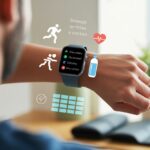
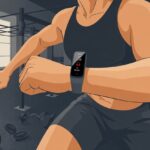
Let’s be honest—most of us picked up a smartwatch hoping it’d motivate us to move more, but usually, it just nags us to stand up. But when marathon training rolls around? Suddenly, our wrists finally start pulling their weight.
Smartwatches help us track our runs, stick to our goals, and keep ourselves accountable—even if we’d rather just crash on the sofa with snacks.

Now, those little notifications actually make sense. We can map out our routes, record our pace, and even get reminders to drink water, which is honestly better than trusting our spotty memory.
Seeing our progress on a screen feels way more satisfying than scribbling notes that end up stuck to a banana. If you’ve ever stared at all those settings and charts and wondered what the heck they do, you’re definitely not alone.
It’s honestly more fun than it sounds.
Let’s check out how we can use all the smartwatch features for marathon training, dodge rookie mistakes, and maybe even look a little cooler while doing it.
Whether you’re new to running or just want to step up your training, the right smartwatch tricks can help us become the running superheroes we imagine at the starting line.
Choosing the Right Smartwatch for Marathon Training
Picking a good smartwatch isn’t just about looks—we need accuracy, reliability, and features that actually make running easier. The best watches handle tracking, syncing, and work with our go-to apps.
Comparing Popular Smartwatch Brands
When we start shopping, a few big names pop up immediately. The Apple Watch is basically the overachiever—it tracks runs, makes calls, and does almost everything, but the battery life doesn’t always last through long training sessions.
Fitbit smartwatches and fitness bands keep things simple and user-friendly, perfect for anyone who likes a no-fuss design.
Garmin is the coach in the room—the Forerunner 245 tracks pace, maps routes, and gives us a ton of detail, especially for long-distance training. Samsung watches handle fitness tracking well too, and they look slick, but battery life really depends on the model.
Here’s a quick comparison:
| Brand | Battery Life | Tracking Features | Best For |
|---|---|---|---|
| Apple Watch | 1–2 days | Advanced | All-in-one use, iPhone users |
| Garmin Forerunner 245 | up to 7 days | Very Detailed | Dedicated runners, marathoners |
| Fitbit | 4–7 days | Simple | Beginners, everyday fitness |
| Samsung | 1–3 days | Advanced | Android users, tech lovers |
Key Features to Look For
We need features that can keep up with us. Built-in GPS is essential—a smartwatch without GPS is basically useless for outdoor runs.
A heart rate monitor helps us stay in the right training zone. Long battery life saves us from the panic at mile 12 when the watch decides to quit.
Look for water resistance so sweat or rain won’t ruin your day. Easy-to-read displays and smooth syncing with our favorite fitness apps matter too.
Some watches track cadence and elevation, which is super handy for hilly races. If the watch stores music, that’s a bonus—because honestly, who gets through 20 miles in silence?
Compatibility with Devices and Apps
We don’t want to fall for a watch that won’t work with our phone. The Apple Watch obviously works best with iPhones.
Garmin and Fitbit play nice with both Android and iOS, so switching phones isn’t a headache. Samsung watches work best with Samsung or Android, but they’re mostly okay with iPhones too—just not every feature.
Syncing with fitness apps is huge. Most smartwatches pair with Strava, MapMyRun, and Apple Health.
It’s worth checking if your new gadget works with your training app and phone before hitting “buy.” That way, you won’t miss out on stats or lose miles.
If you want more info, reviews like those on Runner’s World can help you avoid buyer’s remorse.
Setting Up Your Smartwatch for Training Success
Getting a new smartwatch feels a bit like adopting a tiny, overly helpful robot. If we actually want it to help with marathon training, we can’t just slap it on and hope for the best.
The real magic comes from setting goals, syncing with our favorite apps, and letting the watch nudge us (sometimes a bit aggressively).
Configuring Fitness Goals and Metrics
If we don’t set specific goals, our smartwatch basically becomes a fancy wrist mirror (and yes, we’ve all counted steps to the fridge). We need to dig into the settings and pick targets that match our training plan, like daily steps, weekly mileage, or average pace.
Most smartwatches let us choose what stats show up first—distance, time, heart rate, whatever matters most to us. Picking our top metrics helps us track progress at a glance.
If we need to keep our pace in check, we can set pace alerts. Setting personal goals keeps us honest, and seeing real-time data can actually boost motivation.
Many watches give badges or silly celebrations when we hit a goal (because who doesn’t love a gold star now and then?).
Syncing with Training Plans and Apps
Smartwatches get even smarter when we connect them to our training plan and fitness app. We can link up with apps like Strava or Garmin Connect to pull in our training plan and log every mile.
No more pretending we ran further than we did—the watch remembers everything.
Syncing with a training plan or marathon program is usually straightforward. Plenty of watches have built-in plans, and some let us tweak workouts day by day.
When we connect to a favorite fitness app like Strava, our workouts upload automatically. It makes tracking progress way easier (and, honestly, more fun).
We can join running clubs or share our progress with friends. Nothing motivates quite like a sweaty high-five emoji.
Personalizing Alerts and Reminders
Everyone needs a nudge sometimes—sometimes a buzz, sometimes a loud vibration. Setting up personalized alerts means our watch can remind us about runs, hydration, rest days, or even snack breaks.
Who could say no to a snack reminder?
Custom reminders can tell us when it’s time to lace up or cool down. We can set buzzes for target heart rate, pace changes, or intervals.
If we want to remember to stretch before bed, the watch can even send a “Don’t forget your hamstrings!” alert.
Pro tip: Turn on notifications for upcoming workouts so your watch acts like a coach who never forgets—even on those tough Monday mornings.
Tracking Key Running Metrics with Your Smartwatch
Training for a marathon without data is basically running blindfolded—frustrating and probably a toe-stubbing disaster. With a smartwatch, we get the numbers we need to get faster, stay healthy, and laugh at our old “just wing it” plans.
Monitoring Heart Rate and Heart Rate Zones
Let’s be real: our heart does a lot more during a marathon than just keep us alive. With a smartwatch, we see heart rate monitoring right on our wrists, so we don’t have to guess if we’re pushing too hard or just making excuses.
Most heart rate monitors show our real-time heart rate and break it down into zones. These zones help us train smarter by letting us know if we’re in the fat-burning sweet spot, the stamina-building zone, or the “maybe slow down before you pass out” range.
We can check stats like average heart rate, recovery times, and even VO2 max trends. This tells us if we’re getting fitter or just more tired.
And honestly, it’s kind of fun to geek out over these numbers and compare how our heart feels about speed day versus long slow runs.
Analyzing Cadence, Pace, and Distance
Ever wonder if you run like a gazelle or more like a baby giraffe? Our cadence—the number of steps per minute—shows us exactly that.
Most smartwatches track this, so it’s easy to see if we’re running efficiently or just flailing around.
Pace is the real hero for marathon training. We don’t want to sprint out too fast and crash by mile ten.
Smartwatches show us average pace, current pace, and lap splits. We can brag about negative splits or quietly ignore that third-mile slump.
Distance tracking turns every run into a mini science experiment (or a competition with last week’s self). With GPS, our watch logs every step. We see our progress in real time, which honestly makes every run feel like it counts.
Estimating Calories Burned
Calories aren’t just for eating—they’re for tracking, too. Our smartwatch estimates calories burned using our heart rate, pace, and details like weight and age.
So now we can actually see if that post-run donut is “earned.”
After each run, we get a quick calorie readout. This number changes based on how hard we worked, how far we ran, or if we ended up chasing a dog for a block or two.
The more accurate our info, the better the calorie count.
For long training sessions, knowing calories burned helps us plan snacks, avoid the dreaded wall, and maybe even win the last energy bar. Calorie tracking keeps our energy balanced, our bodies strong, and our snack game on point. If you want more details, here’s a deeper guide.
When we’re logging big miles or hunting for the right trail, our smartwatch does more than just count steps. Navigation tools and outdoor features actually save us time, keep us safer, and give us fewer excuses for getting lost (or ending up in the park bathroom).
Using GPS for Route Planning
Let’s be real—nobody signs up for an accidental 30-mile ultra when we just wanted to jog a casual 10k. Smartwatches with built-in GPS keep us from wandering off course, showing our route as we run.
We can set up courses ahead of time, or just let the watch guide us if we’re feeling spontaneous. Some days, it’s fun to wing it.
A lot of watches let us check out elevation changes, track our splits, and sync runs to our favorite apps. The coolest part? We don’t even need our phone. That means less fumbling with devices and more focus on the run.
If you want to see how different watches hold up in a marathon, check out this TechRadar breakdown.
If you’re the type who changes routes often or likes running in new cities, built-in navigation features help us avoid endless circles or, worse, someone’s backyard.
Safety and Emergency Features
Let’s face it, sometimes a run feels epic—until our legs cramp or we trip over an ambitious squirrel. That’s when safety features on our smartwatches really matter.
Many watches let us send our real-time location to friends or emergency contacts with just a tap. That’s peace of mind, right there.
If we take a tumble and don’t move, fall detection steps in and alerts someone for us. Some smartwatches even have a loud alarm for sketchy situations on a nighttime run.
Quick summary table for common features:
| Feature | Benefit |
|---|---|
| Emergency SOS | Sends location for help |
| Fall Detection | Alerts if we fall and don’t get up |
| Live Tracking | Friends can follow us for safety |
| Audible Alarms | Draws attention if we need assistance |
With these tools, we can run with a lot more confidence—and maybe worry a bit less about getting lost in the woods. For more on how GPS watches help outdoors, here’s a YouTube guide on marathon smartwatch use.
Optimizing Your Smartwatch’s Battery Life During Long Runs
Nobody wants their watch to die at mile 22, especially when we’re busy convincing ourselves there’s “just a 10K left!” Giving our watch some extra juice means we can track every step, every finish line selfie, and even the post-run snack.
Battery Saving Tips for Marathon Distance
Here are three things to do before race day:
- Lower the screen brightness. Our smartwatch doesn’t need to light up the whole block.
- Turn off extra connections. Disabling WiFi and Bluetooth saves battery and still lets GPS do its thing. Someone on Reddit found airplane mode keeps GPS working and conserves battery.
- Use battery saver or power reserve modes. Most watches can cut background activity and stretch battery life—kind of like stretching our hamstrings.
Let’s skip streaming music straight from the watch. That drains power fast. If music is a must, download playlists ahead of time and pair with wired headphones or pre-sync everything before heading out.
Choosing Power Modes and Accessories
Smartwatches usually come with different power modes, each meant to squeeze out more battery. Using single-band GPS instead of dual-band can help the charge last longer, even if the tracking isn’t perfect. For a marathon, losing a few meters beats losing all our data.
Some of us use external battery accessories—mini battery packs strapped to our wrist or a charger stashed at a gear station. Just don’t trip over the charging cable during your final sprint. That’s a finish-line story nobody wants.
Keep the watch fully charged before race day. Plug it in the night before, then focus on running instead of worrying about sudden power outages. For more battery-saving strategies, check out these tips for getting more from your smartwatch battery.
Integrating Health and Recovery Features in Your Training
If we want to stay in good shape and actually perform during marathon training, our smartwatch can do a lot more than count steps. Sleep, recovery, and stress tracking help us train smarter and avoid burning out.
Tracking Sleep and Recovery
Good sleep is our secret weapon, even though we sometimes forget. Most smartwatches track our sleep stages—light, deep, and REM—so we can finally settle the “Did I sleep enough?” debate.
These stats help us see if we’re really recovering after long runs. Our watch might even give us a recovery score or nudge us to take it easy. Garmin’s watches, for example, use heart rate, movement, and rest patterns to estimate recovery time and suggest when to back off.
It’s like having a tiny coach on our wrist who never gets tired of telling us to take a nap. If we see our sleep quality dropping, it’s probably time for an extra rest day or a lighter workout.
No one wins medals for pushing through total exhaustion. If you want more on how these features work, check out how Garmin interprets your performance and recovery data.
Monitoring Stress and Rest Days
If our body could talk, it’d probably scream “Chill out!” every time we skip a rest day. Thankfully, our smartwatch tracks stress by measuring heart rate variability and other subtle signs, even when we’re pretending everything’s fine.
Many watches show a daily stress score and toss in tips to keep things in check. If stress levels spike after a long run (or a tough Monday), that’s a clear sign to take a rest day or just do some easy stretching.
Some watches even remind us to breathe deeply—sounds silly, but breathing exercises actually help. Paying attention to this data helps us balance hard workouts with recovery, boost our health, and avoid burning out before race day.
If you’re curious about which smartwatch tracks stress and readiness best, check out what people are saying about fitness wearables for training intensity, readiness, and recovery.
Smartwatch Accessories and Essential Gear
If we’re strapping a tiny computer to our wrist for marathon training, the rest of our gear needs to keep up. No one wants their shoes to fall apart or their band to smell like a science project gone wrong.
Best Running Shoes to Pair with Your Tech
When we hit the road, running shoes are the real MVPs alongside our smartwatch. A good pair fits right, cushions well, and keeps our toes from turning into sad raisins.
Brands like Nike, Brooks, and Asics have solid options with great support and breathability. Some shoes even come with smart features, but honestly, that’s only worth it if you want to feel like a cyborg.
We always check the tread and try them on with the socks we’ll actually run in. Realizing new shoes pinch halfway down the street? Not fun. Matching shoe color with our watch band isn’t required, but hey, it looks good in race photos.
Quick Tips:
- Try on shoes in the afternoon—our feet swell a bit by then.
- Replace shoes every 300-500 miles.
- Go for lightweight shoes if you want to beat your best time and keep all your toenails.
Sweat-Proof Bands and Chargers
Let’s be honest: we sweat. A lot. A sweat-proof fitness band keeps our wrists comfy and helps avoid that “funk.” Silicone bands are favorites since they don’t soak up moisture and are easy to clean.
Some runners switch to nylon straps, but we make sure it says “water-resistant.” We need a snug fit so the watch doesn’t go flying during a sprint. Colored bands are fun, but maybe skip white if you’re running through mud.
Chargers are easy to forget until it’s too late. We keep a spare charger in the gym bag for emergencies. USB cables with magnetic connectors make charging quick and nearly foolproof.
Checklist:
- Use sweat-proof bands for comfort and hygiene
- Clean bands once a week
- Carry a backup charger in our bag
Syncing, Sharing, and Celebrating Marathon Training Progress
Tracking our runs, digging into the numbers, and sharing wins with friends keeps us motivated. Syncing our smartwatch with top apps makes it easy to see every detail, cheer each other on, and maybe brag a little about that new distance record.
Uploading Runs to Strava and Other Platforms
Good news—syncing our smartwatch to apps like Strava is about as easy as lacing up our shoes. (And let’s face it, sometimes we mess up the shoes.)
Most fitness apps offer automatic syncing, so after a run, stats like pace, distance, and heart rate show up in our Strava feed. We just link our accounts in the app settings.
Once that’s done, our efforts appear for followers to see, compare, and—if we’re lucky—drop a few “Kudos!” This isn’t just for Strava, either. Many smartwatches sync with Garmin Connect, MapMyRun, and others.
Uploading makes our training visible, lets us join group challenges, and gives us a little social push when the couch looks tempting. Honestly, hitting that “share” button after a big run feels almost as good as crossing the finish line.
Analyzing Performance Data
Digging into our data helps us run smarter. Modern smartwatches track distance, pace, heart rate, and even cadence (how many times our feet smack the ground—science, right?).
With these stats, we can see if we’re getting faster, running farther, or just turning into marathon machines. Most apps create colorful graphs, so we can spot trends without needing a math degree.
Did our pace improve? Are we resting enough? Maybe we’re running negative splits instead of just running out of steam. These insights help us tweak our plans and catch problems before they turn into injuries.
And honestly, nothing says “serious athlete” like dropping your VO2 max into a casual lunch conversation.
Staying Motivated with Community Features
Running alone? Honestly, that gets dull faster than a treadmill with squeaky rollers.
Thankfully, apps like Strava turn solo runs into something way more interesting. We don’t just run—we dive into friendly rivalries, join clubs, and sign up for virtual races.
I love tossing a high-five to my training buddies or dropping a quick comment to cheer them on. Sometimes, I’ll admit, I peek at my neighbor’s distance just to see if I’m still ahead in our unofficial street showdown.
These features help us set goals and celebrate little wins. On those days when motivation disappears, the community keeps us showing up.
Leaderboard rankings and monthly challenges light a fire under us. Group chats? They keep us accountable, even when we’d rather stay on the couch.
Honestly, who doesn’t want a digital trophy case to show off marathon progress? Just knowing friends will see our efforts gives us that extra nudge to get moving.

From a young age, I have always had a big interest in technology, and this blog is an extension of that interest. Through this blog, I hope to provide others with all of the information they need regarding tech options to consider, and things such as compatibility. Some of the different items I will be discussing include headphones, smartwatches, and how to fix common issues.
- How to use a fitness tracker for sedentary alerts: Because Your Couch Won’t Miss You Anyway - September 14, 2026
- Why do my Bluetooth headphones not work with my projector? Solving Tech Mysteries for the Audio-Challenged - September 13, 2026
- Best Smartwatches for Medication Reminders: Never Forget Your Pills (or Your Sanity) Again - September 13, 2026
Related Posts: