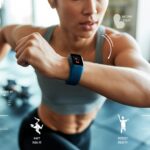
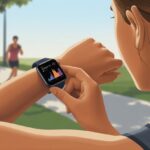
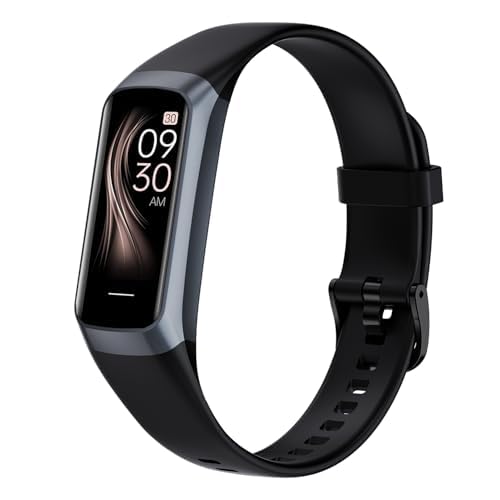
Alright, let’s be real—HIIT workouts are brutal enough already. Who wants to waste brainpower counting reps or timing rest when you’re already gasping for air? Luckily, smartwatches have our backs. They can handle all the timing, keep an eye on our heart rate, and make sure we don’t end up doing double the burpees by accident.
With a smartwatch, we get to focus on the grind while the tech takes care of the numbers. It makes HIIT just a little more organized and, honestly, way less overwhelming.
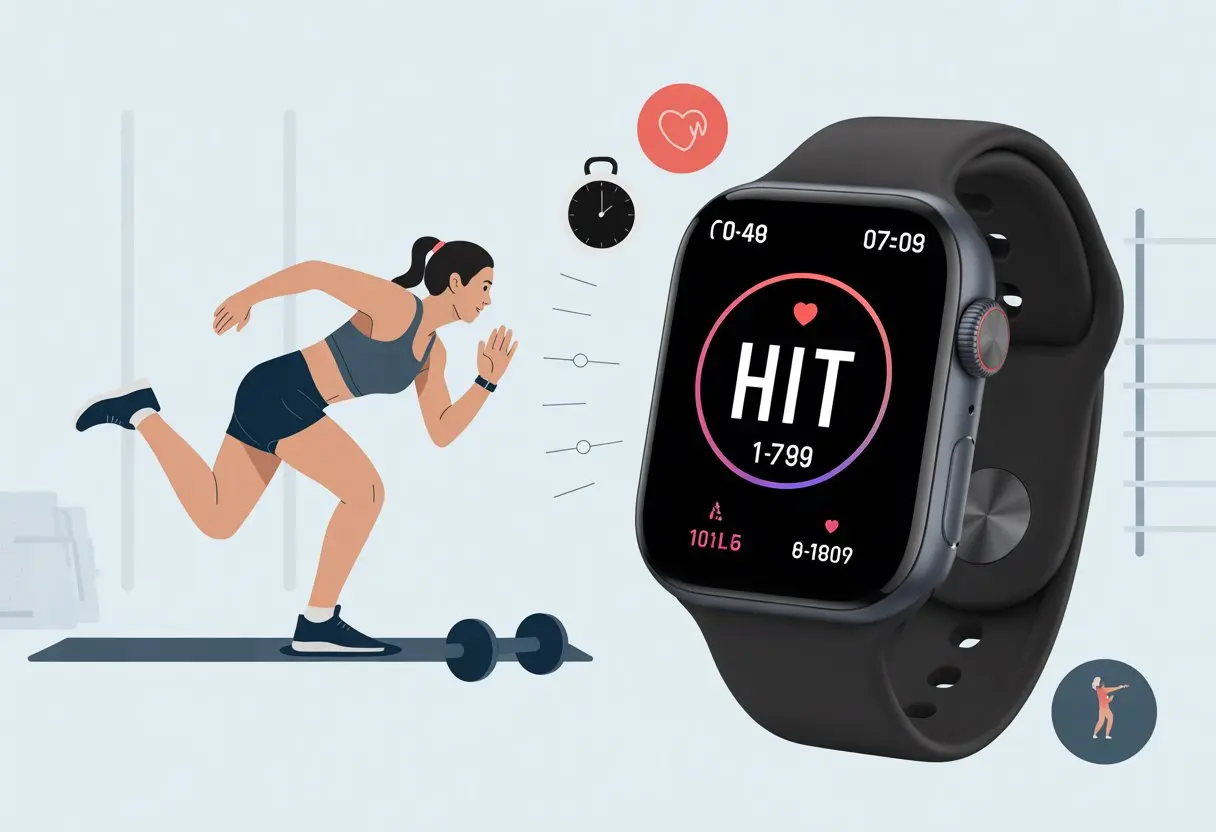
We get clear alerts, on-screen tips, and even little animations on some models. No more guessing when to move or when to drop for a break.
Garmin, for example, has HIIT workout modes that track every interval and round so we don’t have to.
Using a smartwatch helps us squeeze the most out of each HIIT session. We can check stats and heart rate data, and maybe even brag a little about our progress once we catch our breath.
So, how can our wrists make HIIT workouts smarter and—dare I say it—a bit more fun?
What Makes HIIT Workouts Unique?
HIIT (high-intensity interval training) lets us get sweaty and winded in less time than a typical workout. It’s all about pushing hard, using simple but tough moves, and squeezing value out of every minute.
The Principles Behind High-Intensity Interval Training
With HIIT, we push ourselves close to our max, then take a quick breather and do it all again. It’s kind of like sprinting through dessert—go hard, pause, repeat, and try not to collapse.
Each round sends our heart rate soaring. We hit nearly full effort, then slow down just long enough to catch our breath.
That back-and-forth between all-out work and fast recovery is what makes HIIT so effective.
HIIT sessions stay short. We’re in, we’re out, and hopefully, we don’t totally regret it. Most routines last 20 to 30 minutes.
Intensity matters more than duration, so we leave those endless jogs behind and go for full-throttle intervals.
Types of Exercises Common in HIIT
HIIT doesn’t need fancy gear. Most workouts use basics like burpees, jumping jacks, push-ups, squats, mountain climbers, and sprints.
These are the moves that make us wonder why we ever got off the couch in the first place.
Quick list of HIIT classics:
- Burpees (everyone’s favorite enemy)
- Push-ups (no cheating on form)
- Jumping jacks (old-school, still works)
- High knees and sprints
- Bodyweight squats
We can mix and match to keep things fresh. Some HIIT routines hit the whole body, while others target specific areas.
No matter what, the goal is short, intense bursts—not endless reps.
Why Timing and Tracking Matter Most
Timing is everything in HIIT. If we stop to fiddle with our phone, we break the flow.
That’s where a smartwatch comes in. It keeps intervals precise with alarms that tell us when to move and when to crash on the mat.
Tracking helps us stick to the right work-to-rest ratio—like 30 seconds of jacks, 15 seconds to recover, and repeat until we’re drenched.
Modern fitness watches, especially from Garmin, offer HIIT profiles with on-screen prompts so we can’t really cheat or lose count.
Good tracking gives us real feedback—heart rate, calories burned, and more. That way, we know we’re actually making progress (and not just pretending that grabbing water counts as a round).
Choosing The Right Smartwatch For HIIT
We want a smartwatch that doesn’t just look good, but can keep up with our fastest sprints and sweatiest workouts.
Choosing the right one can make HIIT less of a hassle and, honestly, a lot more fun.
Top Features to Seek in Your Fitness Sidekick
Not all fitness gadgets are created equal, especially for HIIT. First thing’s first—we need accurate heart rate tracking.
Most watches use optical sensors, but some do a better job than others. Fast heart rate updates help us stay in the right zone.
Interval timers are non-negotiable. Customizable HIIT profiles let us set work and rest rounds without fiddling with buttons when we’re out of breath.
Some watches, like those from Garmin, display animations to keep us on track.
Let’s not forget battery life. HIIT is quick, but our days aren’t always. A watch that lasts several days means we’re not always hunting for a charger.
Water resistance is a must—sweat happens, and sometimes we get caught in the rain.
Other nice-to-haves: built-in GPS for outdoor intervals, a responsive touchscreen, and easy syncing with our favorite fitness apps.
Quick checklist:
- Heart rate tracking
- Interval timers
- Battery life
- Water resistance
- GPS
- Touchscreen
Comparing Leading Brands and Models
Some trackers just do HIIT better. Garmin stands out for ruggedness, reliable heart rate, and custom workout modes.
Models like the Forerunner, Venu series, and Grit X are favorites among serious fans.
Fitbit is great for beginners, thanks to its easy interface and guided workouts. The Versa 4 and Fitbit Sense have solid battery life and sleep tracking.
They’re also water-resistant, so a little sweat won’t hurt.
Apple Watch leads with its sharp touchscreen and sleek design. If you’re all-in on iPhone, it’s a solid pick with loads of HIIT apps.
Just keep in mind, the battery won’t last for days, but it’s enough for back-to-back classes.
Coros and Whoop deserve a mention too. Whoop shines with recovery data, but it’s really for data nerds who don’t mind paying for a subscription.
Budget vs. Value: How Much Should You Spend?
Let’s be honest—some of us want all the bells and whistles, but our wallets have other ideas.
Entry-level trackers are affordable, while the top models can get pretty pricey.
If you’re just starting out or want the basics, a budget Fitbit or Amazfit covers heart rate, intervals, and water resistance.
But if you’re sprinting outdoors every weekend or love digging into your stats, a mid-range Garmin or even an Apple Watch might be worth the splurge.
Here’s a quick rundown:
| Budget Friendly | Mid-Range | Premium |
|---|---|---|
| Fitbit Inspire | Fitbit Versa 4 | Apple Watch Ultra |
| Amazfit Bip | Garmin Venu 2 | Garmin Forerunner 965 |
Think about what you’ll actually use. If you just need heart rate and timers, you don’t have to spend a fortune.
Setting Up Your Smartwatch For HIIT Success
Getting our smartwatch ready for HIIT isn’t just about strapping it on and going for it.
We need to pick the right workout mode, check our sensors, and decide which notifications help (and which are just annoying).
Customizing Workout Modes and Apps
Before we start sweating, let’s make sure our watch has the right HIIT modes loaded up.
Many smartwatches come with a preset HIIT profile, but if not, we can add one through a fitness app or download a HIIT-specific app.
This gives us timers for intervals, rest, and sometimes even on-screen animations to keep us moving.
Let’s tweak the number of intervals, round times, and rest periods to match our workout.
On a Garmin, we can set these right from the watch face. Garmin even offers activity profiles for HIIT that are easy to use, even if we’re totally out of breath.
It’s also worth turning on or adjusting our activity rings or goals. Setting a realistic step count can help us stay motivated and track progress—without getting obsessed over the numbers.
Calibrating Heart Rate and Step Sensors
We shouldn’t just trust the sensors blindly—accuracy matters! Make sure the heart rate sensor is clean and snug on your wrist.
If you want pro-level tracking, pair a chest strap heart monitor with your watch. HIIT’s rapid changes can confuse wrist sensors.
Check step counting settings before each session. Some watches let us calibrate step length or check accuracy by counting steps over a set distance.
If the numbers seem way off, it might be time for a recalibration (or maybe just a break).
If your watch tracks activity rings, calibrating those sensors means HIIT sessions count toward your daily goals. Who doesn’t love those little animated celebrations?
Enabling and Understanding Notifications
Nobody wants a random group chat buzzing during a 45-second burpee set.
Head into notification settings and pick what actually helps. Some watches let us turn on alerts for interval changes, heart rate warnings, or hydration reminders.
Silence most non-fitness notifications to stay focused. But keep on the useful ones—like high heart rate alerts or reminders to get moving if we stall.
Most watches let us tweak these right in the app or on the device.
Here’s a quick breakdown of notification types:
- Essential: Heart rate alerts, workout progress, hydration reminders
- Optional: Step count milestones, activity ring targets
- Silence for sanity: Social media, text alerts, emails
Set it up right, and your smartwatch becomes the perfect workout sidekick—not just another distraction.
Maximizing Heart Rate Tracking During HIIT
If we want to get the most out of HIIT, we really need to keep an eye on the numbers.
Our smartwatches do more than just look cool—they pack heart rate and blood oxygen sensors that help us train smarter, not just harder.
Monitoring Your Heart Rate Zones
When we jump into HIIT workouts, keeping an eye on heart rate zones can totally change the game. Our smartwatches use built-in sensors to show us how hard we’re going, right as it happens.
Most watches break effort into zones—warm-up, fat burn, cardio, and peak. It’s pretty cool, but let’s be honest, wrist sensors sometimes lose the plot, especially when we’re sweating buckets or flailing through burpees.
If you want the most accurate numbers, pair a chest strap with your watch. Chest straps usually nail the readings during those wild intervals.
Some smartwatches, like certain Garmins, offer HIIT profiles that show heart rate zones directly on the screen. No more guessing if we’re actually dying—we just know (and maybe dread it) right then and there.
If you want more details, check out advice on chest HR straps with watches and HIIT features in Garmin watches.
Using Blood Oxygen (SpO2) For More Data
Heart rate matters, but what about our oxygen? That’s where SpO2, or blood oxygen tracking, steps in.
Some smartwatches track SpO2 to give us another hint about how our bodies handle those brutal HIIT circuits. Lower SpO2 can mean we’re not getting enough air—maybe because we’re training extra hard or at high altitude.
Watching SpO2 trends during or after a session helps us spot if we’re pushing too far. Sometimes, our watch shows lower numbers after those lung-busting intervals, especially if we’re new or going all out.
It’s a handy metric, but we should use it alongside heart rate for the full story. If SpO2 says we’re turning into a couch potato—or an astronaut—maybe it’s time for a breather.
Recording and Analyzing Your Performance
When we use a smartwatch for HIIT, we want real answers. Are we working hard or just shuffling around?
Our devices track, record, and sum up our workouts, but we need to make those numbers actually work for us—no PhD required.
Tracking Calories Burned and Progress
Guesswork? Not today. With a smartwatch, we see exactly how many calories we burn in each HIIT session.
We’re not just watching a bar fill up—it’s active calories versus total, so we know what’s from the workout and what’s just life. Some days we barely sweat, others we’re a puddle on the floor. Our watch collects all that data—heart rate, workout intensity, recovery time.
Most watches even graph our workout history, so we can celebrate wins (or laugh at our slow days). The Garmin HIIT activity feature lets us see each interval’s calorie count.
Our smartwatch cheers us on when we break records. No judgment—just cold, hard data (well, maybe a little judgment).
Step Counting, Goals, and Motivation
Seeing our step count tick up is way more satisfying than it should be. Our smartwatch tracks every shuffle, hop, and even when we’re picking up socks off the floor.
Each step counts, and our daily step goal keeps us pushing. One glance at our wrist and we know if we’re couch potatoes or step superheroes.
Watches reward us with badges, fireworks, or suspiciously excited vibrations. Set your own goal or let the watch pick—either way, it’s always nudging us.
Most watches let us compete with friends or ourselves, turning fitness into a game. All those steps? They add up—helping us move more, compete with our past selves, or just walk to the fridge with extra pride.
Enhancing Workouts With Smartwatch Features
Our smartwatches do way more than count steps. If we figure out the right features, we can actually make HIIT sessions more fun and efficient.
Using Built-in Music and Voice Assistants
Honestly, nobody crushes burpees in silence and thinks, “Wow, what a jam!” With built-in music features, our watches stream playlists right from our wrists. No more tangled headphones or awkward phone juggling.
Syncing our favorite tracks gets us in the zone and helps us keep pace. Voice assistants like Alexa become our personal hype crew.
We can ask Alexa to skip a song, check time between sets, or remind us to breathe. Google Assistant will text, set reminders, or even add protein powder to our shopping list—hands-free.
With music storage, on-device playback, and voice helpers, we’re basically our own DJ, coach, and hype person. Suddenly, that next round of mountain climbers feels almost doable. Almost.
Utilizing GPS, Maps, and Location Tracking
HIIT isn’t just for gyms, and our smartwatches are just as happy outdoors (even if we’re secretly thinking about snacks after). Built-in GPS tracks speed, distance, and routes without needing a phone.
We get to analyze performance over trails, parks, or wherever we decide to get sweaty. For the directionally challenged, Google Maps on our wrist helps us find our way.
Live location tracking makes solo runs safer—family can keep tabs, so getting lost stays just a story. Some watches support Google Wallet, so we can grab a post-HIIT smoothie without digging for cash. That’s a win for both fitness and snacks.
Tailoring HIIT Smartwatch Use to Different Activities
Our smartwatches sometimes know what we’re doing better than we do. Whether we’re swimming or hefting weights, using the right features can boost our HIIT game and add a bit of friendly competition.
Cycling, Swimming, and Outdoor Adventures
Cycling up hills or swimming laps can make us wonder if our heart’s still beating. Thankfully, our smartwatches track more than just steps.
For cycling, set the watch to “cycling mode” to track distance, time, and heart rate. Swimming? We need a waterproof or swim-friendly watch.
Check if your device has a swim mode. It’ll count strokes, laps, and even rest times, so we’ll know when a water break turns into a victory nap.
Key features to look for:
- Water resistance (duh)
- Lap tracking
- Heart rate monitoring (if possible)
For hikes or outdoor HIIT, built-in GPS is a lifesaver. Our watch keeps us from getting lost on the way to snacks, and we get cool maps of our route to brag about. Want more tips? See how to set up interval workouts on the Galaxy Watch.
Making the Most of HIIT in the Gym
HIIT in the gym means moving fast—sometimes so fast the watch thinks we’ve invented a new sport. Before starting, pick or create a HIIT mode on the watch.
Most let us set intervals, rest, and track heart rate, which is handy when we’re pretending not to be exhausted. Doing strength or weights? Log sets, reps, and rest.
Some watches have timers or special HIIT modes to make this easy. If not, just use a general workout mode and the lap or interval timer.
Pro tip: Turn on vibration alerts so the watch tells us to move—because, really, who always listens to the coach? More on recording HIIT activities in this Garmin HIIT guide.
Our wrists will thank us, even if our legs don’t.
Health and Safety Considerations
If we want killer HIIT results and fewer injuries, we need to pay attention to recovery and take care of our smartwatch. Let’s not sabotage our sleep or drown our gadgets.
Tracking Sleep and Recovery After HIIT Sessions
Our bodies need real recovery after high-intensity workouts—not just the “I’ll sleep when I’m dead” mindset. Smartwatches help us track sleep quality and total hours, so we know if we’re cheating ourselves on rest.
They monitor sleep cycles—light, deep, REM—so we don’t have to trust our dreams, just the data. Good, consistent sleep repairs muscles, keeps us motivated, and prevents annoying injuries.
If we notice bad sleep after tough HIIT days, it’s time to ease up or tweak bedtime. Better sleep means better workouts, period.
Pairing workout info with sleep stats makes it easier to balance sweat and snooze. That’s how we actually hit our fitness goals.
Smartwatch Care: Don’t Swim with Your Phone
Let’s talk about swim-proof confidence. Most smartwatches brag about water resistance, but phones? Not so much.
Even if our watch can handle splashes and sweat, don’t confuse water-resistant with indestructible. Thinking about a post-HIIT cannonball? Check the user manual first—don’t just assume your tech can handle bath time.
Phone in the pool? That’s a disaster waiting to happen. Leave your phone dry, and wipe your watch after sweaty sessions.
Keeping wearables dry and happy means fewer trips to the repair shop (and more time at the gym). For more tips, check out advice on preventing smartwatch injuries during workouts.
Setting and Smashing Your Fitness Goals
Let’s be honest—getting fit usually starts with big plans and ends with us snoozing alarms or arguing with sneakers. With a smartwatch, there’s no escape.
We can actually keep ourselves on track and maybe—just maybe—make smashing those fitness goals a little less painful (and a lot more fun).
Linking Data Across Devices for Ultimate Motivation
Smartwatches don’t just count steps and calories. They’ve basically turned into our living, breathing fitness diaries.
When we sync a smartwatch with other devices—phones, tablets, whatever—we can actually see all our sweaty stats in one place. Missed a HIIT burst? No chance to hide—it’s right there, waiting for us to notice (and maybe cringe a little).
We see every heart-pounding minute, every calorie burned, and even how our sleep (or total lack of it) compares to our workouts. Our fitness tracker gives us real-time progress, and those gentle (or not-so-gentle) reminders when it’s time to move, rest, or stretch.
Smart watches help us set specific goals for HIIT. Maybe it’s hitting a certain heart rate zone or just surviving all those intervals.
Here’s a quick breakdown of what syncing can do:
| What We Sync | Why It Rocks |
|---|---|
| Workout history | Tracks progress, no cheating |
| Heart rate trends | Shows intensity level |
| Sleep stats | Connects rest to performance |
When we see all our data in one spot, motivation just hits different. Nothing says “go sweat!” quite like last Tuesday’s stats staring back at us from the app.
Sharing Results and Competing with Friends
Fitness really turns into a team sport when you start sharing your wins—and your struggles too. With a smartwatch, you can toss your latest HIIT workout or step count into the group chat or splash it on social media.
Suddenly, those basic workouts become a low-key competition. I mean, how can anyone relax when Karen’s already topping the leaderboard?
Group challenges and sharing streaks just make tracking a lot more fun. Plus, they honestly keep us accountable.
Nobody wants to be the one lagging behind the crew. Your fitness tracker will nudge you with notifications like, “Your friend just crushed their HIIT goals! Are you going to let that slide?” Competing, comparing, and sharing keeps us coming back, since bragging rights are basically the best motivation.
Some smartwatches let you:
- Set group goals
- Join monthly challenges
- Celebrate streaks with badges (and, okay, maybe some silent judgment)
Nothing gets you off the couch faster than a group text full of workout screenshots. Honestly, bring on the friendly rivalry!

From a young age, I have always had a big interest in technology, and this blog is an extension of that interest. Through this blog, I hope to provide others with all of the information they need regarding tech options to consider, and things such as compatibility. Some of the different items I will be discussing include headphones, smartwatches, and how to fix common issues.
- How to Get Text Messages on Fitbit Versa 2 Android: Simple Guide for Users - October 13, 2026
- Why Doesn’t My Fitbit Record My Sleep? Quick Troubleshooting Guide - October 13, 2026
- How to Change Face on Fitbit Versa 2: Quick and Easy Guide - October 12, 2026
Related Posts: