Let’s be honest, we’ve all glanced at our fitness tracker and thought, “Really? That many calories for walking to the fridge?” Sometimes, the numbers just don’t match how much effort we think we put in.
Fitness trackers usually show inaccurate calorie burn because they rely on estimates using user data, heart rate, and sometimes a bit of algorithmic guesswork.
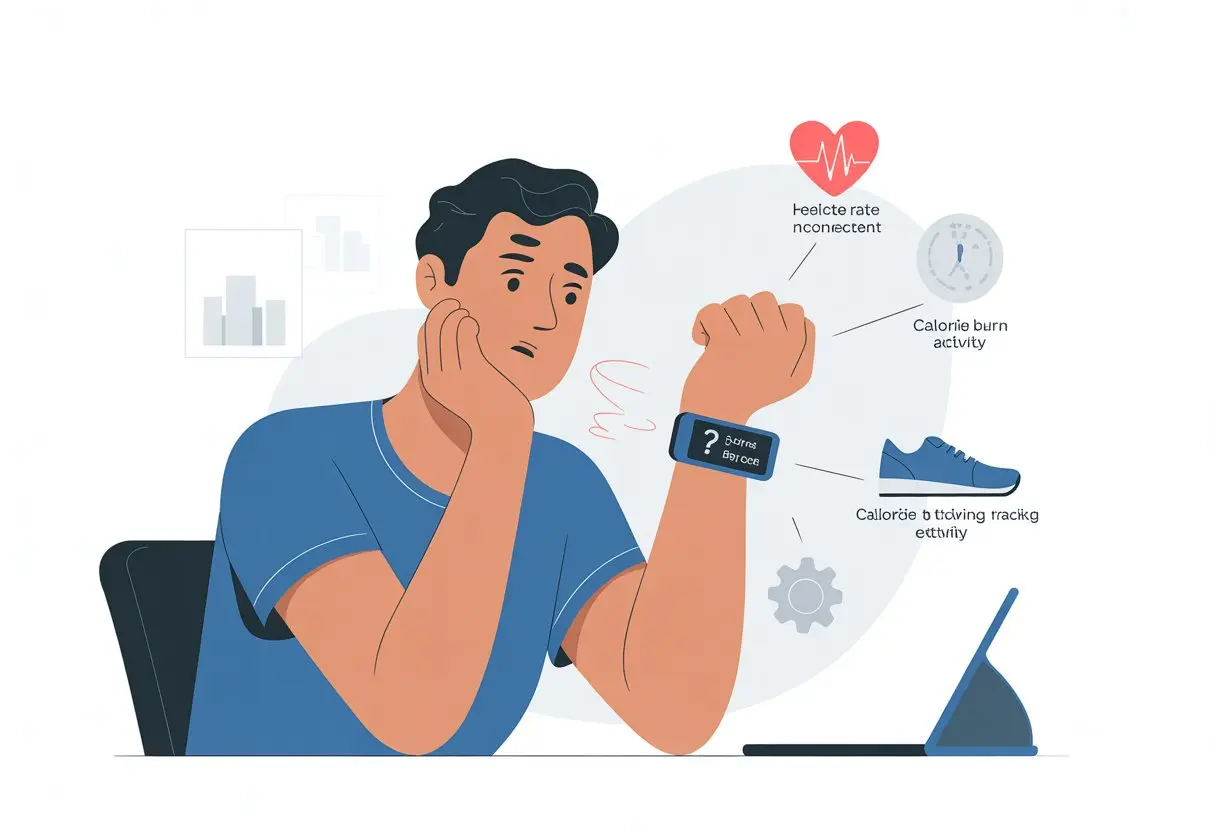
Most of us enter our age, weight, and height with a little optimism (or denial). Heart rate sensors can get confused by sweat, movement, or a strap that’s not quite snug enough.
No wonder our tracker thinks we burned off a whole pizza just by jogging for five minutes. If you want the nitty-gritty on why calorie numbers can be so far off, check out how fitness tracker calorie estimates aren’t always accurate for everyone.
You’re not alone—most of us laugh (or groan) at our trackers, hoping the numbers are at least close. If your calorie burn ever looks more like a rounding error than a real workout, let’s see what’s actually happening behind that tiny screen.
How Fitness Trackers Calculate Calorie Burn
We all want our wearables to be magic wands that count every calorie. But the real story happens inside the mini computer on our wrists.
Fitness trackers calculate energy burn with a mix of sensors, algorithms, and our personal info. Sometimes, it feels more like a science experiment than a step counter.
Sensors and Technology
Our wrists basically host a tiny science lab. Most trackers use an accelerometer to sense movement.
This little gadget tracks how fast and how much we move—even if we’re just waving at a neighbor. Many also have a gyroscope to figure out if we’re running, biking, or just flailing around.
But the real MVP is the heart rate monitor. It shines light on our skin to check our heartbeat.
This helps estimate if we’re actually working out or just binge-watching TV. All these sensors collect a ton of data, filling up memory and sending it off to some pretty complicated algorithms.
Energy Expenditure Algorithms
Sensors only get us so far. The calories burned number we obsess over comes from software algorithms.
These formulas take our steps, movements, heart rate, and sometimes sleep patterns. Then, they try to figure out how much energy we’re using.
But here’s the thing: they can be wildly optimistic or just plain wrong. Studies show fitness trackers can overestimate or underestimate calories burned.
That big number after a stroll? It might not mean what we think it means.
Personal Data Inputs
Our tracker’s guesses about energy burn depend a lot on the info we give it. When we set up our device, we enter age, weight, height, and gender.
Some trackers even ask how much we exercise, or if we pinky-promise not to sneak cookies at midnight. Trackers use this personal data to tweak their calorie math, trying to fit the numbers to our unique bodies.
If our info is off, the calorie estimate will be off too. It’s worth being honest—unless you like blaming your tracker for that missing six-pack.
Common Reasons for Inaccurate Calorie Tracking
When our tracker says we’ve burned enough calories for an extra donut, we want to believe it. But a few things can throw those numbers way off.
Incorrect Heart Rate Measurement
Heart rate tracking is supposed to be the big feature, but it’s not always on point. Wrist-worn trackers, especially the cheaper ones, sometimes read our heartbeats like a distracted student skimming a textbook.
If the sensor can’t get a good signal from our skin, it guesses—and that messes up the calorie numbers. Intense movement, tattoos, sweaty wrists, or thick arm hair can make the sensor struggle.
Wearing the band too loosely or having a darker skin tone can also confuse the tracker. Studies say heart rate numbers are usually pretty solid, but calorie math? That’s a different story.
Unless we’re living in a lab with a metabolic chamber (who wants that?), trackers will make mistakes. For more on how these measurements work, check out this Stanford study on heart rate accuracy.
Device Placement Mistakes
Wearing our tracker in the wrong spot can make it act like it’s lost. If we put a wrist tracker too high or low, or wear it too tight or loose, it won’t collect good data.
Trackers need to be snug, but not cutting off blood flow. Hip-worn devices clipped onto loose clothing or a pocket can also mess up readings.
Chest straps usually give better heart rate data, but most of us just want the convenience of a wrist device. Getting the fit right is less about being a perfectionist and more about getting numbers that make sense.
A secure fit and a quick look at the user guide help a lot.
User Profile Errors
Our tracker wants to know us almost as well as our best friend—age, height, weight, sex, and sometimes fitness level. If we fudge our details (like rounding down our weight), the tracker uses the wrong math.
That’s like putting diesel in a gas car—not great. Even if we start with perfect info, we need to keep it updated.
Lose weight, gain muscle, or suddenly start running marathons? Our calorie needs change.
If we forget to update our profile, the tracker just guesses—and it’s not great at guessing. Double-checking every so often keeps the numbers in the right ballpark.
For more on how user info affects readings, check out this discussion on mistakes with calorie data.
Types of Activities That Throw Trackers Off
Not every activity makes sense to our fitness trackers. Some workouts just confuse these little wrist buddies, and the calorie numbers turn into wild guesses.
Walking and Running
Walking and running are what activity trackers do best. Still, even here, things can get weird.
If we barely swing our arms or swing them too much, the tracker gets confused. Strolling with our hands in our pockets? The tracker just shrugs.
Speed matters too. If we go from slow shuffling to sprinting, our device sometimes picks a number in between.
Throw in some hills, and our calorie count might be as reliable as a weather forecast—close, but not quite right. Small changes in movement can mess with the numbers.
Cycling Challenges
Cycling is where trackers really lose the plot. Most wearables look for arm movement, but our arms don’t move much when we’re gripping handlebars.
Trackers end up recording fewer steps and, as a result, fewer calories. It’s like our workout doesn’t count.
Some trackers have a cycling mode, but they’re still just guessing our effort. If we’re climbing hills or fighting wind, the tracker usually has no clue.
Heart rate tracking helps, but sweat, bumps, or a loose strap can fool even those. We’re left with numbers that don’t do justice to our pedaling.
Strength Training Surprises
Strength training totally messes with our tracker’s head. Lifting, pushing, and pulling—these moves don’t involve much arm swinging, so the tracker gets lost.
Calorie counts for strength sessions are often way too low. Heavy deadlifts, bench presses, or squats might leave us wiped, but the tracker barely notices.
Studies show these devices underestimate the calories burned during lifting. Our hard work just doesn’t translate into numbers.
Unless we’re bouncing around, our tracker thinks we’re just hanging out.
The Truth About Different Tracker Brands
Fitness trackers aren’t all the same. Some try really hard, some miss the mark, and a few just seem to make up numbers.
fitbit vs. apple watch
Let’s talk about the big names: Fitbit and Apple Watch. Both look smart on our wrists, but their calorie math is far from perfect.
Studies show Fitbits sometimes underestimate calories, but sometimes they inflate them. One study found Polar devices overestimated calorie burn about 70% of the time, and Fitbits weren’t much better—swinging between under and over-guessing more than we’d like.
Apple Watch claims to use advanced heart sensors and fancy math, but it makes mistakes too. It might do better with heart rate, but calories? Not so much.
Sometimes, an intense workout barely registers, while making toast burns hundreds of calories. Who knew breakfast was such a workout? For more on tracker inaccuracies, check out this Lifehacker article.
The Case of Jawbone and purePulse
Remember Jawbone? The UP24 tried to track every move, step, and midnight snack run.
But its calorie math? Pretty mysterious. Users saw numbers that made a walk to the mailbox look like a marathon.
Then there’s Fitbit’s purePulse, which got famous for heart rate tracking—but not always for the right reasons. Devices like the Fitbit Surge mixed in purePulse tech, but their calorie counts could still be wild guesses.
Let’s not forget the Basis Peak and its own, uh, “creative” approach to counting calories. Sometimes, it feels like these trackers just want us to feel good for moving at all.
Battle of the Bands (microsoft, samsung, and more)
Fitness bands have their fair share of drama too. Microsoft Band, Samsung Gear S2, Mio Alpha 2, and PulseOn each bring their own style—and quirks.
You’ll probably notice these bands spit out different calorie stats for the same workout. Sometimes it feels like they’re just making things up, right?
Here’s a quick look at some tracker quirks:
| Brand | Notable Model | Common Issues |
|---|---|---|
| Microsoft | Band | Steps sometimes missed |
| Samsung | Gear S2 | Calorie burn may be overestimated |
| Mio | Alpha 2 | Heart rate jumps unexpectedly |
| PulseOn | PulseOn | Calorie readings jumpy |
| Fitbit | Flex, Zip, One | Calorie math “dynamic” |
| Jawbone | UP24 | Numbers fluctuate wildly |
These trackers struggle with consistency. We’d all love precision, but sometimes you just have to laugh when your gentle stroll supposedly burns enough calories to power a small village.
I’ve seen some wild stories, like one user who walked all day and burned only 65 calories. Check that out here.
Scientific Studies on Fitness Tracker Accuracy
Fitness trackers love to dangle big calorie numbers, but honestly, they often just guess. Plenty of studies and real-life users have found the accuracy is all over the place.
Here’s what turned up after digging into the data (so you don’t have to).
Stanford University School of Medicine Findings
Stanford researchers decided to put seven popular wrist-wearable fitness trackers to the test. They wanted to see if these gadgets could actually count calories as promised.
Turns out, heart rate readings were pretty solid. But calories burned? Not even close.
Some trackers overshot, others underestimated, and a few just seemed to pick a number at random. The error rate? Anywhere from 27% up to a whopping 93%.
So, if your tracker says you burned 500 calories, you might’ve actually burned just 270, or maybe 865. That’s… not exactly reassuring.
Stanford summed it up: these trackers can tell if your heart’s racing, but they have no clue what’s happening to your fries.
Key Findings Table:
| Data Point | Result |
|---|---|
| Heart Rate | Accurate |
| Calorie Burn | Highly inaccurate (27%–93% error) |
| User Confidence | Shaken, not stirred |
Insights from the Journal of Personalized Medicine
The Journal of Personalized Medicine took a crack at this too. They found the average error for calorie counts, called mean absolute percentage error (MAPE), was over 30%.
That’s not a small mistake. Imagine ordering a medium fries and getting a small or a large—with no warning.
They tested a bunch of brands. Not a single one really stood out for calorie accuracy.
The researchers basically said: don’t trust the numbers too much. Even the fanciest tracker can’t make your burger math work out.
Their advice? Take tracker numbers with a grain of salt (and maybe skip a few fries).
Real-World User Reviews
We’re not alone in this calorie confusion. Everyday users have plenty to say, and most of it sounds like disbelief.
Business Insider’s report highlights people seeing calorie counts that make zero sense for their activities.
Some folks burn more calories on the couch than during a workout. Others get shortchanged after a sweaty session.
Fitness trackers don’t measure energy use directly; they just make a guess based on movement and a few basics about us.
People quickly learn to treat calorie burn numbers as rough estimates. At best, they’re a conversation starter. At worst, they’re a recipe for disappointment after a cheat meal.
Legal Drama: Class-Action Lawsuits and Tracker Accuracy
If you needed proof that fitness trackers rile people up, just look at the lawsuits. It’s not just our wrists that notice weird numbers—lawyers jump in too.
The Fitbit Lawsuit
Fitbit, the king of step counting, ran into legal trouble over its tracking skills. Users said their Fitbits counted heartbeats like a distracted student: sometimes right, sometimes way off.
This didn’t just annoy people counting workout calories. It led to a class-action lawsuit demanding answers.
A new study made things spicier, showing Fitbit’s trackers weren’t as accurate as we hoped. The lawsuit claims these glitches could mess up not just our data but even our health plans.
Fitbit defended its products, saying that even if they miss a few heartbeats, they still get us moving. Fair enough, but we’d like a little more accuracy with our motivation.
Backlash Against the Industry
Fitbit isn’t the only brand feeling the heat. Other fitness trackers have landed in the hot seat for questionable numbers, especially with calorie burn.
Frustrated users and the public want answers. Why does our tracker say we burned 500 calories walking to the fridge? The math just doesn’t add up.
Skepticism spread as users realized pretty much every brand cracks under scrutiny.
Forums are full of people saying calorie estimates are wild guesses. Some claim every tracker is “100% inaccurate” for calorie data, making those lawsuits seem pretty reasonable.
If only trackers could count lawsuits as easily as they count (possibly imaginary) steps. Want more? Check the recent backlash and lawsuit coverage here.
Troubleshooting Tips for More Accurate Calorie Burn
If your tracker says you can eat three pizzas guilt-free, something’s off. Calorie tracking only works as well as the data it gets and how you use your device.
Let’s tighten up our tracking game and outsmart those mystery numbers.
Updating Device Firmware
Most of us ignore “Update Now!” reminders like we ignore low battery warnings. But skipping firmware updates can mess with calorie numbers.
Device makers roll out updates to fix bugs, improve sensors, or tweak how trackers calculate calories.
To get better results, check for updates in your tracker’s app or on the manufacturer’s website. Updates can improve heart rate tracking, step counting, and even sleep analysis.
Set your health app to update automatically, so you don’t miss out. Try not to wait until your playlist won’t play or your tracker thinks you’re 104 before you act.
Ensuring Proper Fit
If your tracker slides around like a roller coaster, expect bad readings. The proper fit is key for good heart rate and step data.
Wear the device snug, but not too tight. You don’t want to cut off circulation and turn your wrist purple.
A good fit keeps sensors touching your skin during workouts or walks.
Loose trackers can count phantom steps or miss heart rate spikes. Too tight, and you get irritation or weird readings.
Some trackers work better above the wrist bone, others should hug the bone. If you see strange numbers, check the user guide or experiment until things make sense.
Reviewing Your Profile Data
Still seeing numbers that look like they’re for someone twice your size? Time to check your user profile in the health app.
Your tracker uses age, height, weight, gender, and maybe even favorite cereal to guess calorie burn. If your info’s wrong, so are the results.
Let’s review each field:
| Field | Importance |
|---|---|
| Age | Changes BMR |
| Weight | Affects burn |
| Height | Affects BMR |
| Gender | Algorithm |
Sometimes we forget to update our weight after a week of birthday cake. Other times, we enter our birth year as 1897 (grandparents would be proud).
Keep info updated for accuracy. Check the app every few months or after big changes. Wrong data can make your device think you’re a marathon runner—or a sofa potato.
If you need more help, check out these troubleshooting tips from the Fitbit Community and Apple Support.
Maximizing Tracker Data for Fitness Goals
If fitness trackers were as flawless as our love for dessert, we’d all be Olympic athletes by now. Truth is, making the most of tracker data takes more than just strapping it on and hoping for the best.
Setting Realistic Health and Fitness Goals
We all want to wake up fit after one workout, but that’s not how it works. Setting realistic goals starts with knowing your fitness level, whether you’re a couch surfer or a marathon hopeful.
Actually use the data. Check your average daily steps, calories burned, and heart rate patterns.
Set measurable goals like “walk 8,000 steps daily” or “exercise for 30 minutes, five days a week.” That’s way better than “get healthy…someday.”
Track weight loss or muscle gain with real numbers, not just wishful thinking. And let’s be honest: trackers can’t turn pizza into salad, no matter how much we want them to.
Syncing with Your Health App
Fitness data does nothing if it’s trapped on a tiny screen. Sync your tracker to your health app regularly.
Good health apps pull data from different sources. If you also use a smart scale or log food, it’s all in one place.
This makes it easier to spot patterns—or excuses (“Oh, look, another rest day!”).
Syncing helps fix errors too. If your tracker thinks you burned off a large fries by walking to the mailbox, your health app will show the bigger (and sometimes funnier) picture.
Keeping an Exercise Journal
Don’t trust your memory—most of us can’t even remember where we left our keys. Jot down workouts, how you felt, and any changes you notice.
An exercise journal can be a color-coded spreadsheet or just scribbles in a notebook.
Write down daily steps, calories, and even moods.
This habit keeps you honest. If your tracker says you burned 700 calories washing dishes, you’ll know that’s suspicious.
Plus, writing things down gives you proof of progress. You can brag about it later, and honestly, who doesn’t love that?
A Brief History of Wearable Calorie Counting
Let’s take a quick trip down memory lane.
Wearable calorie counting didn’t kick off with today’s flashy smartwatches. Back in the day, folks clipped on simple pedometers. These little guys just counted steps with a click for every stomp. No fancy calorie tracking—just a step count and maybe a little pride.
Things started to get interesting when heart rate monitors entered the scene. Suddenly, people ran around with beeping chest bands and felt like pros. Did these bands estimate calories burned? Sure, they gave it a shot. Accurate? Well, let’s just say nobody skipped dessert because of it.
Here’s a quick look at how these wearables changed over time:
| Decade | Device Type | Calorie Counting Method |
|---|---|---|
| 1980s | Pedometers | Step counts only |
| 1990s | Heart Rate Monitors | Heart rate & formulas |
| 2010s | Fitness Trackers | Sensors + algorithms |
| 2020s | Smartwatches | Multiple sensors, still iffy |
Over the years, companies tossed in more sensors. GPS, motion detectors, even skin sensors joined the fun. These gadgets do their best to guess our calorie burn, sometimes with results that make you laugh or just shake your head.
Even now, most wrist wearables are still not very accurate at tracking real calorie burn. At least our wrists look pretty smart while we’re waving them around, right?

From a young age, I have always had a big interest in technology, and this blog is an extension of that interest. Through this blog, I hope to provide others with all of the information they need regarding tech options to consider, and things such as compatibility. Some of the different items I will be discussing include headphones, smartwatches, and how to fix common issues.
- How to Improve WHOOP Recovery Scores Without Giving Up Pizza or Netflix - April 7, 2026
- Why is my fitness tracker not unlocking my computer? Tech tantrums and wearable woes explained - April 7, 2026
- Best Fitness Trackers for Stress Relief: Because Your Anxiety Deserves a Step Counter Too - April 6, 2026