Ever had that moment where we desperately tap the pause button on our Bluetooth headphones, but the music just keeps going like nothing happened? Most Bluetooth headphone pause issues pop up because of connection problems, outdated software, or settings on our devices or apps. Sometimes, it feels like our headphones are ignoring us on purpose when we just want a break.
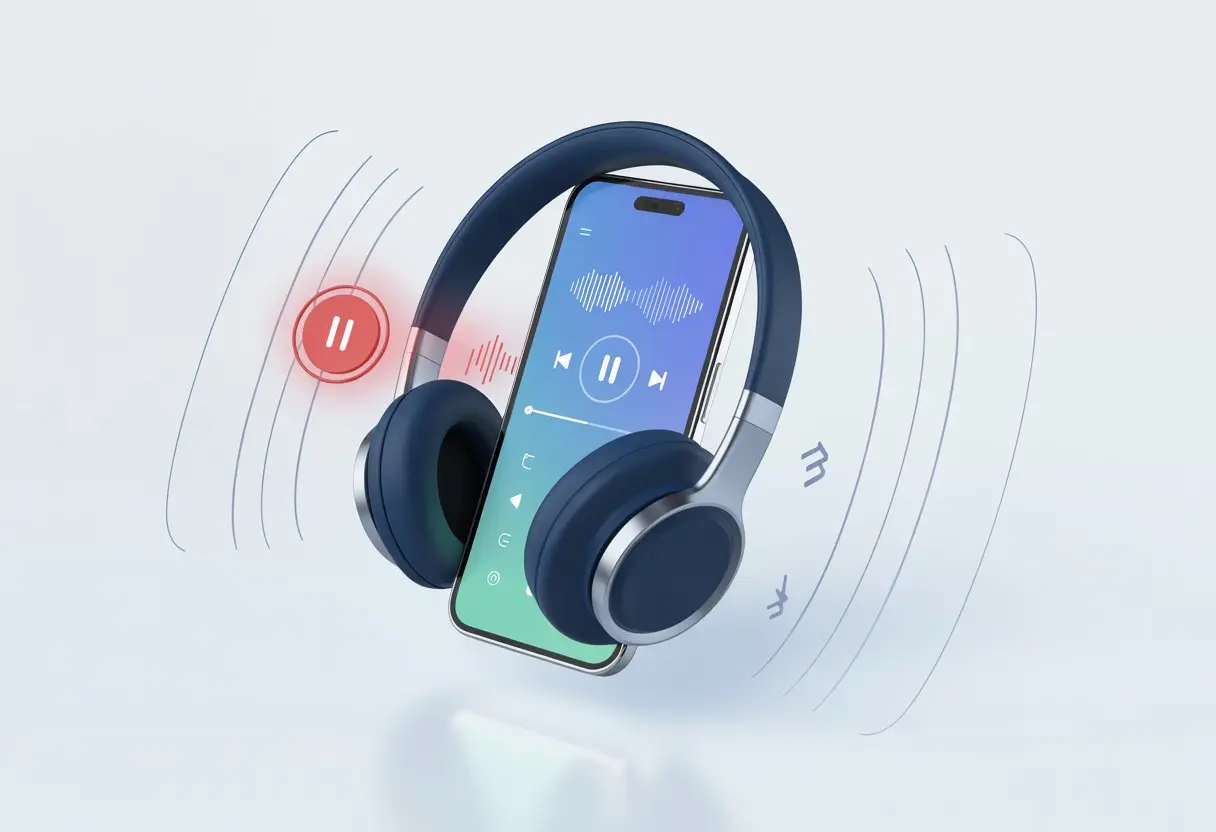
It’s honestly frustrating when the pause button is just for show. The reasons can be sneaky—volume glitches, buggy Bluetooth settings, or maybe the app just isn’t cooperating.
Before we chuck our headphones across the room, we can try a few easy fixes to get our music back under control.
Let’s dig into why this weird glitch even happens, what we can do to outsmart our stubborn headphones, and how to finally get some peace when we need it.
How Bluetooth Headphones Communicate With Devices
When we use Bluetooth headphones, we rely on a handful of tiny parts to turn digital signals into music that makes us want to dance—or at least tap our toes.
How our headphones talk to our phones, keep music smooth, and handle signals actually matters more than we might think.
Bluetooth Technology Basics
Honestly, most of us just want to hit play and not worry about the tech stuff. But knowing some Bluetooth basics can help us fix annoying issues when our playlist refuses to pause.
Bluetooth lets our headphones and devices—phones, tablets, whatever—talk over short distances without wires. They use radio waves, usually at 2.4 GHz. Both devices have to “pair,” which just means they exchange some digital info—like a handshake.
We might notice our headphones show up with different “Bluetooth profiles.” These profiles decide which features work, like if we can use the pause button or just get stuck listening at full blast.
If the devices don’t match up, we might have trouble pausing or playing music. Our headphones can also lose their connection if there’s interference from other wireless gadgets nearby. Even a microwave can mess things up sometimes.
Wireless Playback Quality
Wireless playback quality can make or break our music experience. The strength of our Bluetooth connection decides if our music plays smoothly or skips like a scratched CD.
Bluetooth comes in different versions—4.2, 5.0, and newer. The latest ones send and receive data faster and help keep music from lagging.
If we’re stuck with an older Bluetooth device, it might not keep up with all the headphone features. The Bluetooth protocol matters too, especially for audio. The Advanced Audio Distribution Profile (A2DP) is pretty standard since it focuses on stereo audio.
But it’s not just about speed. Signal drops or dips in quality can cause playback to pause or glitch out. If wireless playback quality suffers, so does our mood.
It helps to keep our headphones in the same room as the audio device and away from walls or big electronics.
Role of Built-In Antenna
The built-in antenna in our Bluetooth headphones is tiny but does a lot of heavy lifting. This skinny little wire picks up and sends radio signals between our headphones and whatever device we’re using.
If the antenna is weak, damaged, or blocked by our heads (especially with a lot of hair), our audio device gets confused. We end up with stuttered music, missed pauses, or random disconnects.
The placement and quality of the antenna decide if we can wander around or if we lose signal just walking across the room. Some headphones have external buttons tied into the antenna system, making it easy to control play and pause—unless the signal is already struggling.
Even the fanciest Bluetooth headphones can mess up if the antenna isn’t doing its job. So next time our Bluetooth acts up, maybe blame the antenna.
Common Reasons Bluetooth Headphones Don’t Pause Music
Sometimes, our Bluetooth headphones just ignore us and refuse to pause music. Finicky app settings, stubborn buttons, or even invisible gremlins in our audio connections can get in the way.
App Settings and Playback Commands
We trust our music apps to follow every “pause” command, but sometimes they just don’t. The app might not recognize our headphones’ command, especially if the software isn’t updated or the settings aren’t right.
Some apps only work with touchscreen or gesture controls, leaving our headphone buttons out of luck. There’s also the weirdness of separate volume settings—if our device and headphones aren’t in sync, pausing from one might not talk to the other.
Changing Bluetooth settings or checking if volume sync is on in developer options could help. Some apps just crash or freeze when a new headphone is connected—because why not, right?
Streaming apps like Spotify sometimes auto-pause every time we move the phone or tap the screen, just to keep things interesting, as seen on the Spotify support forums.
Physical Button Malfunctions
Even the best headphones eventually get a little wonky in the button department. Over time, playback buttons or touchpads can stop working right.
Dust, pocket lint, or finger grime (hey, it happens) can make buttons stick or miss commands. If our headphones have touch controls, sometimes our ears, hair, or even a strong breeze will activate—or ignore—the pause function.
Buttons can just break down and need a little repair. When the pause/play button stops working, it’s really just testing our patience.
It’s smart to clean our audio device and check the manufacturer’s instructions. If the hardware is toast, we might need new headphones or a pro’s help.
Audio Dropout and Connection Issues
Bluetooth is magical… until it isn’t. Sometimes, our headphones act like they’re playing hide and seek with our devices.
Audio dropout happens if we wander too far from our phone or there’s too much Wi-Fi interference. Every step away can lead to awkward pauses or no audio at all.
Try keeping headphones and devices close, away from other gadgets that might ruin the party. If our wireless signal keeps cutting out, we probably need some connection help.
Some devices lose connection more with streaming music than with stored files, as Apple mentions on their support page.
And honestly, nothing ruins the vibe like a dying battery. So let’s keep those headphones charged—unless we’re into silent discos with music only we can’t hear.
Device-Specific Factors That Affect Pause Function
Not all Bluetooth headphones get along with every device, and sometimes the pause button just quits. Problems can pop up from phones, computers, or the apps we use for our music.
Smartphone and Operating System Compatibility
Our smartphones are like picky eaters when it comes to Bluetooth connections. Android and iPhone each speak their own Bluetooth dialect, and sometimes our headphones just don’t get it.
It’s not rare for the pause button to do nothing if the phone’s software isn’t updated. Some users clear their app cache or restart their phones to get things working—especially with music apps.
Old Bluetooth versions can cause miscommunication. If our headphones are v4.0 but the phone is v5.3, they might just refuse to cooperate.
We can usually find more tips in the device’s Bluetooth settings or by looking up our specific phone model.
macOS and Bluetooth Quirks
macOS can be a bit of a pain with Bluetooth. When we pair our headphones with a Mac, sometimes the play/pause feature just refuses to work.
macOS sometimes doesn’t route media keys correctly, so our pause button tries, but our Mac ignores it. One trick: delete the headphones from the Mac’s Bluetooth settings and pair them again. It actually works more often than we’d expect.
We’ve noticed that macOS updates can break and then magically fix Bluetooth functions. Sometimes, patience (and regular updates) is all we’ve got.
App Behavior: Spotify, Foobar, and More
Music apps play by their own rules. For example, the Spotify app can be stubborn—some users need to clear cache and data for the play and pause buttons to work with Bluetooth headphones, as mentioned in this thread.
Foobar, on the other hand, loves customizations, but some versions just ignore Bluetooth commands, especially if we’re using plug-ins or fancy settings.
Even within the same app, behavior changes based on updates, device types, and maybe even the phase of the moon (okay, maybe not that last one). If things stop working, checking for app updates or testing another music player can help.
If all else fails, turning things off and on is still a classic move.
Wireless Interference and Connectivity Gremlins
Wireless headphones seem like magic until they start acting up. A weird mix of electromagnetic waves, crowded Wi-Fi, and tiny blinking lights all mess with our listening.
Electromagnetic Waves and Their Mischief
Bluetooth connections are always dodging invisible forces. Electromagnetic waves from microwaves, cordless phones, and neighbors’ gadgets love to crash our audio party.
If music randomly pauses or drops, these signals might be fighting it out in the air. Most Bluetooth headphones use the 2.4 GHz frequency, just like a ton of household gadgets.
These airwaves get crowded, like rush hour for information. The more devices around, the more likely our music will stop or refuse to pause when we tell it to.
Wi-Fi, Wireless LAN, and Signal Clashes
Our homes are stuffed with Wi-Fi networks, wireless LAN devices, and smart gadgets all yelling over each other. Bluetooth and Wi-Fi both hog the 2.4 GHz band, leading to interference.
Some laptops and routers use the same antenna or frequency band for both, so our poor Bluetooth headphones have to juggle signals. Heavy traffic—like streaming or downloading—makes our headphones act up. They might not pause music or could skip beats altogether.
Tips to avoid Wi-Fi brawls:
- Move away from routers or other wireless devices
- Change your Wi-Fi channel if you can
- Use 5 GHz Wi-Fi bands when possible
Checking the Bluetooth Indicator Light
The Bluetooth indicator light on our headphones works like a mood ring—except it flashes connectivity status instead of feelings.
When the light blinks, glows, or changes color, it tells us a lot about what’s going on.
Rapid blinking usually means the headphones are searching for a connection. A steady light? That’s a good sign—it means the connection’s stable.
If the light flashes in a weird pattern or just goes dark, that’s a red flag. Our headphones might be lost in the wireless wilderness.
Before blaming the app or our phone, it’s smart to check this little LED first.
Spotty or off indicator lights usually point to connection gremlins instead of a hardware problem.
Fixing interference can help get that light—and our music—back on track.
Special Features and How They Complicate Your Life
Modern Bluetooth headphones come stuffed with features that are supposed to help, but sometimes they just make things more confusing.
We end up dealing with random interruptions and functions that don’t always make sense.
Noise Canceling Function Surprises
Noise canceling sounds fancy, but sometimes it feels like the headphones have a mind of their own.
When we turn on noise canceling, the headphones might focus on power or internal stuff instead of our play/pause commands.
A quick tap to pause can get ignored or delayed while the headphones adjust to the new sound environment.
If we’re walking by traffic, noise canceling can react to sudden loud noises. We might hear a little pause or stutter in our music as the mics scramble to cancel out a screeching bus or a yelling pedestrian.
They’re trying to keep things quiet, but sometimes we just miss our favorite part of a song.
Toggling noise canceling can also reset Bluetooth or cause a small connection hiccup.
Suddenly, the music won’t pause or play, and we’re left jabbing at our earcups, looking confused in public.
Adaptive Sound Control Shenanigans
Adaptive sound control is supposed to be smart.
It tries to figure out if we’re sitting, walking, or riding the bus, and then changes settings to match.
Sounds great, right? But it loves to change things just when we want everything to stay the same.
When we stop moving, adaptive sound control can automatically change the ambient sound settings.
In theory, it’s for safety. In practice, our headphones sometimes pause or lower the volume at the worst time because they think we’ve switched activities.
Some headphones make it really hard to turn off these “helpful” features without digging into confusing app menus.
We end up guessing—did adaptive sound control mess with the pause button, or did we just hit the wrong button while juggling coffee and groceries?
Who actually knows? Definitely not us.
Sound Quality Modes and Button Delays
Sound quality modes like “high quality” or “stable connection” seem harmless.
We all want the best sound, don’t we? But switching these modes can add a delay, or even mess up play and pause responses.
Sometimes, our headphones get so busy upgrading our “audio experience” that they ignore our simple pause command.
If the sound quality mode is set to high, the phone and headphones might need a second or two to process commands because there’s more data flying around.
This lag leads to awkward moments—we press pause, wait, and then press it again, just as the music starts up when our boss walks by.
Switching modes mid-song? We lose audio for a second, and the buttons might stop working.
Then we’re poking our headphones like confused penguins, just hoping they’ll work the way the manual promised.
When Wired Connections Ruin the Wireless Dream
Sometimes, Bluetooth headphones just forget they’re supposed to be wireless.
Our music ignores pause commands, and we end up mashing buttons, wondering if technology is just messing with us.
The Sneaky Audio Cable Issue
Let’s be honest—most of us only grab that tiny audio cable when we’re desperate. You know, like when your headphones die right in the middle of a song.
But plugging in an audio cable? That can actually mess with our fancy Bluetooth headphones in weird ways.
Once you connect the cable, your headphones might just ignore Bluetooth controls altogether. Suddenly, the pause and play buttons—on the headset and even your phone—stop doing anything for your music.
Why does this happen? Well, a lot of headphones instantly switch into “wired mode” as soon as they sense the cable. In wired mode, some features vanish, like using the headset buttons to pause or play music.
It feels like a classic tug-of-war between your device’s commands and the audio cable. If your controls suddenly stop working, just unplug the cable and reconnect with Bluetooth.
Sometimes, honestly, the easiest fix is just to ditch the cord.

From a young age, I have always had a big interest in technology, and this blog is an extension of that interest. Through this blog, I hope to provide others with all of the information they need regarding tech options to consider, and things such as compatibility. Some of the different items I will be discussing include headphones, smartwatches, and how to fix common issues.
- How to Get Text Messages on Fitbit Versa 2 Android: Simple Guide for Users - October 13, 2026
- Why Doesn’t My Fitbit Record My Sleep? Quick Troubleshooting Guide - October 13, 2026
- How to Change Face on Fitbit Versa 2: Quick and Easy Guide - October 12, 2026
Related Posts: