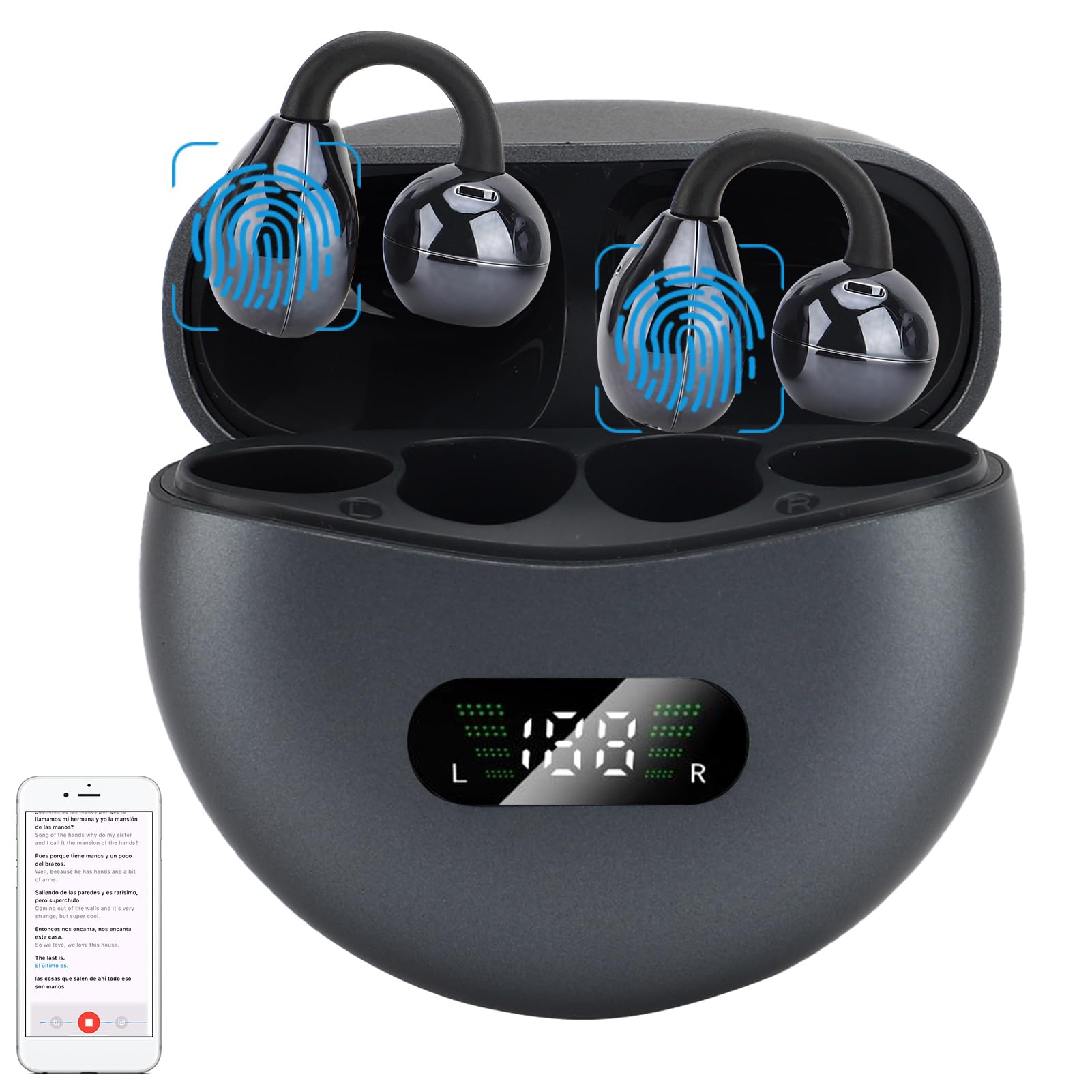
Let’s be honest: most of us dream about ordering food in Paris or asking for the bathroom in Tokyo without breaking a sweat. Thankfully, it’s 2024, and our Bluetooth headphones do a lot more than just help us avoid awkward conversations.
We can actually use Bluetooth headphones to boost our language learning—listening, repeating, and practicing wherever we want. That might be under a blanket fort, or while pretending to tidy up.
Pairing headphones with language apps or audio lessons blocks out distractions and lets us really focus on those new words and accents. We can pause, rewind, and replay tough sentences as much as we like—no need to drive a teacher nuts with endless repetition.
With just a few taps, those Bluetooth headphones become a secret weapon. Ready to jump into language learning and maybe even wow everyone at the next family dinner? Let’s dive in.
Why Use Bluetooth Headphones for Language Learning
It’s hard to focus on language learning when life keeps interrupting. Ever notice how that new Spanish podcast fades into the background noise? We can fix that with Bluetooth headphones.
Bluetooth headphones offer a few sneaky perks that speakers just don’t. They bring the sound right to us, making it easier to focus and actually catch those tiny pronunciation details.
Improved Attentiveness
Our brains wander a lot—faster than we care to admit. With Bluetooth headphones, sound comes straight to our ears, so those “Did I feed the cat?” moments don’t steal our attention.
Modern wireless headphones block out a ton of outside noise. That means grammar drills or vocab practice finally get some peace, even if someone’s vacuuming nearby.
If our headphones have a pause button, we get to stop, replay, and practice tough phrases easily. That makes learning feel way more active. It’s something people rave about on this Reddit thread.
Sense of Presence Benefits
Sometimes we just want to imagine ourselves in a Paris café, soaking up French chatter—but without buying a plane ticket. Bluetooth headphones can create that sense of presence. The sound feels close, making lessons or podcasts more real.
Headphones that cover our ears let us hear the rhythm and tone of the language. We notice the rise and fall of voices, the little background sounds, and it all feels more immersive.
Wireless headphones make things even better. We can walk around, gesture wildly, and repeat phrases without worrying about tripping over cords. It’s a lot less awkward than doing it in public, and definitely more fun than staring at a textbook.
Comparing Headphones and Speakers
Speakers just throw sound into the room, hoping we’ll catch it. That means our language lessons compete with barking dogs, noisy siblings, or the neighbor’s power tools.
Bluetooth headphones bring the audio right to us. No tangled cords, no tripping, and we can speak out loud without annoying everyone else.
Headphones let us listen quietly in shared spaces. Some language learners swear by them for staying focused, especially if the house is chaotic. Here’s a quick link if you want to read more about headphones in bilingual education.
Speakers just add to the noise. Headphones create a little bubble for our language adventure.
Choosing the Right Bluetooth Headphones
Picking Bluetooth headphones sometimes feels like searching for the perfect pair of jeans. What works for one person might not work for someone else.
We need to think about comfort, how well we can hear and be heard, and if we sound clear during practice.
In-Ear vs. Over-Ear Headphones
You’ve seen those tiny earbuds that disappear in your pocket or get lost in the couch. In-ear headphones are light and easy to carry. They’re perfect for listening on the go, whether we’re walking, commuting, or doing chores.
Some in-ear models even have noise isolation, which helps us focus in busy places.
Over-ear headphones look big and might mess up our hair, but wow, they wrap our ears in sound. Over-ear styles usually offer better audio quality and stronger bass, which helps us catch tricky words. Many come with active noise cancellation—no more barking dogs or loud neighbors.
Here’s a quick comparison:
Type
Portability
Noise Blocking
Comfort for Long Use
In-Ear
High
Moderate
Good (but ear fatigue for some)
Over-Ear
Low
High
Excellent
Honestly, pick what makes you feel like a language-learning superstar.
Microphone Quality for Conversation Practice
If we’re practicing pronunciation, the microphone on our headphones actually matters. A built-in mic lets us chat with tutors or use apps that test our speaking.
We want clear audio so our “bonjour” doesn’t sound like a sneeze.
Wired headsets sometimes win on call quality, but lots of Bluetooth headphones now have good mics. Look for features like cVc (Clear Voice Capture) or beamforming mics—they help block out background noise.
If we plan to practice speaking a lot, let’s pick headphones with a reputation for voice clarity—not just the cheapest or flashiest ones.
Device Compatibility: PC, TV, and More
Nobody wants to buy new headphones and then realize they don’t work with their favorite device. Before clicking “Buy Now,” let’s check if our Bluetooth headphones connect easily to what we own.
Most headphones pair quickly with smartphones, but some struggle with PCs or smart TVs.
It’s not just about phones—some headphones work with gaming consoles or Bluetooth-enabled audio output from TVs. PCs might need us to select the headset as the audio source, or tweak Bluetooth settings for the best sound.
We should double-check Bluetooth versions (like 4.2, 5.0, etc.) on both our devices and headphones. The right match means fewer dropouts and less frustration when we’re deep in a lesson.
Setting Up Bluetooth Headphones
If we want to learn a language without driving everyone else in the house up the wall, setting up Bluetooth headphones is a must. Getting them to cooperate with all our screens and gadgets can be a headache, but it’s totally doable.
Pairing With Your PC
Let’s start with the PC—the classic device that loves to throw “Bluetooth device not found” errors.
Pairing steps:
Charge the headphones and put them in pairing mode. Usually, we hold the power button until a light flashes (bonus points if it looks cool).
On the PC, open Bluetooth settings. Click “Add Bluetooth or other device,” then pick Bluetooth.
The PC scans for nearby devices. Pick our headphones from the list (and hope it’s not the neighbor’s phone).
Click connect. If it asks for a code, try 0000 or 1234.
If we hear a chime, we’re in! Now we can stream pronunciation drills, podcasts, and even those embarrassing language learning songs in private.
Connecting to a TV
Want to watch a foreign soap opera at 2 a.m.? Let’s get those headphones working with the TV.
Most smart TVs have Bluetooth built in. Put the headphones in pairing mode. On the TV, go to settings and look for Bluetooth or “Audio Output.” Add a new device.
If the TV finds the headphones, select and connect. If not, we might need a Bluetooth transmitter—those little gadgets that plug into the TV’s headphone jack or audio output.
Some TVs mute their speakers when we use Bluetooth headphones. That’s perfect—just us, snacks, and some dramatic dialogue.
Switching Between Multiple Devices
Switching headphones between PC, phone, and TV feels like juggling. Most Bluetooth headphones only connect to one device at a time, but some support “multipoint” pairing—worth checking the manual.
To switch, we usually turn off the headphones, then power them on and select the new device from its Bluetooth settings. Sometimes, we need to disconnect from one device first.
If things get weird, try turning off Bluetooth on the device we’re leaving. That helps the headphones focus on their new job—feeding our brains more vocab and less static.
If all else fails, patience is the real universal language. Here’s a handy guide for more help: setting up Bluetooth headphones.
Using Bluetooth Headphones for Online Learning
Bluetooth headphones make online learning so much better. We hear the teacher clearly, and we don’t have to listen to someone microwaving fish in the next room.
Participating in Virtual Classes
Virtual classes are full of distractions—dogs, doors, and that one neighbor who loves drumming. With Bluetooth headphones, we finally get a private bubble and can actually hear what’s going on.
We can move around the room, grab a snack, or stretch during a grammar lecture. As long as we don’t wander too far, we stay connected.
Some teachers want us to repeat words out loud. With a good headset, we avoid echo and feedback, so our awkward mistakes stay private. Plus, Bluetooth headphones often have easy pause and play buttons, so we can pause lessons to jot down notes or just take a quick dance break.
We’ve all been there—someone’s voice sounds like they’re talking from a metal trash can during a call. Bluetooth headphones with good audio output really help voices come through clear, which is a lifesaver for catching pronunciation and intonation in a new language.
With clear voice audio, we pick up accents more easily and start to notice the tiny sounds that make each language special.
When we use headphones that really focus on clarity, we miss fewer instructions. Suddenly, following along is way easier, and we stop hearing “Please turn to page…” as “Please burn two cages…” If you want to nerd out, check out why voice clarity is so important in language learning.
Our brains actually relax a bit with crisp voices—less strain, less “Wait, what did they say?” and more “Aha!” moments in online classes.
Enhancing Practice With Audio Content
Learning a language takes time, patience, and, honestly, a sense of humor when we mix up “cat” and “cake.” Bluetooth headphones let us bring language into our everyday routines, whether we’re making breakfast or flopped on the couch.
Podcasts and music are two easy ways to sneak in practice.
Listening to Podcasts
Podcasts are like little snack packs for language learning. We can listen anywhere—on the bus, at home, or while pretending to pay attention in a meeting.
Bluetooth headphones send clear audio right to our ears, making it easier to catch tricky pronunciation and new slang.
A lot of podcasts are made just for language learners. They break down conversations and repeat new words slowly for us. We can pause and replay any confusing part, which saves us from bugging friends for the hundredth time, “How do you say ‘library’ in Spanish?”
If you want to get organized, try making a simple podcast table for the week:
Day
Podcast Title
Language
Length (min)
Monday
Easy French
French
15
Tuesday
Coffee Break
Italian
20
…
…
…
…
Pretty soon, we’ll be ready for small talk in any language. Or at least, we’ll know enough to avoid agreeing to adopt three cats by accident.
Enjoying Music for Language Immersion
Textbooks rarely make us want to sing, but music? That’s a different story. Bluetooth headphones turn chores into karaoke time, and we end up learning new words and grammar just by singing along.
We get to copy pronunciation, pick up on rhymes, and even catch cultural references—all in one catchy tune.
Some ways to make the most of it:
Put the same song on repeat and sing along (sorry, neighbors)
Look up the lyrics and translate new phrases
Try out different genres to hear new accents
Music in the target language tunes our ears to real speech. And when we finally understand a chorus we’ve been singing for weeks, it’s a mini win. Maybe we just figure out what we’ve been yelling in the shower—honestly, either way, it’s progress. For more on how Bluetooth headphones boost pronunciation and focus, check out how they enhance language learning.
Interactive Language Learning Using Bluetooth Headphones
Bluetooth headphones let us learn languages on the go. We can speak into the mic, practice pronunciation, and use interactive apps that actually make lessons fun (and sometimes a little embarrassing when someone overhears us).
Speaking With Conversational Apps
Pairing Bluetooth headphones with language apps is where things get interesting. Apps like Duolingo or Babbel ask us to repeat phrases, respond to prompts, or even chat with virtual characters.
Now, we’re not just staring at flashcards—we’re talking back, and our headphones keep it private so nobody hears our accent fails.
With headphones, we catch every word, even if the lesson throws fast Spanish or sneaky French at us. Most Bluetooth headphones let us pause or play with a tap, so if we need to yell at the app for correcting us again, we can do it hands-free. A quick tap on the earbuds can pause or resume our lesson, which is handy when someone interrupts our very important mission to order “pan” (bread in Spanish, not pain in French) Bluetooth pause features.
Using a Microphone for Pronunciation Practice
Most Bluetooth headphones have built-in microphones. We don’t need to shout at the phone from across the room anymore—just speak right into the mic and the language app gives us instant feedback.
This comes in handy for pronunciation drills. When the app says “Try again,” our headphones’ mic helps it pick up the difference between our “r” and “l.” With a private listening setup, we can mumble tongue-twisters or practice animal sounds in Japanese without worrying who’s listening—except maybe the neighbor’s dog private listening environment.
Some apps even rate our pronunciation, turning learning into a mildly humiliating game. Just what everyone needs, right?
Troubleshooting Common Bluetooth Headphone Issues
Bluetooth headphone struggles are real. Sometimes the audio lags, and sometimes the connection just drops for no reason.
Audio Lag and Sync Problems
Repeating Spanish tongue twisters is tough enough without audio showing up late. Audio lag creeps in when Bluetooth takes too long to process and send sound over the air.
To fix it, we can start by disconnecting and reconnecting our headphones. Turning Bluetooth off and on again is the classic fix—seriously, it works more often than you’d think.
Keeping headphones close to our device helps too. If we’re using a computer, checking the audio output settings can work wonders.
If lag sticks around, updating Bluetooth drivers or rebooting the device might do the trick. For more details, these Bluetooth headphone troubleshooting tips could help.
Connection Dropouts and Fixes
When our headphones randomly lose connection, it feels like our language lesson is haunted. One fix: make sure the headphones are fully charged. Low batteries are sneaky and can make Bluetooth quit early.
Keeping other Bluetooth devices away helps, since interference can cause disconnects—especially if the neighbor’s microwaving a burrito again. Unpairing and repairing the headphones with our device usually solves mysterious dropouts.
If that doesn’t work, we can restart both the headphones and the language app. Cleaning the headphone buds and charging port can help, too.
If all else fails, we might have too many paired devices at once. Removing old connections can help our headphones stay loyal. More on common problems and fixes is on this Bluetooth headphone help page.
Maximizing Your Experience with Wireless Headphones
Let’s keep our wireless headphones—and our sanity—working as well as possible. Nobody wants a dead battery or gross earbuds when we’re practicing our flawless French accent.
Extending Battery Life
Headphones only help if they have power. To stretch battery life, we can:
Charge them regularly, but don’t leave them plugged in all night unless we want the battery to get lazy.
Turn them off when not in use—headphones aren’t powered by magic, unfortunately.
Lower the volume—this cuts battery drain and saves our ears.
Turn off Bluetooth on other devices to avoid random connections that waste battery.
If we’re going for a marathon listening session—maybe binging language podcasts—wired headphones can be a good backup. For more battery-saving advice for Bluetooth headphones, check out this guide.
Maintaining Earphones and Headphones
No one wants peeling headphones or sticky earbuds. A little care goes a long way.
We should wipe them down with a dry or slightly damp cloth after use, especially after sweaty workouts.
Storing them in a case keeps out dust bunnies. And please, don’t dunk them in water—unless they’re waterproof (which, let’s be honest, most aren’t).
Check and replace ear pads or tips if they’re falling apart—good pads make language learning way comfier.
Simple cleaning and smart storage keep our headphones ready for learning and free from weird smells. For schools or shared headphones, labeling and careful setup can help, as explained in this handy setup tip.
Alternative Audio Setups for Language Learners
Sometimes, Bluetooth headphones need a break. Other audio setups can make language practice more social or just a bit more interesting.
Using Desktop Dialogue Speakers
Cranking up a desktop dialogue speaker can make us feel like we’re right in Paris, Madrid, or Tokyo—without ever leaving our chair. Dialogue speakers, built for speech clarity, help us catch tricky accents and fast talkers in podcasts.
We should place the speakers so the sound points toward us. If background noise is an issue, noise-canceling speakers or ones with clear treble help a lot.
And hey, a little volume boost never hurts—unless the neighbors are trying to nap.
Mixing Speakers and Headphones
Sometimes, you just want it all, right? Mixing speakers and headphones feels a bit like grabbing both cake and ice cream.
You can listen through speakers when you’re learning with a group. Then, when you need to focus or practice speaking, just pop on your headphones.
Ideal Setups for Mixing:
Scenario
Primary Output
Secondary Output
Group session
Desktop speakers
None
Study with a friend
Speakers
One person: headphones
Solo practice
Headphones
None
Here’s a little trick for anyone with picky ears: grab an audio splitter and plug in a few pairs of headphones. That way, nobody misses out on anything important.
Honestly, if only there were a splitter for our attention spans during those marathon lessons! If you’re curious about classroom or home setups, you might want to check out this article on how headphones help students learn languages outside class.
Hi, my name is Garrett Jones, and I am a tech enthusiast. I enjoy researching the new tech that has been released, and have a vast knowledge of the best tech to purchase.
From a young age, I have always had a big interest in technology, and this blog is an extension of that interest. Through this blog, I hope to provide others with all of the information they need regarding tech options to consider, and things such as compatibility. Some of the different items I will be discussing include headphones, smartwatches, and how to fix common issues.